The Sims Freeplay- Simtown Market

The simtown market has been added to the October 2016 update of the sims freeplay. If you have finished upgrading all the workstations at a profession workplace and have been wondering if there is any point in sending your sims to work to collect resources or if you have reached your limit on the resources you can store, and find it a waste just to sell them- then this update is for you!
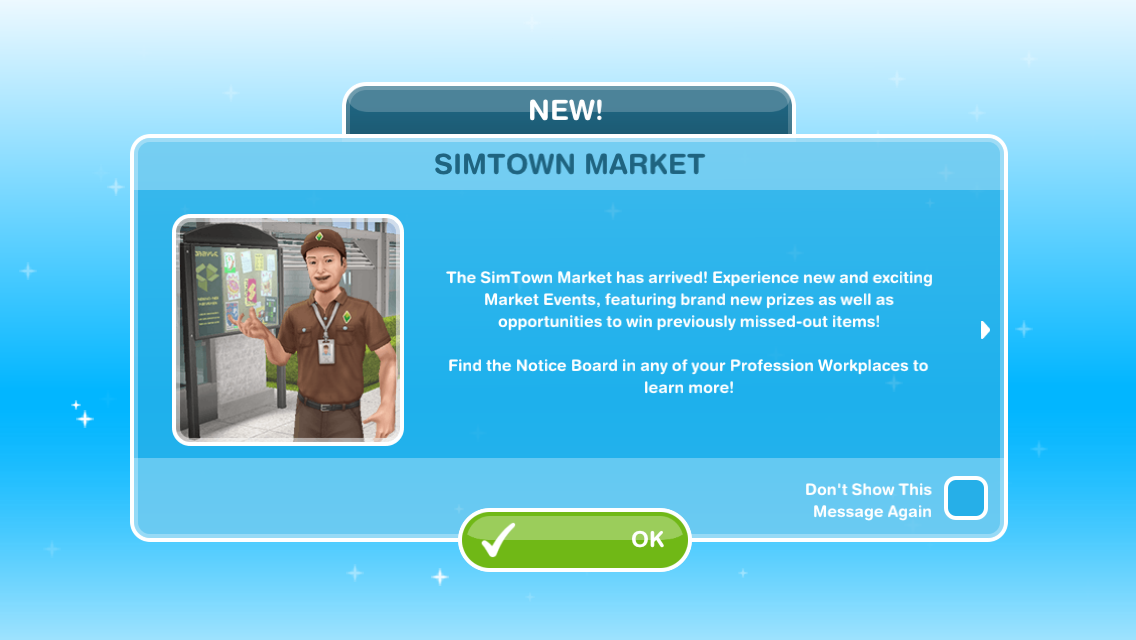
The simtown market allows you to use these spare resources to earn prizes! You earn market points by shipping market orders (these orders are made from resources, for example, you may be asked to ship 1 coffee and 2 popcorns) The more orders you ship, the more market points you earn, meaning the more prizes you will unlock!

The more developed your workplace is (the more workstations you have built/upgraded) the more market points you will earn as you will receive a bonus %

Couriers appear at the workplace and they need to be helped by a sim who works in that profession. Like helping a normal sim in this profession, when you complete all the tasks and help the courier you earn market tokens but there is a time limit in which you will need to help them in otherwise they will leave and you won’t receive the tokens.

NOTE: it costs SPs to speed up helping the courier- not LPs

Shipping tokens earns you a lot more points than shipping normal resources but you can only store 3 so you have to use them to collect more!


Simtown Market Tutorial– completing the tutorial unlocks access to regular special events, allowing you to earn prizes you previously missed out on or completely new prizes!

NOTE: you cannot start the tutorial until there is an event available- check in your goal tab to see if an event has started or is coming soon!

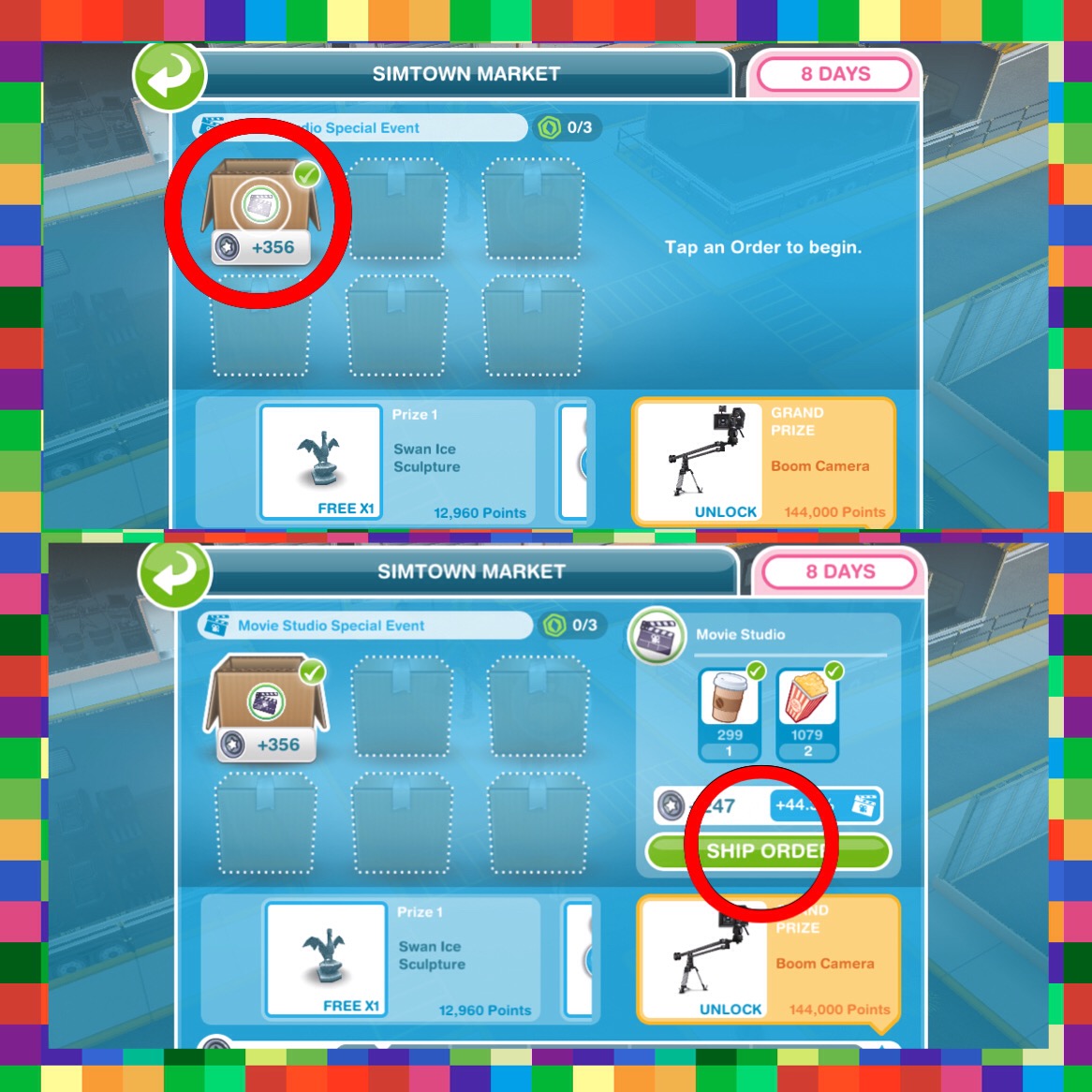
  • View the Simtown market (go to the Movie Studio (this may be a different profession workplace if you complete this tutorial during a different event) and click on the symbol of the person holding a parcel)

  • Complete a market order (again view the simtown market and click on a box and select ship order)
  • View the workplace overview (this is the button in the left hand corner of your screen while you are at the movie studio)

  • Start helping a courier- the courier will arrive at the movie studio:
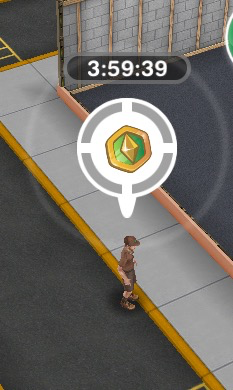

(a sim needs to be working at the studio to be able to help the courier- the same way you help other sims at a profession workplace)
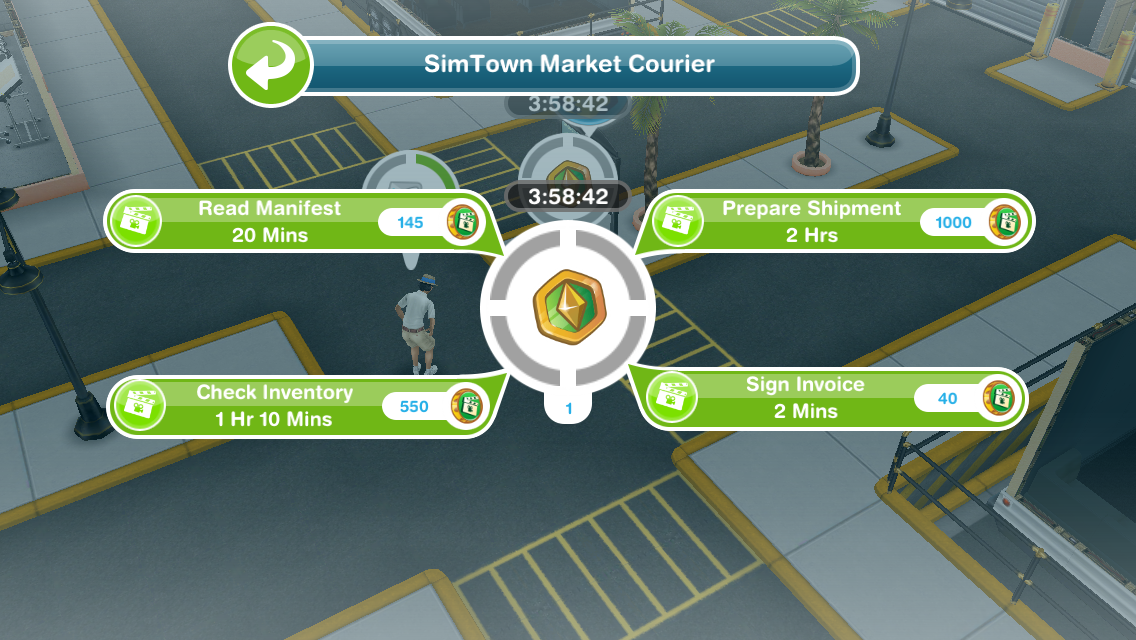
  • Spend a market token (go to the simtown market again, click on the box and select ship order)
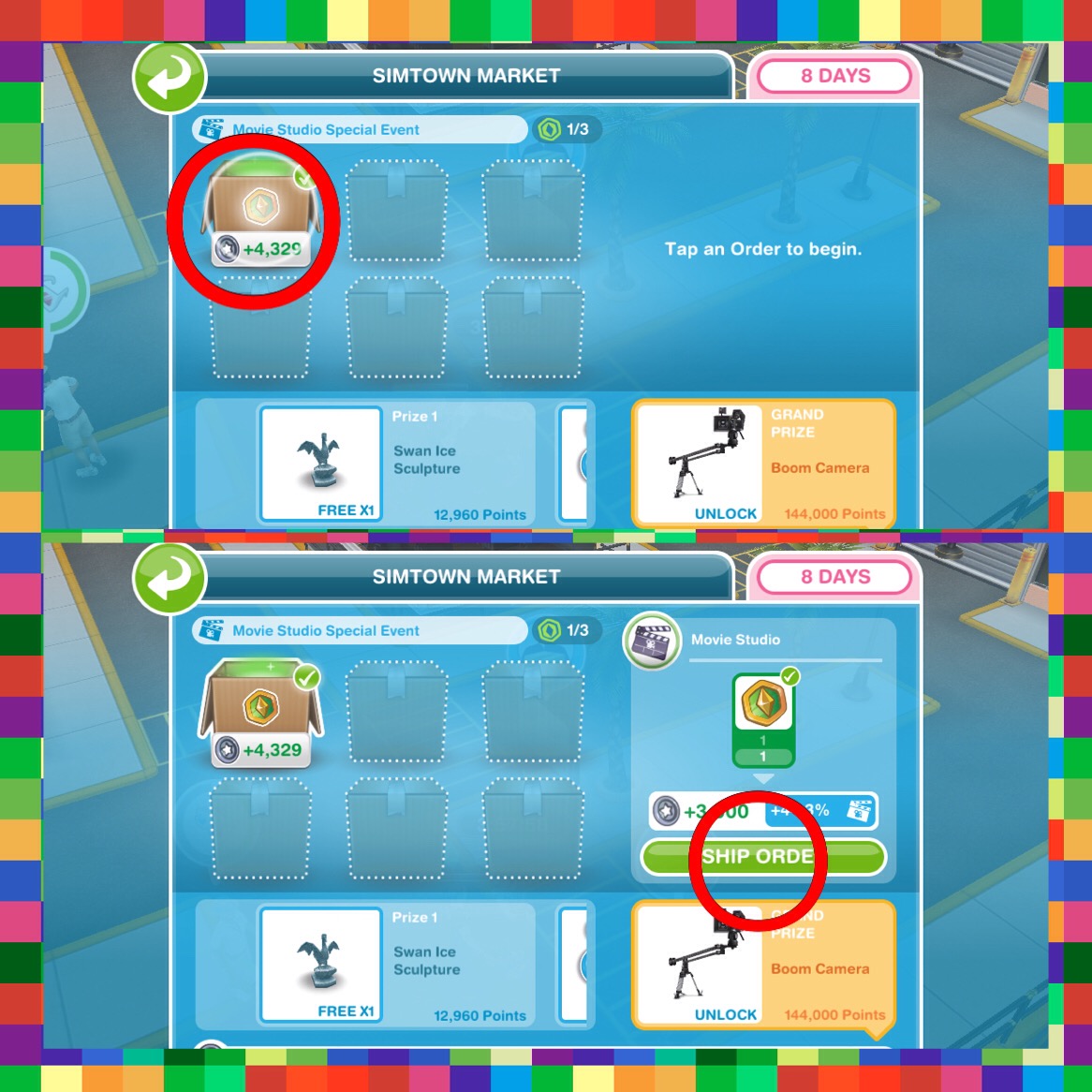
TUTORIAL IS COMPLETE!


Special Events- I am not going to be creating a post each time a new one is released as I believe they will all work in the same way

All you need to do is ship market orders and earn market points to fill up the bar in the time limit. Each time you reach a line on the bar you will receive a prize! The green is your current progress towards the prizes.

Most of the prizes are different for everyone as it depends what you have already unlocked but the grand prize is a new item so that is probably the same for everyone!

If you have completed all the current orders you will need to wait 30 minutes for new ones to appear or skip waiting for 10SPs- you can also unlock new slots for SPs!
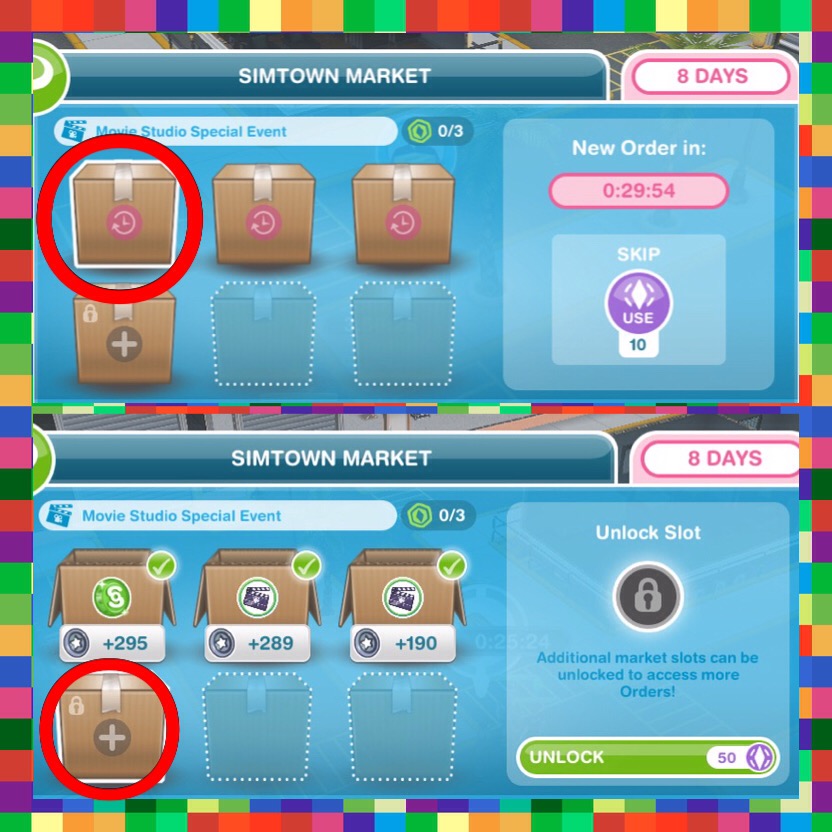
 

Currently I am still upgrading my workstations so I probably won’t be using this too much unless I cannot collect new items without selling my resources but I think it is a great idea!

Time Extension Event- this works the same as the other events but instead of just using resources from one profession you can ship resources from all professions and the grand prize for completing this is a time extension which can be used if you run out of time on a quest or hobby- previously only available as a VIP perk


If I’m on the last task helping a courier will he stay if the time runs out?

He doesn’t seem to stay anymore annoyingly! (let me know if this changes again!)

If you unlock an extra slot costing social points in the market event does it stay unlocked for future events?

Yes, they will stay unlocked

Can I save courier tokens for the next event?

Yes you can!

Does the courier arrive at a specific time?

The courier doesn’t seem to appear at a certain time, you need to have a sim working and the more customers you get through the more chance you have of seeing the courier

Thanks for reading!


COPYRIGHT PROTECTED
http://smarturl.it/sfpggwg

San Francisco!

In case you haven’t seen from my Twitter or missed the notification on my home page I am currently in San Francisco at the EA headquarters!
I arrived on Monday after my first ever flight (11 hours= boredom!) and with the 8 hour time difference it is currently Thursday and I am still suffering from jet lag- I keep waking up at 3am and my body thinks it’s time for lunch! However I can’t really complain as I am having an amazing time here! The weather has been like Summer and I actually got sunburnt on the way to the Golden Gate Bridge- anyone from England will know that October is coooooold!

This trip is an amazing experience and I feel so privileged to be apart of this and I cannot thank EA enough for this opportunity. I have loved meeting people who are as passionate as me about gaming!

So obviously I haven’t had the chance to really play my game yet for the Halloween update but I know the quest is the Night of the Candy Monster Quest again like last year- (https://thegirlwhogames.wordpress.com/2015/10/21/the-sims-freeplay-night-of-the-candy-monsters-quest-halloween-2015/) this post may be slightly different to this years but I will update if possible and create a post on what has changed in this latest update as soon as I can once I return home! Time to start my last full day here before I start heading home 🙂


UPDATE: This years Night of the Candy Monster Quest post is now available here! I haven’t completed it myself yet but the first three sets of goals are up to date, if you notice any changes in the last two sets please comment on the post and I will update it- thank you!

The Sims Freeplay- Buying, Selling and Storing Items

Buying items in the sims freeplay is an important part of the game so read this post if you are unsure on how to do it! This post also covers selling and storing unwanted items.

Home Store

The home store is where you buy, sell and store items in the sims freeplay.

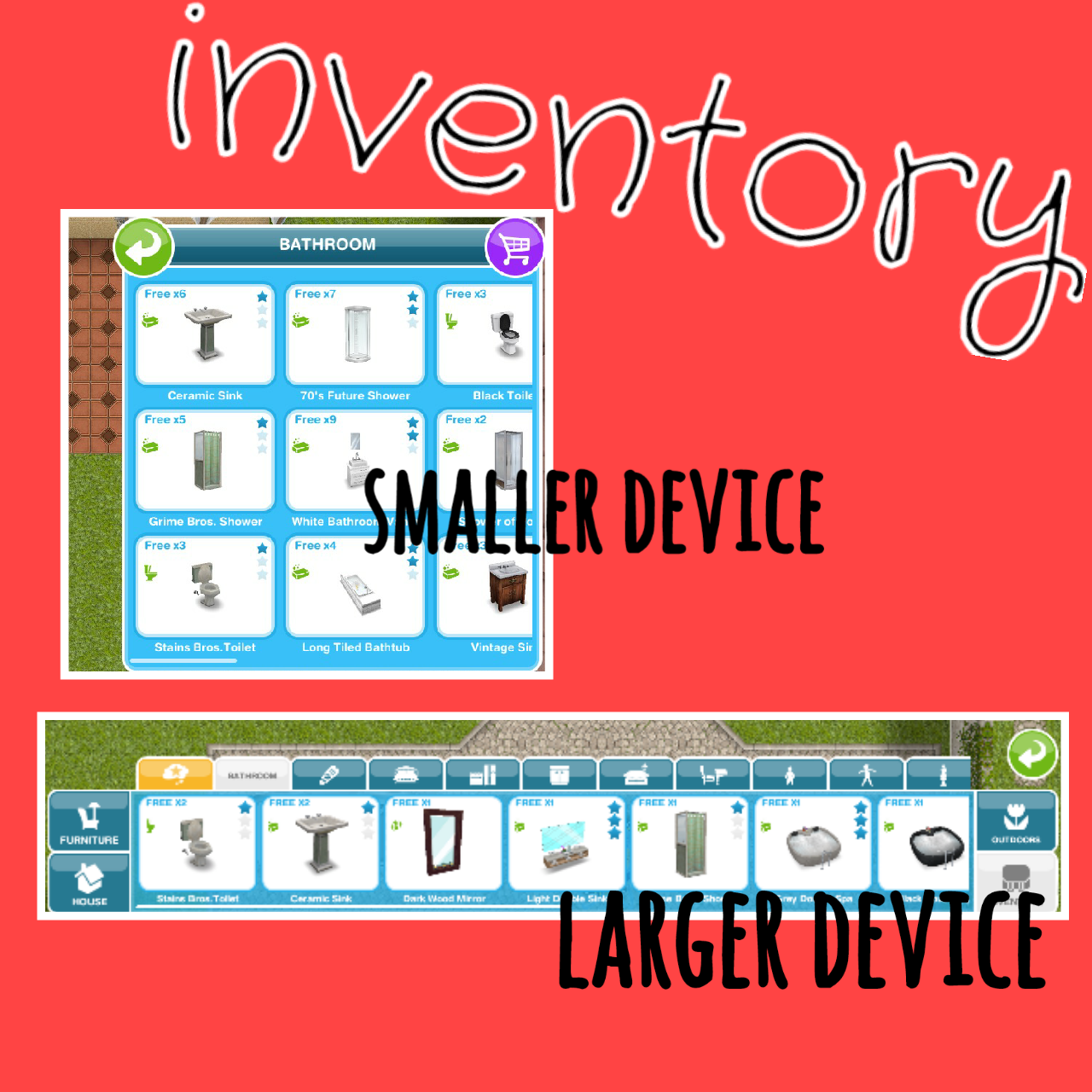
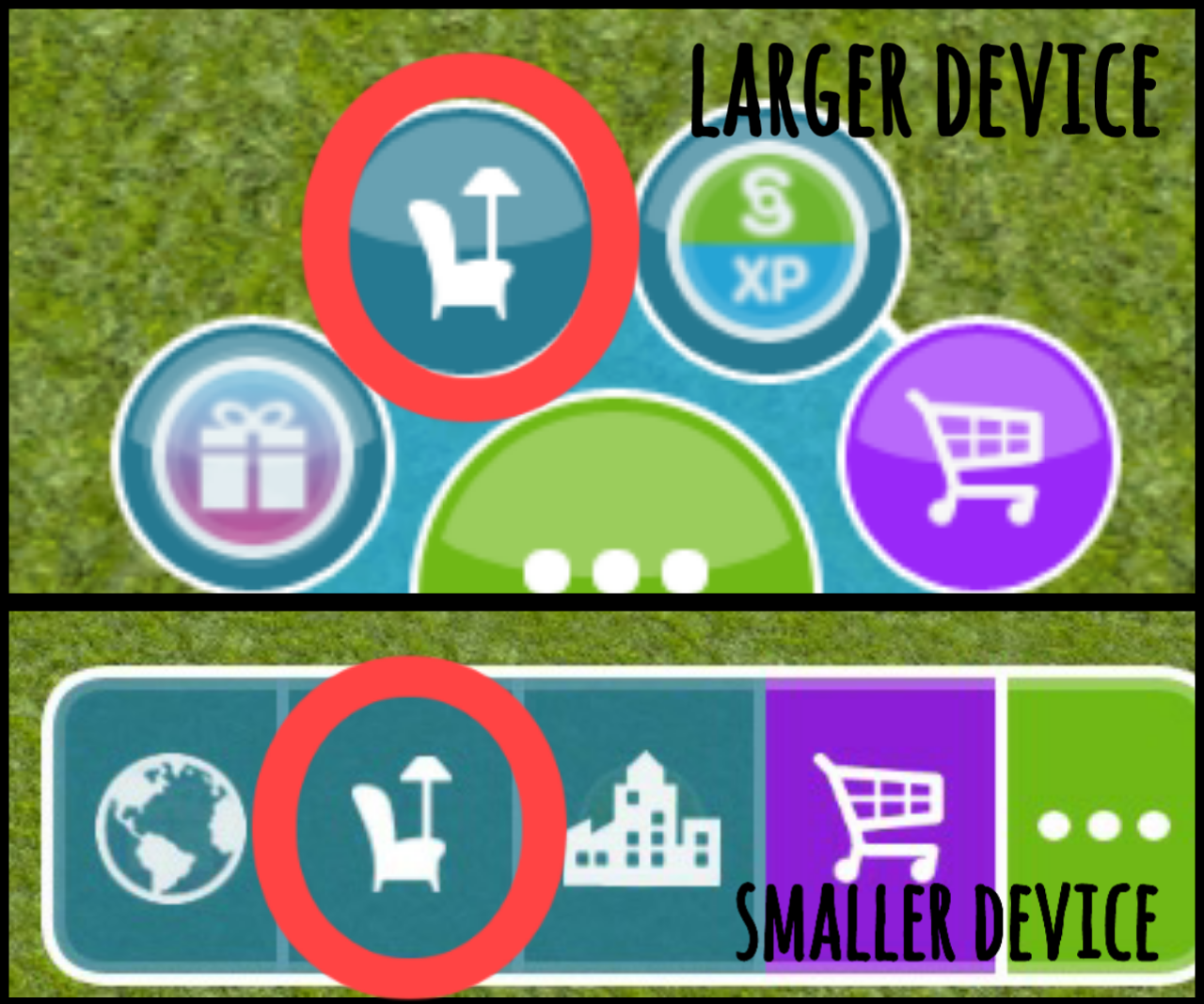
Opening the home store– click on the furniture button on the panel shown in the picture below. It will look different depending on what device you are playing on:

When opened, the home store itself will also look different depending on what device you are playing on.

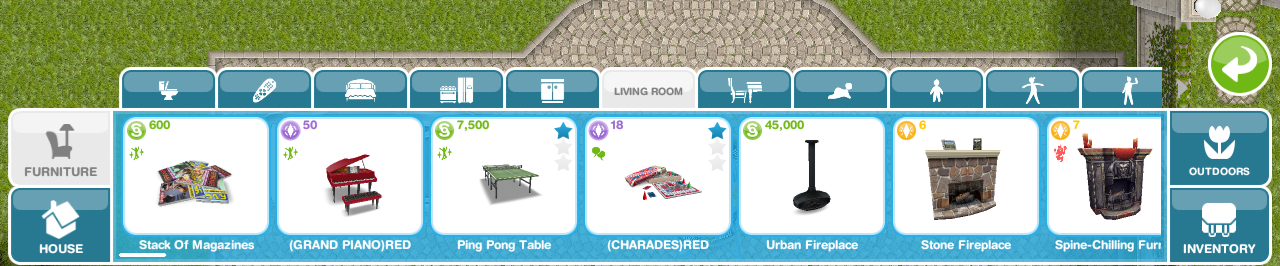
If you are playing on a larger device the home store will appear as a bar across the bottom of your screen with different sections for furniture, house (building rooms, decorating, etc) outdoors and inventory with tabs for different categories in each section.

For example in Furniture you will find the tab for Living Room, clicking on this will show you all the living room items:

If you are playing on a smaller device the home store will appear in a box filling half the screen, there are no individual sections for furniture, house and outdoors on this one, the tabs for different categories are all in this box.

For example the tab for Living Room can be found when you open the home store, clicking on this will show you all the living room items:

However, there is still a section for inventory which still contains all the tabs for the different categories of the items you have stored:

Buying

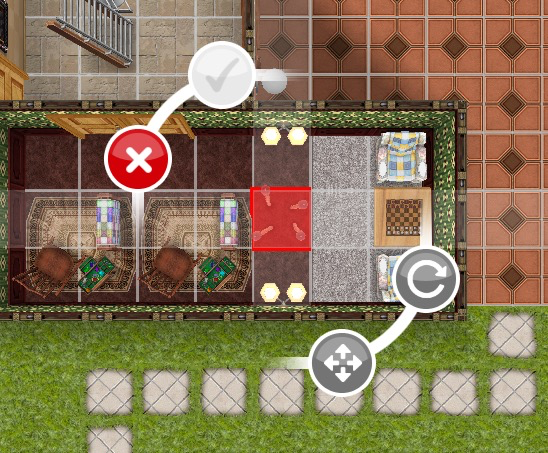
To buy an item, open the home store, select the item you would like to buy, find a space on the house lot to place it (it will flash red and the green tick will be greyed out if you cannot place the item), click on the green tick to buy it.

NOTE: some items can only be placed inside or outside

The picture below shows how it looks when you cannot place an item:


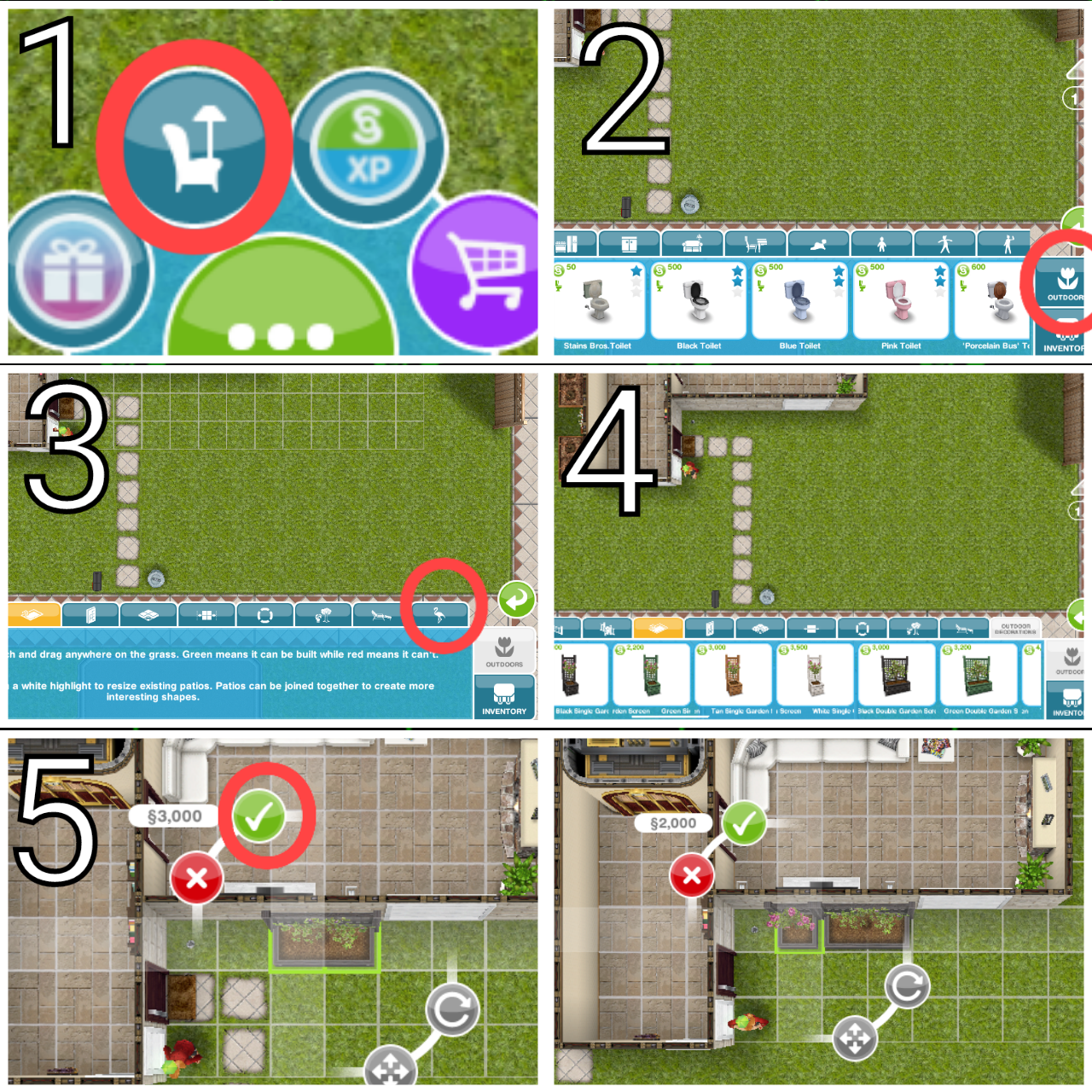
Sometimes you will get a goal in a quest that requires you to buy something, for example in the DIY HOMES: Peaceful Patios Quest one of the goals is to buy S5,000 worth of outdoor decorations. So to complete this:

On a Larger Device:

  1. Open the home store
  2. Click on the Outdoors section on the right of the bar
  3. Scroll across the bar until you find the Outdoor Decorations tab, click on this
  4. Scroll across the bar to find an item you would like to buy (remember you can buy one item that costs S5,000 or a selection of items that add up to S5,000) I am going to buy Black Double Garden Screen that costs S3,000 and the Black Single Garden Screen that costs S2,000)
  5. Click on the item, find a space on the house lot to place it and click on the green tick to buy (it will flash red and the green tick will be greyed out if you cannot place the item)


On a Smaller Device:

  1. Open the home store
  2. Scroll across until you find the Outdoor Decorations tab, click on this
  3. Scroll across to find an item you would like to buy (remember you can buy one item that costs S5,000 or a selection of items that add up to S5,000) I am going to buy the Bamboo Lamp as this costs S5,000
  4. Click on the item, find a space on the house lot to place it and click on the green tick to buy (it will flash red and the green tick will be greyed out if you cannot place the item)


Selling

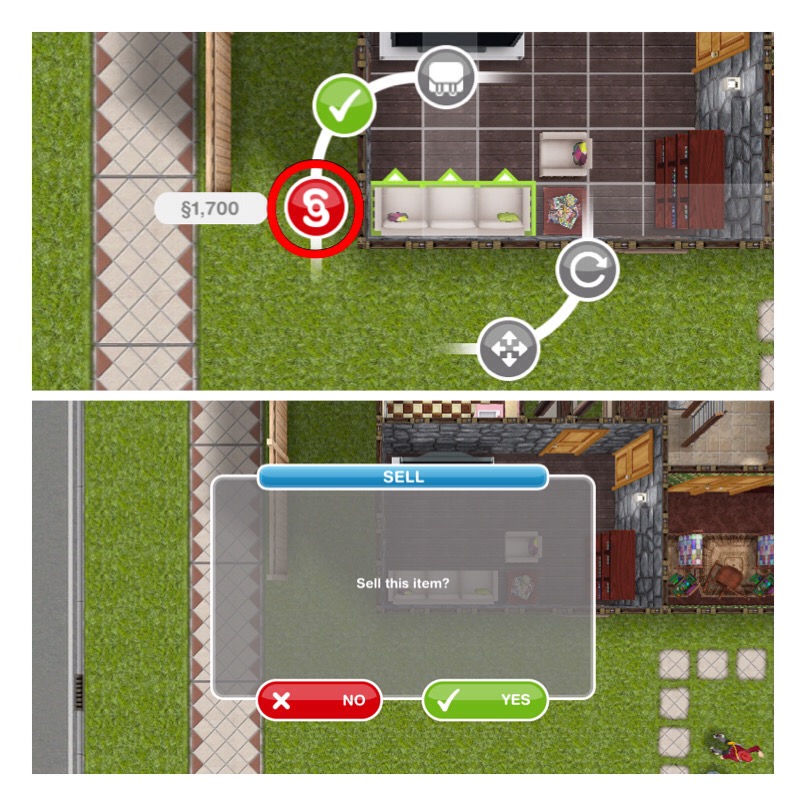
To sell an item you need to open the home store, then click on the item in the house you want to sell. A price will appear next to the red simoleon symbol, this is how much you earn when you sell the item. Click on the red simoleon symbol then a pop up will appear asking if you want to sell the item, click yes if you do.

If you want to sell items that are in your inventory you need to click on the item in the inventory like you are placing it in your house to get the option to sell it


Storing

You can store items in your inventory that you no longer want in your house, this is really helpful if you want to use the item later (I wouldn’t recommend selling everything you don’t want to use right now!)

You can also use it to move items to a different house:

I am going to show you how I moved the preteen bookcase but it will work for any item you can store!

  1. Press the home store button
  2. Click on the bookcase, click the inventory button, the bookcase will then be removed from the house
  3. Go to the house you want to place it in and click the home store button again
  4. Find the inventory section
  5. Then the tab where the item will be found (preteen bookcase will be in preteen tab)
  6. Click on the bookcase and position where you want it in the new house, click the green tick to place it

Follow steps 1 and 2 if you just want to place an item in your inventory.

Thanks for reading!


COPYRIGHT PROTECTED
http://smarturl.it/sfpggwg

The Sims Freeplay- Education

This post will explain how to send your preteen and teen sims to school and what they earn when they level up in their education.

PRETEEN

Complete the Preparing for Preteens quest to unlock the Simtown Elementary, once you have a Preteen you can send them to school.

How do I send a preteen to school?

Go to the career tab, find the preteen and it will say ‘not enrolled’ click on the mortar board symbol to enrol them at school:
They will be at school for 5 hours and will start from level 3, grade C (no idea why they don’t start from level 1 but you can get them down to level one (if you really wanted to) by having them leave school and then enroll again, each time they leave they will level down) 

Level 1: E S5 300XP

Level 2: D S25 350XP

Level 3: C S130 400XP

Level 4: C+ S240 450XP

Level 5: B S310 500XP

Level 6: B+ S390 525XP

Level 7: A S480 550XP

Level 8: A+ S600 600XP

Level 9: A++ S645 650XP

Level 10: A+++ S700 800XP


The first preteen to go to elementary school in your town will unlock new items when they level up:

Level 4: C+ 2+2 is 4 poster

Level 5: B Planets poster

Level 6: B+ Science project

Level 7: A Einstim poster

Level 8: A+ Model UFO

Level 9: A++ School Certificate

Level 10: A+++ Spelling Bee Trophy


Further preteens will earn town value as a reward for levelling up:

Level 4: C+ 1,000 Town Value

Level 5: B 2,000 Town Value

Level 6: B+ 5,000 Town Value

Level 7: A 7,500 Town Value

Level 8: A+ 15,000 Town Value

Level 9: A++ 20,000 Town Value

Level 10: A+++ 30,000 Town Value


TEEN

Complete the Higher Education Quest to unlock Simtown High to be able to send your teenage sims to school.

How do I send a teen to school?

Go to the career tab, find the teen and it will say ‘not enrolled’ click on the mortar board symbol to enrol them at school:

NOTE: this option will be locked until you build the Simtown High School

They will be at school for 5 hours


Level 1: Junior Student- S300 300XP

Level 2: Hall Monitor- S400 350XP

Level 3: Teachers Pet- S450 400XP

Level 4: School Band Leader- S500 450XP

Level 5: Senior Student- S550 500XP


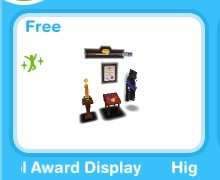
The first teen to reach level 2 at the high school in your town will unlock the High School Award Display:

They will fill the case as they level up

Further teens will earn town value as a reward for reaching level 2:

Level 2: 500 Town Value

All teens will earn town value as a reward for levelling up from level 3 onwards:

Level 3: 750 Town Value

Level 4: 1,000 Town Value

Level 5: 2,000 Town Value


Thanks for reading!


© COPYRIGHT PROTECTED

http://smarturl.it/sfpggwg


RESULTS: Do you want EA to add more profession careers?

It turns out that players do want more profession careers!

screenshot-2016-09-08-at-11-40-38

Not me though..


In my opinion I have enjoyed the game a lot less since these professions have been added and if I wasn’t blogging about this game I wouldn’t complete these careers. I was so excited about the police update and I loved the idea of the new professions but I really don’t think it works the way it currently is.

I have spent a lot of the summer glued to my game to try and get as much done as possible before I start back at college as there is no way I am going to be able to complete the quotas to earn the resources needed to build and upgrade my workstations when I am busy all day.

I get that this is meant to be a long term mission but some people only have time to play for an hour or so a day- if you can’t spend more than a few hours playing you are not going to be able to complete the quota any day so will be unable to build any of the workstations as they all require a lot of resources to build. I really think there needs to be another way to earn a larger amount of resources- also I love the idea someone suggested of carrying over the quota to the next day!

Also sims often come in who you are unable to help yet as you have unlocked a workstation but haven’t managed to build it yet. It would be great if these sims didn’t show up until the workstation is built.

The finally issue I am going to mention is the timings for tasks- they get so long! How you are meant to complete the quota without having to use LPs when several sims need help with an hour task (or even longer!) I have no idea!


EA please turn this back into a game- instead of a full time job!