The Sims Freeplay- Hobbies: Fashion Designer

FASHION STUDIO – ADULT SIMS ONLY – PRIZES: FASHION OUTFITS, LUCKY HAT AND LP


Only Adults can be a Fashion Designer, to begin this hobby you need to buy the fashion studio from the promotions r us store and place it in one of your sims houses.

I cannot find it in my home store to place it? You need to look in your inventory under the hobby and career items section

I cannot place the fashion studio, it says its locked/ limited item, what do I do? You will have this problem if you try and place it from the new items tab, look in your inventory instead to be able to place the fashion studio in one of your sims houses.

You can buy as many as you want so you can have as many adult sims as you want completing this hobby at once

Once placed tap on it and select one of the options:

  • Design Fashion- 10 minutes
  • Work Overtime- 1 hour
  • Tailor Chef-d’oeuvre- 6 hours
  • Create Next Big Thing- 12 hours

After the time has passed come back and click the exclamation mark above your sims head to find one of the fashion collectibles. Every time your sims complete one of the options above their fashion hobby skill level up percentage will increase, once they reach 100% they will level up, there are 6 levels. You need to reach level 6 to be able to unlock all of the fashion collectibles, once unlocked you will be able to find them.

The table below shows the level up percentage for each option:

This may change in future updates

 LEVEL  10 minutes 1 hour 6 hour 12 hour
1-2 2% 12% 74% 150%
2-3 1% 11% 66% 133%
3-4 1% 8% 49% 100%
4-5 4% 24% 50%
5-6 2% 12% 25%

For example if you did the 12 hour option, you would need to do this 4 times or the 1 hour option 50 times to reach level 6 from level 5

NOTE: it says 150% but you will start from 0% at level 2

The next table shows you for each level what fashion collectibles you unlock (so you can then find those ones too) and also the level up reward that a second and future sims will receive when they level up in this hobby:

 LEVEL  TITLE 1st TIME LEVEL UP UNLOCKS 2nd+ TIMES LEVEL UP REWARD
1 Fashion Disaster Brown Fishersims Hat, Fishersims Overalls and Gum Boots are unlocked in the hobby collection
2 Fashion Faux Pas Blue Overalls are now unlocked in the hobby collection 250XP
3 The Look Striped Shirt and Red Boots are now unlocked in the hobby collection 500XP
4 Fashionista Dress Pants and Leather Shoes are now unlocked in the hobby collection S750
5 Whats Hot Vest and Shirt Combo and Pink Dress are now unlocked in the hobby collection 10,000 Town Value
6 Fashion God Black Coat and Chichi Heels are now unlocked in the hobby collection.

You can now complete the collection!

1LP

NOTE: only the first sim completing this hobby needs to get to level 6 to unlock all the collectibles, future sims will be able to find any collectible even if they are only on level 1 in this hobby (and they can do the shortest option to try and find the collectibles quicker!)

You won’t find a new collectible each time, you will get repeats, if this happens just keep going, you will find them eventually! If it is still taking too long you can use the lucky spin on the row where you cannot find the item, this will cost LPs, when you click on the LP button it will clear the row and give you a random collectible on that row so you aren’t guaranteed a new item (you will get back any other collectibles you already had in that row) Need to earn some LPs to use the lucky spin?


The completed fashion designer collection is shown below, once you complete the collection you need to click ‘start a new collection’ at the top of the hobby collection screen, this clears the board so you can complete the collection again to earn more rewards (you will only get the option to restart the hobby collection when you have completed the collection):

You will earn XPs when you complete a row in the hobby but to complete the collection you need to find all 12 of the collectibles

The rewards for completing this collection are fashion outfits, lucky hat and 3LP:

  • The first time you complete the collection you unlock the fashion outfits (you need to build the costume and swim store then you will find them in the outfits section, the female outfit costs S9,500, the male outfit costs S8,500)
  • The second time unlocks the lucky hat (which can be found in the wardrobe for adults under hats)

image

  • From the third time onwards each time you complete the collection you will earn 3LP


Time Limited Hobby Events– the fashion designer hobby appears often in these events, to complete these you have to complete the fashion designer hobby a certain amount of times during the time limit to unlock all of the prizes, you can find a list of time limited hobby events here. If you want to complete these time limited hobby events then have one sim get to level six in this hobby before the next event starts so you only have to do the shortest option when the event begins!

Confused about hobbies? Read my Hobbies Frequently Asked Questions post

Find all hobby posts here


FIND THIS POST HELPFUL?

Buy Me a Coffee at ko-fi.com

THE SIMS FREEPLAY
©THEGIRLWHOGAMES.BLOG

The Sims Freeplay- Blue Footprints and Red Crosses

I often get asked ‘why won’t my sim complete an action?’ or  ‘a red cross has appeared in a bubble above my sims head- what does that mean?’ This post answers those questions.

Blue Footprints

Blue footprints appear in a speech bubble above your sims head as can be seen in the image below:

simsfootprints

They appear when you are trying to do an action that isn’t accessible to your sim, this could mean that the item they want to use is blocked.

How do I fix this issue? Look at items around the area where the object is and the object itself, it may be that the object is facing the wrong way or you may be missing a door to get into the room.

Red Cross

Red crosses appear in a speech bubble above your sims head as can be seen in the image below:

simsredcross

They appear when you are trying to do an action that your sim cannot do, for example a toddler cannot use a shower so if you were playing as the toddler and you clicked on the shower this red cross will appear.

How do I fix this issue? You need to use a different aged sim if you want to use that item.


Related Post: Beginners Guide


FIND THIS POST HELPFUL?

Buy Me a Coffee at ko-fi.com

THE SIMS FREEPLAY
©THEGIRLWHOGAMES.BLOG

The Sims Freeplay- Beginners Guide

This post has been completely redesigned and updated for 2017!

When you first start the game there aren’t many instructions as to what you need to do and how the game works so I have put together this guide to help you get the most out of the game!

Everything in red will be explained in more detail later in the post so keep reading, any words highlighted as a link will take you to a post explaining that topic in a lot more detail so if you are still unsure after reading about it in this post click on the links!

Player Information Panel 

At the top of your screen you will see a panel, this shows you your progress in the game:
1.Level and XPs- this shows you your level and how far away you are from levelling up, if you click on this you will see how many more experience points you need to be able to level up

2.VIP level- you earn VIP points when you buy items from the online store, the more you buy the higher your VIP level will be and the more VIP perks you will earn

3.Simoleons- this is your main currency in the game, click on the green simoleon symbol to buy more with real money

4.Lifestyle Points- this is a special currency, you can buy premium items with LPs or use them to speed up actions, again click on the orange LP symbol to buy more with real money

5.Social Points- this is another special currency, you earn these by completing social tasks at neighbours houses or as rewards during live events and community events

6.Town Value and Sim Count- click on this button to see your simtown information including your sim count (how many sims you currently have in your town/ how many you are allowed to add currently, this increases when you level up) as well as your town value, whenever you build a house, workplace or business or buy an item this adds to your town value, as your town value increases so does your daily simoleon reward

What is the time in the game? The time is the same as the time is for you so if its 10pm in your location then it will also be 10pm for your sims


Sim Information Panel

Your sim info panel will look different depending on the device you are playing on, on a larger device it will be a pop up tab at the bottom of the screen (shown as 1 in image above) and on a smaller device it will be in a folder on the side of your screen (shown as 2 in image above) with the simtracker included.

(3)Careers and Education– this is where you can give your sims a job, enrol them at school, send them to work or school or quit their job.

(4)Hobbies– here you can see all your sims hobbies and what level they are currently on in that hobby, click on the picture of the hobby to open up the hobby collection so you can see how many pieces they still need to collect before you will earn a reward:

(5)Relationships– relationships for the sim you are currently playing as.

(6)Life Dreams– complete the life dreams and legacies quest to get this tab. You will then be able to give your sims a life dream from here or see how far they have progressed with a life dream so far:

(7)Age Control–  complete the life dreams and legacies quest to get this tab. This tab allows you to advance, reverse or pause a sims age. Read this post for more information


Simtracker

Your simtracker will look different depending on the device you are playing on, on a larger device it will be a pop up tab on the sims needs bar (shown as 1 in the image above) and on a smaller device it will be in a folder on the side of your screen (2)

On the simtracker you can see the tasks your sims are currently doing (3) and if they have completed that action their face will flash with an XP symbol (4)

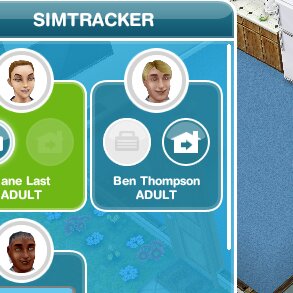
The simtracker is also used to send sims to work (click on the pulsing suitcase(5), bring a sim to the location you are currently at (using the whistle(6) and sending a sim home (click on the house with the arrow inside it button(7)

How can I send my sim to the park? Make sure they aren’t busy and go to the park, open the simtracker and click on the whistle to bring them to the park


Life Stages

When you first start the game you create an adult sim and begin the Tutorial

As you progress through the game you will unlock more Life Stages. Each life stage is unlocked by completing a main quest:

Babies– complete the Two and a Half Sims Quest to unlock

Toddlers– complete A Quest for Toddlers to unlock

Preteens– complete the Preparing for Preteens Quest to unlock

Teenagers– complete the Teenagers Quest to unlock

Ageing your Teenagers to Adults– complete the Adulthood Quest to unlock

Seniors– complete the Seniors Quest to unlock

Why can’t I complete A Quest for Toddlers yet? All main quests have to be complete in the order found in this post so you will not be able to do the Quest for Toddlers until all previous quests have been completed.


Sim Needs

Your sims have 6 needs that have to be fulfilled (the bar needs to be fully green) so they are satisfied, if they aren’t happy they mope around and take ages to walk anywhere and they won’t go to work. If you fill up all their needs almost completely (they will be inspired, being inspired is great because they earn more money and experience points when gardening and baking but also when they complete any action they will earn more XPs!)

image

  1. Hunger- fridge/ plate of food
  2. Bladder- toilet
  3. Energy- bed/ coffee machine
  4. Hygiene- sink/shower/bath
  5. Social- phone/interaction with a sim or pet
  6. Fun- several things such as watch TV, check emails (but for adults and seniors I plant bell peppers)

TIP: the same symbol that appears on your sims need bar also shows in the store so you know that item will fulfil that need

To inspire a sim you need to fulfil at least 4 needs fully and for the other 2 most of the bar will need to be full.

You can inspire a sim instantly with:

  • A cupcake- this costs LPs, I wouldn’t recommend this option!
  • Rainbow cakes- if you have this VIP Perk
  • Singing salmon- if you unlock this prize when completing the Life Dreams and Legacies Quest

TIP: when you download a new update to the game it will instantly inspire all of your sims!

How can I tell if my sim is inspired? They will sparkle and the cupcake will be greyed out

image

How much does an inspired sim earn compared to a sim who isn’t inspired? It varies depending on what they are doing but if you wanted to grow onions an inspired sim would earn S1,200 and 900XP whereas an uninspired sim would only earn S800 and 600XP! They will also get more XPs when completing any action, such as having a catnap they will get 99XPs when inspired instead of just 66XPs.


Star Ratings on Items

The star ratings indicate how good that item is, the more stars means the more expensive the item but also the quicker it will take to do the action. For example if you wanted your sim to read the big book of stuff:

  • 1 star bookcase would take 1 day
  • 2 star bookcase would take 21 hours 30 minutes
  • 3 star bookcase would take 19 hours

TIP: when trying to complete quests that have time limits it is always best to use items with the highest star rating you can so you can complete the quest quicker

I have found an item with a one star rating but I cannot find the same item with a higher rating, why? Almost everything in the store has a star rating so some items such as hobby items where only one item is available will have only 1 star even though that is the only item available to buy.


Cancelling/ Speeding Up An Action

To cancel or speed up an action click on the sim who is doing the action then you will see this bar appear:

image

Click on the red x to cancel the action, it will bring up a warning saying you will not get any XPs for cancelling, are you sure you want to? Click yes or no

Click on the orange use button to use LPs to speed it up, it will show you on the left hand side of the button how many LPs it will cost you to complete the action early.

Click on the green arrow if you clicked on your sim by mistake and don’t want to do any of the options above.

I haven’t got enough LPs to speed up the action, how can I earn some? Give this post a read! I explain a simple way to earn LPs that you can do as soon as you complete the first main quest in the game!


Making Simoleons (money!)

image

1-Daily Simoleon Reward

Click on a mailbox at the front of your sims house once a day to collect this reward, this is based on your town value so the higher your town value the more simoleons you will earn (up to a limit!)

2-Gardening

A great way to make money is to plant, seniors, adults and teenagers can plant. You will need to buy a garden patch for S20 and select the item you would like to plant, pay attention to the time, once your sim has finished gardening click on the circle plant pictures above the patch to collect your money.

Some seeds can turn into sim eating plants: Lettuce, Strawberries, Tomatoes, Eggplant, Spinach- I wouldn’t risk planting these unless you had a goal to make them, if they turn into a sim eating plant you won’t get any money or XPs from them and you will need to negotiate with the plant for 3 minutes to be able to use the garden patch again.

image

3-Baking

Baking is similar to gardening, buy an oven, select baking and click on the recipe you want to bake, once your sim has finished baking click the circle food picture above the oven to collect your money!

Some items can burn: Brownies, Waffles, Donuts, Banana Bread, Rocky Road and Soufflé- I wouldn’t risk making these items unless you had a goal to make them, if they burn you won’t get any money or XPs for them and you will need to extinguish the fire for about 3 minutes to be able to use the oven again

image

TIP: remember that inspired sim earn more money when baking or gardening!

TIP: you can buy seeds or recipes from the Supermarket at a reduced price!

What does the wedding cake do? Is it worth the LPs it costs to bake? The wedding cake doesn’t do anything so don’t waste your LPs on it!

4-Careers

Another way to make money is by getting your adult sims a job, to get a job click on the menu at the right hand bottom of the screen and on the jobs tab find the sim that you want to get a job and click on unemployed next to their picture, this will bring you up the list of jobs available- give this post a read for more details

Towards the beginning of the game you won’t have many options until you build all of the workplaces, once you have built them all the list of jobs to choose from is: ScientistFirefighterMusicianArtistTeacherReal Estate AgentAthlete and Politician as well as profession careers Police, Movie Star and Hospital Staff

Only adult sims can go to work but you can also send your preteen sims to Simtown Elementary and your teenage sims to Simtown High

What is the difference between careers and professions? Careers you just send your sims to work for a certain amount of hours and you cannot interact with them during this time, with profession careers you can go to work with your sims, help out the people who turn up at that workplace and earn resources to build and upgrade workstations within that workplace, click here to find out more about profession careers

5-Hobbies

Your sims can make money when completing hobbies too, when you find a new hobby item you will earn simoleons and when you complete a collection you either earn a prize or LPs. Click on the links below for information on each of the different hobbies available for sims in that life stage:

Baby: Musical Expression

Toddler: Toddler PlayhouseSeashell CollectingFinger Painting

Preteen: KarateBalletDivingFigure SkatingSeashell CollectingSkill Tester

Teen: Teen IdolCookingDivingFigure Skating,  JugglingSpell CastingBroomstick FlyingSurfingBreakdancingArcade GamerCatwalk ModelBowling, Cat ShowDog ObedienceDog AgilityArchery, Internet Kitten, Puppy PalsFashion HunterMakeup ArtistPotion BrewingSnorkellingStorytellerSurvivalist

Adult: CookingDiving,  Figure Skating,  Fashion Designer,  FishingGhost HuntingHorse TricksVaultingShowjumpingWoodworkingJugglingSpell CastingBroomstick FlyingSalsa DancingBreakdancingSurfingCatwalk Model, AerobicsBowling, Cat ShowDog ObedienceDog AgilityArchery, Internet Kitten, Puppy PalsFashion HunterMakeup ArtistPotion BrewingSnorkellingStorytellerSurvivalistPinball Enthusiast JesterHigh Striker, Chocolatier

Senior: FishingCookingQuiltingBird FeedingPinball Enthusiast Dog ObedienceStorytellerSurvivalist, Cat Show

At the start you won’t have many places unlocked to be able to do these hobbies.

NOTE: a sim can only have one hobby, you can change their hobby but they will lose all progress towards that previous hobby

Still confused about hobbies? Check out my Frequently Asked Questions about Hobbies!

Are hobbies important? You don’t have to complete them if you don’t want to but if you want to complete Time Limited Hobby Events then yes they are important, when completing a Time Limited Hobby Event you will need a sim at the highest level in that hobby and it is always best to do this before the event starts, so as soon as you can start a hobby its best to have one sim on that hobby to complete it for the first time so you are ready when a time limited hobby event starts! You can find more information and a list of time limited events here

6-Buy them

You can buy simoleon, LP and SP packs from the online store, located by clicking on the shopping cart:

20140829-204537.jpg

When you buy items from the online store you now earn VIP Perks, VIP perks are unlocked when you buy items from the online store with real money, anything you buy with real money now gets converted into points (the more money you spend the more points you earn) and the more VIP points you have, the higher VIP level you will be, earning you more perks! Click here for more information on the VIP Perks you can unlock!

Help I need to earn some money! Click here to read my post 15 ways to make money


Goals, Quests and Tasks

You can see all your current tasks, quests and goals in the active tasks tab:

For weekly tasks and social tasks there is an orange skip symbol, you can use this to skip a task but this will cost you 10LPs, you cannot skip quest goals.

Weekly Tasks

You will find weekly tasks in your active tasks tab, you need to complete all these goals in a week to receive a key- you use these keys to unlock mystery boxes that contain different items, the more keys the rarer and better the items! The mystery box shop is explained in more detail in this post

You can also get rewards for completing 25%, 50% and 75% of the goals.

TIP: If you cannot complete a goal you can either skip with 10LPs or wait until a new update for the game is released, when you download a new update it will complete the current weekly task you are on!

Once you have completed the week of goals you will have to wait until the next week to access the mystery box shop to spend your keys.

NOTE: these goals have to be completed in your town, they cannot be completed in a neighbours town

Find my list of weekly tasks here

Quests

There are now main quests and discovery quests.

Main Quests- All main quests HAVE to be completed in order, there is a level that quests unlock at but you still will not be able to access that quest if you are at the correct level but haven’t completed a main quest before it.

NOTE: you have to complete the current main quest before you can move onto the next one in the list:

  • Ocean View– unlocks the beach side premium houses (level 9)
  • Adulthood– unlocks the ability to age teens to adults (level 21)
  • Ghost Hunters– unlocks the ghost hunting hobby and haunted items (level 22)
  • Seniors– unlocks seniors (level 23)

For example, if you are on level 28 but are currently completing the Ghost Hunters Quest then you will need to complete this one before you can start the Seniors Quest, Bird Feeding Quest, In Stitches Quest and the final main quest Life Dreams and Legacies Quest. You will see all the main quests up to your current level in your quest queue 

These quests need to be completed in order and the next one will start as soon as the previous quest is completed.

NOTE: these goals have to be completed in your town, they cannot be completed in a neighbours town


Discovery Quests- these are usually unlocked by talking to a person in simtown or building a place, they can be completed in any order (apart from the ones that require another discovery quest to be completed first) and at the same time as main quests but you can only complete one discovery quest at a time. Below is my list of discovery quests to complete, click on the links to find out how to begin these quests:

  • Book Of Spells– unlocks spell casting hobby (sorcerous supplies unlocks at level 8 and needs to be built before quest is unlocked)
  • Saved by the Spell– unlocks the potion brewing hobby (complete the book of spells quest and find the wizard in the park to start)
  • A Dance To Remember– unlocks salsa dancing hobby (click on the dancers next to the thinking man statue in the park to start this quest)
  • The Grooving Guru– unlocks the Health Hub content and aerobics hobby (build the health hub from level 9 to start this quest)
  • Nanny Knows Best- unlocks new interactions for babies (find the nanny in the park to start this quest)
  • Vacationers Guide to the Outdoors- unlocks the campgrounds content (build the campgrounds from level 11 to start this quest)
  • The Sunset Mall– unlocks mall content (you need to build the mall from level 12 to unlock this quest)
  • Pretty Little Planters– unlocks a second floor to the mall (you need to build the escalator to start this quest)*
  • Super Toddler Secret Mission- unlocks the finger painting hobby (find the super hero at the stables)
  • Strange Things In Simtown– unlocks super villain outfits for your toddlers (find the super villain at the park once you have completed the super toddler secret mission quest)
  • Royal Lineage– unlocks the castle (you need to build the castle from level 14 to unlock this quest)
  • DIY Homes: Peaceful Patios– unlocks patios (you need to talk to the woman with the hard hat at the park from level 15)
  • DIY Homes: Lovey Dovey Balcony– unlocks balconies (you need to talk to the woman at the community center from level 17 once you have completed the multi story renovations quest)
  • DIY Homes: Basement of Kings– unlocks basements (you need to talk to the woman at the community center once you complete the balcony quest)
  • Extreme Home Takeover -unlocks the ability to submit your houses for other players to build (talk to the realtor in the park from level 11)
  • A Puppy Odyssey – unlocks puppies and kittens (find the puppy in the park from level 11)
  • Simtown Express – unlocks the downtown area and hospital profession workplace (build the simtown express from level 15 to begin once you have completed the mysterious island quest)
  • Sims and the City– unlocks penthouse apartment templates in downtown (you need to complete the simtown express quest first)

NOTE: these goals have to be completed in your town, they cannot be completed in a neighbours town

How much time does each quest take to complete? Check out this post for the total time each quest takes to complete

Do I have to complete a discovery quest? No you don’t! If you don’t want to complete the quest don’t talk to the sim or build the building that is needed for this quest to begin BUT once you start a discovery quest you will need to finish it before you can move onto a new discovery quest

Social Tasks

All these tasks have to be completed at your neighbours town, each goal you complete gives you a reward- some give you social points others will just earn your experience points. To get neighbours you need to connect your game to a social media platform, for example, facebook, google play games or game center.

If a neighbour doesn’t have an item you need you can add new neighbours or skip the goal for 10LPs. If you don’t want to add anyone as neighbours you can still complete tasks at the default neighbourhood Another Simtown, it is lacking a lot of items but you can find out what it contains in this post  and if it doesn’t have what you need to complete that task you can skip with 10LPs without having to visit!

NOTE: these goals can only be completed in a neighbours town, you cannot complete them in your own town

How do I visit neighbours? This post explains how to visit a neighbours town

How do I add neighbours? Check out this post on how to add neighbours

None of my friends play! What should I do? You can find loads of players on this page

What items do I need in my town to create a great social tasks house for my neighbours? Check out this post!

Why can’t my neighbour see an item I put in my town for them? You will need to connect to the cloud and save your game for your neighbours to see the most recent version of your town

Time Limited Events

A lot of the new events in the game nowadays are time limited so you will have a certain amount of time to complete an event in order to get a prize or several prizes. These will also appear in the active tasks tab when they become available, there are a few different types:

  • Time Limited Hobby Events– are hobbies that can be completed previously then have to be completed a certain number of times during the time limited event to unlock new items, for example, Long Hair Event (completing the fashion designer hobby 9 times in the time limit to unlock all 9 hairstyles)
  • Community Events– these events require you to collect lots of a certain thing such as fruit or gems to be able to unlock and build or buy new places or items on the game within the time limit, these have community prizes so all of the sims freeplay community works together to unlock these prizes as well as personal prizes, for example, Tropical Romance Island (collecting fruit to build an island within the time limit)
  • Live Events– these are similar to community events but we don’t have community prizes, only personal prizes, these events require you to collect lots of arts and crafts items to be able to unlock and buy new places or items on the game within the time limit, for example, Dream Daycare (collecting arts and crafts items to purchase all new toddler and infant items within the time limit to win the Toddler Playground House Template)

The links to all Time Limited Events can be found here, remember that they aren’t all currently available right now

Time Limited Hobby Event or Timed Hobby?

Timed hobbies are ones that need to be completed for the first time in the time limit to get a prize, for example, the time limit for the Spellcasting hobby starts once you complete the Book of Spells quest, for a timed hobby you only have to complete the hobby once in the time limit not several times like you do in a time limited hobby event.

Simtown Market Events

These appear in your active tasks tab once you start the profession careers, the aim is to use the resources you earn in the professions to earn prizes such as the boom camera:

Click here for more information on simtown market events


Family Life

Once you complete the Love Is In The Air Quest you will be able to ask sims to move in and be romantic! To interact with another sim have the sim with the plumbob above their head click on another sim and select one of the interactions.

There are 3 different kinds of relationships:

  • Friendly- these are green interaction bubbles
  • Rude- these are red interaction bubbles
  • Romantic- these are pink interaction bubbles

 How do I make my sims roommates?

If you want a sim to move in with another sim then you need one to be nice to the other until they reach the good friends milestone, then you will get the option to move in

How do I make my sims partners?

If you want your sims to be partners and living together then you will need one sim to be romantic to the other until they reach the partners milestone, then you will get the option to move in

NOTE: the sim who asks is the house they move into and the last name they will get, for example if John Smith asked Jade Road to move in they will move into Johns house and she will become Jade Smith even if they are only friends

NOTE: You can only have 4 sims living in a house at one time

There are different interactions for different life stages and relationship milestones, read my Relationships post for my full guide to all the interactions

Marriage

Once you complete the Love Is In The Air Quest you can marry your sims. It is best to ask a sim to marry another sim before they live together, they are less likely to say no if they live in separate houses, it is also best to buy the most expensive ring which costs 10LPs, the better the ring the more likely they will say yes.

When you select get married it will ask you which house you want them to live in, they will take that sims last name:


TIP: two sims have to be married before they can have a baby

Check out my post on getting married here

Divorce

If you don’t want your sims to be married anymore you can get them divorced, you won’t be able to move one of the married couple out of a house without getting them divorced first, this post explains how to get your sims divorced

Having a Baby

Once you complete the Two and a Half Sims Quest and you have a married couple in your town you can add a baby! Adding a baby will cost you 3LPs until you complete the Life Dreams and Legacies Quest, then it will cost simoleons (the amount varies depending on how many sims you have in your town already)

  1. Place crib in the house of a married couple otherwise you will not be able to add the baby
  2. Click on blue add sim symbol
  3. Click add on the pop up, the baby will take a day to arrive
  4. After a day the add symbol will now be green, click on this
  5. You will be taken to create a sim, name and customise the baby before clicking on the green tick in the corner to add them to your town

Once you complete future quests you will be able to age your baby through the different life stages:

  • You can bake a birthday cake using an oven for 5LPs to turn a baby into a toddler (once a quest for toddlers has been completed)
  • Then to a preteen (once preparing for preteens has been completed)
  • Then to a teen (once teenagers has been completed)
  • Then to an adult (once adulthood has been completed)
  • Then to a senior (once seniors has been completed)

You can find more information on birthday cake ageing here

Pets

Once you build the pet store you can buy cats, dogs, puppies and kittens! Most of them cost LPs.

Decide on the pet you want then choose the house you want the pet to live in (you can only have 2 pets per household)

Cats and dogs find money and sometimes LPs around your houses! The most expensive the pet the more LPs they are likely to find

Read my Guide to Pets for loads more information

You will also be able to buy Horses at the stable, find out about horses here


Houses

Building a house- Click on the blue or yellow house add symbol to choose a house from the list, pick the empty lot if you want to build your own house. If this is greyed out you will need to finish constructing another building first as you cannot build two places at once or if you have no other places building you will need to level up before you can add a house as you are at your house limit for the current level.


Below I’m going to link all of the important posts for creating houses, make sure you check them out before you start (if you make mistakes it can be very expensive to redo!)

Building, Deleting and Resizing Rooms– the first steps to building a house!

Buying, Selling and Storing Items– learn how to place items in your house, sell unwanted items and store items to use them later!

Adding Stairs– once you complete the Multi Story Renovations Quest you will be able to add stairs to your houses, this guide shows you step by step how to do that!

Adding Poolsonce you complete the It’s All Going Swimmingly Quest you will be able to add pools to your gardens, learn the basics as well as some great tips to creating pools with an island in the middle!

Adding Patiosonce you complete the DIY Homes: Peaceful Patios Quest you will be able to add patios to your gardens, check out my step by step guide to that and a video from me on how to have different styles of patio paving next to each other!

Adding Balconiesonce you complete the DIY Homes: Lovey-Dovey Balconies Quest you will be able to add balconies to your houses too, again my guide will walk you through how to do this!

Adding Basementsonce you complete the DIY Homes: Basement of Kings Quest you will be able to build basements underneath your houses! Check out my guide for how to do this!

Have you built an amazing house you want to share with others? You can Submit Your House to the Sims Freeplay team to review and decide if it should end up in the architects homes tab for other players to build, find out how to do that in this post!


If you don’t want to create your own there are lots of premade house templates to choose from, you can still edit them! Below I have listed all my house guides, as well as guides for the penthouse apartments and houseboats. You can see my opinion of each house and pictures of them to help you decide which ones you would like to build:

House Guide Part One

House Guide Part Two

House Guide Part Three- Templates

House Guide Part Four- Penthouse Apartments

Houseboats Guide


Adding New Sims

When you first build a new house you will get empty house options (options that appear when a sim isn’t living in the house) the most important option is adding a sim:

Add a sim- select this option to be taken to the create a sim menu, customise your adult sim then add them to the game (this is free)

NOTE: you can only add an adult sim for free to a house, you will need a married couple to add babies that will age into children!

I don’t like my sims name can I change it? Yes you can, you can click on your sim and select ultimate makeover, this will cost you 12LPs but you can change their name, gender and skin colour

Can I delete a sim? Yes you can, click on your sim and next to their name you will see a red cross, click on this and your sim will be deleted from the game


Places in Town

There are 3 areas in your town:

  • Simtown– your main place in town
  • Mysterious Island– complete the Mysterious Island Quest to unlock
  • Downtown- complete the Simtown Express Quest to unlock

Places In Simtown (you need to complete quests and other requirements before you can build most of these places): 

Places On the Mysterious Island (you need to complete quests and other requirements before you can build most of these places): 

Places In Downtown (you need to complete quests and other requirements before you can build these places):

How much does it cost to build a place and how long will it take to build? The price and time vary depending on how many others of that type of building you already have in your town, for example, everytime you build a new house the price will increase for the next house but not for workplaces or businesses and everytime you build a new workplace the price will increase for the next workplace but not for businesses or houses.


Saving to The Cloud

Saving to the cloud is probably the most important part of the game because if you don’t save to the cloud and something goes wrong you could end up losing your whole game (yes, this has happened to me before). It also allows you to transfer your game data onto another device

The first thing you need to do is connect to a social platform for example, facebook or game center (this depends on the device you are playing on) this is explained in the adding neighbours post

Once you have done that you can go into the settings in the game (the 3 white dots button) and click on the cloud button, you can now select upload save data and your game will save, its very quick and simple so make sure you save often!

image

TIP: once you have added an item to your house for a neighbour to use you will need to connect to the cloud so they can see the most up to date version of your town and be able to use the item

More information on the cloud can be found here


Important to Know

  • When you complete the last main quest, Life Dreams and Legacies your sims will age automatically and they will die, please check out my Guide to Life Dreams and Orbs and FAQs about Life Dreams so you know what to expect- there are also some tips in that second post to stop your sims ageing!
  • Blue footprints appear in a speech bubble above your sims head when you are trying to do an action that isn’t accessible to your sim, this could mean that the item they want to use is blocked, move the item so your sim can access it and try again

simsfootprints

  • Red crosses appear in a speech bubble above your sims head when you are trying to do an action that your sim cannot do, for example a toddler cannot use a shower so if you were playing as the toddler and you clicked on the shower this red cross will appear.

simsredcross

  • Firemonkeys are the creators of The Sims Freeplay so if you have any technical issues for example if you lose the save data for your game then please contact them, details on how to contact them and the information you will need to provide can be found in this post if it isn’t a technical issue feel free to ask me!
  • Windows Phone Players may not have all the features mentioned here as they have stopped updating the game on windows phones- you will still be able to play the game you just won’t receive any future updates or new content.
  • You will need to keep your game updated to be able to access the new content and events available, this page explains how to update your game
  • Remember to save to the cloud regularly as explained above so you don’t lose any data
  • This blog is constantly updated with information on new content but I also update all of the older posts to make sure they are still up to date, I do have hundreds of posts so this can take a while, if you notice anything that is no longer correct please let me know and I will update it as soon as possible!
  • All my sims freeplay posts can be found on this page

Other Helpful Links:

Loading Screen Tips Explainedever wondered what all those loading screen tips mean, this post explains!

Symbols Explainedthis post shows you all the main symbols in the game

Updating the Game

Contacting Firemonkeys

Want to Contact Me? You are always welcome to ask me questions but it would really help me out if you check out the FAQs post first as it may have already been answered, if not then click-> Contact Me! – or just comment on this post and I will get back to you as soon as possible. If you are looking for a certain sims freeplay post try checking this page before asking-> All My Sims Freeplay Posts


Updated: July 2017

Find this post helpful?

© COPYRIGHT PROTECTED

http://smarturl.it/sfpggwg

The Sims Freeplay- 10..9..8.. (New Year Fireworks) Quest

I hope everyone had a great Christmas! And most of you got your reindeer. Now it’s time to have a great New Year- with Sims Freeplay fireworks! Complete all the goals within the time limit- you only have 2 days!To unlock the fireworks and start your new year off in style!

The goals:

  • Invite friends on the phone- 11 minutes
  • Send email invitations on a computer- 4 minutes
  • Call fireworks r us on a phone- 20 minutes
  • Use a fridge to make tomato punch- 7 hours
  • Deep sleep in a bed- 6 hours
  • Check fireworks shipping on a computer- 45seconds
  • Make a sim try not to panic in a lounge chair- 9 hours
  • Call courier on phone- 1 minute
  • Be nice to a sim- 1 minute
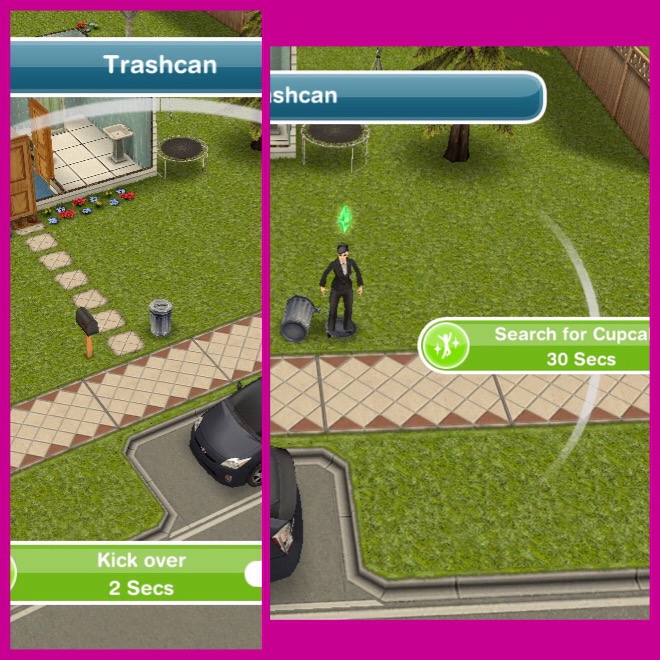
  • Have a sim sift through garbage-8 hours (firstly kick over garbage-2 seconds to get this option)
  • Have a sim sift through another sims garbage- 8 hours
  • Email delivery slip on computer- 13 minutes
  • Spend  S8000 in home store
  • Invite 6 sims over
  • Make 6 sims dance to stereo (completes as soon as they are all dancing)
  • Check voicemail on phone- 4 minutes
  • Send sim to park
  • Send second sim to park (preferable ones you want to kiss each other)
  • Activate fireworks (click turn on on fireworks on pier)
  • Make 2 sims kiss- 2 seconds

And that is all the goals! If you complete within time then your fireworks can be found in the outdoor decorations section!

Thanks for reading!

The Sims Freeplay- The Missing Xmas Elves Quest

Yay Santa is back in Simtown! And he needs your help, everyday there are a new set of goals to complete to unlock great prizes! You have until Christmas Day to complete all the quests to unlock your very own reindeer! YOU CAN ONLY GET THE REINDEER AFTER COMPLETING ALL THE GOALS!

There are 12 days of goals to complete, you need to complete each day before you can do the next day.

If you finish the day on time, the goals will disappear and you will have to wait for the next day to start the next goals! If you don’t finish the day in time you will be able to go straight on to the goals for the next day once you complete the previous days goals!

Day 1– If you complete all these goals you unlock the xmas wishing well!

  • Talk to Santa- 1 minute
  • Sing Carols with Santa- 4 minutes
  • Get a Toddler to Sit on Santa’s Lap- 2 minutes
  • Talk to Santa about Reindeers- 5 minutes
  • Grow Carrots- 5 minutes
  • Feed Rudolph Carrots in the Park- 8 seconds
  • Examine Footprints in Park- 15 seconds
  • Examine Mysterious Footprints (again)- 15 seconds
  • Talk to Santa about Elves- 6 minutes

And they are all the goals for Day 1! The Xmas wishing well can be found in the garden decoration section of the garden tab.

Day 2- if you complete these goals you unlock windows with lights!

  • Talk to Santa- 1 minute
  • Call a friend- 3 minutes
  • Formulate plan with Santa- 3 hours 15 minutes
  • Do an Xmas dance with Santa- 4 minutes

Day 3– if you complete these goals you unlock a sleigh!

  • Talk to Santa about sleighs- 4 minutes
  • Learn to fly with a computer- 4 minutes
  • Watch a safety demonstration on tv- 8 minutes
  • Read ‘nitwits guide to advanced aerodynamics’ from a bookshelf- 2hrs 25minutes
  • Talk to Santa- 1 minute

You can find the sleigh in outdoor decorations. (don’t place until you get to the goal on day 4 purchase a sleigh)

Day 4– completing these goals unlocks the first expect gift making elf!

  • Last minute sleigh flying advice- 6hrs 15mins
  • Purchase a sleigh (if you haven’t already placed your sleigh from yesterday place that one now for free! If not you have to buy a new sleigh for 25LPs!)
  • Visit Santas workshop (click on the sleigh and click fly to workshop) 1 second
  • Admire the else Christmas tree- 4 seconds
  • Read the note on the Xmas tree -4seconds
  • Fly a sleigh to Plankton Island (fly home from workshop, then click on sleigh again to getit his option) 3hrs 12minutes

That is day 4 complete! Go to santas workshop to find the elf you unlocked!

Day 5– complete today to unlock Xmas dollhouse

  • Talk to Santa- 1 minute
  • Make Xmas presents (go to workshop and click on workbench) -4hours 12minutes
  • Admire the Xmas tree -4 seconds
  • Say “excuse me, hello?” to an elf (click on the elf in the workshop, I found the best place to stand is next to the tree) – 7 minutes
  • Make Xmas presents again- 4 hours 12 minutes

The dollhouse can be found in the toddler section of the home store.

Day 6– complete today’s goals to unlock the second elf!

  • Say excuse me, hello to an elf- 7 minutes
  • Talk about elves with an elf- 2hrs 5minutes
  • Fly a sleigh to Peru-3hrs 12minutes
  • Talk to Santa-1 minute

Day 7- complete today to unlock a nutcracker solider

  • Talk to Santa- 1 minute
  • Make Xmas presents-4 hours 12 minutes
  • Admire the Xmas tree- 4 seconds
  • Sayexcuse me hello to an elf- 7 minutes
  • Make Xmas presents- 4 hours 12 minutes

Day 8-completing this will unlock santas chair!

  • Admire a nutcracker solider- 4 seconds
  • Watch nutcracker solider closely- 8hrs 30 minutes
  • Use nutcracker solideclot communicate-5 minutes
  • Fly to egypt- 7 hours 12 minutes
  • Talk to Santa about elves- 6 minutes
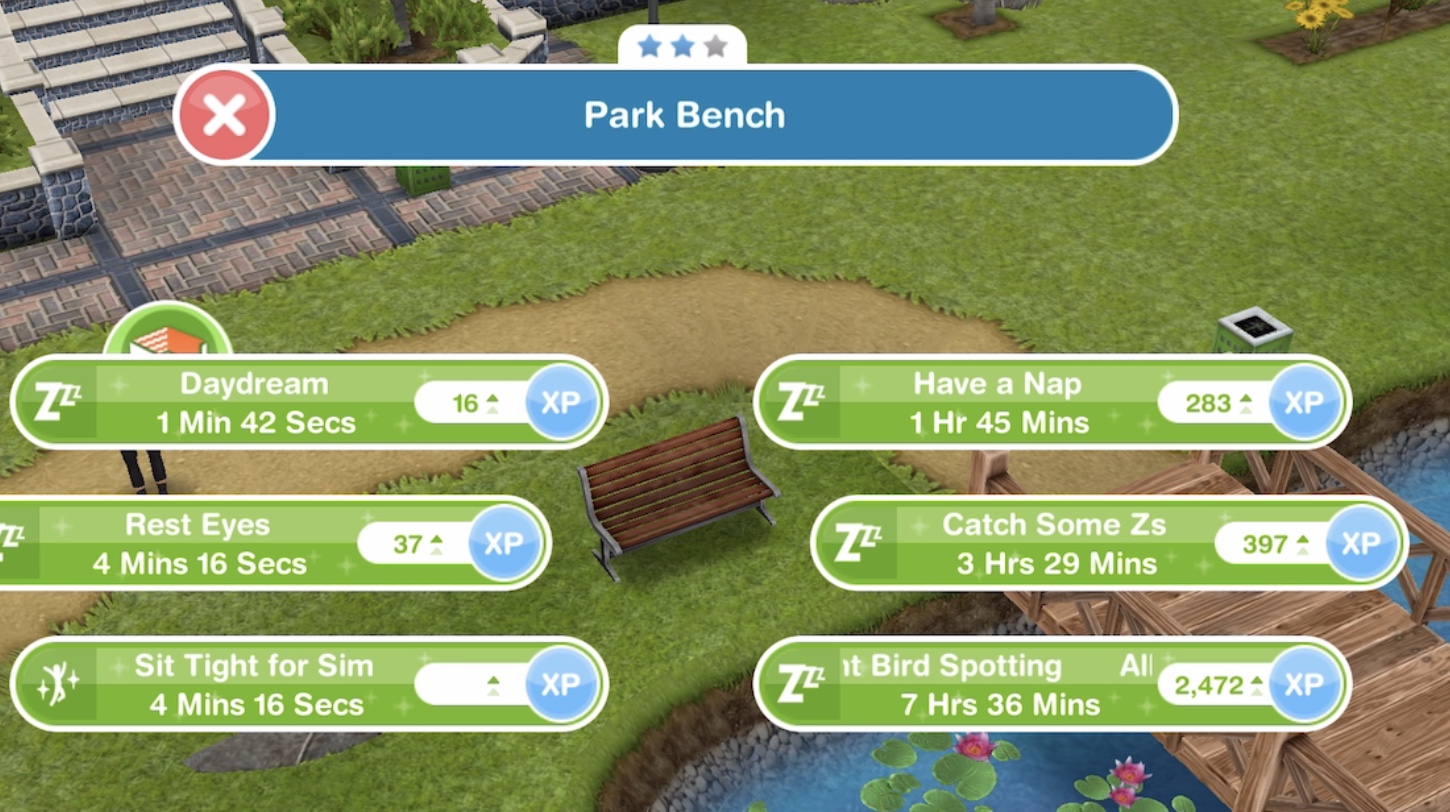
  • Daydreaman a park bench -1 minute 30 seconds
  • Examine footprints in park-15 seconds
  • Ask thinking man statue about elves-3 hours 30 seconds
  • Admire… Whatever is in the park-4 seconds
  • Ask thinking man statue about vacuum-6 minutes
  • Examine the licence plate in the park-4 minutes
  • Talk to Santa about the grouch-6 minutes

Day 9- if you complete today you will unlock Xmas stairs!

  • Talk to Santa-1 minute
  • Ask thinking man statue about elves-3 hours 30 minutes
  • Admire the machine in the park- 4 seconds
  • Look closer at the machine- 7hours 7 minutes
  • Be on hold to the tech support on the phone- 3 hours
  • Ask Santa about vacuum- 6 hours 30 minutes
  • Get a sim to sing carols with Santa-4 minutes

The length of time these goals take is getting more and more ridiculous! -.-

Day 10- unlocks the north pole decoration! (you are going to want to start this one early in the morning!)

  • Be nice to the grouch-4 minutes (the grouch is the green creature that is wandering around your houses)
  • Celebrate Xmas on a sleigh- 12 hours 30 minutes
  • Sing carols with a sim- 4 minutes
  • Take a closer look at the machine in the park- 7 hrs 7 minutes

Day 11- complete today to unlock a snow globe!

  • Sing carols using nutcracker solider- 6hrs 30minutes
  • Have a toddler sit on santas lap-2 minutes (if you don’t have a toddler apparently this goal is skipped!)
  • Make presents at workshop-4hrs 30 minutes
  • Sing carols with the grouch-4 minutes
  • Be funny to the grouch- 10 seconds
  • Take acloser look at the vacuum -7 hrs 7 minutes

Day 12- complete the final day to unlock the pet reindeer!

  • Get 4 sims in the park (make sure they aren’t busy, go to the park and click the whistle to bring them there)
  • Get your sims to sing carols-4 minutes
  • Dance with Santa- 4 minutes
  • Listen to santas xmas story-5 hours 22 minutes
  • Sing carols to the Xmas spirit vacuum- 1hour 30 minutes
  • Sing carols to the grouch- 4 minutes
  • Have 4 sims sing carols to the Xmas vacuum (completes straight away once all sims are doing this task)

It clearly says when you finish the goals that the reindeer will arrive on Christmas day!

Merry Christmas Everyone! Who got their free reindeer this morning?! To find it go to the pet store, click on reindeer, click on the arrow to go across to the reindeer because the first one isn’t free! The brown one is free so click to buy then choose a house for it to go in!

I think you need the pet store to get a reindeer and if you didn’t complete the goals I think you can still get reindeers for 75LPs!

As it took soo long to complete these goals, I was hoping that all the reindeers would be free but oh well!

Note: I live in England, due to the time difference I may not be able to reply to your questions the day you ask them!

Thanks for reading!