The Sims Freeplay- Guide to Augmented Reality Feature

Early Access to Beta Provided by EA/ Firemonkeys (Presented by EA GameChangers)


NOTE: This feature is only available on Apple devices that have iOS12 and an A9 processor


The Sims Freeplay team have worked closely with Apple to create this amazing feature, Augmented Reality (AR) which means you can build houses and place them in real life situations! I was lucky enough to get access to this feature a few days early to try it out and it is absolutely amazing!!

Before you rush of to start there are a few things that you need to know first:

  • This feature is only available on Apple devices that have iOS12 and a device running an A9 Processor
  • Sims cannot live in these houses but you can bring them to an AR lot to interact with objects
  • If they have a pet you can also bring the pet there by clicking on that sim once it has arrived and select bring pet, to send them home click on the pet and select send home
  • Interactions completed in AR can be skipped for free so it won’t cost you LP
  • You cannot complete goals in AR, send your sims home using the simtracker to complete a task
  • You cannot delete an AR space if there are pets or sims there, send them home first, they will stay in AR until you send them home
  • You can visit a friend (if they are nearby, via bluetooth) to edit one of their AR lots
  • You can completely edit the AR lot like a normal house but all items are free to place in AR!

What devices is this compatible with?

  • iPhone 6s and 6s Plus
  • iPhone 7 and 7 Plus
  • iPhone SE
  • iPad Pro (9.7, 10.5 and 12.9) both first and second gen
  • iPad (2017)
  • iPhone 8 and 8 Plus
  • iPhone X
  • And the latest models

How do I get started?

1.You need the latest update and then head to the town map to find the green cube button under the camera button on the top right hand side of the screen. Click on this:

2.A pop up will then appear saying ‘new’. Also on this page it says ‘visit a friends AR lot’ tap search to find a nearby friend (via bluetooth so they have to be in close proximity) and you will be able to edit one of their AR lots. Friends can edit your house but they cannot interact with any of your sims. The changes your friend makes will be permanent.

3.Click new and then name your AR lot:

4.Hold your device over the surface you want to place the house.

NOTE: it works best on textured surfaces e.g carpets, it has trouble staying still on glossy or flat coloured surfaces- the house tends to slide! You also need to use a place you have access to as your game will need to find that location again to place the house there in future (although it can be relocated)

5.When it has recognised the surface the default house will appear, pinch and rotate to position your home!

TIP: the more orange dots that appear the better that surface is going to be!

6.Click save AR space when you are happy with the positioning

To zoom in you need to move your device closer to the surface the house is on, you can also tilt the screen to see the house from different angles!

Bringing sims to the AR lot

Use the simtracker button to bring sims to this house.

Sims can interact with objects like they would in a normal house but if you want to speed up an action you can do this for free in AR

Bringing pets to the house

Bring a sim who owns a pet to this house and then click on them and select bring pet

Click on the pet and select send home to send the pet back to their own house

Redecorating

The default house (the unfurnished studio) can be deleted completely and redecorated, all items are free to place in this house so you can build the most amazing AR house!

If you want to remove an item from the house click the red cross to delete it, there is no inventory in AR so you cannot store items:

Relocating

If you want to move the house to a different location click on the button down the left side of the screen or when viewing all the AR spaces click on the settings button in the top corner and select relocate:

Watch my video here to see how this works:


FIND THIS POST HELPFUL?

Buy Me a Coffee at ko-fi.com

THE SIMS FREEPLAY
©THEGIRLWHOGAMES.BLOG

The Sims Freeplay- My House Designs

Great news! I have started a new section on my blog that was much requested- My House Designs. On the page you will find some of my favourite house designs I have created, each design contains pictures of each room as well as the view from above and the grid view so you can rebuild these houses on your own game:

You will also be able to click on the house titles at the top of the page to reach the designs further down so you won’t have to scroll down the whole page!

You can find the ‘My House Designs’ page here, more designs will be added when I create them

I will also be starting a new series on Saturdays on my YouTube of House Tours from my Sims Freeplay and Sims 4 games to give you loads of inspiration for your own game!

Thanks for reading!

The Sims Freeplay- Chocolate Lover’s Carnival Event

THIS EVENT IS OVER

The limited time hobby event to unlock carnival outfits for your adult sims is back but it is only available for 7 days. There are 6 packs to unlock so you will need to complete the chocolatier hobby collection 6 times in the time limit to unlock all the outfits:

The Chocolatier Hobby post can be found here if you have never done this hobby before!

If you completed this event last time you will not get it again, if you started it last time you will start from where you got to this time, for example, if you unlocked 3 outfit packs last time you will only have to complete the collection 3 times this time to complete the event

You need to firstly accept this event, click yes then you can buy a chocolatier bench from the promotions r us store (you can buy 4 for 500 then the price increases each time, you can have a maximum of 15 or 19 if you already brought 4 previously)

Then it can be found in your inventory under hobby and career items so you can place it in your house:


12 CHOCOLATES= 1 CARNIVAL OUTFIT PACK


TIPS FOR FINDING THEM ALL IN THE TIME LIMIT:

-buy as many chocolatier benches as possible to have as many sims as you can working on it

-you can have a sim in a neighbours town working on it too if you don’t want to buy anymore benches!

-have at least one sim working on getting to level 6 so all chocolates are unlocked (you only need one sim to reach level 6) you may need to use LPs to speed your way through the levels- I waited until the time was 1 hour 59 minutes and used 1 LP to speed up one sim so they reached level 6

-if you do want to speed it up, wait at least 15 minutes until the timer is 2 hours 59 minutes or below then it will only cost you 2LPs instead of 3! This post may help if you want a quick way to earn LPs.

-remember to click start new collection on the top of the hobby collection list once you have got all the pieces otherwise you won’t find any new items, this post explains how to do that.

-most importantly: just keep going! I know it’s annoying when you get the same one constantly but you will eventually get the ones you need- and remember these events always come back so don’t worry if you don’t complete it this time!


PRIZES

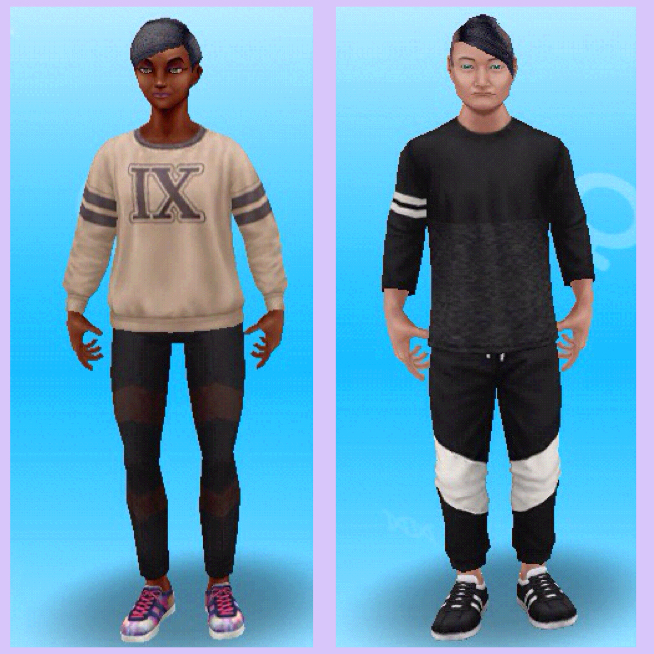
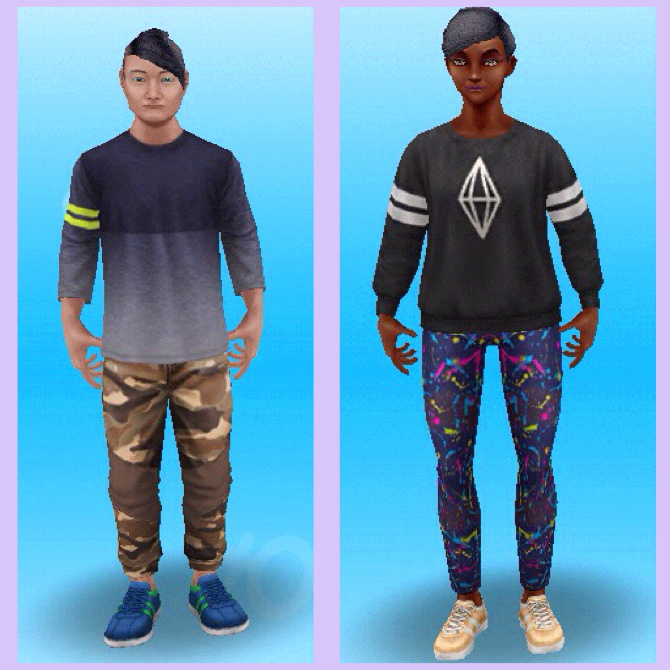
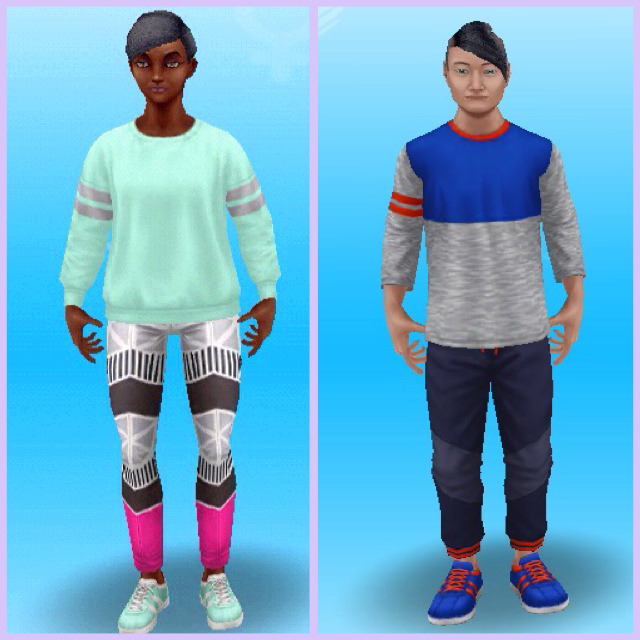
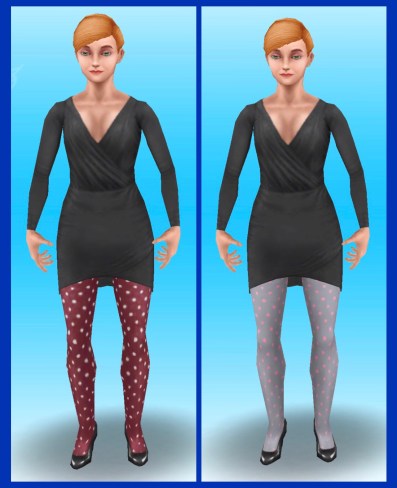
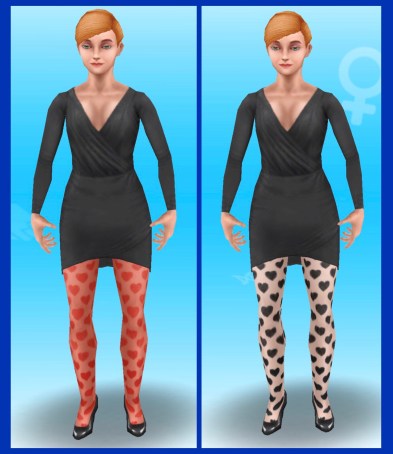
You can find the outfits for free in the wardrobe for adult sims, each pack contains one outfit for a female adult and one outfit for a male adult

1.

Thanks Izzy for this picture!

2.

Thanks Nicole for this picture!

3.

Thanks Nicole for this picture!

4.

Thanks Johnny for this picture!

5.

Thanks Johnny for this picture!

6.

Thanks Nicole for this picture!

These are all the outfits you can unlock!

I didn’t complete this event last time as I was too busy but also because I didn’t see the point of having carnival outfits, I will be completing it this time but I still don’t really want the outfits

Thanks for reading!


© COPYRIGHT PROTECTED

http://smarturl.it/sfpggwg

The Sims Freeplay- Sleepwear Hobby Event

THIS EVENT IS OVER

The time limited hobby event to unlock sleepwear for all your sims is back but only for 7 days! You have to complete the catwalk model collection 5 times to unlock all the sleepwear, each time you complete the collection you unlock a sleepwear for a different life stage. If you have never done the catwalk model hobby before my post here will help

If you completed this event last time you will not get it again. If you unlocked some sleepwear last time you will start from where you got to so if you managed to get 4 sets last time you will only need to complete the collection once more this time!

TIP: you can send another sim to a neighbours town to try and complete quicker (as only one sim can do it in your town at a time)

You need to firstly accept this event, it will remove the poses you have already got on the collection so you don’t get a head start.

If you say no you can start it from the goal tab.

NOTE: YOU NEED TO COMPLETE THESE BEFORE YOU CAN START THIS EVENT:

  • Build the mall (there isn’t much point starting to build this now if you haven’t already, just wait for this event to return in the future!)
  • Complete the sunset mall quest
  • Unlock area 2
  • Build the catwalk

 The guide to the mall post shows you how much it costs to build area 2 and the catwalk.


12 POSES= 1 SLEEPWEAR PACK


TIPS FOR FINDING THEM ALL IN THE TIME LIMIT:

-have a sim in a neighbours town so you can have two sims working on it at once instead of one

-have at least one sim at level 6 or working on getting to level 6 so all poses are unlocked, you may need to use LPs to speed your way through the levels to have the chance of unlocking all the sleepwear

-if you do want to speed it up, wait until the timer is 1 hour 59 minutes or below then it will only cost you 1LP instead of 2! This post may help if you want a quick way to earn LPs.

-remember to click start new collection on the top of the hobby collection list once you have got all the pieces otherwise you won’t find any new items, this post tells you how to do that.

-most importantly: just keep going! I know it’s annoying when you get the same one constantly but you will eventually get the ones you need.


Where can I find the sleepwear? In the wardrobe and create a sim under sleepwear

When you change their sleepwear they will change into it when every they go to sleep or when you click change into sleepwear on a wardrobe.

Toddler sleepwear

image

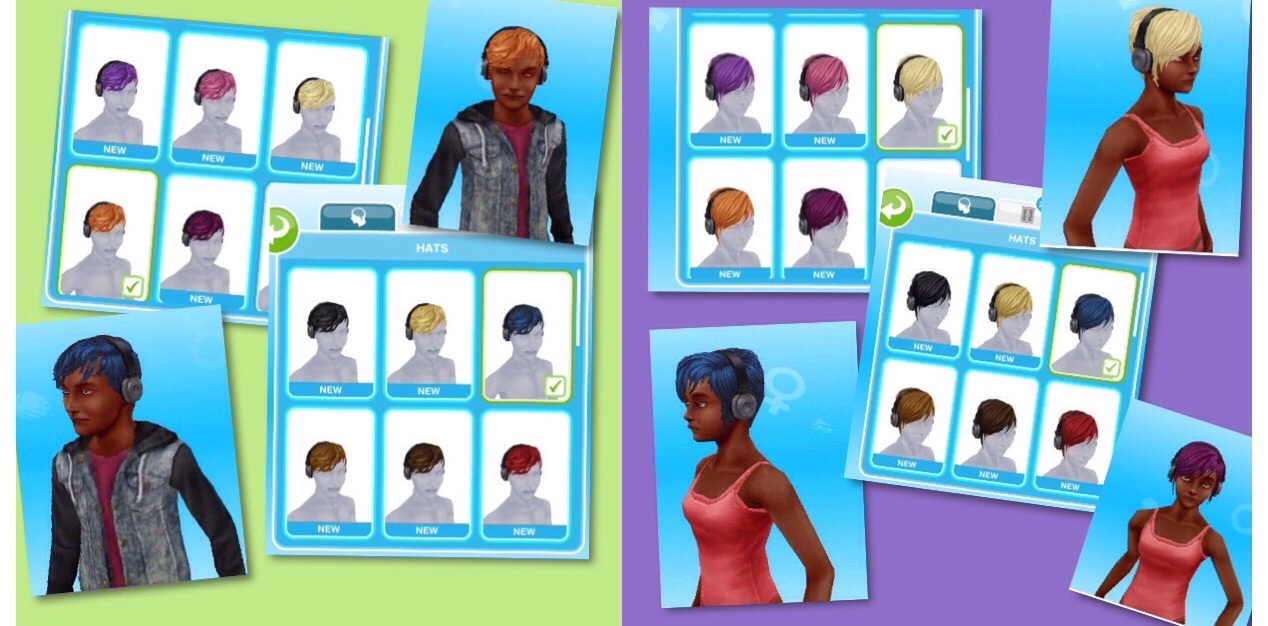
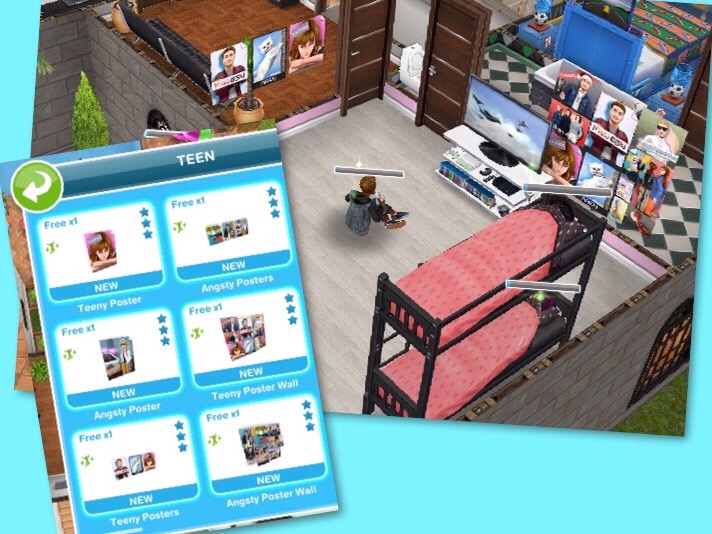
Teen sleepwear

image

you can mix and match with the teen sleepwear: choose a onesie and socks for a male, choose a top, bottoms and slippers for a female.

image

image

Senior sleepwear

image

again you can mix and match the top and bottoms and choose some slippers

image

image

Preteen sleepwear

image

again you can mix and match the top and bottoms and choose some slippers

image

image

the tops could be worn on their own as nighties

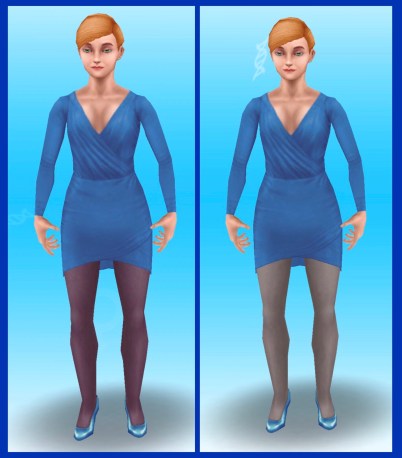
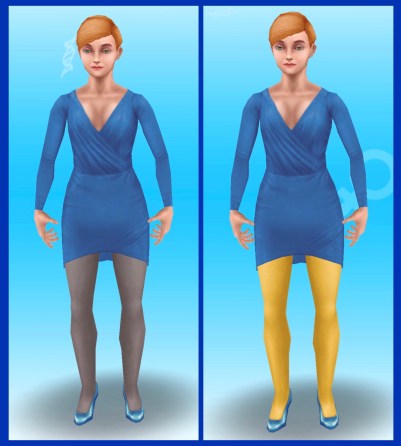
Adult sleepwear

image

image

they could wear the shorts on their own

image

Is it worth completing in time? Definitely! The sleepwear is so much better than your sims sleeping in their underwear!

Thanks for reading!


©COPYRIGHT PROTECTED

http://smarturl.it/sfpggwg

The Sims Freeplay- Luxury Living Live Event

Early Access to Beta Provided by EA/ Firemonkeys (Presented by EA GameChangers) may differ from actual version


THIS EVENT IS OVER


ONCE THE 10 DAY TIME LIMIT IS UP YOU WILL HAVE 2 DAYS TO PURCHASE ANY PACKS YOU HAVE LEFT– you will not be able to collect anymore arts and crafts items or coins, you have to use the resources you have, if you don’t have enough resources all you can do is use social points to buy the requirements or wait until the event returns!


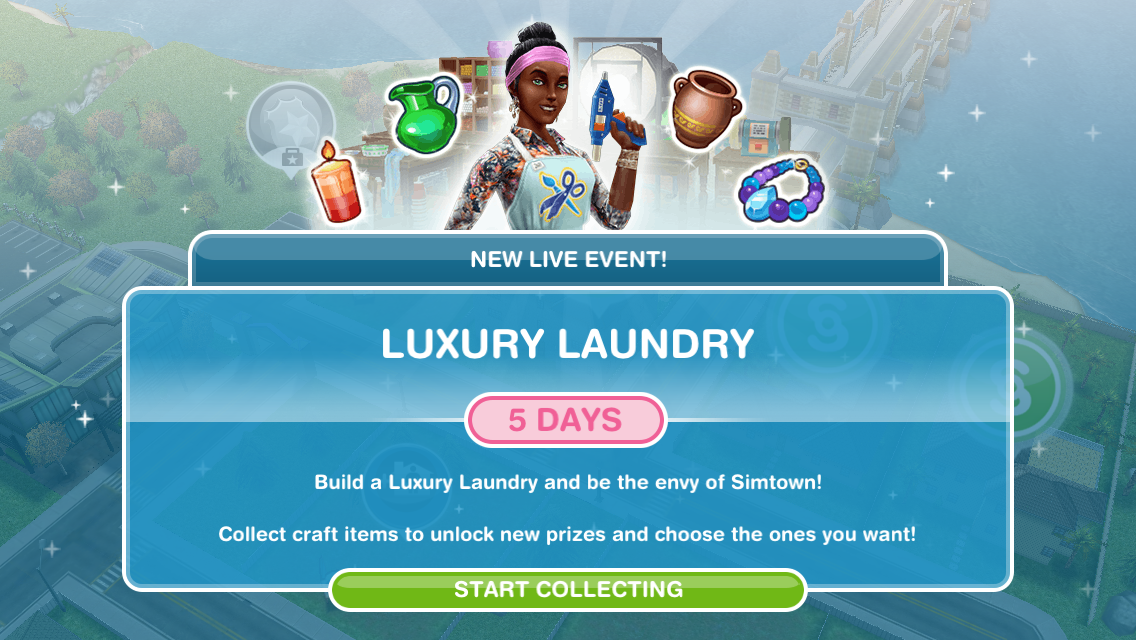
The Luxury Living Live Event unlocks new luxurious items for your sims homes, including cinema screens and popcorn machines, you also unlock the gorgeous luxury living house if you complete this event in the time limit. This event will be available from the 28th August for 10 days! Update your game to the new Luxury Living Update now to start this event

Check out my Guide to Completing Live Events (including tips!) HERE!

This event is only here for 10 days and the aim of it is to collect enough arts and crafts items from the arts and crafts stations (found in the event tab of buy mode) to unlock all the items in this event

NOTE: if you did another Live Event then you will find your arts and crafts stations in your inventory (or in the house you left them at) you will only be able to use the candle ones until you unlock the other stations in this event

Can’t find your arts and crafts stations? Click on the craft station in your event tab to get the option to find your station, it will take you to the house where your stations can be found!

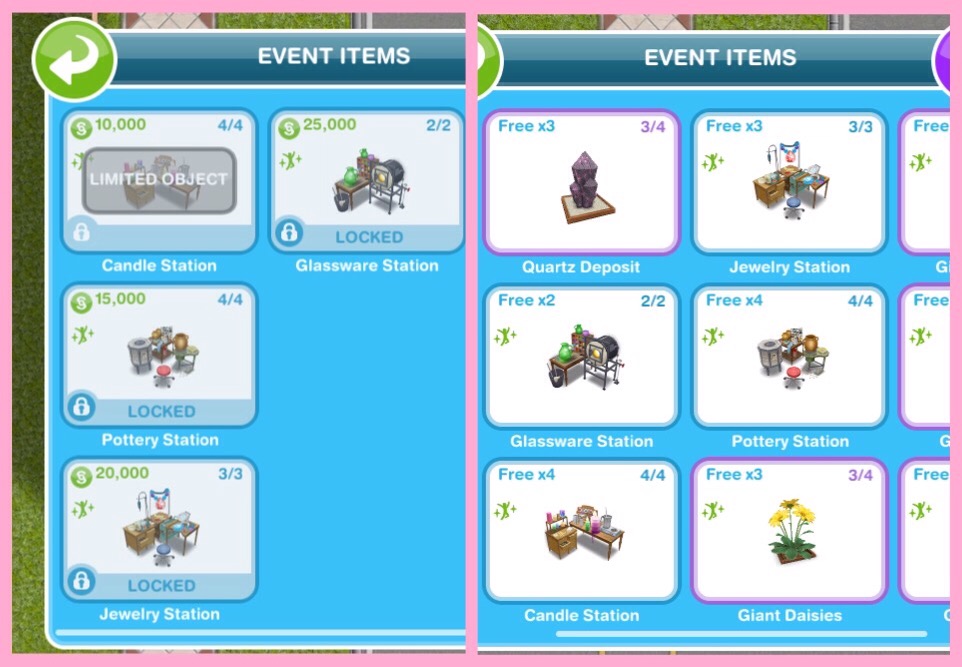
Place a crafting station (find the candle station in the events tab of buy mode (or your inventory)- you can only buy 4)

Make some arts and crafts items (click on the candle station to make)- 23 seconds
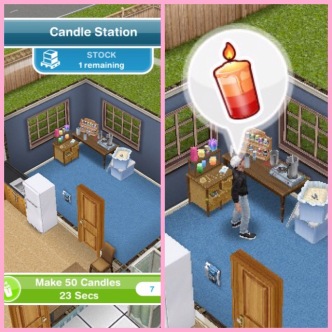
This takes you to the prize progress tab (you can get to it by clicking on the gate button in the corner of the screen)

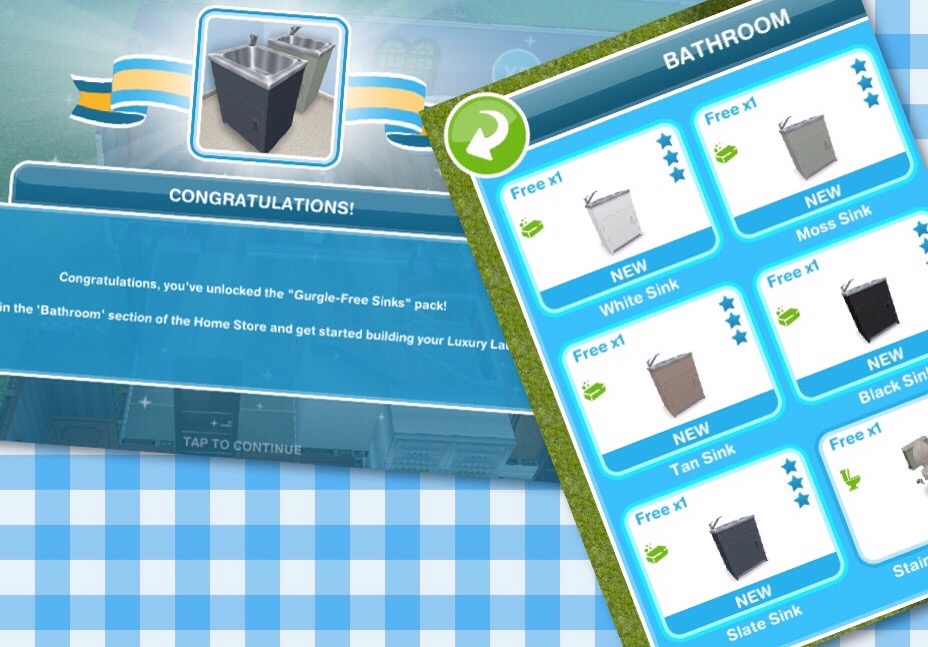
Here you will see you have collected enough items to unlock the Cinema Walls pack! When you unlock each pack, before the items are available in your home store you need to purchase them with the arts and crafts items you make- this goal is coming up!

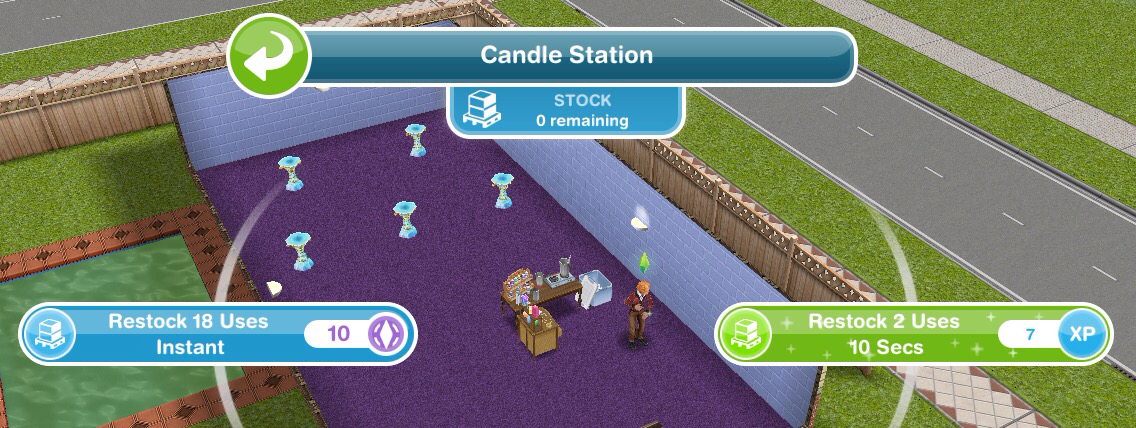
Restock a crafting station (when the stock runs out you will have to restock before you can make anymore arts and crafts items)- You can restock instantly for 18 uses for 10SPs or restock for 2 uses which will take 10 seconds this time

Buy the Cinema Walls pack (click on the gate event button, scroll down and click purchase- this will cost you 50 candles)

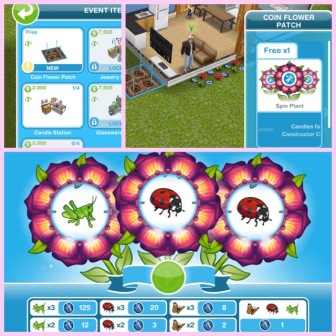
Use a coin flower patch (buy the coin flower patch from the event tab and select the spin plant option)
Check the daily goals (click on the gate event button and find the daily goals tab- claim the ones you can!)

Remember to claim your rewards each day!

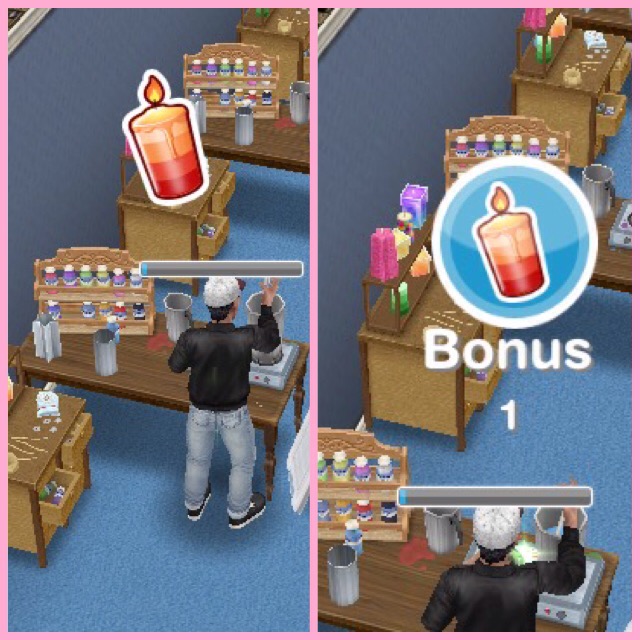
Collect bonuses (while collecting after a certain amount of time you will see the arts and crafts item appear above that sims head, click to collect the bonus item!)

Continue collecting arts and crafts items- this is the last step but the event is not over, keep collecting the arts and crafts to unlock everything!

If you want to speed up a collecting arts and crafts action it will cost you SPs, you will get the bonus gems as well if you speed it up!

Stuck on these tasks? Watch my video here:


Arts and Crafts Stations

Candle Station costs:

1st- Free
2nd- S2,000
3rd- S4,000
4th- S10,000

(maximum of 4)

  • Collect 250 Candles- 2 hours 30 minutes
  • Collect 360 Candles- 4 hours 30 minutes
  • Collect 455 Candles- 6 hours 30 minutes
  • Collect 510 Candles- 8 hours 30 minutes

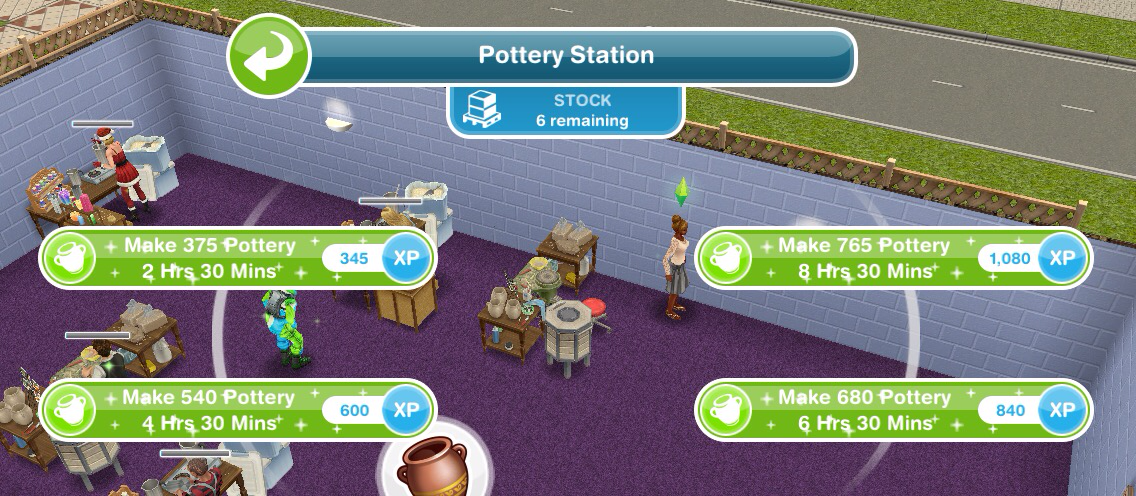
Pottery Station costs:

1st- S5,000
2nd- S7,500
3rd- S10,000
4th- S15,000

(maximum of 4)

  • Collect 375 Pottery- 2 hours 30 minutes
  • Collect 540 Pottery- 4 hours 30 minutes
  • Collect 680 Pottery- 6 hours 30 minutes
  • Collect 765 Pottery- 8 hours 30 minutes

Jewelry Station costs:

1st- S7,500
2nd- S15,000
3rd- S20,000

(maximum of 3)

  • Collect 565 Jewelry- 2 hours 30 minutes
  • Collect 810 Jewelry- 4 hours 30 minutes
  • Collect 1025 Jewelry- 6 hours 30 minutes
  • Collect 1150 Jewelry- 8 hours 30 minutes

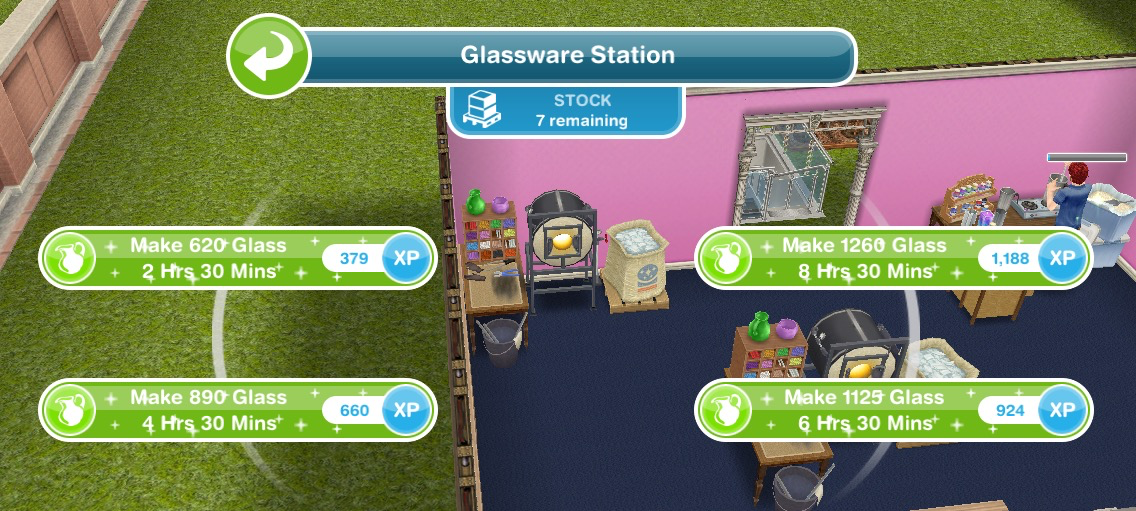
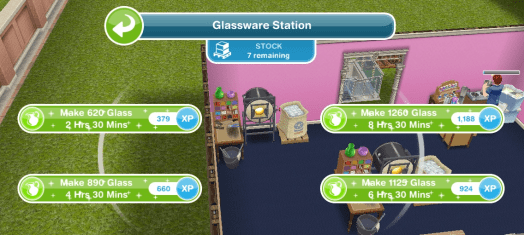
Glassware Station costs:

1st- S7,500
2nd- S25,000

(maximum of 2)

  • Collect 620 Glass- 2 hours 30 minutes
  • Collect 890 Glass- 4 hours 30 minutes
  • Collect 1125 Glass- 6 hours 30 minutes
  • Collect  1260 Glass- 8 hours 30 minutes
Restocking

Each station (apart from the first candle one) comes with a stock of 9 which means you can use the station 9 times before it needs to be restocked (if you got your stations out of your inventory they will all need restocking first (apart from the first candle one) When you need to restock you will have two options:

  • Restock 18 uses which happens instantly but will cost you 10SPs

or

  • Restock 9 uses which will take you 2 hours 30 minutes but will be free

NOTE:

  • if you store the station you will lose all the stock so when you place it again you will need to restock
  • if you cancel making something using a station you will lose that stock so if you had one stock left and then you cancelled that action you would need to restock before you can create anymore arts and crafts items

Your Progress:

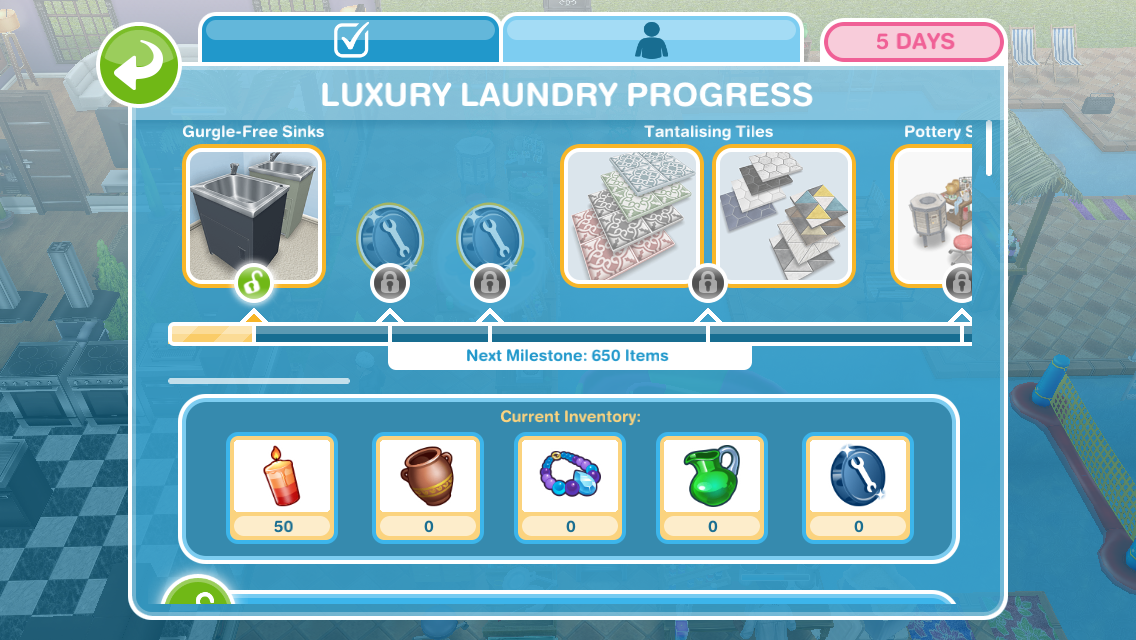
Click the gate event button in the top corner of your game to see your progress

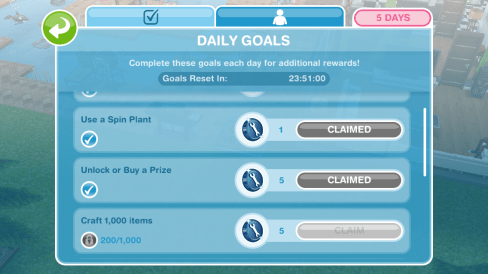
Daily Goals

Check on the first tab every day because if you complete all the daily goals you will get additional constructor coins

NOTE: remember to click CLAIM once you have completed a daily goal to collect the reward and remember to claim your free constructor coins and free items each day!
Prize Progress

The prize progress is how far you have got on this event, the more arts and crafts items you make the more prizes you will unlock

NOTE: the bar at the top of the personal progress tab shows you how close you are to unlocking an item, the more arts and crafts items you collect the more the bar will fill up. Once you have unlocked an item on the bar at the top you will be able to use the arts and crafts items you have collected and constructor coins to purchase that pack which you will then be able to find in the home store.

Prizes:

1.Cinema Walls- requires 50 candles to buy

Unlocks Luxury Grey and Black Wall Panels which can be found in the walls section

The first one of each is free, after this they cost S50 each

2.3 Constructor Coins

3.3 Constructor Coins

4.Cinema Acoustics– Cinema Speaker Pack and Cinema Wall Panels and Flooring

Cinema Speaker Pack- requires 1,150 candles and 5 constructor coins to buy

Unlocks Wood and Black Roof Speakers and Wood and Black Tower Speakers which can all be found in the decorations section

The first one of each is free after this:

Wood Roof Speaker costs S8,000

Black Roof Speaker costs 2LP

Wood Tower Speaker costs S6,000

Black Tower Speaker costs 1LP

Cinema Wall Panels and Flooring- requires 3,500 candles and 25 constructor coins

Unlocks Black and Purple Wall Panels which can be found in the decorations section and Black and Purple Luxury Carpet which can be found in the floors section

The first one of each is free then the carpet costs S50 each, the black panels costs S12,000 and the purple panels cost S12,500

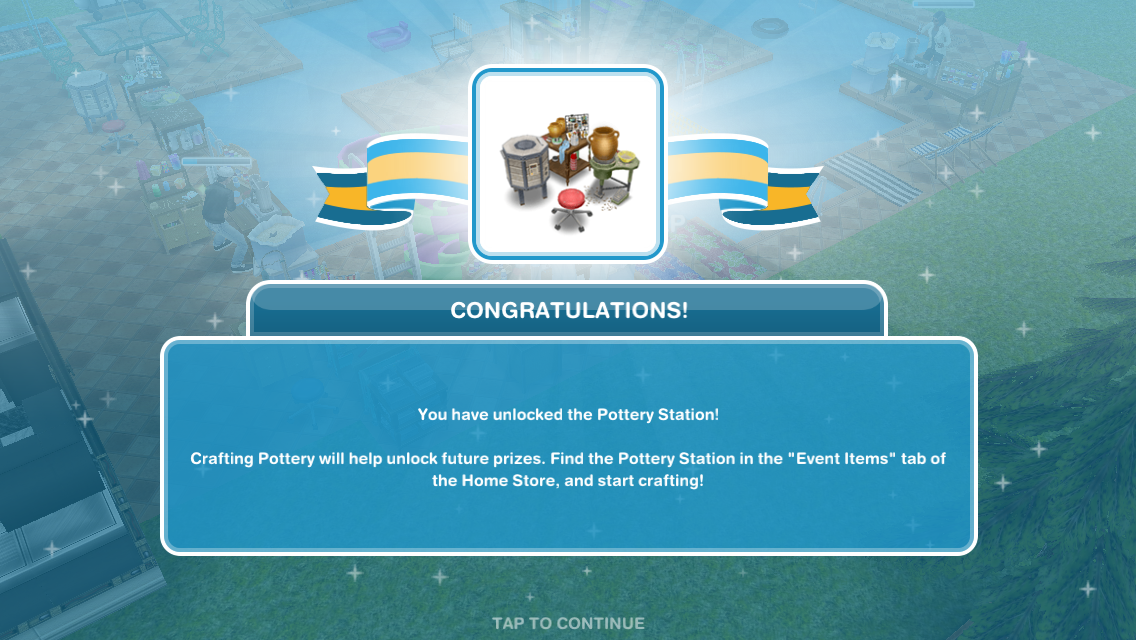
5.Pottery Station

6.4 Constructor Coins

7.4 Constructor Coins

8.Cinema Essentials- Screens and Sound Systems and Cinema Seating and Popcorn Machines

Screens and Sound Systems- requires 10,400 candles, 8,000 pottery and 70 constructor coins to buy

Unlocks Black and Grey Cinema Projectors and Black and Grey Deluxe Hi-Fi Systems which can all be found in the electronics section

The first one of each is free then:

The Cinema Projectors cost 2LP each

The Black Hi-Fi System costs S50,000

The Grey Hi-Fi System costs 10SP

The hi-fi system works like a stereo and the only option on the projectors is turn on so they are quite disappointing!

Cinema Seating and Popcorn Machines- requires 13,900 candles, 10,600 pottery and 95 constructor coins to buy

Unlocks Black and Red Cinema Seats which can be found in the living room section and Black and Red Popcorn Machines which can be found in the decorations section

The first one of each is free then:

The Black Cinema Seats cost S10,000

The Red Cinema Seats cost 2SP

The Black Popcorn Machine costs 8LP

The Red Popcorn Machine costs S40,000

Your sims can relax in the seats for 1 hour 50 minutes so if you have the projector turned on it looks like they are watching a movie

9.Jewerly Station

10.5 Constructor Coins

11.2 Social Points

12.5 Constructor Coins

13.Luxury Kitchen- Luxury Benchtops and Luxury Appliances

Luxury Benchtops- requires 15,070 pottery, 15,900 jewelry and 135 constructor coins to buy

Unlocks Corner, Bench, Wall Corner and Wall Countertops in Navy White and White Black which can all be found in the countertops section

The first one of each is free then:

Navy White Corner costs S7,000

Navy White Bench costs S8,000

Navy White Wall Corner costs S9,000

Navy White Wall costs S18,000

White Black Wall costs 4LP

White Black Bench costs 5LP

White Black Corner costs 1SP

White Black Wall Corner costs 2SP

Luxury Appliances- requires 16,000 pottery, 17,000 jewelry and 145 constructor coins to buy

Unlocks the Stoves, Twin Ovens and Island Sinks in White Black and Navy White, the sinks can be found in the countertops section and the stoves and ovens can be found in the kitchen section

The first one of each is free then:

Navy White Stove costs S65,000

White Black Stove costs 13LP

Navy Twin Oven costs S75,000

White Twin Oven costs 15LP

Navy White Island Sink costs S65,000

White Black Island Sink costs 10SP

Sims cannot interact with the twin ovens which is a shame but I love the sinks!

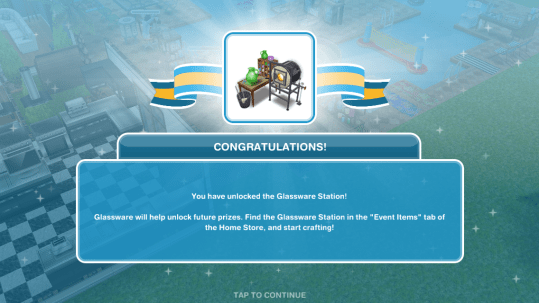
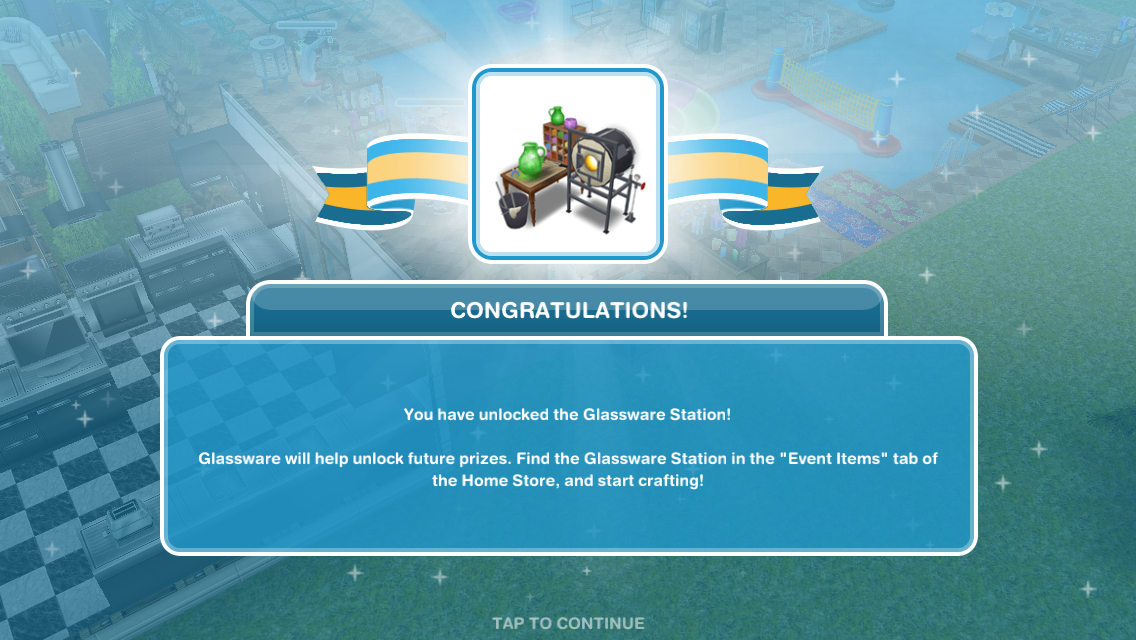
14.Glassware Station

15.7 Constructor Coins

16.2 Social Points

17.7 Constructor Coins

18.Luxury Bedroom– King Size Beds and Bedside Lamps and Side Tables and Dressers

King Size Beds and Bedside Lamps- requires 17,000 pottery, 18,000 jewelry, 18,000 glassware and 150 constructor coins to buy

Unlocks Black and Rose King Beds which can be found in the bedroom section and Luxury Pink and Grey Lamps which can be found in the lighting section

The first one of each is free then:

Black King Bed costs 25SP

Rose King Bed costs 25SP

Luxury Pink Lamp costs S25,000

Luxury Grey Lamp costs S27,000

Side Tables and Dressers- requires 18,500 pottery, 19,500 jewelry, 19,500 glassware and 165 constructor coins to buy

Unlocks Copper Gloss and Gold Gloss Bed Tables and Mirror Chest which can all be found in the bedroom section

The first one of each is free then:

Copper Gloss costs S70,000

Gold Gloss costs 10SP

Copper Gloss costs 2LP

Gold Gloss costs 3LP

19.10 Constructor Coins

20.2 Social Points

21.10 Constructor Coins

22.Luxury Living House Template– You will only unlock the Luxury Living House if you manage to buy all the other prize packs in the time limit

The first one is free, after this the house will cost simoleons (the price varies depending on how many other houses you have already built)

The house can be built on a standard and premium residence, the only difference is the garden and balcony, the interior of the house is the same:

Is it worth it? Yes! I love this house, it is gorgeous! There is a really nice fountain in the garden of the premium residence too and unlocking this house also unlocks a karaoke machine and aquariums in the home store!

The Karaoke Machine can be found in the electronics section and costs 30LP and the White and Black Aquariums can be found in the decorations section, the first White Aquarium is free then they cost S135,000 each and the Black Aquarium costs 21SP

Watch my tour of the house here:


Constructor Coins

You earn constructor coins by:

Personal Progress prizes

Completing Daily Goals

Coin Plant Patches

Earning Constructor Coins? Previously on these events I used social points on the Mega Spin Plant to win constructor points. I earn social points by completing the cooking hobby and earning LPs, I can then turn the LPs into SPs using the social point plant on a normal garden patch- this was when it cost 5LPs- the social point plant now costs 20LPs so you may want to try the option below first instead:

Or you can use 450 candles for the Spin Plant (a good way to use up any spare candles) which will also earn you constructor coins but the amounts are less than they are from the Mega Spin Plant

What is the minimum and maximum amount of coins you can earn on the mega spin plant? The minimum is 10 and the maximum is 500

Now on the coin flower patch you can see the chances of getting the different combinations on each spin plant, click on the green i button to see:

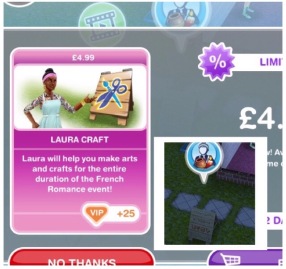
Laura Craft? You may have noticed at the front of one of your houses there is a board with a bubble of a person holding arts and crafts items above it, this is Laura Craft, you can buy her for real money to help you complete the event. When you buy her, you select the item you want her to make from the options: 200 candles,  300 pottery, 450 jewelry or 500 glassware (the amounts seem to differ for most of you and I have no idea why that is!) (you will unlock all the options once you have unlocked all the stations) and you will be able to collect them after 2 hours.

Do I think she is worth it? They have improved Laura Craft a lot since the first event (although it would be great if she made constructor coins) she used to be able to collect every 8 hours, they have now changed this to 2 hours so she is more useful now so if you are struggling then you may want to splash out and give her a try but remember you will only get her for this event, you will have to buy her again to use her for a live event in the future. I personally don’t ever buy her, if I don’t manage to earn enough items or coins in the time limit I just wait until the next time the event is available!

If I brought Laura Craft in the last event do I get her for free or do I have to buy her again? You have to buy her again for this event.

Check out my Guide to Completing Live Events (including tips!) HERE!


Find this post helpful?

© COPYRIGHT PROTECTED

http://smarturl.it/sfpggwg