The Sims Freeplay- Guide to Augmented Reality Feature

Early Access to Beta Provided by EA/ Firemonkeys (Presented by EA GameChangers)


NOTE: This feature is only available on Apple devices that have iOS12 and an A9 processor


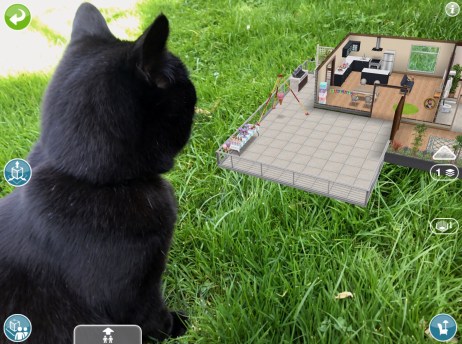
The Sims Freeplay team have worked closely with Apple to create this amazing feature, Augmented Reality (AR) which means you can build houses and place them in real life situations! I was lucky enough to get access to this feature a few days early to try it out and it is absolutely amazing!!
Before you rush of to start there are a few things that you need to know first:

  • This feature is only available on Apple devices that have iOS12 and a device running an A9 Processor
  • Sims cannot live in these houses but you can bring them to an AR lot to interact with objects
  • If they have a pet you can also bring the pet there by clicking on that sim once it has arrived and select bring pet, to send them home click on the pet and select send home
  • Interactions completed in AR can be skipped for free so it won’t cost you LP
  • You cannot complete goals in AR, send your sims home using the simtracker to complete a task
  • You cannot delete an AR space if there are pets or sims there, send them home first, they will stay in AR until you send them home
  • You can visit a friend (if they are nearby, via bluetooth) to edit one of their AR lots
  • You can completely edit the AR lot like a normal house but all items are free to place in AR!

What devices is this compatible with?

  • iPhone 6s and 6s Plus
  • iPhone 7 and 7 Plus
  • iPhone SE
  • iPad Pro (9.7, 10.5 and 12.9) both first and second gen
  • iPad (2017)
  • iPhone 8 and 8 Plus
  • iPhone X
  • And the latest models

How do I get started?

1.You need the latest update and then head to the town map to find the green cube button under the camera button on the top right hand side of the screen. Click on this:

2.A pop up will then appear saying ‘new’. Also on this page it says ‘visit a friends AR lot’ tap search to find a nearby friend (via bluetooth so they have to be in close proximity) and you will be able to edit one of their AR lots. Friends can edit your house but they cannot interact with any of your sims. The changes your friend makes will be permanent.
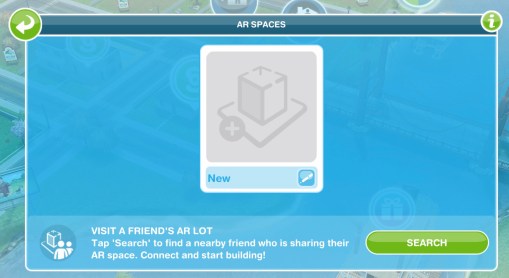
3.Click new and then name your AR lot:

4.Hold your device over the surface you want to place the house.

NOTE: it works best on textured surfaces e.g carpets, it has trouble staying still on glossy or flat coloured surfaces- the house tends to slide! You also need to use a place you have access to as your game will need to find that location again to place the house there in future (although it can be relocated)

5.When it has recognised the surface the default house will appear, pinch and rotate to position your home!
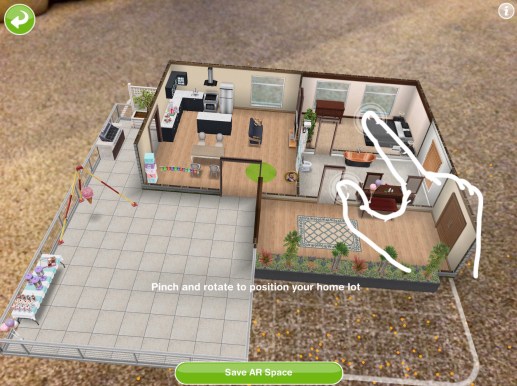
TIP: the more orange dots that appear the better that surface is going to be!

6.Click save AR space when you are happy with the positioning

To zoom in you need to move your device closer to the surface the house is on, you can also tilt the screen to see the house from different angles!

Bringing sims to the AR lot

Use the simtracker button to bring sims to this house.

Sims can interact with objects like they would in a normal house but if you want to speed up an action you can do this for free in AR

Bringing pets to the house

Bring a sim who owns a pet to this house and then click on them and select bring pet

Click on the pet and select send home to send the pet back to their own house

Redecorating

The default house (the unfurnished studio) can be deleted completely and redecorated, all items are free to place in this house so you can build the most amazing AR house!

If you want to remove an item from the house click the red cross to delete it, there is no inventory in AR so you cannot store items:

Relocating

If you want to move the house to a different location click on the button down the left side of the screen or when viewing all the AR spaces click on the settings button in the top corner and select relocate:

Watch my video here to see how this works:


FIND THIS POST HELPFUL?

Buy Me a Coffee at ko-fi.com

THE SIMS FREEPLAY
©THEGIRLWHOGAMES.BLOG

The Sims Freeplay- My House Designs

Great news! I have started a new section on my blog that was much requested- My House Designs. On the page you will find some of my favourite house designs I have created, each design contains pictures of each room as well as the view from above and the grid view so you can rebuild these houses on your own game:

You will also be able to click on the house titles at the top of the page to reach the designs further down so you won’t have to scroll down the whole page!

You can find the ‘My House Designs’ page here, more designs will be added when I create them

I will also be starting a new series on Saturdays on my YouTube of House Tours from my Sims Freeplay and Sims 4 games to give you loads of inspiration for your own game!

Thanks for reading!

Guest Blog Post: Inside the World of a Game Designer

Guest Blog post from Elaine Reynolds, game designer of Eden Isle: Resort Paradise (download the game on iOS here), a building sim game where you can create your dream resort.

Ah the idyllic life of a game designer! All I do is sit around playing games, thinking of ideas for games and thinking about how perfect my job is…

Ok so that’s not quite true but I have been told by many people that I have the dream job. I mean what could be better than playing games all day? Funnily enough, I’ve never heard anyone say that mechanics just look at cars all day or that chefs just look at food all day. There seems to be some sort of mystical aura surrounding game design. I often get asked how I got into games. When I say my route into games involved studying games at college, getting work experience and applying for jobs, I can sense a twinge of disappointment and surprise. I think they’re expecting something more mysterious, some sort of alchemy rather than a career route with steps that mirror those of many other career routes.

Before I started making games, I thought that being a game designer was mainly about coming up with ideas for games. How wonderful to be a fountain of creativity coming up with an abundance of ideas, blessing the world with your brilliance absolved of having to do anything to see your ideas come to fruition! In reality, coming up with an idea for a game is the easy part. Famed game designer Peter Molyneux, who I was lucky enough to work alongside for a few years, was once approached by a fan who said “I have a great idea for a game”. Peter replied “I have a great idea for a painting”. As someone with embarrassingly bad drawing skills, I can relate to this! An idea on its own isn’t worth much. It’s a similar story with many pursuits – having an idea for a book, a business or a movie is the easy part. It takes time, skill, effort and most likely a great team to bring an idea to life.

In game design, you could have 100 game designers all starting with the same idea for a game but they could take it in 100 different directions. When I came up with the idea for Eden Isle: Resort Paradise, I knew I wanted to make a simulation game, because that’s the game genre I love most and the reason I pursued a career in game development. I set up my studio, Simteractive, with the aim of making simulation games. I also wanted to create a game where you build your dream resort because I think a resort is a great setting – who doesn’t love hotels, swimming pools and palm trees?

After this point, there were literally thousands of different decisions to make about the game – what causes guests to arrive at the resort? What are the game’s currencies and how does the player earn money? Does the layout of the resort matter? How do guests decide what to do? For each of these questions, the answer isn’t just a simple sentence, it’s a whole design doc with rules, flowcharts and excel sheets with numeric values that can be continuously tweaked. Being a game designer is about working out the details of each feature and also bearing in mind how fun it is for the player, how it fits in with the rest of the game, how easy it will be for the player to understand and solving problems that crop up along the way.

There’s a tendency to idolise game designers and to view games as creations stemming from the creative powers of one individual pursuing their singular vision. However, games are made by teams – programmers, artists, animators, producers, musicians, testers, user interface artists and many more are involved in making games. Although there are many people who have made games all on their own, that means that they have to take on all of the roles involved in game development and wear many hats.

Seeing a game go from being just an idea to a finished product that players enjoy is extremely rewarding. It’s also a long, arduous process. So even though the life of a game designer isn’t quite the fantasy world it might appear to be, it is amazing to see a game come to life. Eden Isle: Resort Paradise started as an idea to make a game that lets players create their dream resort. With a lot of work over a number of years and the efforts of a small, talented team, Eden Isle is available worldwide in the app store for iOS and enjoyed by players from all over. We’ve even won an award and been nominated for a few more but the best thing is when we get a review or a message from players saying they love the game.

So back to the question of whether I play games all day? To be fair, I do spend a lot of time playing one game in particular – my own game, Eden Isle: Resort Paradise. However, when you’re playing games as a game creator rather than as a player, it’s literally a whole different game. For one thing, you’re rarely playing the final, polished version that players get to play. During development, games can be unrecognisable from their final form with features missing, no artwork or animations, placeholder user interface elements and major bugs. As a game designer you’ve got to see past all these issues to look at the core of the game. It’s a bit like on Project Runway when you see a designer pinning rough muslin cloth on their model showing the first inkling of the outfit’s design, the final form of which is still hard to visualise for the untrained eye. It’s the same when you’re designing the core gameplay for a game, you have to see past the missing artwork and look at the gameplay mechanics. Games should be fun to play even without any artwork. When I was designing Eden Isle, I first created a prototype with cubes for buildings and cylinders for guests (although I did put a sphere on top of each cylinder for the head to make them vaguely human-looking!). I worked out the game design using this prototype because if something is fun in such a rough state, it will be so much better once all the artwork, animations and bells and whistles are added.

Another thing about playing your own game is that you play the same thing again and again and again. Luckily for me, I still love playing Eden Isle and creating a gorgeous resort, carefully choosing where I place each building, what decor items I choose and what path types I use. I feel a sense of loss whenever I have to delete a resort I’ve created in order to start again. When you play a game so many times you get to know it really well, too well in fact. Because of this, we love hearing from players as they experience the game differently. We read every single message that players send us and we really appreciate when players take the time to ask us a question or let us know about a bug that slipped through the cracks. The most important thing is creating a great player experience and responding to player feedback lets us do that.

Elaine


If you want to check out Eden Isle: Resort Paradise, you can download it here (the game is currently only available on iOS but Android is coming)

If you do have any thoughts on the game, feel free to email us on help@edenislegame.com or message us on Facebook: http://www.facebook.com/EdenIsleGame or through our website www.EdenIsleGame.com

If you are interested in becoming a game designer yourself, there’s a list of resources and links here that you might find helpful: https://simteractive.com/2016/05/17/games-industry-resources/

You can follow Elaine on Twitter @elaine_reynolds and Eden Isle on Twitter and Instagram @eden_isle


Eden Isle: Resort Paradise Gameplay by The Girl Who Games

The Sims Freeplay- Chocolate Lover’s Carnival Event

THIS EVENT IS OVER

The limited time hobby event to unlock carnival outfits for your adult sims is back but it is only available for 7 days. There are 6 packs to unlock so you will need to complete the chocolatier hobby collection 6 times in the time limit to unlock all the outfits:

The Chocolatier Hobby post can be found here if you have never done this hobby before!

If you completed this event last time you will not get it again, if you started it last time you will start from where you got to this time, for example, if you unlocked 3 outfit packs last time you will only have to complete the collection 3 times this time to complete the event

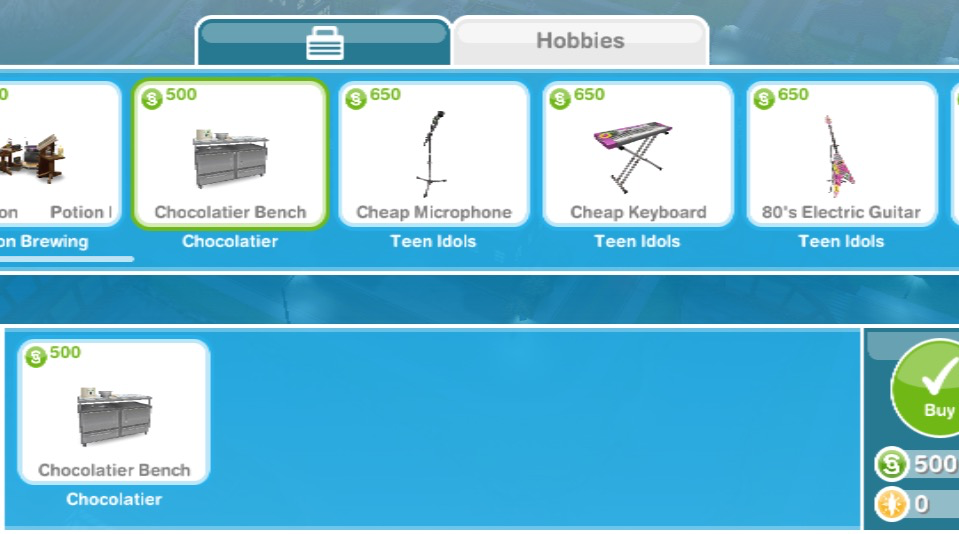
You need to firstly accept this event, click yes then you can buy a chocolatier bench from the promotions r us store (you can buy 4 for 500 then the price increases each time, you can have a maximum of 15 or 19 if you already brought 4 previously)

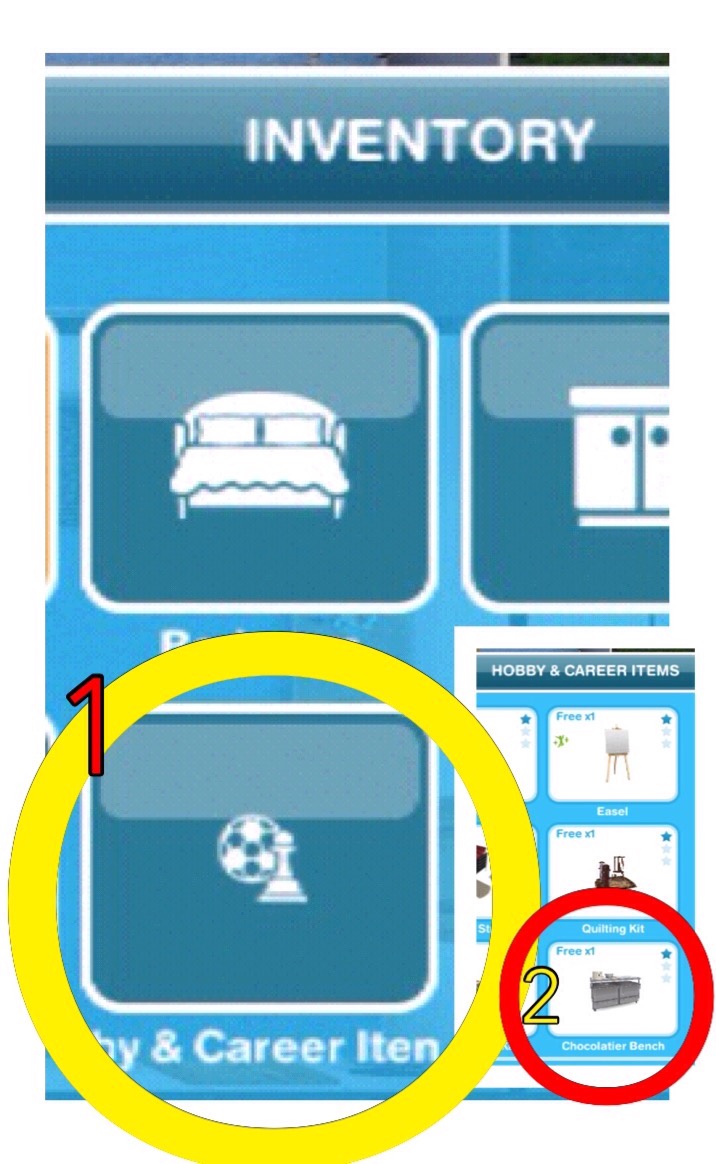
Then it can be found in your inventory under hobby and career items so you can place it in your house:


12 CHOCOLATES= 1 CARNIVAL OUTFIT PACK


TIPS FOR FINDING THEM ALL IN THE TIME LIMIT:

-buy as many chocolatier benches as possible to have as many sims as you can working on it

-you can have a sim in a neighbours town working on it too if you don’t want to buy anymore benches!

-have at least one sim working on getting to level 6 so all chocolates are unlocked (you only need one sim to reach level 6) you may need to use LPs to speed your way through the levels- I waited until the time was 1 hour 59 minutes and used 1 LP to speed up one sim so they reached level 6

-if you do want to speed it up, wait at least 15 minutes until the timer is 2 hours 59 minutes or below then it will only cost you 2LPs instead of 3! This post may help if you want a quick way to earn LPs.

-remember to click start new collection on the top of the hobby collection list once you have got all the pieces otherwise you won’t find any new items, this post explains how to do that.

-most importantly: just keep going! I know it’s annoying when you get the same one constantly but you will eventually get the ones you need- and remember these events always come back so don’t worry if you don’t complete it this time!


PRIZES

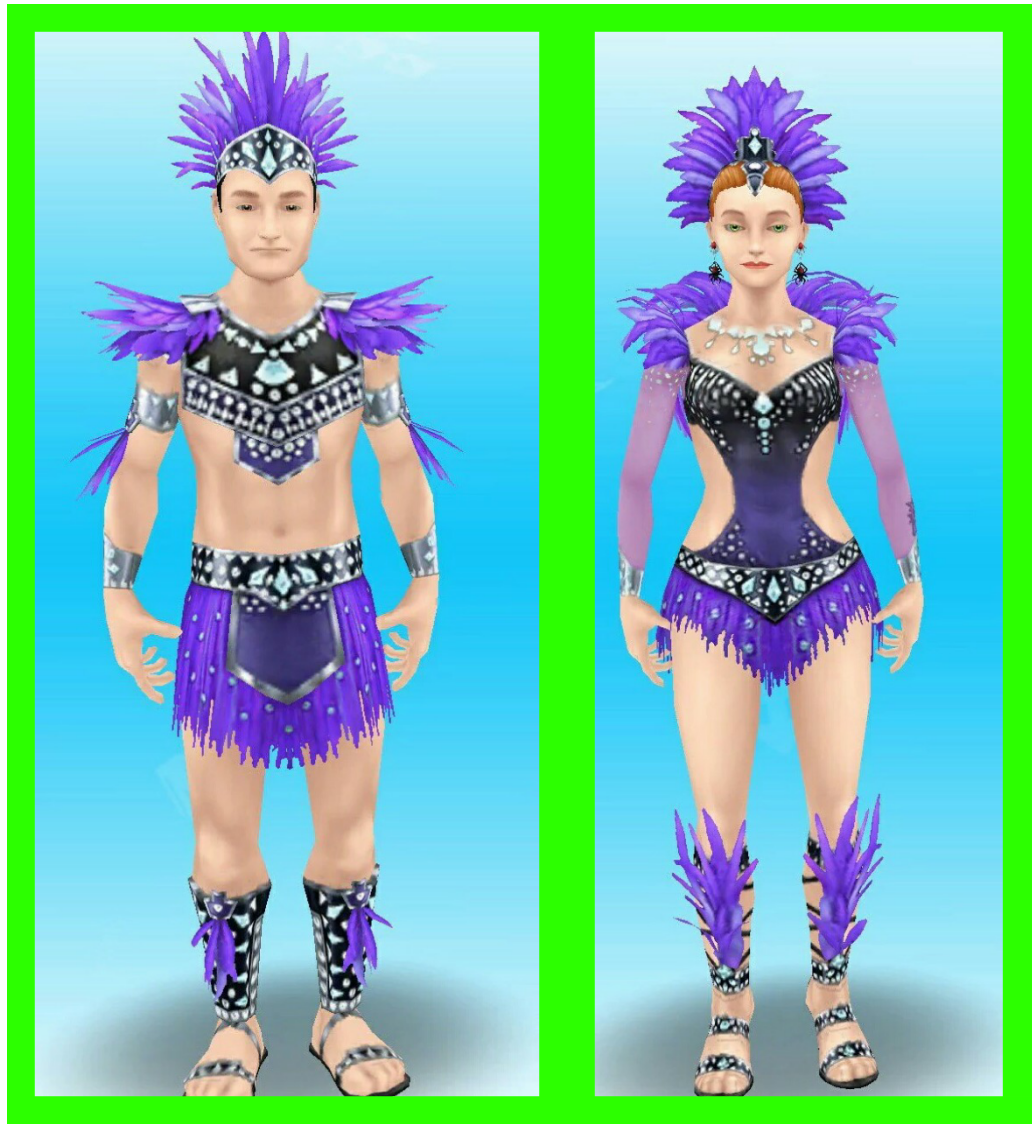
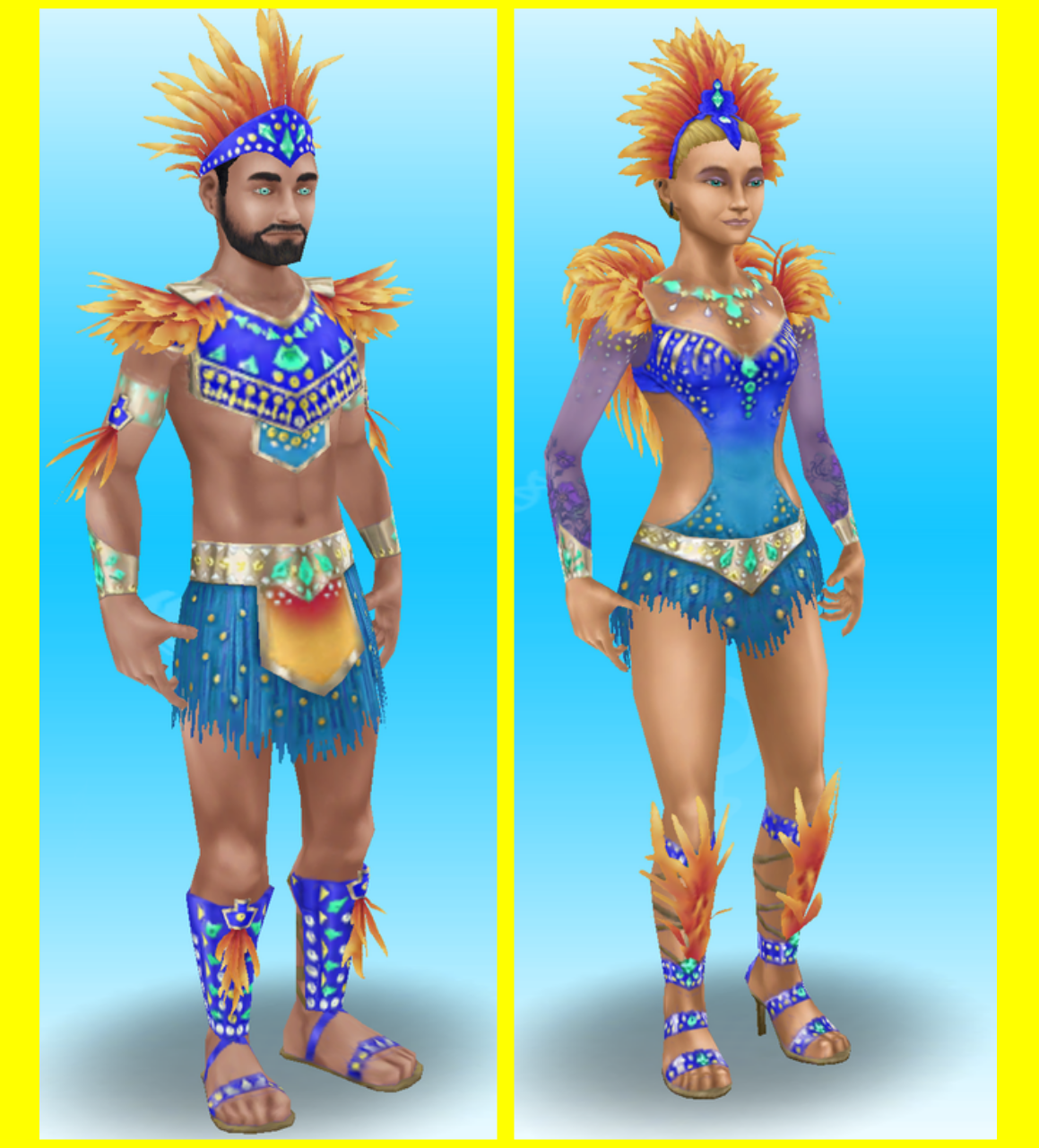
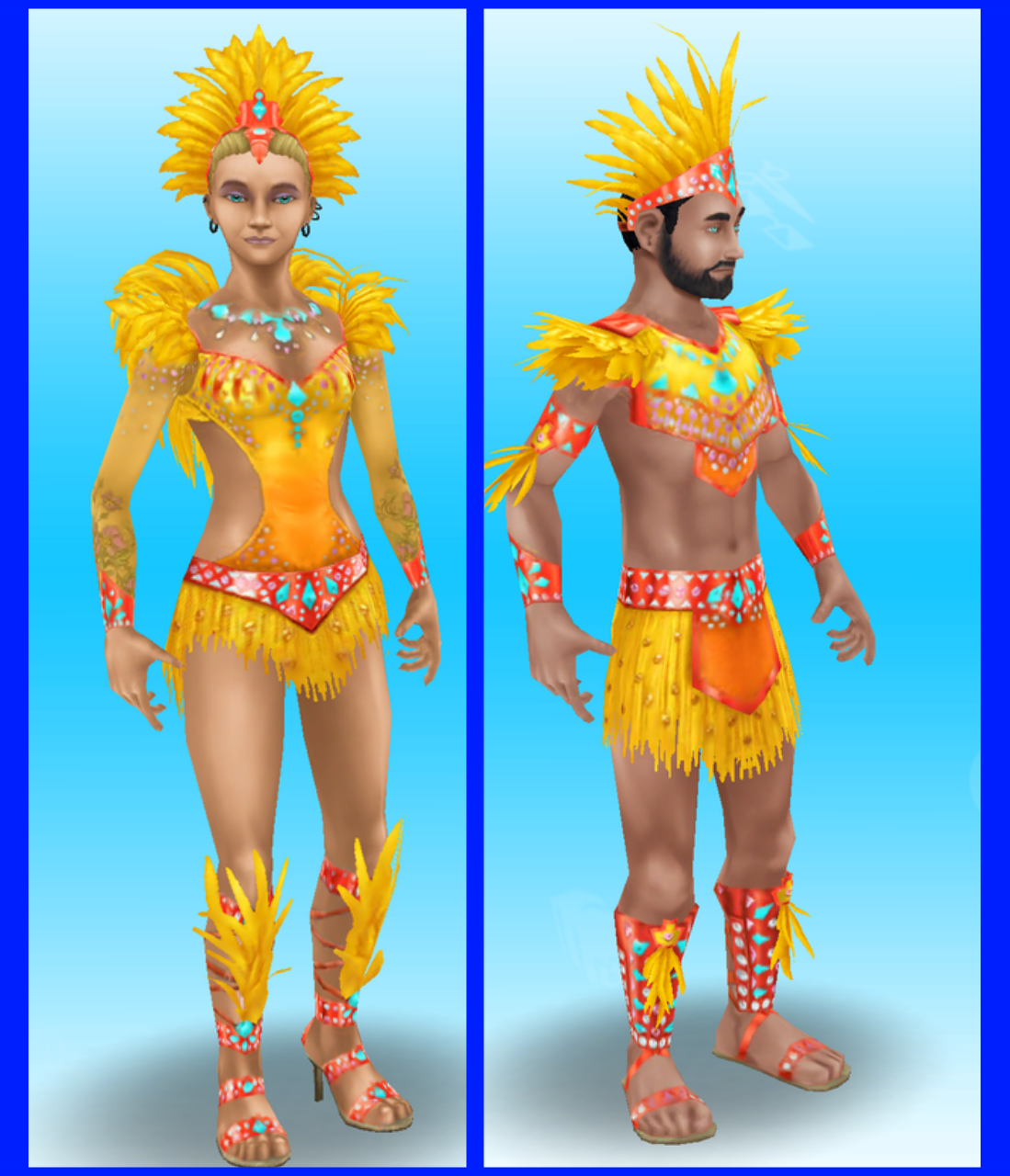
You can find the outfits for free in the wardrobe for adult sims, each pack contains one outfit for a female adult and one outfit for a male adult

1.

Thanks Izzy for this picture!

2.

Thanks Nicole for this picture!

3.

Thanks Nicole for this picture!

4.

Thanks Johnny for this picture!

5.

Thanks Johnny for this picture!

6.

Thanks Nicole for this picture!

These are all the outfits you can unlock!

I didn’t complete this event last time as I was too busy but also because I didn’t see the point of having carnival outfits, I will be completing it this time but I still don’t really want the outfits

Thanks for reading!


© COPYRIGHT PROTECTED

http://smarturl.it/sfpggwg

The Sims Mobile- Back to School Event

THIS EVENT IS OVER

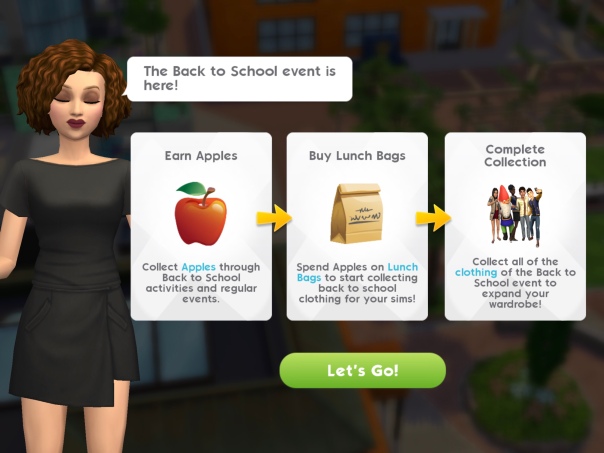
A new time limited event has started in The Sims Mobile! The aim of this event is to earn enough apples to buy the lunch bags to unlock all the back to school items in the 7 day time limit! There is also a quest to complete that unlocks new relationship stories!

How do you earn apples?

  • Completing the Homeschool Event (click on a sofa at home)- every 14 hours
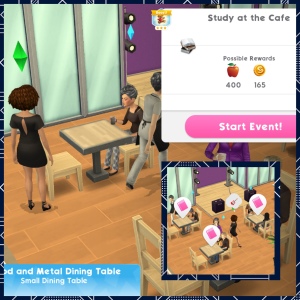
  • Completing the Study at the Cafe Event (at the cafe)- every 14 hours
  • Complete the Marine Biology Field Trip (at the science center)
  • Complete the Going Study Crazy Quest, there are 29 parts to complete:

1.Complete any career, hobby or relationship event Reward: 50 apples

2.Ask 5 others about local universities- 5 seconds, costs 3 energy each time (select the interaction on another sim, can only be completed every 5 minutes with the same sim, use different sims to complete this quicker) Reward: 175 apples and 100 simoleons 

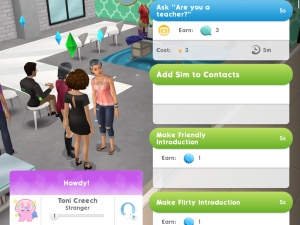
3.Ask 5 others ‘are you a teacher?’- 5 seconds, costs 3 energy each time (select the interaction on another sim, can only be completed every 5 minutes with the same sim, use different sims to complete this quicker) Reward: 175 apples

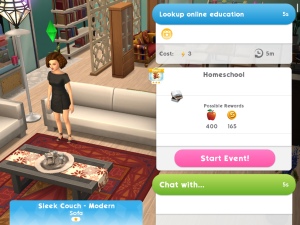
4.Look up online education from a sofa- 5 seconds, costs 3 energy (click on a sofa) Reward: 115 apples

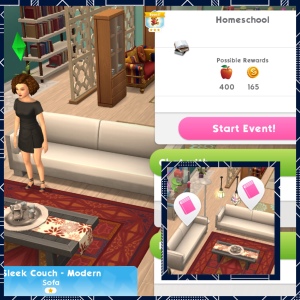
5.Complete Homeschool event at home. Tap on the pink book bubble on a sofa at home to start this event. You can complete this event every 14 hours Reward: 112 apples

6.Spend 250 Apples on Lunch Bags (click on the stack of books picture in the top right corner of the screen to be able to spend your apples on lunch bags, each bag costs 250 apples) Reward: 70 apples

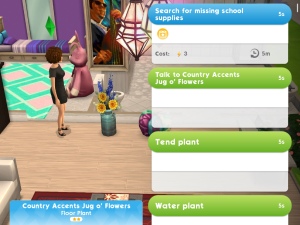
7.Search in 5 Plants for missing school supplies- 5 seconds, costs 3 energy each time (can only be completed every 5 minutes with the same plant, have multiple plants to complete this quicker) Reward: 70 apples

8.Complete study at the Cafe event. Tap on a pink book bubble at the cafe to start this event. You can complete this event every 14 hours Reward: 55 apples

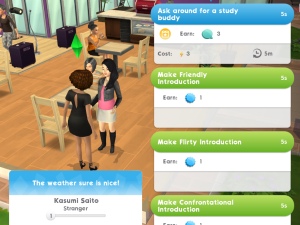
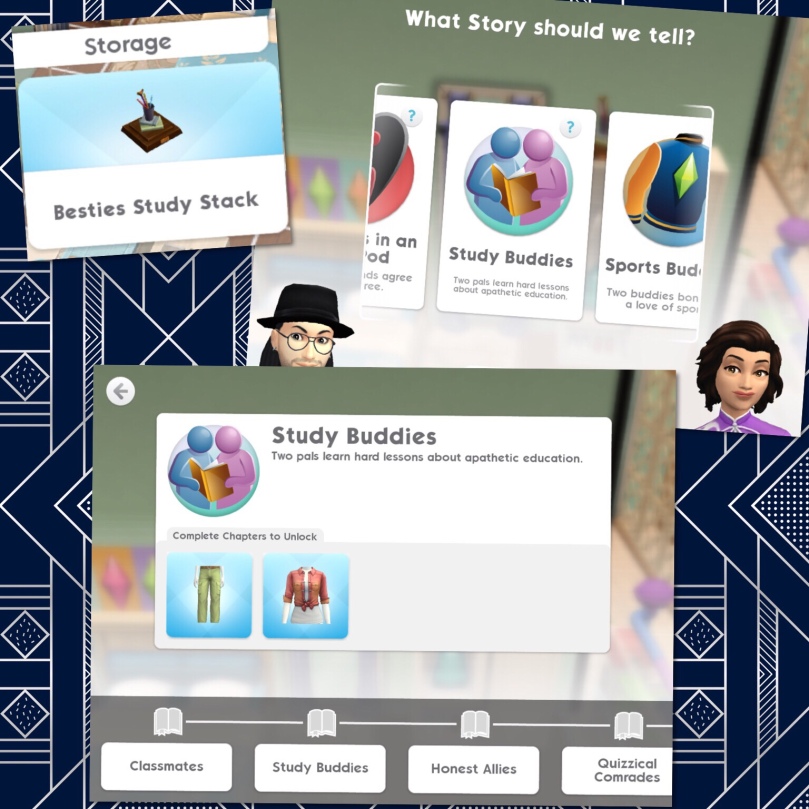
9.Ask around for a study buddy 5 times- 5 seconds, costs 3 energy each time (select the interaction on another sim, can only be completed every 5 minutes with the same sim, use different sims to complete this quicker) Reward: 35 apples and Besties Study Stack (heirloom)

Place the Besties Study Stack to unlock the Study Buddies Relationship Story (be friendly to get this option)

10.Spend 250 Apples on Lunch Bags Reward: 35 apples

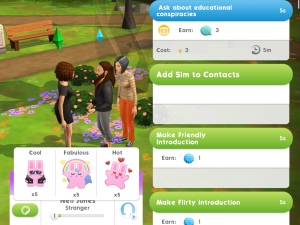
11.Ask 3 others about Educational conspiracy theories- 5 seconds, costs 3 energy each time (select the interaction on another sim, can only be completed every 5 minutes with the same sim, use different sims to complete this quicker) Reward: 35 apples

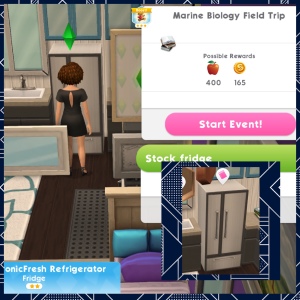
12.Complete Marine Biology Field Trip. Tap on a pink book bubble on a fridge at home to start this event. You can complete this event every 14 hours Reward: 35 apples

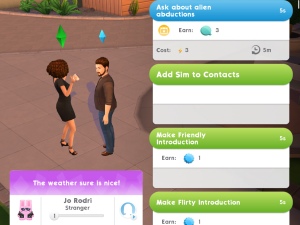
13.Ask 3 others about alien abductions- 5 seconds, costs 3 energy each time (select the interaction on another sim, can only be completed every 5 minutes with the same sim, use different sims to complete this quicker) Reward: 35 apples

14.Complete all LlamaZoom tasks and collect rewards Reward: 45 apples

15.Spend Apples on Lunch Bags Reward: 45 apples

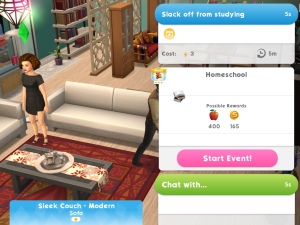
16.Use a chair or sofa to slack off from studying- 5 seconds, costs 3 energy (click on a sofa) Reward: 45 apples

17.Complete Homeschool event at home. Tap on the pink book bubble on a sofa at home to start this event. You can complete this event every 14 hours Reward: 45 apples

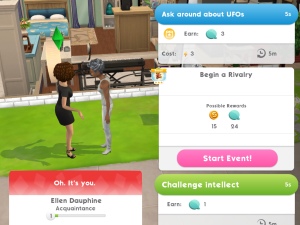
18.Ask 6 others about UFOs- 5 seconds, costs 3 energy each time (select the interaction on another sim, can only be completed every 5 minutes with the same sim, use different sims to complete this quicker) Reward: 70 apples

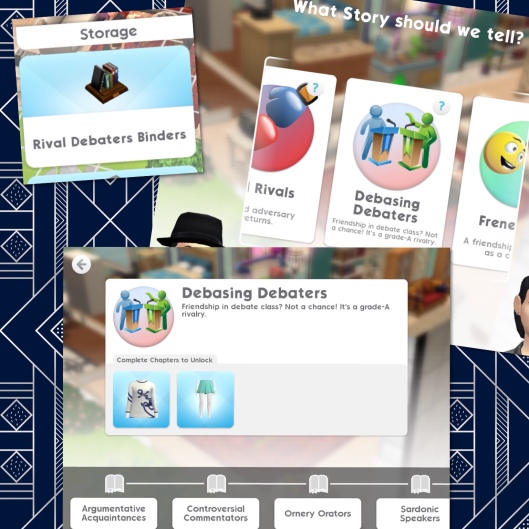
19.Complete all LlamaZoom tasks and collect rewards Reward: 45 apples and Rival Debaters Binders (heirloom)

Place the Rival Debaters Binders to unlock the Debasing Debaters Relationship Story (be confrontational to get this option)!

20.Spend Apples on Lunch Bags Reward: 70 apples

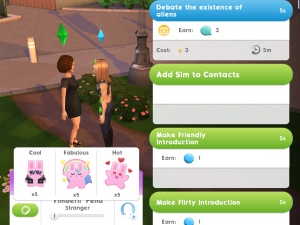
21.Debate the existence of aliens with 4 another sim- 5 seconds, costs 3 energy each time (select the interaction on another sim, can only be completed every 5 minutes with the same sim, use different sims to complete this quicker) Reward: 70 apples

22.Complete study at the Cafe event. Tap on a pink book bubble at the cafe to start this event. You can complete this event every 14 hours Reward: 70 apples

23.Complete all LlamaZoom tasks and collect rewards Reward: 70 apples

24.Spend Apples on Lunch Bags Reward: 70 apples

25.Complete Marine Biology Field Trip. Tap on a pink book bubble on a fridge at home to start this event. You can complete this event every 14 hours Reward: 70 apples

26.Complete all LlamaZoom tasks and collect rewards Reward: 70 apples

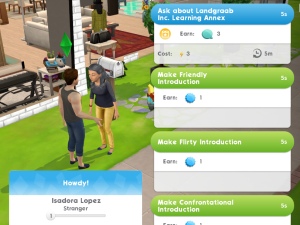
27.Ask 5 others about Landgraab Inc. Learning Annex- 5 seconds, costs 3 energy each time (select the interaction on another sim, can only be completed every 5 minutes with the same sim, use different sims to complete this quicker) Reward: 70 apples

28.Spend Apples on Lunch Bags Reward: 70 apples

29.Complete Homeschool event at home. Tap on the pink book bubble on a sofa at home to start this event. You can complete this event every 14 hours Reward: 70 apples

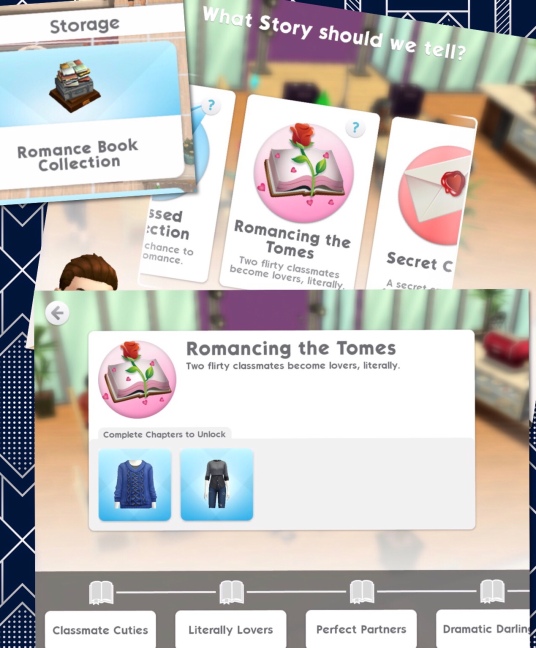
Completing this final part unlocks the Romance Book Collection heirloom, place this to unlock the Romancing the Tomes Relationship Story (be flirty to get this option)

QUEST IS COMPLETE!


Buying Lunch Bags and Boxes

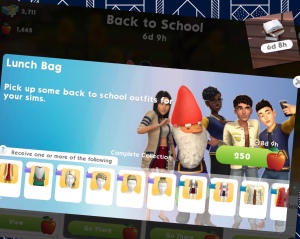
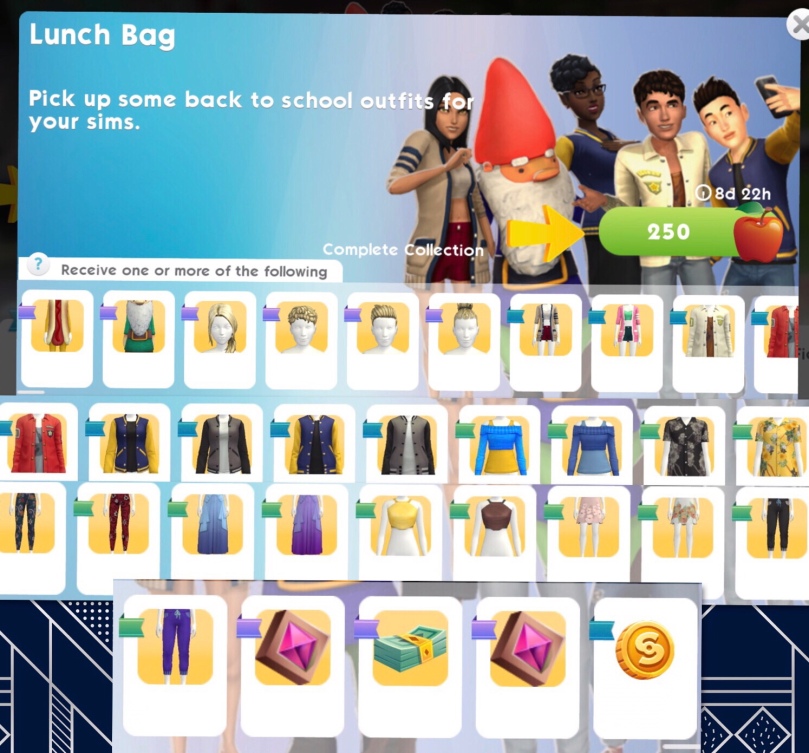
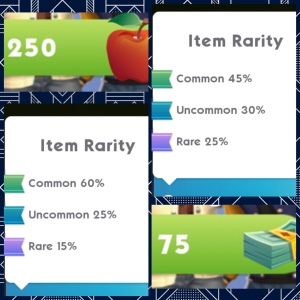
You can either buy a lunch bag for 250 apples or a collector’s lunch box for 75 simcash. You will get an item at random each time, most of the items for this event are clothes or hairstyles so if you get one that you have already won before the second time that prize will be converted into something else for example simoleons.

Each item pictured has a ribbon next to it which shows you the rarity of that item, this shows you how likely it is you will earn that item. You are more likely to earn rare items by buying the collector’s lunch box with simcash:

Once you have unlocked an item there will be a tick on that item, the aim is to unlock all the items before the time limit is up!

I am so glad they have removed all the different kinds of tickets so they are no longer a common prize we get in these events- I ended up with more of those tickets than anything else in the past so I am really hoping I will be able to get more of the prizes this time! I do find it odd that this is called ‘Back to School’ when you can’t even play as a child or teen in this game!

Thanks for reading!


My Sims Mobile Posts 

© COPYRIGHT PROTECTED