In this post I will be listing all the main stories and tasks to complete in Home Street, this post will be updated as I progress through the game.
How do I find the stories and tasks I need to complete?
Click on the notepad with the question mark on it and it will take you to the tasks:

Each story has tasks that you have to complete to be able to earn the reward, they may appear in a slightly different order for you than what I have listed below:
NOTE: seasonal events (that are only available for a limited time) are not in this post
The links on each story take you to the video I have created for it on youtube, if there isn’t a link then this video is coming soon!
- Find and Collect 3 Tool Kits (complete 3 jobs to find them)
- Find and Collect 5 Pipes (collect 5 products from any workstation to find them)
Reward: 100 coins and 2 gems
- Find and Collect 5 Cleaning Products (complete jobs until you find them)
- Find and Collect 10 Brooms (collect 10 Thoughts to find them)
Reward: 200 coins
- Own a Garden Bed (click on the shopping cart and buy one from the case symbol tab- shown in green on the image below, this tab is where you find all the workstations) Cost: 150 coins
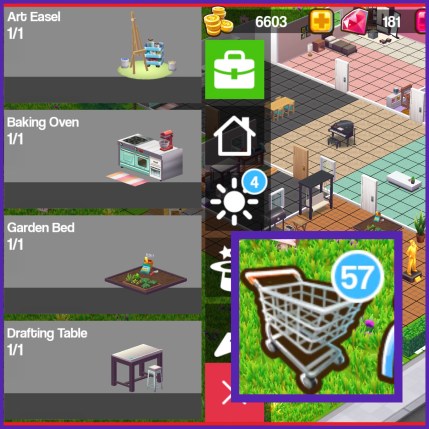
- Collect 5 Products from your Garden Bed (grow vegetables, flowers etc.)

Reward: 100 coins
- Spend 250 coins on house decorations (buy decorations from the shopping cart)
Reward: 250 coins
- Spin the Daily Wheel 5 times (you get one free spin a day, find the wheel in the park)
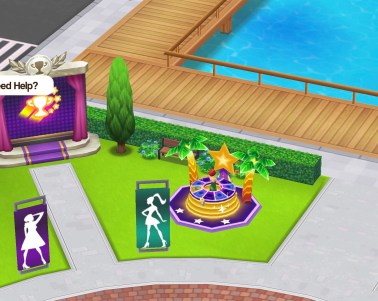
Reward: 5 gems
- Own a Drafting Table (buy one from the workstations tab in the shopping cart) Cost: 180 coins
- Collect 5 products from your Drafting Table (create sketches)

Reward: 100 coins
- Own a Woodworking Table (buy one from the workstations tab in the shopping cart) Cost: 200 coins
- Collect 5 products from your Woodworking Table (craft bird houses, rocking horses etc.)

Reward: 100 coins
- Earn 50 coins by selling items in the Market (click on the market or the refresh symbol to get to the market, click create a sale to sell your items)
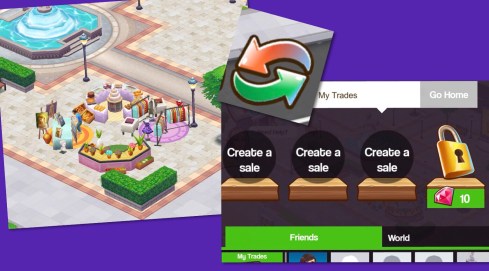
- Spend 75 coins buying Products or Thoughts in the Market (click on friends or world at the bottom of the same page to buy items from players) I find it really annoying you have to wait 10 minutes to refresh the sales or use gems to refresh early, the items get sold in seconds!

Reward: 2 gems
- Collect 3 Friend Thoughts (by inviting other players over, to do this go to the friends tab and click on the image above a players head, the item is what you will get when they have finished visiting you, underneath that is how much it will cost for them to visit, this varies depending on what you will earn, click invite and they will appear at your house) I usually go for the one that will earn me either friendship or helping hand because this costs 50 coins rather than spending notebooks or energy to invite someone over

- Bookmark 5 other players (in the same tab as above, scroll along to players who aren’t bookmarked and click on their picture twice to visit them, once there in the corner it says bookmark in blue, click this and a pop up will appear saying you can develop a relationship with this player if you bookmark them, click add to bookmark them, they will now appear in the first section of the friends tab so you can find them easily)

Reward: 250 coins
- Spend 500 coins on clothing (click on the wardrobe to buy clothes)
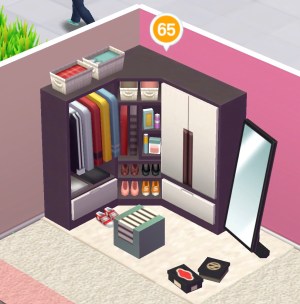
- Make and hand in 5 Sketches (make 5 sketches then click hand in on this task)
- Make and hand in 5 Creativity (make 5 creativity then click hand in on this task)
Reward: 2 gems and 10 XP
- Complete 10 Game Show Challenge Tasks (click on the TV symbol to view your Game Show Challenge Tasks, complete 10 of these tasks to complete this)
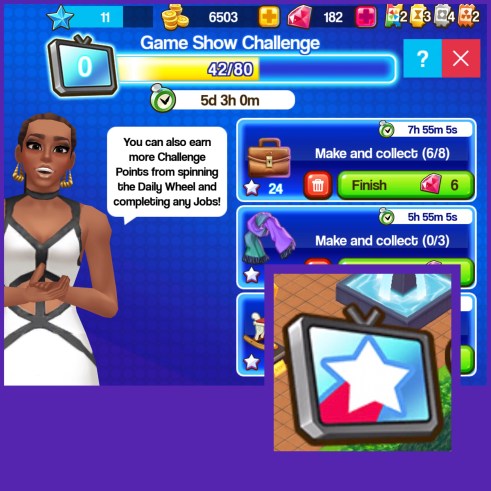
Reward: 15 XP and 1 Bronze Token
- Own a Loom (buy one from the workstations tab in the shopping cart) Cost: 250 coins
- Collect 5 products from your Loom (knit wooly hats, socks etc.)

Reward: 100 coins
- Buy and place a new room (click on the trowel symbol in the shopping cart and click on build room in the bottom right hand corner, click on the green button in the middle of the room so drag to the position you want it and click on the green dots on the walls to resize the room)

Reward: 500 coins
- Spend 50 coins on Doors (click on the trowel symbol in the shopping cart and click on the doors tab)
- Spend 200 coins on Windows (click on the trowel symbol in the shopping cart and click on the windows tab)
Reward: 100 coins
- Spend 100 coins on Wallpaper (click on the trowel symbol in the shopping cart and click on the wallpaper tab)
- Spend 100 coins on Tiles (flooring) (click on the trowel symbol in the shopping cart and click on the floors tab)
Reward: 200 coins
- Spend 300 coins on Living Room decorations
- Spend 300 coins on Wall Items (click on the house symbol in the shopping cart and click on the photo frame symbol to find wall items)

Reward: 300 coins
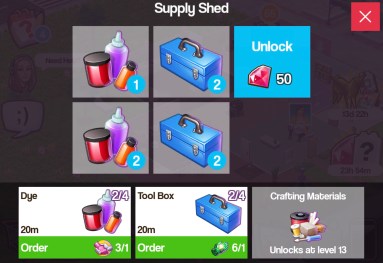
- Own a Supply Shed (buy one from the workstations tab in the shopping cart) Cost: 300 coins
- Collect 5 products from your Supply Shed (order dye or tool boxes etc)
Reward: 150 coins
- Spend 500 coins on Outdoor Plants (click on the sun symbol in the shopping cart and click on the trees tab)
- Spend 200 coins on Outdoor Decor (click on the sun symbol in the shopping cart and click on the fence tab)

Reward: 500 coins
- Own a BBQ Smoker (buy one from the workstations tab in the shopping cart) Cost: 400 coins
- Collect 5 products from your BBQ Smoker (make corn on the cob, sausages etc.)

Reward: 150 coins
- Own a Fridge (buy one from the workstations tab in the shopping cart) Cost: 500 coins
- Collect 5 products from your Fridge (prepare meats etc.)

Reward: 200 coins
- Collect 5 Friend Thoughts (invite players over, when they leave they will leave behind the friend thoughts)
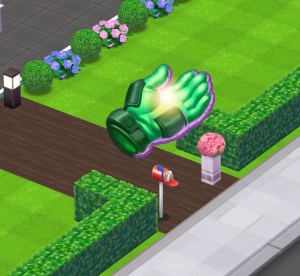
- Reach the relationship status ‘Acquaintances’ with 5 other players (when you collect the friend thought you will level up your relationship with that player, keep inviting the same 5 players over until you reach acquaintances with all of them)
Reward: 300 coins
- Own a Musical Instrument (piano, buy one from the workstations tab in the shopping cart) Cost: 600 coins
- Collect 4 Products from your Musical Instrument (compose melody or lyrics etc.)

Reward: 300 coins
- Own a Sculpture Station (buy one from the workstations tab in the shopping cart) Cost: 800 coins
- Collect 4 Products from your Sculpture Station (create stone bust etc.)

Reward: 300 coins
- Purchase an Expansion (click on an area of land around your house and click purchase expansion)

Reward: 1000 coins & 20XP
- Reach Game Show Challenge Milestones 3 times
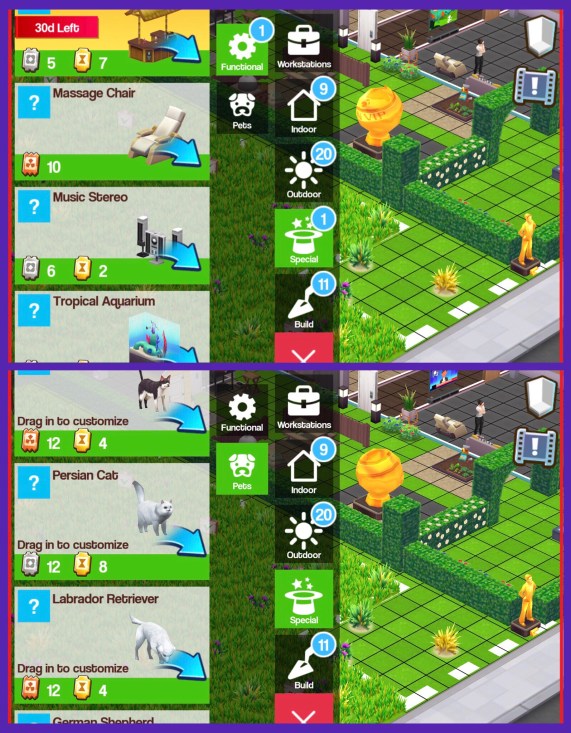
- Buy a Functional Item (from the functional items section of the shopping cart, pets count!)
Reward: 2 Gems & 20XP
- Collect 2 rewards from Functional Items (click on the functional item and boost it, then when the green tick appears click that to collect the reward)
Reward: 1 Bronze Token
- Collect 3 rewards from Functional Items (click on the functional item and boost it, then when the green tick appears click that to collect the reward)
- Upgrade a Functional Item
Reward: 5 Gems & 1 Gold Token
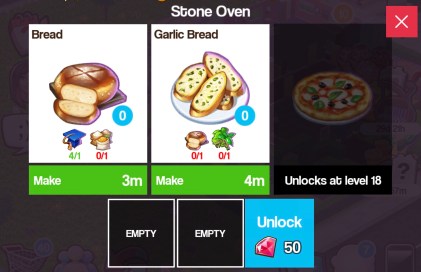
- Own a Stone Oven (buy one from the workstations tab in the shopping cart) Cost: 1,000 coins
- Collect 4 Products from your Stone Oven (make bread etc.)
Reward: 15XP & 1 Bronze Token
- Collect 15 Friend Thoughts (invite players over, when they leave they will leave behind the friend thoughts)
- Reach relationship status ‘Friends’ with 1 other player (when you collect the friend thought you will level up your relationship with that player, keep inviting the same player over until you reach friends with them)
Reward: 3 Gems & 10XP
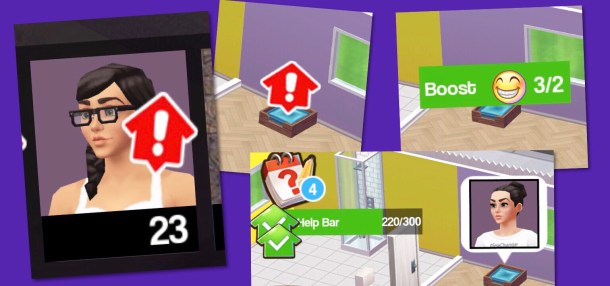
- Help 5 other players’ Functional Items (in the friends tab if a player has a functional item that needs boosting you will see the red house symbol, go to their house, click on the functional item and boost it)
- Collect 5 Friend Thoughts (invite players over, when they leave they will leave behind the friend thoughts)
Reward: 20XP & 1 Golden Token
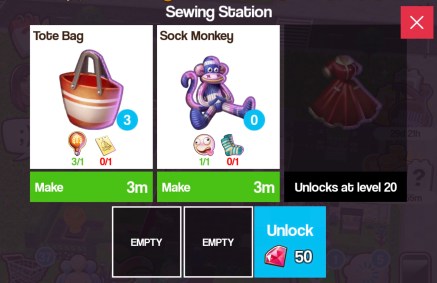
- Own a Sewing Station (buy one from the workstations tab in the shopping cart) Cost: 2,000 coins
- Collect 3 Products from your Sewing Station (make tote bag, sock monkey etc.)
Reward: 20XP & 1 Bronze Token
- Find and Collect 5 Tool Kits (drops when you complete jobs so complete 5 jobs)
- Find and Collect 20 Cleaning Products (drops when you collect products from your workstations so collect 20 products)
Reward: 1 Silver Token
- Complete 5 cruise ship jobs
- Send off a fully completed cruise ship (complete all the jobs on the cruise ship)
Reward: 30XP & 1 Gold Token
- Send off 4 fully completed cruise ships
- Upgrade your cruise ship to the next level
Reward: 2 Gems & 1 Rainbow Token
- Spend 1,000 coins on house decorations
Reward: 500 coins & 2 Gems
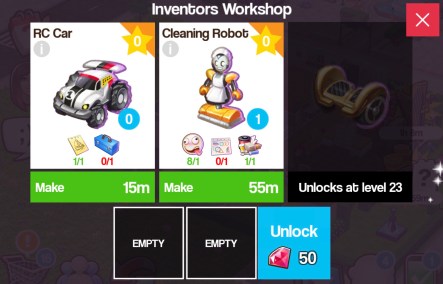
- Own an Inventors Workshop (buy one from the workstations tab in the shopping cart) Cost: 4,000 coins
- Collect 3 products from your Inventors Workshop (RC car, cleaning robot etc.)
Reward: 20XP & 1 Bronze Token
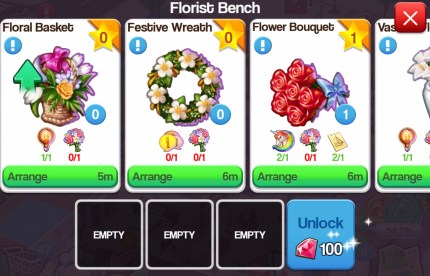
- Buy and place a Florist Bench (buy one from the workstations tab in the shopping cart) Cost: 8,000 coins
- Collect 3 products from your Florist Bench (floral basket, festive wreath etc.)
Reward: 20XP & 1 Silver Token
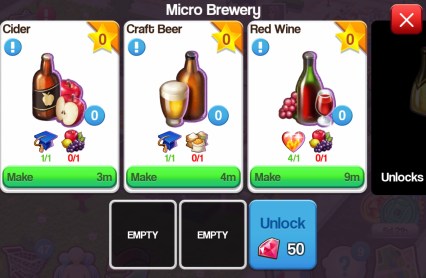
- Buy and place a Micro Brewery (buy one from the workstations tab in the shopping cart) Cost: 12,000 coins
- Collect 3 products from your Micro Brewery (cider, craft beer etc.)
Reward: 20XP & 1 Silver Token
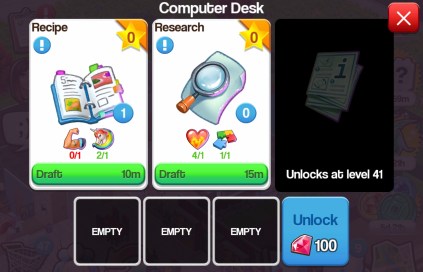
- Buy and place a Computer Desk (buy one from the workstations tab in the shopping cart) Cost: 18,000 coins
- Collect 3 products from your Computer Desk (recipe, research etc.)
Reward: 20XP & 1 Silver Token
This post will be updated as I complete more tasks!
Click here to watch My Home Street Playlist on YouTube!
Thanks for reading!
© COPYRIGHT PROTECTED