THIS EVENT IS OVER
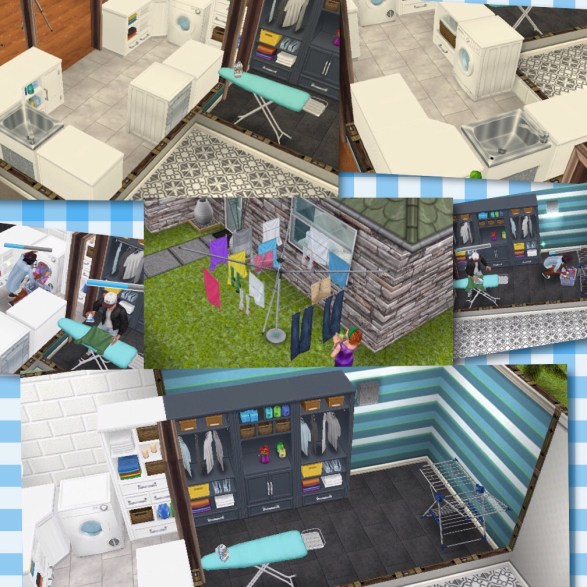
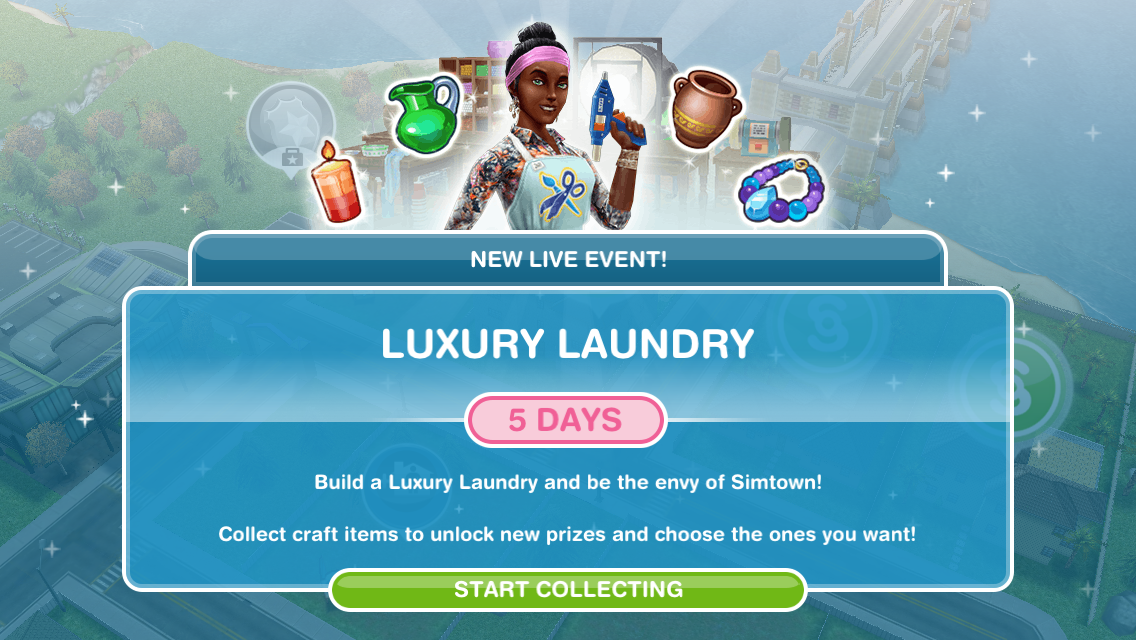
Did you miss out on items such as washing machines, dryers and ironing boards last time this event was available? Good news, its back again for 6 days! Complete this event to unlock those and other highly requested items.

Check out my Guide to Completing Live Events (including tips!) HERE!
This event is only here for 6 days and the aim of it is to collect enough arts and crafts items from the arts and crafts stations (found in the event tab of buy mode) to unlock all the items in this event
NOTE: if you did another Live Event then you will find your arts and crafts stations in your inventory (or in the house you left them at) you will only be able to use the candle ones until you unlock the other stations in this event
Can’t find your arts and crafts stations? Click on the craft station in your event tab to get the option to find your station, it will take you to the house where your stations can be found!
Want to skip the tasks list? Click here to head straight to the prizes!
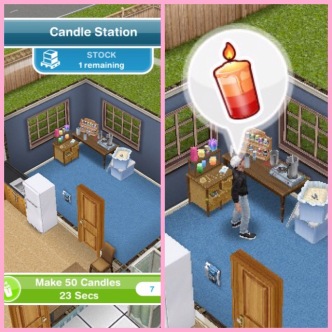
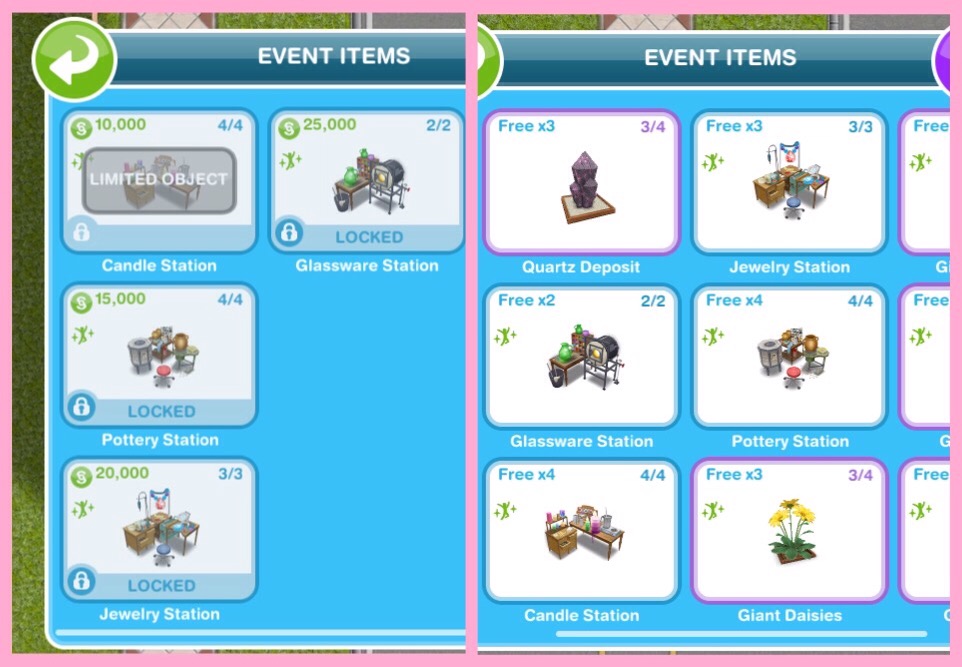
Place a crafting station (find the candle station in the events tab of buy mode (or your inventory)- you can only buy 4)

Make some arts and crafts items (click on the candle station to make)- 23 seconds
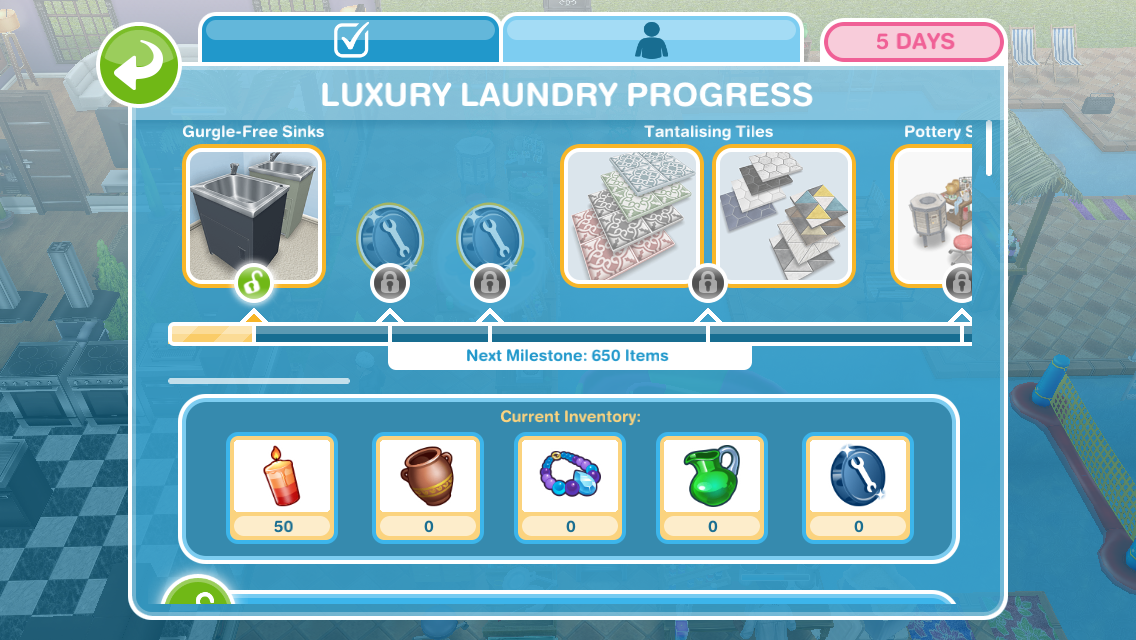
This takes you to the prize progress tab (you can get to it by clicking on the scissors event button in the corner of the screen)

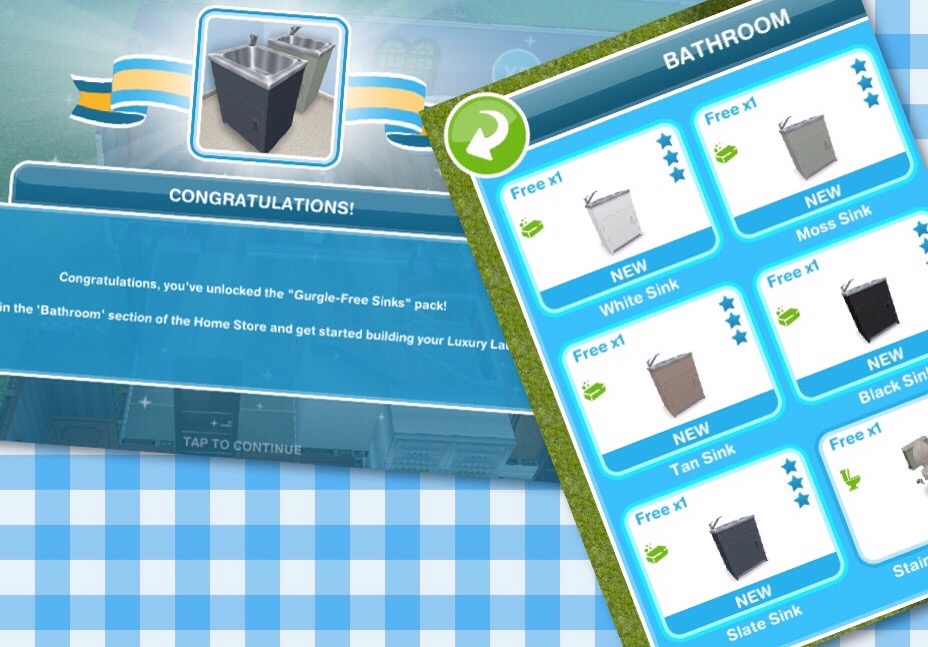
Here you will see you have collected enough items to unlock the gurgle free sinks! When you unlock each pack, before the items are available in your home store you need to purchase them with the arts and crafts items you make- this goal is coming up!

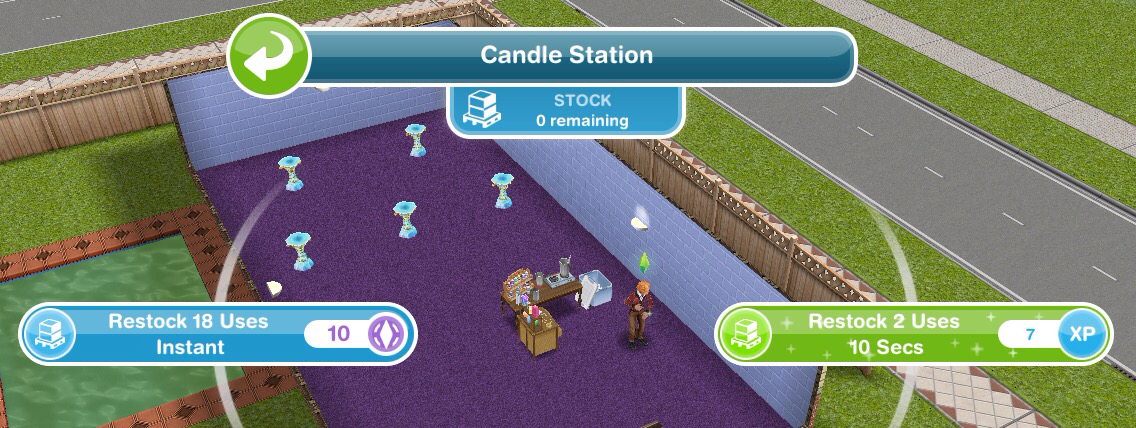
Restock a crafting station (when the stock runs out you will have to restock before you can make anymore arts and crafts items)- You can restock instantly for 18 uses for 10SPs or restock for 2 uses which will take 10 seconds this time

Buy the gurgle free sinks (click on the scissor event button, scroll down and click purchase- this will cost you 50 candles)
Use a coin flower patch (buy the coin flower patch from the event tab and select the spin plant option)
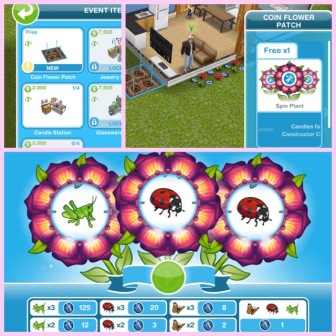
Check the daily goals (click on the scissor event button and find the daily goals tab- claim the ones you can!)
Remember to claim your rewards each day!

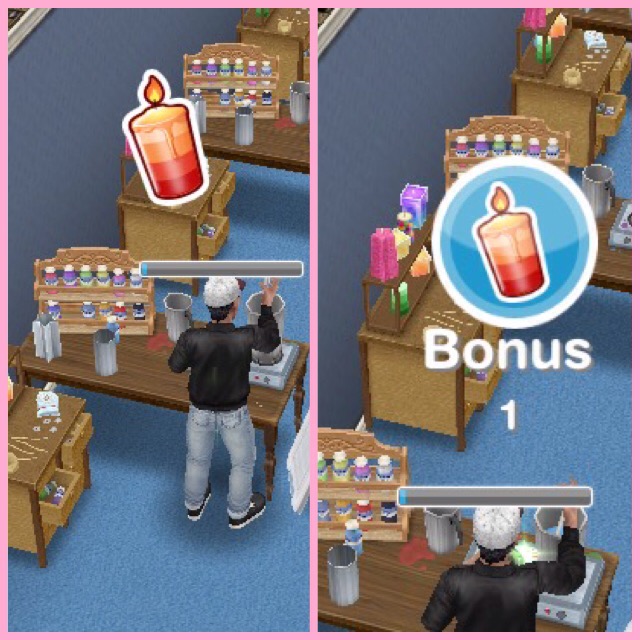
Collect bonuses (while collecting after a certain amount of time you will see the arts and crafts item appear above that sims head, click to collect the bonus item!)

Continue collecting arts and crafts items- this is the last step but the event is not over, keep collecting the arts and crafts to unlock everything!
If you want to speed up a collecting arts and crafts action it will cost you SPs, you will get the bonus gems as well if you speed it up!
Stuck on these tasks? Watch my video here:
Arts and Crafts Stations
Candle Station costs:
1st- Free
2nd- S2,000
3rd- S4,000
4th- S10,000
(maximum of 4)
- Collect 250 Candles- 2 hours 30 minutes
- Collect 360 Candles- 4 hours 30 minutes
- Collect 455 Candles- 6 hours 30 minutes
- Collect 510 Candles- 8 hours 30 minutes

Pottery Station costs:
1st- S5,000
2nd- S7,500
3rd- S10,000
4th- S15,000
(maximum of 4)
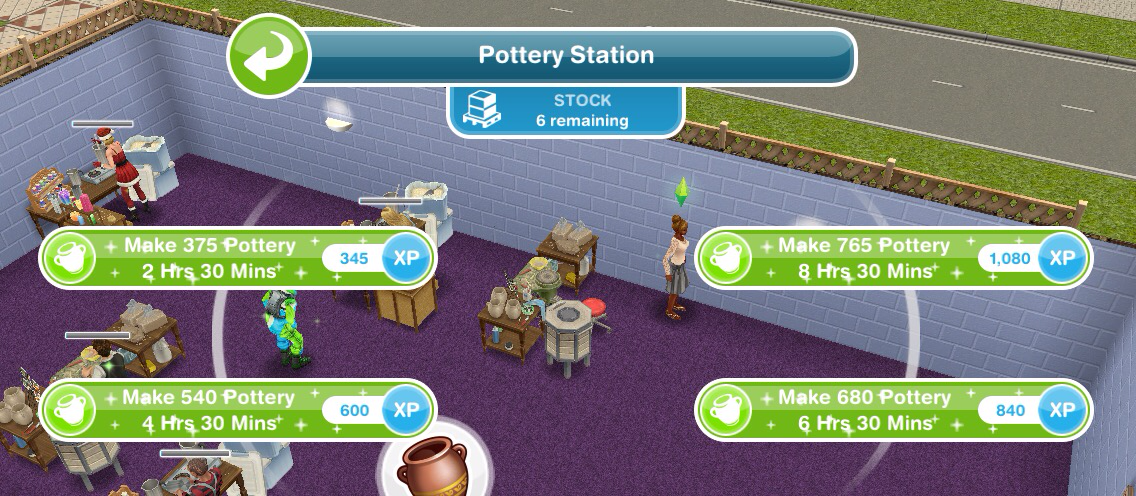
- Collect 375 Pottery- 2 hours 30 minutes
- Collect 540 Pottery- 4 hours 30 minutes
- Collect 680 Pottery- 6 hours 30 minutes
- Collect 765 Pottery- 8 hours 30 minutes

Jewelry Station costs:
1st- S7,500
2nd- S15,000
3rd- S20,000
(maximum of 3)
- Collect 565 Jewelry- 2 hours 30 minutes
- Collect 810 Jewelry- 4 hours 30 minutes
- Collect 1025 Jewelry- 6 hours 30 minutes
- Collect 1150 Jewelry- 8 hours 30 minutes

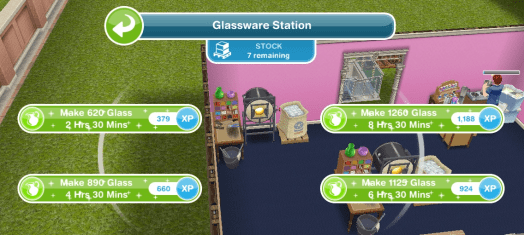
Glassware Station costs:
1st- S7,500
2nd- S25,000
(maximum of 2)
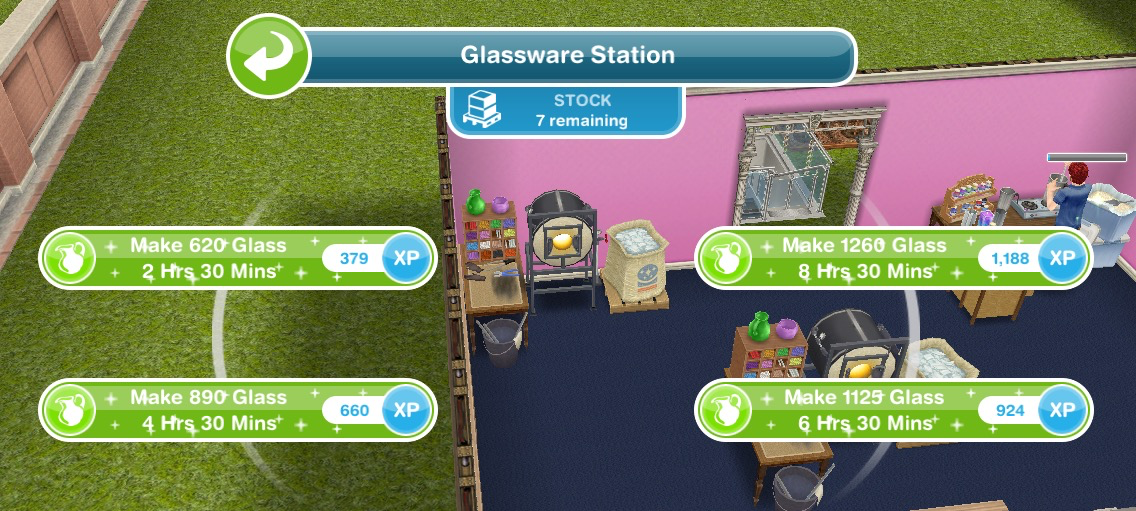
- Collect 620 Glass- 2 hours 30 minutes
- Collect 890 Glass- 4 hours 30 minutes
- Collect 1125 Glass- 6 hours 30 minutes
- Collect 1260 Glass- 8 hours 30 minutes
Restocking
Each station (apart from the first candle one) comes with a stock of 9 which means you can use the station 9 times before it needs to be restocked (if you got your stations out of your inventory they will all need restocking first (apart from the first candle one)) When you need to restock you will have two options:
- Restock 18 uses which happens instantly but will cost you 10SPs
or
- Restock 9 uses which will take you 2 hours 30 minutes but will be free
 NOTE:
NOTE:
- if you store the station you will lose all the stock so when you place it again you will need to restock
- if you cancel making something using a station you will lose that stock so if you had one stock left and then you cancelled that action you would need to restock before you can create anymore arts and crafts items
Your Progress:
 Click the scissor button in the top corner of your game to see your progress
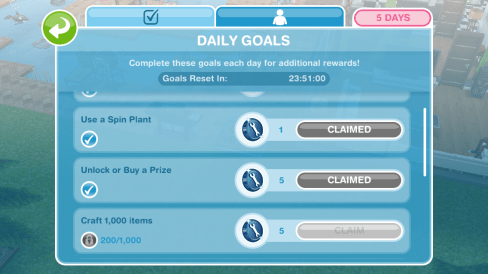
Daily Goals
Check on the first tab every day because if you complete all the daily goals you will get additional constructor coins
NOTE: remember to click CLAIM once you have completed a daily goal to collect the reward and remember to claim your free constructor coins and free items each day!
Prize Progress
The prize progress is how far you have got on this event, the more arts and crafts items you make the more prizes you will unlock

NOTE: the bar at the top of the personal progress tab shows you how close you are to unlocking an item, the more arts and crafts items you collect the more the bar will fill up. Once you have unlocked an item on the bar at the top you will be able to use the arts and crafts items you have collected and constructor coins to purchase that pack which you will then be able to find in the home store.
Prizes:

1.Gurgle Free Sinks- requires 50 candles to buy
Once brought these can be found in the bathroom section, cost S3,000 each

2.3 Constructor Coins
3.3 Constructor Coins
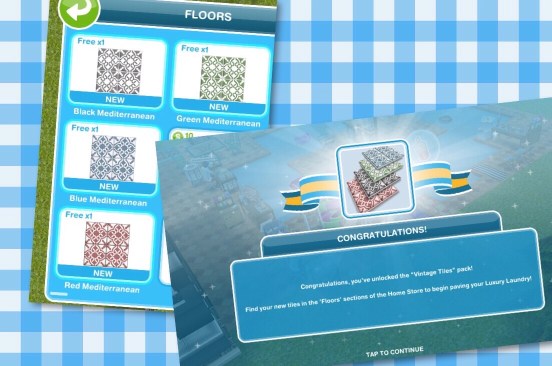
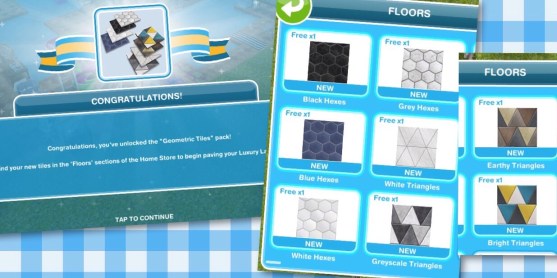
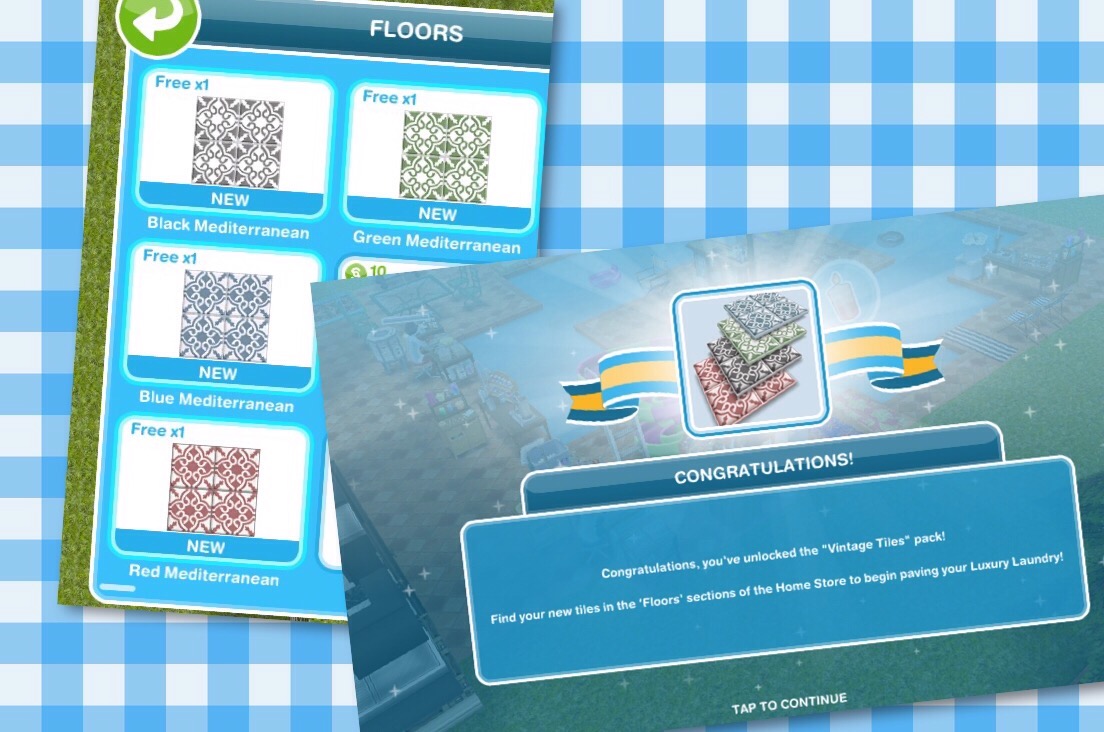
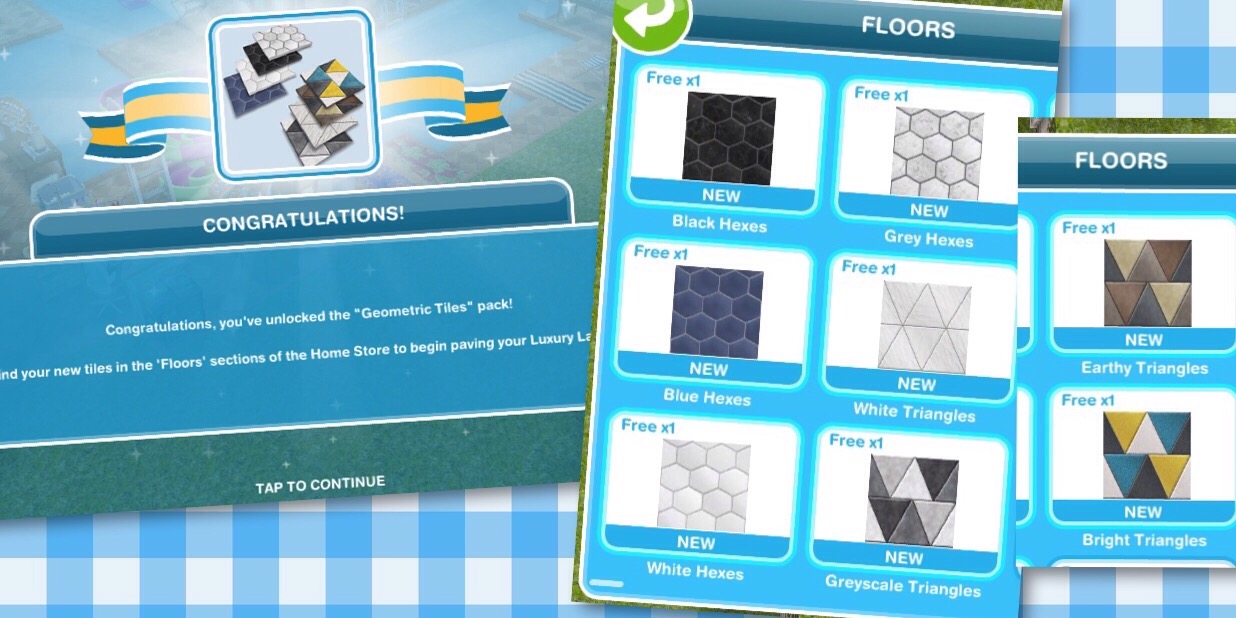
4.Tantalising Tiles- Vintage Tiles and Geometric Tiles
Vintage Tiles– requires 550 candles and 5 constructor coins to buy
Once brought these can be found in the floors section, cost S50 each
Geometric Tiles– requires 1,700 candles and 15 constructor coins to buy
Once brought these can be found in the floors section, cost S45 each
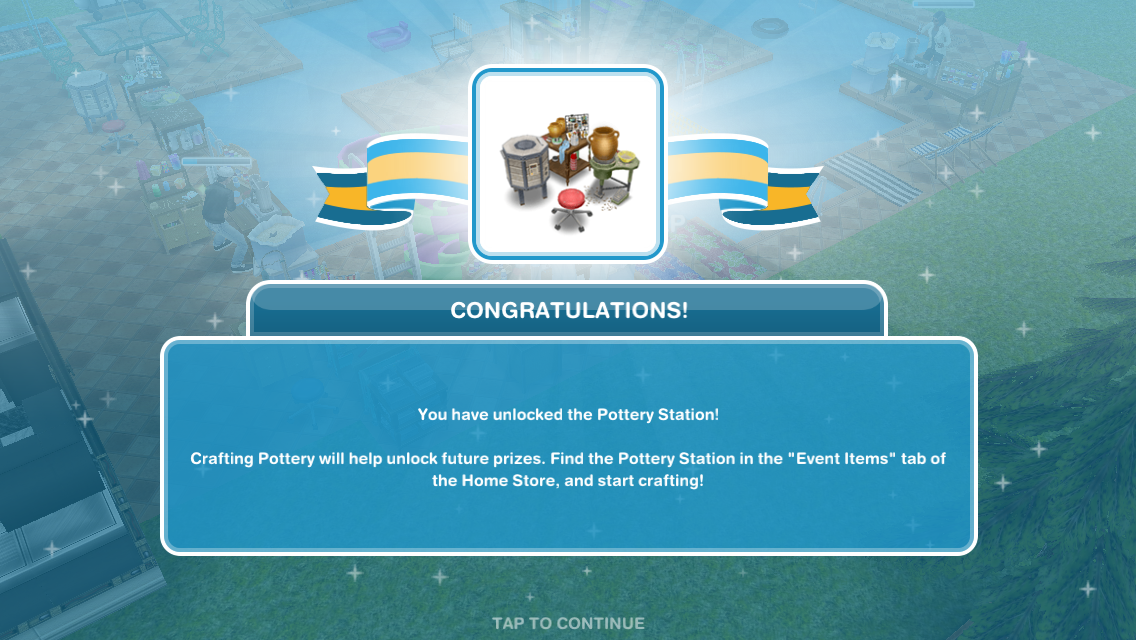
5.Pottery Station

6.4 Constructor Coins
7.4 Constructor Coins
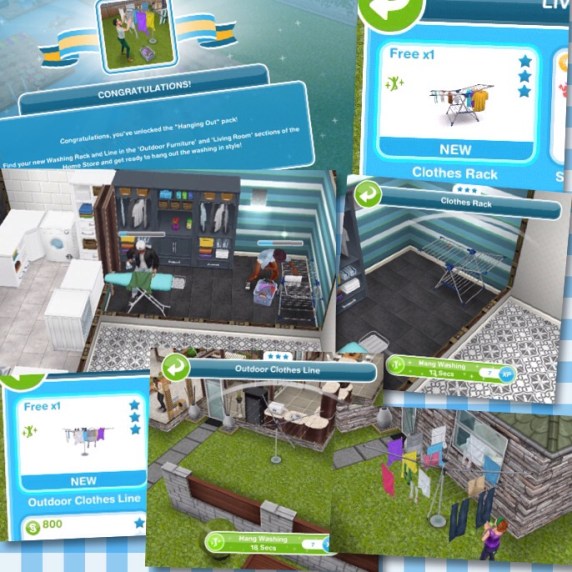
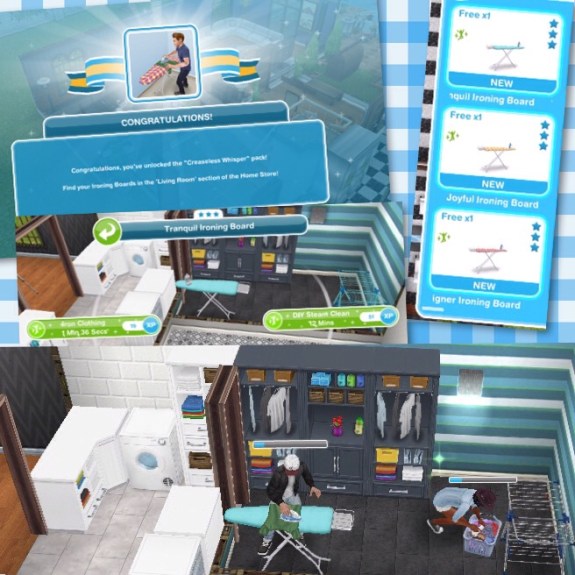
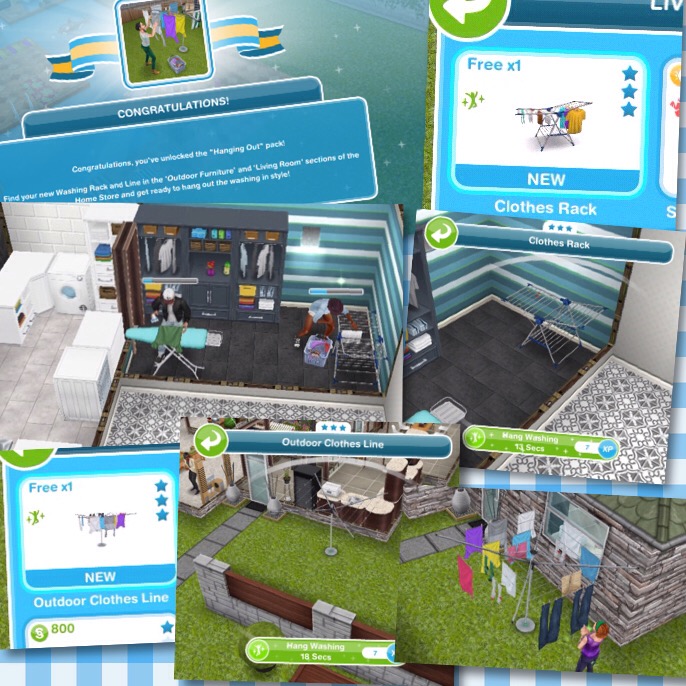
8.Wonderful Washing- Hanging Out and Creaseless Whisper
Hanging Out– pack includes clothes rack and outdoor clothes line, requires 5,000 candles, 3,700 pottery and 45 constructor coins to buy
Outdoor Furniture: Outdoor Clothes Line (S9,500)
Living room: Clothes Rack (S8,000)
Creaseless Whisper– pack includes 3 ironing boards, requires 6,600 candles, 5,000 pottery and 60 constructor coins to buy
Once brought these can be found in the living room section, cost S10,000 each
9.Jewelry Station
10.5 Constructor Coins
11.2 Social Points
12.5 Constructor Coins
13.Lauded Laundry- Brilliant Benches and Stellar Shelves
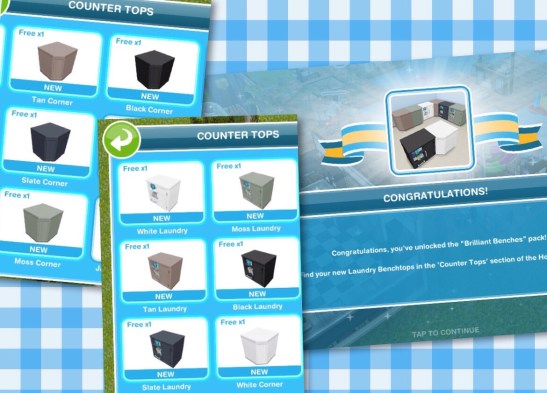
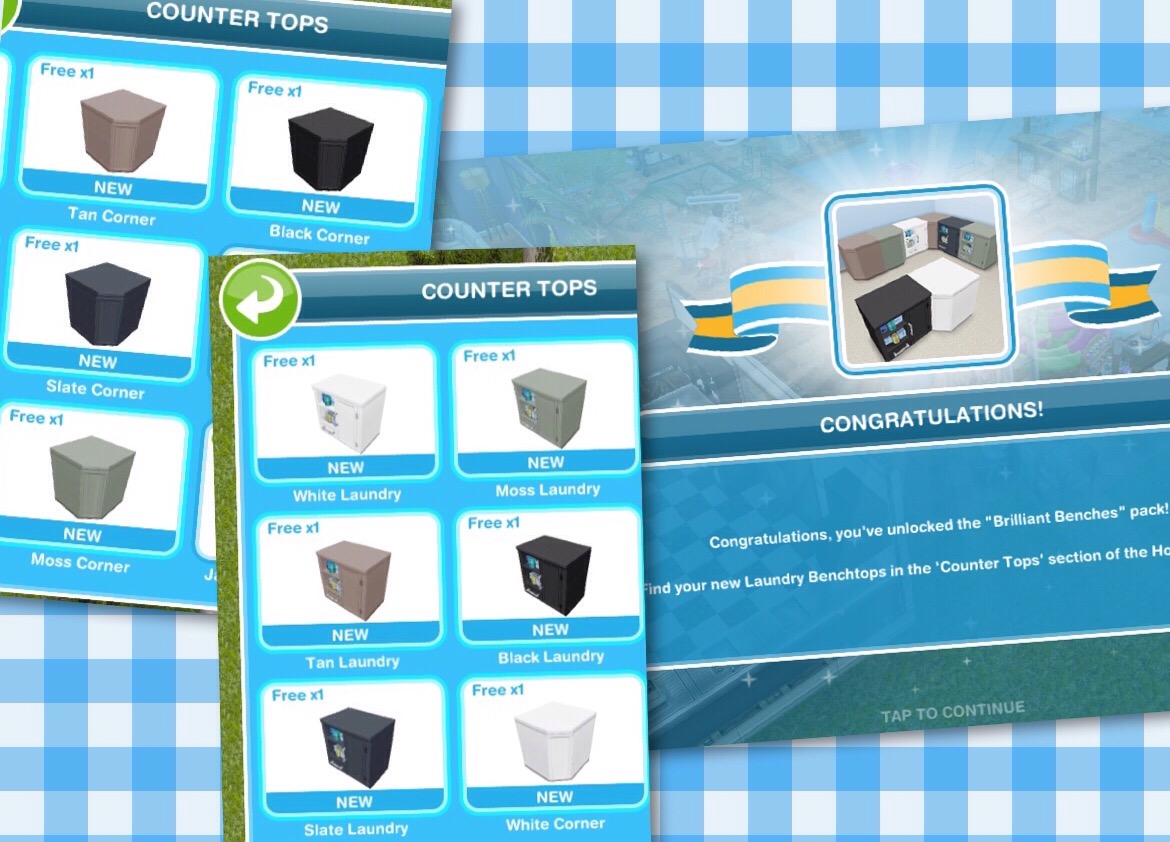
Brilliant Benches– requires 7,035 pottery, 7,450 jewelry and 85 constructor coins to buy
Countertops: Corners (S500) Laundry (S1,500)
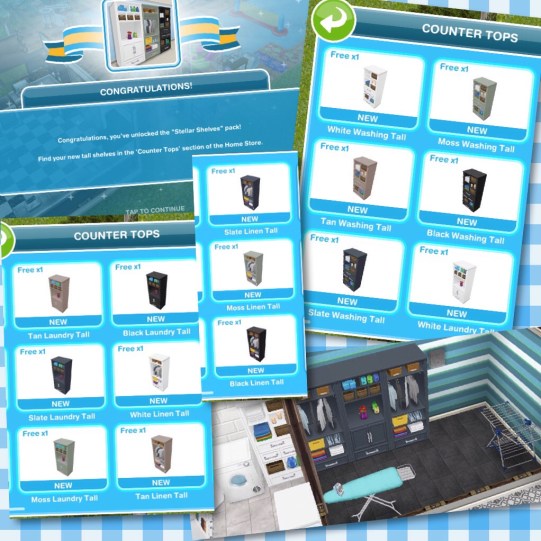
Stellar Shelves– requires 7,500 pottery, 8,000 jewelry and 90 constructor coins to buy
Countertops: Linen Talls [except Black] (S1,000) Black Linen Tall (S1,500) Washing Tall (S1,000)
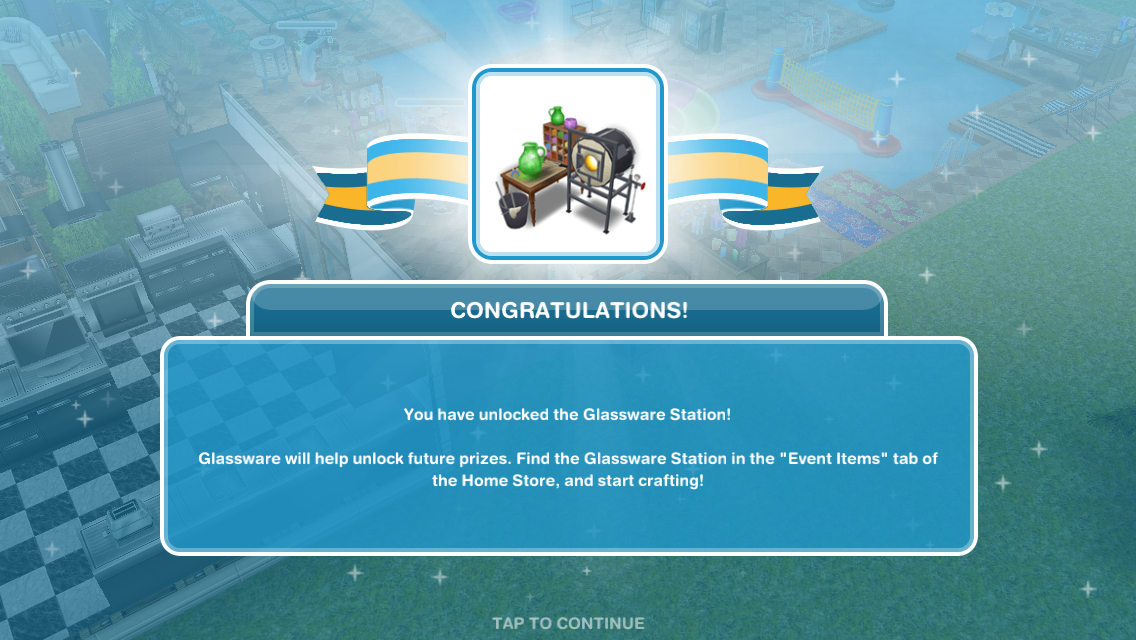
14.Glassware Station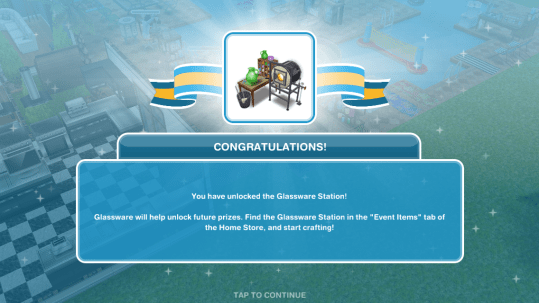
15.7 Constructor Coins
16.2 Social Points
17.7 Constructor Coins
18.Loads of Fun- Dry Hard and Wishy Washers
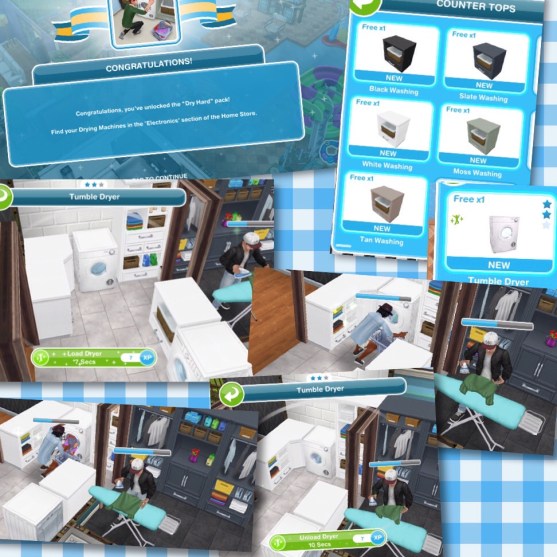
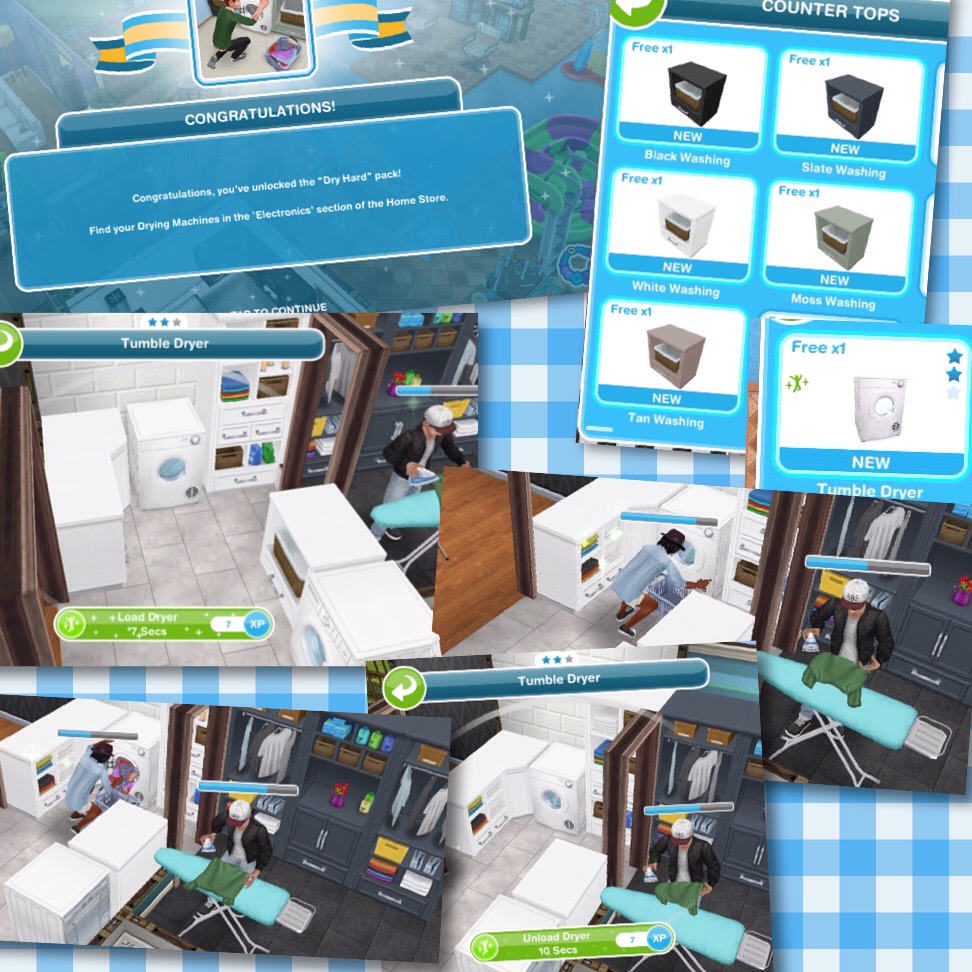
Dry Hard– pack includes Tumble Dryer and Washing Counter Tops, requires 8,000 pottery, 8,500 jewelry, 8,500 glassware and 95 constructor coins to buy
Electronics: Tumble Dryer (S11,000)
Countertops: Black Washing (S500) Washings [except Black] (S1,500)
Wishy Washer– pack includes White Washer and Linen Counter Tops, requires 8,500 pottery, 9,000 jewelry, 9,000 glassware and 105 constructor coins to buy
Electronics: Washing Machine (S11,000)
Countertops: Linens (S1,500)

19.10 Constructor Coins
20.2 Social Points
21.10 Constructor Coins
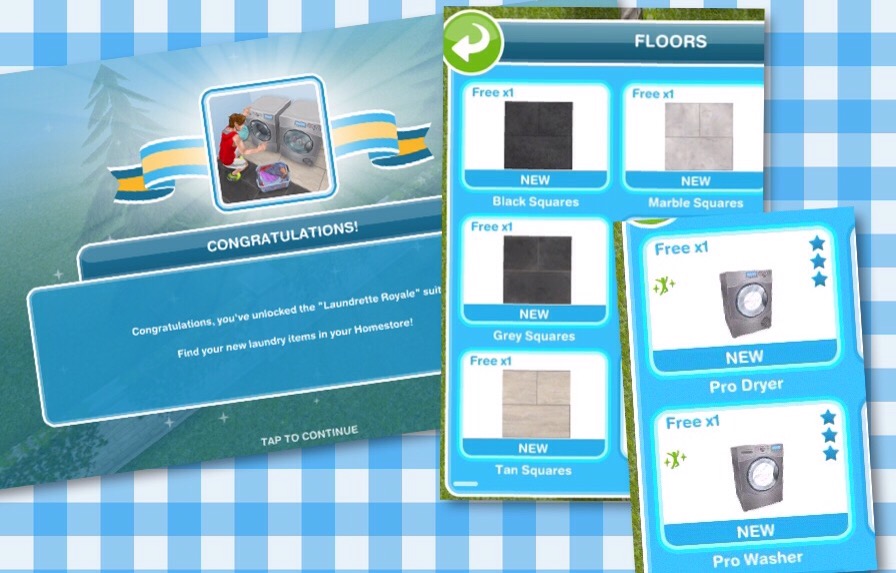
22.Laundrette Royale
NOTE: you can only claim this prize if you have purchased all the other prize packs using your arts and crafts items, this pack is free to unlock!
This pack includes Pro Dryer and Pro Washer and Square Flooring
Floors: Squares (S45 each)
Electronics: Pro Washer (S22,000) Pro Dryer (S22,000)

This is all the prizes!
Constructor Coins
You earn constructor coins by:
Personal Progress prizes
Completing Daily Goals
Coin Plant Patches
Earning Construtor Coins? Previously on these events I used social points on the Mega Spin Plant to win constructor points. I earn social points by completing the cooking hobby and earning LPs, I can then turn the LPs into SPs using the social point plant on a normal garden patch- this was when it cost 5LPs- the social point plant now costs 20LPs so you may want to try the option below first instead:
Or you can use 450 candles for the Spin Plant (a good way to use up any spare candles) which will also earn you constructor coins but the amounts are less than they are from the Mega Spin Plant
What is the minimum and maximum amount of coins you can earn on the mega spin plant? The minimum is 10 and the maximum is 500
Now on the coin flower patch you can see the chances of getting the different combinations on each spin plant, click on the green i button to see:

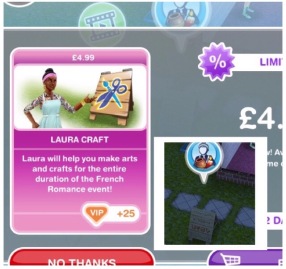 Laura Craft? You may have noticed at the front of one of your houses there is a board with a bubble of a person holding arts and crafts items above it, this is Laura Craft, you can buy her for real money to help you complete the event. When you buy her, you select the item you want her to make from the options: 200 candles, 300 pottery, 450 jewelry or 500 glassware (the amounts seem to differ for most of you and I have no idea why that is!) (you will unlock all the options once you have unlocked all the stations) and you will be able to collect them after 2 hours.
Thank you for everyone who let me know what Laura Craft does!
Do I think she is worth it? They have improved Laura Craft a lot since the first event (although it would be great if she made constructor coins) she used to be able to collect every 8 hours, they have now changed this to 2 hours so she is more useful now so if you are struggling then you may want to splash out and give her a try but remember you will only get her for this event, you will have to buy her again to use her for a live event in the future.
If I brought Laura Craft in the last event do I get her for free or do I have to buy her again? You have to buy her again for this event.
Check out my Guide to Completing Live Events (including tips!) HERE!

©THEGIRLWHOGAMES.BLOG







































 The Girl Who Games