The Sims Freeplay- Careers: Politician

Politician is one of 8 careers your adult sims can have (not including profession careers) and this post explains all you need to know about this career.

How do I start this career?
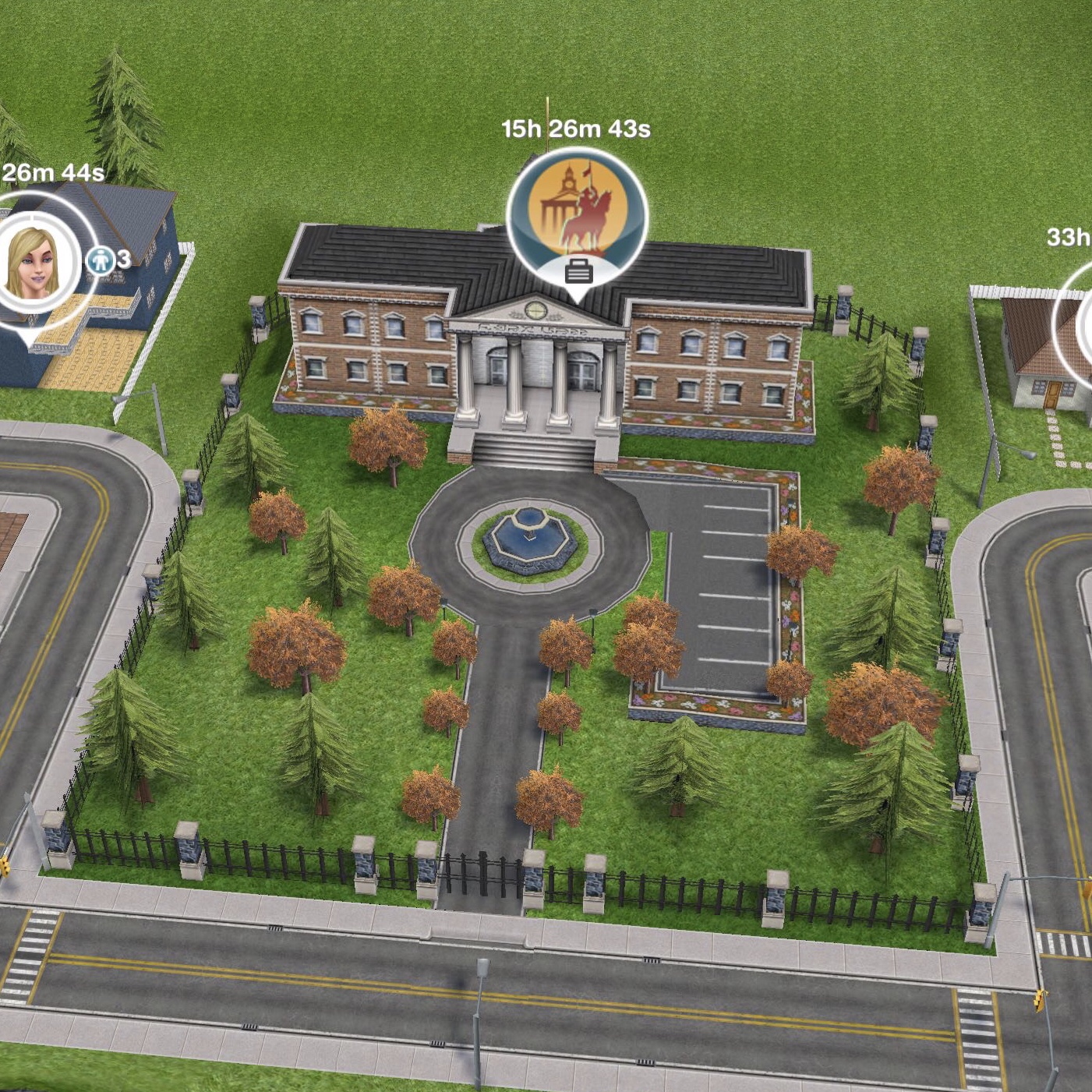
You firstly need to build the town hall which is one of the goals in the Higher Education Quest. Then you will be able to select politician from the list of careers.

Once your sim is a politician you can click on the pulsing suitcase on the simtracker to send them to work once a day. During this time you won’t see them at work and you cannot go to the town hall, on the simtracker it will just say they are at work, once the time is up they will arrive back at home and be rewarded with the simoleons and XP they earned for that shift. The more they work, the higher level they will reach in that career and the more money they will earn.

You can then send your sims to work again at/after 12am as it is the start of a new day.

Still unsure? This post explains how to get a job, send your sims to work and how to quit

What hours do they work?

You can send your sims to work anytime of the day for 7 hours, once they finish their shift you will receive the simoleons and XP they have earned. When they reach a new level in that career a pop up will appear to show you how much they will earn for the next shift.

What are the levels and how much money and XP do you earn for a day at work?

 Title Simoleons Experience Points (XP)
1 Secretary 950 595
2 Intern 1,030 890
3 Campaign Manager 1,140 1,260
4 Council Member 1,170 1,530
5 Mayor 1,220 1,780

How do I find out what level my sim is on?

You can see this information in the occupations (career) tab. This tab is where you give your sims careers to begin with. Here you can see your sims career and the level they are on and if you click on the symbol of the career you will be able to see how much your sims earn and you can quit jobs from here too.

Which career earns the most money? Find out here


Can I increase my sims career level from home?
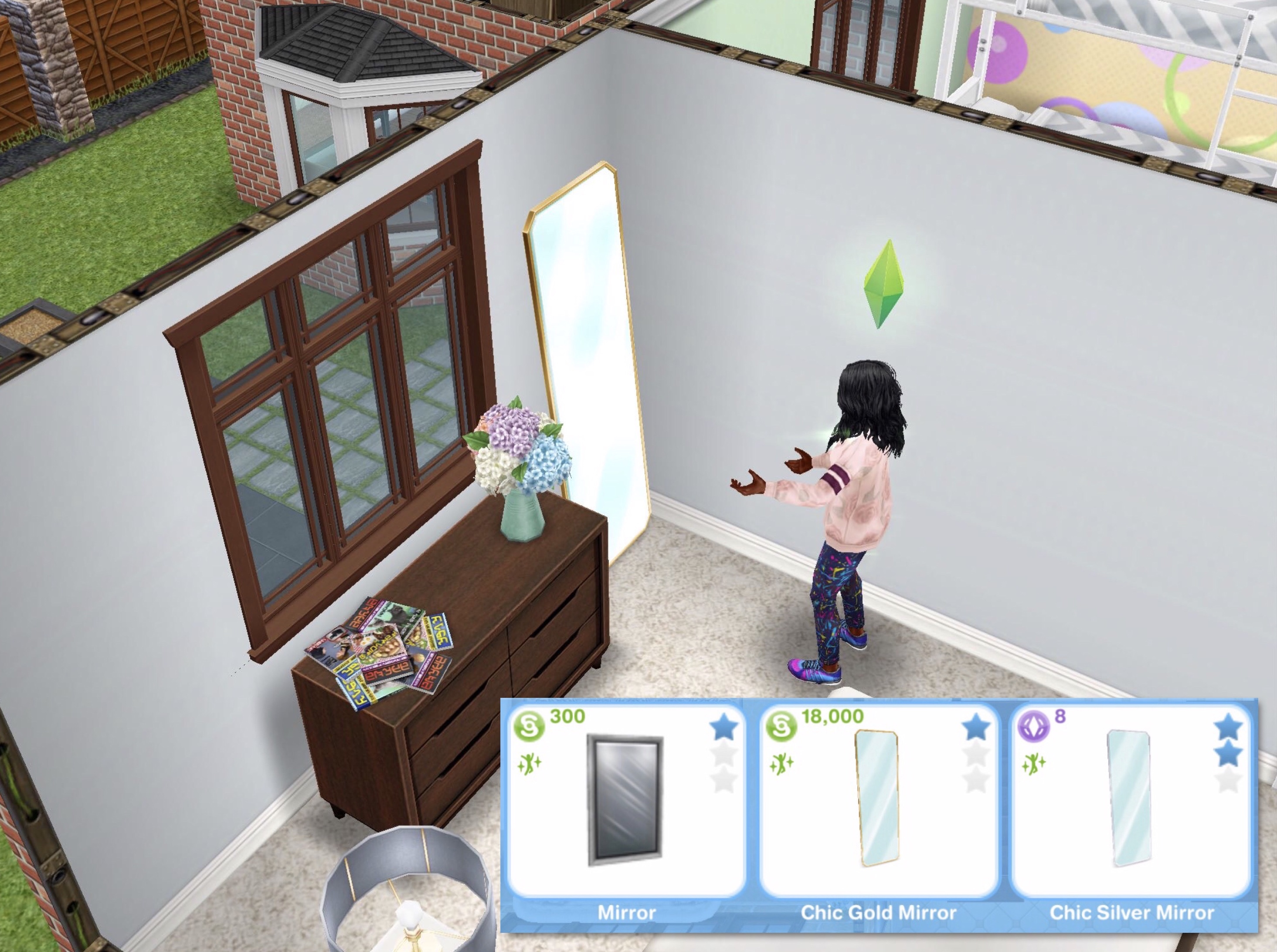
Yes you can buy mirrors from the promotions r us store or hobby and career items tab of the home store. It costs S300 for the basic mirror but you can also buy others if you have completed the live event to unlock them. Once placed in your sims house you can practice speech for 3 hours. During this time your career bar will increase like it does when they go to work (but slower) If you don’t want to buy a mirror you can also use the soap box in the park to make a speech for 12 minutes (or you can pick a longer option) this will increase it too!

Related: All Career Posts


FIND THIS POST HELPFUL?

Buy Me a Coffee at ko-fi.com

THE SIMS FREEPLAY
©THEGIRLWHOGAMES.BLOG

The Sims Freeplay- Long Hairstyles Review

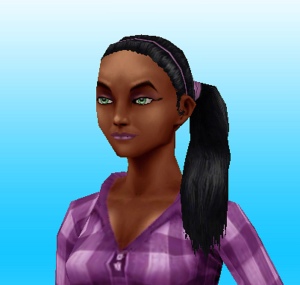
This is my review of each of the long hairstyles you can unlock from the Long Hair Event, in all these images the sim modelling has black hair but you can also get each hairstyle in brown, red and blonde.

You can find all the styles you have unlocked for free from a wardrobe, the hair salon or create a sim.

I will be rating the hairstyles from 9 to 1 with 1 being my favourite!

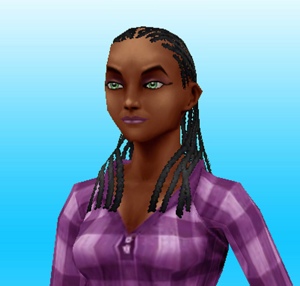
9. Long Cornrows– There is just something about this hairstyle that I really don’t like, I think its that there isn’t enough hair! There are a lot of empty space without any hair, the tied back cornrows I already have is so much better than this one!

20140826-121051.jpg

8. Long Straight Fringe– Now I like a good hairstyle with a fringe- this is not one of them! The fringe needs to be longer for this one to look better! (look at number 3 for a good fringe!)

20140826-121105.jpg

7. Long Straight Over Ear– I like this hairstyle, but only from the side visible in the picture! The other side is less hair more ear.

20140826-121147.jpg

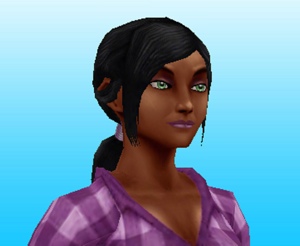
6. Long Back Parted Ponytail– I like the hairband in it but I don’t like how it covers the ears with one bit of hair on each side.

20140826-121139.jpg

5. Long Double Ponytail– the word long in this hairstyles name is misleading- it’s not long but saying that I do like this one (it probably would have been nearer the top if it was longer!)

20140826-121159.jpg

4. Long Braided Ponytail– I like this one a lot! I would have just liked it to have been longer and look more like a plait in the dark colours (it looks so much better in blonde and red!)

20140826-121116.jpg

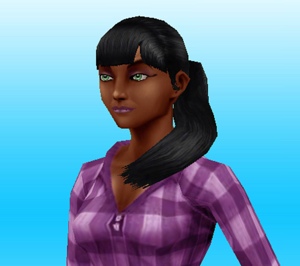
3. Long Full Fringe Ponytail– I prefer this fringe to the one in the other fringe hairstyle, it’s a nice hairstyle but the way it curves is strange!

20140826-121209.jpg

2. Long Shoulder Ponytail– It was a hard decision between this one and the one above for second place, this one was slightly ahead as the ponytail is longer, straighter and I like the extra accessories in this hair.

20140826-121215.jpg

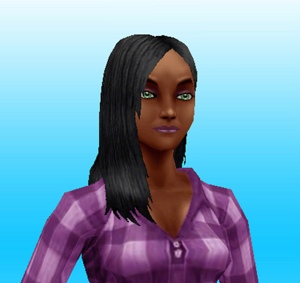
1.Long Straight– This is my favourite one, I just wanted a simple long hairstyle and this is it! It’s similar to my actual hair, which is probably why I like it!

20140826-121221.jpg

Which one is your favourite and have you managed to unlock them all?


FIND THIS POST HELPFUL?

Buy Me a Coffee at ko-fi.com

THE SIMS FREEPLAY
©THEGIRLWHOGAMES.BLOG

The Sims Freeplay- Restarting a Hobby Collection

This is the same for any hobby, firstly you need to complete the collection as you will not be able to start the collection again if you don’t have all the pieces yet.

Once you have found them all it will tell you, then you will need to go back to the blue collection screen (where you can find all the hobby collections)

You do this by clicking on the sim info panel, find the hobby tab (second one) and click on the hobby picture (on a sim who is doing this hobby)

Once opened you will see the start collection again button at the top, click that and the collection will be reset so you can find all the pieces again.

image

When you reset the hobby it doesn’t reset your level, so if you were on level 6 you will still be on level 6.


Confused about hobbies? Read my Hobbies Frequently Asked Questions post

Find all hobby posts here


FIND THIS POST HELPFUL?
Buy Me a Coffee at ko-fi.com

THE SIMS FREEPLAY
©THEGIRLWHOGAMES.BLOG

The Sims Freeplay- Using the Restaurant

If you have just built your restaurant and have no idea how to serve food to customers then this is the post for you! If you are struggling to build your restaurant still then read this post for guidance

So you need three people:

1. Someone to cook something

2. Someone to wait tables- 10 hours (click on the booth infront of the kitchen)

3. Someone to have meal- 1 hour (click on table)

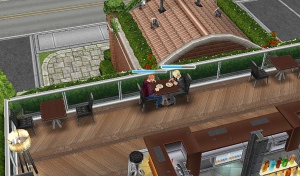
The pictures below show each step: usingtherestsim

GLITCH: currently only one sim can sit at a 4 seat table at a time

When a meal is made and someone is sitting at the table the waiter will serve the food and they will eat the meal for 10 minutes 20140817-154906.jpg

20140817-154912.jpg
“Who ordered the bacon and eggs?”

Cleaning the dishes

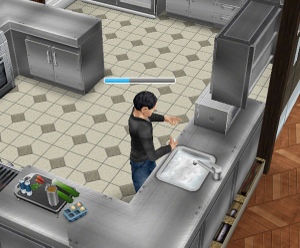
To tidy up you need to click on the sink in the kitchen and select keep cleaning dishes- 10 hours, this sim will then collect and wash up all dishes. Once all dishes have been cleared away they will stop the action. 20140817-144207.jpg What else can you do at the restaurant?
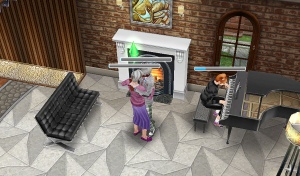
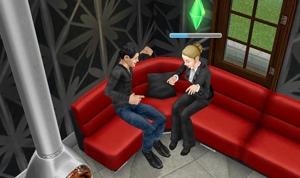
You can order a drink from the rooftop bar, to do this you need a sim to tend the bar for 20 minutes and then a sim can order a cocktail, this will cost you 2500. Cocktails will inspire your sim (fulfil their needs)20140817-154748.jpg 20140817-154401.jpg By the piano downstairs and upstairs near the sofa you can close dance for 10 minutes with another sim and the piano can be played at the same time! 20140817-154457.jpg 20140817-154505.jpg

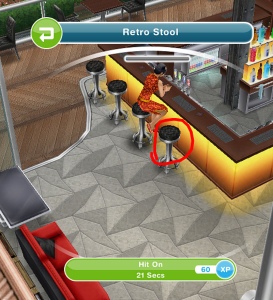
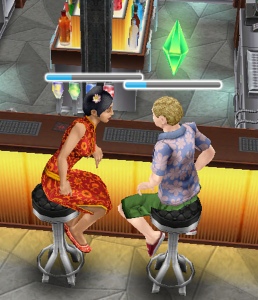
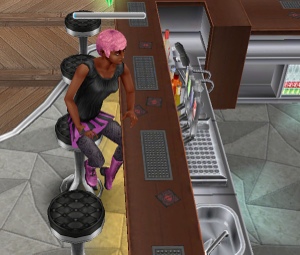
You can also build a romantic relationship up fast by clicking on the stools, one sim selects the option scope room and the other sim selects the other stool to hit on.

20140904-105605.jpg 20140904-105610.jpg 20140904-105614.jpg

Pictures of sims enjoying the restaurant

20140817-154616.jpg 20140817-154626.jpg 20140817-154654.jpg 20140817-154705.jpg 20140817-154713.jpg

image
Thanks Brett for this image!

Thanks for reading!


© COPYRIGHT PROTECTED

http://smarturl.it/sfpggwg

The Sims Freeplay- Building the Restaurant

Do you want a beautiful 5 star restaurant? Well it’s time to start repairing (once you have completed The Sous Judgemental Quest)

20140816-145938.jpg
This post is to show what you need to clean up and how long it takes to unlock each section (if you use only one sim- I wouldn’t recommend that if you want it fixed up soon) you can have up to 10 sims fix up your restaurant at once which makes it a lot quicker to make it usable.

A blue exclamation mark appears sometimes to show you what needs to be removed:

20140816-143348.jpg
But it doesn’t appear on all items, if you think something looks broken and needs fixing click on it and see.

Some items also can’t be fixed until another item has been removed, so in the downstairs bathroom area you can’t get to the cobweb in the corner until the leaky roof and trash have been sorted.

Once everything in that area has been removed you will be able to unlock the next area, the order and prices can be seen in this post.

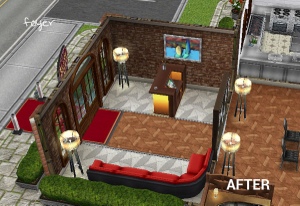
Foyer (have already unlocked in the sous judgemental quest)

20140816-143145.jpg

  • Trash- 30 minutes
  • Trash- 1 hour 30 minutes
  • Paint buckets- 2 hours
  • Broken tile- 3 hours
  • 2 Lamps- 4 hours each= 8 hours
  • Leaky roof- 6 hours
  • Broken wall- 10 hours

Total time= 1 day 7 hours

20140816-143233.jpg

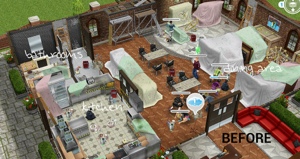
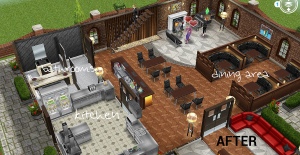
Dining Area, Kitchen and Bathrooms

20140816-150045.jpg
Dining Area– 50,000- 3 hours

  • Cobwebs- 10 minutes
  • Trash- 30 minutes
  • 2 Trash- 1 hour 30 minutes each= 3 hours
  • 8 Chairs- 2 hours each= 16 hours
  • 2 Paint buckets- 2 hours each= 4 hours
  • 5 Broken tiles- 3 hours each= 15 hours
  • 4 lamps- 4 hours each= 16 hours
  • 2 Leaky roofs- 6 hours each= 12 hours
  • 2 tables- 7 hours each= 14 hours
  • Broken wall- 10 hours
  • 2 broken chandeliers- 12 hours each= 1 day

Total time= 4 days 12 hours 40 minutes

Kitchen– 100,000- 4 hours 30 minutes

Unlocks bathroom area too.

  • 2 Dirty dishes- 15 minutes each= 30 minutes
  • Trash- 30 minutes
  • 2 trash- 1 hour 30 minutes each= 3 hours
  • 2 Paint buckets- 2 hours each= 4 hours
  • Leaky roof- 6 hours
  • Broken wall- 10 hours

Bathrooms

  • 2 Cobwebs- 10 minutes= 20 minutes
  • Trash- 1 hour 30 minutes
  • Broken Tile- 3 hours
  • Lamp- 4 hours
  • Leaky roof- 6 hours
  • Broken wall- 10 hours

Total time= 2 days 50 minutes

20140816-150151.jpg

20140816-150235.jpg
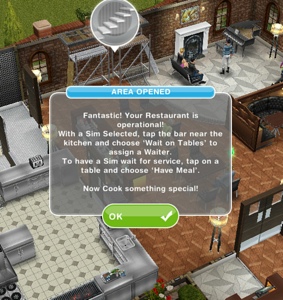
You can now cook and serve food for customers in your restaurant, now you can start on the second floor! (once you have completed the multi story renovations quest!)

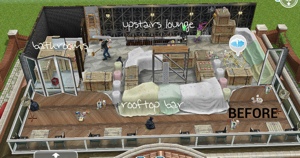
Upstairs Lounge, Bathrooms and Rooftop Bar

20140816-150336.jpg
Upstairs Lounge– 125,000- 9 hours

Unlocks bathrooms too.

  • 2 Cobwebs- 10 minutes each= 20 minutes
  • Dirty Dishes- 15 minutes
  • Trash- 30 minutes
  • 2 Trash- 1 hour 30 minutes each= 3 hours
  • 2 Paint buckets- 2 hours each= 4 hours
  • 2 Broken tiles- 3 hours each= 6 hours
  • Leaky roof- 6 hours
  • Broken wall- 10 hours
  • Broken Chandelier- 12 hours

Bathroom 1

  • Leaky roof- 6 hours

Bathroom 2

  • Paint buckets- 2 hours
  • Broken tiles- 3 hours

Total time=2 days 4 hours 55 minutes

Rooftop Bar– 250,000- 9 hours

  • Dirty Dishes- 15 minutes
  • 2 Trash- 30 minutes each= 1 hour
  • Trash- 1 hour 30 minutes
  • 3 Paint buckets- 2 hours each= 6 hours
  • 8 Chairs- 2 hours each= 16 hours
  • 2 Lamps- 4 hours each= 8 hours
  • 4 Tables- 7 hours each= 1 day 4 hours

Total time= 2 days 11 hours 45 minutes

20140816-150455.jpg
20140816-150737.jpg

Your restaurant is now complete! This post explains how to use the restaurant 

Thanks for reading!


© COPYRIGHT PROTECTED

http://smarturl.it/sfpggwg