What is the difference between The Sims Freeplay and The Sims Mobile?

I have been asked a lot about how different The Sims Mobile will be from The Sims Freeplay, I think some people are worried that Mobile is replacing Freeplay and that isn’t the case! The two games are very different as explained below:

  • The Sims Freeplay is created by EA and Firemonkeys whereas The Sims Mobile is created by EA and Maxis
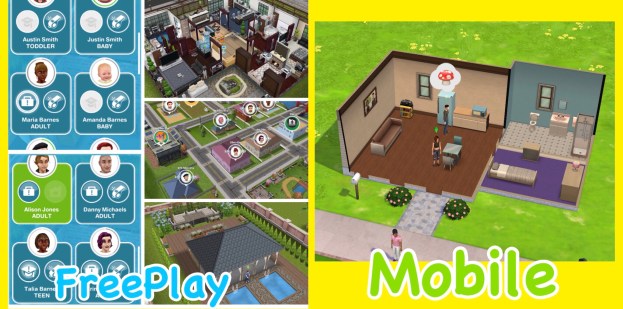
  • In the Sims Freeplay you can create loads of houses and families, building up your town but on the Sims Mobile you have one house and up to 4 playable sims:
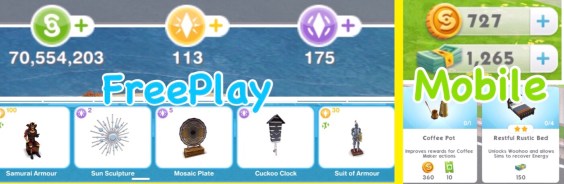
  • Although the main currency simoleons is the same the premium currency is different, in the Sims Freeplay you have lifestyle points and social points and on the Sims Mobile you have simcash:
  • On the Sims Mobile your sims have to retire to create legacies for future sims but they do not die, on the Sims Freeplay your sims will pass on once you complete the Life Dreams and Legacies Quest, but even then you can stop them from dying.
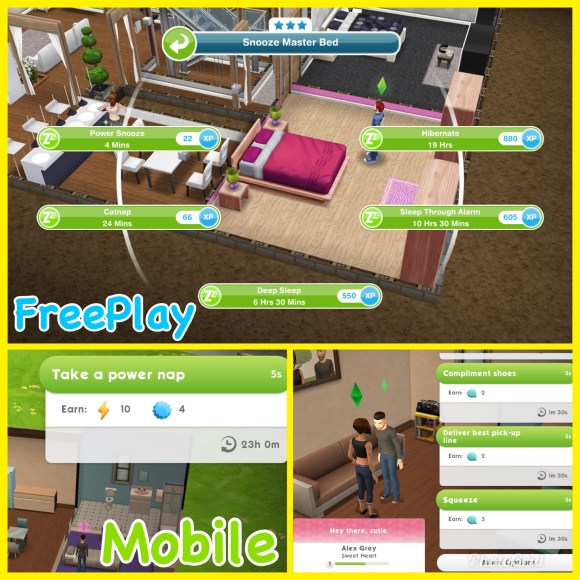
  • Both games are real time but a lot of tasks in the Sims Freeplay take a lot longer as most actions in the Sims Mobile take 5 seconds making it a fast paced game:
  • Both games are free to play but have in app purchases so you can buy more money or new items with real money.
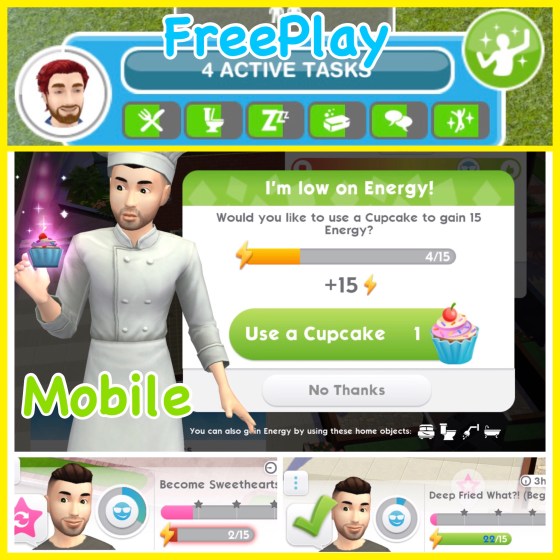
  • In the Sims Mobile the only need your sims have is energy, each action uses at least one energy, once you run out of energy you need to either wait for their bar to refill, have your sim sleep or use another item in the house or use a cupcake (if you have any) before you can do anything else. In the Sims Freeplay your sims have lots of needs that you fulfil using a related item, for example when your sims are hungry you can use the fridge to increase this need, if you don’t fulfil their needs they become unhappy but you can still complete actions using them:
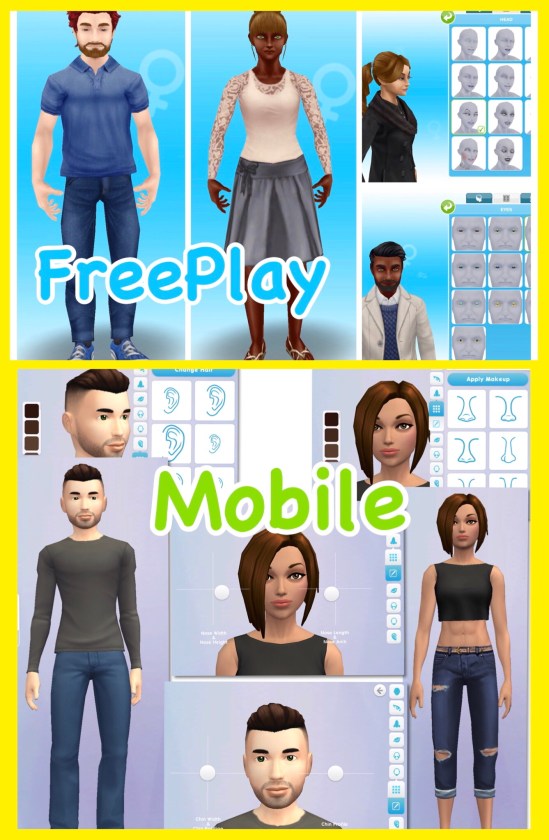
  • The create a sim on the Sims Freeplay isn’t as in-depth as the Sims Mobile, on the Sims Mobile you can move the sliders to make every feature completely unique. The sims on the Sims Mobile look more like the Sims 4 which you would expect, I really love how they look on both games but I personally think they look more realistic on the Sims Freeplay:
  • On the Sims Mobile they focus on legacies, so what your sim achieves in their life and the perks they unlock affects their relatives in the future when they have retired whereas the Sims Freeplay doesn’t really have legacies, apart from earning orbs and you can play without doing that but it is a major part of the Sims Mobile.
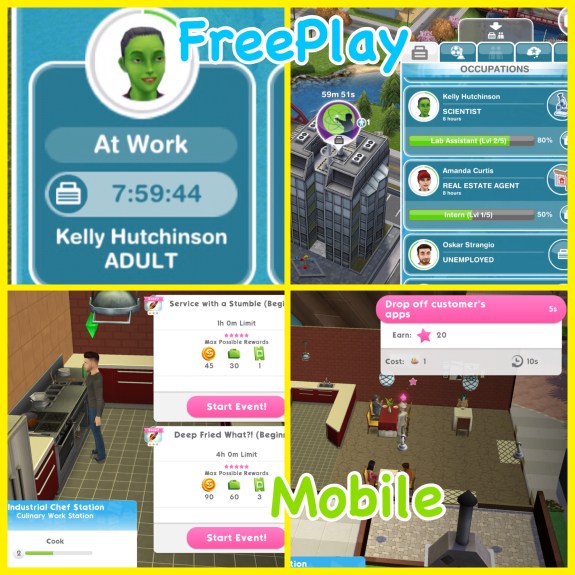
  • When you send your sims to work on the Sims Freeplay they will go on their own and you cannot see them during the day at most workplaces (unless it is a profession career) but on the Sims Mobile you complete career events so complete shifts with your sims to level up and unlock new career items to decorate your workplace and make it unique to your game!
I think its great that both games are so different, if they were very similar it would be boring, if you like one you might not like the other or you could be like me and just love everything The Sims!

The Sims Freeplay & The Sims Mobile

Thanks for reading!


Find The Sims Mobile confusing? Check out my FAQs here

© COPYRIGHT PROTECTED

The Sims Freeplay- Christmas 2017 Gifts

The Christmas update is out now! Once you update your game you will receive a daily Christmas gift from the 5th-10th December this post shows you the prizes you unlock, it will be updated each day:

Day 1: Free Xmas Door

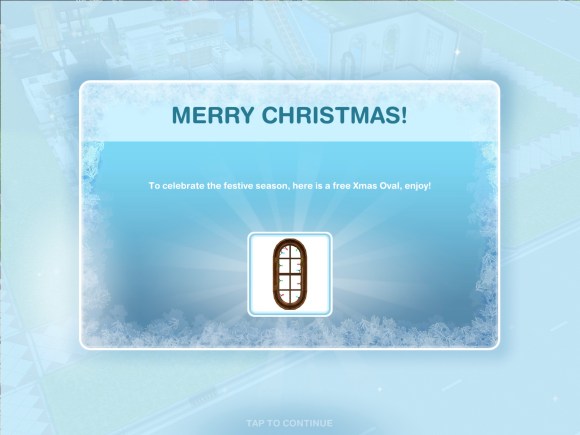
Day 2: Free Xmas Oval Window

Day 3: Free Xmas Couch

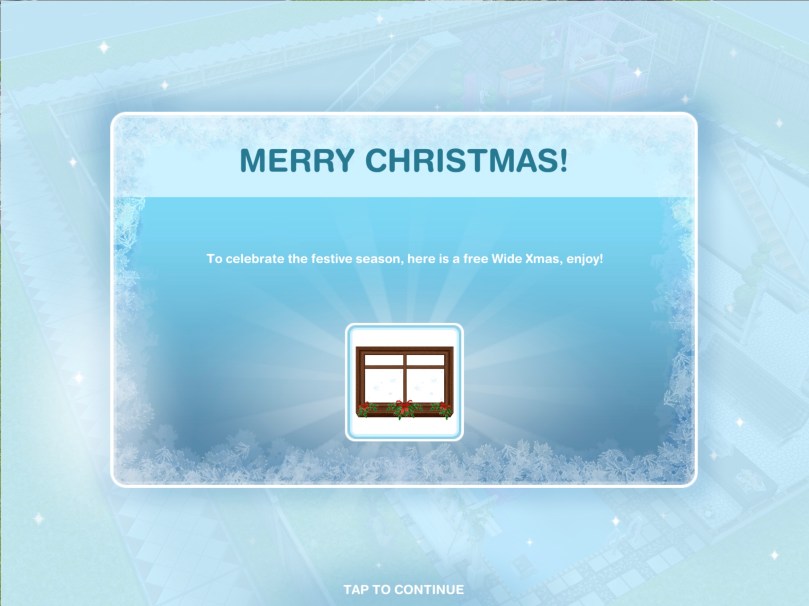
Day 4: Free Wide Xmas Window

Day 5: Free Xmas Wallpaper

Day 6: Free Xmas Double Window

The Sims Freeplay team are looking for Christmas themed houses to be submitted for the chance to be featured in the architect homes tab so get creating! Need ideas? Take a tour of my Christmas themed house:

Thanks for reading!

Home Street- How to Increase Your Storage

The question I have been asked most about Home Street so far is ‘how do I increase my storage?’ and ‘where is my storage?’

Where is the storage/storeroom?

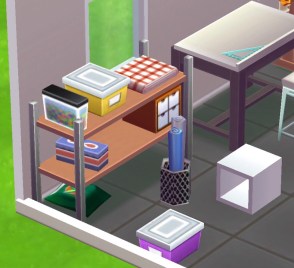
Your storage is this shelving unit:

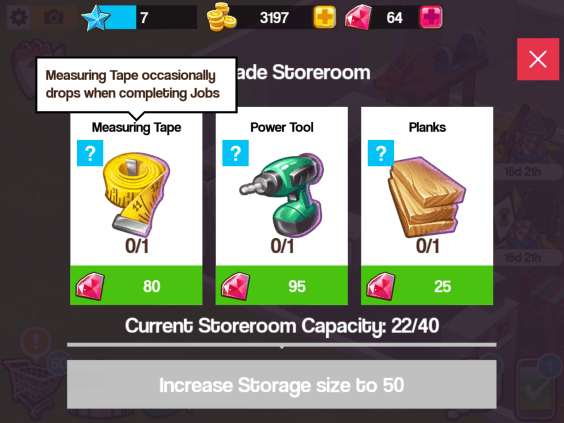
If you click on it you can see all the items you have made and collected, you also have a capacity, once you reach the capacity you have to increase your storage so you can store more items. Click on increase storage:

You will need items to increase your storage, these will change each time you increase the storage. If you don’t know how to find an item click on the question mark and it will say something like ‘measuring tape occasionally drops when completing jobs’ this means when you complete jobs you have a chance of finding measuring tapes but you aren’t guaranteed to find them so it can take some time!

Check out my Home Street: The Basics post if you are unsure about jobs

Where can I get notebooks and other items?

Notepads occasionally drop when completing jobs:

Below I have listed some items and how you can find them, this is just the ones I know about so far!

  • Encyclopedia- occasionally drops when completing jobs
  • Portrait- make on the easel
  • Landscape- make on the easel
  • Still Life Painting- make on the easel
  • Measuring tape- occasionally drops when completing jobs
  • Bird house- make on the woodworking table
  • Rocking horse- make on the woodworking table
  • Power tool- occasionally drops when completing jobs
  • Planks- occasionally drops when completing jobs
  • Sketch- make on the drafting table
  • Energy drink- occasionally drops when completing jobs
  • Cupcakes- make on the baking oven
  • Carrot cake- make on the baking oven
  • Red velvet cake- make on the baking oven
  • Notepad- occasionally drops when completing jobs
  • Vegetables- make on the garden bed
  • Flowers- make on the garden bed
  • Woolly hat- make on the loom
  • Stripy socks- make on the loom

Is there anything you need help with in Home Street? Let me know!

The Sims 4- How to Adopt a Cat or Dog

Thank you EA for providing me with the code for The Sims 4 Cats & Dogs Expansion Pack!

Once you have the expansion pack installed you are going to want to get a cat or dog straight away, if you aren’t sure how to adopt one this post shows you all the steps to adopting a cat or dog!


1.Click on the phone next to your sims picture and click on hire a service:

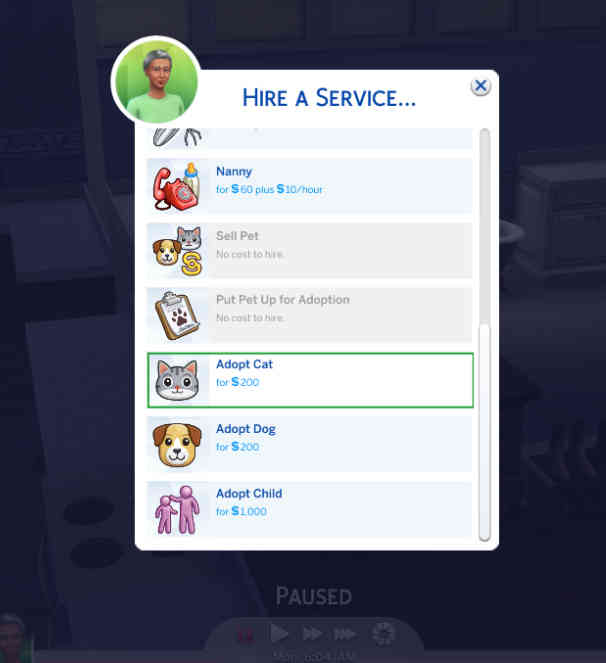
2.A pop up will appear, scroll down until you find the ‘adopt cat’ and ‘adopt dog’ options, select the one you want to adopt:

3.Another pop up will appear, this will show you a list of all the dogs or cats available to adopt right now, they will have a name and if you hover over them it will show you the breed they are, their age (whether they are a puppy/kitten or adult) gender, whether they can have babies and their traits:

4.Select the one you would like to adopt by clicking on them and clicking on the tick:


5.A man will then arrive with the pet in a crate, you can have your sim interact with the pet for a bit, once you are sure you want them to adopt that pet click on adopt, this will cost you S200:

6.It will ask you if you are sure, click ok:

7.You will now have adopted the pet! You can change their name if you want to:

If you don’t like how your pet looks you can customise them in create a pet, watch this video to see all the options available!

What new Create A Sim and Build Mode Items are unlocked with this expansion? Watch this video to find out!

Thanks for reading!

If there is anything you would like me to cover about The Sims 4 please let me know here


Thank you again EA for providing me with the code for The Sims 4 Cats & Dogs!

Giveaway Winners!

An amazing amount of you entered the giveaway to win an App Store and iTunes Gift Card, but there can only be two winners!


The winners are:

Kyrifgib57

check your emails for your prize!

Thank you all for your kind words on that post, it really means a lot to me! x