The Sims Freeplay- Christmas 2017 Gifts

The Christmas update is out now! Once you update your game you will receive a daily Christmas gift from the 5th-10th December this post shows you the prizes you unlock, it will be updated each day:

Day 1: Free Xmas Door

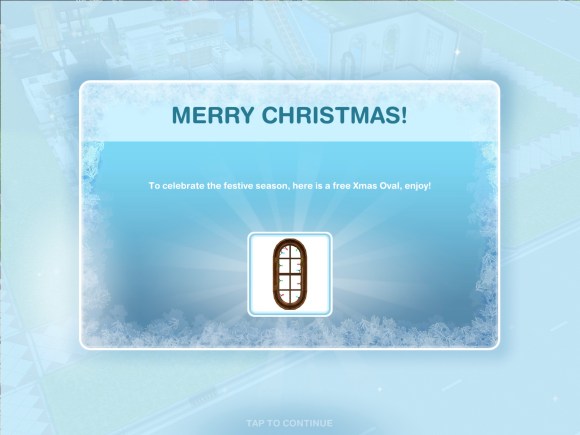
Day 2: Free Xmas Oval Window

Day 3: Free Xmas Couch

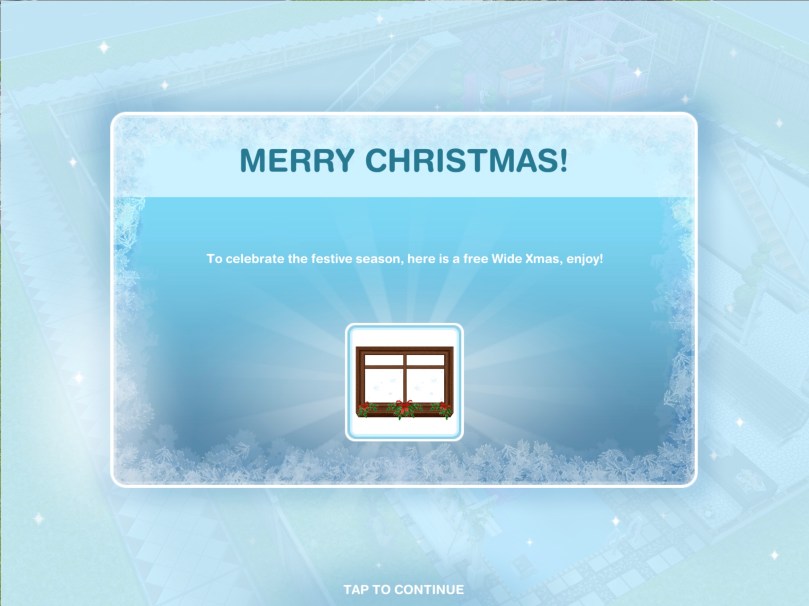
Day 4: Free Wide Xmas Window

Day 5: Free Xmas Wallpaper

Day 6: Free Xmas Double Window

The Sims Freeplay team are looking for Christmas themed houses to be submitted for the chance to be featured in the architect homes tab so get creating! Need ideas? Take a tour of my Christmas themed house:

Thanks for reading!

Home Street- How to Increase Your Storage

The question I have been asked most about Home Street so far is ‘how do I increase my storage?’ and ‘where is my storage?’

Where is the storage/storeroom?

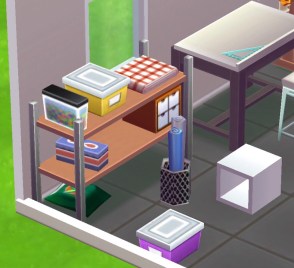
Your storage is this shelving unit:

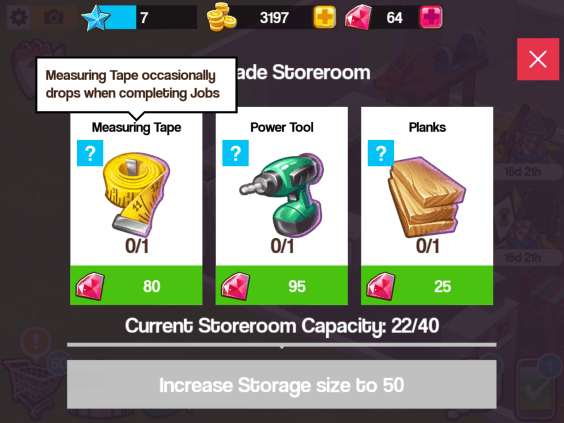
If you click on it you can see all the items you have made and collected, you also have a capacity, once you reach the capacity you have to increase your storage so you can store more items. Click on increase storage:

You will need items to increase your storage, these will change each time you increase the storage. If you don’t know how to find an item click on the question mark and it will say something like ‘measuring tape occasionally drops when completing jobs’ this means when you complete jobs you have a chance of finding measuring tapes but you aren’t guaranteed to find them so it can take some time!

Check out my Home Street: The Basics post if you are unsure about jobs

Where can I get notebooks and other items?

Notepads occasionally drop when completing jobs:

Below I have listed some items and how you can find them, this is just the ones I know about so far!

  • Encyclopedia- occasionally drops when completing jobs
  • Portrait- make on the easel
  • Landscape- make on the easel
  • Still Life Painting- make on the easel
  • Measuring tape- occasionally drops when completing jobs
  • Bird house- make on the woodworking table
  • Rocking horse- make on the woodworking table
  • Power tool- occasionally drops when completing jobs
  • Planks- occasionally drops when completing jobs
  • Sketch- make on the drafting table
  • Energy drink- occasionally drops when completing jobs
  • Cupcakes- make on the baking oven
  • Carrot cake- make on the baking oven
  • Red velvet cake- make on the baking oven
  • Notepad- occasionally drops when completing jobs
  • Vegetables- make on the garden bed
  • Flowers- make on the garden bed
  • Woolly hat- make on the loom
  • Stripy socks- make on the loom

Is there anything you need help with in Home Street? Let me know!

The Sims 4- How to Adopt a Cat or Dog

Thank you EA for providing me with the code for The Sims 4 Cats & Dogs Expansion Pack!

Once you have the expansion pack installed you are going to want to get a cat or dog straight away, if you aren’t sure how to adopt one this post shows you all the steps to adopting a cat or dog!


1.Click on the phone next to your sims picture and click on hire a service:

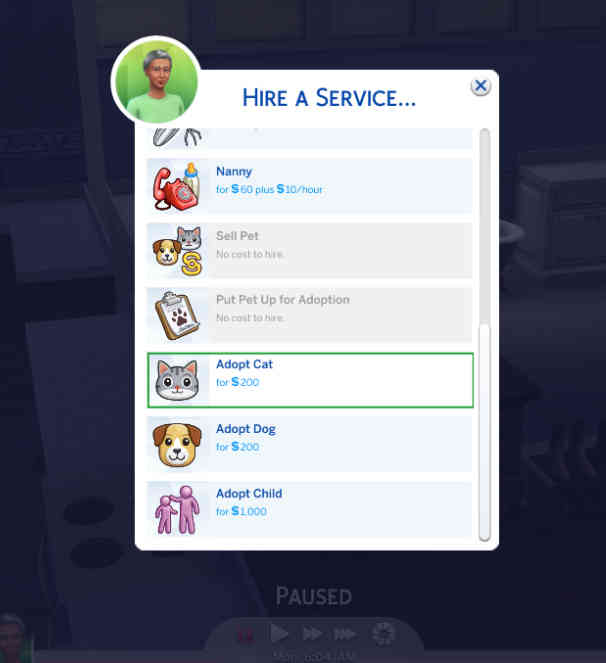
2.A pop up will appear, scroll down until you find the ‘adopt cat’ and ‘adopt dog’ options, select the one you want to adopt:

3.Another pop up will appear, this will show you a list of all the dogs or cats available to adopt right now, they will have a name and if you hover over them it will show you the breed they are, their age (whether they are a puppy/kitten or adult) gender, whether they can have babies and their traits:

4.Select the one you would like to adopt by clicking on them and clicking on the tick:


5.A man will then arrive with the pet in a crate, you can have your sim interact with the pet for a bit, once you are sure you want them to adopt that pet click on adopt, this will cost you S200:

6.It will ask you if you are sure, click ok:

7.You will now have adopted the pet! You can change their name if you want to:

If you don’t like how your pet looks you can customise them in create a pet, watch this video to see all the options available!

What new Create A Sim and Build Mode Items are unlocked with this expansion? Watch this video to find out!

Thanks for reading!

If there is anything you would like me to cover about The Sims 4 please let me know here


Thank you again EA for providing me with the code for The Sims 4 Cats & Dogs!

The Girl Who Games Is Four Today and GIVEAWAY! [CLOSED]

4 years ago today I started this blog and wow it has been an incredible journey! I honestly didn’t expect anyone to read this but to date this blog has received over 55 million hits! I would just like to thank all of you for being part of this, if it wasn’t for you I wouldn’t still be here writing this. I also have to thank the wonderful community manager at EA for giving me the confidence that this blog is actually good, making me part of EA GameChangers, inviting me to EA events and allowing me early access to new content to be able to bring you the information as early as possible.

In the future I will be branching out to more games, I will still be playing The Sims Freeplay but there are loads of new games that I want to play and talk about (when I get around to getting a new iPad) so hopefully you will want to read about them!

It is just amazing to see that this blog is read all over the world, in every country in fact!! To say thank you I will be giving away a £10 (or equivalent in your currency) App Store and iTunes Gift Card to two of you wonderful people! (THE GIVEAWAY IS NOW CLOSED!)

To enter all you need to do is comment on this post with the country you currently live in, please include a name or nickname in the name section and a valid email address in the email section (don’t worry your email won’t be made public, I just need it to send you your prize if you win!)


You have until Saturday the 28th October at 10am BST to enter and winners will be announced shortly afterwards THE GIVEAWAY IS NOW CLOSED!

Thank you again and Good Luck!


NEW GAME: Home Street- The Basics

A new game was released this week called Home Street, I am going to explain the basics of the game and what I think of it so far. 
When you first begin the game you customise your character and then they move into a house that you can also customise as you progress through the game:

The aim of the game is to produce materials on workstations to complete jobs and tasks. You start with the easel workstation to produce paintings and new workstations can be brought from the shopping cart when you level up and unlock them:

Once a material has been produced a pop up of that item will appear, click on it to collect it:

Materials will go into the storeroom which has a capacity of 40 items to start with:

To produce materials you need to use thoughts, you produce these in the thought bubble icon by clicking on the thoughts at the top of the screen, underneath them it tells you how long it takes to produce them. I think they could change this to make it easier to see when an item has been produced:

You do only have space for 40 thoughts which fills up quickly, I hope this won’t be another one of those games where the items you need to upgrade are hard to find!

How do you know what thoughts and materials you need?

Underneath the picture of the item you are making there is a picture or several pictures of the items you need to make that item, for example, cupcakes require 1 fun thought and carrot cake requires 1 fun thought and 1 vegetables. Vegetables aren’t a thought, they are an item you make using the garden bed:

Once you have created materials you can complete jobs (phone symbol) if you have the materials you need click complete to earn your reward, some jobs require thoughts instead of materials:

Producing materials and completing jobs helps you to complete tasks, completing these unlocks places around the town:

Where are these icons located?

  • Tasks (top left corner)
  • Shopping Cart-buy items and decorate your house (bottom left corner)
  • Friends- connect to facebook to add friends and save your progress (next to Shopping Cart)
  • Jobs (bottom right corner)
  • Thoughts (next to Jobs icon)
  • Walls icon- changes the walls in the house to half wall, full wall and no wall (top right corner)


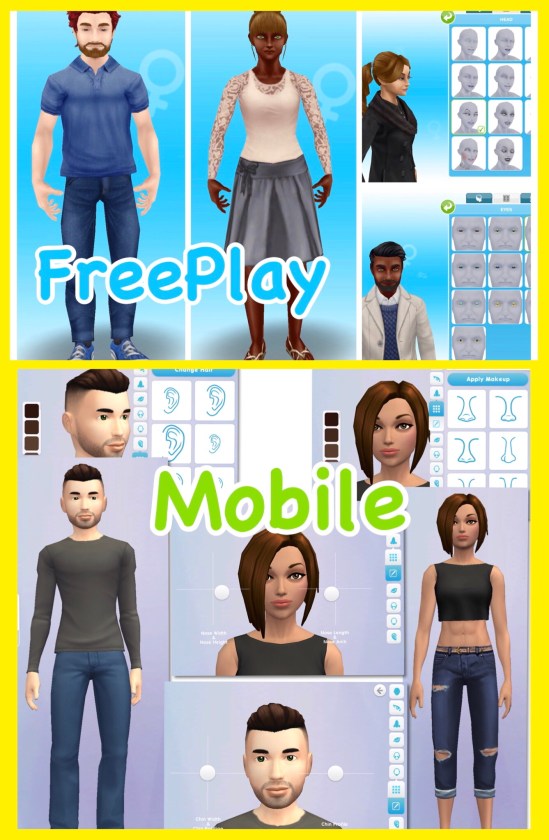
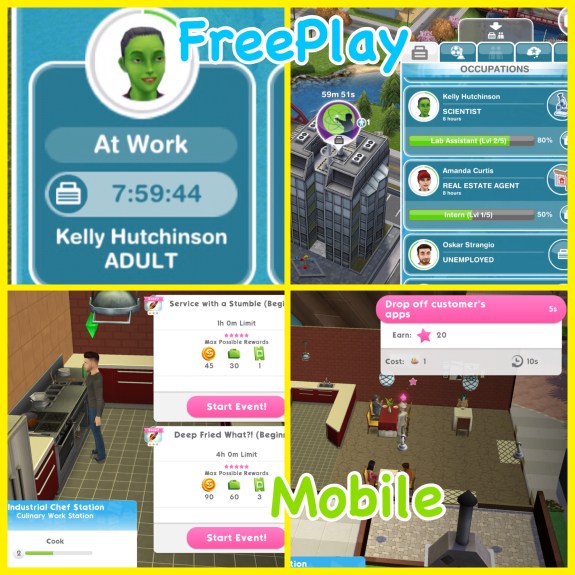
So far I like this game, it does remind me of SimCity Build It with the material producing and also the new The Sims Mobile game although I think the controls and graphics are more basic than those games. This game does crash a lot on my poor old iPod so I haven’t been able to play it for long however that’s due to the age of my device and not the game itself but I will definitely be playing it more once I get a new iPad and I will actually be able to play The Sims Mobile when it is released (which disappointingly isn’t compatible with older devices, just so you know!) as well as many other new exciting games!

Have you tried Home Street yet? What do you think?

Unsure where to find the storage or how to upgrade your storage? Check out this post!