The Sims Freeplay- Deleting a Sim & Adopting

In this post I am going to cover both Deleting a Sim and Adoption as they are related, keep reading for more information.

Deleting a sim is really quick and easy, all you need to do is click on the sim you want to delete from the game (when they aren’t completing an action) and you will see a few options. On the right hand side of your sims name you will see their picture and a red circle with a cross through it, this is the delete button:

Click on this and it will ask you if you are sure you want to move this sim out of town (which means you will remove them from the game):

If a sim is working towards upgrading a life orb when you delete them they will leave behind the orb they started with, for example, if you give a sim a bronze life orb to turn into a silver but you delete them before they have a chance to upgrade the orb they will leave behind the bronze life orb. If they were working towards a bronze life orb they won’t leave behind any orb.

Watch my video on Deleting Sims here


Infants, toddlers and preteens can all be adopted if both their parents are deleted from the game. Once both parents have been deleted, the adult or senior sim you want to adopt them needs to be nice (or for an infant cuddle them) until they become good friends, then you will get the adopt option appear.

Once you click adopt the child will be moved to their new home and take the surname of the sim who adopted them so you won’t get the adopt option if there are already 4 sims living in the house you want to move them to.

Watch my video on Adopting a Sim for FREE here


FIND THIS POST HELPFUL?

Buy Me a Coffee at ko-fi.com

THE SIMS FREEPLAY
©THEGIRLWHOGAMES.BLOG

The Sims Freeplay- Long Hairstyles Review

This is my review of each of the long hairstyles you can unlock from the Long Hair Event, in all these images the sim modelling has black hair but you can also get each hairstyle in brown, red and blonde.

You can find all the styles you have unlocked for free from a wardrobe, the hair salon or create a sim.

I will be rating the hairstyles from 9 to 1 with 1 being my favourite!

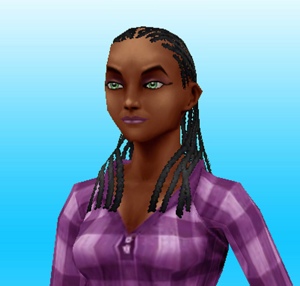
9. Long Cornrows– There is just something about this hairstyle that I really don’t like, I think its that there isn’t enough hair! There are a lot of empty space without any hair, the tied back cornrows I already have is so much better than this one!

20140826-121051.jpg

8. Long Straight Fringe– Now I like a good hairstyle with a fringe- this is not one of them! The fringe needs to be longer for this one to look better! (look at number 3 for a good fringe!)

20140826-121105.jpg

7. Long Straight Over Ear– I like this hairstyle, but only from the side visible in the picture! The other side is less hair more ear.

20140826-121147.jpg

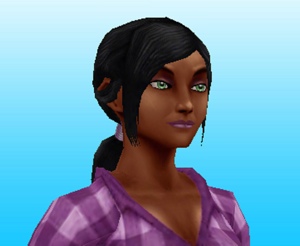
6. Long Back Parted Ponytail– I like the hairband in it but I don’t like how it covers the ears with one bit of hair on each side.

20140826-121139.jpg

5. Long Double Ponytail– the word long in this hairstyles name is misleading- it’s not long but saying that I do like this one (it probably would have been nearer the top if it was longer!)

20140826-121159.jpg

4. Long Braided Ponytail– I like this one a lot! I would have just liked it to have been longer and look more like a plait in the dark colours (it looks so much better in blonde and red!)

20140826-121116.jpg

3. Long Full Fringe Ponytail– I prefer this fringe to the one in the other fringe hairstyle, it’s a nice hairstyle but the way it curves is strange!

20140826-121209.jpg

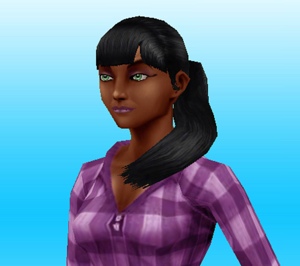
2. Long Shoulder Ponytail– It was a hard decision between this one and the one above for second place, this one was slightly ahead as the ponytail is longer, straighter and I like the extra accessories in this hair.

20140826-121215.jpg

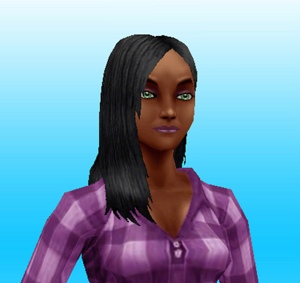
1.Long Straight– This is my favourite one, I just wanted a simple long hairstyle and this is it! It’s similar to my actual hair, which is probably why I like it!

20140826-121221.jpg

Which one is your favourite and have you managed to unlock them all?


FIND THIS POST HELPFUL?

Buy Me a Coffee at ko-fi.com

THE SIMS FREEPLAY
©THEGIRLWHOGAMES.BLOG

The Sims Freeplay- Using the Restaurant

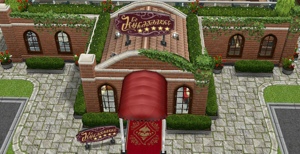
If you have just built your restaurant and have no idea how to serve food to customers then this is the post for you! If you are struggling to build your restaurant still then read this post for guidance

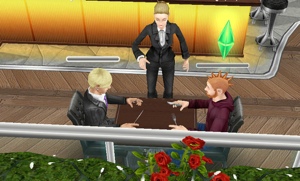
So you need three people:

1. Someone to cook something

2. Someone to wait tables- 10 hours (click on the booth infront of the kitchen)

3. Someone to have meal- 1 hour (click on table)

The pictures below show each step: usingtherestsim

GLITCH: currently only one sim can sit at a 4 seat table at a time

When a meal is made and someone is sitting at the table the waiter will serve the food and they will eat the meal for 10 minutes 20140817-154906.jpg

20140817-154912.jpg
“Who ordered the bacon and eggs?”

Cleaning the dishes

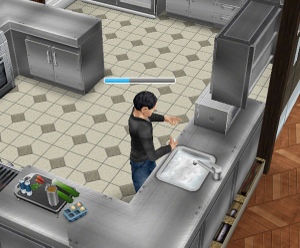
To tidy up you need to click on the sink in the kitchen and select keep cleaning dishes- 10 hours, this sim will then collect and wash up all dishes. Once all dishes have been cleared away they will stop the action. 20140817-144207.jpg What else can you do at the restaurant?

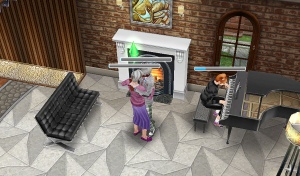
You can order a drink from the rooftop bar, to do this you need a sim to tend the bar for 20 minutes and then a sim can order a cocktail, this will cost you 2500. Cocktails will inspire your sim (fulfil their needs)20140817-154748.jpg 20140817-154401.jpg By the piano downstairs and upstairs near the sofa you can close dance for 10 minutes with another sim and the piano can be played at the same time! 20140817-154457.jpg 20140817-154505.jpg

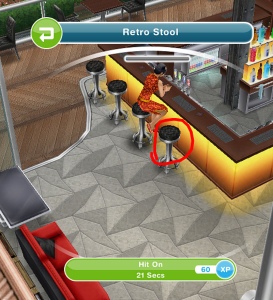
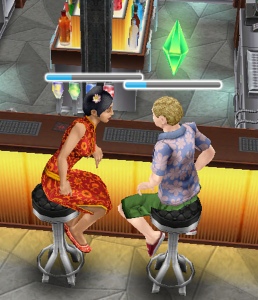
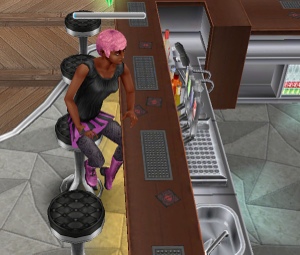
You can also build a romantic relationship up fast by clicking on the stools, one sim selects the option scope room and the other sim selects the other stool to hit on.

20140904-105605.jpg 20140904-105610.jpg 20140904-105614.jpg

Pictures of sims enjoying the restaurant

20140817-154616.jpg 20140817-154626.jpg 20140817-154654.jpg 20140817-154705.jpg 20140817-154713.jpg

image
Thanks Brett for this image!

Thanks for reading!


© COPYRIGHT PROTECTED

http://smarturl.it/sfpggwg

The Sims Freeplay- Building the Restaurant

Do you want a beautiful 5 star restaurant? Well it’s time to start repairing (once you have completed The Sous Judgemental Quest)

20140816-145938.jpg
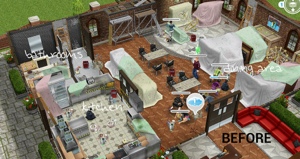
This post is to show what you need to clean up and how long it takes to unlock each section (if you use only one sim- I wouldn’t recommend that if you want it fixed up soon) you can have up to 10 sims fix up your restaurant at once which makes it a lot quicker to make it usable.

A blue exclamation mark appears sometimes to show you what needs to be removed:

20140816-143348.jpg
But it doesn’t appear on all items, if you think something looks broken and needs fixing click on it and see.

Some items also can’t be fixed until another item has been removed, so in the downstairs bathroom area you can’t get to the cobweb in the corner until the leaky roof and trash have been sorted.

Once everything in that area has been removed you will be able to unlock the next area, the order and prices can be seen in this post.

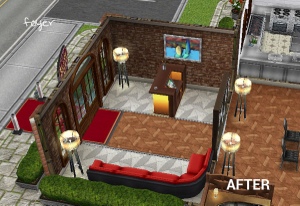
Foyer (have already unlocked in the sous judgemental quest)

20140816-143145.jpg

  • Trash- 30 minutes
  • Trash- 1 hour 30 minutes
  • Paint buckets- 2 hours
  • Broken tile- 3 hours
  • 2 Lamps- 4 hours each= 8 hours
  • Leaky roof- 6 hours
  • Broken wall- 10 hours

Total time= 1 day 7 hours

20140816-143233.jpg

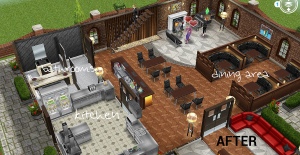
Dining Area, Kitchen and Bathrooms

20140816-150045.jpg
Dining Area– 50,000- 3 hours

  • Cobwebs- 10 minutes
  • Trash- 30 minutes
  • 2 Trash- 1 hour 30 minutes each= 3 hours
  • 8 Chairs- 2 hours each= 16 hours
  • 2 Paint buckets- 2 hours each= 4 hours
  • 5 Broken tiles- 3 hours each= 15 hours
  • 4 lamps- 4 hours each= 16 hours
  • 2 Leaky roofs- 6 hours each= 12 hours
  • 2 tables- 7 hours each= 14 hours
  • Broken wall- 10 hours
  • 2 broken chandeliers- 12 hours each= 1 day

Total time= 4 days 12 hours 40 minutes

Kitchen– 100,000- 4 hours 30 minutes

Unlocks bathroom area too.

  • 2 Dirty dishes- 15 minutes each= 30 minutes
  • Trash- 30 minutes
  • 2 trash- 1 hour 30 minutes each= 3 hours
  • 2 Paint buckets- 2 hours each= 4 hours
  • Leaky roof- 6 hours
  • Broken wall- 10 hours

Bathrooms

  • 2 Cobwebs- 10 minutes= 20 minutes
  • Trash- 1 hour 30 minutes
  • Broken Tile- 3 hours
  • Lamp- 4 hours
  • Leaky roof- 6 hours
  • Broken wall- 10 hours

Total time= 2 days 50 minutes

20140816-150151.jpg

20140816-150235.jpg
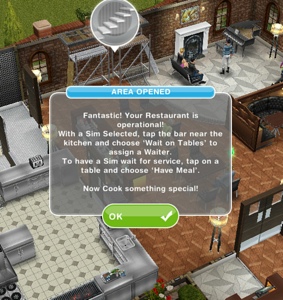
You can now cook and serve food for customers in your restaurant, now you can start on the second floor! (once you have completed the multi story renovations quest!)

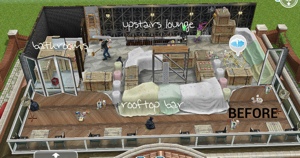
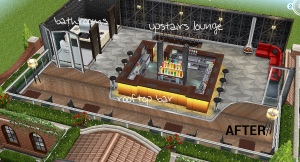
Upstairs Lounge, Bathrooms and Rooftop Bar

20140816-150336.jpg
Upstairs Lounge– 125,000- 9 hours

Unlocks bathrooms too.

  • 2 Cobwebs- 10 minutes each= 20 minutes
  • Dirty Dishes- 15 minutes
  • Trash- 30 minutes
  • 2 Trash- 1 hour 30 minutes each= 3 hours
  • 2 Paint buckets- 2 hours each= 4 hours
  • 2 Broken tiles- 3 hours each= 6 hours
  • Leaky roof- 6 hours
  • Broken wall- 10 hours
  • Broken Chandelier- 12 hours

Bathroom 1

  • Leaky roof- 6 hours

Bathroom 2

  • Paint buckets- 2 hours
  • Broken tiles- 3 hours

Total time=2 days 4 hours 55 minutes

Rooftop Bar– 250,000- 9 hours

  • Dirty Dishes- 15 minutes
  • 2 Trash- 30 minutes each= 1 hour
  • Trash- 1 hour 30 minutes
  • 3 Paint buckets- 2 hours each= 6 hours
  • 8 Chairs- 2 hours each= 16 hours
  • 2 Lamps- 4 hours each= 8 hours
  • 4 Tables- 7 hours each= 1 day 4 hours

Total time= 2 days 11 hours 45 minutes

20140816-150455.jpg
20140816-150737.jpg

Your restaurant is now complete! This post explains how to use the restaurant 

Thanks for reading!


© COPYRIGHT PROTECTED

http://smarturl.it/sfpggwg

The Sims Freeplay- Ultimate Makeover

In this post I will explain how the ultimate makeover on The Sims Freeplay works and whether I think it is worth using. When you click on your sim who is not doing anything you will see the purple ultimate makeover option:

The ultimate makeover allows you to change the DNA of your sim, the DNA is the name, gender and skin tone so it basically takes you back into the create a sim menu.

How much does it cost? It will cost you 12LP

Don’t have 12LP for the makeover? Check out my post here on making LP quickly

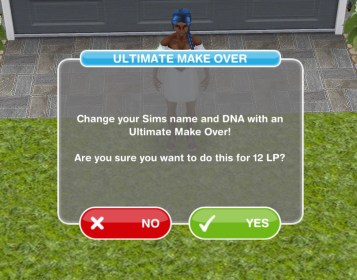
Once you select the option and click you are sure you want to spend 12LP on this it will take you back to the create a sim menu:

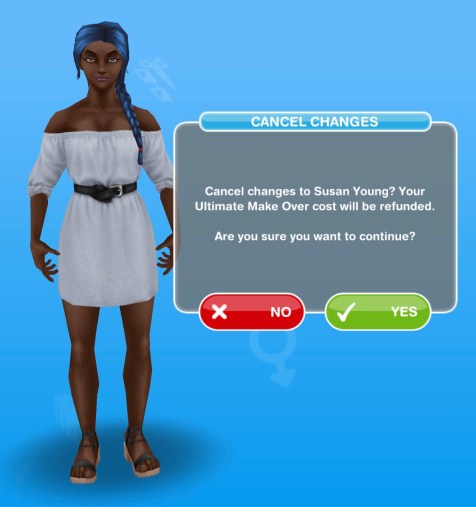
Can you cancel it once you enter the ultimate makeover? Yes, click the back button at the top and it will refund you your 12LP:

This might be quite useful if you accidentally gave your sim the wrong name to begin with but sims age so quickly once the Life Dreams and Legacies Quest is complete you could just recreate the sim again once they pass away but with the correct details this time and save yourself those 12LP!

This video shows how the ultimate makeover works:


FIND THIS POST HELPFUL?

Buy Me a Coffee at ko-fi.com

THE SIMS FREEPLAY
©THEGIRLWHOGAMES.BLOG