The Sims has recently turned 18 and to celebrate they have released a sticker pack for iOS to enhance your iMessages!
To find the pack search for Electronic Arts in the app store click on the ‘Developer Electronic Arts’ option that appears, this will show you all EA apps:
In the iMessage section you will be able to find the FREE ‘The Sims Sticker Pack’, click on it to see the stickers available and read the description:
Click get to install the sticker pack!
You will then be able to find the stickers in iMessage by clicking on the app store icon next to where you type your message, you will then see in the bar underneath the sims logo, click on this to see all the stickers available:
Get sending to your friends!
I really love this, there are also Sims Mobile stickers in this pack! Currently this is only available on iOS, I know loads of people with androids have been asking so maybe there will be something similar for android in the future.
In this post I am going to explain how to get sims married in The Sims Mobile.
Once you reach level 7 in the game and your sims reach level 4 in their romantic relationship you will get the option to complete the social event ‘Propose’ once you complete this you will be able to get your sims married!
Why am I not getting the option to propose?It depends what story you choose to where you will find this option, if you cannot find this option on the first screen when you click on that sim select more options at the bottom and click on the flirty tab, you should then be able to find it
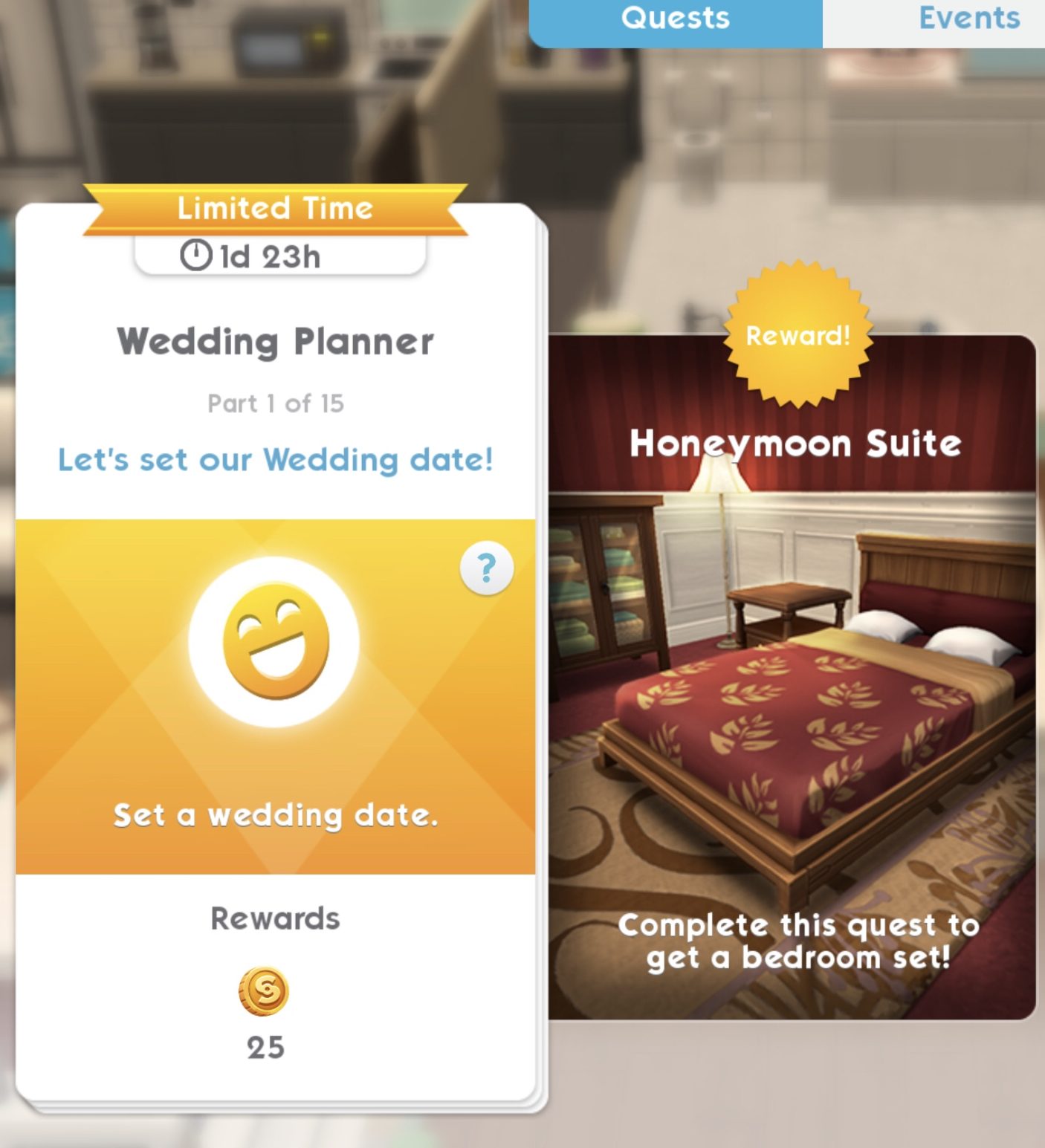
As soon as you complete the Propose event the first time you marry two sims in the game you will complete the wedding quest to unlock the Honeymoon Suite bedroom set, there are 15 parts to this quest and 2 days to complete it
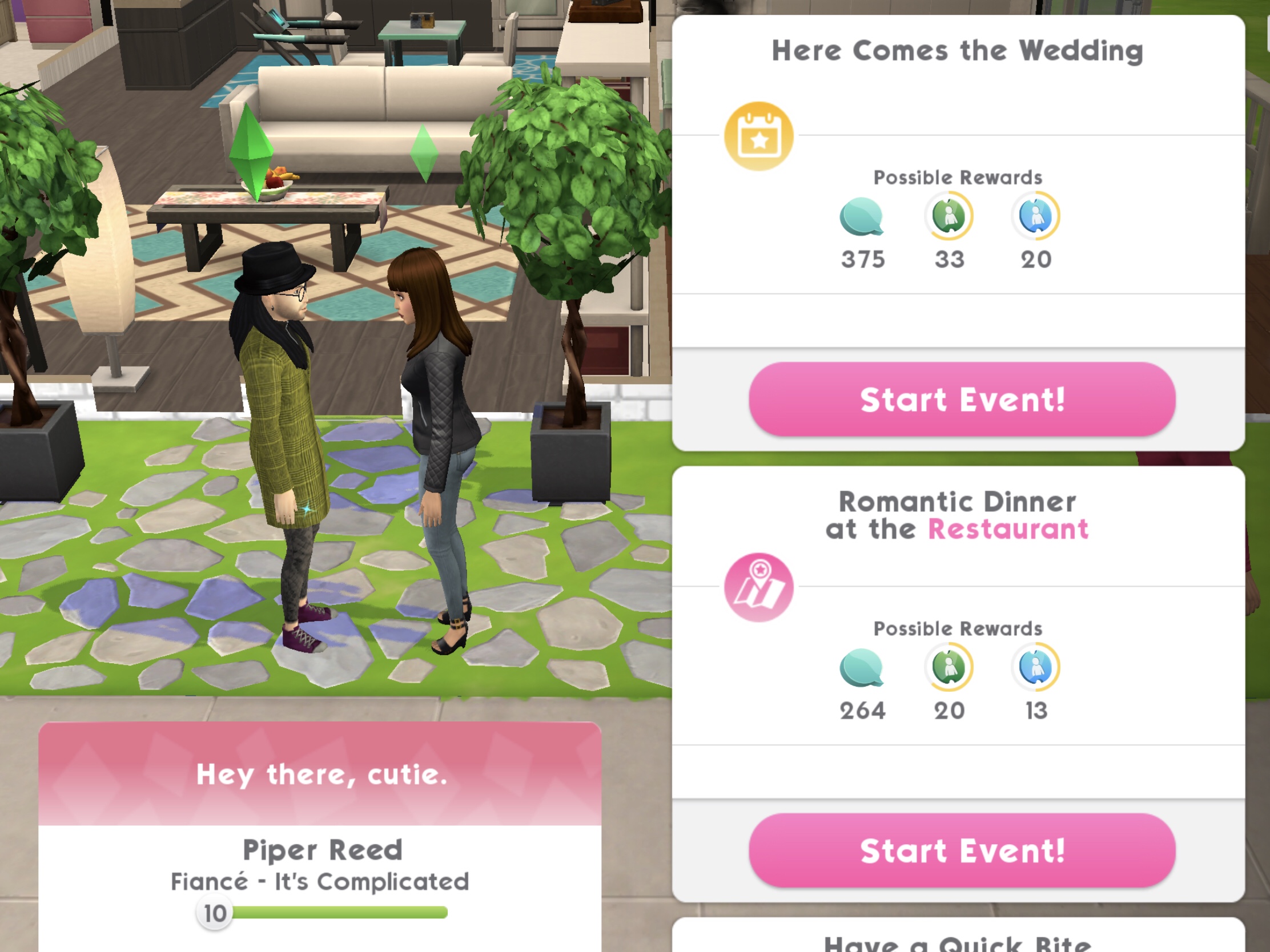
NOTE: if you do not complete it in time you can still get your sims married, place the wedding collection and then click on your sims partner and select the here comes the wedding event
1.Set a wedding date- 5 seconds, costs 2 energy (select the blue interaction on your sim’s partner) Reward: 25 coins
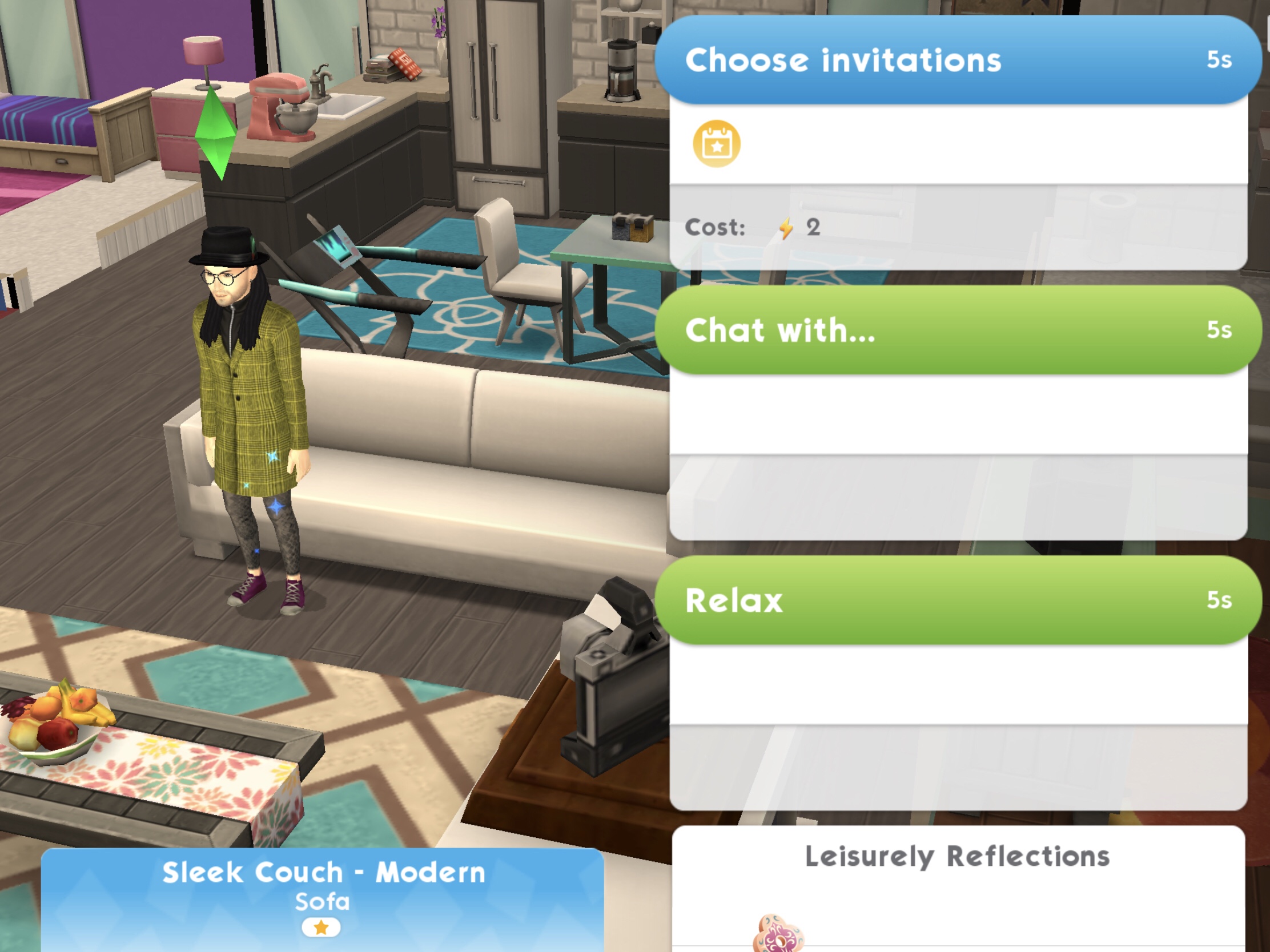
2.Choose wedding invitations- 5 seconds, costs 2 energy (select the blue interaction on a sofa) Reward: 25 coins
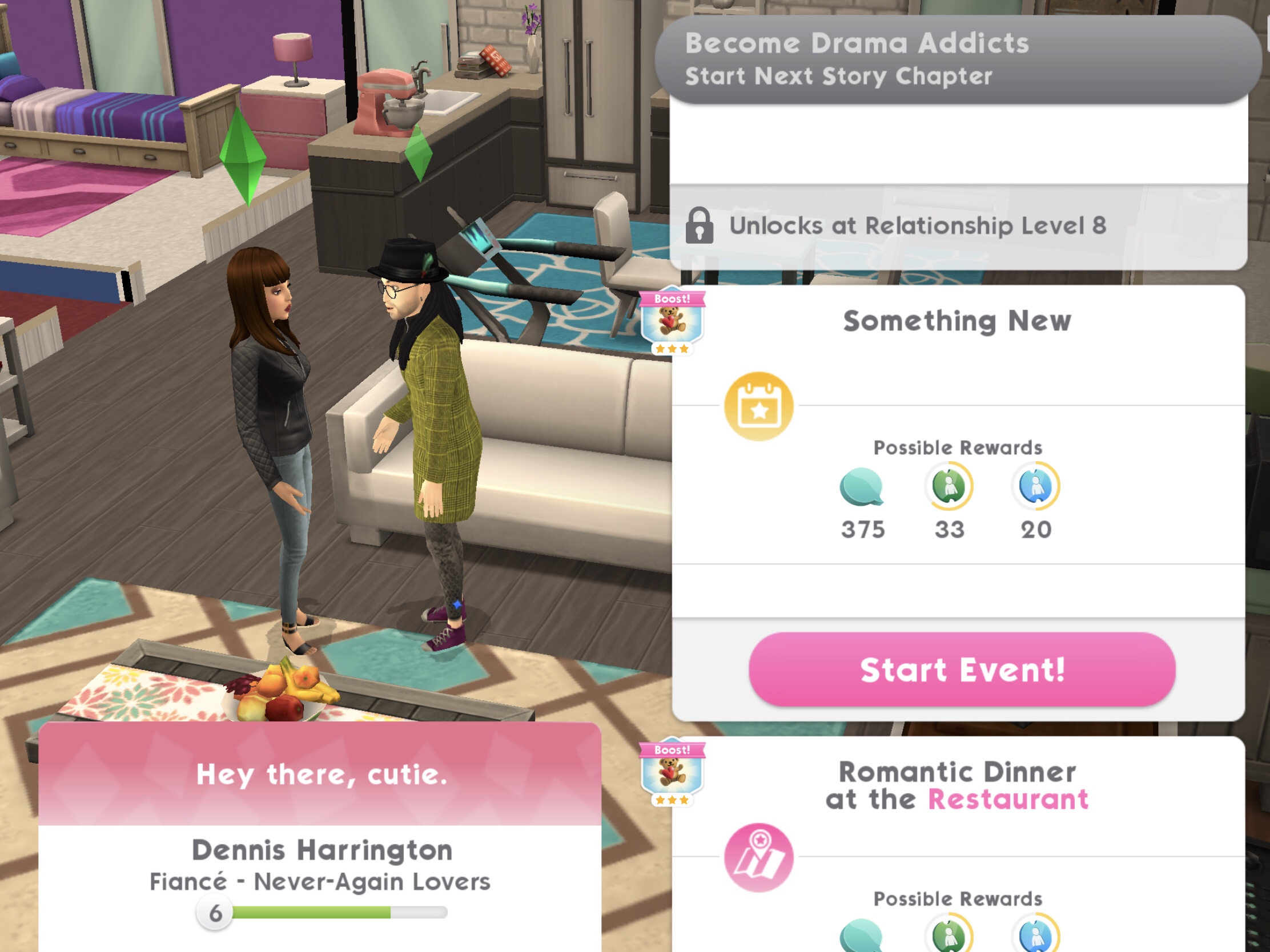
3.Complete the ‘Something New’ fashion event at the Studio- takes up to 8 hours to complete (will take up to 4 hours if you use two of your sims to complete this)* (select the event on your sim’s partner) Reward: 25 coins and 10XP
Can’t see the event?You may need to complete a story chapter event first
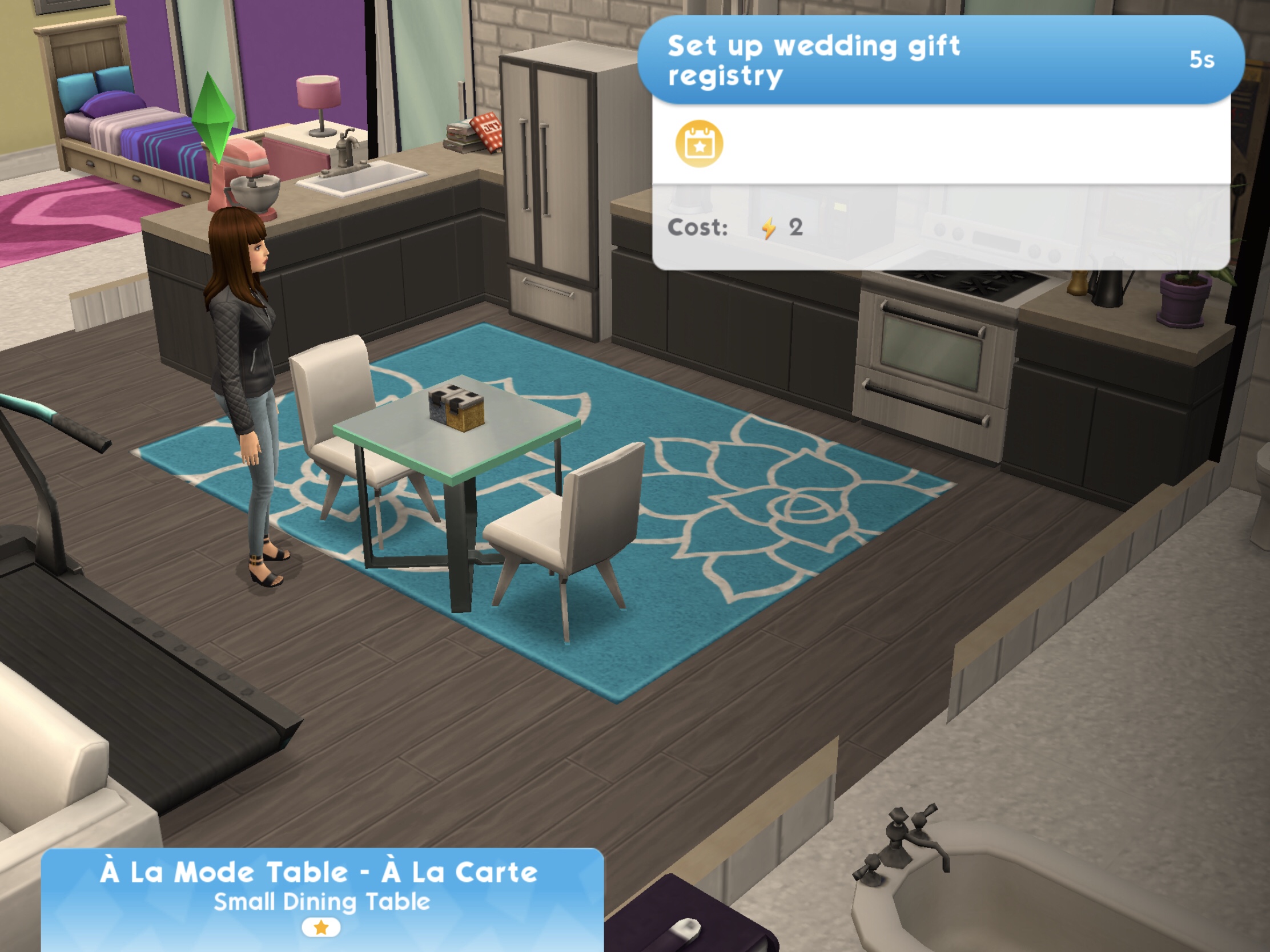
4.Set up wedding gift registry- 5 seconds, costs 2 energy (select the blue interaction on a table) Reward: 25 coins
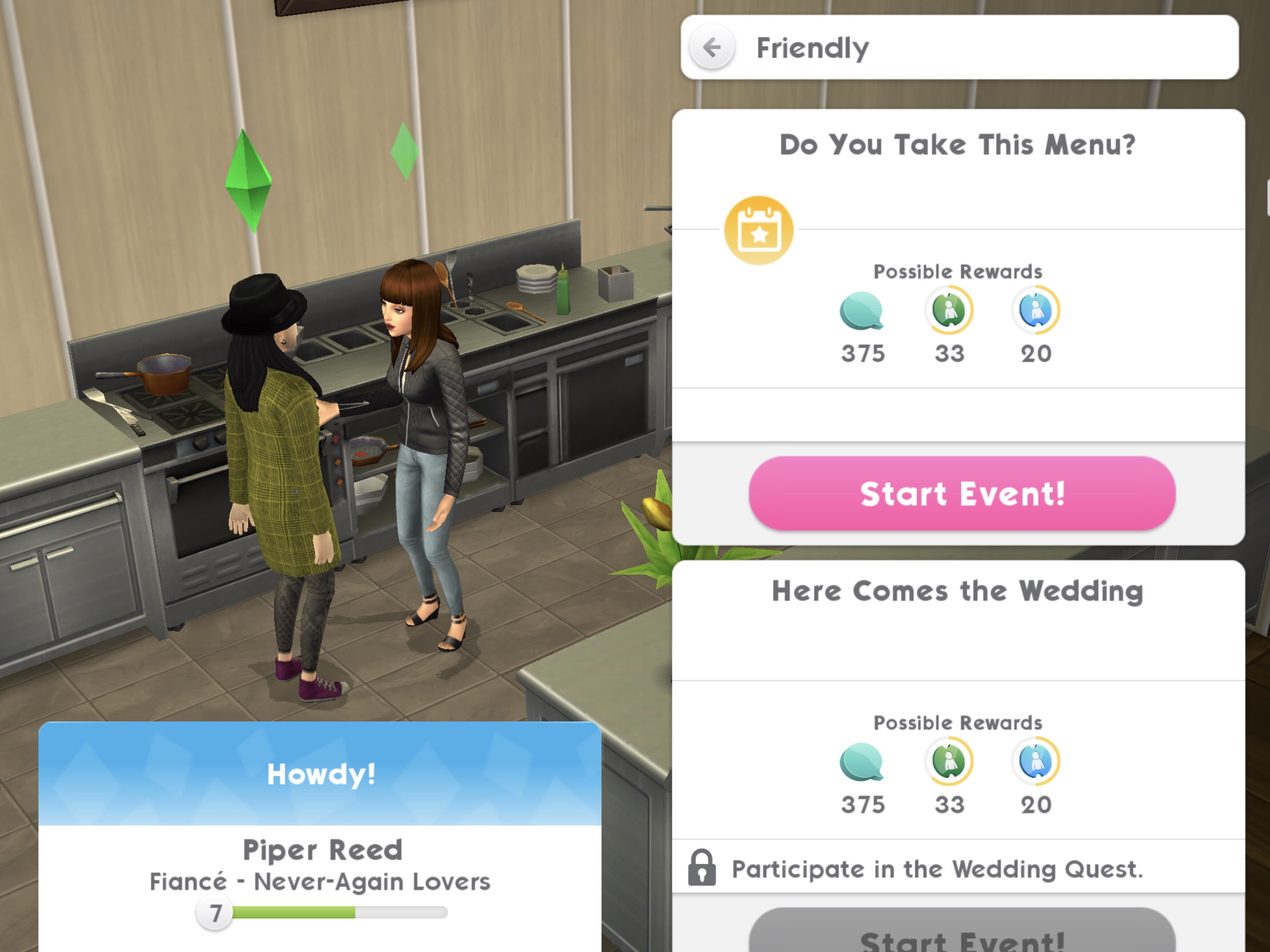
5.Complete the ‘Do You Take This Menu?’ culinary event at the Restaurant- takes up to 8 hours to complete (will take up to 4 hours if you use two of your sims to complete this)* (select the event on your sim’s partner) Reward: 25 coins and 10XP
Can’t see the event?You may need to complete a story chapter event first
6.Complete the ‘Something New’ fashion event at the Studio again- takes up to 8 hours to complete (will take up to 4 hours if you use two of your sims to complete this)* Reward: 25 coins and 10XP
Can’t see the event?You may need to complete a story chapter event first
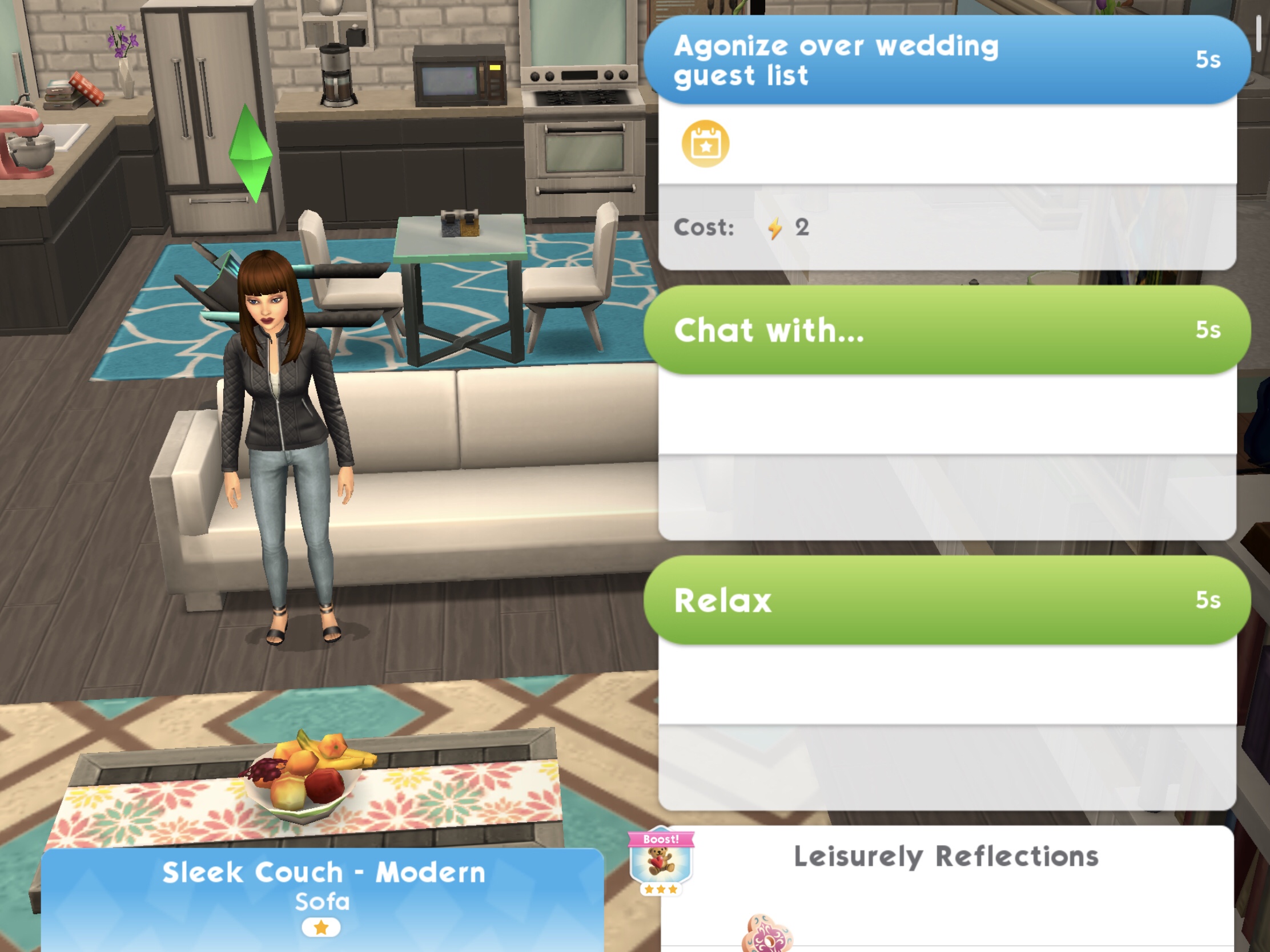
7.Create a wedding guest list- 5 seconds, costs 2 energy (select the blue interaction on a sofa) Reward: 25 coins
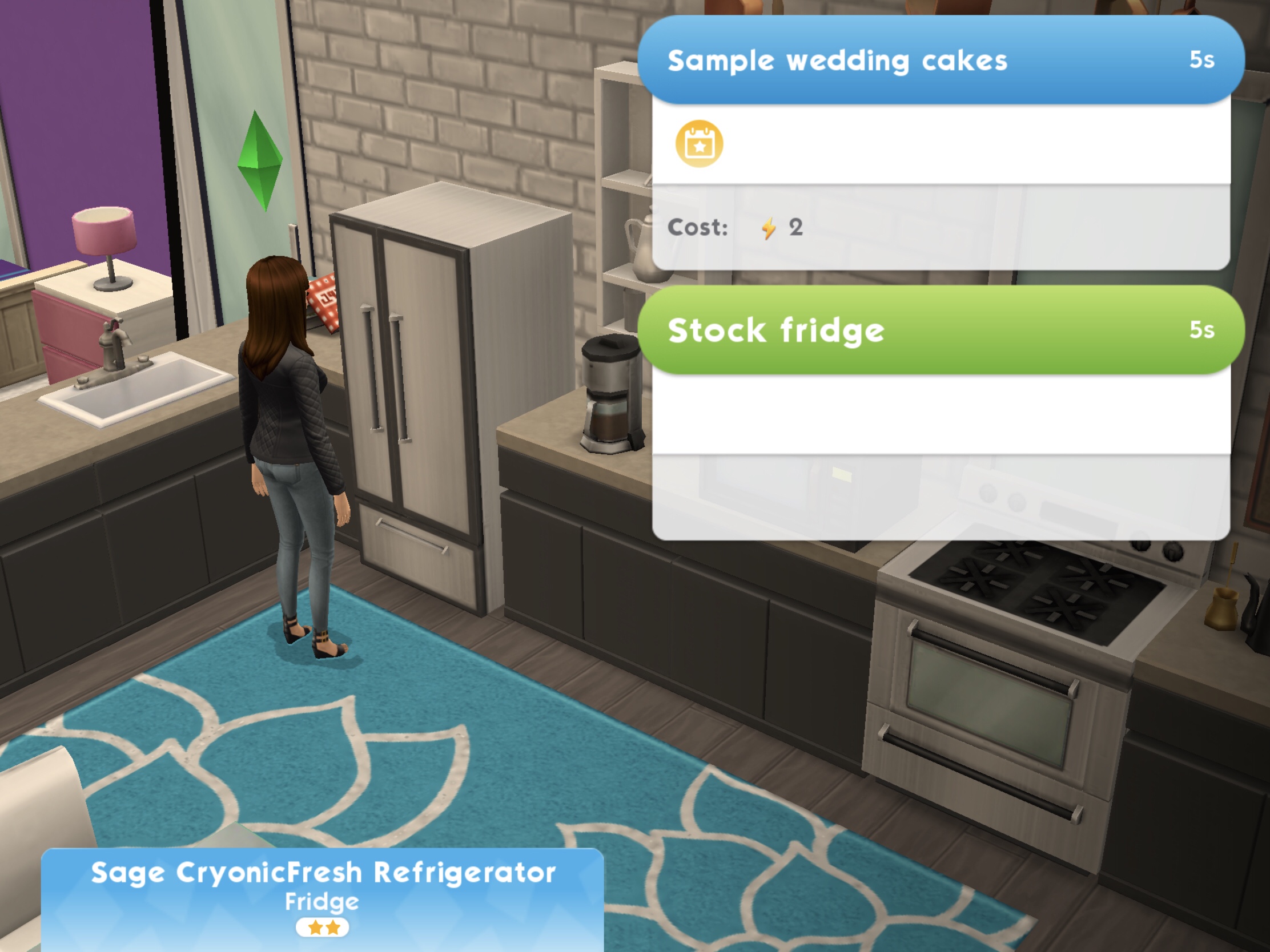
8.Taste cake samples in the fridge- 5 seconds, costs 2 energy (select the blue interaction on a fridge) Reward: 25 coins
9.Complete the ‘Do You Take This Menu?’ culinary event at the Restaurant again- takes up to 4 hours to complete* Reward: 25 coins and 10XP
Can’t see the event?You may need to complete a story chapter event first
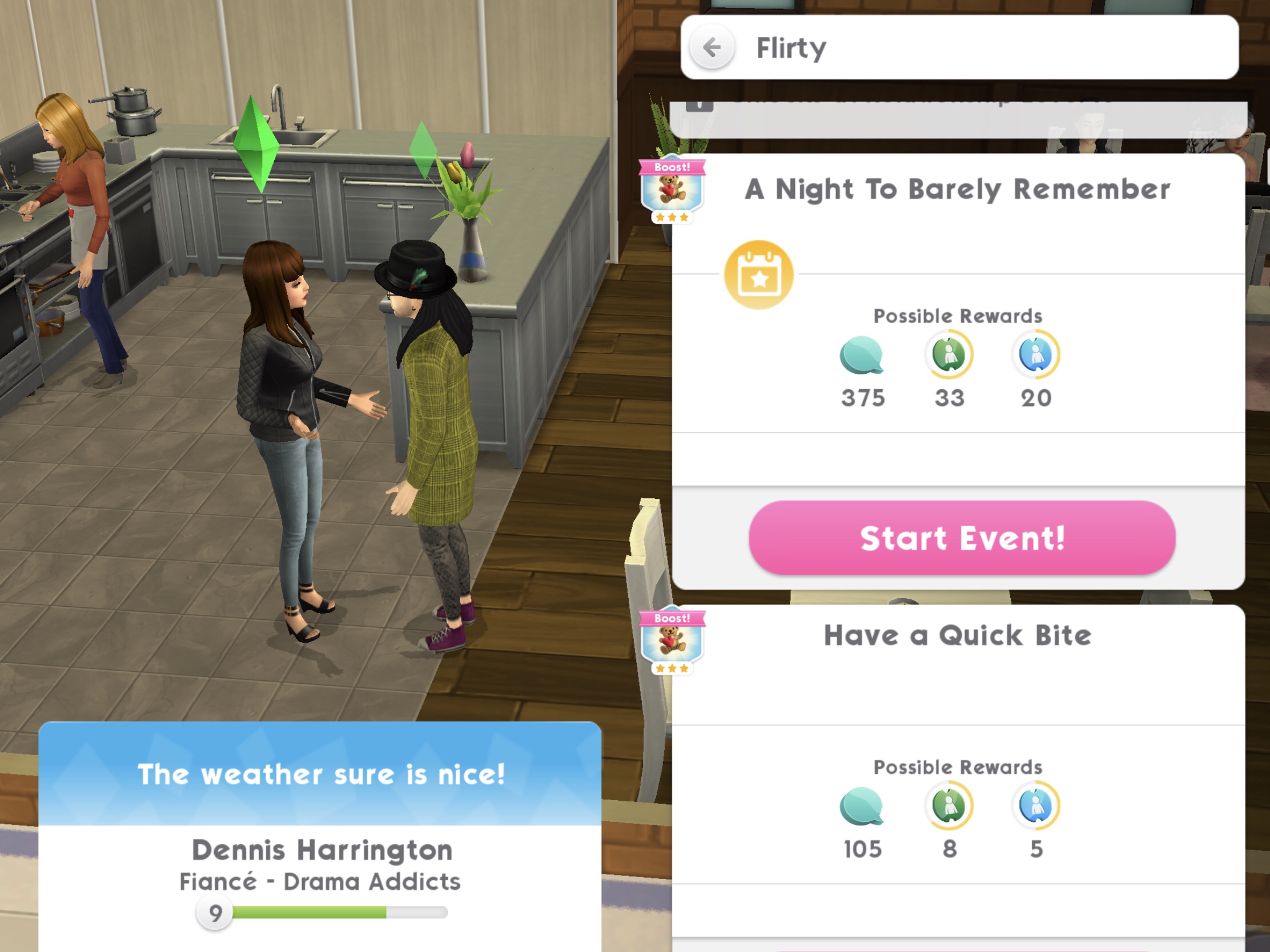
10.Complete ‘A Night To Barely Remember’ event at the Club- takes up to 8 hours to complete (will take up to 4 hours if you use two of your sims to complete this)* (select the event on your sim’s partner) Reward: 25 coins and 10XP
Can’t see the event?You may need to complete a story chapter event first
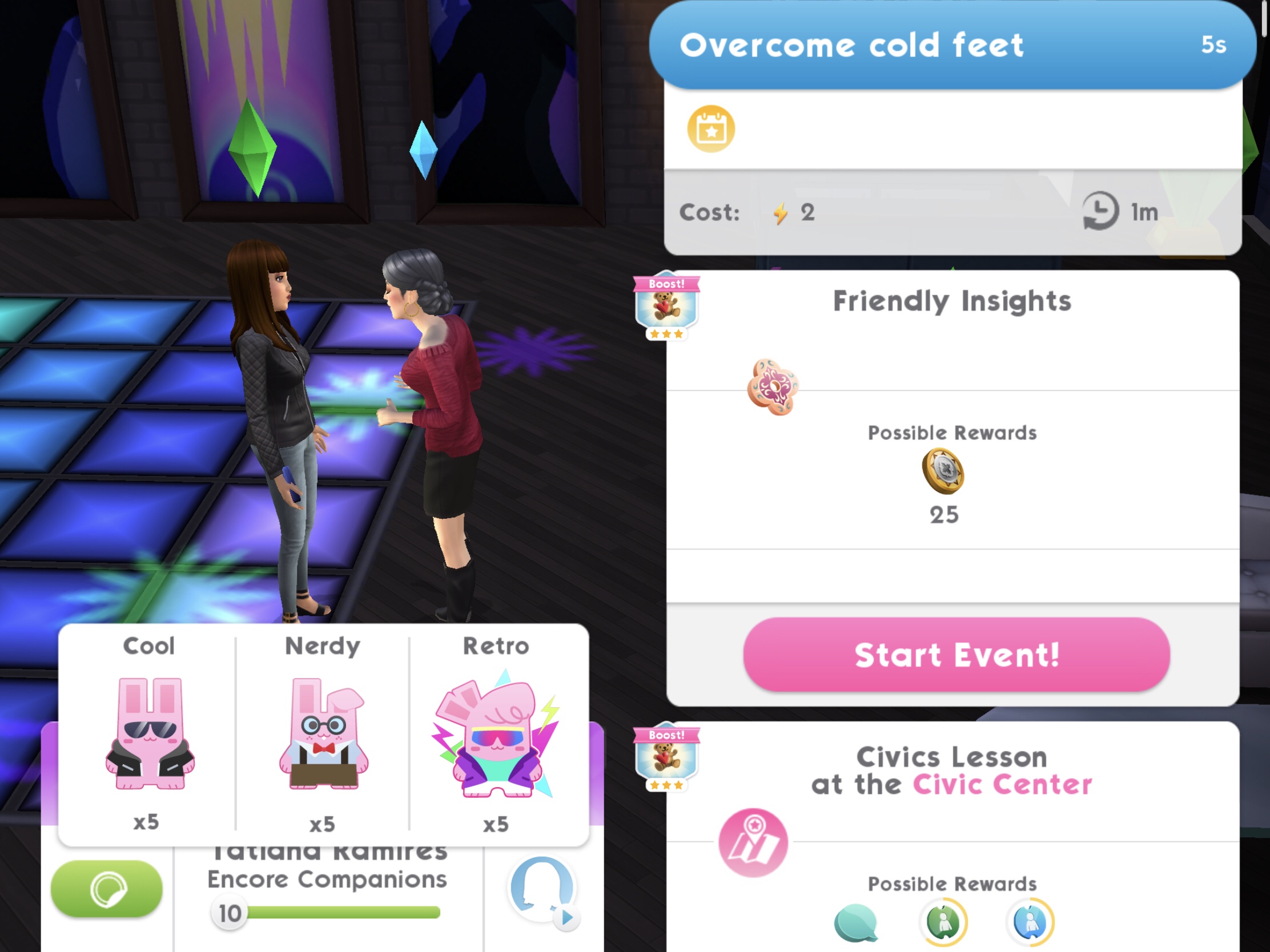
11.Overcome cold feet 3 times- 5 seconds, costs 2 energy each time (select the blue interaction on 3 sims) Reward: 25 coins
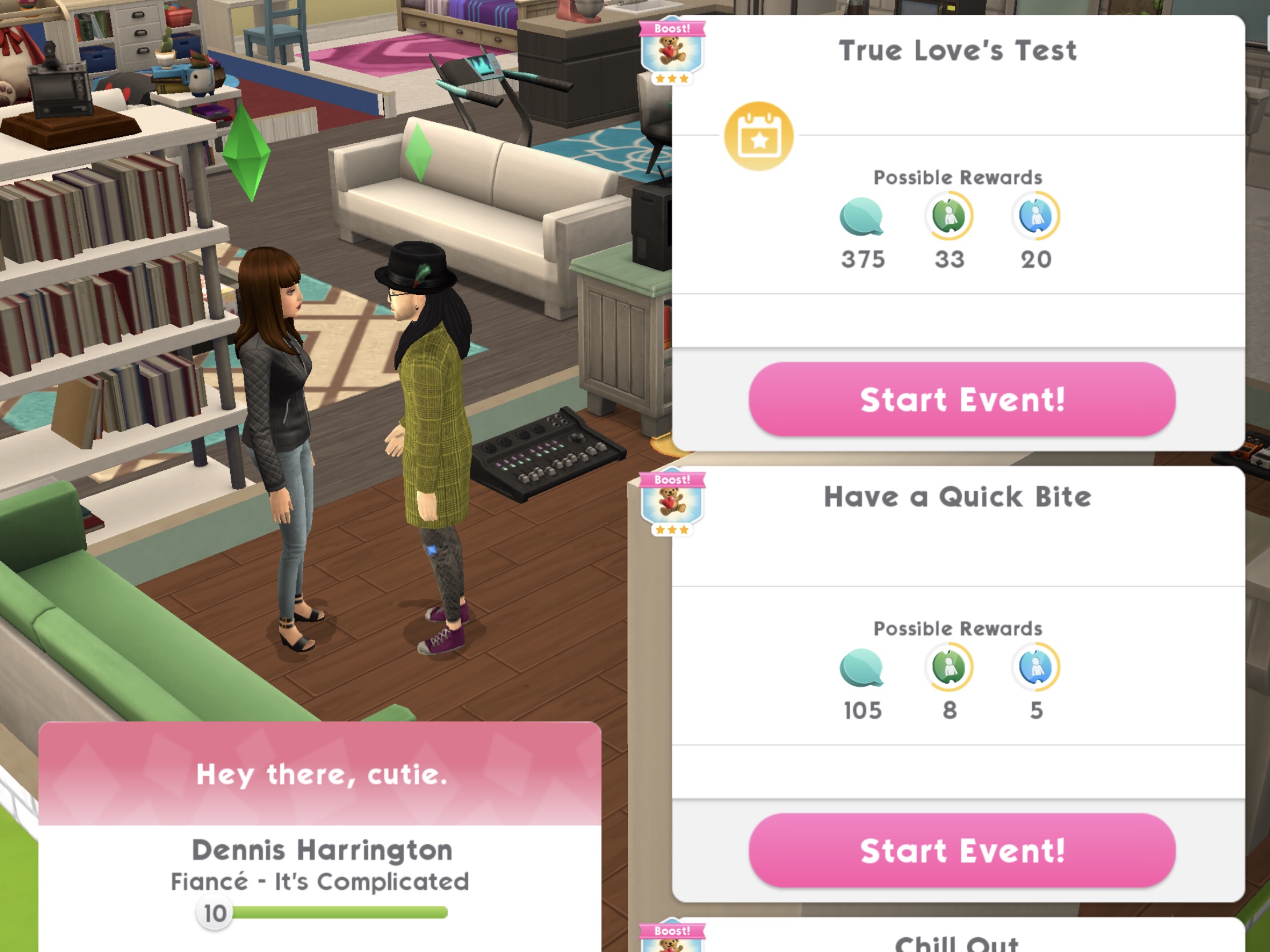
12.Complete the ‘True Love’s Test’ event at Civic Center- takes up to 8 hours to complete (will take up to 4 hours if you use two of your sims to complete this)* (select the event on your sim’s partner) Reward 25 coins and 10XP
Can’t see the event?You may need to complete a story chapter event first
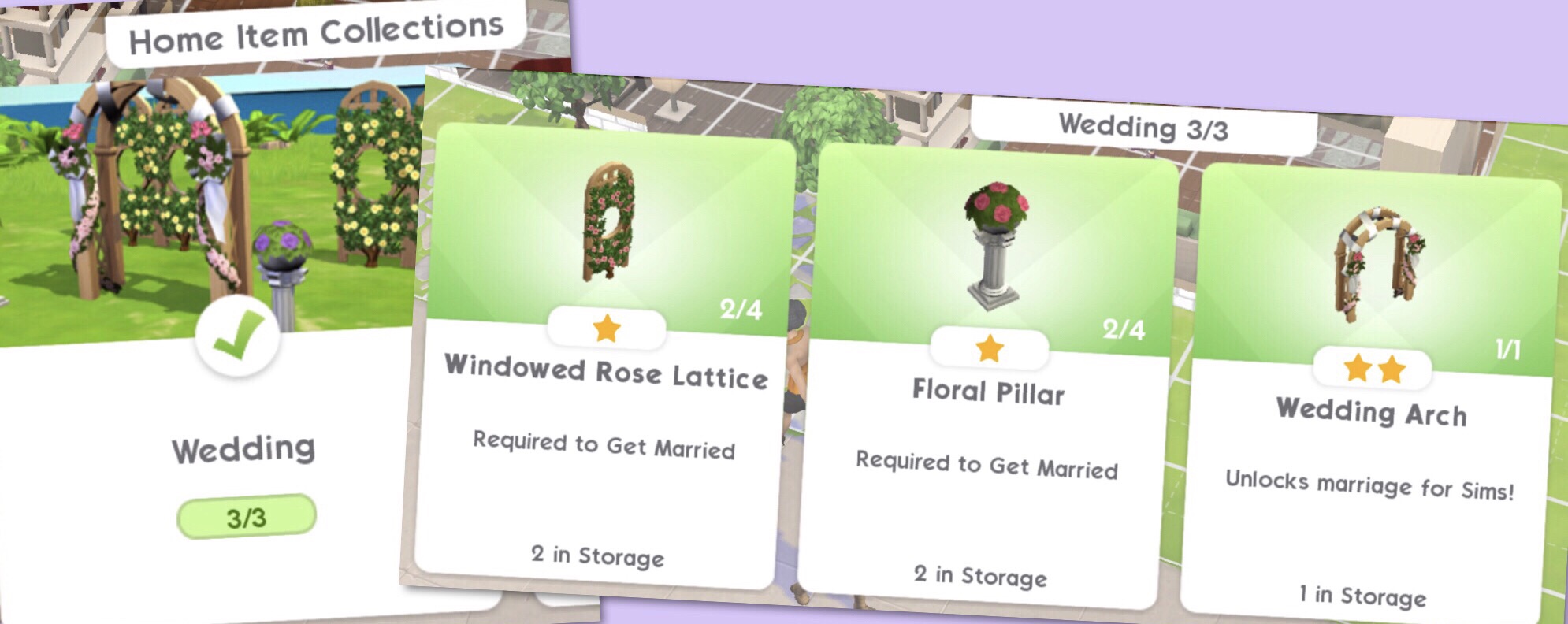
13.Purchase Wedding Decorations, the decorations are:
Wedding Arch
Floral Pillar
Rose Lattice
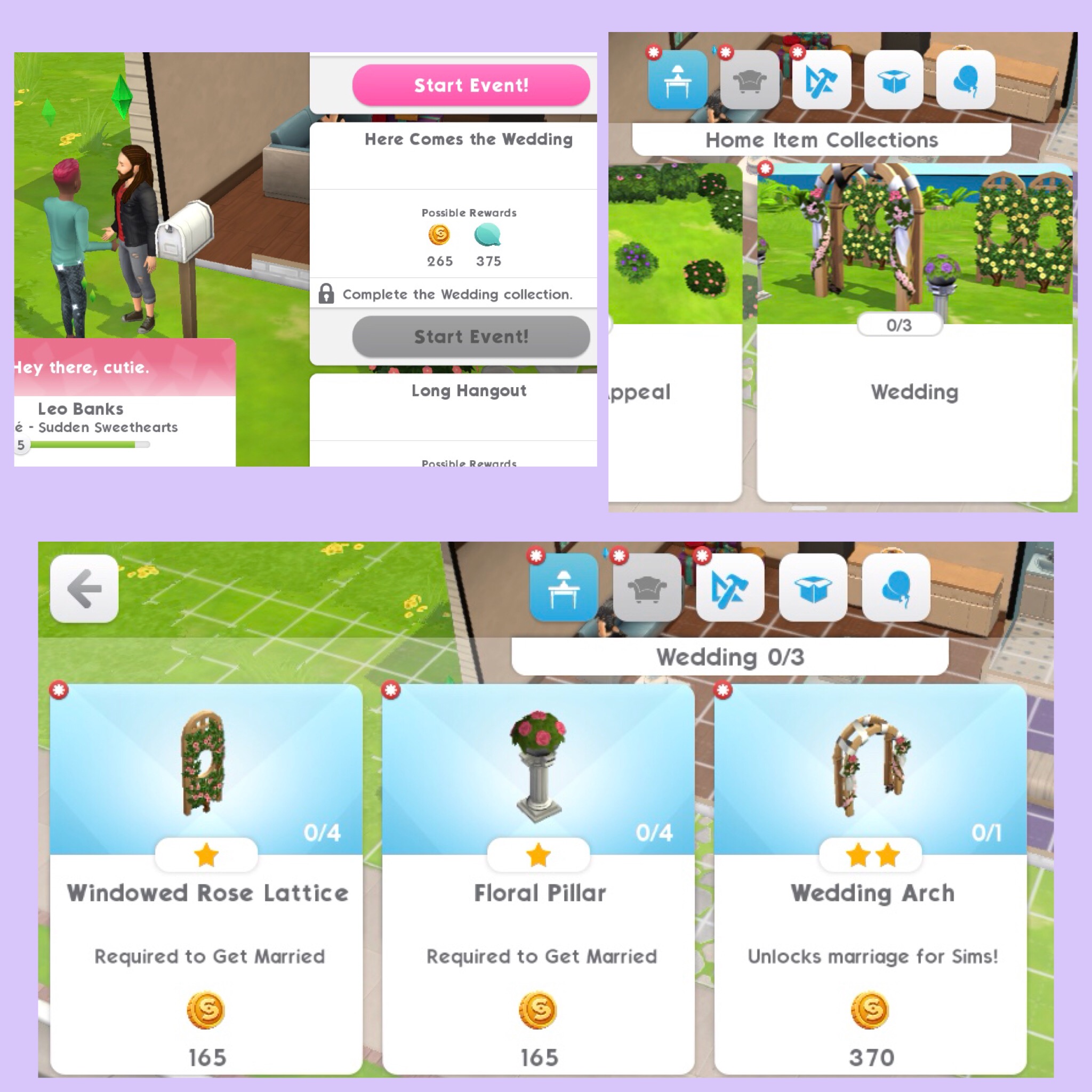
All of these can be found in Home Item Collections under Wedding Reward: 25 coins
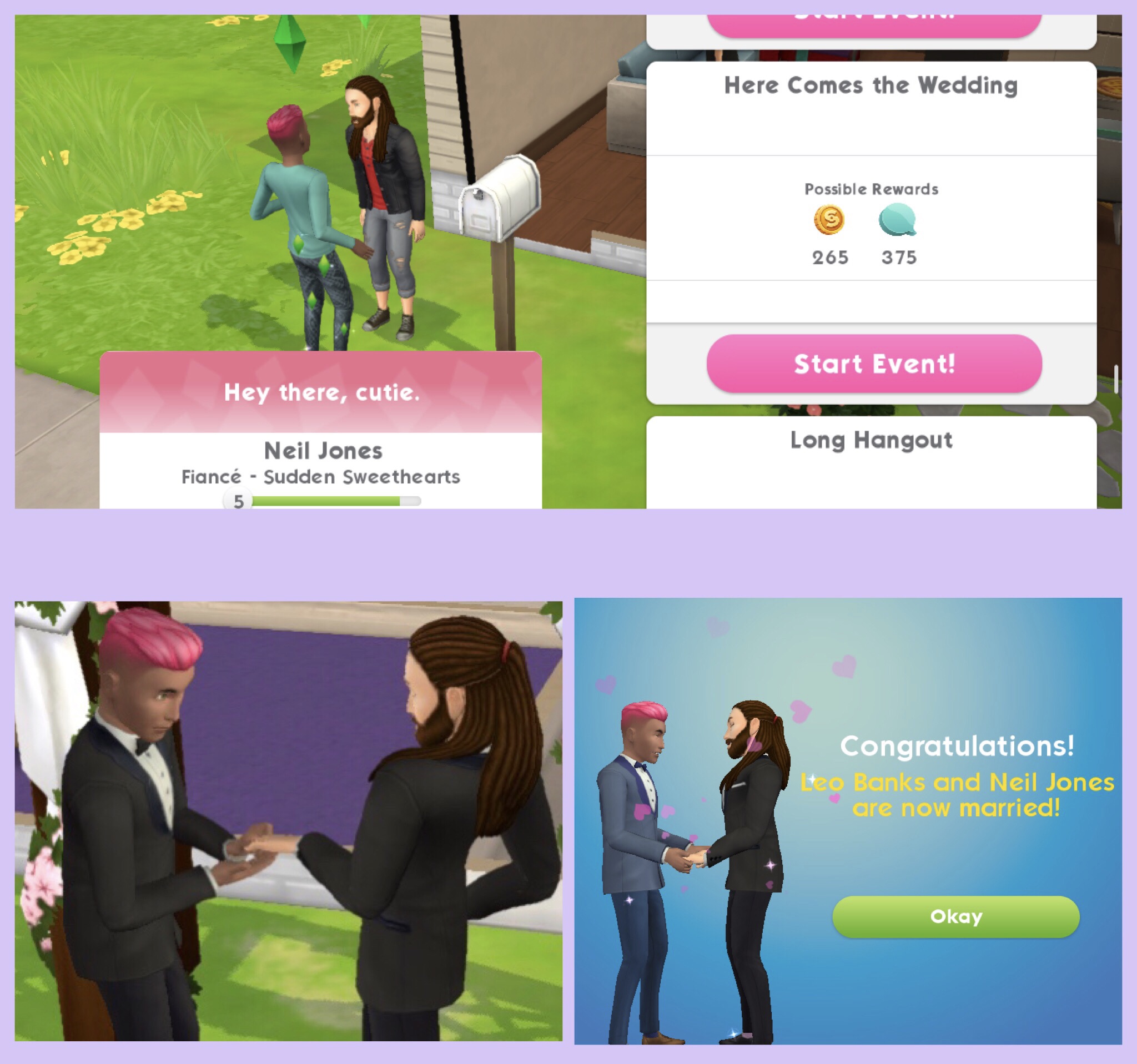
14.Complete the ‘Here Comes the Wedding’ event at Home- takes up to 8 hours to complete (will take up to 4 hours if you use two of your sims to complete this)* (select the event on your sim’s partner) Reward:5 simcash, 25 coins and 10XP
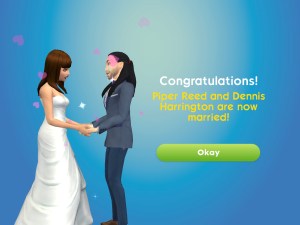
Once you complete this event your sims will be married!
15.Enjoy wedded Woohoo- 5 seconds, costs 2 energy (select the blue interaction on a double bed) Reward: 25 coins
QUEST IS COMPLETE!
*the event can be completed quicker than time shown if you complete the actions with your sims during the event
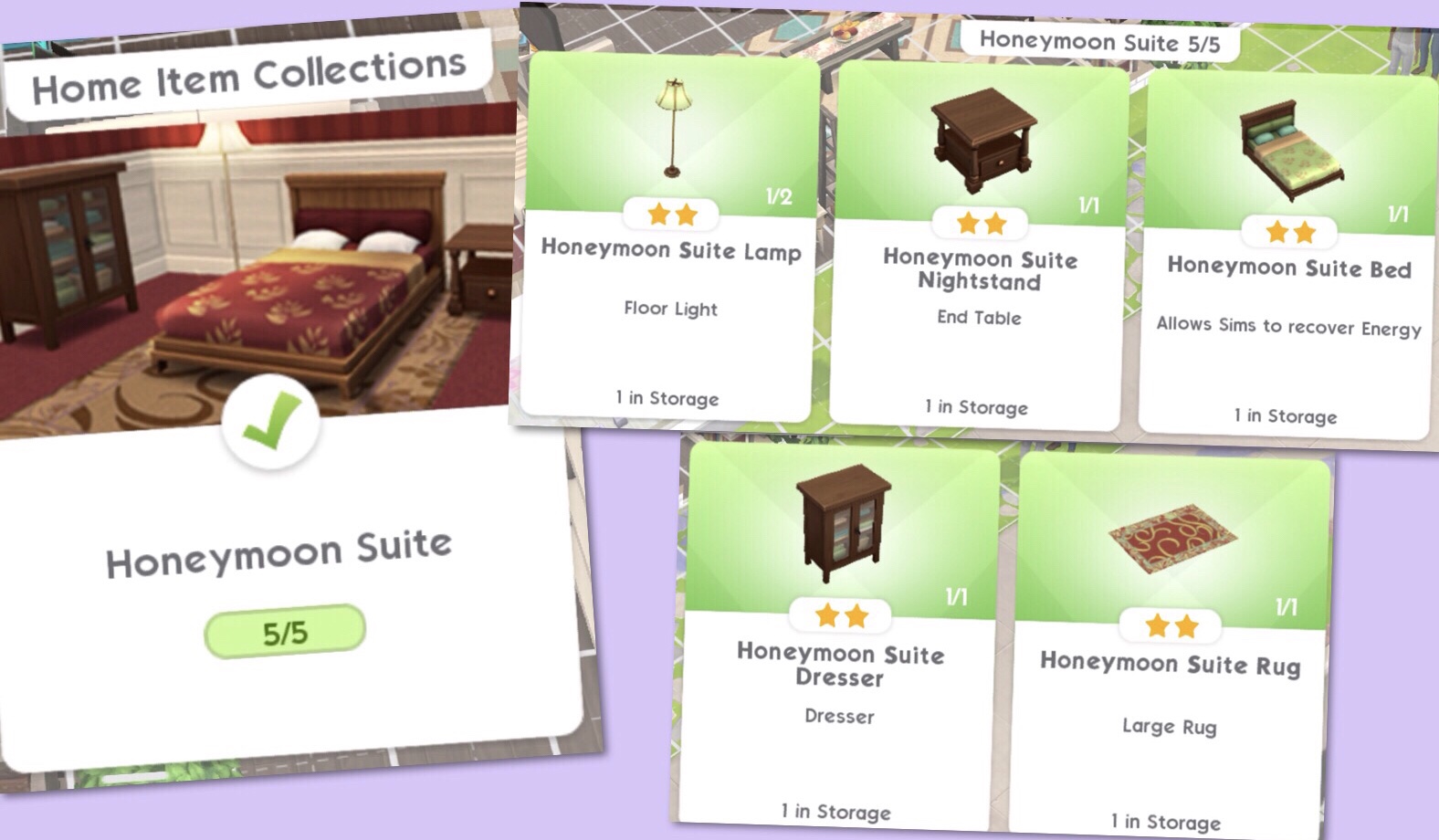
If you complete the quest in the time limit you unlock the Honeymoon Suite items which includes a bed, lamp, nightstand, dresser and rug. The first one of each is free and can be found in your storage section:
After the first time or if you don’t complete in the time limit..
Getting Married
Once you have placed the wedding arch, floral pillar and windowed rose lattice in your sims garden, your sim needs to click on the sim they want to get married to and select the ‘Here Comes the Wedding Event’ once the event is complete your sims will be married:
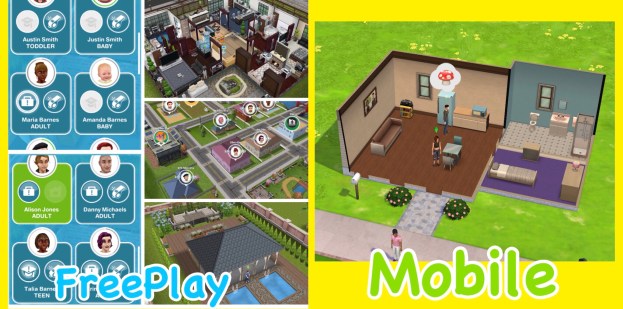
I have been asked a lot about how different The Sims Mobile will be from The Sims Freeplay, I think some people are worried that Mobile is replacing Freeplay and that isn’t the case! The two games are very different as explained below:
The Sims Freeplay is created by EA and Firemonkeys whereas The Sims Mobile is created by EA and Maxis
In the Sims Freeplay you can create loads of houses and families, building up your town but on the Sims Mobile you have one house and up to 4 playable sims:
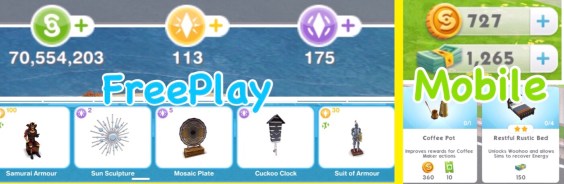
Although the main currency simoleons is the same the premium currency is different, in the Sims Freeplay you have lifestyle points and social points and on the Sims Mobile you have simcash:
On the Sims Mobile your sims have to retire to create legacies for future sims but they do not die, on the Sims Freeplay your sims will pass on once you complete the Life Dreams and Legacies Quest, but even then you can stop them from dying.
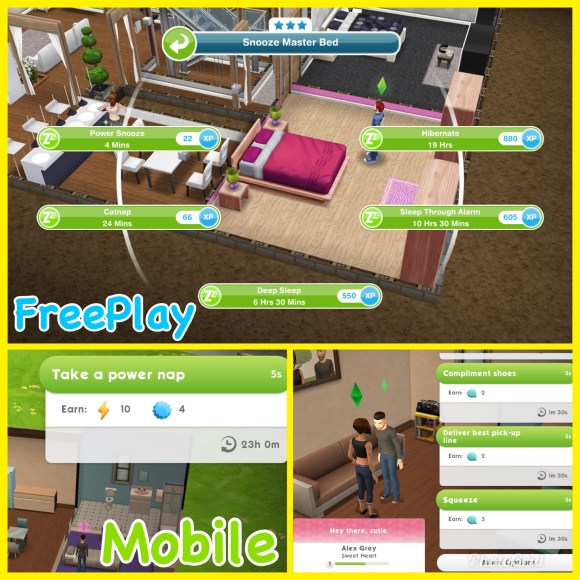
Both games are real time but a lot of tasks in the Sims Freeplay take a lot longer as most actions in the Sims Mobile take 5 seconds making it a fast paced game:
Both games are free to play but have in app purchases so you can buy more money or new items with real money.
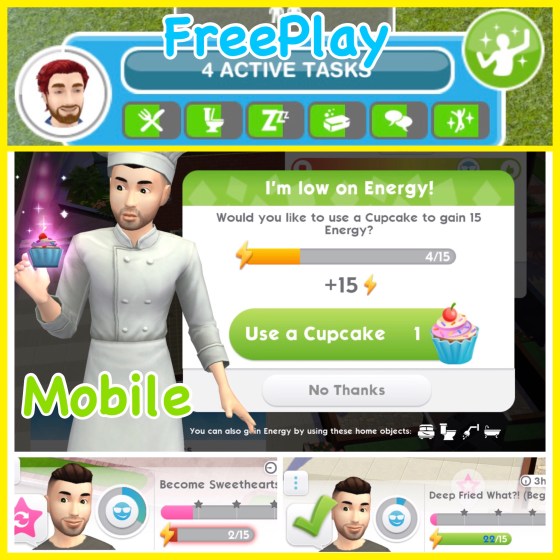
In the Sims Mobile the only need your sims have is energy, each action uses at least one energy, once you run out of energy you need to either wait for their bar to refill, have your sim sleep or use another item in the house or use a cupcake (if you have any) before you can do anything else. In the Sims Freeplay your sims have lots of needs that you fulfil using a related item, for example when your sims are hungry you can use the fridge to increase this need, if you don’t fulfil their needs they become unhappy but you can still complete actions using them:
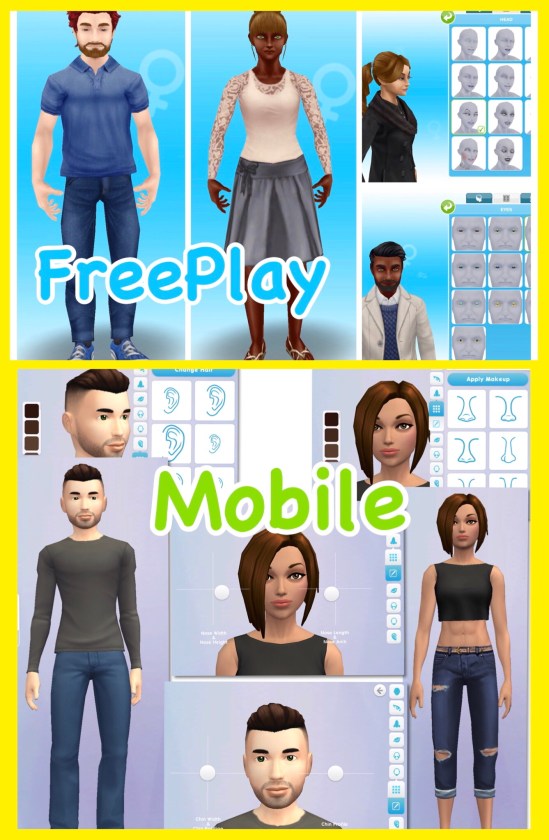
The create a sim on the Sims Freeplay isn’t as in-depth as the Sims Mobile, on the Sims Mobile you can move the sliders to make every feature completely unique. The sims on the Sims Mobile look more like the Sims 4 which you would expect, I really love how they look on both games but I personally think they look more realistic on the Sims Freeplay:
On the Sims Mobile they focus on legacies, so what your sim achieves in their life and the perks they unlock affects their relatives in the future when they have retired whereas the Sims Freeplay doesn’t really have legacies, apart from earning orbs and you can play without doing that but it is a major part of the Sims Mobile.
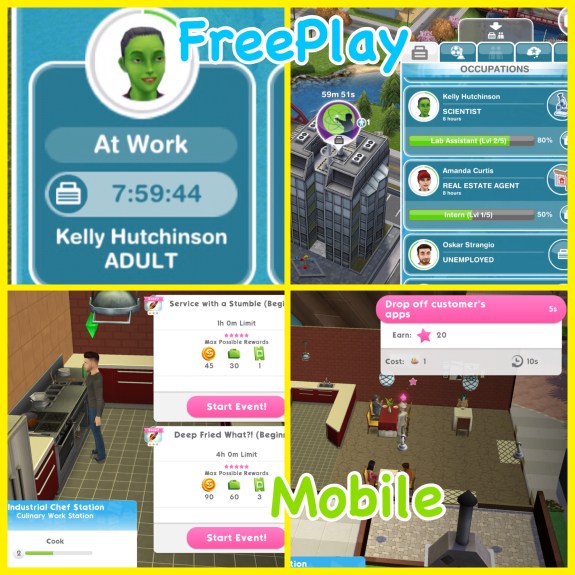
When you send your sims to work on the Sims Freeplay they will go on their own and you cannot see them during the day at most workplaces (unless it is a profession career) but on the Sims Mobile you complete career events so complete shifts with your sims to level up and unlock new career items to decorate your workplace and make it unique to your game!
I think its great that both games are so different, if they were very similar it would be boring, if you like one you might not like the other or you could be like me and just love everything The Sims!
NOTE: the game hasn’t been released worldwide yet, it is currently only available in Brazil so is still very much a working progress which means changes are still being made so the final product may turn out very different from the version I had access to at EA Play.
Create a sim on The Sims Mobile in my opinion is amazing! In this post I am going to walk you through all the different options you will find when creating your sims.
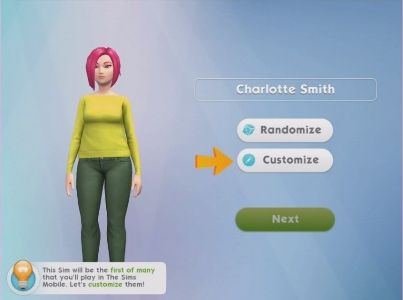
You can only have four playable sims in your town at one time, you can have other sims such as babies and toddlers but you cannot customise them. When you first open the game you will be able to create your first adult sim, I made myself:
1.Name your sim, click on the name box to open the keyboard: NOTE: you can just click randomise to select a premade sim if you aren’t bothered about creating your own sims
2.Once they have a name click customise to start editing!
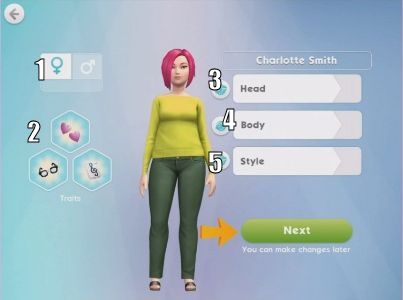
3.You will now be able to select your sims gender (1), and how they look within these three sections:
Head (3)- edit all their facial features to make them incredibly unique
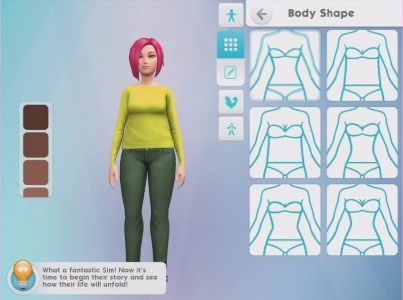
Body (4)- edit their body shape
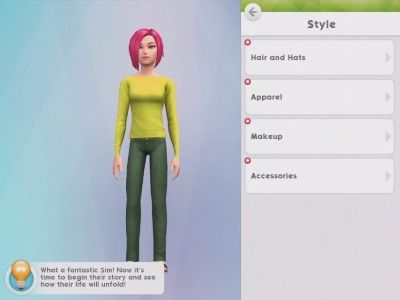
Style (5)- pick their hairstyle, clothes and accessories
PLEASE NOTE: You can no longer give your sims traits (2) from the create a sim menu, this feature has been removed since I played the game at EA Play
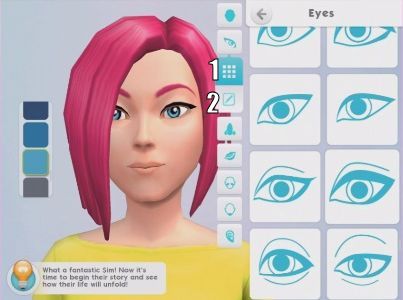
4.To customise your sim click on the head tab to start editing their facial features, there are several tabs within this section:
Head- this changes the shape of your sims head, down the side is the skin colours to choose from- you can even give them blue or green skin!
Eyes
Nose
Lips
Cheeks
Chin
Ears
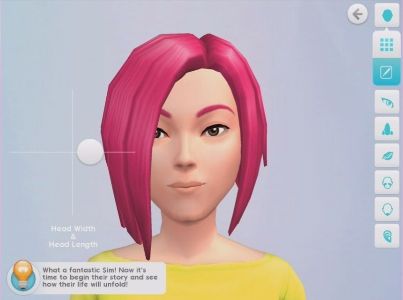
Under the grid list of options (1) on the selection bar is an edit button (2), this allows you to use sliders to edit that feature even more to make them incredibly unique:
5.When you have selected and edited all the facial features you can move onto the body section, again there are tabs within this section:
Body Shape
Physique
Extremities
And again you can edit each part using the sliders by clicking on the edit button:
6.Once you are happy with the body shape you can move onto the style, there are 4 tabs in here:
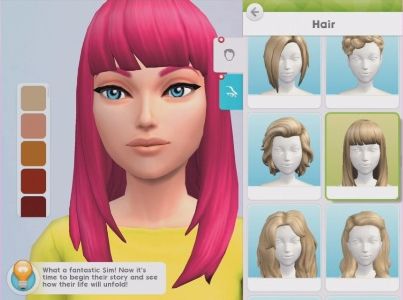
Hair and Hats- choose your hair style and colour or if you want them to wear a hat, the hair colours can be found down the side of the screen like the skin colours
Apparel (clothes)
Makeup
Accessories
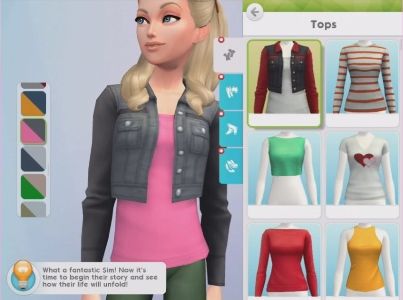
Apparel (clothes)- under apparel you will find tops, pants, legwear (socks and tights) and footwear. Down the side you’ll be able to choose the colour you want that item of clothing to be, I love this feature as you don’t have to scroll through a long list of clothes which are the same just in different colours
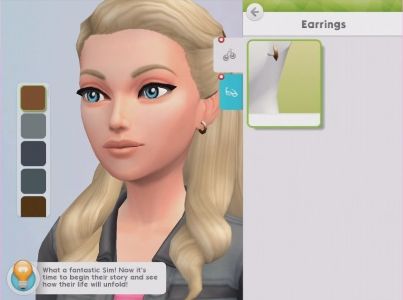
Accessories- choose from glasses and earrings (I’m sure more items will be added as we progress through the game)
TIP: if you decide you don’t want your sim to wear a certain item click on it again to remove it from them
7.Once you have edited your sims features you have finished creating your sim, click next to see an overview of your sim and then click create sim to start the game:
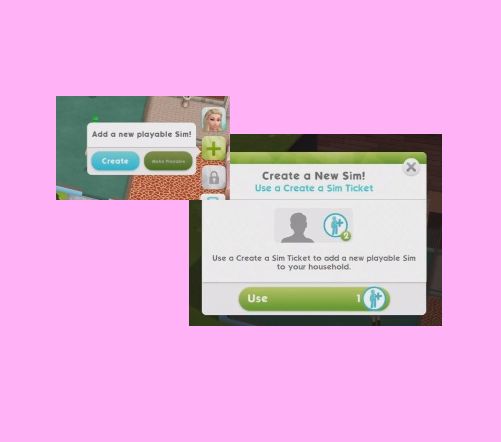
You will see the arrows and messages appear when you create a sim for the first time, you can add playable sims during the game by clicking on the green add button that shows up under your current sims (this will be a lock if you haven’t reached a certain level or requirement yet)
NOTE: there is only one house on the sims mobile and you can only have four playable sims living in that house at one time, you will need to wait for your sims to retire before you can add new ones
A few weeks ago I was invited to Hollywood, LA by EA for EA Play, there I was able to try out the new Sims Mobile game, give my feedback to the developers and capture some content to share with you all over the next few months, I had a great time meeting other gamers and getting my first chance to play the game so thank you for flying me out for the event EA!
NOTE: the game hasn’t been released worldwide yet, it is currently only available in Brazil so is still very much a working progress which means changes are still being made so the final product may turn out very different from the version I had access to at EA Play. When I first opened the game I was really impressed with the graphics, I know some of you aren’t keen as it is very different from The Sims Freeplay but I think that is a good thing, they need to look different as they are separate games, if this game looked like The Sims Freeplay players would think it was just a copy and wouldn’t play it. Instead they have gone for a look similar to The Sims 4 which I really like! (not to say I don’t like The Sims Freeplay graphics- they are both beautifully designed!)
I’m not going to go into much detail about create a sim now but I will say the amount of options is incredible! You can edit every facial feature with sliders to make them the exact size and shape you want as well as being able to choose from different body shapes or even giving your sims blue or green skin!
At the moment the tutorial is quite confusing so someone who is completely new to The Sims franchise may get lost, there are goals at the top of the screen but they are very basic and I wasn’t sure when the tutorial was over as there wasn’t a pop up to tell me that I had completed it. I mentioned this to the developers so hopefully they will look into making it more player friendly.
There are loads of different aspects to the game that I am going to briefly explain and give my opinions on them, I will go into more detail on these topics at a later date when the game has been released worldwide.
OVERVIEW
This is a fast paced real time game where most actions take 5 seconds to complete which means there is a lot of tapping! In one way I really like this as you can play for a long period of time before you run out of energy (energy, hunger, hygiene and fun are the 4 needs you have in this game, once you run out of a need you will need to refill using an object which takes a few hours so you can take a break) If you decide to speed up the refilling using simcash instead of waiting then the repetitive tapping can become a little boring.
THE HOUSE AND SIMS
Surprisingly there is only one house in this town and you can have 4 playable sims in that house at one time, you can have other sims such as babies and toddlers but you cannot play as these sims until they age and a playable sim has retired, sims don’t die in this game they just retire and move out
LEGACIES
The main point of this game is legacies and generations so your sims complete life goals and the more life goals they complete the better heirloom they will leave behind for the next generation, heirlooms unlock new items and interactions in the game. This does mean that your sims will age automatically every day and at the moment they live for about 12 days in total
but they will not age if you do not open the game
so if you don’t open the game for 3 weeks then you won’t come back and find all
heirlooms
your sims have retired!
The developers did mention that they want players to have an emotional attachment with their sims- which I think is a terrible idea! You can’t really build an emotional attachment in 12 days anyway but why would you want to when they are going to move out! However I think sims moving out instead of actually dying works and is needed in this game, as you add new sims in their place and continue where they left off to unlock new items with the heirlooms in buy mode so you can keep upgrading the house and level up to purchase more land expansions.
BUY MODE
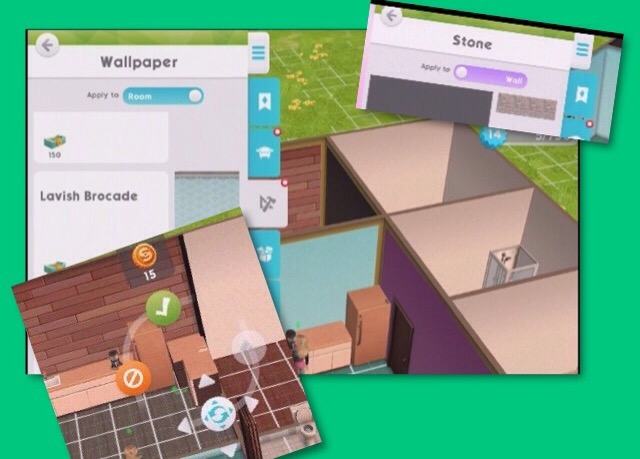
I found buy mode awkward to use, you get a side view when trying to place items from buy mode instead of a birds eye view and when you are changing the wallpaper or flooring you have walls in the way so you can’t see what you are doing! Although I really love that you can click and hold an item to move its position as well as change the colour of an item once you have placed it in the house so as you go through the generations you can refresh the objects without buying new ones and the best bit is that you can place different colours on individual walls instead of being required to have the same design in the whole room. If they fix the issues with buy mode this could be such a great feature!
EVENTS
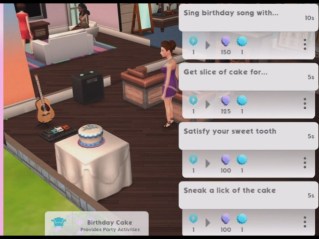
There are loads of events in the game for careers, hobbies, building relationships, earning party points and special events which are all longer events but have 5 second tasks within them, you need to complete the 5 second tasks to fill up the stars, once the stars are full you complete the event and earn event related rewards. The higher the level you are in a career, hobby or friendship the more stars you will need to fill to complete these events. I love the fast pace to these events and that you can go to work as many times as you want or can during a day!
PARTIES
Parties allow you to interact with other players sims, build relationships and even ask their sim to move in if the other player agrees!
Overall I really enjoyed playing The Sims Mobile at EA Play and I cannot wait for the game to be available worldwide! Just to recap I really love the speed of the game and the create a sim options but there are some issues including buy mode as mentioned above but also we really need a camera on the screen and when completing events if you select a 5 second option it zooms right in and then you have to zoom out again when the task is complete to pick the next one which is quite annoying.

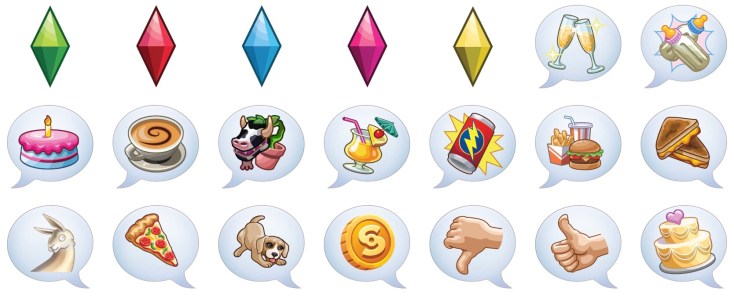
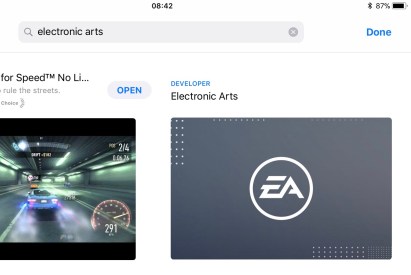 In the iMessage section you will be able to find the FREE ‘The Sims Sticker Pack’, click on it to see the stickers available and read the description:

















 When I first opened the game I was really impressed with the graphics, I know some of you aren’t keen as it is very different from The Sims Freeplay but I think that is a good thing, they need to look different as they are separate games, if this game looked like The Sims Freeplay players would think it was just a copy and wouldn’t play it. Instead they have gone for a look similar to The Sims 4 which I really like! (not to say I don’t like The Sims Freeplay graphics- they are both beautifully designed!)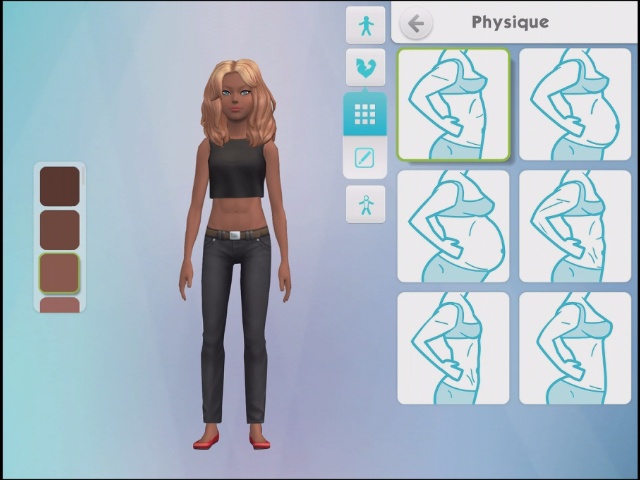
 This is a fast paced real time game where most actions take 5 seconds to complete which means there is a lot of tapping! In one way I really like this as you can play for a long period of time before you run out of energy (energy, hunger, hygiene and fun are the 4 needs you have in this game, once you run out of a need you will need to refill using an object which takes a few hours so you can take a break) If you decide to speed up the refilling using simcash instead of waiting then the repetitive tapping can become a little boring.


 The Girl Who Games