The Sims Mobile-Celebrity Life Update

Presented by EA GameChangers


Do you find it difficult building your own houses on The Sims Mobile? Do you hate LlamaZoom? Well this is the update for you!

Bye Bye LlamaZoom

Emily has said goodbye and the days of completing llamazoom tasks are gone for good! Llamazoom has been replaced by ‘Sim Festival’ and daily tasks. Llamazoom tokens are still a currency in the game (now called Llama Tokens) and can be earned by completing 5 daily tasks. Your daily tasks will refresh each day:

If you want to skip a daily task you can use simcash:
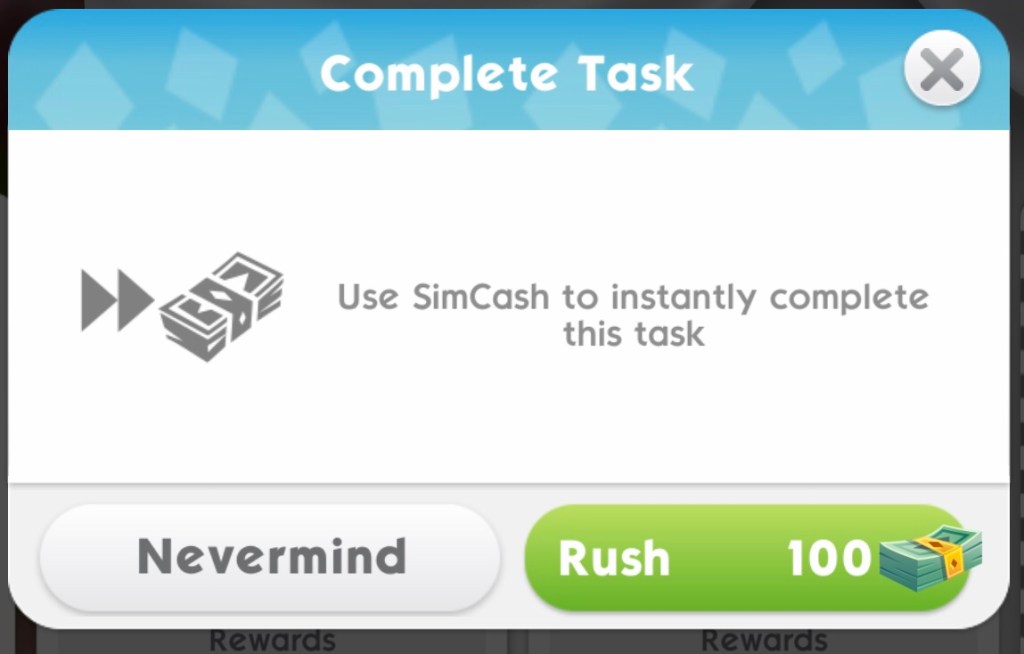
The amount of simcash needed to skip varies depending on the type of task

Types of Tasks:

There are 6 tasks to complete each day (including ‘complete 5 other tasks’)

  1. Random*
  2. Random*
  3. Eco Workshop (if you haven’t unlocked the eco workshop this will be a random task)
  4. Spend 100 Energy
  5. Sim Specific (has to be completed by a certain sim)
  6. Complete 5 Other Tasks

*Random tasks include purchasing items, completing sweet treat showdown or treasure hunt events and completing other types of events

Cost to skip with simcash:

  1. Random- 40 simcash
  2. Random- 40 simcash
  3. Eco Workshop- 70 simcash
  4. Spend 100 Energy- 40 simcash
  5. Sim Specfic- 100 simcash

My list of Daily Tasks can be found here

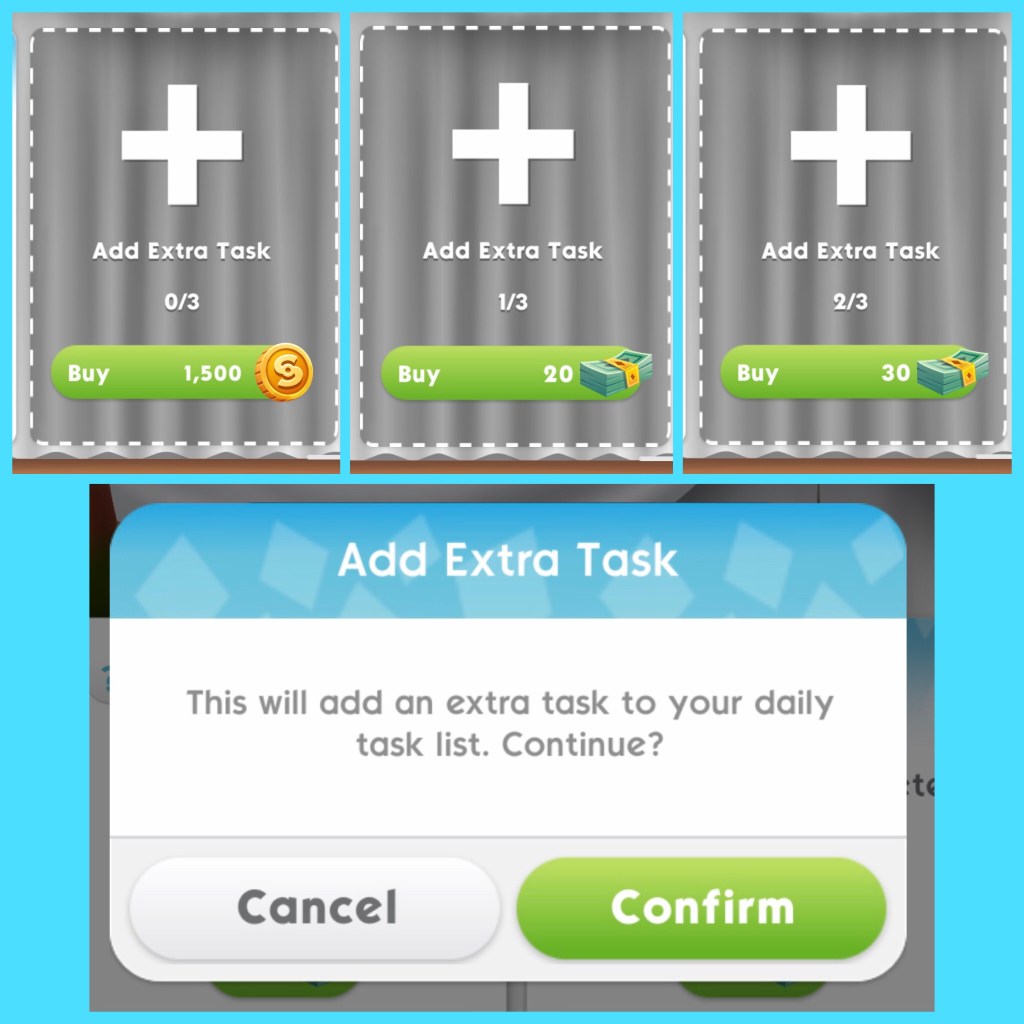
You can add 3 extra daily tasks a day for a price:

  • 1st extra costs S1,500
  • 2nd extra costs 20 simcash
  • 3rd extra costs 30 simcash

Sim Festival

Sim Festival is a new event that works with your daily tasks. Sim Festival Events aren’t always available so when they aren’t you can still complete your daily tasks but while sim festival events are taking place you can earn prize tickets by completing daily tasks and season tasks (season tasks are available during a sim festival event)

Prize tickets unlock rewards such as house templates (keep reading for more information) wallpaper, flooring and non playable characters.

I will warn you now that this new event is a huge money grab, you will have to buy the Festive Pass if you want to earn the higher end items, click here to read my Sim Festival post for more information on how to complete this new event

Demolishing a House

Want to quickly delete your sims houses? This is the feature for you!

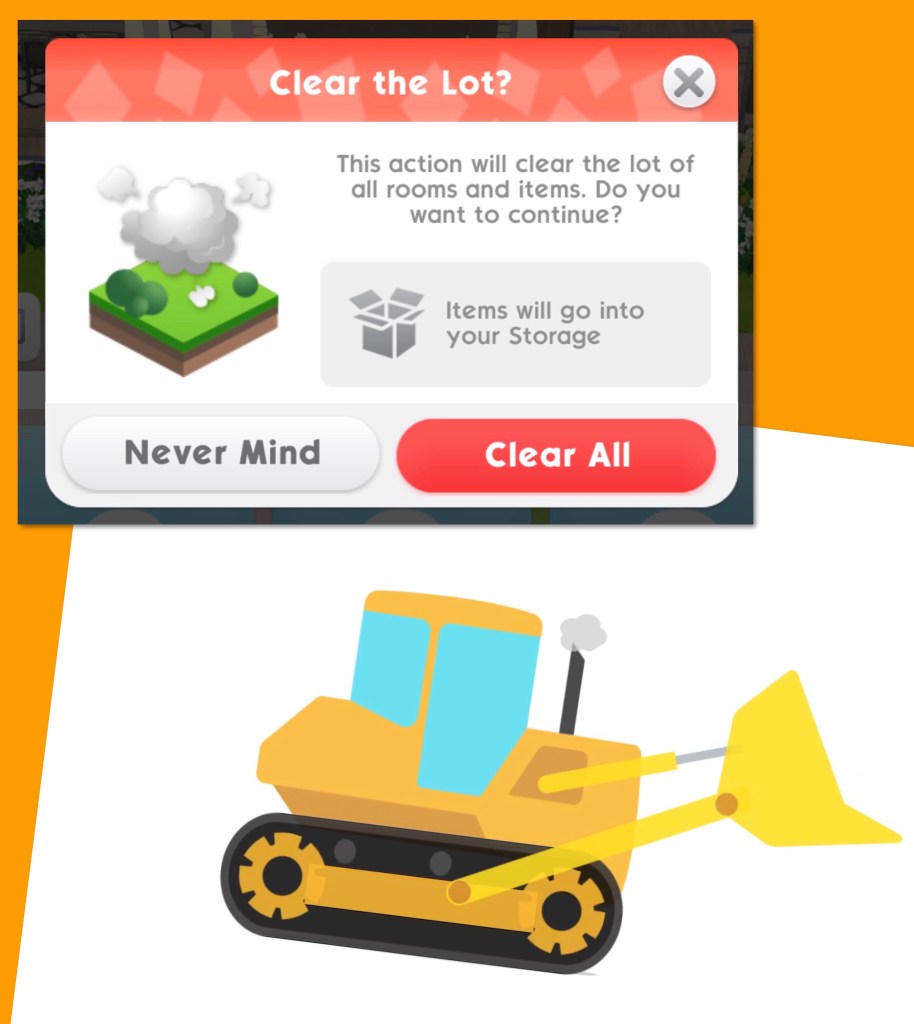
Click on the bulldozer symbol in buy mode, it will ask you if you want to clear the lot, select clear all and your house will be removed and all the items will be stored in your storage:

Watch my Demolishing a House video here:

House Templates

If you don’t like building your own houses you can now place 2 premade house templates instead. These can be found in buy mode in the Designer Homes Catalog (click on the house on the scroll symbol):

You can preview each house before you decided which one to place. Watch my House Template Tours video here:

If you have a house on a lot already but you want to replace it with a house template you can, the bulldozer will remove the house already there and all the items from that house will be placed in your storage, the new house template will be added in its place.

If you love the new house template so much you want to place it on more than one lot then it will cost to place it again, also if you have any land expansions in the way of the new house template it will overlap these removing them so you can quickly build without clearing expansions. If a house is too large for a lot it won’t let you place it.

Event Start Dates (dates in PST)

  • Wumples Wishlist 53 Quest- 5 day quest starting 24th April
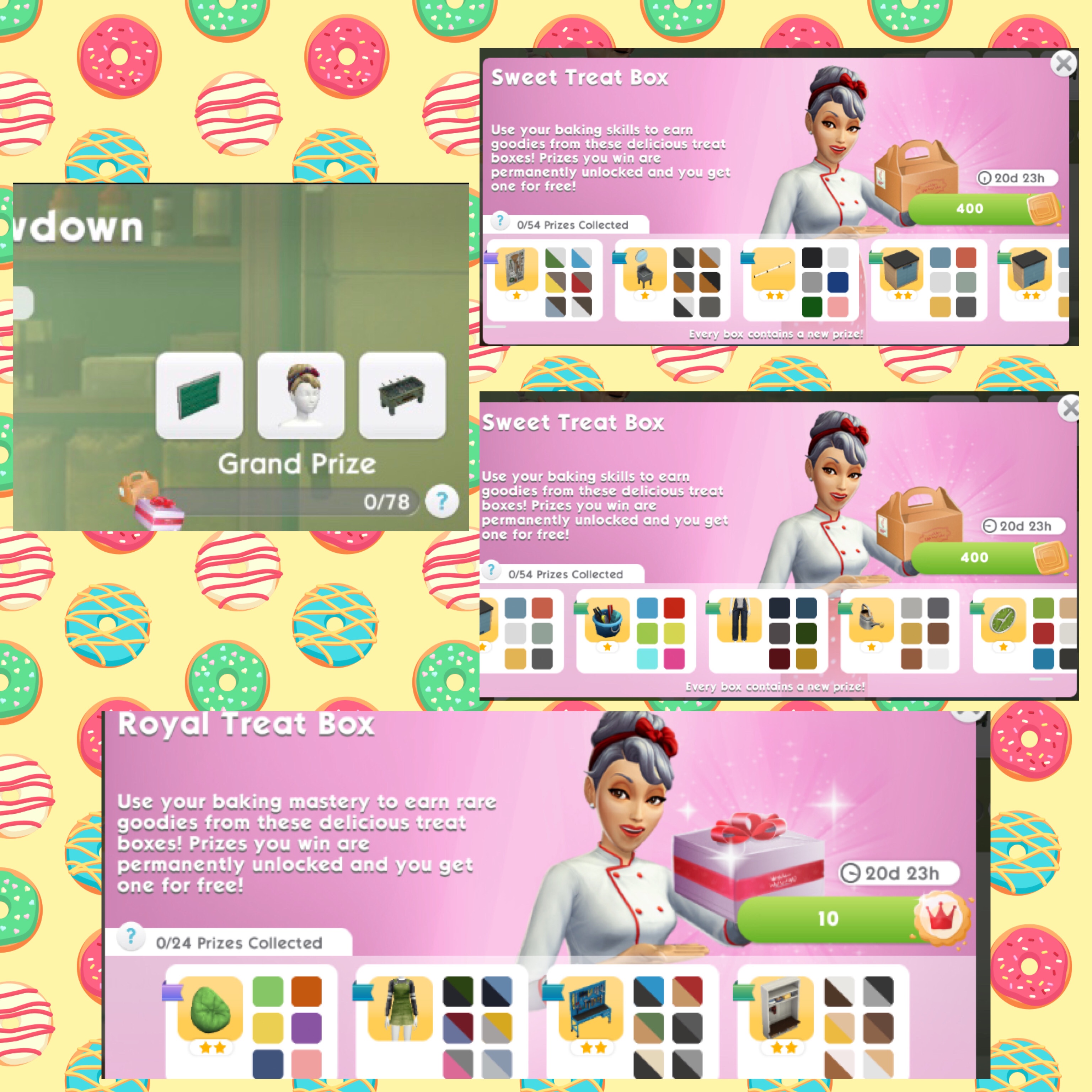
  • Sweet Treat Showdown: Charming Gardens (rerun)- 15 day event starting 18th May
  • Wumples Wishlist 55 Quest- 5 day quest starting 22nd May
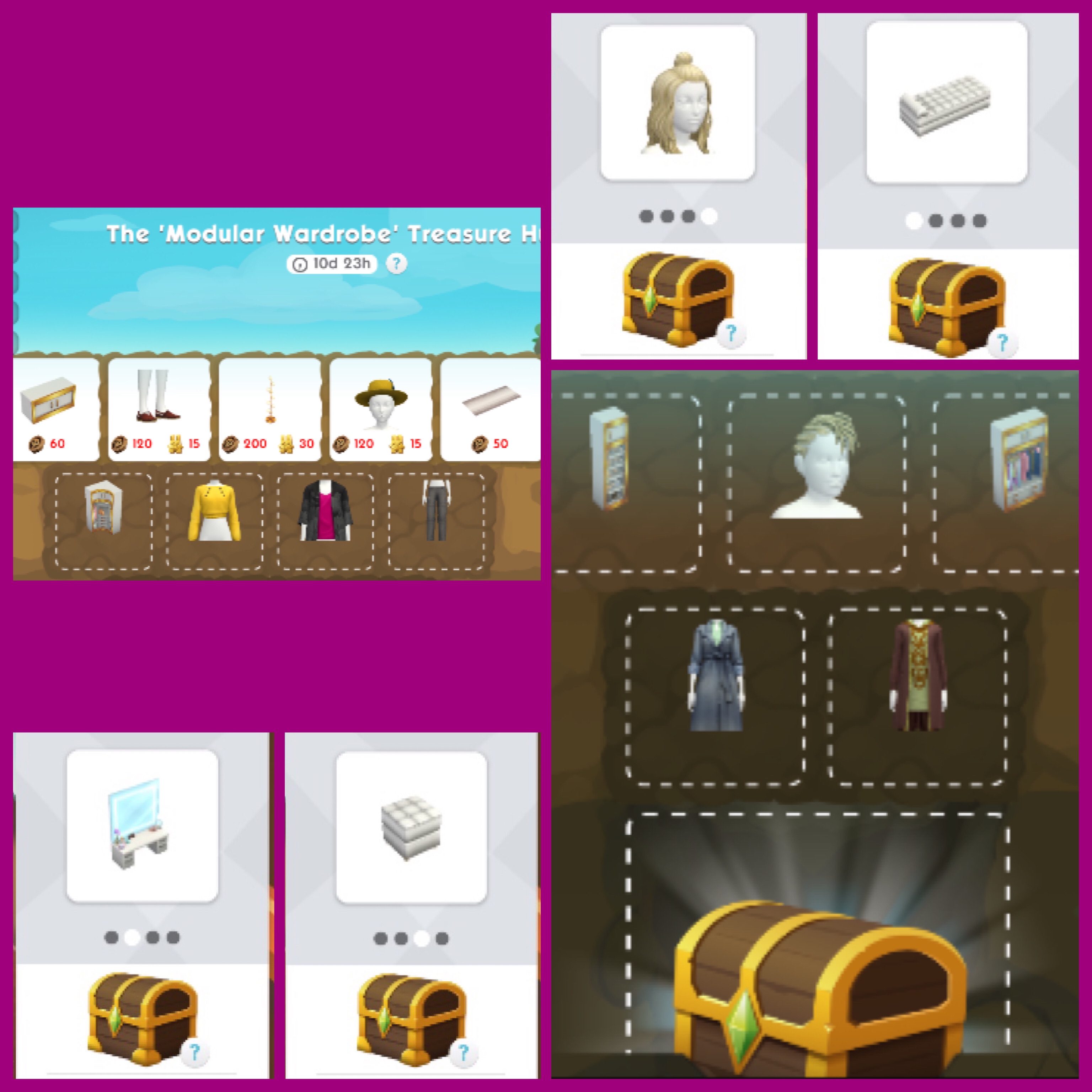
  • Treasure Hunt: Modular Wardrobe- 11 day event starting 1st June
  • Wumples Wishlist 56 Quest- 5 day quest starting 5th June
Watch my BYE BYE LLAMAZOOM [Celebrity Life Update] video here


My Sims Mobile Posts

©THEGIRLWHOGAMES.BLOG

The Sims Mobile- Haunted Halloween 2020 Update

Presented by EA GameChangers


As well as The Sims Mobile Haunted Halloween Update containing loads of new Halloween themed events it also makes a major change to the action feature!

Before the update when your sims completed actions a green tick would appear after 5 seconds, once clicked you would receive your reward for completing that action, in this latest update you will receive the reward as soon as you start the action and the green tick won’t appear so you can create some amazing screenshots without it being in the way!

As there isn’t the 5 second timer anymore your sims will continue that actions animation until you click to complete another action, so you can stay on it for as long or as short a time as you like allowing you to complete events quicker.

This is a permanent change which works for all events including Sweet Treat Showdowns, Eco Workshop and Treasure Hunts as well as Wumples and other quests.

The only actions that haven’t been changed are risky actions, you will still see the green tick on these for now.

It is quite confusing to explain in a post so check out my video here to see how this works:

What else is new?

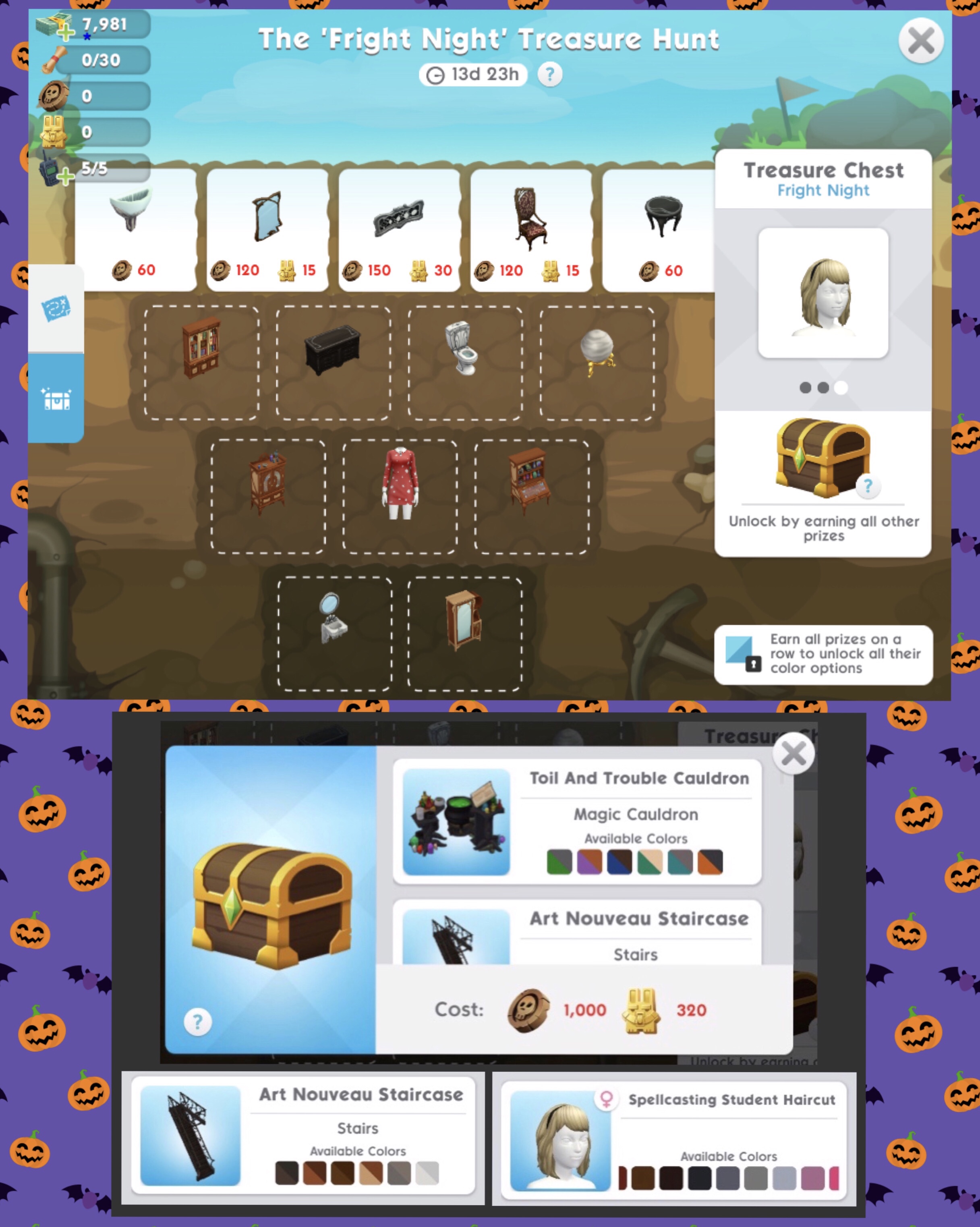
Fright Night Treasure Hunt– complete to unlock Halloween themed items from 26th October for 11 days, check out my Treasure Hunt post for more information on how to complete this type of event

Treatsylvania Haunt Sweet Treat Showdown rerun- this Halloween themed event will be returning on 12th November for 11 days, check out my post here

There will also be two more Wumples Wishlist Quests starting on 29th October and 7th November, I will create posts on these when they begin:


My Sims Mobile Posts 

©THEGIRLWHOGAMES.BLOG

The Sims Mobile- Renovate Your Space Update

Presented by EA GameChangers


THIS IS A PREVIOUS UPDATE, THE SIMS MOBILE HAS BEEN UPDATED SINCE THIS POST WAS WRITTEN


The Sims Mobile Renovate Your Space update (coming 3rd August) isn’t a huge update but it does bring with it a highly requested feature- photo mode!

Photo Mode allows us to take screenshots without all the icons on the screen being in the way!

How does it work?

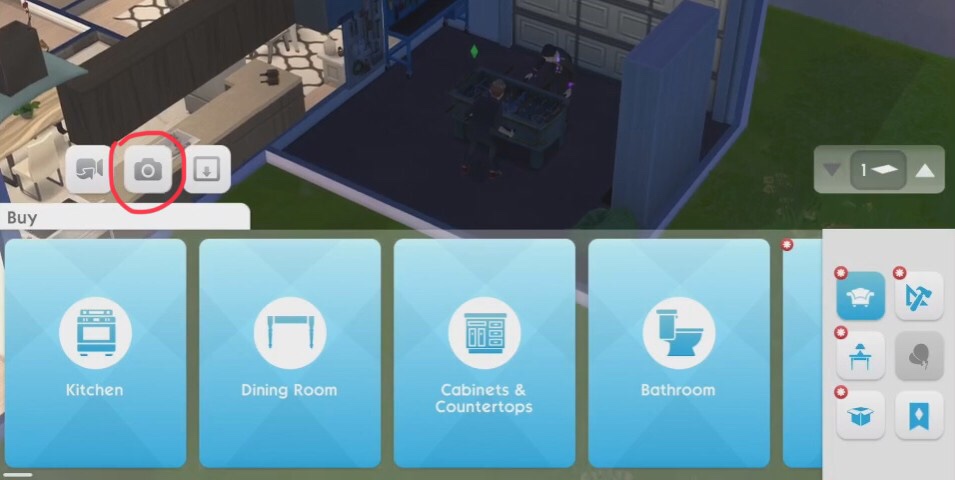
The feature is only available in build mode so if you go to a party you won’t be able to take pictures but the host of the party can. In build mode you will see a camera button on the screen: 

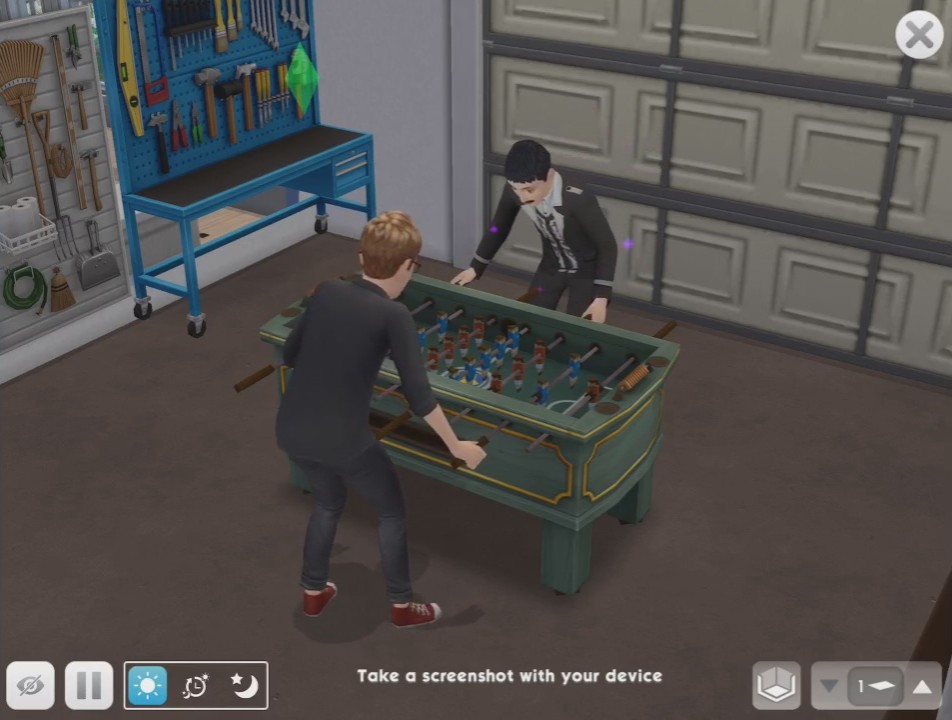
Click this and you will see a much clearer screen:

There are a few buttons at the bottom of the screen:

1.Remove UI (icons)- this allows you to take your screenshot without anything in the way on the screen but first you can use some of the other options to set the scene

2.Pause/Play- get the perfect pose by pausing the gameplay

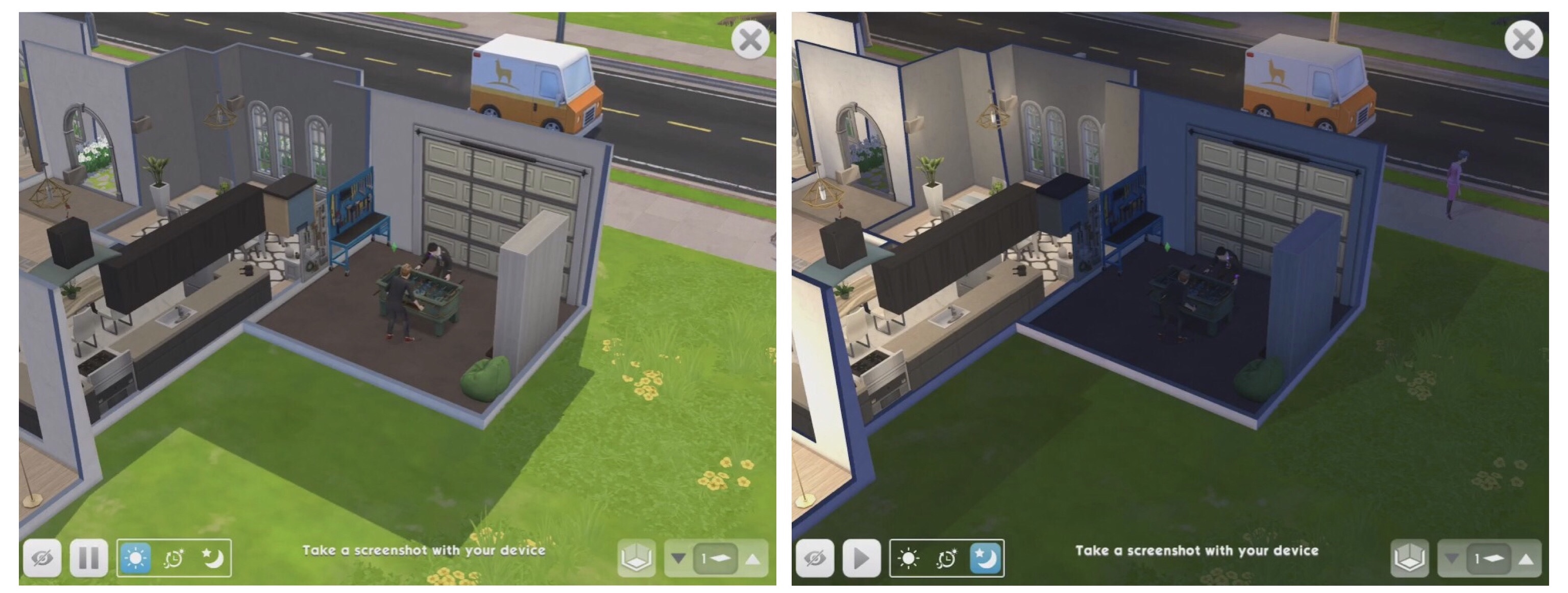
3.Lighting- there are 3 buttons in a rectangle:

a.Sun- set to daytime

b.Auto- will be the time of day it currently is for you

c.Moon- set to nighttime

4.Walls- allows you to toggle the walls up and down

5.Floors- move up and down the floors with this button

Once you have set your settings you can then click the remove UI button and then take a screenshot using your device (look up online how to do this if you are unsure how to take screenshots on your device) You will then be able to find the picture in your phone’s gallery and it’s as simple as that!

How do I get the UI (icons) back?

Just click on the screen and the bar shown above will return and then you can click the x in the corner to exit photo mode.

Watch my video to see how Photo Mode works:

What else is new?

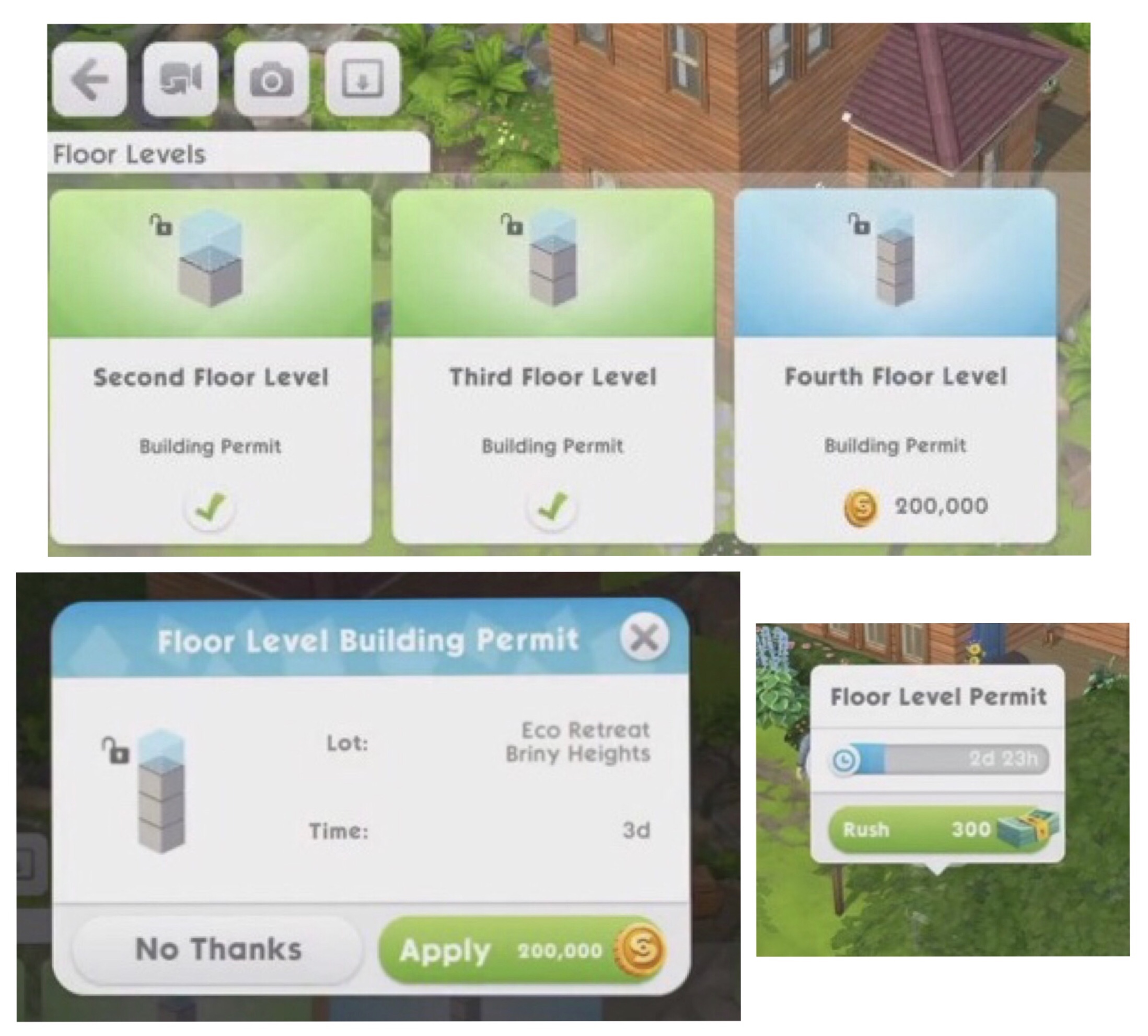
The Raise the Roof Update allowed us to add 3 stories to our houses- we can now go one better with a fourth floor permit!

Once you reach level 30 and above you can buy a fourth floor permit for S200,000 (you will need to have brought the second and third floors first) it will take 3 days to receive the permit or you can rush for 300 simcash:

Watch my video here if you are unsure how to build multi story houses

Dream Garage Sweet Treat Showdown Event: Complete the latest Sweet Treat Showdown (starting 3rd August) to unlock hobby themed decor and a garage door to create the garage of your sims dreams!


My Sims Mobile Posts 

©THEGIRLWHOGAMES.BLOG
The Sims Mobile- Raise the Roof Update

Presented by EA GameChangers


THIS IS A PREVIOUS UPDATE, THE SIMS MOBILE HAS BEEN UPDATED SINCE THIS POST WAS WRITTEN


The latest Sims Mobile update (coming out on the 11th May from 10:30pm UTC) allows us to create multi story houses!

Adding a New Floor

Once the update is released we will be able to add 2nd and 3rd floors to our houses so we can build a 3 story house!

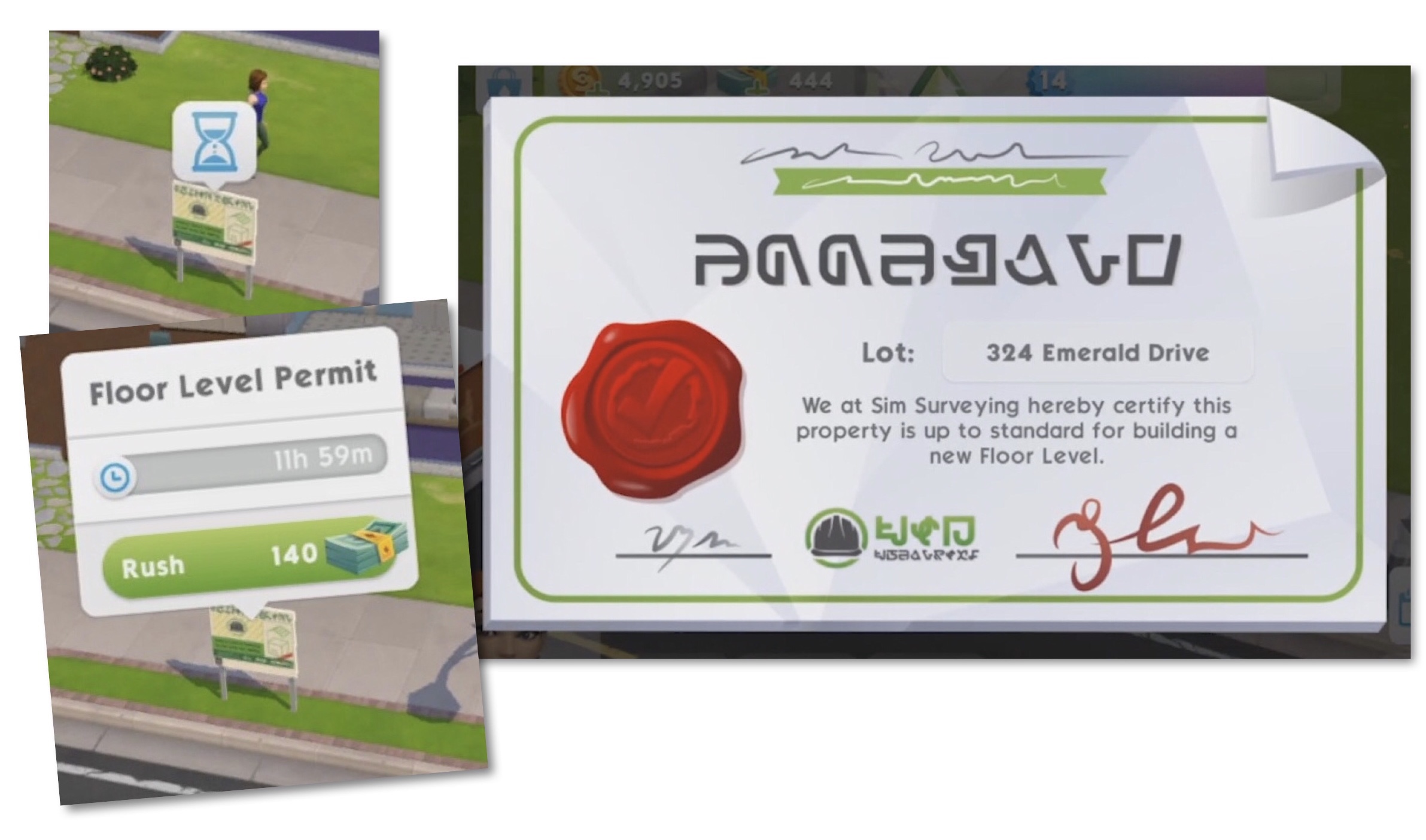
To build a second floor you firstly need to purchase a permit from build mode under the ‘Floor Levels’ tab:

  • Second Floor Level– unlocks from Level 14

Costs S20,000 and takes 12 hours to get permit approved

BUT you can early unlock with 300 simcash from Level 4 (there is no waiting time if you use simcash)

  • Third Floor Level– unlocks from Level 25 (you can only buy a third floor level after you have brought the second level)

Costs S80,000 and takes 2 days to get permit approved

BUT you can early unlock with 600 simcash from Level 4 (there is no waiting time if you use simcash)

NOTE: you will need to purchase these permits separately for each of your house lots if you want all of your houses to be multi story

Once you have the permit you can then add rooms onto your new floor like you would on the ground floor- you can even build floating rooms which are rooms without a room underneath them!

Floor Button

The Floor Button can be found on your screen even without owning a multi story house but if you do you can toggle up and down to view all the floors and the roof.

TIP: you can easily move items and rooms from one floor to another using this button- just pick up the item and click on the floor button to get to the floor you want and then place the item or room (you cannot place anything on the roof)

Stairs

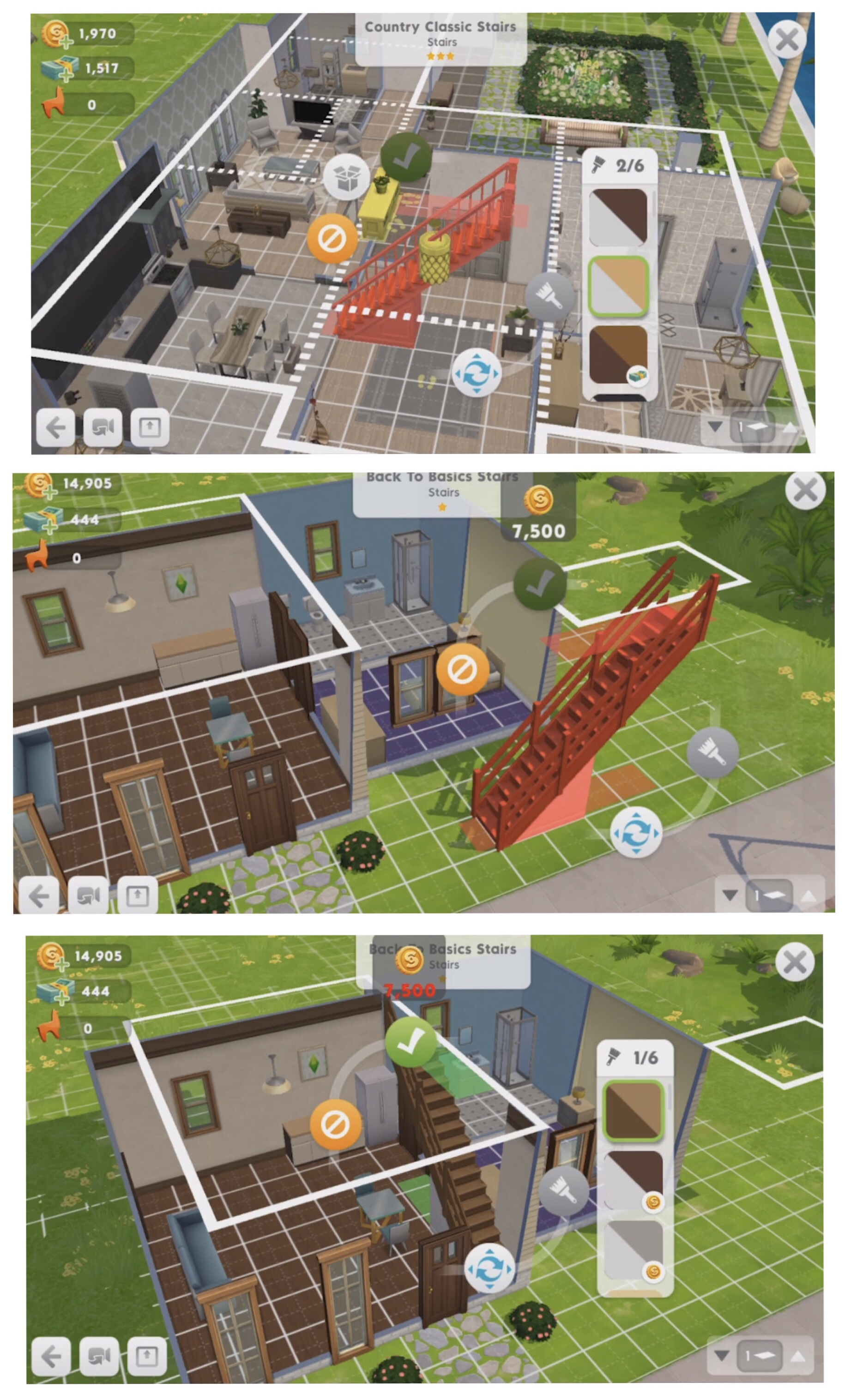
Stairs are not required to access 2nd and 3rd floors- your sims can just teleport but if you do want stairs you can find them in the ‘Stairs’ tab of build mode. When you first update there are currently 3 available but keep your eyes peeled because there will be new staircases added in the future as prizes in events:

Stairs can be placed outside but they must be leading to a room

When placing stairs you’ll see:

  • White Lines– this shows you where the rooms are located on the floor above.
  • Yellow Patches– these appear when you are trying to place the stairs on top of another item, if you click the green tick to place the stairs there those items will be moved to your storage. This is going to save a lot of time, rather than cancelling placing the stairs and storing those items yourself it can all be achieved in one click.
  • Red– this means there is something in the way, either a wall or a sim is completing an action using an item in that area (items being used cannot be stored)

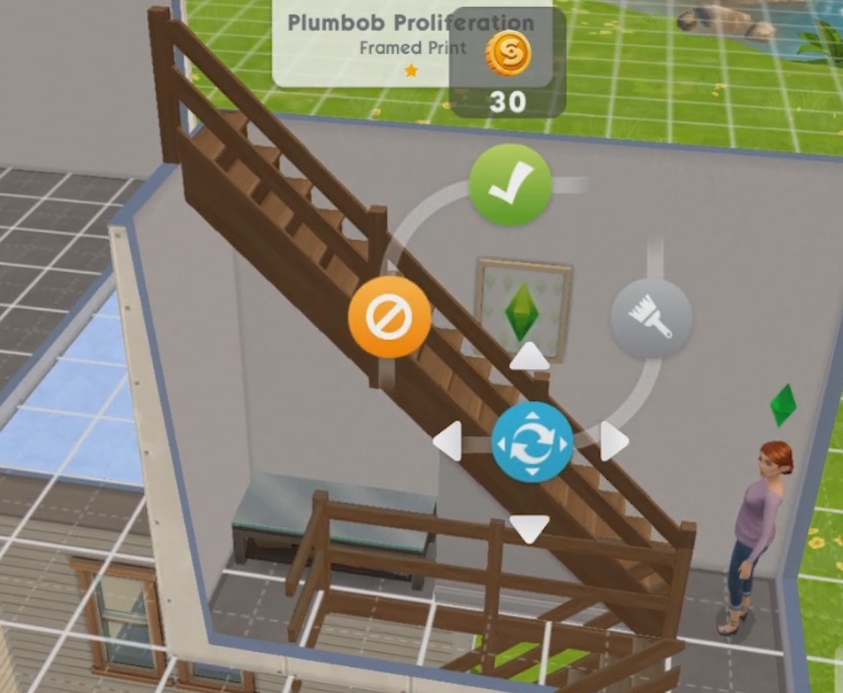
Once placed you can put items underneath the staircase so you could add a desk or some decorative items on the walls- I really love this idea:

The item limit has been raised to accommodate for us having a lot more space now so if you reached the item limit before you should be able to add more items again!

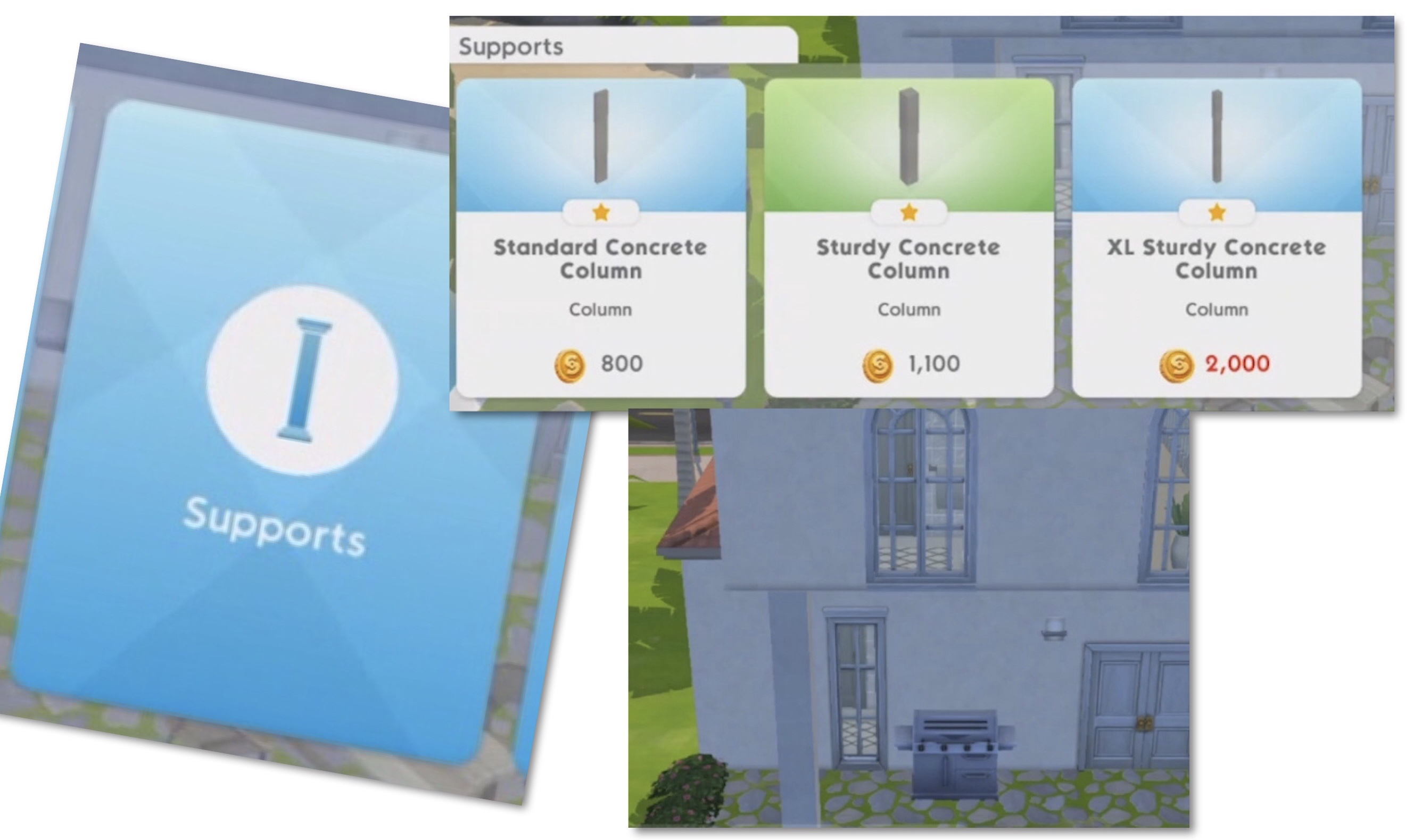
Supports

These columns can be placed underneath a room or part of a room that is floating to make it structurally sound, there is also an XL version to reach the 3rd floor:

The ability to add multi levels to houses is a permanent feature so don’t worry if you aren’t ready yet as it will be available forever

New House Lot

A new house lot, Edgewater Quay has been added to Briny Heights, this one is on a beachside lot! It is available from level 18 and costs S750,000 with a 7 day wait to build (or build for 2,000 SimCash without having to wait) The cost amount doesn’t change.

The lot is 30×40 (regular lots are 30×30)

This lot is slightly different to the rest as this one already has a 2 story house built on it but you can still edit this house and create a new one in it’s place. You also unlock the wallpaper and flooring in this house but not the items (you can store those items to use in another house but you won’t be able to buy more of that item if you haven’t already unlocked it)

This is such a highly requested update and I cannot wait for it! Moving rooms around looks so easy and I will definitely be adding some floating rooms! I’m really hoping we will be able to add balconies in a future update

What are your thoughts on this update?


My Sims Mobile Posts 

©THEGIRLWHOGAMES.BLOG
The Sims Mobile- Day and Night Update

Presented by EA GameChangers


THIS IS A PREVIOUS UPDATE, THE SIMS MOBILE HAS BEEN UPDATED SINCE THIS POST WAS WRITTEN


The latest Sims Mobile update (coming out 3rd February) is bringing day and night to our sims houses!

Day and Night Cycle

We can now set to always day, always night or day/night cycle in settings

This is just available on home lots for now so places like downtown or parkside won’t change

Lights Are Now Functional

We can now tap on lights to turn them on and off as well as turning on and off all lights from one light. Lights can also be set to automatic so they change with the day/night cycle

Transparent Windows

Transparent windows are now available to make the most of day and night

New Premium House Lot

1 Landgraab Avenue is now available to build in Briny Heights from level 18 for S500,000 with a 7 day wait to build (or build for 1,000 SimCash without having to wait) The cost amount doesn’t change.

The lot is 50×30 (regular lots are only 30×30)

This lot comes with two fountains, one is permanent and cannot be moved but the other can be stored and placed on another house lot if you wanted:

Sweet Treat Showdown Changes

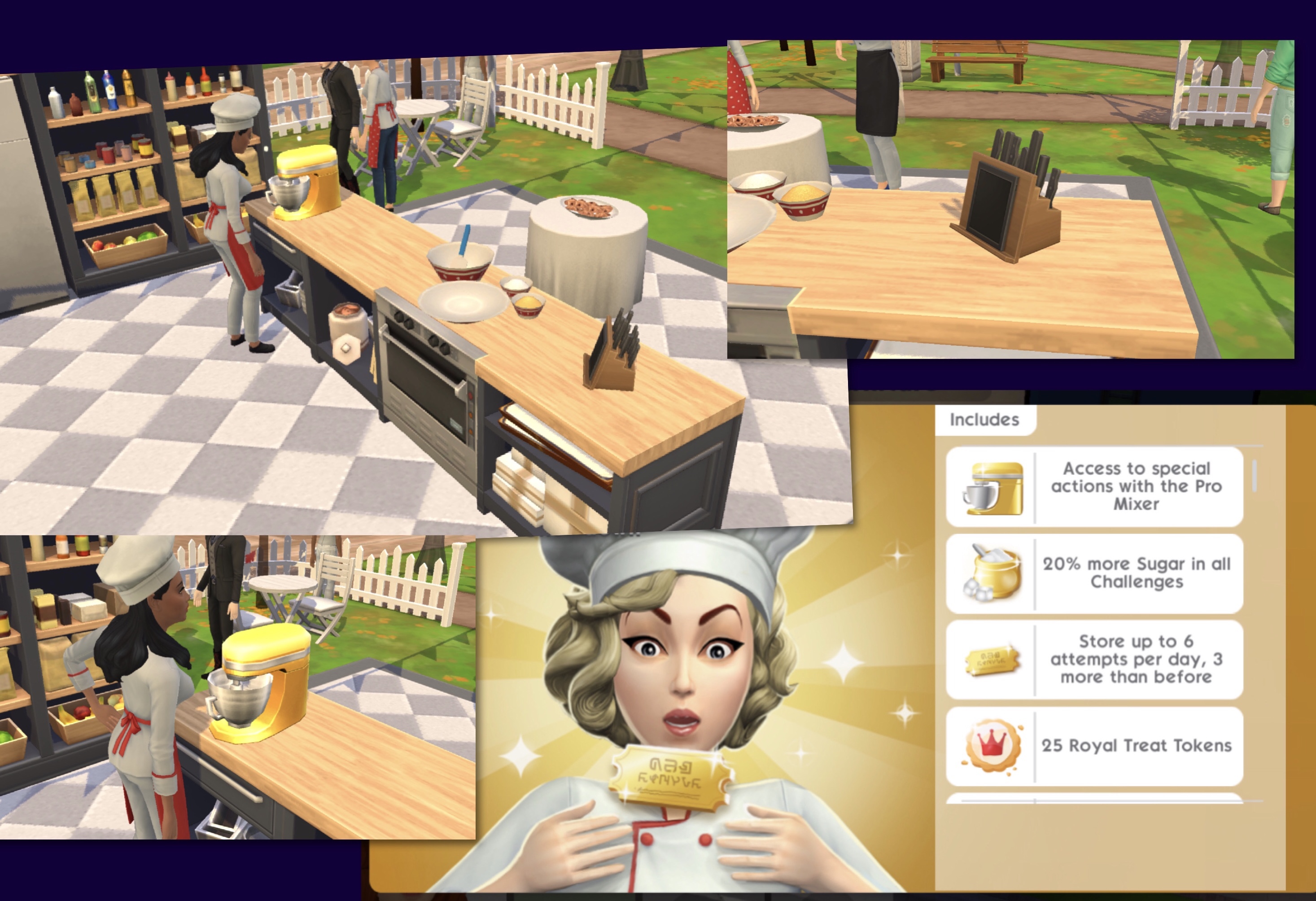
You can now watch adverts using the knife block on the sweet treat bench:

Watching adverts can:

  • Give you extra rewards in your prize basket
  • Give you an extra chance in that round

You can only watch one advert per round but they seem to appear every round

The Sweet Treat Pro Ticket can be purchased with real money during a Sweet Treat Event for an advantage:

  • Comes with access to the Pro Mixer which has ‘better actions’ but only on rounds 1,3,5,7,9,10 (so you can earn more % and tokens than the normal actions)
  • You will get 6 extra sugar cubes for each challenge (so 36 in total)- if you purchase mid challenge you will get an automatic refill
  • Stores up to 6 attempts (so you can complete 6 challenges in a row)- if you purchase mid challenge you will get an automatic refill
  • Get 25 Royal Treat Tokens and 1,200 Sweet Treat Tokens extra

This only lasts for one Sweet Treat Event so if you wanted these perks every time you would have to purchase it each time a new event becomes available. This is a complete money grab in my opinion- just make it easy for all of us instead of making us pay!

I wasn’t really that bothered that we didn’t have day and night cycles to begin with so having a whole update for something so small is a bit of a disappointment!

What are your thoughts on this update?


My Sims Mobile Posts 

©THEGIRLWHOGAMES.BLOG