The Sims Freeplay- Hobbies: Showjumping

HIDDEN UNICORN QUEST – STABLES – 3 STAR HORSES – ADULT SIMS ONLY – PRIZES: UNICORN AND 3LP


Once you complete The Hidden Unicorn Quest and have completed the Vaulting hobby you will be able to clear the showjumping arena that you built during the Hidden Unicorn Quest (read my guide to the stables post for more information) Once cleared an adult sim will be able to use a 3 star horse to begin this hobby.

Send an adult sim to the stables, click on the horse and select:

  • Showjumping- 6 hours

After the time has passed come back and click the exclamation mark above your sims head to find one of the ribbon collectibles. Every time your sim does the showjumping hobby your showjumping hobby skill level up percentage will increase, once you reach 100% you will level up, there are 6 levels. You need to reach level 6 to be able to unlock all of the ribbon collectibles, once unlocked you will be able to find them.

The table below shows the level up percentage:

This may change in future updates

 LEVEL Showjumping
1-2 50%
2-3 40%
3-4 30%
4-5 25%
5-6 20%

For example you would need to do horse tricks 2 times to reach level 2 from level 1

The next table shows you for each level what ribbon collectibles you unlock (so you can then find those ones too) and also the level up reward that a second and future sims will receive when they level up in this hobby:

 LEVEL  TITLE 1st TIME LEVEL UP UNLOCKS 2nd+ TIMES LEVEL UP REWARD
1 Fence Breaker Bark King and Sky High are unlocked in the hobby collection
2 Puddle Jumper Highflyer and Corner Caser  are now unlocked in the hobby collection 250XP
3 Hogsback Clipper Speed Demon and Oxer the Explorer are now unlocked in the hobby collection 500XP
4 Mane Slayer Normandy Overachiever and Triple Bar Triumph are now unlocked in the hobby collection S750
5 Cross Rail Nailer Hosed Hogsback and The Bomb are now unlocked in the hobby collection 10,000 Town Value
6 Leaping Lord Lucky Horseshoe and Stone Waller are now unlocked in the hobby collection.

You can now complete the collection!

1LP

NOTE: only the first sim completing this hobby needs to get to level 6 to unlock all the collectibles, future sims will be able to find any collectible even if they are only on level 1 in this hobby!

You won’t find a new collectible each time, you will get repeats, if this happens just keep going, you will find them eventually! If it is still taking too long you can use the lucky spin on the row where you cannot find the item, this will cost LPs, when you click on the LP button it will clear the row and give you a random collectible on that row so you aren’t guaranteed a new item (you will get back any other collectibles you already had in that row) Need to earn some LPs to use the lucky spin?


The completed showjumping collection is shown below, once you complete the collection you need to click ‘start a new collection’ at the top of the hobby collection screen, this clears the board so you can complete the collection again to earn more rewards (you will only get the option to restart the hobby collection when you have completed the collection):

You will earn XPs when you complete a row in the hobby but to complete the collection you need to find all 12 of the collectibles

The rewards for completing this collection are a unicorn and 3LP:

  • The first time you complete the collection you will unlock a unicorn which can complete all of the horse hobbies (horse tricks, vaulting and showjumping) but it does cost 100LP!

  • From the second time onwards each time you complete the collection you will earn 3LP

Confused about hobbies? Read my Hobbies Frequently Asked Questions post

Find all hobby posts here


Related Hobbies: Horse Tricks & Vaulting


FIND THIS POST HELPFUL?

Buy Me a Coffee at ko-fi.com

THE SIMS FREEPLAY
©THEGIRLWHOGAMES.BLOG

The Sims Freeplay- Hobbies: Vaulting

STABLES – 2 STAR HORSES – ADULT SIMS ONLY – PRIZES: 3 STAR HORSES AND 3LP


Once you have completed the Horse Tricks hobby and built the vaulting arena (read my guide to the stables post for more information) an adult sim will be able to use a 2 star horse to begin this hobby.

Send an adult sim to the stables, click on the horse and select:

  • Vaulting- 5 hours

After the time has passed come back and click the exclamation mark above your sims head to find one of the ribbon collectibles. Every time your sim does the vaulting hobby your vaulting hobby skill level up percentage will increase, once you reach 100% you will level up, there are 6 levels. You need to reach level 6 to be able to unlock all of the ribbon collectibles, once unlocked you will be able to find them.

The table below shows the level up percentage:

This may change in future updates

 LEVEL Vaulting
1-2 50%
2-3 40%
3-4 30%
4-5 25%
5-6 20%

For example you would need to do horse tricks 2 times to reach level 2 from level 1

The next table shows you for each level what ribbon collectibles you unlock (so you can then find those ones too) and also the level up reward that a second and future sims will receive when they level up in this hobby:

 LEVEL  TITLE 1st TIME LEVEL UP UNLOCKS 2nd+ TIMES LEVEL UP REWARD
1 Horse Crasher Handstanding and Super Side Hanger are unlocked in the hobby collection
2 Flailing Jelly Legs Flag Flyer and King of the Mill are now unlocked in the hobby collection 250XP
3 Single Second Poser Scissor Rider and Kick Stander are now unlocked in the hobby collection 500XP
4 Stable Statue Flank and Swing Off are now unlocked in the hobby collection S750
5 Poised Horse Master Horse Surfer and High Hoof are now unlocked in the hobby collection 10,000 Town Value
6 Horseback Gymnast One Hand Fluke and The Saddleless Sally are now unlocked in the hobby collection.

You can now complete the collection!

1LP

NOTE: only the first sim completing this hobby needs to get to level 6 to unlock all the collectibles, future sims will be able to find any collectible even if they are only on level 1 in this hobby!

You won’t find a new collectible each time, you will get repeats, if this happens just keep going, you will find them eventually! If it is still taking too long you can use the lucky spin on the row where you cannot find the item, this will cost LPs, when you click on the LP button it will clear the row and give you a random collectible on that row so you aren’t guaranteed a new item (you will get back any other collectibles you already had in that row) Need to earn some LPs to use the lucky spin?


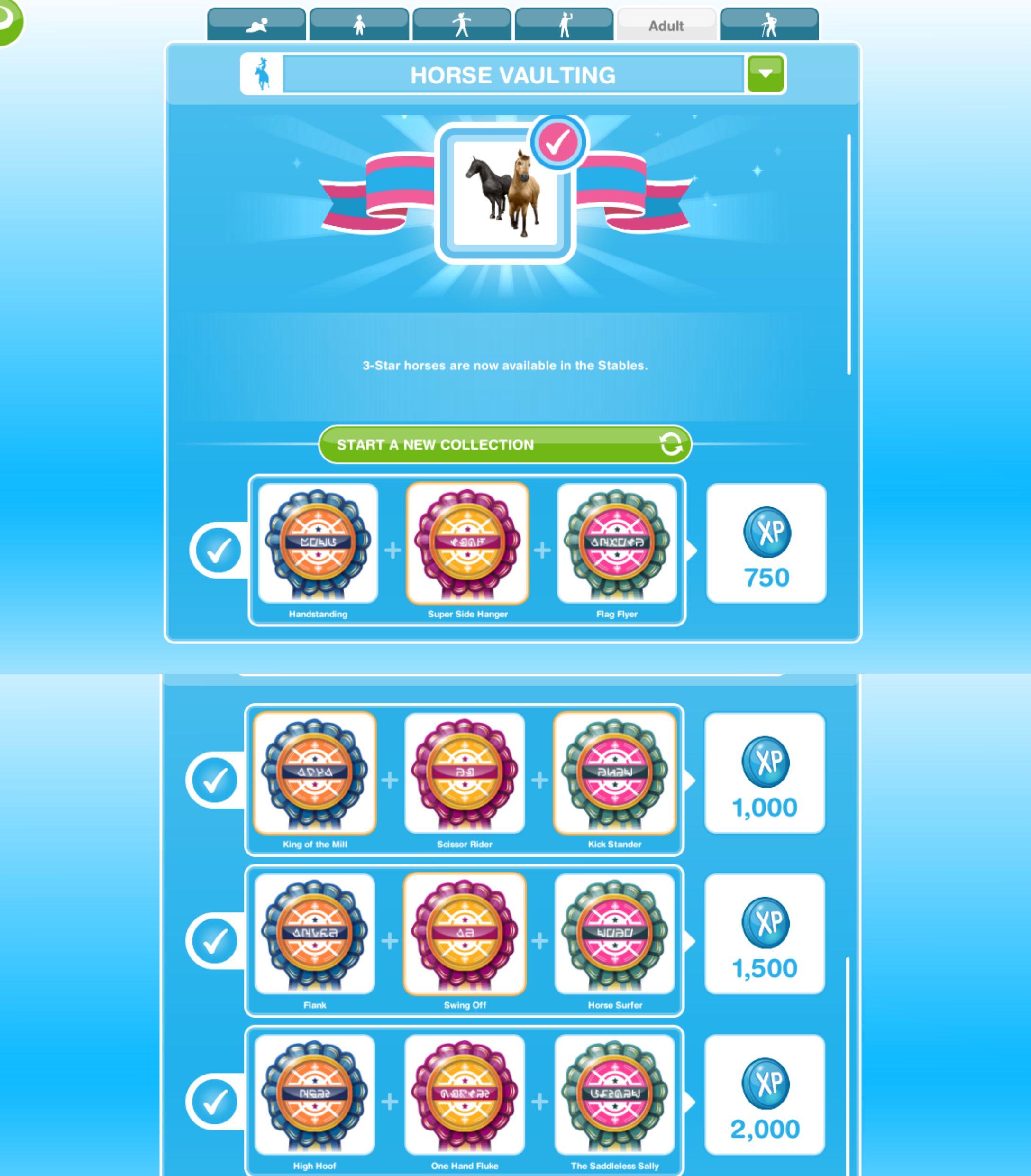
The completed horse vaulting collection is shown below, once you complete the collection you need to click ‘start a new collection’ at the top of the hobby collection screen, this clears the board so you can complete the collection again to earn more rewards (you will only get the option to restart the hobby collection when you have completed the collection):

You will earn XPs when you complete a row in the hobby but to complete the collection you need to find all 12 of the collectibles

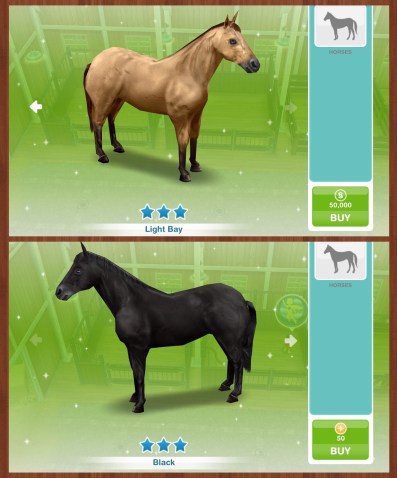
The rewards for completing this collection are 3 star horses and 3LP:

You will now also be able to use the 3 star horses to complete this hobby quicker!

  • From the second time onwards each time you complete the collection you will earn 3LP


Confused about hobbies? Read my Hobbies Frequently Asked Questions post

Find all hobby posts here


Related Hobbies: Showjumping & Horse Tricks


FIND THIS POST HELPFUL?

Buy Me a Coffee at ko-fi.com

THE SIMS FREEPLAY
©THEGIRLWHOGAMES.BLOG

The Sims Freeplay- Costume and Swim Store

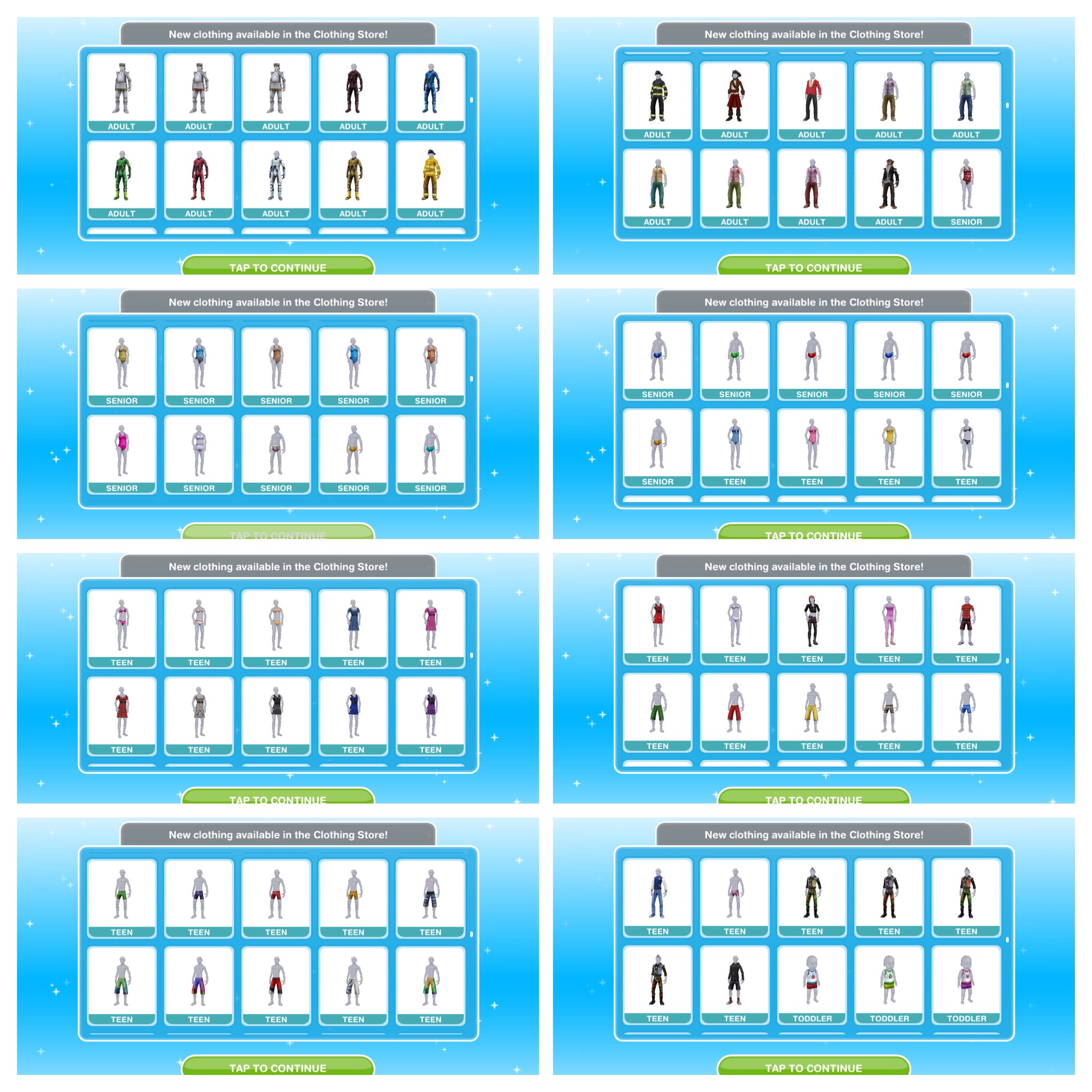
The costume and swim store is where you can buy new clothes for all life stages and once built you can access other items in the wardrobe.

Where is the costume and swim store?

The town map will show you were the store is located so you can build it

The picture below shows how the store looks when it has been built in your town:
Once the store is built and you have completed the It’s All Going Swimmingly Quest you will be able to find swimwear in your wardrobe

How do you use the store?

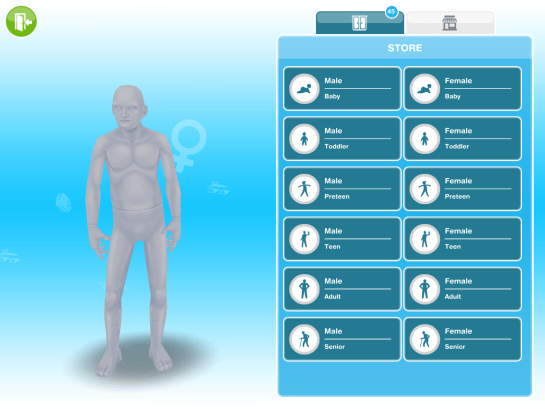
When you click on the store you will see the page below, it will show all of the sim life stages, there you can select the clothes, hair and makeup you want to buy for each life stage:

You can unlock new items to buy by building stores at the mall, check out my post here to find out what unlocks in each store

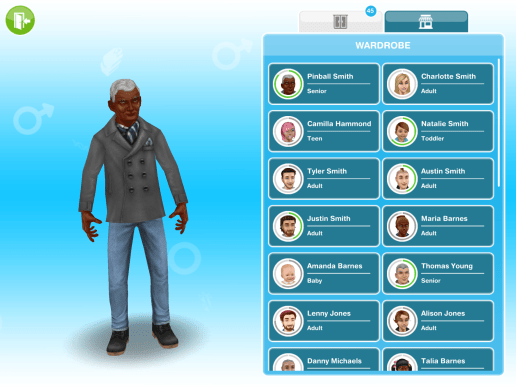
There is also the wardrobe tab, from here you can select one of your sims and customise them with the clothes and hair you already have available:

What can I buy from the store?

The items you can buy from the store will vary depending on how many stores you have unlocked at the mall

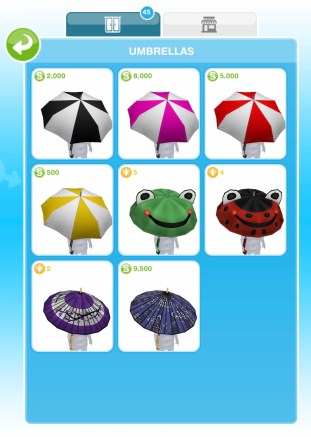
Once you complete the An Alien Concept: Weather Machines Quest you unlock umbrellas for all life stages except babies, the umbrellas are the same for all life stages:

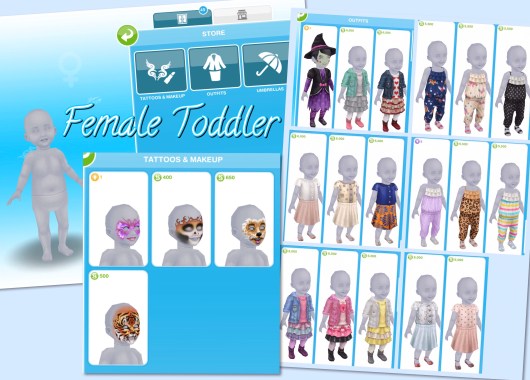
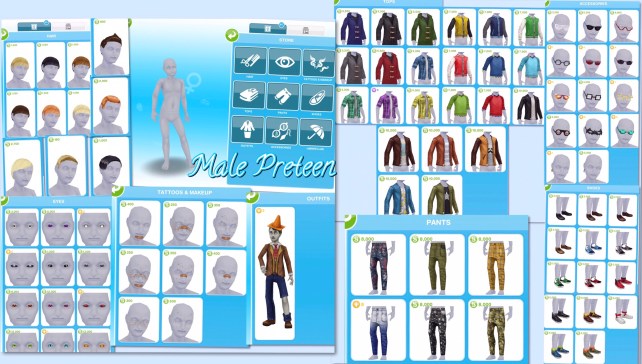
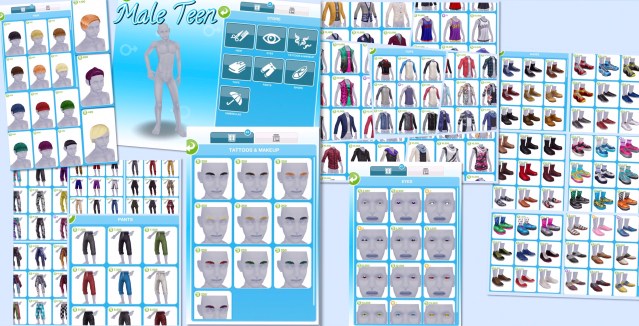
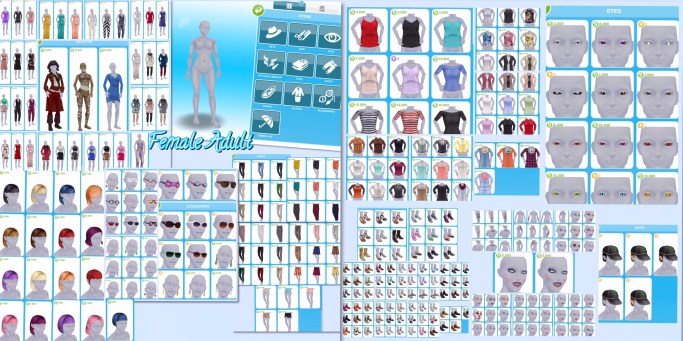
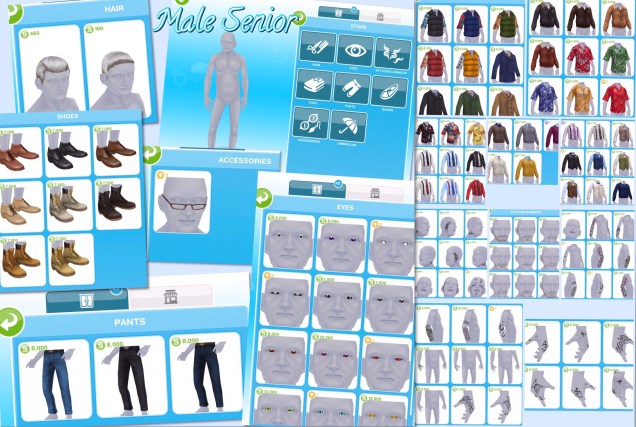
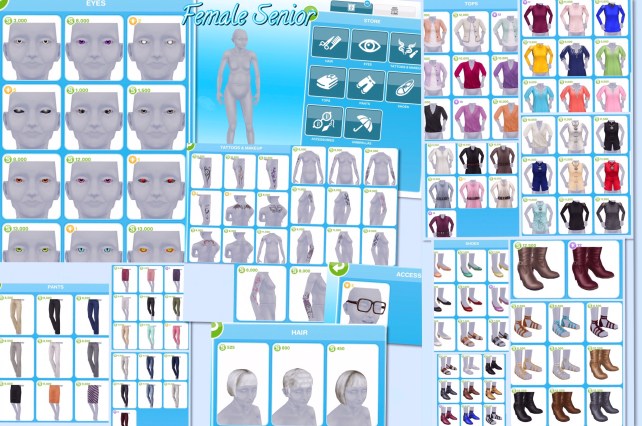
The rest of the items available differ for each life stage, below you can see what is available for each life stage

The pictures below don’t contain all the items available to buy as I have already brought some of them
The life stages with lots of different colours of hair I have shown all the colours available in one style and one of each other hairstyle

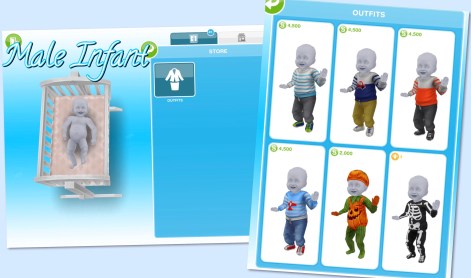
Infants

  • Outfits section only, clothes vary by gender:

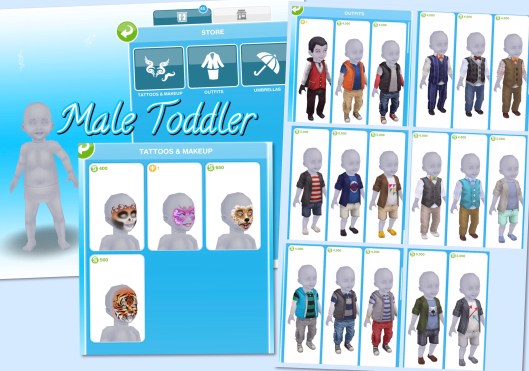
Toddlers

  • Tattoos and Makeup- face paint, same for both genders
  • Outfits- vary by gender
  • Umbrellas- same for all life stages, see above

Preteens

  • Hair- vary by gender
  • Eyes- same for both genders
  • Tattoos and Makeup- freckles, spots and plasters, eyeshadow for female preteens
  • Tops- vary by gender
  • Pants- vary by gender
  • Shoes- vary by gender
  • Outfits- vary by gender
  • Accessories- glasses and earrings, vary by gender
  • Umbrellas- same for all life stages, see above

Teens

  • Hair- vary by gender
  • Eyes- same for both genders
  • Tattoos and Makeup- eyebrows for male teens and makeup for female teens
  • Tops- vary by gender
  • Pants- vary by gender
  • Shoes- vary by gender
  • Outfits- no outfits for male teens but outfits for female teens
  • Umbrellas- same for all life stages, see above

Adults

  • Hats- same for both genders
  • Hair- vary by gender
  • Eyes- same for both genders
  • Tattoos and Makeup- facial hair, eyebrows and tattoos for male adults and makeup and tattoos for female adults
  • Tops- vary by gender
  • Pants- vary by gender
  • Shoes- vary by gender
  • Outfits- vary by gender
  • Accessories- glasses and earrings, vary by gender
  • Umbrellas- same for all life stages, see above

Seniors

  • Hair- vary by gender
  • Eyes- same for both genders
  • Tattoos and Makeup- facial hair and tattoos for male seniors and tattoos for female seniors
  • Tops- vary by gender
  • Pants- vary by gender
  • Shoes- vary by gender
  • Accessories- glasses, vary by gender
  • Umbrellas- same for all life stages, see above

The items you can buy from the store will vary depending on how many stores you have unlocked at the mall
The pictures above don’t contain all the items available to buy as I have already brought some of them

How do you buy items from the store?

Click on the item you want to buy, it will then no longer appear in your store, it will move to the wardrobe and can be worn by as many sims as you want in that life stage:
image

Once you have built the store you will also be able to find these clothes in your wardrobe:


THE SIMS FREEPLAY
©THEGIRLWHOGAMES.BLOG

The Sims Freeplay- Supermarket

I get asked a lot about how the supermarket works, it’s quite simply a money saver.

From the supermarket you can buy baking recipes and gardening seeds at a reduced price, for example it will cost you S44 to buy potatoes from the garden patch but will cost you S40 to buy from the supermarket.

Where is the supermarket?

The town map post will help you locate the supermarket so you can build it

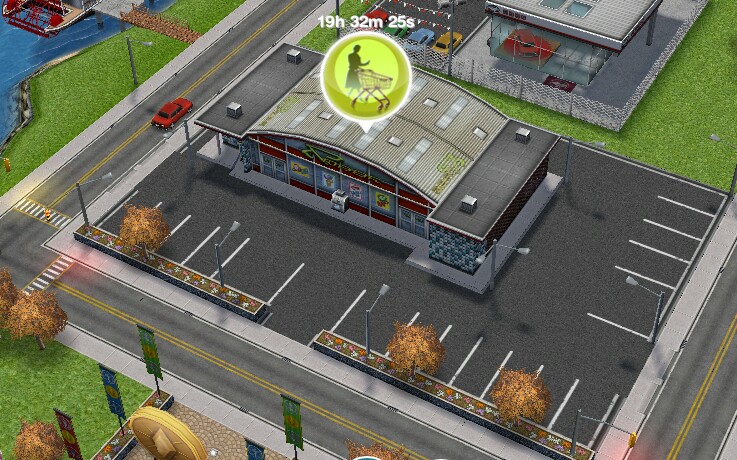
The picture below shows you what the supermarket looks like when its built:
image

How do you buy something?
Click on the item you want then click the green tick to buy it, it will then ask to confirm you want it.
image

image


How do you use items after you have brought them?
You use them the same way you would garden or bake normally but instead of buying the item again it will say free x(the number you have brought)
image


THE SIMS FREEPLAY
©THEGIRLWHOGAMES.BLOG

The Sims Freeplay- Adding Stairs

Adding stairs can be a bit tricky if you haven’t done it before so hopefully this guide will be useful! You can only add stairs once you have completed the Multi Story Renovations Quest.

Once that is completed you can add a new floor, to do this, click on floor construction (second tab in the house section of home store) Then you will see a white highlighted area, click that and it will show you how much a new floor will cost you, click the green tick to buy it:


Then you need to add rooms to your new floor, you do this by clicking on the upstairs button on the right of the screen:

This will take you to the next level, then you can add a room like you normally do, if you don’t know how read my adding, deleting and resizing rooms post here
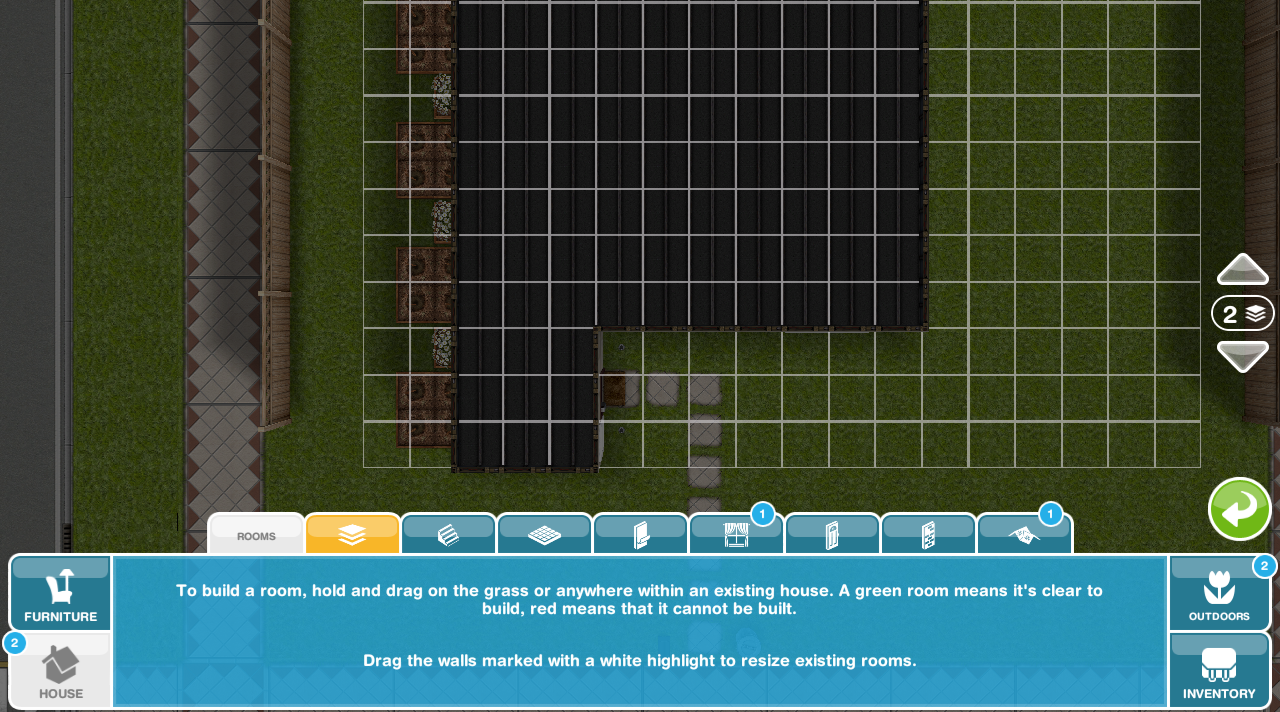

NOTE: you must add rooms to the second floor before you can add stairs!

Lastly you can add the stairs. Stairs can also be found in the house section, select the one you want to buy and you can then place it in your house:

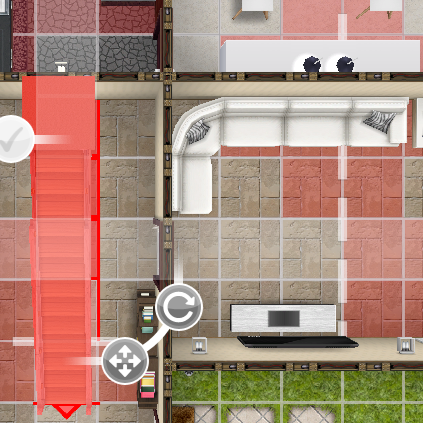
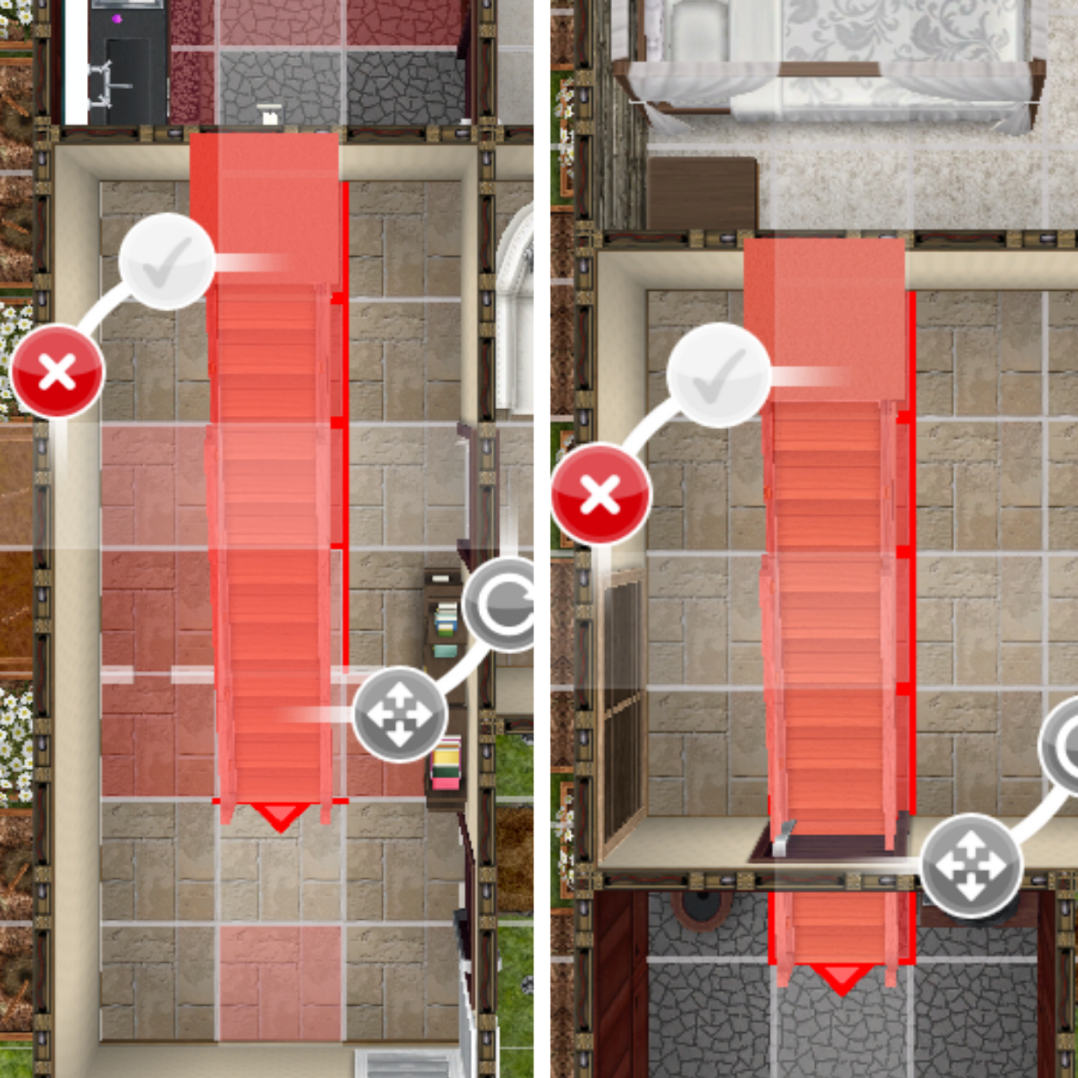
The image below shows you how it looks when the stairs can’t be placed:

Why can’t I place stairs in my house?

  • There may be something in the way downstairs (like in my picture above)
  • You may be trying to place stairs through the white lines- the white dotted lines show you were the rooms are above so you cannot place stairs on them:

  • There may be something in the way on the floor above- use the floor button on the side of your screen to see what is in the way upstairs (the squares will appear red if there is something in the way upstairs)

To fix this you could move items upstairs that are in the way, if you can’t because a wall is in the way you may need to choose a different style of stairs which is what I did, I couldn’t fit in these stairs so I decided on the compact staircase instead.

This picture is how it should look when you can place the stairs in your house, press the green tick to buy them:

You now have stairs in your house!


How much does each floor cost?

2nd- S300,000

3rd- S500,000

4th- S800,000

5th- S1,000,000

Which floor do I have to place the stairs on?

If you want your stairs to reach the second floor you will need to place your stairs on the ground floor

If I delete my house will I still have the 2nd and 3rd floors or will I have to buy them again?

Unfortunately you will have to buy them again now, they have annoyingly changed this!

Can I add more than 4 sims to my house now I have another floor?

No, the maximum is still four

How do I add stairs outside?


THE SIMS FREEPLAY
©THEGIRLWHOGAMES.BLOG