The Sims Freeplay- Killing Off Sims: Who Asked For That?!

Well according to EA ‘loads‘ of us! I’ve never heard a single person say they wanted all their sims to die!
There is understandably many upset and angry people after they heard the news of this update, if you haven’t heard about this yet then the new aging timer will age our sims automatically through each life stage, once they get to seniors and the timer runs out they will die!

Surely this means all our adult sims will age at the same time? And will all die together!

  • You can reset the timer but it will cost you LPs and it just starts the timer again, so if you don’t pay the LPs each time your sim will age! This is just another way to force us to spend real money in this game, I HATE being pressured to buy LPs- it isn’t at all fair!
  • You will be able to pause the aging timer for one sim using a life orb BUT to get life orbs you have to kill off your senior sims!
  • You can speed up the timer using the birthday cakes.

But:

  • They are adding two personalities; sporty and geeky
  • And two new locations; beach and the arcade but you will only be able to unlock them after killing your sims!

I am very disappointed with EA for this update, apparently its a ‘natural progression from the previous updates’ I disagree- this is after all a game that people play to get away from their real life, we don’t need to be reminded about death!

If you have been playing this game for a long time then you start to get attached to your sims, I’ve never even used the delete a sim option so I defintely don’t want to kill them off.
I liked the option to use birthday cakes to age sims because I have a toddler who I have had for about a year now, I would never want her to age- and especially not die!

People on Facebook have been voicing their views on this, these are quotes from the sims freeplay facebook page:

I hope you gave us a little more time to work on these quests. The last update, the timing was impossible. I really enjoy this game, I play it to relax and destress. I work full time and have 3 kids. I can’t pop on at every whim to start goals at the exact time the last one ends. That’s about how demanding the last set was. Unfair.

On all of the message boards and all the groups, I have never heard one player say, “Oh please!
Make my sims age and die!!!” Not once.”

“I will play for fun and not with reality issue! I don’t wonna have the Death in my Town! Sorry, but I find it’s the worst idea you ever had – I’m so sad

“If my Sims will die, thats the moment i stop playing this Game an delete it.”

“excited about update, but not happy about sims dying…the update looks amazing & soooo huge!
but how much LP or RL money is it gonna cost to keep your sims for aging? b/c if its a large amount, in fact any amount…then idk…you should be ashamed i suppose, for profiting on people’s misery…
i’m sorry, you guys dont deserve that, i’m just feeling alittle fussy…
b/c…well you know…b/c of my sims…
i’ve worked so hard & for so long, i cant stand the idea of all 29 of my sims dying…i know it happens slowly, but i just wish the aging was idk…like an option in the settings section…is there a way we can turn it off for particular sims at time, but unlimited to access to aging process, where we can freeze their age at anytime & they can keep functioning normally??? idk…
my sims were/are my sanctuary…where nobody died or got hurt & lived in never-never-land forever…i dont wanna lose that…
I FEAR CHANGE!!!
i still like the rest of the update! it looks fabulous & probably the largest update ever…must of taken a long time, so many great ideas…
still excited, but also sad & anxious…

Reply from The Sims Freeplay (notice how they don’t answer the questions): “this is definitely a massive update! The thing we really wanted to do was create something that could always drive new and interesting situations for players that had already completed the games content, hence the Level 24+ requirement. For us, it was about adding a whole new level to the game, and having reasons to explore Sim Town once again. Can’t wait to hear your feedback on this new experience once the update is out”

I didn’t want teens…but was forced to have them in order to unlock new content…
I didn’t want seniors…but again was forced to have them in order to unlock new content…
Now I have to KILL my precious sims who I didn’t want to age up to unlock admittedly really cool looking content?
I’ll wait until I see it, but I fear sim death has killed Sims Freeplay for me.

“I really hate this idea. You can already “kill” sims by going to change their clothes and make them move away, this just makes it so you don’t have control over it, it just does it automatically. I don’t want to have my sims getting all old that’s so depressing. I like my sims the way they are and don’t want to spend all my hard earned currency to keep them that way. This kind of seems like a ploy to make people pay more money to get more LP so their sims don’t get old. If I’m penalized by doing actions with my sims then there’s no point in playing anymore. After playing every day for a year and a half and getting to the highest level, I think I’ll probably quit if the game stops being fun from this update.

So is this update not gonna requierd any LPz for Growinqq up”

Reply from The Sims Freeplay: “That’s correct, naturally ageing up doesn’t cost any LP! You will have to have unlocked it at level 24+ but when you have, you will be notified that they’re ready for their next stage of life!”

(what they don’t tell you is that it will cost you LPs to reset the timer!)

“Boo. Hiss. Wasn’t thrilled with last update. This is worse. We spend ALL this time to build our town & sim community and now are forced to watch them die unless we part with real money? Real life is too stressful … I don’t need it from a game. I think this has been the worlds longest long con. “

“You know something? I wasn’t going to post anything public about this, but I am far too distraught not to.

As a handicapped person who suffers from extreme depression and anxiety in everyday life, this game was a dream come true for me. Not the general Sims series, but this single version. The Sims Freeplay has got me through a lot of tough times. It is my sanctuary, my escape, a world in which I could be myself and do things my disability will forever keep me from in real life. The thing that made Freeplay my perfect game, was the lack of forced aging amd death. Everything is how we want it, moving at the pace we want it to. Now you’ve taken that away from me. My hard work, my efforts, the strong attatchments that I along with so many other players have made with our sims mean NOTHING! My first sim was/is my perfect me, and her wife is the ideal person I could only dream of meeting. After months of taking care of them, their kids… I know they are just images on a screen, but I am already crying from the thought of having to watch them wither away. I will never care for other sims the way I care for the beautiful town I have now, and losing my first two will DESTROY this game for me!

I know my words will mean nothing more than a nobody’s comment on a facebook page. A company like you won’t care, but I need you to consider this is not just some mechanic that will “help people explore and have a reason to keep coming back to Sim Town” this is forcing a far too emotional experience on people who don’t want it.

My perfect game can now be removed from my ipad. Thanks a lot”

What i hate is that the quilting and bird feeding hobbies are so long,our seniors will be dead before they finish the collections…

“I’ve been playing for 3 years and I think this is a great update. Getting that emotionally attached to a sim is kind of silly… if they die you can always make another one and start from a newborn again, that sounds kind of neat actually. Their legacy will live on their offspring, and it will be a nice challenge to deal with the realities of death and mortality. Everyone was comfortable with their immortal, static families, but I for one was quite bored. Looking forward to it! (especially the beach)”

“This is a shameless money making exercise. If my sims die, I will stop playing the game altogether. I paid enough to get them to the age I want them to stay at. 10lp to stop dying is daylight robbery! Disgusted with this decision.”

“I don’t want my sims to die! They all are special to me in some way…

“Please let us pause the aging. I don’t handle death well.

“I play this and other games because my husband has cancer, and there isn’t much to do while waiting for his liver transplant. As you can imagine death is too real. I will delete Sims FreePlay if there isn’t an option to disable this ‘feature.'”

“I think that this will be a great update! Can’t wait to see it! I agree more sims would be nice!

“So we have to kill off our precious sims in order to get more content? That’s not a reward, that’s crazy talk. I don’t see myself playing this game any longer.

If people want this then fair enough but give us the option to turn off this aging setting.
Come on EA, we asked for longer hair, better clothes, more sims- we don’t want them dying!

Thanks for reading!

The Sims Freeplay- It’s All Going Swimmingly Quest

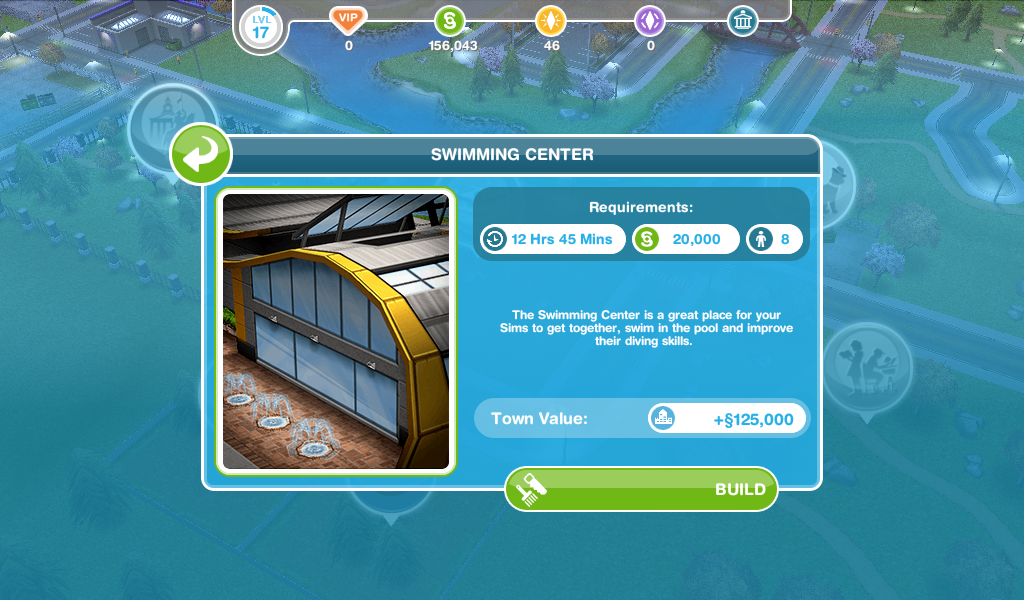
LEVEL UNLOCKS: 13 UNLOCKS: swim center & swimming pools for gardens TIME LIMIT: 2 days PRIZE: volleyball pool set


YOU NEED TO COMPLETE THE QUEST FOR TODDLERS BEFORE YOU CAN BEGIN THIS QUEST
Completing this quest unlocks the swim center and the ability to build swimming pools in your sims gardens! If you complete this quest in the time limit you will unlock the volleyball pool set. You can still complete this quest once the time limit is up to unlock swimming pools but you won’t get the volleyball net
How long does this quest take to complete?

STUCK? CLICK HERE TO VIEW THE FREQUENTLY ASKED QUESTIONS ABOUT THIS QUEST

Times may vary depending on the star rating the item has.

image

  • Send sim to swim center
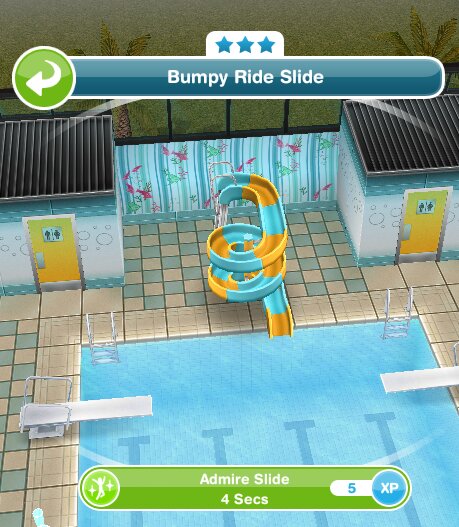
  • Admire the slide at the swim center- 4 seconds

image

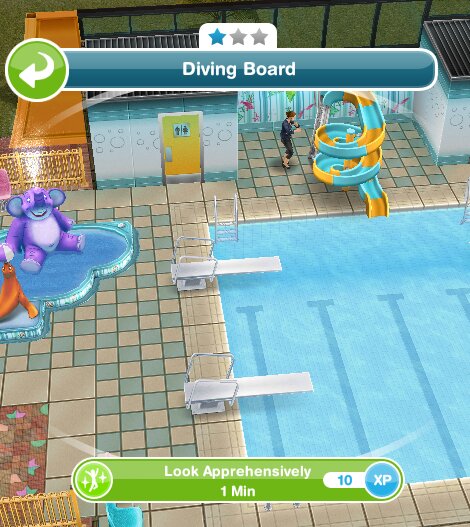
  • Look at diving board apprehensively- 1 minute

image

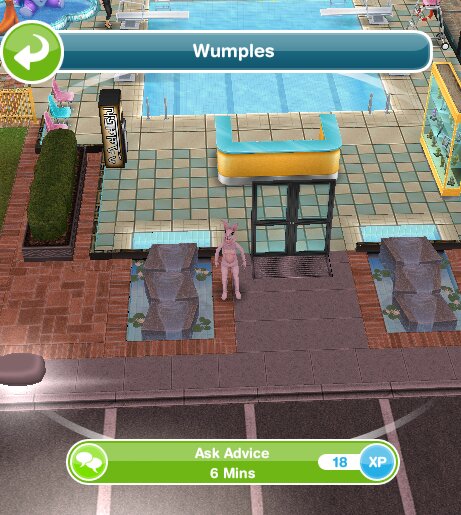
  • Ask wumples for advice- 6 minutes  (rabbit at door of swim center)

image

  • Supervise in lifeguard chair (completes straight away)

image

  • Use a diving board- 10 minutes
  • Look at pool slide apprehensively- 10 hours 30 minutes

image

  • Be nice to a sim- 1 minute
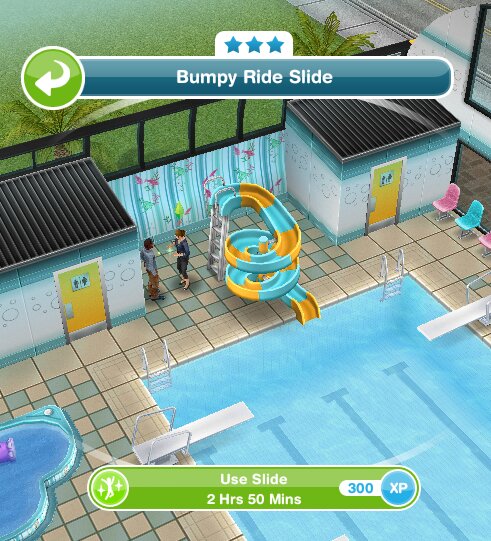
  • Use the slide- 2 hours 50 minutes

image

  • Splash a sim in the pool- 10 seconds

image

  • Flip a sim in the pool- 4 seconds

image

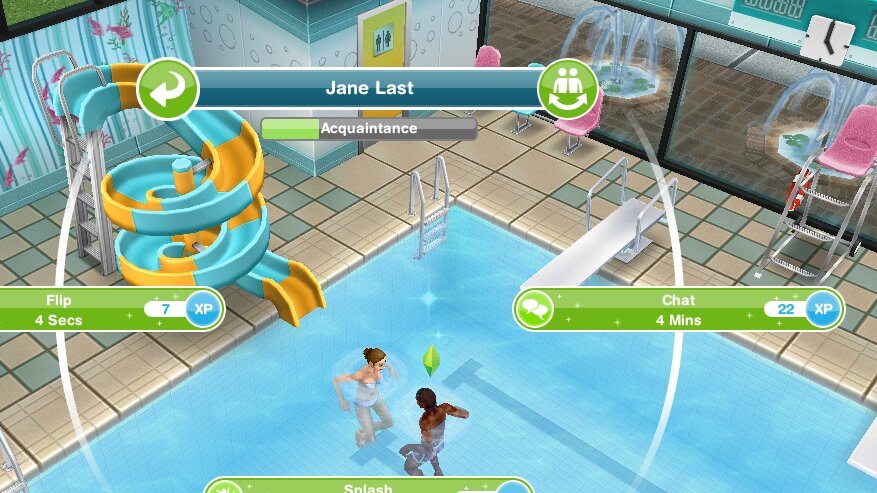
  • Chat to a sim while in the pool- 4 minutes

image

  • Talk to wumples- 30 seconds
  • Talk to wumples again- 3 minutes
  • Use the slide- 2 hours 50 minutes

QUEST IS COMPLETE!

You can now complete the Diving hobby and add pools to your gardens! Click here to find out how!

Time Limited Prize: Volleyball Net
image

Is the prize worth it? Its nice to have but once you unlock the teen mansion you get a volleyball net in the pool anyway!

Where can I find it? In the pool items tab of the outdoor section.

Cost? S2,500

You unlock swimsuits after completing this quest, you need to build the costume and swim store then you will be able to buy them (these aren’t all of them!):

image

You also unlock the special pool items in the online store, the dolphin pool pack and the automatic pool cleaner, both of these can be purchased with real money:

image


Watch my step by step video of this quest here:


The next quest The Hidden Unicorn unlocks the showjumping hobby


FREQUENTLY ASKED QUESTIONS ABOUT THIS QUEST

please read before asking

I have missed this quest! Why can’t I start it yet?
You cannot miss main quests they have to be completed in order. You need to complete all previous quests (list can be found here) and reach level 13 before you can start this quest

Can I complete this quest even though I have passed level 13?
Yes, you just need to complete all previous quests then this quest will start automatically

I can’t afford the swim center, how can I earn more simoleons?
This post may help

Can I build the swim center before starting this quest?
No, you have to get the goal in this quest before you can start building it

How do I send my sim to the swim center?
Go to the swim center and click on the whistle next to a sim who isn’t busy on the simtracker, this post explains more about the simtracker

How long does supervise in a lifeguard chair take to complete?
It will complete straightaway

Can you still get swimsuits if you don’t complete in time? If you can, where can you find them?
Yes you can, build the costume and swim store then you will find them in your wardrobe

What do I get if I complete this quest in the time limit?
The volleyball pool set

What happens if I don’t complete in the time limit, can I still finish this quest?
Yes you have to finish it to be able to build swimming pools in your gardens before you can move onto the next quest

I didn’t complete in the time limit, can I restart the quest?
No, you cannot redo quests

Can I still get the prize if I don’t complete in the time limit?
No, the only way to get the limited time prizes is by completing the quest in the time limit

I don’t like this quest! Can I just skip it?
No, you have to complete this quest before you can move onto the next one

Some times are slightly different on my game, why is this?
Times may vary depending on the star rating of the item you are using, as the higher star rating an item has the quicker you will complete a goal

Some times are really off/ different goals show for me, why is this?
This will be because the quest has been updated recently, I try my best to keep these posts up to date but it is difficult as I cannot redo every quest each time the game is updated. If you notice any changes please let me know so I can update the post


The next quest The Hidden Unicorn unlocks the showjumping hobby


Last updated March 2020

FIND THIS POST HELPFUL?

Buy Me a Coffee at ko-fi.com

THE SIMS FREEPLAY
©THEGIRLWHOGAMES.BLOG

The Simpsons Tapped Out- Friend Points Update

The latest update from the simpsons tapped out is avaliable now and with that comes new stuff, this post will tell you about friends points, the latest change to the game.

What are friends points?

They are new points which when you level up they unlock new prizes and items!

How do you get friends points?

When you visit your neighbours and click on their buildings you receive a certain amount of points (that is indicated in the left hand bottom corner)

You can also get points when neighbours vandalise your properties.

How many points do you get when you visit your neighbours?

It depends what action it is

Actions 1-30= 10 points

Actions 31-60= 5 points

Actions 61-90= 4 points

Actions 91-120= 2 points

Actions 121-300= 1 points

What are the prizes?

Level 1- Olmec Head costs 1000FPs

Level 2- Singing Sirloin costs 2000FPs

Level 3- Snowball 2 costs 1500FPs

Level 4- Homer’s car costs 2000FPs

Level 5- Stampy costs 5000FPs

So if you would like to be helpful then it’s always best to vandalise their properties so they can get more points!

Hope this helps!

Thanks for reading!
The Sims Freeplay- Careers: Real Estate Agent

Real Estate Agent is one of 8 careers your adult sims can have (not including profession careers) and this post explains all you need to know about this career.

How do I start this career?

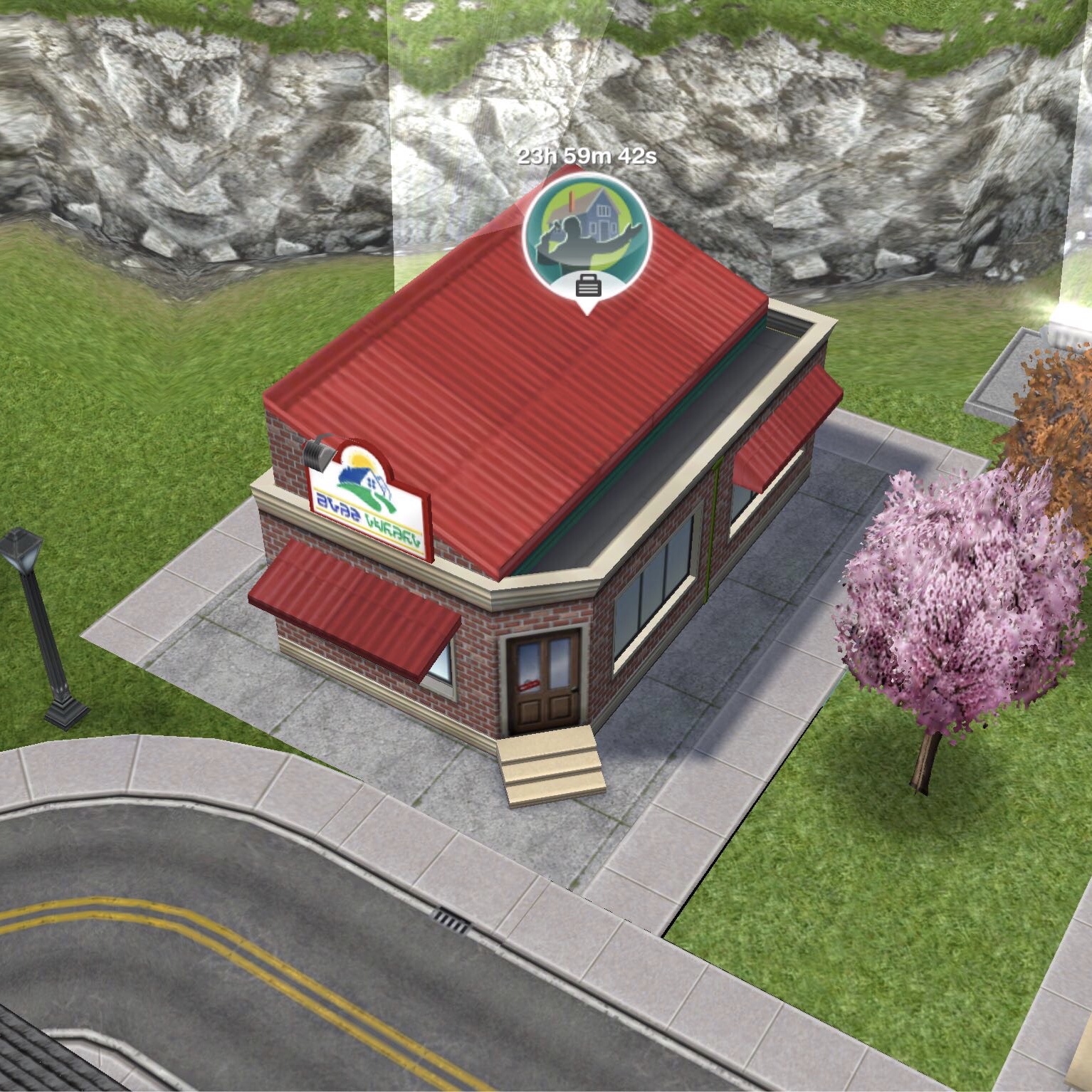
You firstly need to build the real estate agency which is one of the goals in the Ocean View Estate Quest. Then you will be able to select real estate agent from the list of careers.

Once your sim is a real estate agent you can click on the pulsing suitcase on the simtracker to send them to work once a day. During this time you won’t see them at work and you cannot go to the real estate agency, on the simtracker it will just say they are at work, once the time is up they will arrive back at home and be rewarded with the simoleons and XP they earned for that shift. The more they work, the higher level they will reach in that career and the more money they will earn.

You can then send your sims to work again at/after 12am as it is the start of a new day.

Still unsure? This post explains how to get a job, send your sims to work and how to quit

What hours do they work?

You can send your sims to work anytime of the day for 8 hours for levels 1-3 and 5 hours for levels 4 and 5 once they finish their shift you will receive the simoleons and XP they have earned. When they reach a new level in that career a pop up will appear to show you how much they will earn for the next shift.

What are the levels and how much money and XP do you earn for a day at work?

 Title Simoleons Experience Points (XP)
1 Intern (8 hour shift) 1,010 462
2 Apprentice Auctioneer (8 hour shift) 1,135 864
3 Senior Agent (8 hour shift) 1,270 1,085
4 Agent Manager (5 hour shift) 1,400 1,300
5 CEO (5 hour shift) 1,525 1,475

How do I find out what level my sim is on?

You can see this information in the occupations (career) tab. This tab is where you give your sims careers to begin with. Here you can see your sims career and the level they are on and if you click on the symbol of the career you will be able to see how much your sims earn and you can quit jobs from here too.

Which career earns the most money? Find out here


Can I increase my sims career level from home?

Yes you can buy the auction podium from the promotions r us store or hobby and career items tab of the home store. It costs S2,250 and once placed in your sims house you can practice auctioneering for 3 hours. During this time your career bar will increase like it does when they go to work (but slower)

Once you complete the Extreme Home Takeover Quest you can send your sim to work at the real estate agency and a sign will appear in front of your houses, click that to submit your house to give other players the chance to build it. Find out more about submitting a house here

Related: All Career Posts


FIND THIS POST HELPFUL?

Buy Me a Coffee at ko-fi.com

THE SIMS FREEPLAY
©THEGIRLWHOGAMES.BLOG

Bakery Story- Beginners Guide


If you have just started playing bakery story then this is the guide for you, with tips and help for the game you can learn how to make the most amazing bakery!

BAKERY NAME

Make sure you think of a good name when you first start, otherwise it will cost you 10 gems to change it at a later date.

You can create your name by going to main (at the bottom left) messages then profile and click change to change the name.

STORM8 ID

You will need to create a storm8 ID to play this game, this is how you add neighbours who can send you items you request, tip you and gift you.

You have to provide players with your ID to add you, there is no add me button and they can’t add you using your restaurant name!

To create the ID go to main, social then click invite friends and click the sign up button, it is best if it is short and easy to remember as other players will have to type it in to add you.

You can also connect to facebook to add your facebook friends! And if you play another teamlava game, for example, restaurant story you can use the same ID to make it easier!

ADDING PLAYERS

To be able to add neighbours you need to know their storm8 ID, the easiest way to find this out is from the visitors that write on your wall, they may leave a message saying ‘hey add me….’ or if you view someone’s wall they may have left a message saying ‘thanks for visiting, please add me….’ but you can get players to add you by writing your ID on their walls or your own wall too.

How do I write on my wall?

Go to main, then messages and the first tab is wall, there you can leave a message for other players to see when they visit!

How do I visit a player?

Go to main, then social and you have the choice of community (people who you aren’t friends with yet) and neighbours (players who you are friends with) click visit to visit someone

How do I write on a players wall?

When you visit a player, next to their name at the top is the wall button, click that to post a message!

How do I get to the top of the community list?

You may have noticed the stars next to the players name, the amount of stars is about how sociable you are in the game, when you visit and tip players your star level increases. The more stars you have the more likely you will make it to the top of the list and more people will add you!

GIFTS

You can gift your neighbours once a day, but there is a max on the amount of gifts you can recieve in a day! TIPPING

You can tip players by clicking on the tables in their bakery, you can tip 3 tables a day in a community players bakery and 6 in a neighbours

DESIGN  TAB

In this you will find the tabs for: tables, chairs, wall decor, floor decor, wallpaper, tiles, ovens, counters, chests/expansions

TABLES AND CHAIRS

There are loads of different tables and chairs to choose from, when you first start the game you should stick to the cheapest so you can get as many places to sit as possible. You need a table and a chair together to make a suitable place for a customer to sit. You may have noticed the heart at the top of your screen, that is about the happiness of the customers- you are trying to achieve 100 but this can decrease if there aren’t enough places to sit or any food avaliable to eat.

WALL DECOR

These are items that are hung on the wall of your bakery, they aren’t the most important thing to spend money on when you first start the game but as you increase the items will get better and more expensive.

FLOOR DECOR

These are items that stand on the floor, they again aren’t the most important thing to buy during the early stages of the game. Most of the items you get as prizes for completing goals are floor displays so can be found towards the end of the floor decor tab.

WALLPAPER

Wallpaper comes as individual strips so you can mix and match colours and the wall doesn’t have to be all the same colour!

TILES

These again come as individual tiles!

OVENS

With every level increase in the game you get the chance to add more ovens to your bakery, with different recipes to create.

How do I create a recipe?

Click on the oven, click on the recipe you want to make- they all have times when the recipe will be done by so pay attention to that and a price it will cost to make the recipe. For most of the ovens you need to prepare the ingredients, to do this you will see a picture of an ingredient in a circle you tap on it twice then another ingredient will appear and you do the same again. Now the recipe will be cooking.

How do I cancel a recipe?

After you have done the steps above if you no longer want the recipe to cook then click on the oven twice and a menu will come up, click start a new recipe to cancel it.

What happens if I leave an item cooking for too long?

It depends how long the item has been cooking, if it is an hour item and you have left it for 3 hours then it will be ruined and you will have to throw it away, you will lose the money it costs to make the recipe and will have to start again, but if an items cooking time is 5 hours and you leave it 9 hours it should be fine! But try not to leave it too much longer, it will be ruined after 10 hours.

There are loads of  different ovens that are unlocked as you level up, some require you to build them so you have to collect parts (there is a symbol of a hammer in the corner of these items pictures)

How do I build an oven?

Once you have brought the oven it will appear as a box, click on this and it will open up the menu to show you what items you need, you can either buy for gems or ask neighbours for items- you can only request from a neighbour once a day so if it needs many different things and you have lots of neighbours you can spread out the requests to cover all of the items. Once you have all the pieces click the build it button and it will turn into the oven! COUNTERS

You need counters to place your food on so that customers can buy it, if you don’t have another counters then a pop up message will tell you that you can’t place the item, you really should have a counter per oven.

If you have 2 or more of the same food on different counters and you need a counter to place something, all of the same item will usually be placed on one counter.

CHESTS/EXPANSIONS

Chests cost gems to buy and contain special items that otherwise wouldn’t be avaliable, they come in many different themes- browse this tab to see them all.

Expansions are how you increase the size of your bakery, you can buy them with coins or gems and you can find them in this tab or by clicking on the arrows on the floor outside your bakery. They increase dramatically in price each time so it can take a long time to get a massive place!

COINS

Coins are what you use to buy most products and what customers will pay you in.

GEMS

Gems are what you use to buy premium items, you can get them from levelling up, making a recipe a certain number of times or you can buy them for real money. Both coins and gems can be purchased for real money, but if you play the game well it is possible to not spend a penny of real money on it!

I think that is most of the game covered, if I think of anything else I will update this post 🙂

If you have any questions- feel free to post them in the comment section below My storm8 ID is charlyisgr8, please add me

I hope this helps!

Thanks for reading!


© COPYRIGHT PROTECTED                                                                                                                                                        .stealing is illegal.