The Sims Freeplay- Adding Stairs

Adding stairs can be a bit tricky if you haven’t done it before so hopefully this guide will be useful! You can only add stairs once you have completed the Multi Story Renovations Quest.

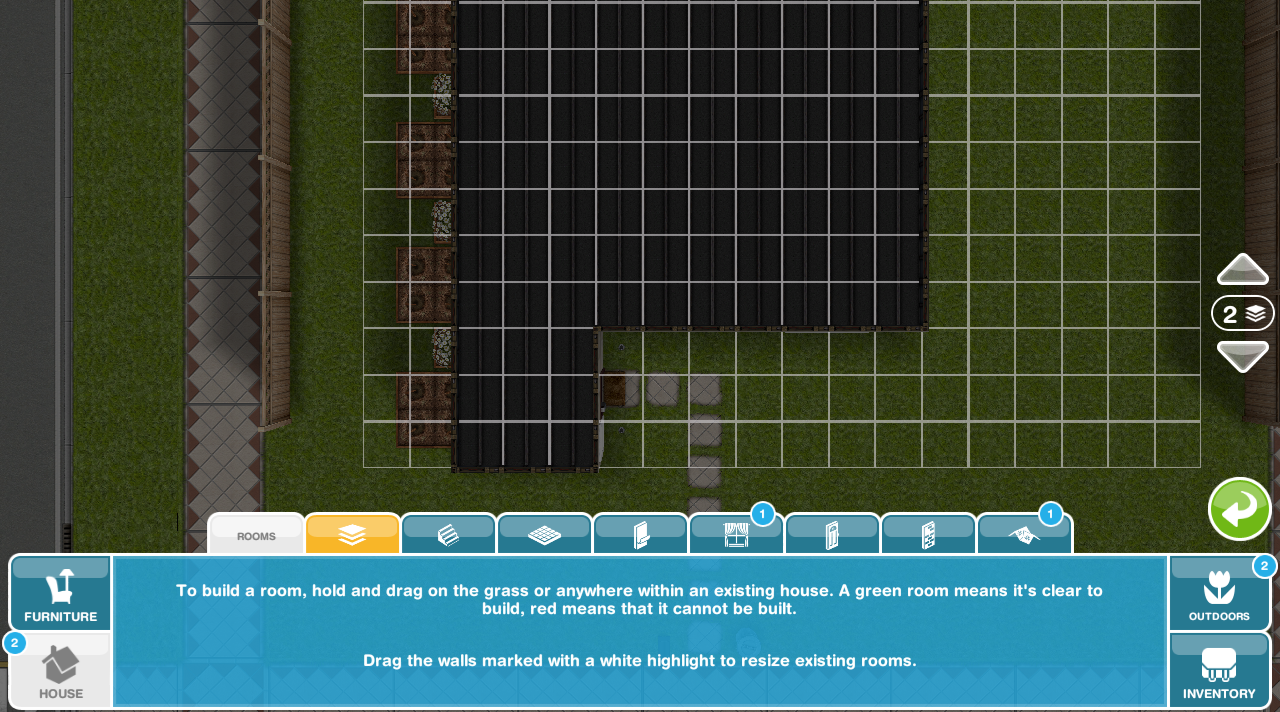
Once that is completed you can add a new floor, to do this, click on floor construction (second tab in the house section of home store) Then you will see a white highlighted area, click that and it will show you how much a new floor will cost you, click the green tick to buy it:


Then you need to add rooms to your new floor, you do this by clicking on the upstairs button on the right of the screen:

This will take you to the next level, then you can add a room like you normally do, if you don’t know how read my adding, deleting and resizing rooms post here

NOTE: you must add rooms to the second floor before you can add stairs!

Lastly you can add the stairs. Stairs can also be found in the house section, select the one you want to buy and you can then place it in your house:

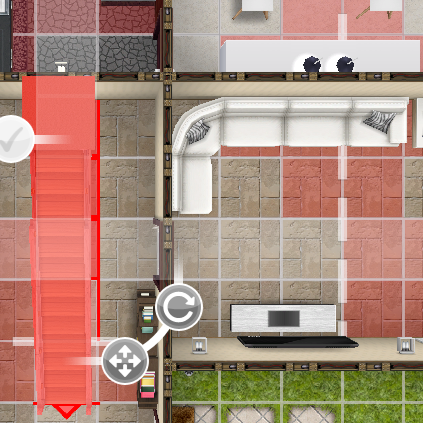
The image below shows you how it looks when the stairs can’t be placed:

Why can’t I place stairs in my house?

  • There may be something in the way downstairs (like in my picture above)
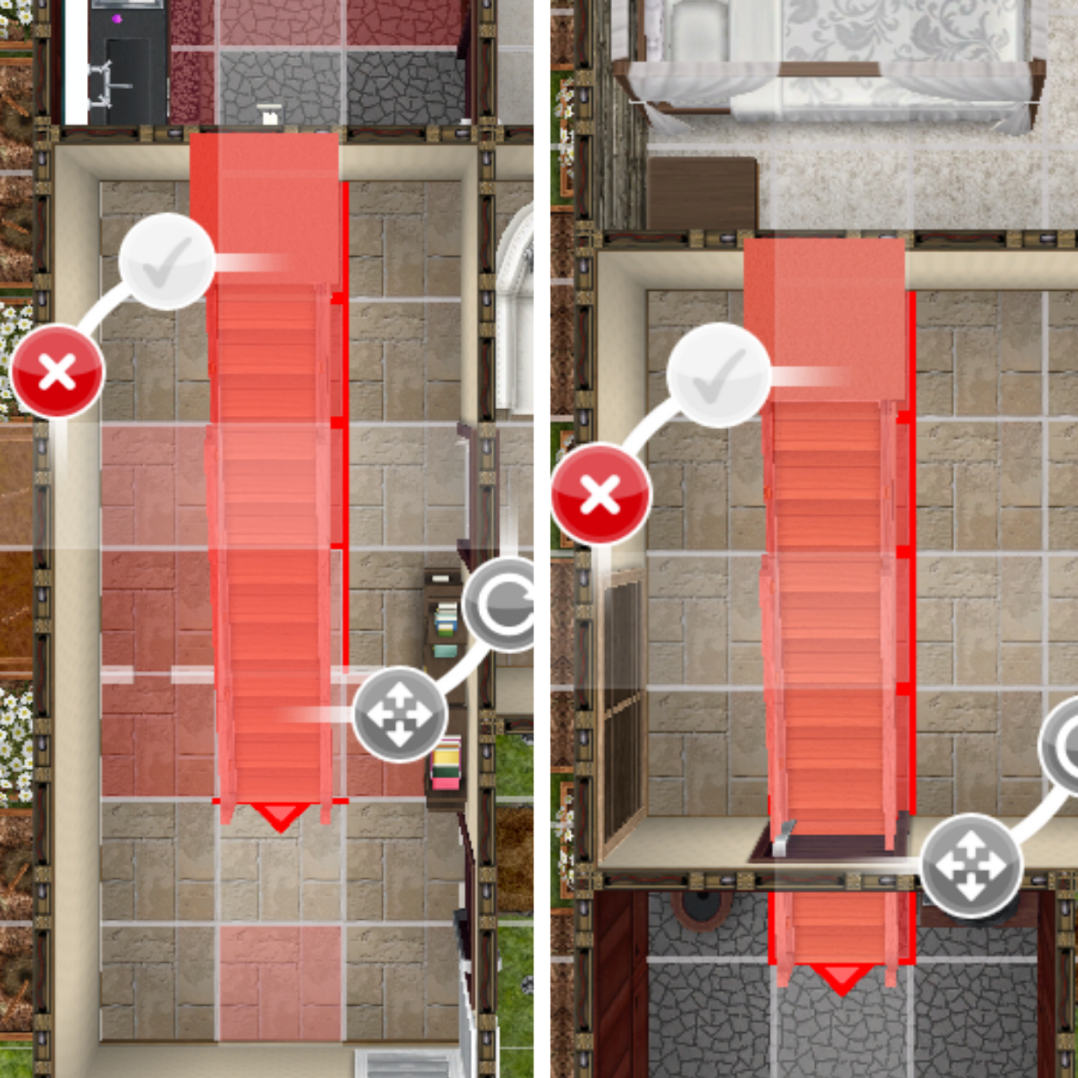
  • You may be trying to place stairs through the white lines- the white dotted lines show you were the rooms are above so you cannot place stairs on them:

  • There may be something in the way on the floor above- use the floor button on the side of your screen to see what is in the way upstairs (the squares will appear red if there is something in the way upstairs)

To fix this you could move items upstairs that are in the way, if you can’t because a wall is in the way you may need to choose a different style of stairs which is what I did, I couldn’t fit in these stairs so I decided on the compact staircase instead.

This picture is how it should look when you can place the stairs in your house, press the green tick to buy them:

You now have stairs in your house!


How much does each floor cost?

2nd- S300,000

3rd- S500,000

4th- S800,000

5th- S1,000,000

Which floor do I have to place the stairs on?

If you want your stairs to reach the second floor you will need to place your stairs on the ground floor

If I delete my house will I still have the 2nd and 3rd floors or will I have to buy them again?

Unfortunately you will have to buy them again now, they have annoyingly changed this!

Can I add more than 4 sims to my house now I have another floor?

No, the maximum is still four

How do I add stairs outside?


THE SIMS FREEPLAY
©THEGIRLWHOGAMES.BLOG

The Sims Freeplay- Online Store

The online store is where you can purchase simoleons, lifestyle points, social points and other items for real money (in app purchases) If you don’t have permission to buy anything then please don’t! In this post I will show you how the online store works and all the main items that can be purchased. There are a lot of items only available for a limited time which I haven’t included in this post so check the online store regularly to see the latest offers.

How can I get to the store? The store is the purple shopping cart button at the bottom of the screen:

There are 5 different tabs in the store (click on the links below to go straight to that part of this post):


FAQs about the Online Store: What does the VIP button mean?Can’t find an item you’ve purchased?


Simoleons

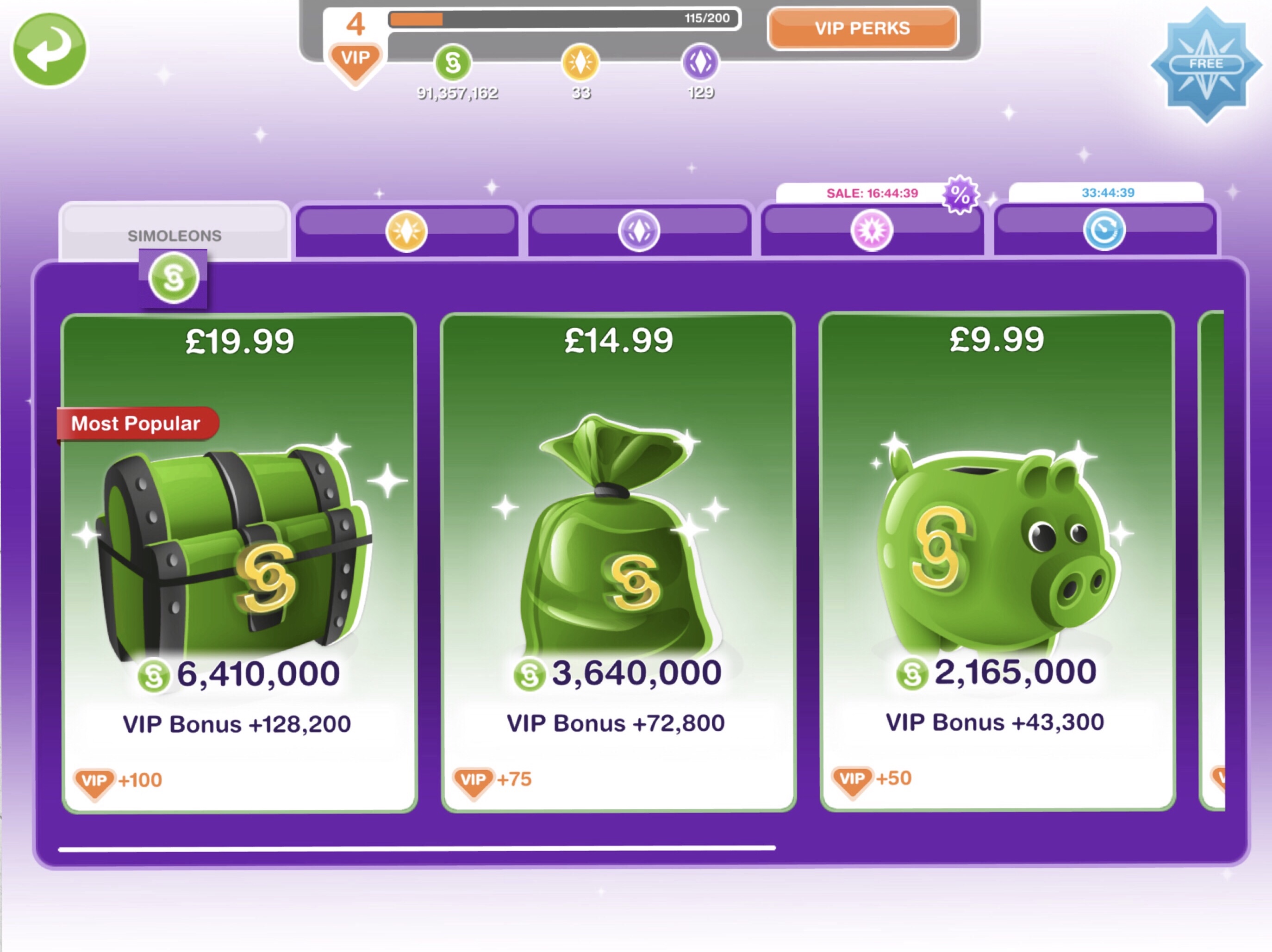
In this tab you can purchase different amounts of simoleons for different amounts of real money (the amount of simoleons you get varies depending on the level you are on):

Lifestyle Points (LP)

In this tab you can purchase different amounts of LP for different amounts of real money (the amount of LP you get varies depending on the level you are on):

Social Points (SP)

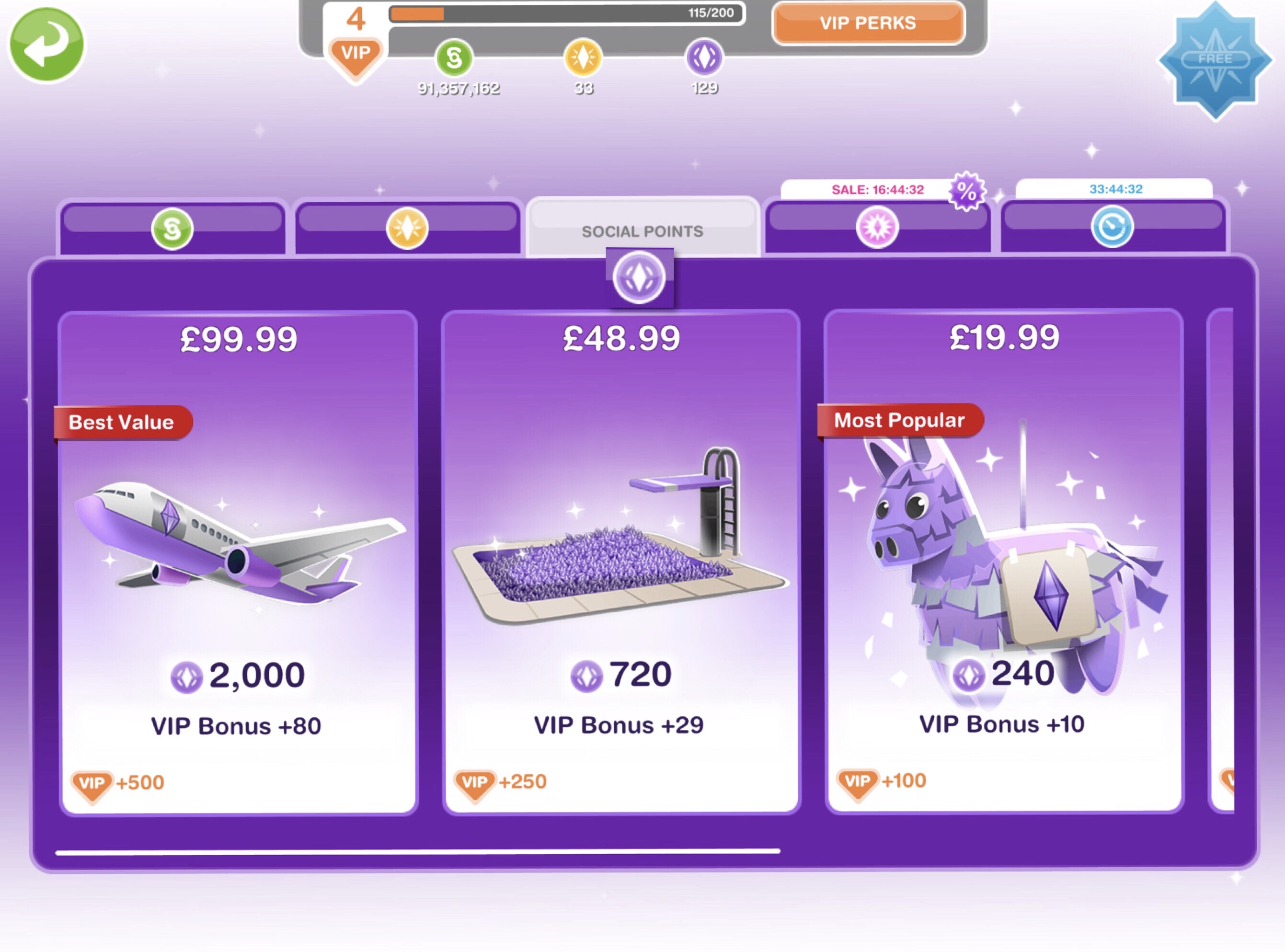
In this tab you can purchase different amounts of SP for different amounts of real money (the amount of SP you get varies depending on the level you are on):


Specials

This tab contains different types of items to purchase with real money, some are only available in the online store while others have been available in the game previously, usually a prize by completing a quest or event in the time limit (they do bring these quests and events back sometimes so keep that in mind):

In this post I will show you all the main items that can be purchased, I will not be including time limited packs in this as they change so much I could never keep this post up to date.

How do I know if it is time limited? There will be a timer underneath the cost of that pack so you know how long before it disappears, although these packs do return so it won’t be gone forever. Packs without a timer are available until you purchase them:

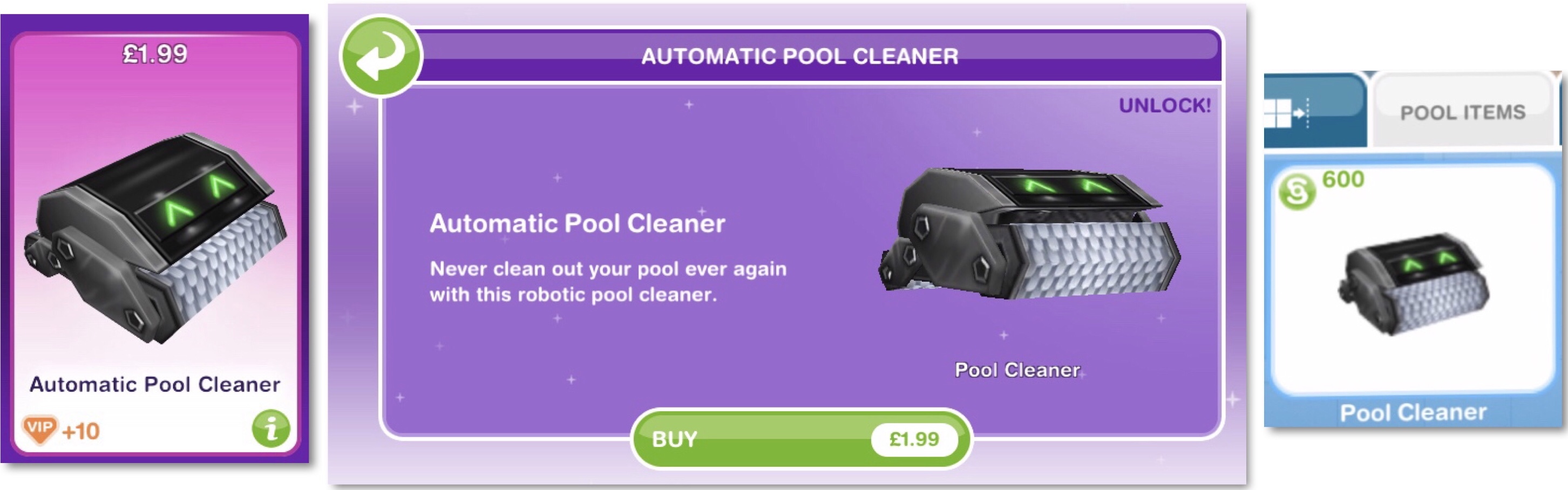
Automatic Pool Cleaner– place one in every pool to keep your pools clean! The first one you buy is free, then after that they cost S600 (you can find it in the pool items tab after purchasing) I love the pool cleaner, I am a bit lazy and really don’t like cleaning the pools manually so with this you just put them in the pool and you will have sparkling clean pools!

One Mystery Box Key– used to unlock a mystery box in the mystery box shop. One key will earn you the loot box but you can save up your keys to get a bigger box

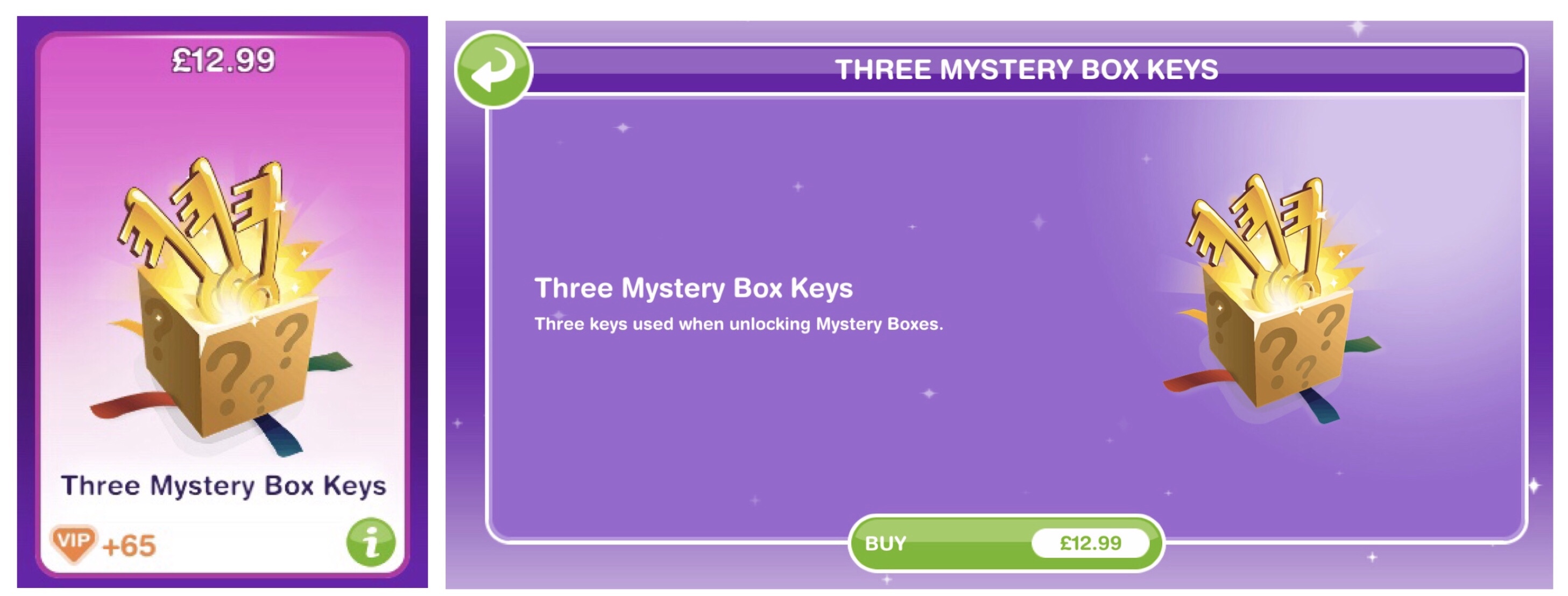
Three Mystery Box Keys– used to unlock a mystery box in the mystery box shop. Three keys will earn you the bounty box but you can save up your keys to get a bigger box

Sports Pack– contains a ping pong table, putting green and basketball court

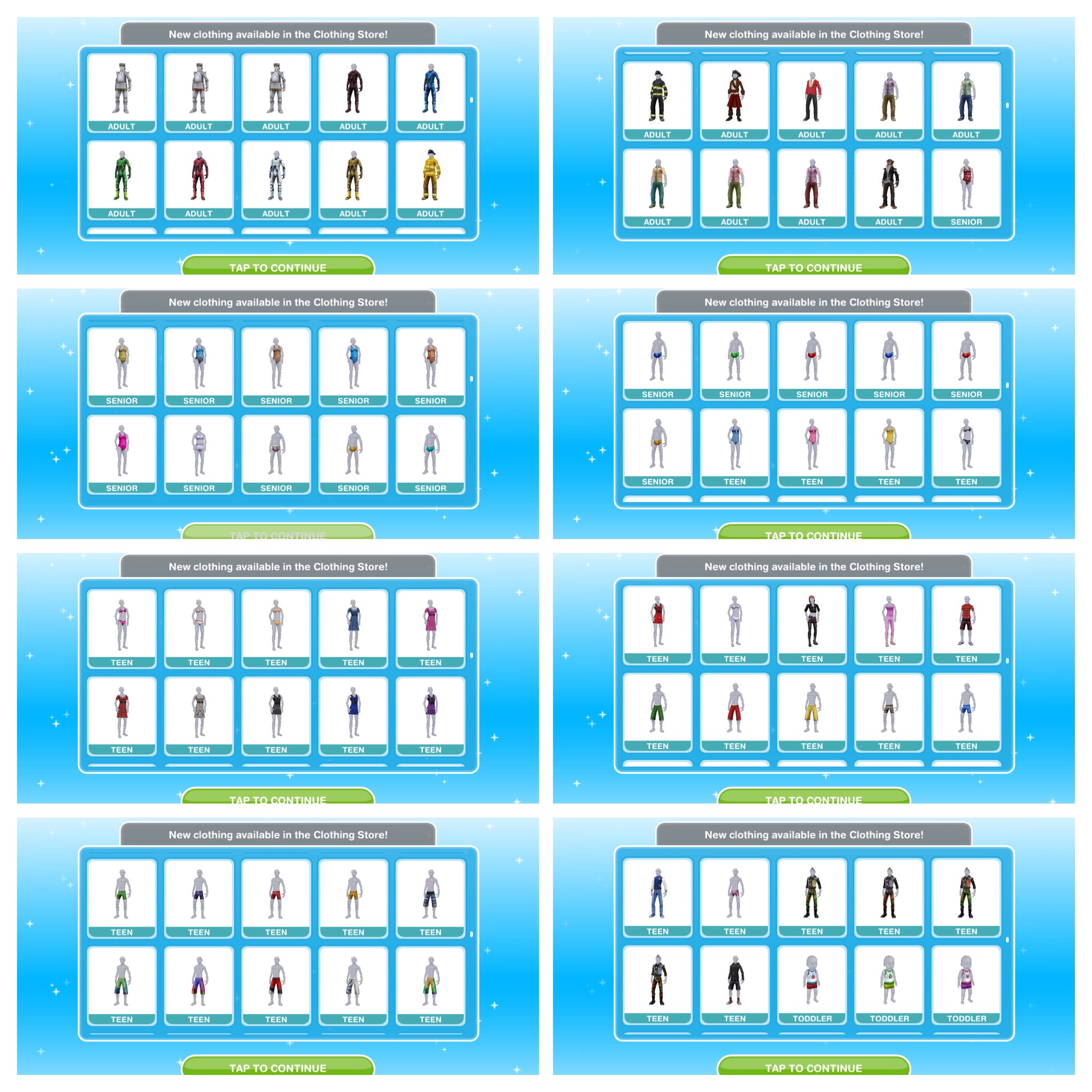
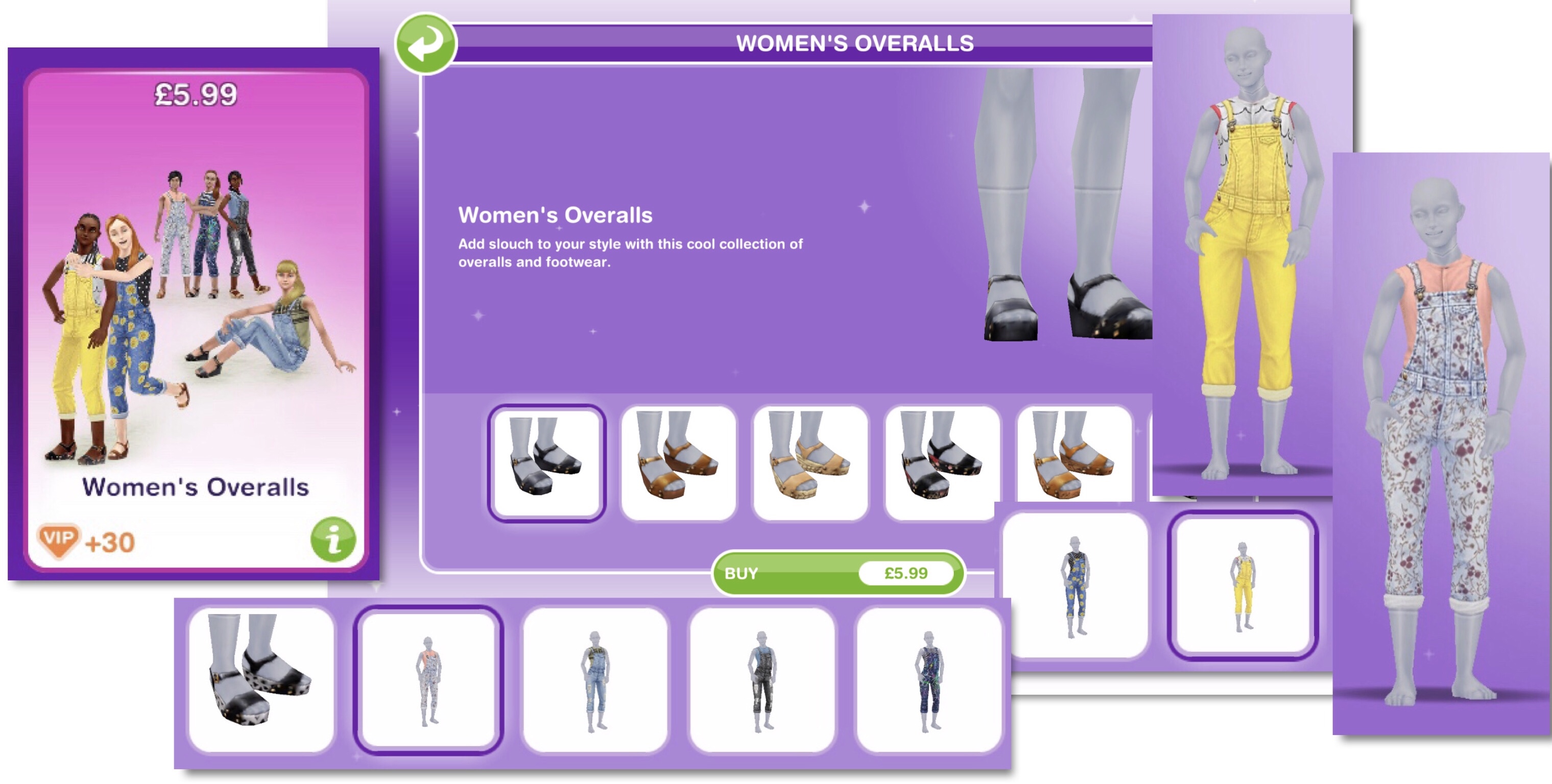
Women’s Overalls– once purchased you can find the overalls in the outfits section and the shoes in the shoes section of the wardrobe for your female adult sims

Swimsuit Bundle– contains swimsuits for female adult, teen and preteen sims and mankinis for your male adult sims

NOTE: you will only see this pack if you have built the costume and swim store

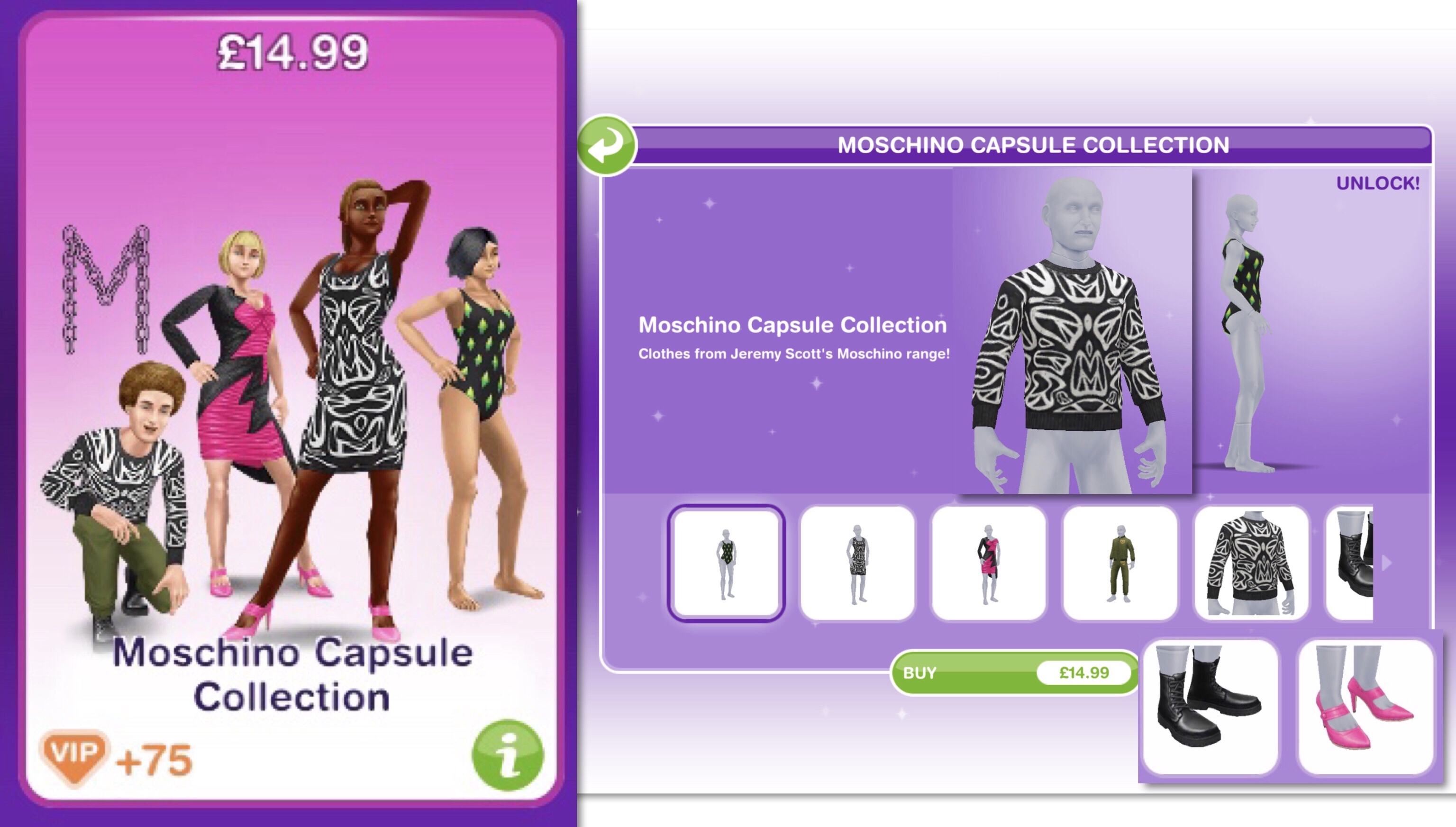
Moschino Capsule Collection 1– contains clothes, shoes and a swimsuit for your adult sims

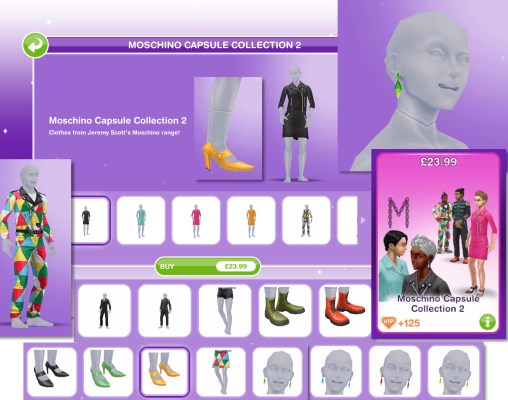
Moschino Capsule Collection 2– contains clothes, shoes and earrings for your adult sims

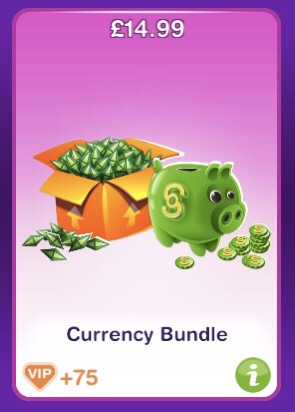
Currency Bundle– contains simoleons and LP (the amount varies depending on what level you are on)

Additional Sim– buy another sim slot for your town to increase your maximum capacity from 34 to 35 (too expensive if you ask me!) This is time limited but it returns often

Laura Craft– Laura will help you make arts and crafts items during a live event. When you buy her, you select the item you want her to make from the options: 200 candles,  300 pottery, 450 jewelry or 500 glassware (the amounts seem to differ for most of you and I have no idea why that is!) (you will unlock all the options once you have unlocked all the stations) and you will be able to collect them after 2 hours. This is time limited but returns with every live event, she only lasts for one live event so you have to buy her again if you want her help for the next live event

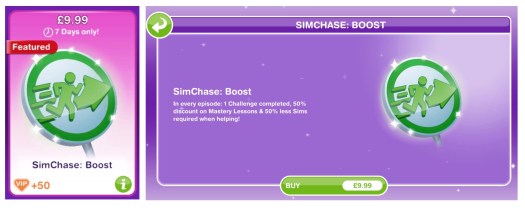
Simchase: Boost– The boost helps you complete simchase in the time limit. In every episode of simchase you will have 1 challenge already completed, 50% discount on your mastery lessons and 50% less sims required to complete a task (for example if 6 sims are needed normally you would only need 3 with this boost) This is time limited but returns with every simchase, the boost only lasts for one simchase so you have to buy it again if you want another boost in the next simchase

Survival Kit– The survival kit contains tools to help you with the Influence Island event, it includes an extra chocolate bar per challenge, 1,000 bonus Network Credits, the Survival Tip action to be used once per challenge that gives 10 influence and 5 bribes which when your sim is within 15 points of success it will guarantee success (bribes will never cause you to hit the red zone) This is time limited but returns with every influence island event, the boost only lasts for one influence island event so you have to buy it again if you want another boost in the next event


Deals

This tab contains deals that do not cost real money, most items cost LP or SP, some items are only available in this tab while others are also available in buy mode or the clothes store but are cheaper than they would normally be. These deals refresh every 2 days so check back often to see new deals. The create a sim packs can only be purchased once as you will have unlocked those items for good but some buy mode items can be purchased more than once. You can also collect bonus simoleons reward from this tab each time the deals refresh:


What does the VIP button mean?

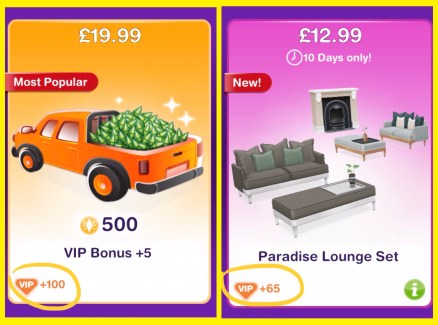
You may have noticed the VIP button that appears on all items that cost real money in the online store, these are VIP Points, the more items you buy, the more points you earn:

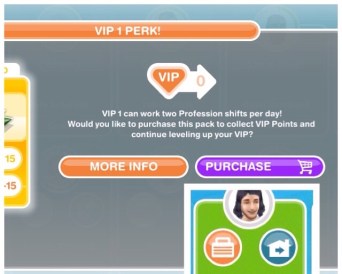
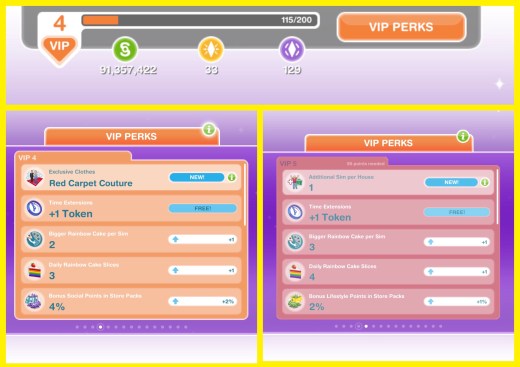
The more points you earn the higher your VIP level will be and the more perks you will unlock, for example, bonus simoleons in store packs, time extension tokens and daily rainbow cake slices:

Click here to find out all the VIP Perks available


I’ve purchased something from the online store but I can’t find it, help!

You may need to restore purchases in the settings, to do this click on the settings button (the 3 dots) and then click on the i button, this will take you to the info tab and from here you can click restore purchases which should add any packs you have brought to the game if they aren’t already there:


FIND THIS POST HELPFUL?
Buy Me a Coffee at ko-fi.com

THE SIMS FREEPLAY
©THEGIRLWHOGAMES.BLOG

The Sims Freeplay- Deleting a Sim & Adopting

In this post I am going to cover both Deleting a Sim and Adoption as they are related, keep reading for more information.

Deleting a sim is really quick and easy, all you need to do is click on the sim you want to delete from the game (when they aren’t completing an action) and you will see a few options. On the right hand side of your sims name you will see their picture and a red circle with a cross through it, this is the delete button:

Click on this and it will ask you if you are sure you want to move this sim out of town (which means you will remove them from the game):

If a sim is working towards upgrading a life orb when you delete them they will leave behind the orb they started with, for example, if you give a sim a bronze life orb to turn into a silver but you delete them before they have a chance to upgrade the orb they will leave behind the bronze life orb. If they were working towards a bronze life orb they won’t leave behind any orb.

Watch my video on Deleting Sims here


Infants, toddlers and preteens can all be adopted if both their parents are deleted from the game. Once both parents have been deleted, the adult or senior sim you want to adopt them needs to be nice (or for an infant cuddle them) until they become good friends, then you will get the adopt option appear.

Once you click adopt the child will be moved to their new home and take the surname of the sim who adopted them so you won’t get the adopt option if there are already 4 sims living in the house you want to move them to.

Watch my video on Adopting a Sim for FREE here


FIND THIS POST HELPFUL?
Buy Me a Coffee at ko-fi.com

THE SIMS FREEPLAY
©THEGIRLWHOGAMES.BLOG

The Sims Freeplay- Long Hairstyles Review

This is my review of each of the long hairstyles you can unlock from the Long Hair Event, in all these images the sim modelling has black hair but you can also get each hairstyle in brown, red and blonde.

You can find all the styles you have unlocked for free from a wardrobe, the hair salon or create a sim.

I will be rating the hairstyles from 9 to 1 with 1 being my favourite!

9. Long Cornrows– There is just something about this hairstyle that I really don’t like, I think its that there isn’t enough hair! There are a lot of empty space without any hair, the tied back cornrows I already have is so much better than this one!

20140826-121051.jpg

8. Long Straight Fringe– Now I like a good hairstyle with a fringe- this is not one of them! The fringe needs to be longer for this one to look better! (look at number 3 for a good fringe!)

20140826-121105.jpg

7. Long Straight Over Ear– I like this hairstyle, but only from the side visible in the picture! The other side is less hair more ear.

20140826-121147.jpg

6. Long Back Parted Ponytail– I like the hairband in it but I don’t like how it covers the ears with one bit of hair on each side.

20140826-121139.jpg

5. Long Double Ponytail– the word long in this hairstyles name is misleading- it’s not long but saying that I do like this one (it probably would have been nearer the top if it was longer!)

20140826-121159.jpg

4. Long Braided Ponytail– I like this one a lot! I would have just liked it to have been longer and look more like a plait in the dark colours (it looks so much better in blonde and red!)

20140826-121116.jpg

3. Long Full Fringe Ponytail– I prefer this fringe to the one in the other fringe hairstyle, it’s a nice hairstyle but the way it curves is strange!

20140826-121209.jpg

2. Long Shoulder Ponytail– It was a hard decision between this one and the one above for second place, this one was slightly ahead as the ponytail is longer, straighter and I like the extra accessories in this hair.

20140826-121215.jpg

1.Long Straight– This is my favourite one, I just wanted a simple long hairstyle and this is it! It’s similar to my actual hair, which is probably why I like it!

20140826-121221.jpg

Which one is your favourite and have you managed to unlock them all?


FIND THIS POST HELPFUL?

Buy Me a Coffee at ko-fi.com

THE SIMS FREEPLAY
©THEGIRLWHOGAMES.BLOG

The Sims Freeplay- Restarting a Hobby Collection

This is the same for any hobby, firstly you need to complete the collection as you will not be able to start the collection again if you don’t have all the pieces yet.

Once you have found them all it will tell you, then you will need to go back to the blue collection screen (where you can find all the hobby collections)

You do this by clicking on the sim info panel, find the hobby tab (second one) and click on the hobby picture (on a sim who is doing this hobby)

Once opened you will see the start collection again button at the top, click that and the collection will be reset so you can find all the pieces again.

image

When you reset the hobby it doesn’t reset your level, so if you were on level 6 you will still be on level 6.


Confused about hobbies? Read my Hobbies Frequently Asked Questions post

Find all hobby posts here


FIND THIS POST HELPFUL?

Buy Me a Coffee at ko-fi.com

THE SIMS FREEPLAY
©THEGIRLWHOGAMES.BLOG