The Sims Freeplay- The Great Xmas Mishap Quest 2014

This is the quest list for Christmas 2014, if you complete the quest within 12 days you get a living teddy bear!

You have a certain amount of quests to do everyday and you get a prize at the end of each quest day.

Times may vary depending on the star rating an item has.

Day 1– complete to receive an inflatable sleigh

      • Splash face in a sink- 3 seconds

(I used a kitchen sink)

      • Ask a sim if they are okay- 10 seconds (click on another sim and select the option, try using friends or a married couple)
      • Bake some cookies on a stove- 1 minute
      • Read ‘recipe’ book- 5 seconds (from any bookcase, use an adult)
      • Carefully discuss ways to avoid accidents- 30 minutes (click on another sim and select the option)
      • Read ‘accident prone’ from a bookshelf- 36 minutes
      • Call a sim to the park
      • Meditate at the park fountain- 45 minutes (click on fountain)
      • Sit quietly on a park bench- 27 minutes
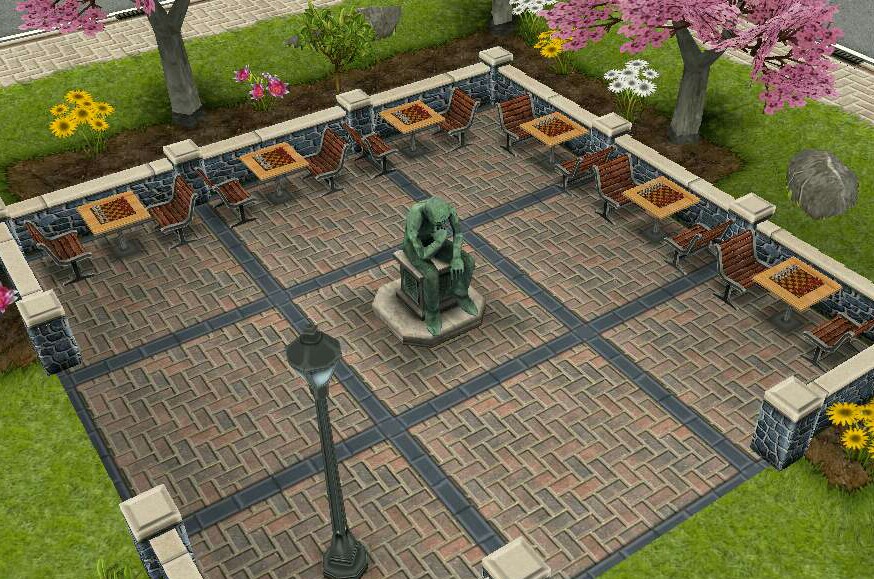
      • Rest with thinking man- 3 hours 10 minutes (click on thinking man statue in the park)
image

20141214-183402.jpg

    • Share good news on a phone – 5 seconds
    • Talk to Santa- 5 minutes (he arrives at the house your sim used the phone at)

Day 2– if you complete today’s goals you unlock the Xmas candle, can be found in decorations section once unlocked

  • Talk to Santa- 5 minutes
  • Wave down the sleigh with Santa- 1 hour 10 minutes (click on Santa)
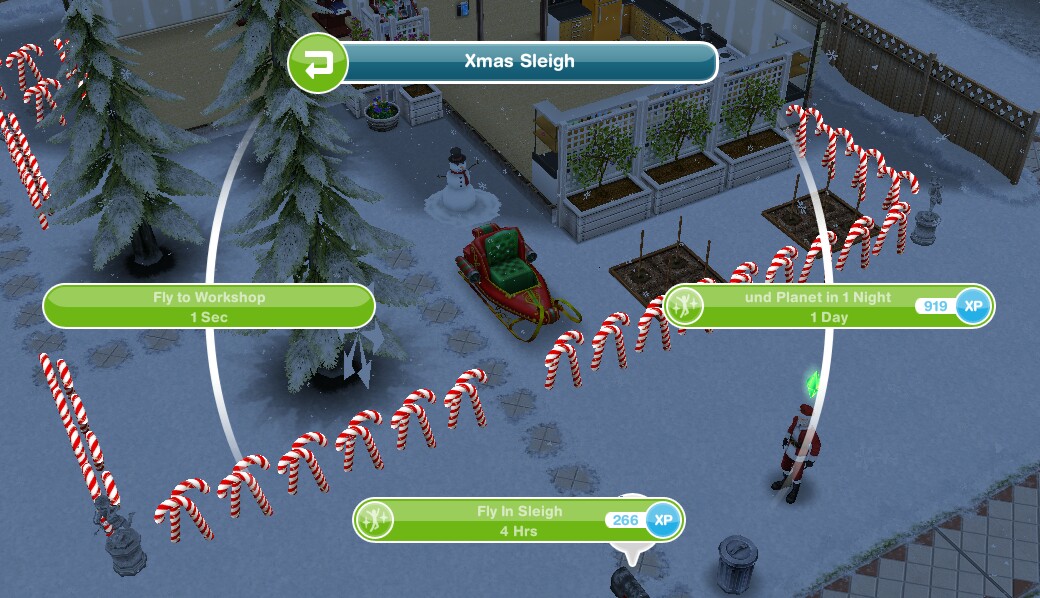
  • Place the sleigh at a house (this is NOT the inflatable sleigh you unlocked yesterday) this sleigh can be found in your inventory in the outdoor section

    image
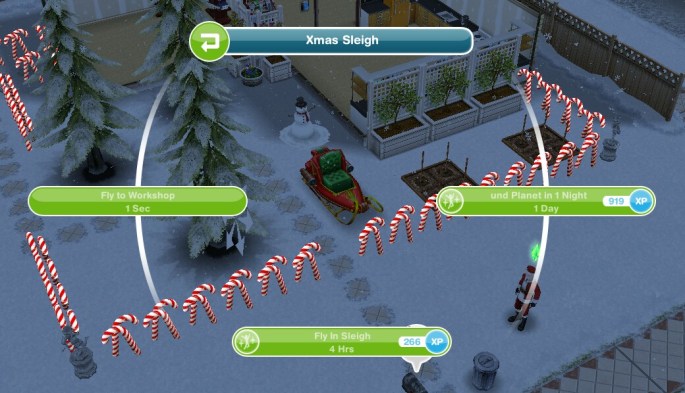
  • Travel to Santa’s workshop- click on sleigh and select fly to workshop- 1 second
    image
    to make it snow at your house you need to have completed the weather machine quest to unlock the machine.
  • Give a pep talk to an elf- 1 hour 10 minutes
  • Search for clues- 1 minute (click on the x)

image

  • Encourage reindeer to land- 5 hours 10 minutes (only one needs to be encouraged)
    image
  • Search for clues- 1 minute (click on the x again)
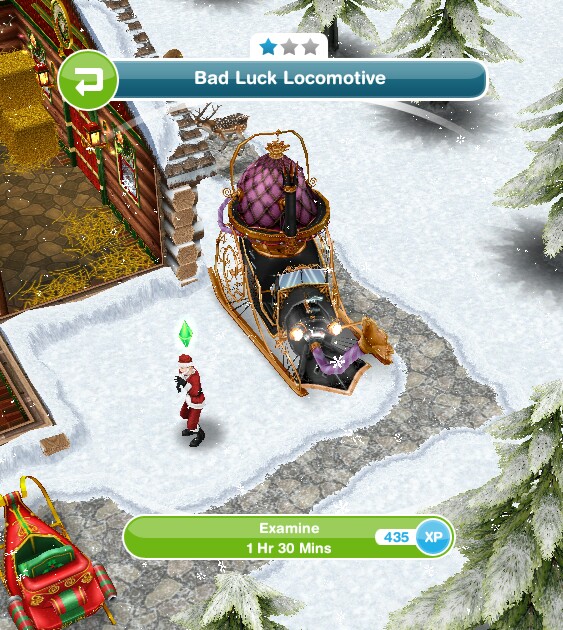
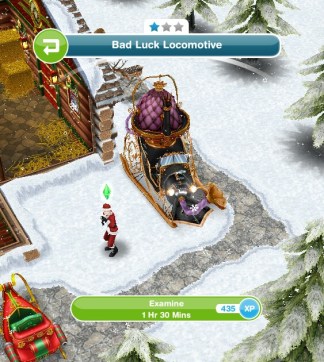
  • Examine the strange machine- 1 hour 30 minutes
    image

To get home click on the sleigh and select fly home.

Day 3– complete day 3 to unlock the snow globe which can be found in the decorations section

  • Travel to Santa’s workshop (click fly to workshop on sleigh) – 1 second
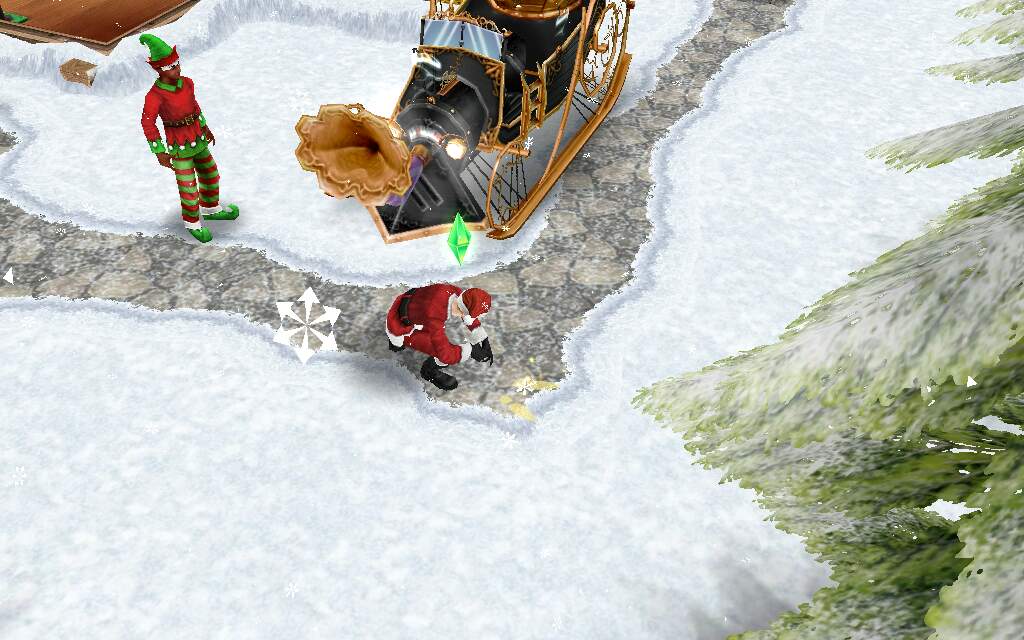
  • Shut the bad luck locomotive off- 3 seconds
  • Encourage elf to turn off machine- 2 hours 30 minutes
  • Research elf coaxing- 2 hours 40 minutes (using bookcase)
  • Ask an elf their name- 1 minute

Solve the first riddle:
image

  • Tell the elf the answer- 1 hour 10 minutes

Solve the second riddle:
image

  • Tell the elf the answer- 1 hour 10 minutes

Solve the third riddle:
image

  • Tell the elf the answer- 1 hour 10 minutes
  • Tell the elf their name- 1 minute
  • Ask the elf a favour- turn the locomotive machine off!
  • Examine prints- 4 hours 30 minutes
    image

Day 4– complete today to unlock the mistletoe door

    • Send a sim to the park
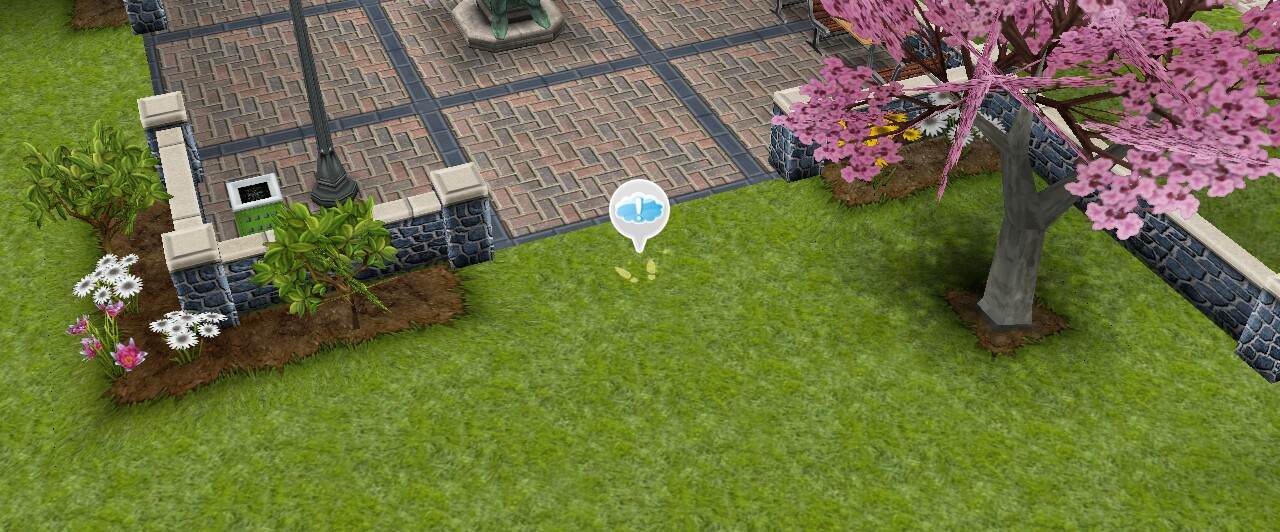
    • Examine prints in the park- 10 seconds
image

  • Ask the park statue where Wumples went- 5 minutes (the thinking man statue)
  • Talk to Wumples (he appears by the statue in the park)
  • Call Wumples on a phone- 3 hours 40 minutes
  • Watch news on tv- 4 minutes
  • Ask who the real Wumples is (real wumples is dancing wumples so click on him)- 5 hours 20 minutes
  • Accuse the fake Wumples- 8 seconds (click on the other wumples who doesn’t dance)
  • Go to santas workshop- 1 second
  • Talk to an elf- 5 minutes

image

Day 5- complete to unlock Xmas windows, found in the house section under the windows tab

  • Go to Santa’s workshop
  • Remove the candy barricade- 2 seconds
  • Ask an elf for advice- 45 minutes
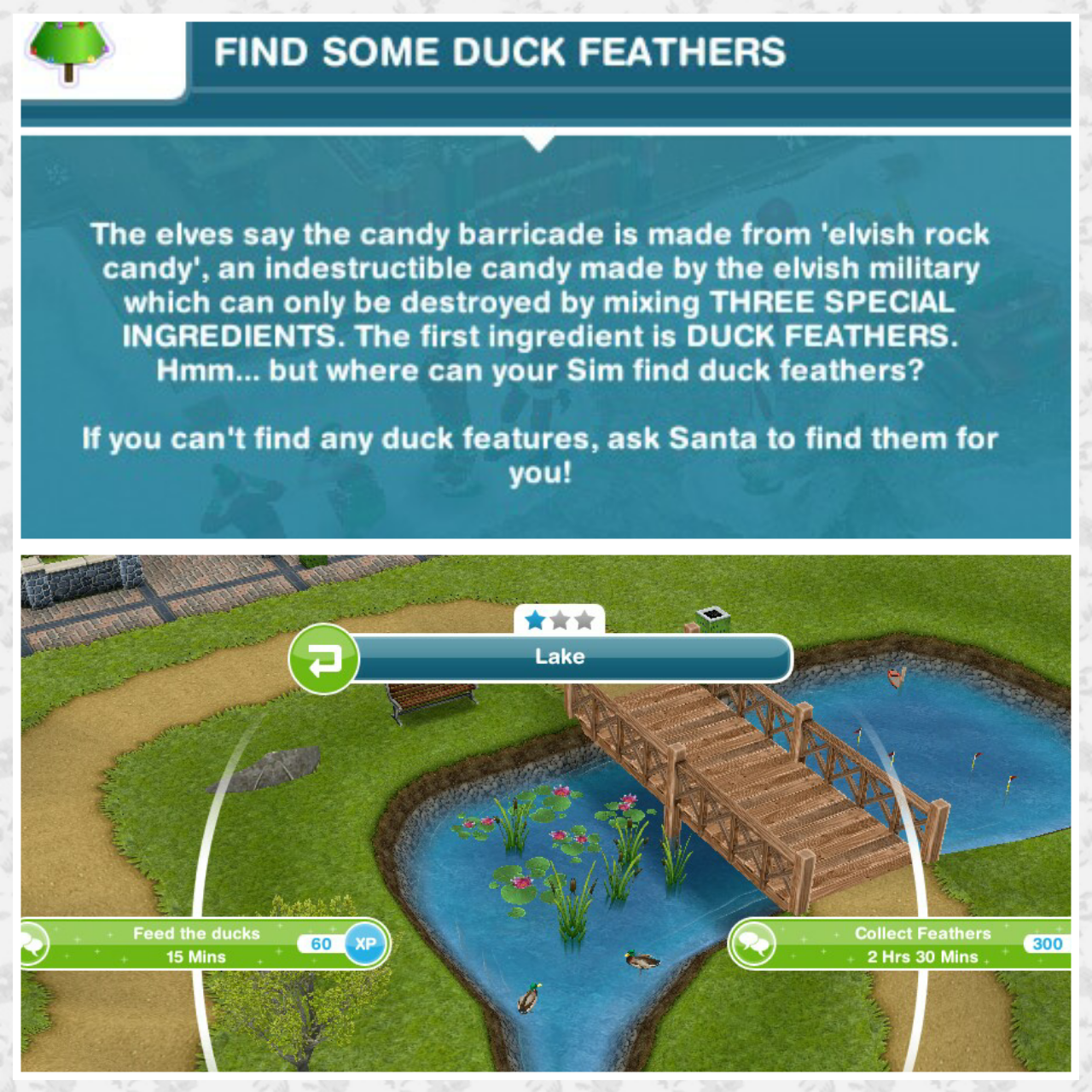
  • Find some duck feathers (ducks in the park)- collect feathers- 2 hours 30 minutes
    image
  • Give feathers to an elf- 10 seconds
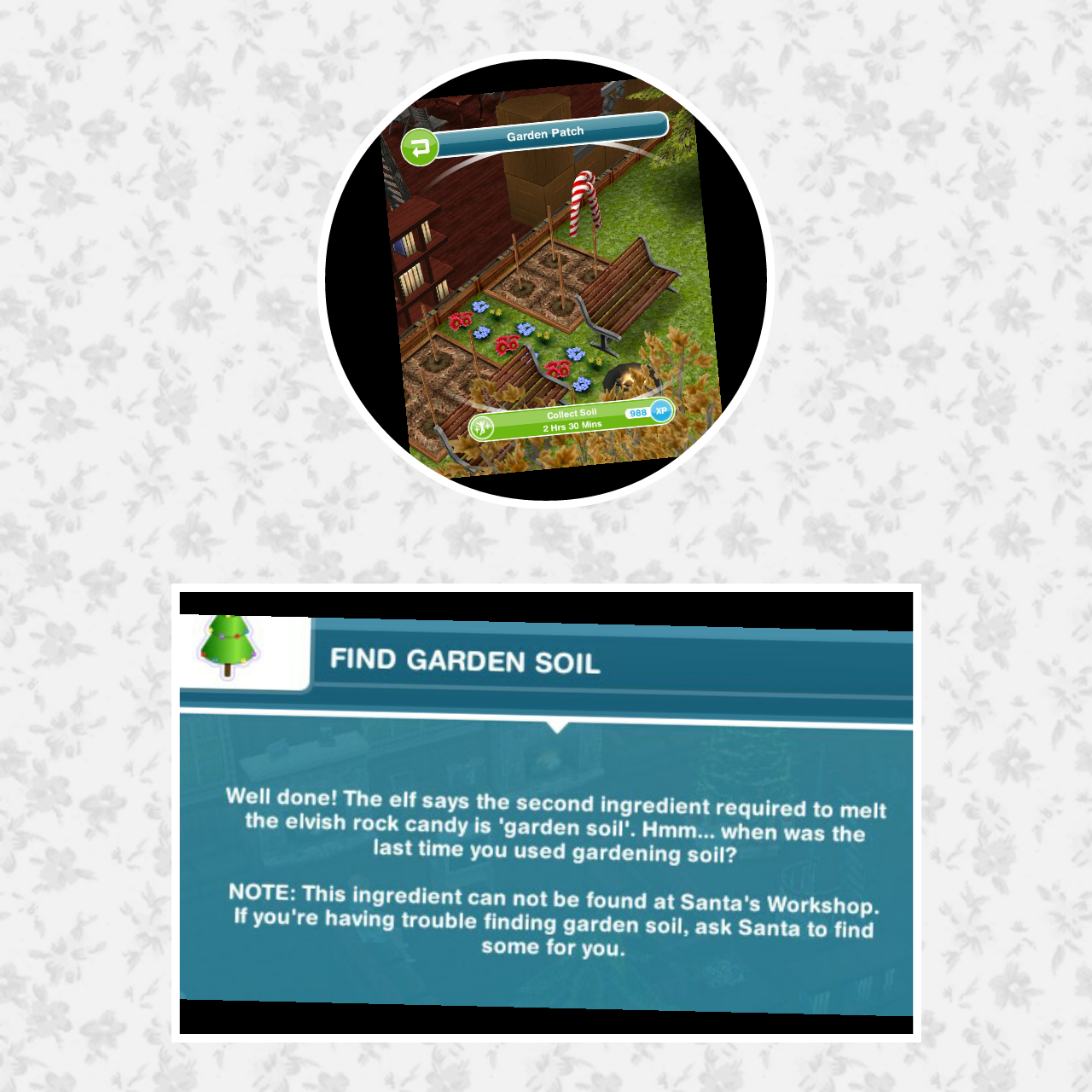
  • Find garden soil (from a garden plot) collect soil- 2 hours 30 minutes
    image
  • Bring soil to elves- 10 seconds
  • Find a magical elvish light (click on a fridge) collect fridge light- 2 hours
    image
  • Give fridge light to an elf- 10 seconds
  • Melt candy canes- 5 hours 30 minutes (you only have to melt one)
  • Unmask fake wumples- 14 seconds
    Its the grouch!!
Day 6- complete to unlock the nutcracker soldier decoration
Have 2 sims check the bad luck locomotive (send one sim to the workshop using the sleigh, bring the other to the workshop using the simtracker)
Press self destruct button- 1 second
Read note- 2 minutes
Plan with another sim- 8 hours 10 minutes
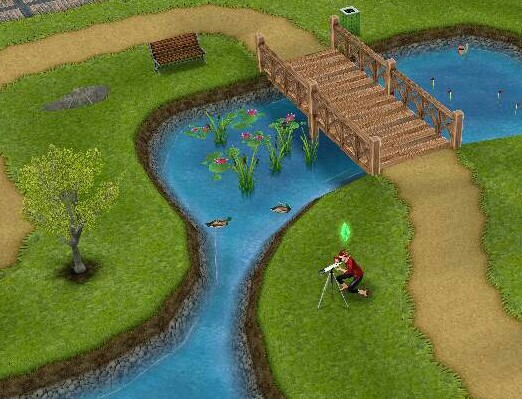
Find the grouch with a telescope (in the park)- 5 minutes
image

  • Patch into a satellite via a computer- 3 hours 40 minutes
  • Take a photo of the fire station (on the town map, zoom into the station and press the camera button)
  • Send a sim to Santa’s workshop- 1 second
  • Ask an elf to distract the grouch- 5 seconds
  • Activate self destruct- 4 hours 30 minutes


Day 7– complete to unlock the cookies and milk table decoration

  • Send a sim to Santa’s workshop- 1 second
  • Talk to Santa via the fireplace (click on fireplace)- 2 hours 50minutes

PLEASE NOTE: if there is an elf/elves standing in the way read this:
Go back home and then return to the workshop, hopefully that will move the elf, or you can try pondering in the chair infront of the fireplace, if neither of these things work then there is nothing else I can suggest apart from waiting for the elf to move.

This is the same comment I have given hundreds of people so I will no longer be replying to any comment about this issue as I just don’t have the time.

  • Read Santa’s note (on Christmas tree)- 5 minutes
  • Solve the three riddles-click on each nutcracker to find each clue- 30 minutes (you can do them all at once but space them out by 5 minutes or so because if they all finish at the same time you will only find one clue)
  • Riddle one and answer can be found in the picture below:
    image
  • Riddle two and answer can be found in the picture below:
    image
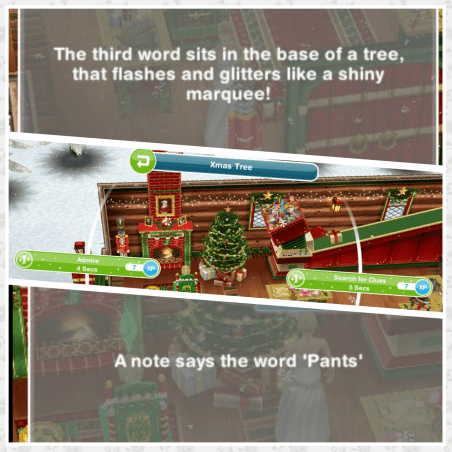
  • Riddle three and answer can be found in the picture below:
    image
  • Click on the fireplace to tell Santa the answer- Magical Zooming Pants- 2 hours 30 minutes
  • Talk to Santa- 5 minutes

Day 8– complete to unlock Santa’s Xmas chair that can be found in the living room section

  • Send a sim to Santa’s workshop- 1 second
  • Search locomotive for power cord- 3 seconds
  • Call a town meeting via a phone- 2 hours 50 minutes
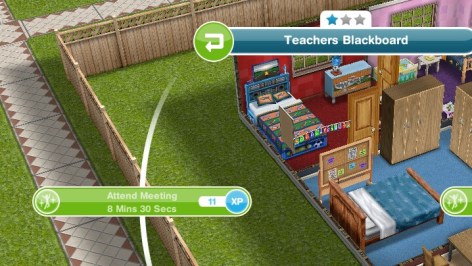
  • Place a blackboard in your sims house (the blackboard can be found in your inventory under the hobby tab)
  • Have 3 sims in one house
  • Discuss tripping over with a sim- 4 hours 30 minutes
  • Have 3 sims attend the meeting (click on the blackboard)
    image
  • Host the meeting- 8 hours 30 minutes (click on the blackboard)
  • Suggest kindness to santa- 5 minutes (click on Santa)

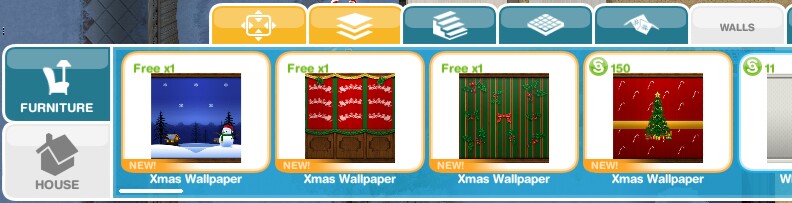
Day 9– complete to unlock Xmas wallpaper!

  • Search internet message boards- 1 minute 36 seconds (on a computer)
  • Call secret contact on a phone- 7 hours 30 minutes
  • Send a sim to the park
  • Ask Santa’s advice- 45 minutes (Santa should be in the park, if not have a look for him on the simtracker)
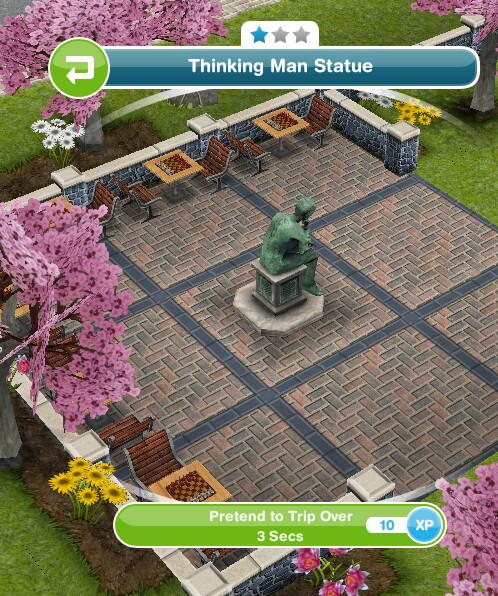
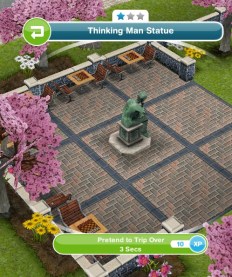
  • Pretend to trip over- 3 seconds (click on thinking man statue in park)
    image

image

Day 10- complete to unlock the Xmas lantern
Visit the park (send a sim to the park)
Be nice to the grouch- 4 minutes
Tell the grouch a funny story- 45 seconds
Play chess with the grouch in the park- 8 hours 10 minutes (click on the grouch)
Congratulate the grouch- 10 seconds
Give the grouch a gift- 2 seconds (found next to the thinking man statue)
image

Dance with the grouch- 2 hours 30 minutes
Watch ‘serris mulers night in’ on tv- 3 hours 20 minutes
Implore the grouch- 1 hour 10 minutes

NOTE: There appears to be a glitch for some in this goal, the grouch is still watching tv so you can’t click on him, I would suggest closing the game and opening it again, he should stop, if he doesn’t maybe visit a neighbour then go back home, if this still doesn’t work there isn’t much else I can suggest. This is the same comment I am replying to everyone so when I start day 11 I will no longer be replying to comments about this issue.
Go to Santa’s workshop- 1 second

Day 11- complete today to unlock the north pole garden decoration
Go to Santa’s workshop- 1 second
Talk to santa- 5 minutes
Help read letters- 1 hour 30 minutes
image

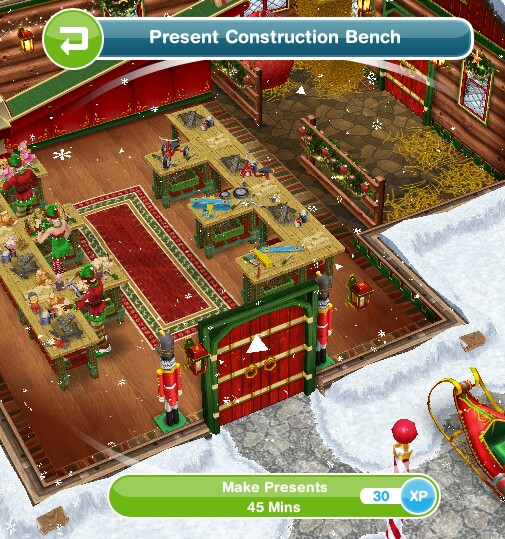
Make presents- 45 minutes
image

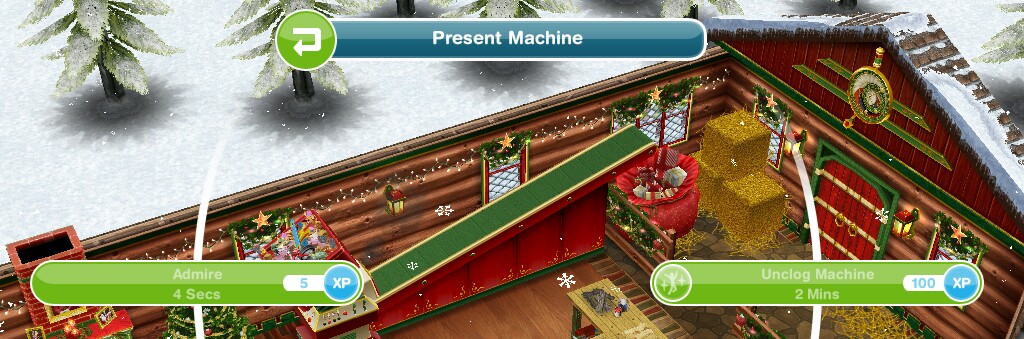
Unclog present machine- 2 minutes
image

Make presents- 4 hours 10 minutes
Send a sim home- 1 second (use sleigh)
Place an Xmas tree in a sims house (should be one for free, completes if you already have one)
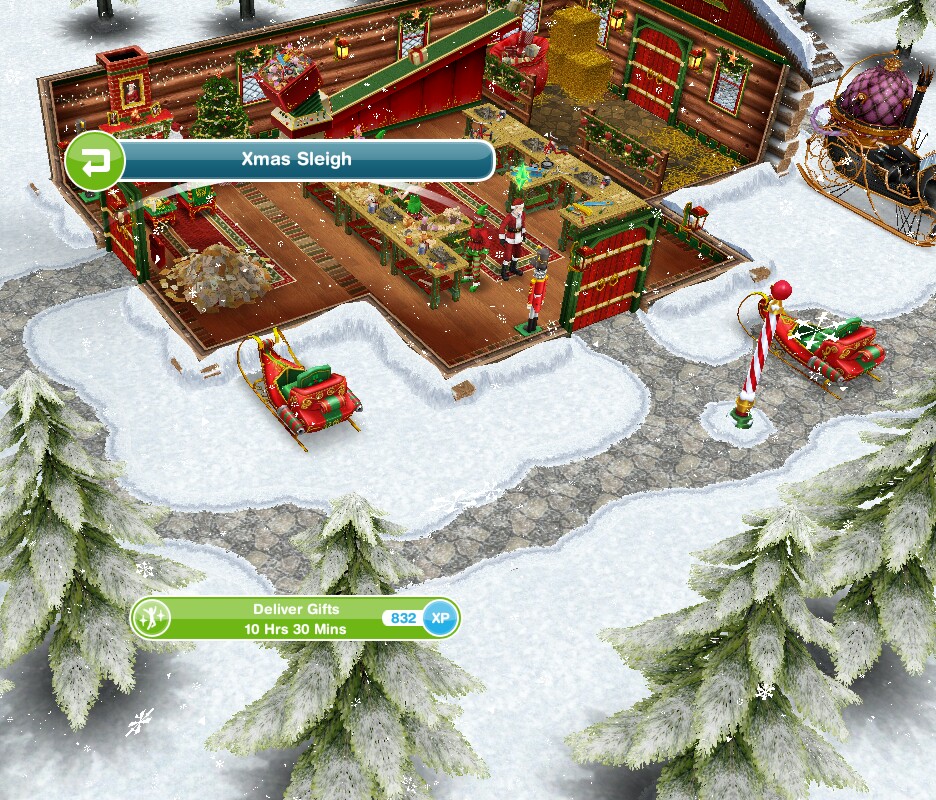
Deliver gifts- 10 hours 30 minutes (using the sleigh at the workshop, the one as shown in the picture below, not the one you use to travel to the workshop)
image

Day 12– final day! Complete to unlock the living teddy bear! (I don’t like how long some of the goals are today- it is Christmas after all!)
Sit excitedly on a couch- 48 seconds
Call a friend on a phone- 4 minutes
Have 4 sims or more at a house
Have 4 sims dance to a stereo
Call Santa (using a phone)- 2 minutes 24 seconds
Go to Santa’s workshop- 1 second
Get Santa’s attention- 4 hours 10 minutes
Turn off locomotive- 3 seconds
Ask the elves to help- 3 hours 20 minutes
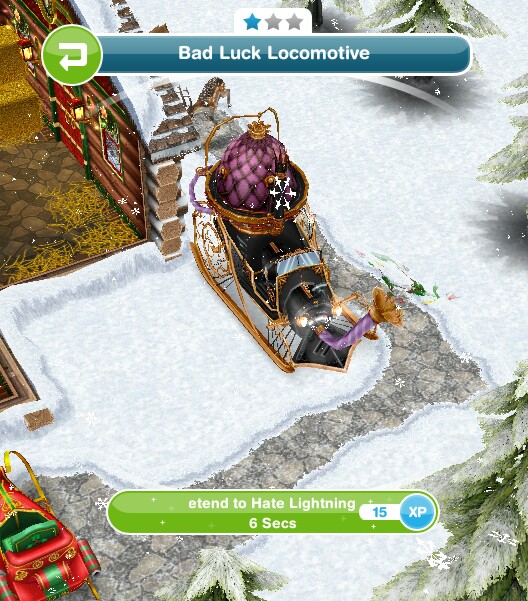
Attract lightning to locomotive- (click on locomotive and select pretend to hate lightning- 6 seconds)
image

Dance with santa- 6 hours 40 minutes
Have 0 sims at Santa’s workshop- fly home in the sleigh

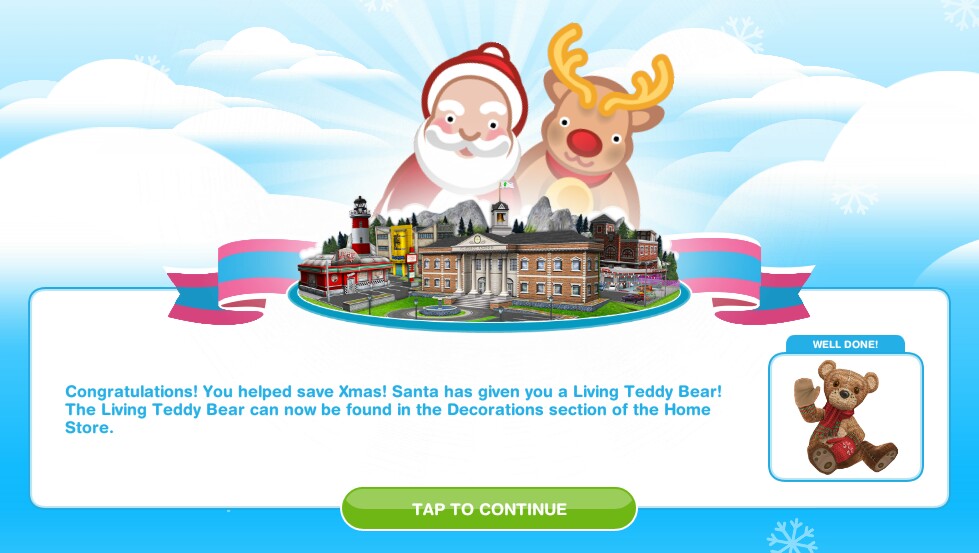
Is the prize worth it? Yes!
image

The first bear is free and can be found in the decorations section, after that they cost 500,000
image

image

It is so cute! I love how it walks, an adult sim can talk to it, a toddler can cuddle, talk to and play pat-a-cake with it!
image
image

It’s definitely worth completing this quest in the time limit!

Thanks for reading and have a great Christmas!

If you found this post helpful, please continue reading

If you would like to:

cooltext1822413066

Your contribution today means that I can continue to update and improve this blog.

Thanks for your generosity!


© COPYRIGHT PROTECTED

.stealing is illegal.

The Sims Freeplay-Christmas Gifts 2014

Once you have updated your game to the Christmas update you will receive Christmas gifts everyday!

NOTE: The gift is free but is in the buy mode, not inventory

Day 1

Dragon Ice Sculpture- can be found in the decorations section of the buy mode, must be placed on a table not the floor


20141209-174650.jpg

Day 2

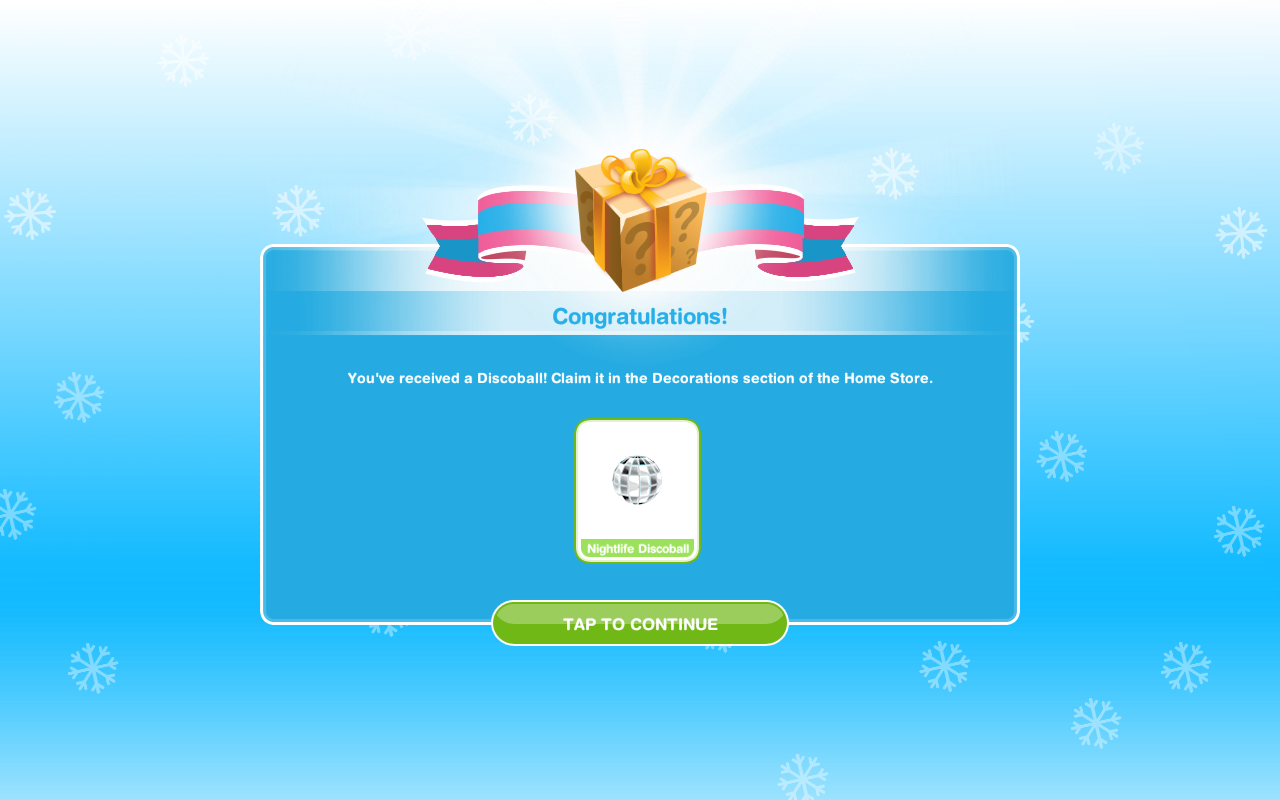
Nightlife Discoball- can be found in the decoratios section, place somewhere in your house and it will hang from the ceiling.
image

Day 3
Floral Breeze- this is a fan and can be found in the electronics section
image

Day 4
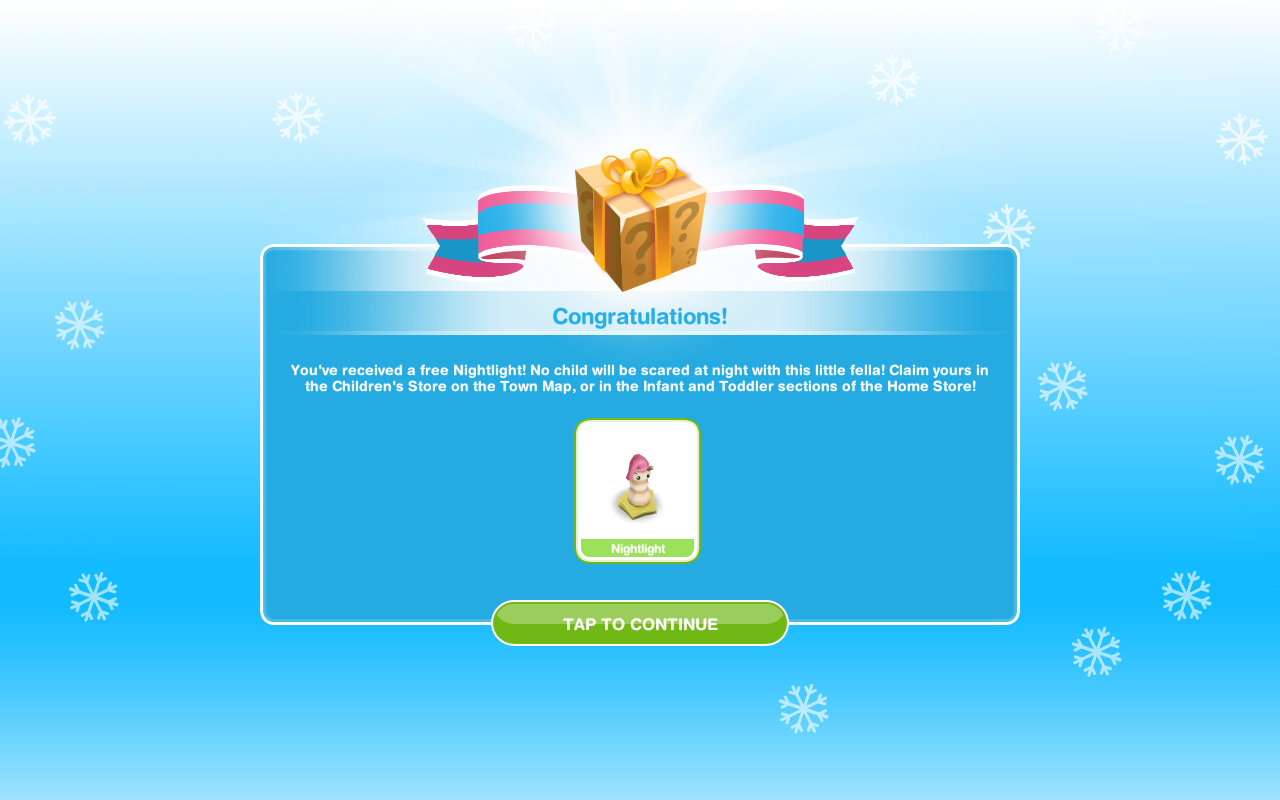
Nightlight- can be found in the children’s store or baby and toddler section of buy mode
image

Day 5
Balloon Basket- can be found in the decorations section
image

That is all the gifts but you can unlock some great prizes by completing the Christmas quest can be found here: https://thegirlwhogames.wordpress.com/2014/12/14/the-sims-freeplay-the-great-xmas-mishap-quest-2014/

Once you have got your key for the weekly tasks you can no longer do anymore that week, you just have to wait until the next week starts- I don’t really know why everyone is moaning about this as there was no point completing more than the weeks worth anyway, you don’t get any more keys for completing more than needed!

Thanks for reading!

The Sims Freeplay- Guide to Life Dreams and Orbs

A lot of people find the life dreams concept confusing to understand, this guide will give you step by step instructions on how to give your sim a personality, completing life dreams, collecting, passing on or using orbs.

For Frequently Asked Questions about Life Dreams please read this post

1. Giving your sim a personality

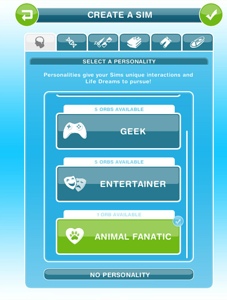
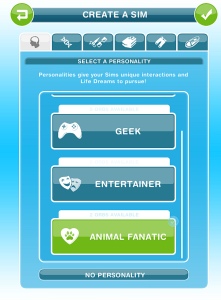
When creating or adding a sim the first tab is the personality tab

20141119-163634.jpg
or

If you didn’t give a sim a personality when creating them you can click on the wardrobe and select browse clothes to find the personality tab

20141119-161039.jpg

20141119-160928.jpg
You can choose from:

Changing personality

Remember if you change personalities all progress towards the life dream will be lost

The symbol circled in the image below is what to click on to change a sims personality (in the life dreams tab)

20141119-162535.jpg
2.Choosing a life dream

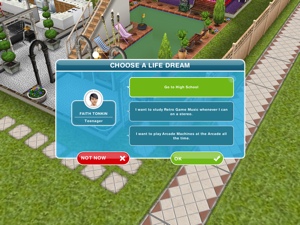
Go to life dreams tab and click choose a life dream and the list of 3 life dreams to choose from will appear

20141119-163710.jpg
or

The screen will appear straight away once a sim has aged for you to select a life dream, either select one and click OK or if you click NOT NOW, then you can go to the life dreams tab, and select choose a life dream to choose from a new list of 3 dreams.

20141119-161511.jpg

When selecting a life dream go for the ones that are most suitable for you, don’t pick ‘I want to do horse tricks’ for 3 hours if you can’t get on the game every 3 hours. If you don’t know how long a life dream takes you can usually select the object that you will need to use and it will give you a time so ‘I want to observe fish’ click on a fish tank and you will see the longest option is 5 hours. (do this before you select it as a life dream incase it isn’t long enough!)

3. Do what the life dream tells you to do

Most are very obvious, if your sim wants to watch animals on TV, select a TV option (I usually pick the longest option so in this case it would be movie marathon, this gets the dream done quickly)

A life dreams symbol appears on the action once you have selected it as your life dream. So you know which ones will increase the life dream!

20141119-161601.jpg

4. Age your sim

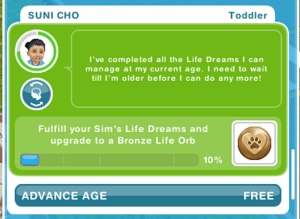
Once the life dream for that stage has been completed you can age your sim early

You can advance age early in three ways, either click yes when the pop up below appears:

20141119-162350.jpgOr if you select no you can advance age from the life dreams menu

20141119-162358.jpg
or

Wait until the timer for that stage is up:

20141119-162454.jpg
The green circle around your sim is the timer, once it gets to red that stage is almost up!

5. Repeat steps 2-4 for further life stages

Once your senior has completed their life dream it will say fufilled life dream in the menu.

NOTE: You cannot give their orb to another sim until that senior passes on and leaves it behind.

Now your seniors can plant and enjoy the rest of their life or you can end their life early too.
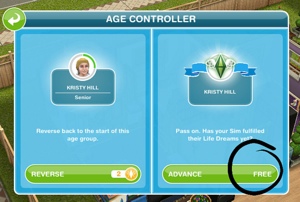
Go to the age controller tab and click on the symbol circled in the image below:

20150318-181304.jpg

Then click advance, it is free if they completed their life dreams!

20150318-181314.jpg
Which will turn their timer red

Once their timer is up an exclamation mark will appear above their head, click on it, select yes when the pop up below appears:

20141119-164943.jpgThen the grim reaper will come and end their life, leaving the orb in their place.

20141119-164948.jpg

6. Pick up the orb

The way I do it is by going to buy mode and clicking on it and storing it in my inventory

20141119-163742.jpg

Now it is in there you can use it to:

7. Give orb to a new sim or keep to build places

Giving to another sim

In step 1 where you give your sim a personality you will now be able to see an orb is available (if the first sim had a sporty personality this next sim needs a sporty personality too) click on the personality and there you can select the stored orb if you want to (if not select no orb)

20141119-160400.jpg

20141119-160405.jpg
Your first sim will get a bronze orb, giving it to another sim now gives that second sim the chance to get it up to a silver, then a third sim can get it to a gold and a fourth sim to a platinum.

Bronze to Silver

Silver to Gold

Gold to Platinum

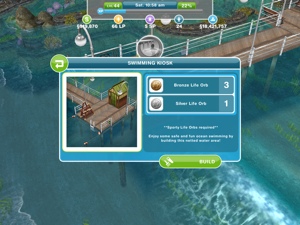
Keep it to build a place

But if you don’t want to give it to another sim and instead want to use it to build a place then just keep it in your inventory until you need it

Geeky orbs= Arcade

1 Bronze Geeky orb, 1 Silver Geeky orb

Sporty orbs= Beach

2 Bronze Sporty orbs, 2 Silver Sporty orbs

Entertainer orbs= Carnival

5 Bronze Entertainer orbs, 2 Silver Entertainer orbs

Animal Fanatic orbs= Pet Park

2 Bronze Animal Fanatic orbs, 4 Silver Animal Fanatic Orbs

If you want to build the arcade and your first sim got you a bronze geeky orb you will need to give that orb to another sim who can then get the orb to a silver, then you can get a third sim to get a bronze geeky orb and the arcade can then be built!

Once you have built the place there are things in them to build to, using the same orbs:

20141119-165037.jpg

If you wanted to build the pet park I would have 6 sims all at once working towards a bronze orb, once 4 of them have completed their life dreams they can then be passed onto 4 new sims to get them to a silver. The 2 bronze ones can be stored until needed.

Wondering how many orbs you will need for each place? click here!

Pause a sim

You need a platinum orb to pause your sim at that life stage forever, this post explains how to do that

I hope this has made it a bit clearer!

Still confused? Give my Life Dreams Frequently Asked Questions post a read!

Thanks for reading!


© COPYRIGHT PROTECTED

http://smarturl.it/sfpggwg

The Sims Freeplay- Sim Sign and Teen Mansion

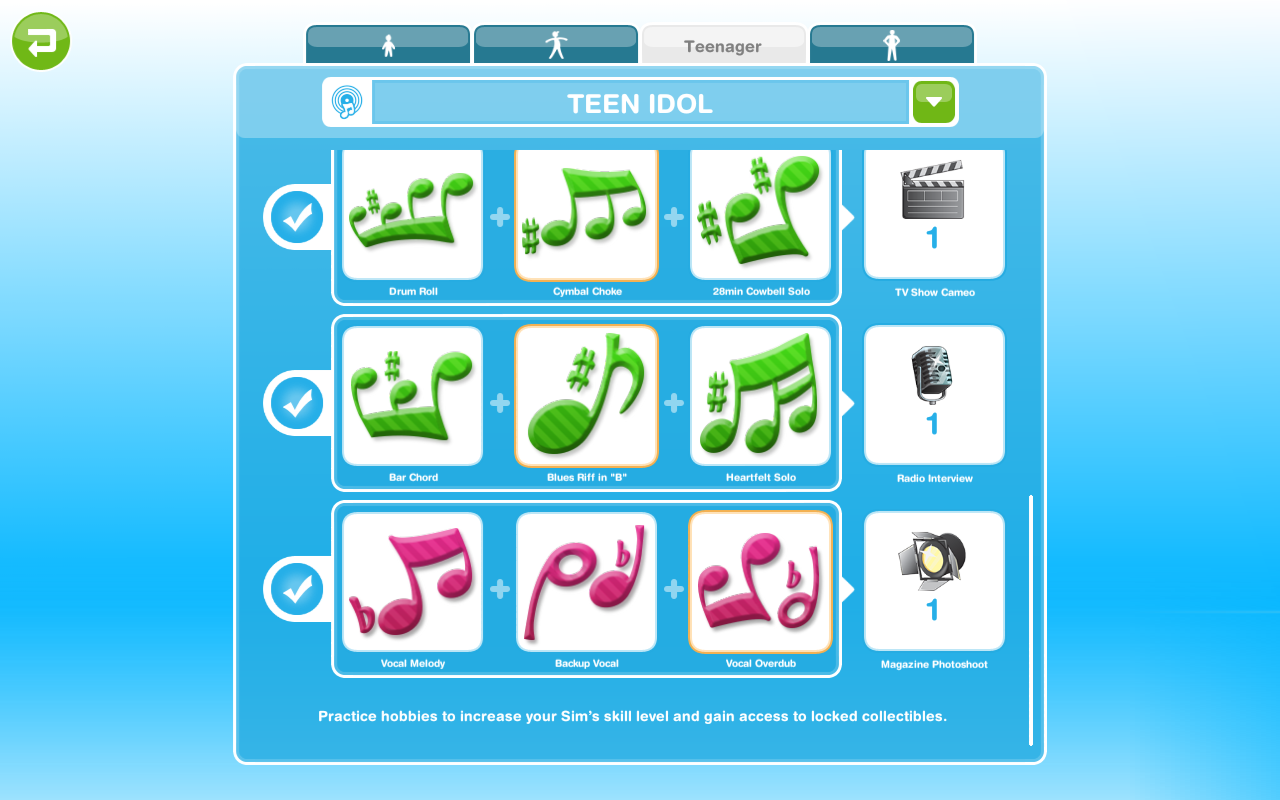
Once the Teen Idol Quest has been complete you unlock the sim sign (located next to the estate agency in the town) you need to get it to level 3 by finding the resources to upgrade it.

THERE IS NO TIME LIMIT FOR THIS

What resources do you need?

  • TV Show Cameos
  • Radio Interviews
  • Magazine Photoshoots

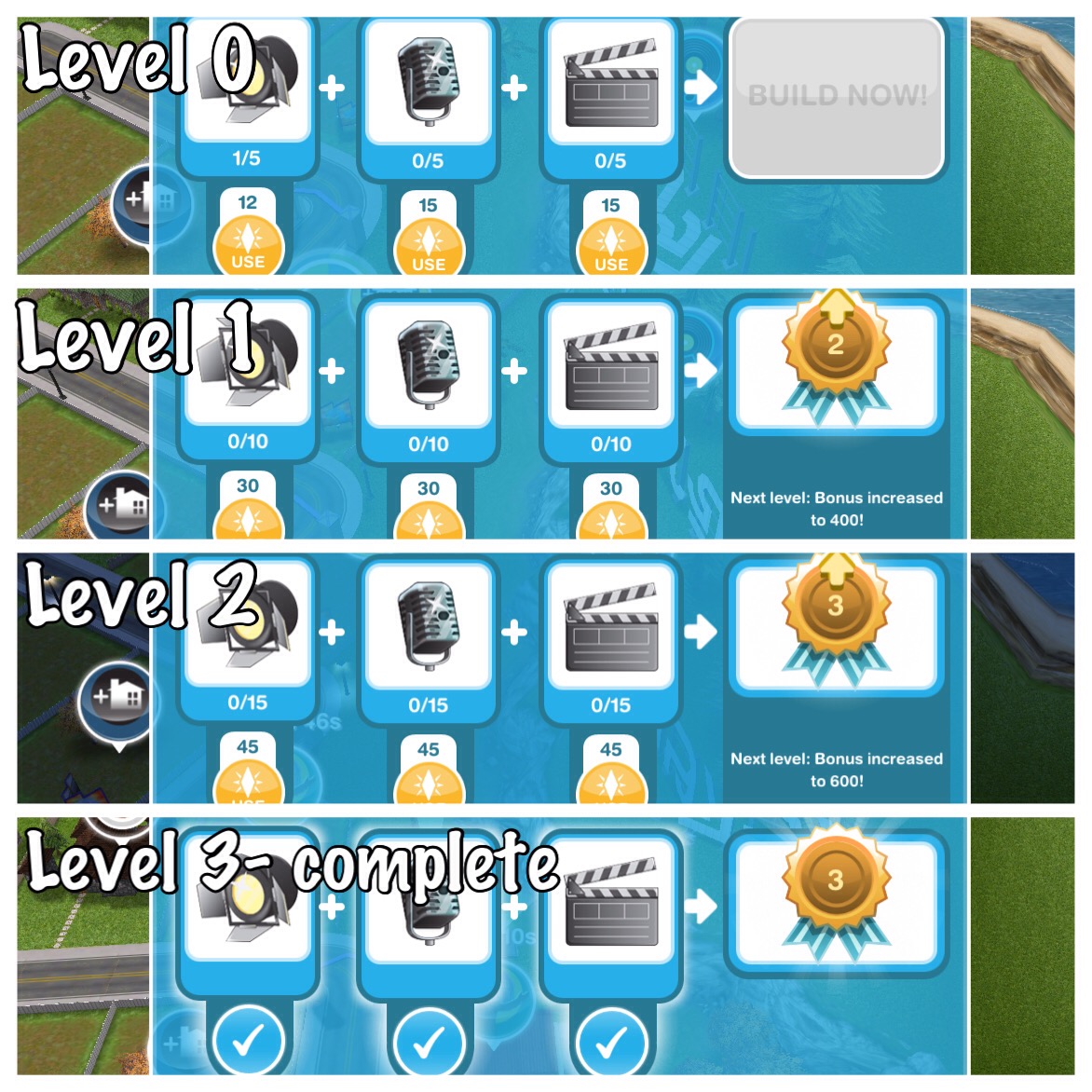
How many of each piece do you need for each level?

  • Level 0= 5 of each
  • Level 1= 10 of each
  • Level 2= 15 of each

How do you find the pieces?
Each time you find all 3 notes for the drum kit, guitar and microphone you get a piece of each
Drumkit Notes= 1 TV Show Cameo
Guitar Notes= 1 Radio Interview
Microphone Notes= 1 Magazine Photoshoot
image

Make sure you restart the collection once you have found them all to find them again!

You can also get them randomly when you do actions but be prepared to spend LP or it will take you a long time to complete the sim sign without them to speed things up!

How many LPs will it cost if you decide to speed up?

  • Level 0= 42 LP
  • Level 1= 90 LP
  • Level 2= 135 LP

Total= 267 LPs

My teens are ready to age but they haven’t completed the sign, what do I do?

Just start a new teen on this hobby and keep going to complete the sign. You can have up to 5 sims complete the hobby at the same time once it has been completed for the first time.

Once the sim sign is at level 3 it will be lit up, as shown below:
image

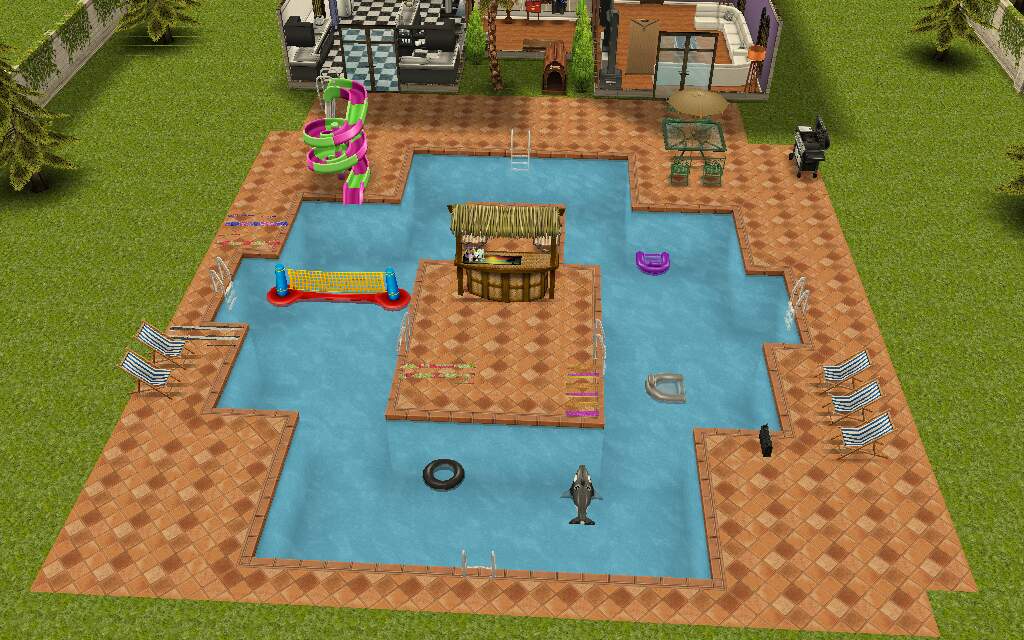
And then you can build the teen mansion on a premium residence, the first one free! After that they cost simoleons, the price varies depending on how many other houses you have but it is cheaper to build the teen mansion, than to buy an empty plot to build on (as you are paying for each floor)

What does the teen mansion look like?

image
Front of the house with 3 star
image
Ground Floor
image
2nd Floor
image
3rd Floor
image
Swimming Pool

THE FIRST TEEN MANSION IS FREE

If you didn’t unlock the volleyball net on the Its All Going Swimmingly Quest then don’t worry you get one in this house!

Personally I really like this house, I think it is well worth all those LPs I spent trying to complete the sign!

NOTE: teens cannot live in this house on their own even if they are the teen idol unless an adult lives there and they ask the teen to move in then you can move the adult out.

Anyone can live in this house, they don’t have to be the teen idol. It is just a normal house.

Want teens to live alone in this house? Watch this video to find out how to do that:

Thanks for reading!


© COPYRIGHT PROTECTED

http://smarturl.it/sfpggwg

The Sims Freeplay- Hobbies: Broomstick Flying

BOOK OF SPELLS QUEST – BROOMSTICK CLOSET – TEEN AND ADULT SIMS – PRIZE: WIZARDLY HOME BUILDERS KIT AND 5LP

TIME LIMITED HOBBY – TIME: 7 DAYS – TIME LIMITED PRIZE: CLEANING MOP


GLITCH: The issue with the Broomstick Closet has now been fixed


Once you complete the Spell Casting Hobby you will be able to complete this hobby using your teen or adult sims, to begin this hobby you need to buy the magic broomstick closet from the promotions r us store or  the sorcerous supplies store for S10,000 and place it in one of your sims houses:

I cannot place the broomstick closet, it says its locked/ limited item, what do I do? You will have this problem if you try and place it from the new items tab, look in your inventory instead to be able to place the broomstick closet in one of your sims houses.

The 7 day time limit will begin as soon as you complete the spell casting hobby, if you complete the broomstick flying hobby in the time limit you will unlock the fantasian cleaning mop:
20141105-203836.jpg

Your teen or adult sim needs to click on the broomstick closet and select one of the options:

  • Quick broomstick flight- 4 hours 30 minutes
  • Long broomstick flight- 12 hours 30 minutes

NOTE: the first time you complete this hobby you can only buy one closet so only one sim can complete this hobby but you can send another sim to a neighbours town to complete this hobby (if they have a broomstick closet) after the first time as many sims as you want can complete this hobby as you can buy as many closets as you want

After the time has passed come back and click the exclamation mark above your sims head to find one of the broomstick flying collectibles. Every time your sims complete one of the options above their broomstick flying hobby skill level up percentage will increase, once they reach 100% they will level up, there are 6 levels. You need to reach level 6 to be able to unlock all of the broomstick flying collectibles, once unlocked you will be able to find them.

The table below shows the level up percentage for each option:

This may change in future updates

 LEVEL 4 hour 30 minutes 12 hours 30 minutes
1-2 49% 138%
2-3 24% 69%
3-4 23% 64%
4-5 19% 55%
5-6 16% 46%

NOTE: it says 138% but you will start from 0% at level 2

The next table shows you for each level what broomstick flying collectibles you unlock (so you can then find those ones too) and also the level up reward that a second and future sims will receive when they level up in this hobby:

 LEVEL  TITLE 1st TIME LEVEL UP UNLOCKS 2nd+ TIMES LEVEL UP REWARD
1 Street Sweeper Ruby Dashing Spiral and Jade Dashing Spiral are unlocked in the hobby collection –
2 Nose Diver Sapphire Dashing Spiral and Ruby SuperSim are now unlocked in the hobby collection 250XP
3 Low Rider Jade SuperSim and Sapphire SuperSim are now unlocked in the hobby collection 500XP
4 Speed Needer Ruby Loop and Jade Loop are now unlocked in the hobby collection S750
5 High Flyer Sapphire Loop and Ruby Corkscrew are now unlocked in the hobby collection 10,000 Town Value
6 Broom Master Jade Corkscrew and Sapphire Corkscrew are now unlocked in the hobby collection.

You can now complete the collection!

1LP

NOTE: only the first sim completing this hobby needs to get to level 6 to unlock all the collectibles, future sims will be able to find any collectible even if they are only on level 1 in this hobby  (and they can do the shortest option to try and find the collectibles quicker!)

You won’t find a new collectible each time, you will get repeats, if this happens just keep going, you will find them eventually! If it is still taking too long you can use the lucky spin on the row where you cannot find the item, this will cost LPs, when you click on the LP button it will clear the row and give you a random collectible on that row so you aren’t guaranteed a new item (you will get back any other collectibles you already had in that row) Need to earn some LPs to use the lucky spin?


The completed broomstick flying collection is shown below, once you complete the collection you need to click ‘start a new collection/restart breakdancing trophies’ at the top of the hobby collection screen, this clears the board so you can complete the collection again to earn more rewards (you will only get the option to restart the hobby collection when you have completed the collection):


You will earn XPs when you complete a row in the hobby but to complete the collection you need to find all 12 of the collectibles

If you complete this hobby in the time limit you will unlock the Fantasian Cleaning Mop,  I personally gave up trying to complete this hobby in the time limit, after getting the same item 5 times in a row, the mop costs S888,888 from the sorcerous supplies store- it wanders around sweeping, although it does also clean up pee and vomit.

Thank you Torie for this picture!

The rewards for completing this collection are the wizardly home builders kit and 5 LP:

The first time you complete this hobby collection you unlock the wizardly home builders kit (even if you don’t manage to complete in the time limit) which includes wizard themed exterior walls, wallpaper, flooring, window and door:

  • Aged floorboards- floors tab of house section
  • Old stone wall- walls tab of house section
  • Magic wall- exterior tab of house section
  • Window (stone)- windows tab of house section
  • Runic door- doors tab of house section
  • Secret door- doors tab of house section

From the second time onwards each time you complete the collection you will earn 5LP

Confused about hobbies? Read my Hobbies Frequently Asked Questions post

Find all hobby posts here


Related Hobbies: Spell Casting & Potion Brewing


FIND THIS POST HELPFUL?

Buy Me a Coffee at ko-fi.com

THE SIMS FREEPLAY
©THEGIRLWHOGAMES.BLOG