The Sims Freeplay- Christmas 2017 Gifts

The Christmas update is out now! Once you update your game you will receive a daily Christmas gift from the 5th-10th December this post shows you the prizes you unlock, it will be updated each day:

Day 1: Free Xmas Door

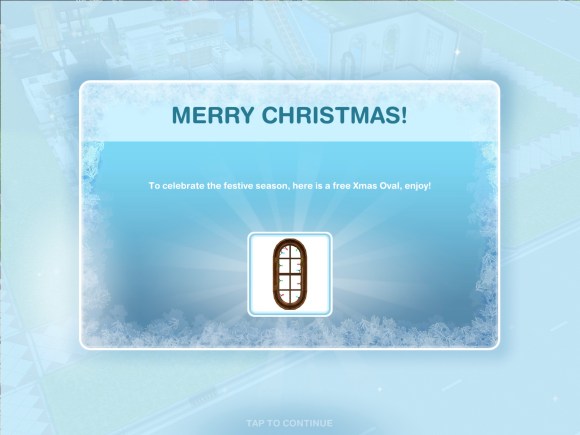
Day 2: Free Xmas Oval Window

Day 3: Free Xmas Couch

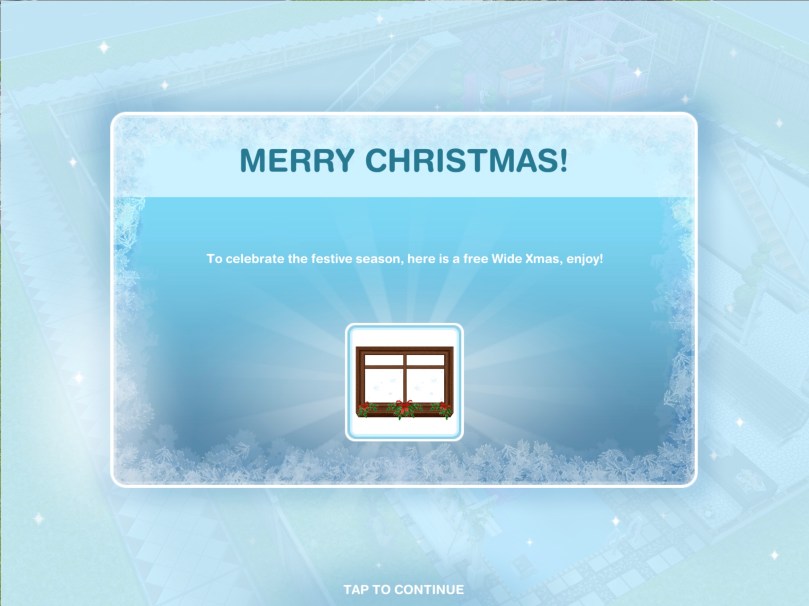
Day 4: Free Wide Xmas Window

Day 5: Free Xmas Wallpaper

Day 6: Free Xmas Double Window

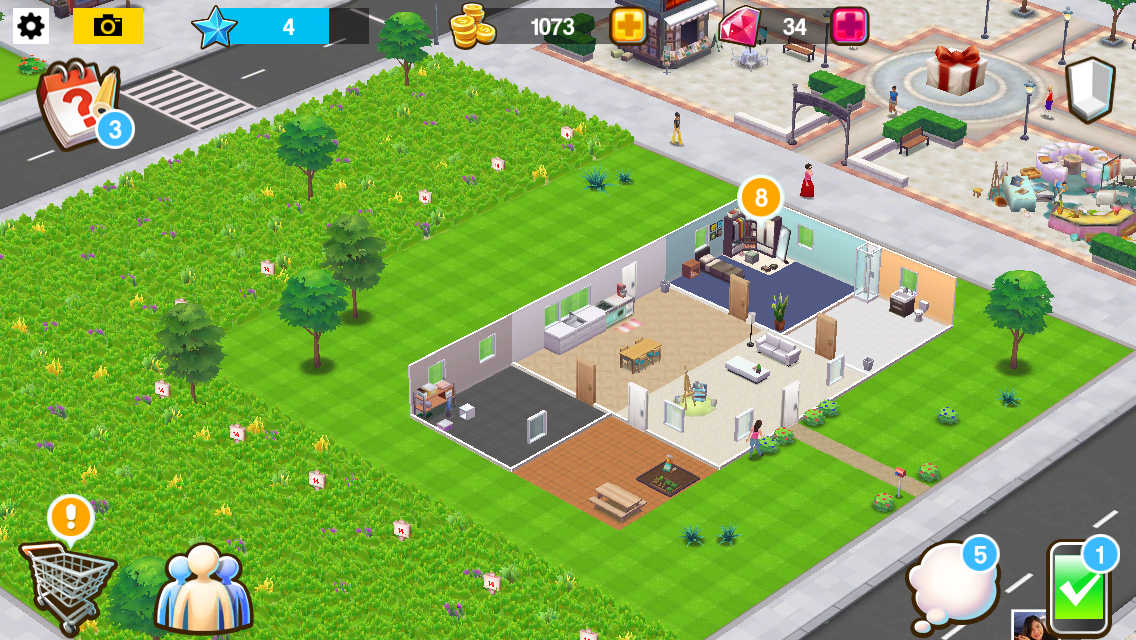
The Sims Freeplay team are looking for Christmas themed houses to be submitted for the chance to be featured in the architect homes tab so get creating! Need ideas? Take a tour of my Christmas themed house:

Thanks for reading!

Home Street- How to Increase Your Storage

The question I have been asked most about Home Street so far is ‘how do I increase my storage?’ and ‘where is my storage?’

Where is the storage/storeroom?

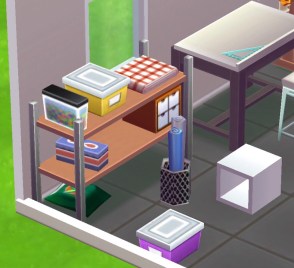
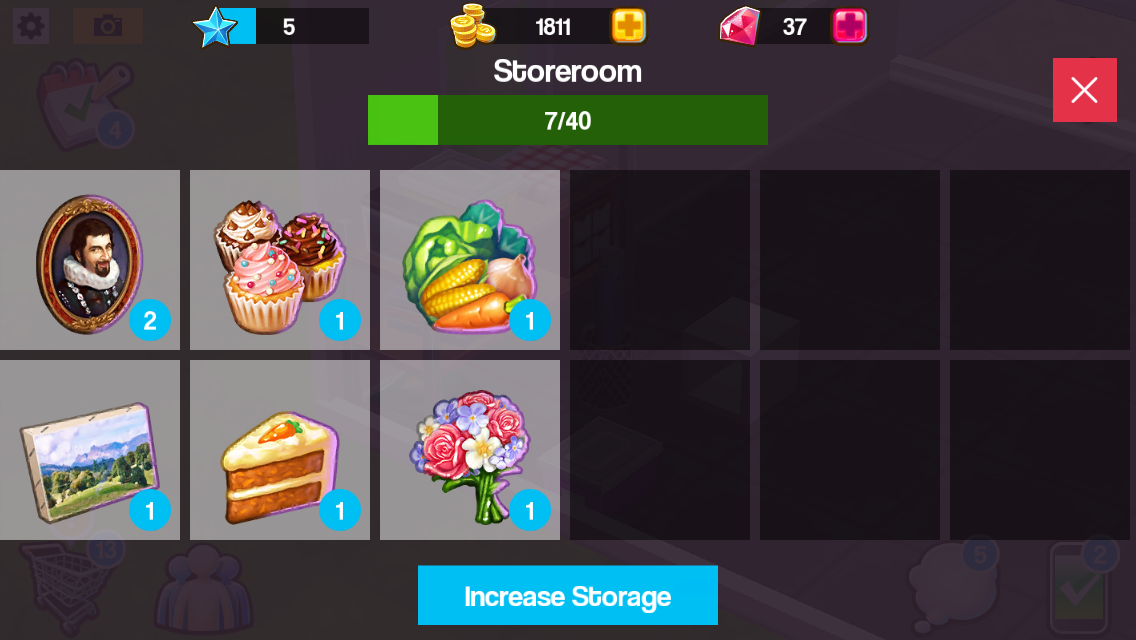
Your storage is this shelving unit:

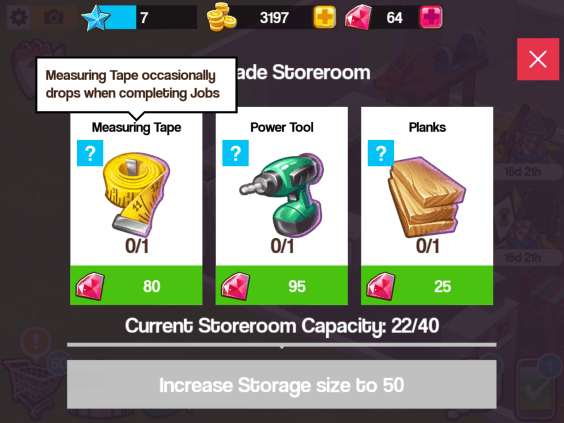
If you click on it you can see all the items you have made and collected, you also have a capacity, once you reach the capacity you have to increase your storage so you can store more items. Click on increase storage:

You will need items to increase your storage, these will change each time you increase the storage. If you don’t know how to find an item click on the question mark and it will say something like ‘measuring tape occasionally drops when completing jobs’ this means when you complete jobs you have a chance of finding measuring tapes but you aren’t guaranteed to find them so it can take some time!

Check out my Home Street: The Basics post if you are unsure about jobs

Where can I get notebooks and other items?

Notepads occasionally drop when completing jobs:

Below I have listed some items and how you can find them, this is just the ones I know about so far!

  • Encyclopedia- occasionally drops when completing jobs
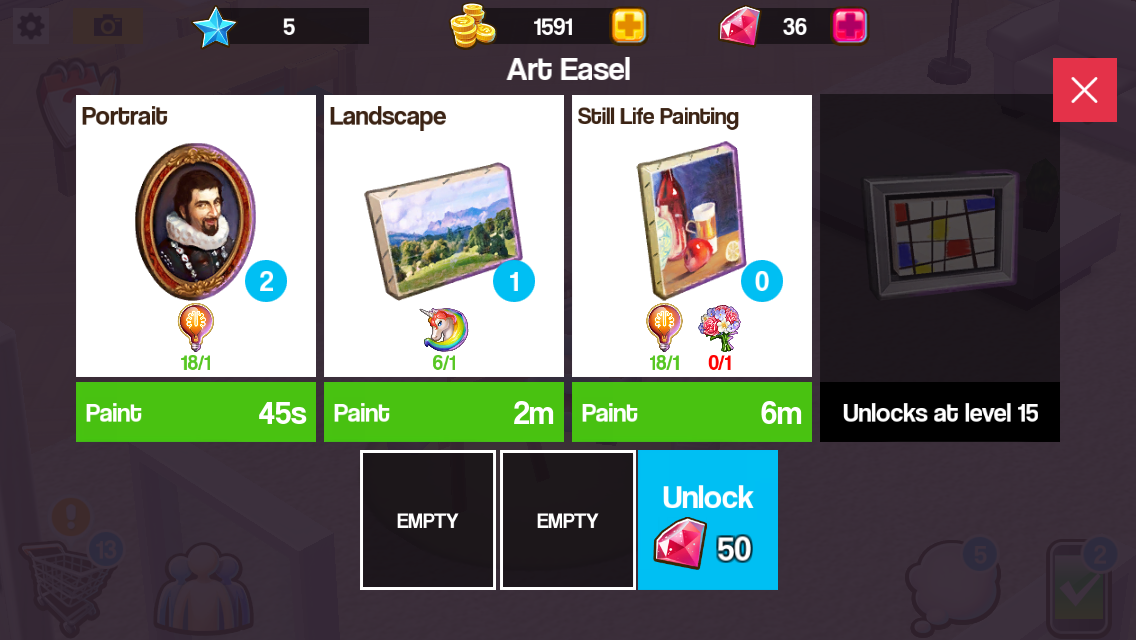
  • Portrait- make on the easel
  • Landscape- make on the easel
  • Still Life Painting- make on the easel
  • Measuring tape- occasionally drops when completing jobs
  • Bird house- make on the woodworking table
  • Rocking horse- make on the woodworking table
  • Power tool- occasionally drops when completing jobs
  • Planks- occasionally drops when completing jobs
  • Sketch- make on the drafting table
  • Energy drink- occasionally drops when completing jobs
  • Cupcakes- make on the baking oven
  • Carrot cake- make on the baking oven
  • Red velvet cake- make on the baking oven
  • Notepad- occasionally drops when completing jobs
  • Vegetables- make on the garden bed
  • Flowers- make on the garden bed
  • Woolly hat- make on the loom
  • Stripy socks- make on the loom

Is there anything you need help with in Home Street? Let me know!

The Sims 4- How to Adopt a Cat or Dog

Thank you EA for providing me with the code for The Sims 4 Cats & Dogs Expansion Pack!

Once you have the expansion pack installed you are going to want to get a cat or dog straight away, if you aren’t sure how to adopt one this post shows you all the steps to adopting a cat or dog!


1.Click on the phone next to your sims picture and click on hire a service:

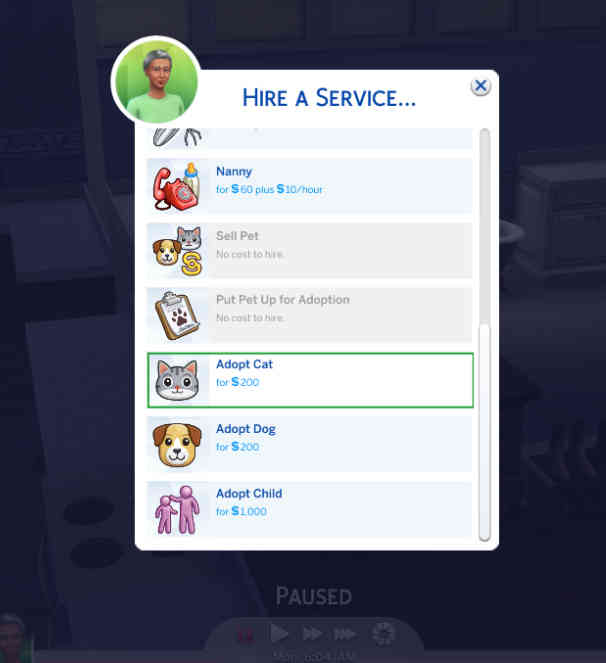
2.A pop up will appear, scroll down until you find the ‘adopt cat’ and ‘adopt dog’ options, select the one you want to adopt:

3.Another pop up will appear, this will show you a list of all the dogs or cats available to adopt right now, they will have a name and if you hover over them it will show you the breed they are, their age (whether they are a puppy/kitten or adult) gender, whether they can have babies and their traits:

4.Select the one you would like to adopt by clicking on them and clicking on the tick:


5.A man will then arrive with the pet in a crate, you can have your sim interact with the pet for a bit, once you are sure you want them to adopt that pet click on adopt, this will cost you S200:

6.It will ask you if you are sure, click ok:

7.You will now have adopted the pet! You can change their name if you want to:

If you don’t like how your pet looks you can customise them in create a pet, watch this video to see all the options available!

What new Create A Sim and Build Mode Items are unlocked with this expansion? Watch this video to find out!

Thanks for reading!

If there is anything you would like me to cover about The Sims 4 please let me know here


Thank you again EA for providing me with the code for The Sims 4 Cats & Dogs!

NEW GAME: Home Street- The Basics

A new game was released this week called Home Street, I am going to explain the basics of the game and what I think of it so far. 
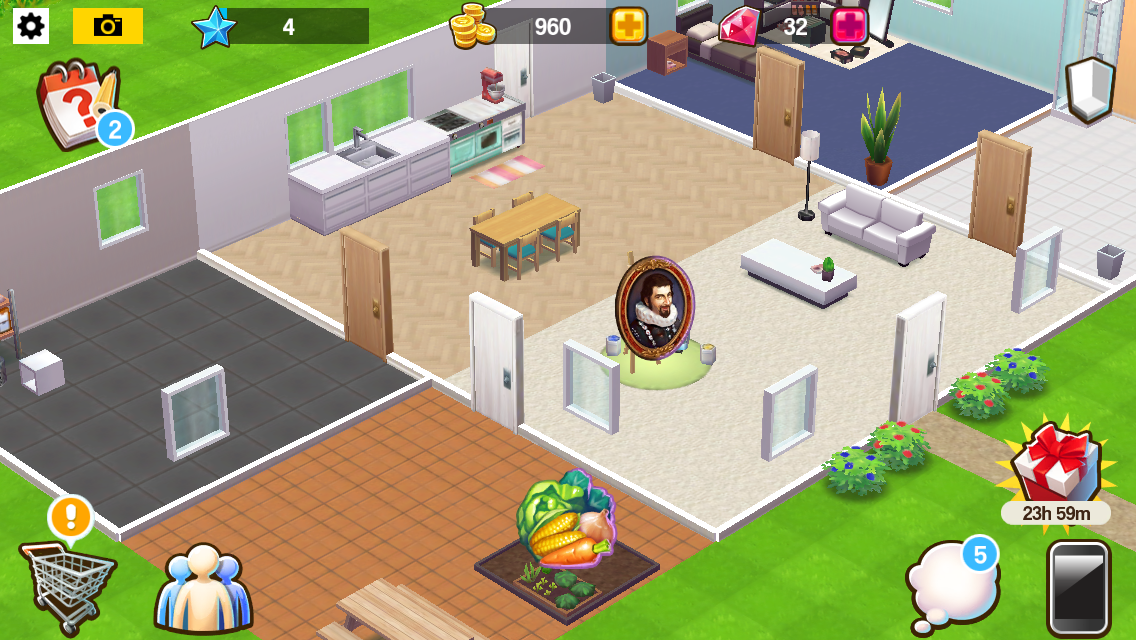
When you first begin the game you customise your character and then they move into a house that you can also customise as you progress through the game:

The aim of the game is to produce materials on workstations to complete jobs and tasks. You start with the easel workstation to produce paintings and new workstations can be brought from the shopping cart when you level up and unlock them:

Once a material has been produced a pop up of that item will appear, click on it to collect it:

Materials will go into the storeroom which has a capacity of 40 items to start with:

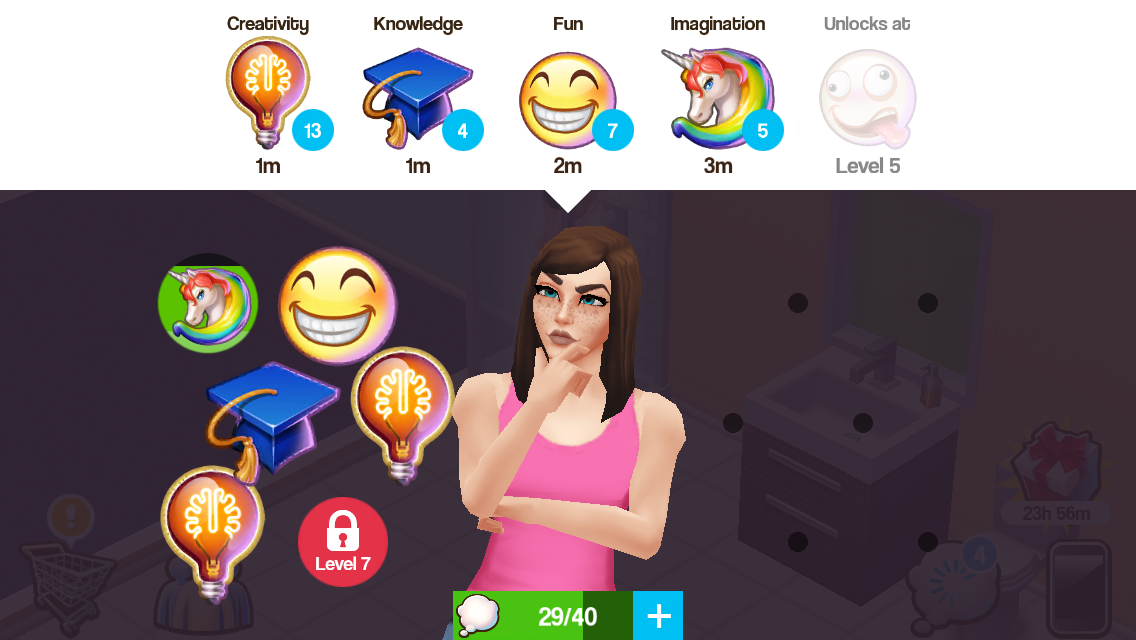
To produce materials you need to use thoughts, you produce these in the thought bubble icon by clicking on the thoughts at the top of the screen, underneath them it tells you how long it takes to produce them. I think they could change this to make it easier to see when an item has been produced:

You do only have space for 40 thoughts which fills up quickly, I hope this won’t be another one of those games where the items you need to upgrade are hard to find!

How do you know what thoughts and materials you need?

Underneath the picture of the item you are making there is a picture or several pictures of the items you need to make that item, for example, cupcakes require 1 fun thought and carrot cake requires 1 fun thought and 1 vegetables. Vegetables aren’t a thought, they are an item you make using the garden bed:

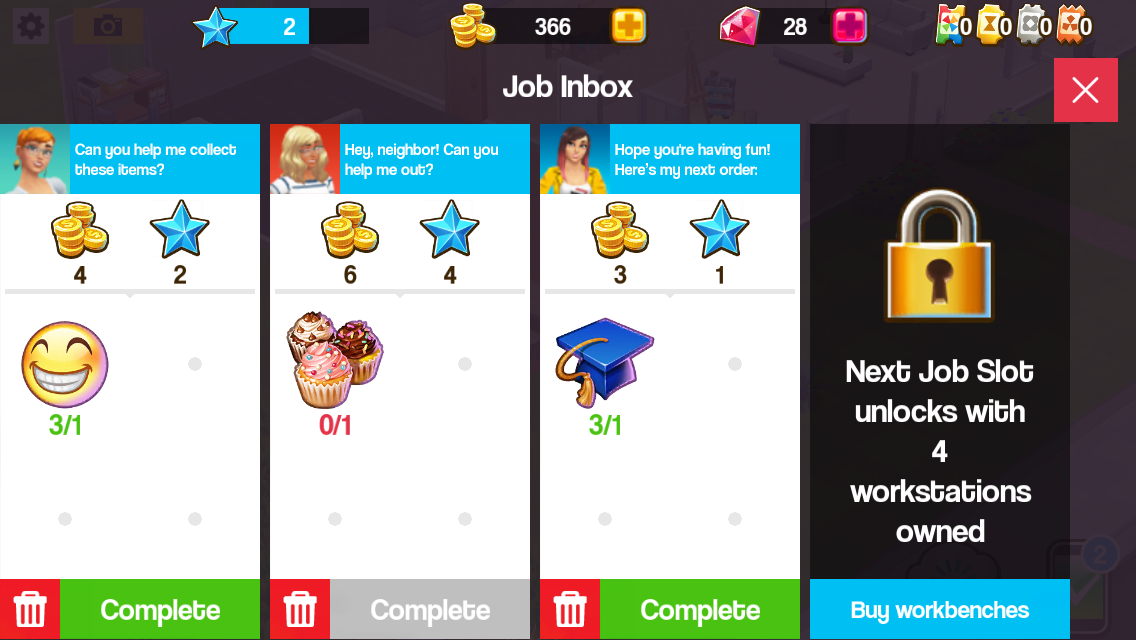
Once you have created materials you can complete jobs (phone symbol) if you have the materials you need click complete to earn your reward, some jobs require thoughts instead of materials:

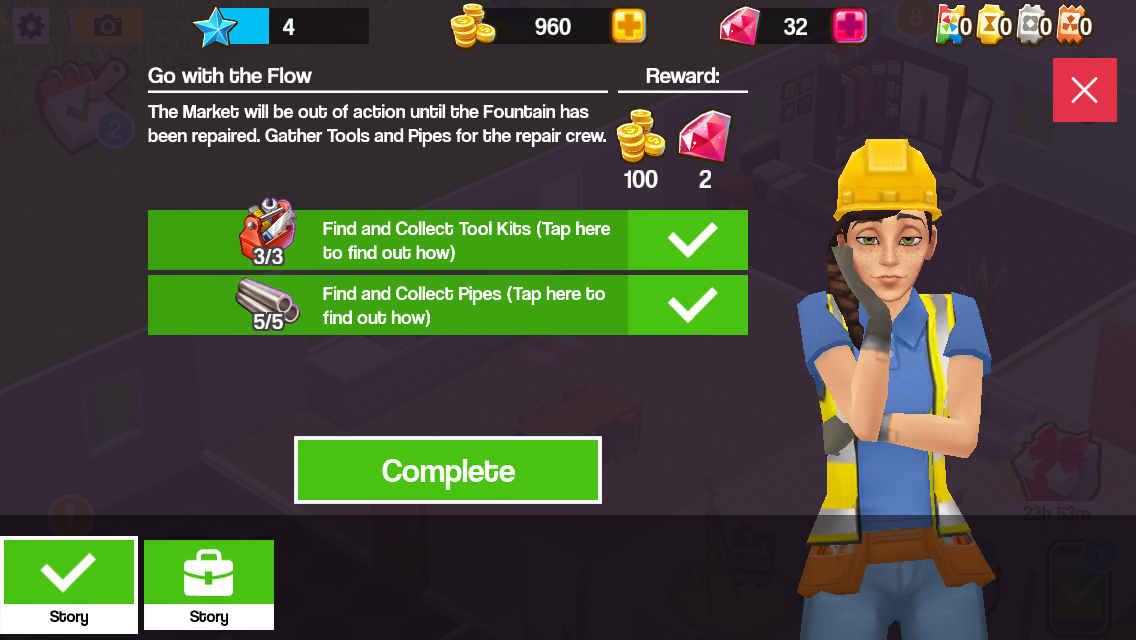
Producing materials and completing jobs helps you to complete tasks, completing these unlocks places around the town:

Where are these icons located?

  • Tasks (top left corner)
  • Shopping Cart-buy items and decorate your house (bottom left corner)
  • Friends- connect to facebook to add friends and save your progress (next to Shopping Cart)
  • Jobs (bottom right corner)
  • Thoughts (next to Jobs icon)
  • Walls icon- changes the walls in the house to half wall, full wall and no wall (top right corner)


So far I like this game, it does remind me of SimCity Build It with the material producing and also the new The Sims Mobile game although I think the controls and graphics are more basic than those games. This game does crash a lot on my poor old iPod so I haven’t been able to play it for long however that’s due to the age of my device and not the game itself but I will definitely be playing it more once I get a new iPad and I will actually be able to play The Sims Mobile when it is released (which disappointingly isn’t compatible with older devices, just so you know!) as well as many other new exciting games!

Have you tried Home Street yet? What do you think?

Unsure where to find the storage or how to upgrade your storage? Check out this post!

The Sims Freeplay- Hobbies: Ice Sculpture

ICE PEDESTAL – ADULT SIMS ONLY – PRIZE: 2LP


NOTE: if you haven’t completed the ice sculpture hobby before you will only be able to buy the ice pedestal when an ice sculpture time limited hobby event becomes available 

Only Adults can complete the ice sculpture hobby, to begin this hobby you need to buy the ice pedestal from the promotions r us store and place it in one of your sims houses, you can buy 15, the price increases each time you buy one:

 ICE PEDESTAL  PRICE
1 S1,000
2 S1,100
3 S1,300
4 S1,900
5 S2,500
6 S9,000
7 S20,000
8 S35,000
9 S50,000
10 8SP
11 12SP
12 18SP
13 26SP
14 32SP
15 40SP

I cannot find it in my home store to place it? You need to look in your inventory under the hobby and career items section

I cannot place the pedestal, it says its locked/ limited item, what do I do? You will have this problem if you try and place it from the new items tab, look in your inventory instead to be able to place the ice pedestal in one of your sims houses.

WHY ISN’T THE ICE PEDESTAL IN MY STORE? You will need to wait for the Ice Sculpture Time Limited Event to reappear on the game, then you will be able to buy a pedestal

You can buy 15, so 15 adults sims can complete this hobby at one time.

Once placed tap on it and select one of the options:

  • Practice Sculpting- 5 hours 45 minutes
  • Conjure Masterpiece- 8 hours

After the time has passed come back and click the exclamation mark above your sims head to find one of the ice sculpture collectibles. Every time your sims complete one of the options above their ice sculpture hobby skill level up percentage will increase, once they reach 100% they will level up, there are 6 levels. You need to reach level 6 to be able to unlock all of the ice sculpture collectibles, once unlocked you will be able to find them.

The table below shows the level up percentage for each option:

This may change in future updates

 LEVEL  5 hours 45 minutes 8 hours
1-2 800% 1600%
2-3 400% 800%
3-4 200% 400%
4-5 150% 300%
5-6 50% 100%

NOTE: it says 1600% but you will start from 0% at level 2

The next table shows you for each level what ice sculpture collectibles you unlock (so you can then find those ones too) and also the level up reward that a second and future sims will receive when they level up in this hobby:

 LEVEL  TITLE 1st TIME LEVEL UP UNLOCKS 2nd+ TIMES LEVEL UP REWARD
1 Cold Feet Hunk O’ Ice and Formless Frost are unlocked in the hobby collection
2 Snowcone Maker Ice Cubism, Icy Spike and Partial Pike are now unlocked in the hobby collection 250XP
3 Wand Waiver   Pure Plumbob,Cold Fragment and Verglas Cast are now unlocked in the hobby collection 500XP
4 Snowy Sculptor   Delicate Duck is now unlocked in the hobby collection S750
5 Winter Wizard Everfrost Sculpt and Winterblast are now unlocked in the hobby collection 10,000 Town Value
6 Pablo Picasnow Magnum Snopus is now unlocked in the hobby collection.

You can now complete the collection!

1LP

NOTE: only the first sim completing this hobby needs to get to level 6 to unlock all the collectibles, future sims will be able to find any collectible even if they are only on level 1 in this hobby (and they can do the shortest option to try and find the collectibles quicker!)

You won’t find a new collectible each time, you will get repeats, if this happens just keep going, you will find them eventually! If it is still taking too long you can use the lucky spin on the row where you cannot find the item, this will cost LPs, when you click on the LP button it will clear the row and give you a random collectible on that row so you aren’t guaranteed a new item (you will get back any other collectibles you already had in that row) Need to earn some LPs to use the lucky spin?


The completed ice sculpture collection is shown below, once you complete the collection you need to click ‘start a new collection’ at the top of the hobby collection screen, this clears the board so you can complete the collection again to earn more rewards (you will only get the option to restart the hobby collection when you have completed the collection):

You will earn XPs when you complete a row in the hobby but to complete the collection you need to find all 12 of the collectibles

The rewards for completing this collection is 2LP:

  • You will earn 2LP each time you complete this collection, unless you are completing this collection during a time limited hobby event then other prizes will be available (you can find a list of time limited hobby events here)


Confused about hobbies? Read my Hobbies Frequently Asked Questions post

Find all hobby posts here


Related Hobby: Chocolatier


FIND THIS POST HELPFUL?

Buy Me a Coffee at ko-fi.com

THE SIMS FREEPLAY
©THEGIRLWHOGAMES.BLOG