NOTE: the game hasn’t been released worldwide yet, it is currently only available in Brazil so is still very much a working progress which means changes are still being made so the final product may turn out very different from the version I had access to at EA Play.
Create a sim on The Sims Mobile in my opinion is amazing! In this post I am going to walk you through all the different options you will find when creating your sims.
You can only have four playable sims in your town at one time, you can have other sims such as babies and toddlers but you cannot customise them. When you first open the game you will be able to create your first adult sim, I made myself:
1.Name your sim, click on the name box to open the keyboard: NOTE: you can just click randomise to select a premade sim if you aren’t bothered about creating your own sims
2.Once they have a name click customise to start editing!
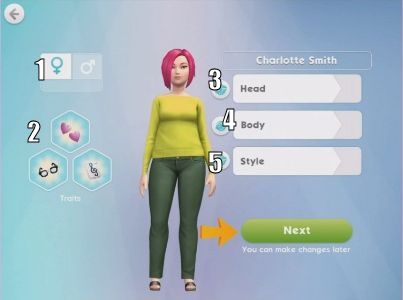
3.You will now be able to select your sims gender (1), and how they look within these three sections:
Head (3)- edit all their facial features to make them incredibly unique
Body (4)- edit their body shape
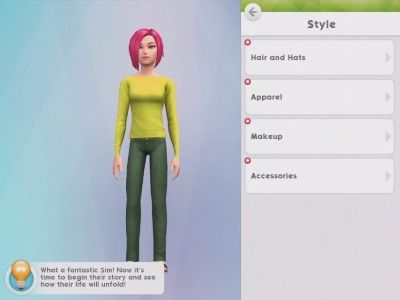
Style (5)- pick their hairstyle, clothes and accessories
PLEASE NOTE: You can no longer give your sims traits (2) from the create a sim menu, this feature has been removed since I played the game at EA Play
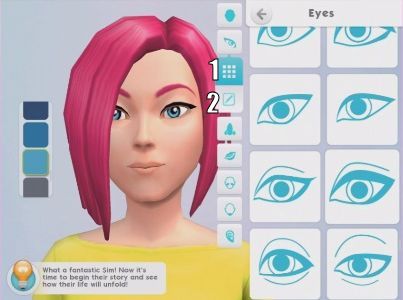
4.To customise your sim click on the head tab to start editing their facial features, there are several tabs within this section:
Head- this changes the shape of your sims head, down the side is the skin colours to choose from- you can even give them blue or green skin!
Eyes
Nose
Lips
Cheeks
Chin
Ears
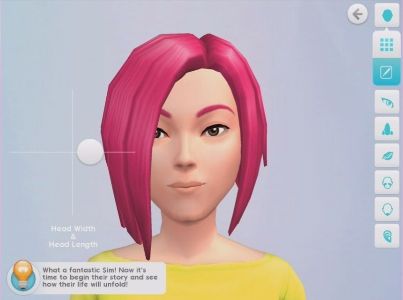
Under the grid list of options (1) on the selection bar is an edit button (2), this allows you to use sliders to edit that feature even more to make them incredibly unique:
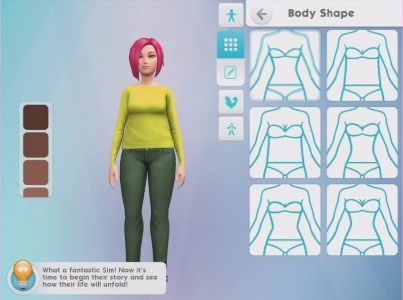
5.When you have selected and edited all the facial features you can move onto the body section, again there are tabs within this section:
Body Shape
Physique
Extremities
And again you can edit each part using the sliders by clicking on the edit button:
6.Once you are happy with the body shape you can move onto the style, there are 4 tabs in here:
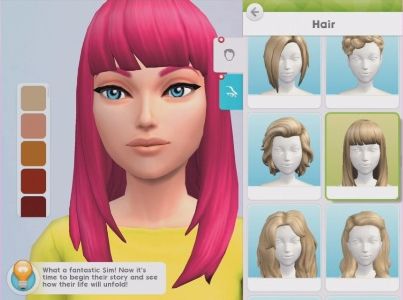
Hair and Hats- choose your hair style and colour or if you want them to wear a hat, the hair colours can be found down the side of the screen like the skin colours
Apparel (clothes)
Makeup
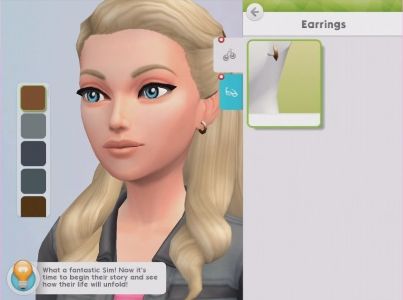
Accessories
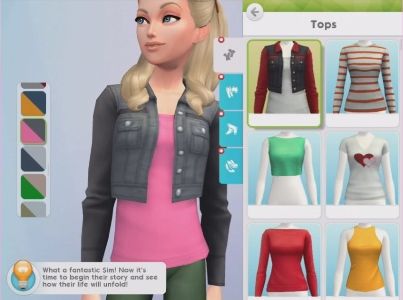
Apparel (clothes)- under apparel you will find tops, pants, legwear (socks and tights) and footwear. Down the side you’ll be able to choose the colour you want that item of clothing to be, I love this feature as you don’t have to scroll through a long list of clothes which are the same just in different colours
Accessories- choose from glasses and earrings (I’m sure more items will be added as we progress through the game)
TIP: if you decide you don’t want your sim to wear a certain item click on it again to remove it from them
7.Once you have edited your sims features you have finished creating your sim, click next to see an overview of your sim and then click create sim to start the game:
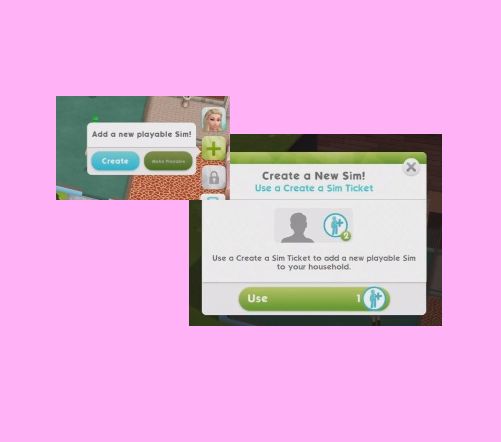
You will see the arrows and messages appear when you create a sim for the first time, you can add playable sims during the game by clicking on the green add button that shows up under your current sims (this will be a lock if you haven’t reached a certain level or requirement yet)
NOTE: there is only one house on the sims mobile and you can only have four playable sims living in that house at one time, you will need to wait for your sims to retire before you can add new ones
A week ago I created a poll asking what you thought of live events and here are the results:
32% of those who voted said yes, they do enjoy live events! I’m not really surprised about that although personally I think these live events are too regular, we have had one an update since January now (and there were actually two in the dance party update!) but they are yet to repeat any which I know many of us really want them to- need to get my hands on that chateau! I do enjoy them but they are getting very repetitive so I didn’t even really try with the custom closets one, more than doing the shortest option whenever I could- I usually get up in the night too but I couldn’t face it again! However I will say I did manage to complete it even though I didn’t really try so it looks like they have heard our comments about these events being impossible and are improving them.
Early Access to Beta Provided by EA/ Firemonkeys- may differ from actual version
ONCE THE 7 DAY TIME LIMIT IS UP YOU WILL HAVE 2 DAYS TO PURCHASE ANY PACKS YOU HAVE LEFT– you will not be able to collect anymore arts and crafts items or coins, you have to use the resources you have, if you don’t have enough resources all you can do is use social points to buy the requirements or wait until the event returns!
There is another live event in town and this one unlocks new wardrobe components! Live Events are very similar to a community event but this time you don’t need help from everyone who plays the sims freeplay to unlock the prizes, there are only personal prizes this time! If you haven’t already you need to update your game to the penthouses update for this event to appear
This event is only here for 7 days and the aim of it is to collect enough arts and crafts items from the arts and crafts stations (found in the event tab of buy mode) to unlock all the items in this event
NOTE: if you did another Live Event then you will find your arts and crafts stations in your inventory (or in the house you left them at) you will only be able to use the candle ones until you unlock the other stations in this event
NOTE: I completed this on the Early Access Beta so some information may be slightly different but I will update the post as I complete the event.
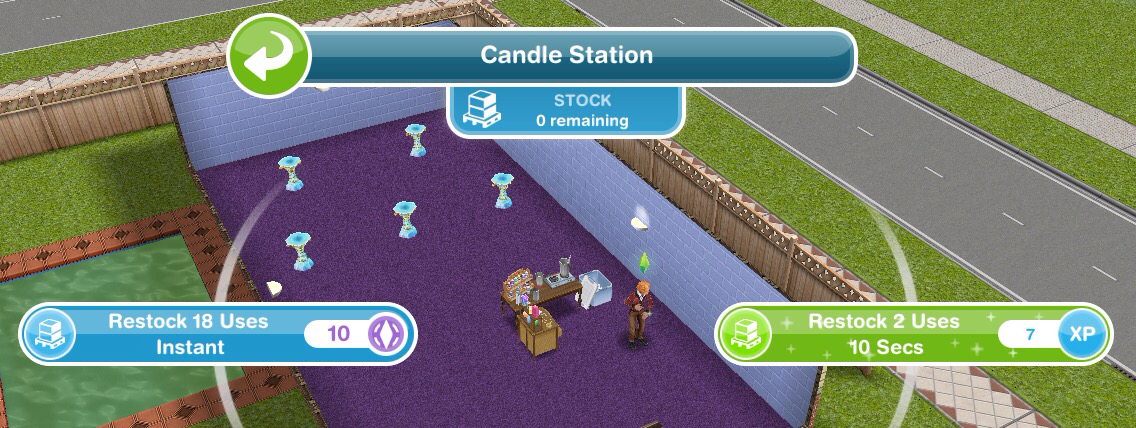
Place a crafting station (find the candle station in the events tab of buy mode (or your inventory)- you can only buy 4)
Make some arts and crafts items (click on the candle station to make)- 23 seconds
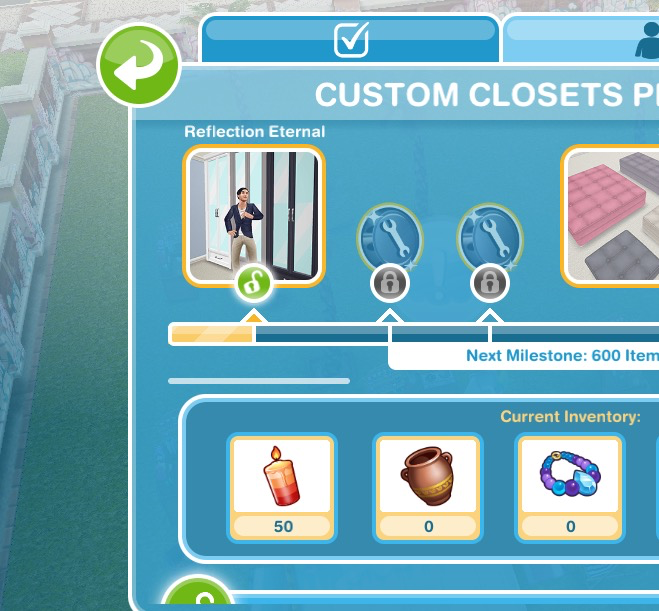
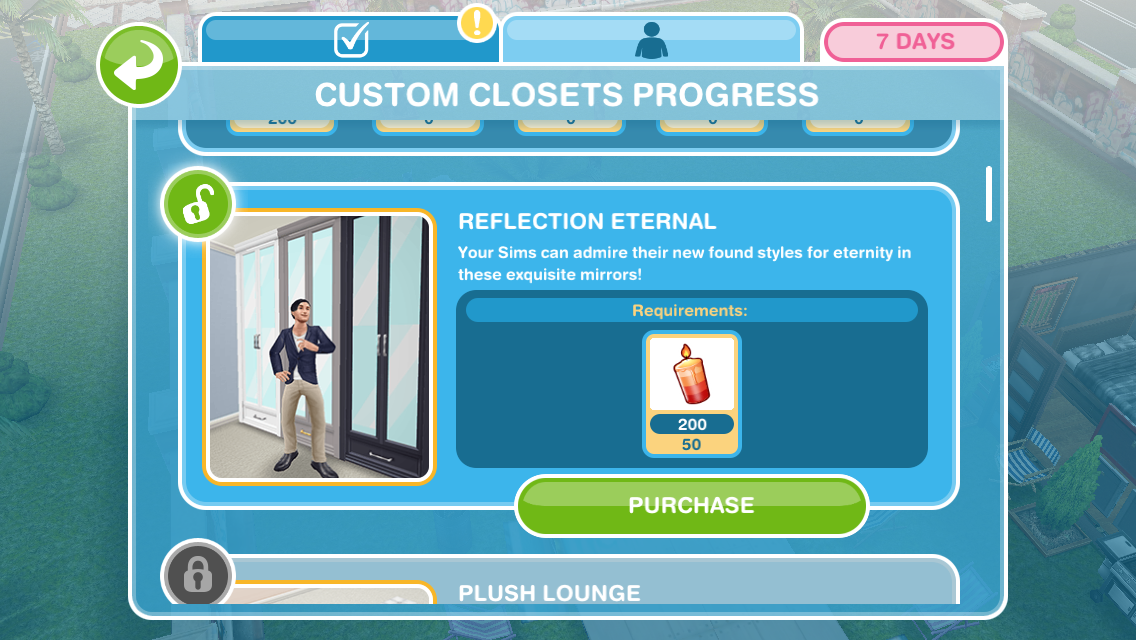
This takes you to the prize progress tab (you can get to it by clicking on the closet event button in the corner of the screen) Here you will see you have collected enough items to unlock the Reflection Eternal pack! When you unlock each pack, before the items are available in your home store you need to purchase them with the arts and crafts items you make- this goal is coming up!
Restock a crafting station (when the stock runs out you will have to restock before you can make anymore arts and crafts items)- You can restock instantly for 18 uses for 10SPs or restock for 2 uses which will take 10 seconds this time
Buy the reflection eternal pack (click on the closet event button, scroll down and click purchase- this will cost you 50 candles)
Use a coin flower patch (buy the coin flower patch from the event tab and select the spin plant option)
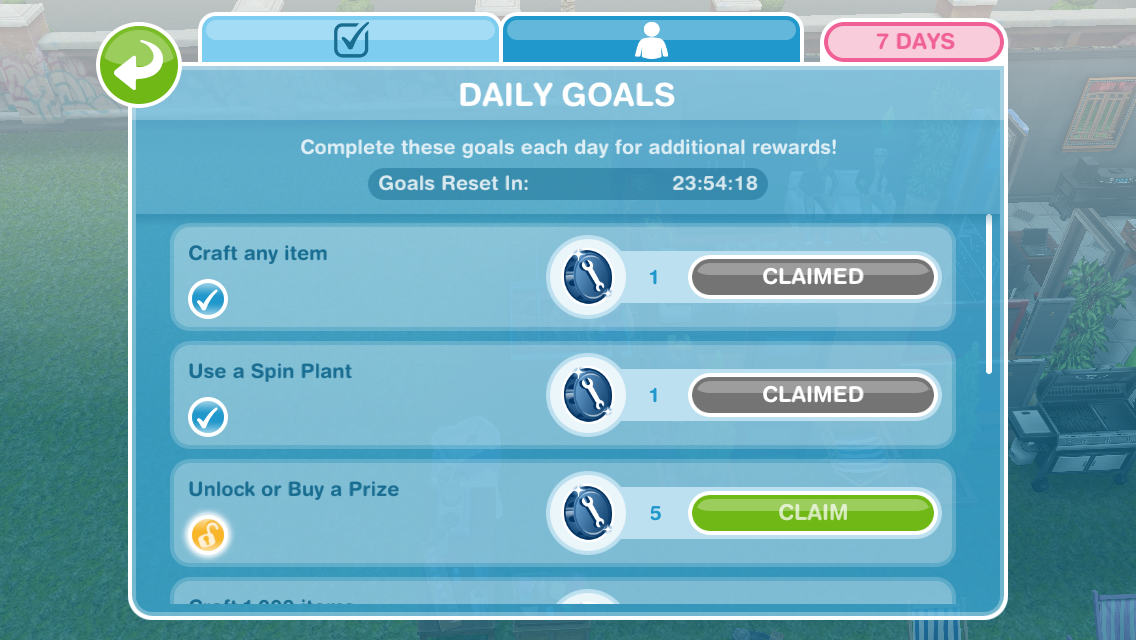
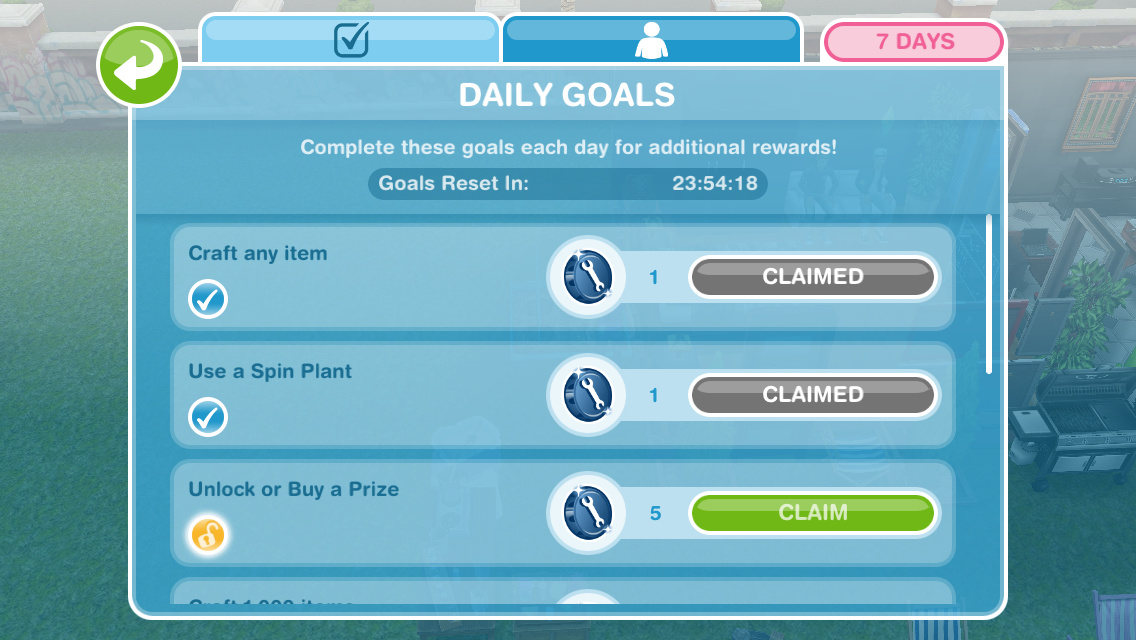
Check the daily goals (click on the closet event button and find the daily goals tab- claim the ones you can!)
Remember to claim your rewards each day!
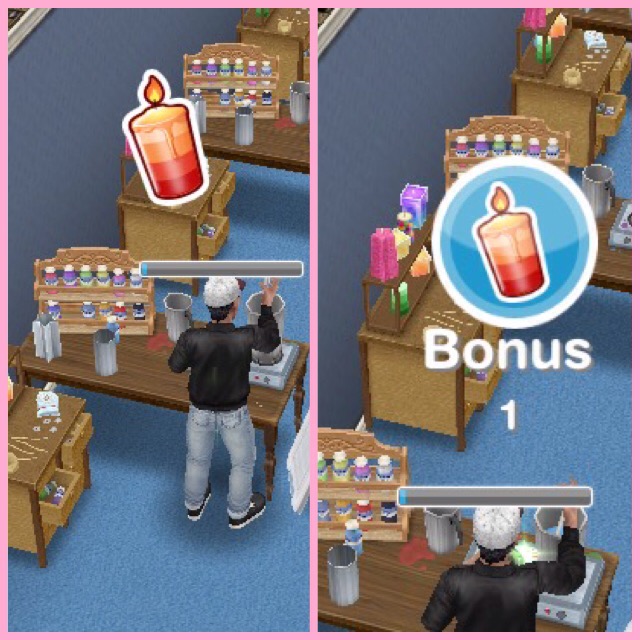
Collect bonuses (while collecting after a certain amount of time you will see the arts and crafts item appear above that sims head, click to collect the bonus item!)
Continue collecting arts and crafts items- this is the last step but the event is not over, keep collecting the arts and crafts to unlock everything!
If you want to speed up a collecting arts and crafts action it will cost you SPs, you will get the bonus gems as well if you speed it up!
Stuck on these tasks? Watch my video here:
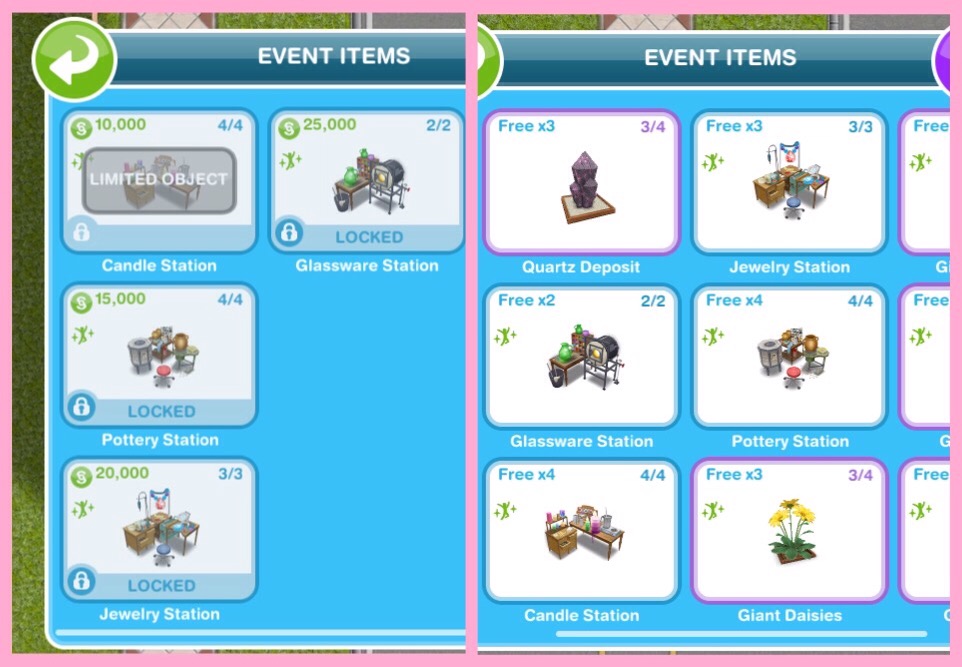
Arts and Crafts Stations
Candle Station costs:
1st- Free
2nd- S2,000
3rd- S4,000
4th- S10,000
(maximum of 4)
Collect 250 Candles- 2 hours 30 minutes
Collect 360 Candles- 4 hours 30 minutes
Collect 455 Candles- 6 hours 30 minutes
Collect 510 Candles- 8 hours 30 minutes
Pottery Station costs:
1st- S5,000
2nd- S7,500
3rd- S10,000
4th- S15,000
(maximum of 4)
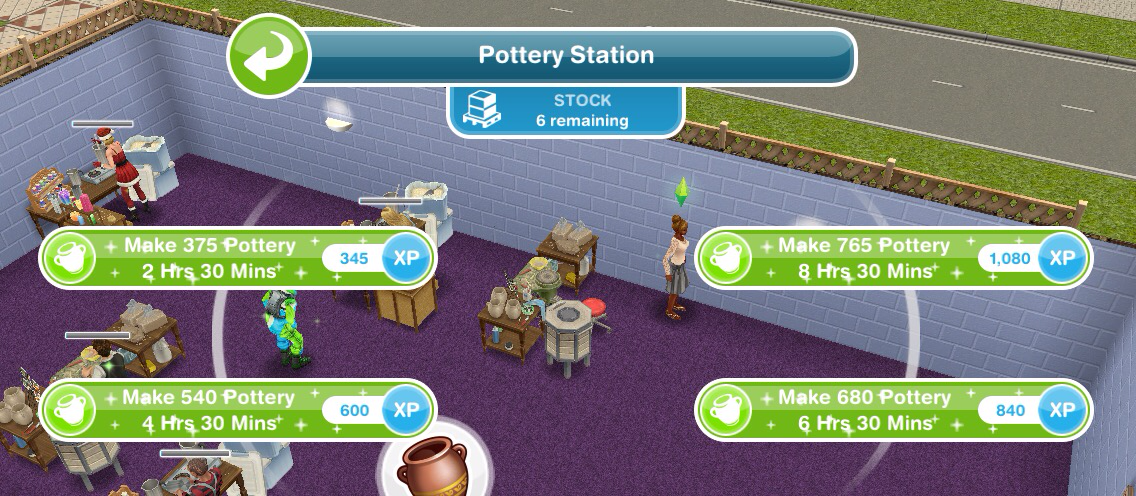
Collect 375 Pottery- 2 hours 30 minutes
Collect 540 Pottery- 4 hours 30 minutes
Collect 680 Pottery- 6 hours 30 minutes
Collect 765 Pottery- 8 hours 30 minutes
Jewelry Station costs:
1st- S7,500
2nd- S15,000
3rd- S20,000
(maximum of 3)
Collect 565 Jewelry- 2 hours 30 minutes
Collect 810 Jewelry- 4 hours 30 minutes
Collect 1025 Jewelry- 6 hours 30 minutes
Collect 1150 Jewelry- 8 hours 30 minutes
Glassware Station costs:
1st- S7,500
2nd- S25,000
(maximum of 2)
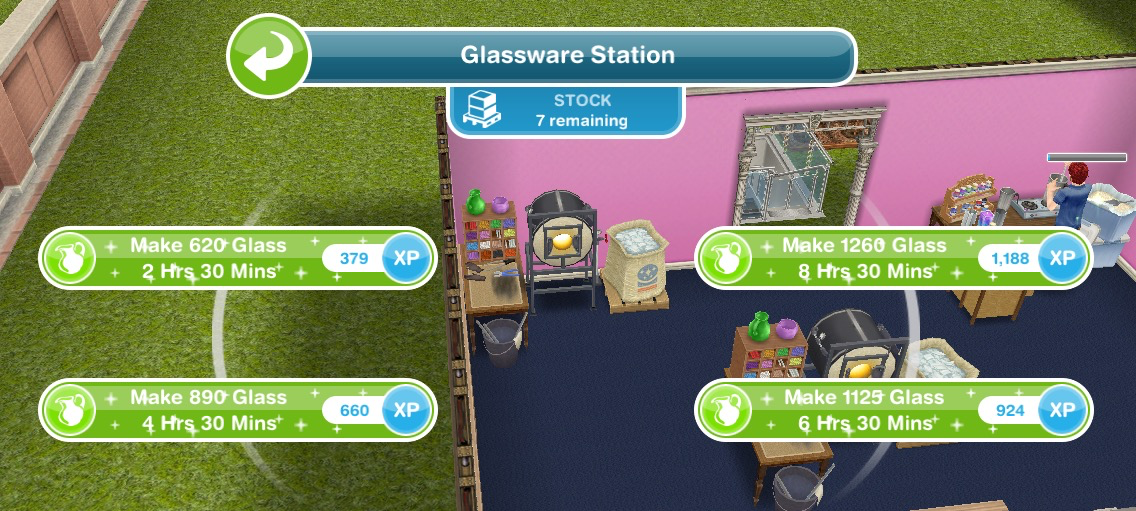
Collect 620 Glass- 2 hours 30 minutes
Collect 890 Glass- 4 hours 30 minutes
Collect 1125 Glass- 6 hours 30 minutes
Collect 1260 Glass- 8 hours 30 minutes
Restocking
Each station (apart from the first candle one) comes with a stock of 9 which means you can use the station 9 times before it needs to be restocked (if you got your stations out of your inventory they will all need restocking first (apart from the first candle one)) When you need to restock you will have two options:
Restock 18 uses which happens instantly but will cost you 10SPs
or
Restock 9 uses which will take you 2 hours 30 minutes but will be free
NOTE:
if you store the station you will lose all the stock so when you place it again you will need to restock
if you cancel making something using a station you will lose that stock so if you had one stock left and then you cancelled that action you would need to restock before you can create anymore arts and crafts items
Your Progress:
Click the closet button in the top corner of your game to see your progress
Daily Goals
Check on the first tab every day because if you complete all the daily goals you will get additional constructor coins
NOTE: remember to click CLAIM once you have completed a daily goal to collect the reward and remember to claim your free constructor coins and free items each day!
Prize Progress
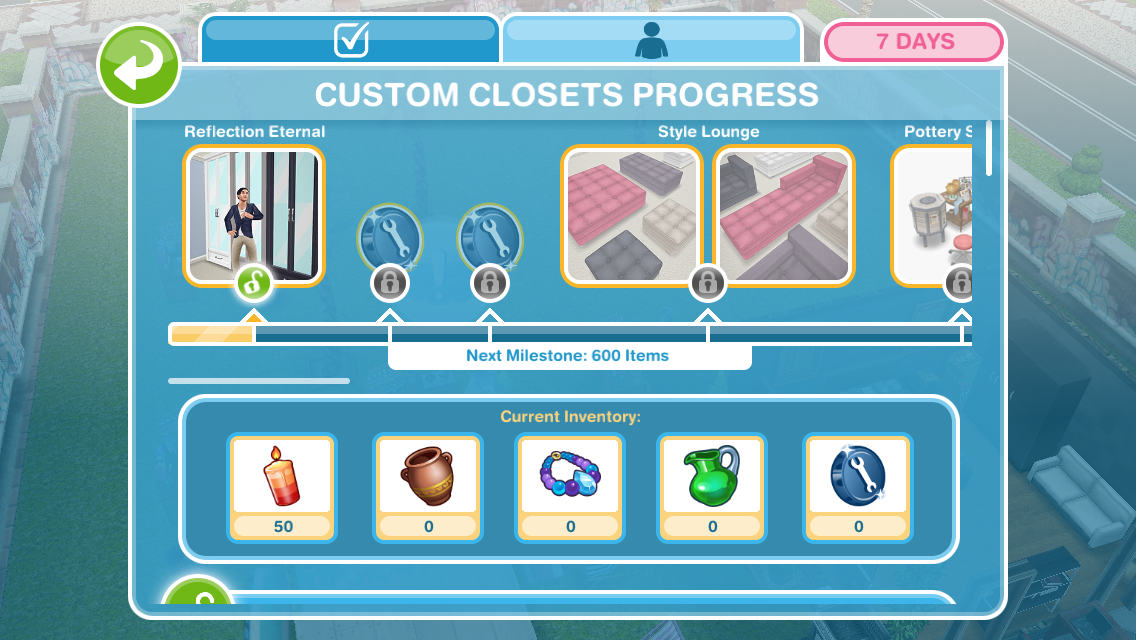
The prize progress is how far you have got on this event, the more arts and crafts items you make the more prizes you will unlock
NOTE: the bar at the top of the personal progress tab shows you how close you are to unlocking an item, the more arts and crafts items you collect the more the bar will fill up. Once you have unlocked an item on the bar at the top you will be able to use the arts and crafts items you have collected and constructor coins to purchase that pack which you will then be able to find in the home store.
Prizes:
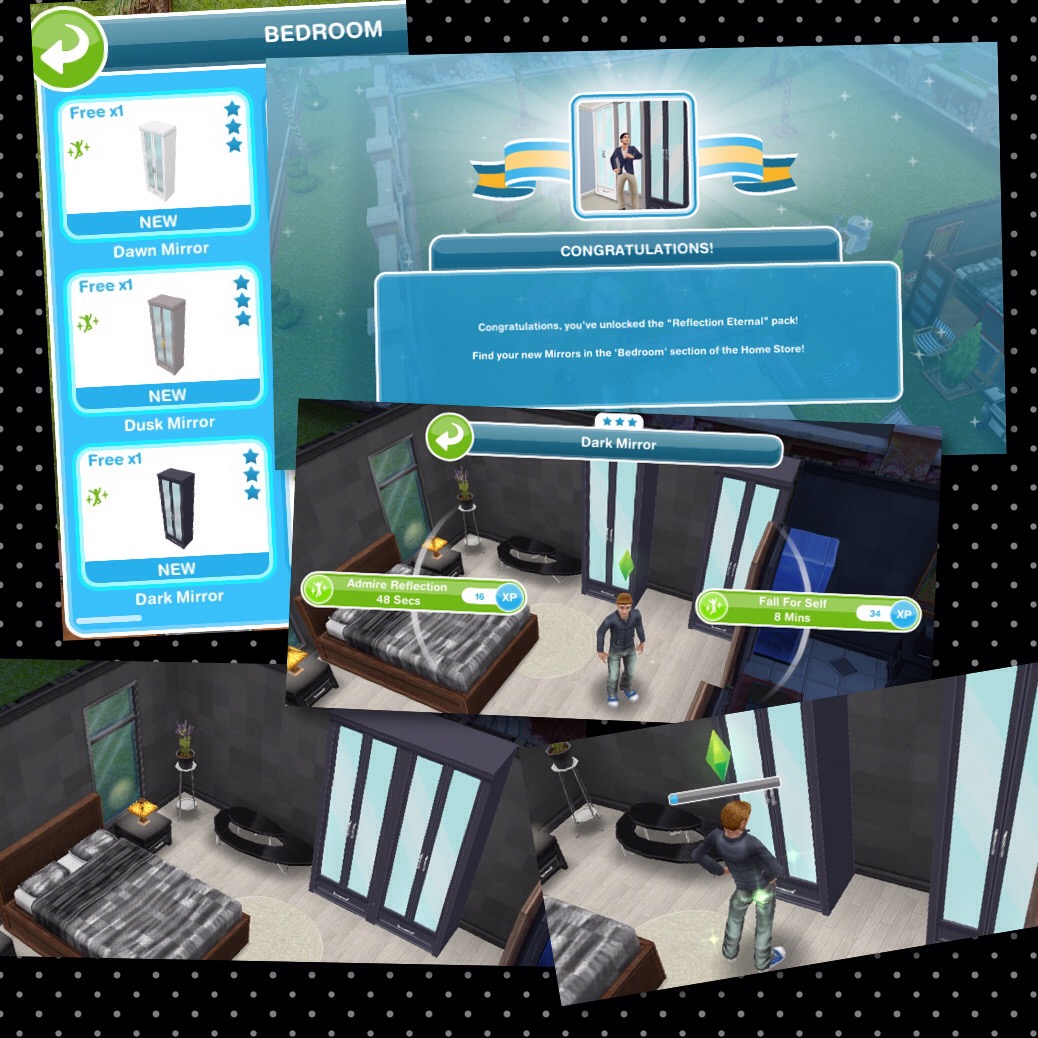
1.Reflection Eternal- pack includes 3 mirror wardrobes, requires 50 candles to buy
Once brought these can be found in the bedroom section, S1,200 each
2.3 Constructor Coins
3.3 Constructor Coins
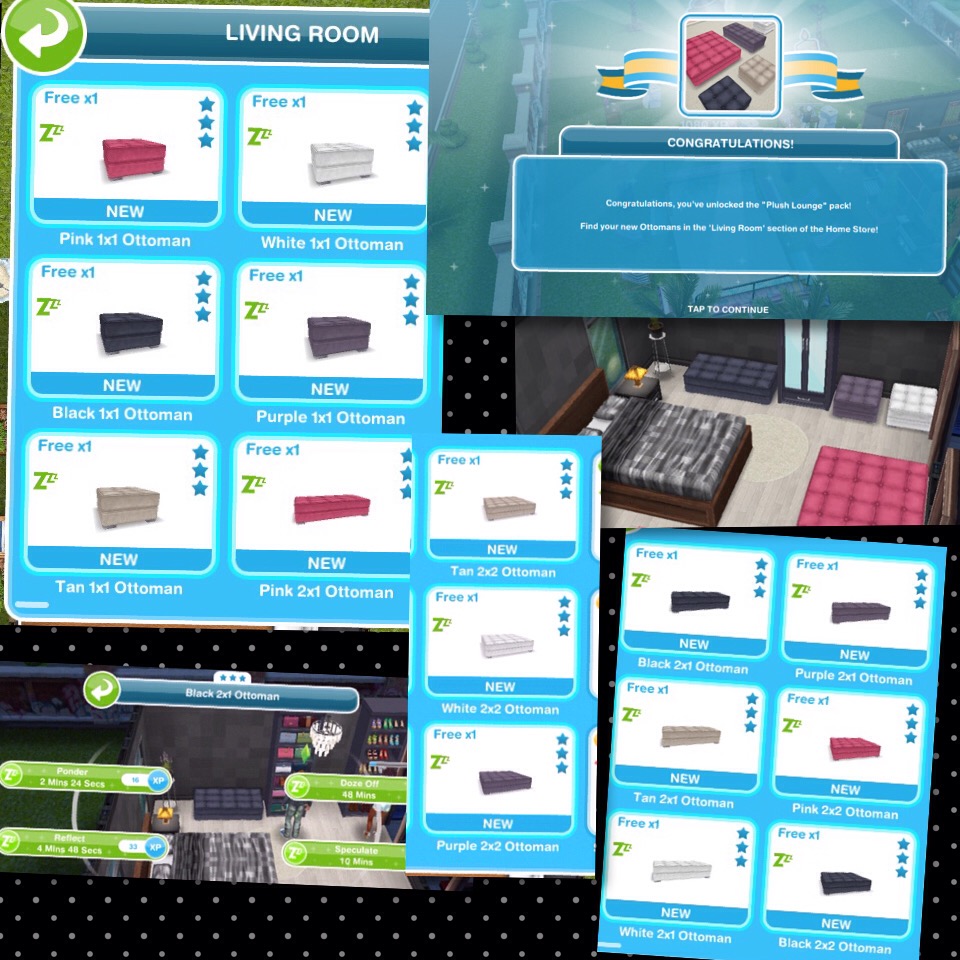
4. Style Lounge- Plush Lounge and Chaise Chic
Plush Lounge– pack includes 1×1, 2×1 and 2×2 ottomans, requires 750 candles and 5 constructor coins to buy
Once brought these can be found in the living room section
1×1 cost S5,000 each, 2×1 cost S5,500 each and 2×2 cost S6,000 each
Chaise Chic– pack includes 5 chaise couches, requires 2,200 candles and 15 constructor coins to buy
Once brought these can be found in the living room section, cost S6,500 each
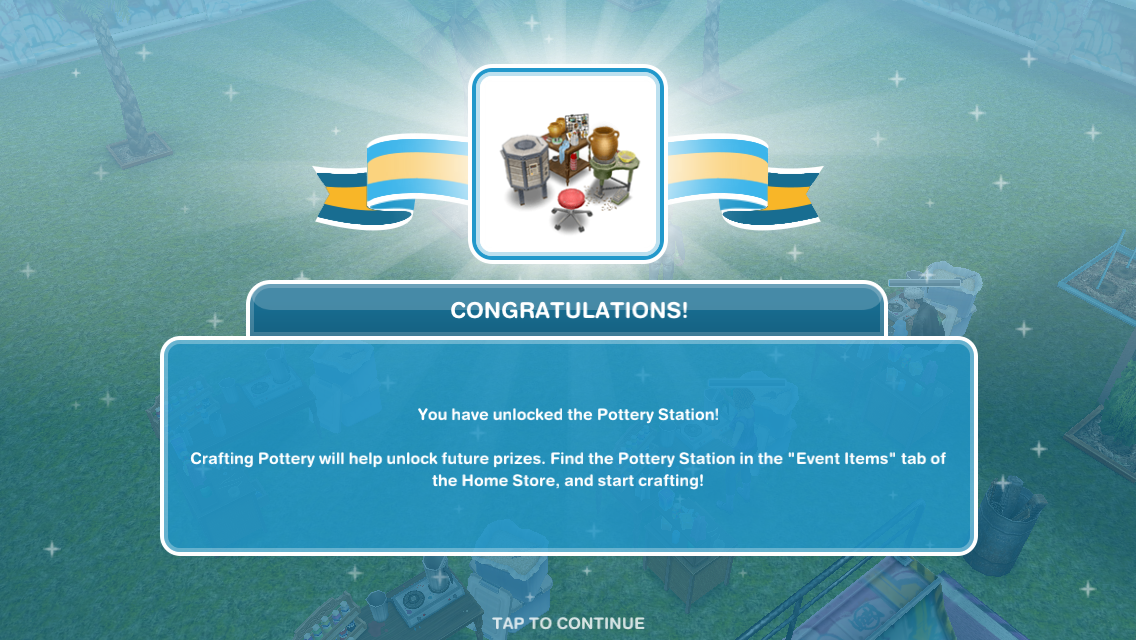
5.Pottery Station
6.4 Constructor Coins
7.4 Constructor Coins
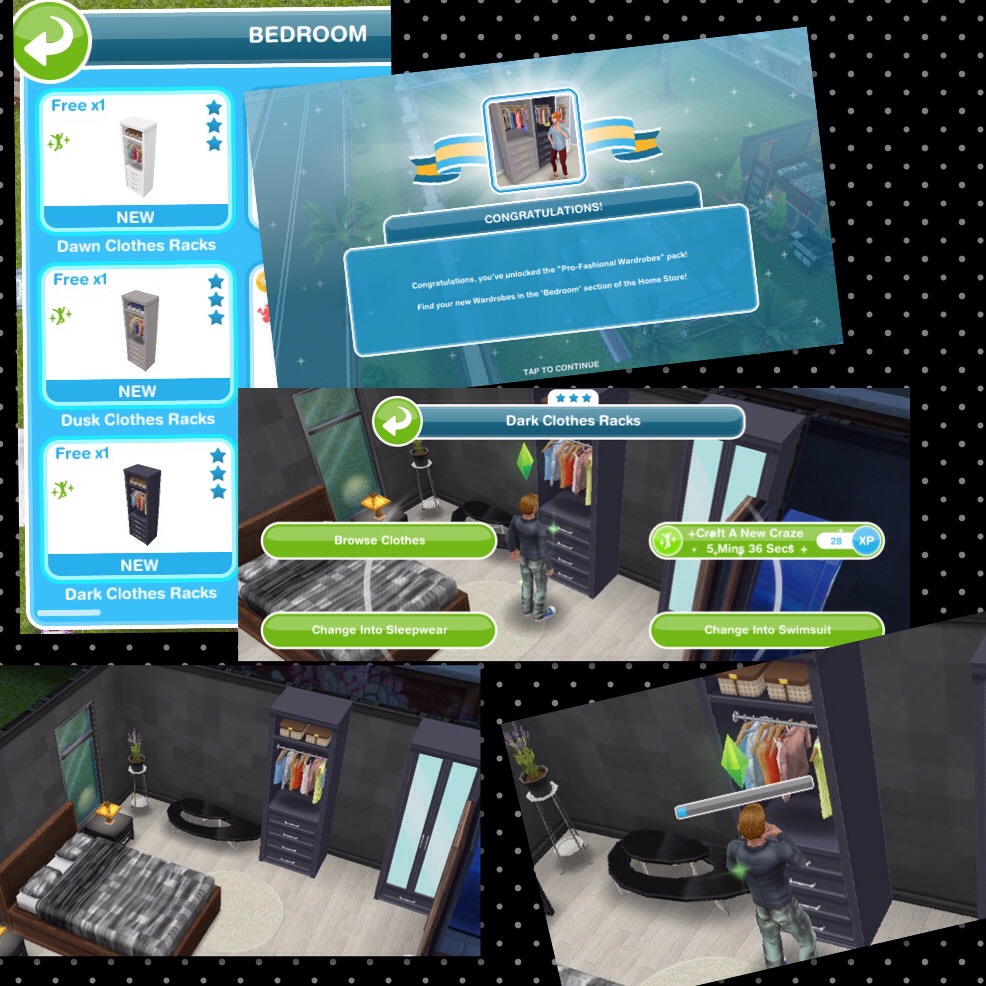
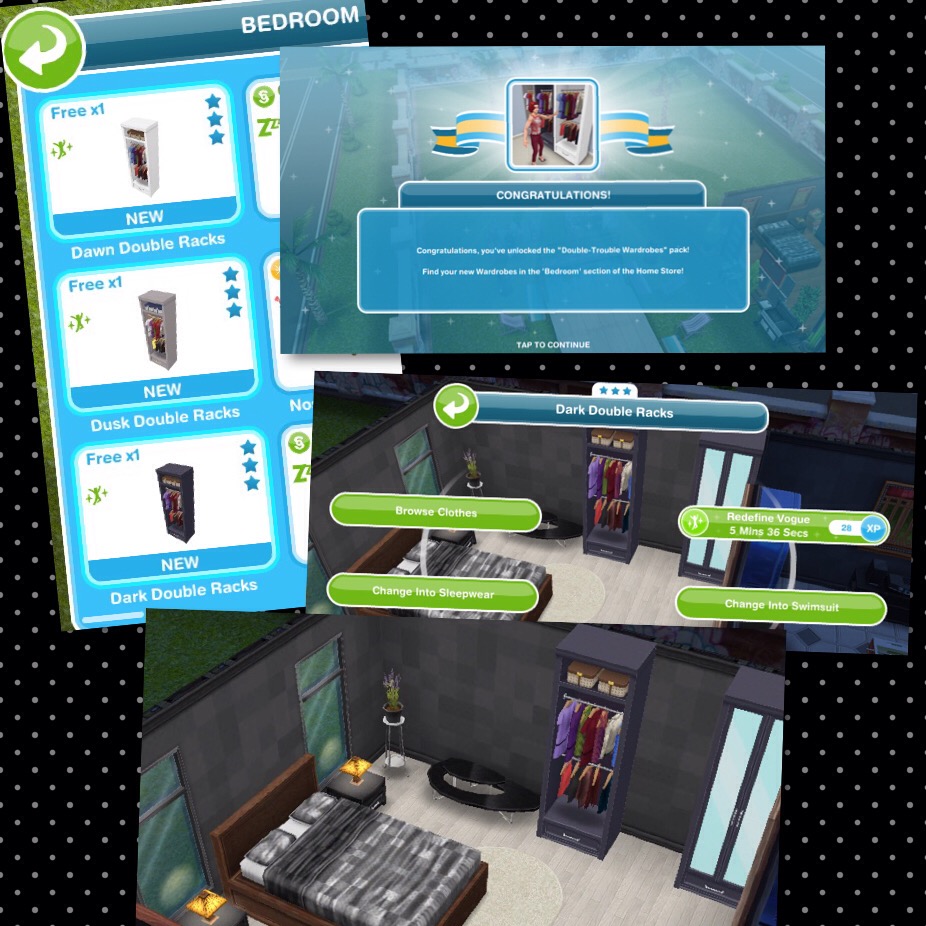
8.High Hanging Fashion-Pro Fashional Wardrobes and Double Trouble Wardrobes
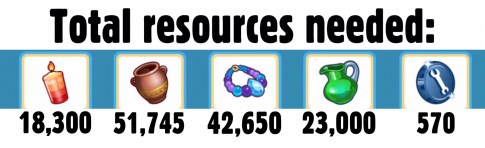
Pro Fashional Wardrobes– pack includes 3 clothes racks, requires 6,500 candles, 4,850 pottery and 50 constructor coins to buy
Once brought these can be found in the bedroom section, cost S1,500 each
Double Trouble Wardrobes– pack includes 3 double clothes racks, requires 8,800 candles, 6,500 pottery and 70 constructor coins to buy
Once brought these can be found in the bedroom section, cost S2,000 each
9.Jewelry Station
10.5 Constructor Coins
11.2 Social Points
12.5 Constructor Coins
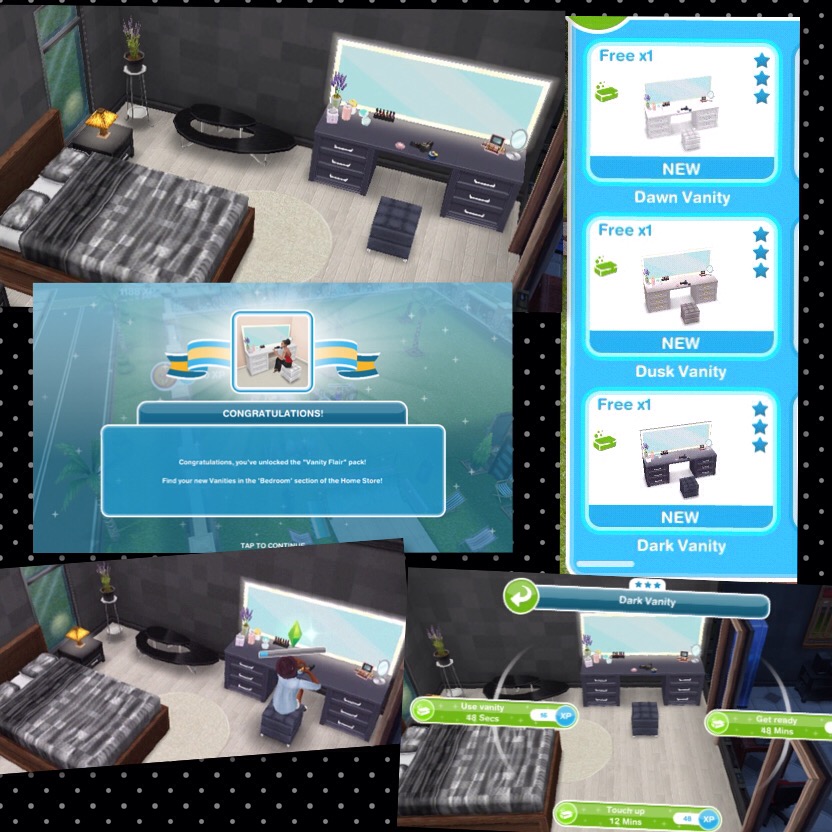
13.Vintage Vogue- Vanity Flair and Glamorous Chandeliers
Vanity Flair– pack includes 3 vanities, requires 9,145 pottery, 9,650 jewelry and 95 constructor coins to buy
Once brought these can be found in the bedroom section, cost S8,500 each
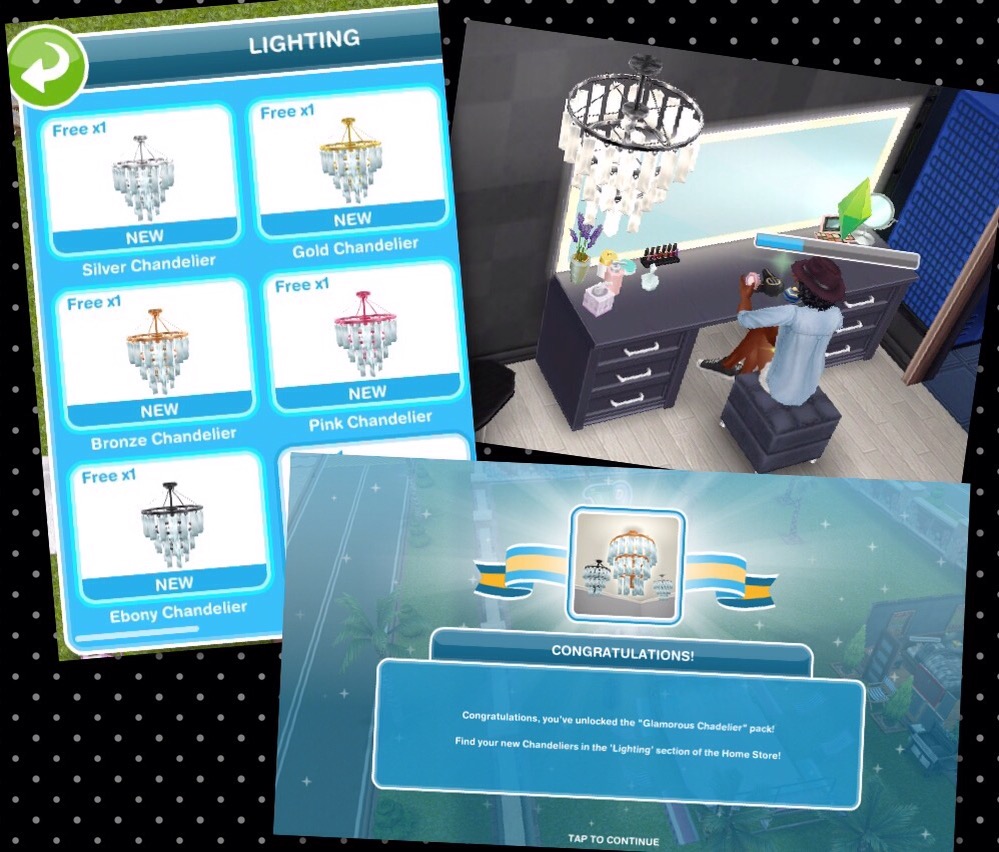
Glamorous Chandeliers– pack includes 5 chandeliers, requires 9,750 pottery, 10,000 jewelry and 105 constructor coins to buy
Once brought these can be found in the lighting section, cost S12,000 each
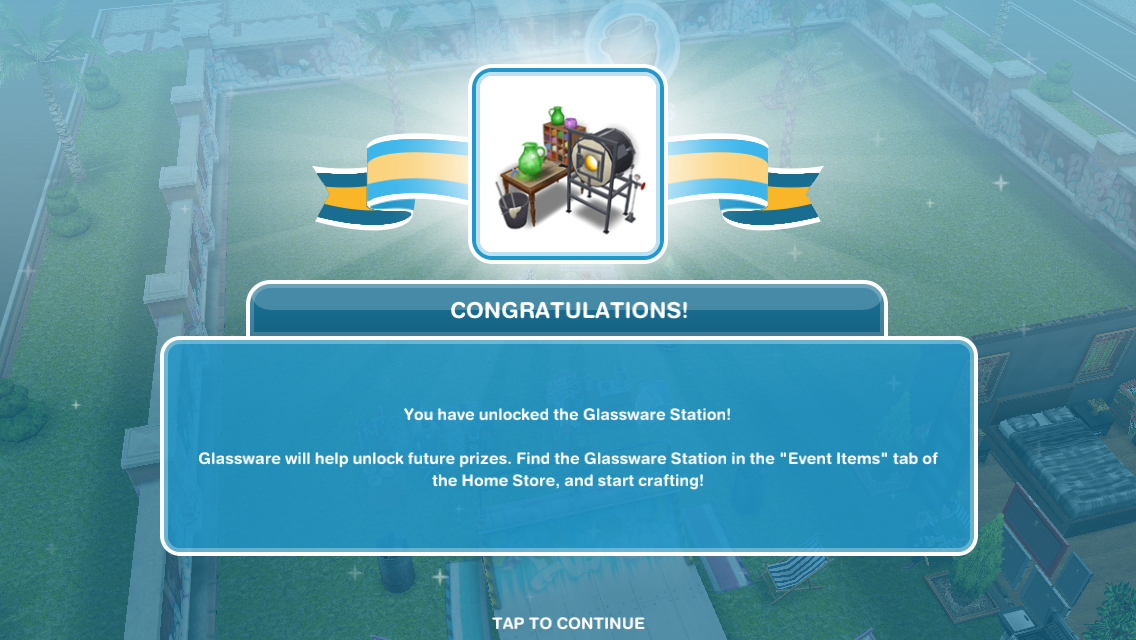
14.Glassware Station
15.7 Constructor Coins
16.2 Social Points
17.7 Constructor Coins
18.Wear Me Wardrobes- Coat Couture and Dress to Impress
Coat Couture– pack includes 3 coat dressers, requires 10,000 pottery, 11,000 jewelry, 11,000 glassware and 110 constructor coins to buy
Once brought these can be found in the bedroom section, cost S3,500 each
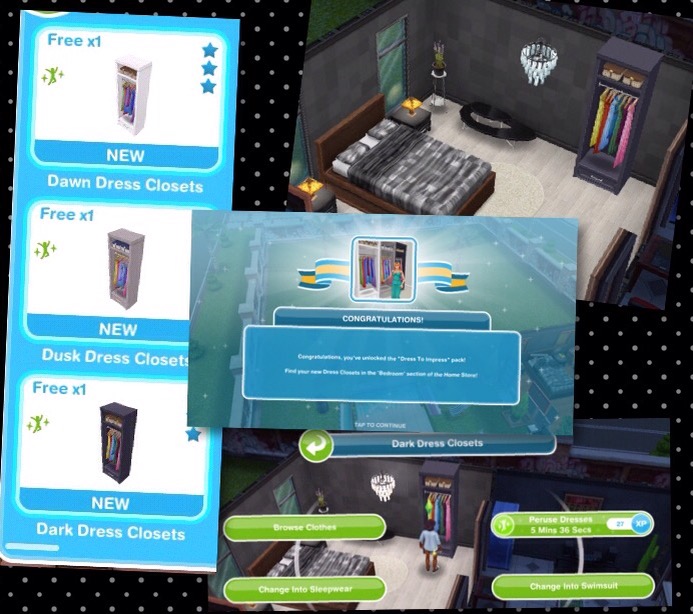
Dress to Impress– pack includes 3 dress closets, requires 11,500 pottery, 12,000 jewelry, 12,000 glassware and 120 constructor coins to buy
Once brought these can be found in the bedroom section, cost S4,000 each
19.10 Constructor Coins
20.2 Social Points
21.10 Constructor Coins
22. Accessory Necessities
NOTE: you can only claim this prize if you have purchased all the other prize packs using your arts and crafts items, this pack is free to unlock!
This pack includes Bag Cabinets and Shoe Cabinets
Once claimed they can be found in the bedroom section, cost S9,500 each
You can see sims using these items at the end of my video linked earlier in this post
Constructor Coins
You earn constructor coins by:
Personal Progress prizes
Completing Daily Goals
Coin Plant Patches
Earning Construtor Coins? Previously on these events I used social points on the Mega Spin Plant to win constructor points. I earn social points by completing the cooking hobby and earning LPs, I can then turn the LPs into SPs using the social point plant on a normal garden patch- this was when it cost 5LPs- the social point plant now costs 20LPs so you may want to try the option below first instead:
Or you can use 450 candles for the Spin Plant (a good way to use up any spare candles) which will also earn you constructor coins but the amounts are less than they are from the Mega Spin Plant
Laura Craft? You may have noticed at the front of one of your houses there is a board with a bubble of a person holding arts and crafts items above it, this is Laura Craft, you can buy her for real money to help you complete the event. When you buy her, you select the item you want her to make from the options: 200 candles, 300 pottery, 450 jewelry or 500 glassware (the amounts seem to differ for most of you and I have no idea why that is!) (you will unlock all the options once you have unlocked all the stations) and you will be able to collect them after 2 hours.
Do I think she is worth it? They have improved Laura Craft a lot since the first event (although it would be great if she made constructor coins) she used to be able to collect every 8 hours, they have now changed this to 2 hours so she is more useful now so if you are struggling then you may want to splash out and give her a try but remember you will only get her for this event, you will have to buy her again to use her for a live event in the future.
If I brought Laura Craft in the last event do I get her for free or do I have to buy her again? You have to buy her again for this event.
Early Access to Beta Provided by EA/ Firemonkeys- may differ from actual version
A few weeks ago I was invited to Hollywood, LA by EA for EA Play, there I was able to try out the new Sims Mobile game, give my feedback to the developers and capture some content to share with you all over the next few months, I had a great time meeting other gamers and getting my first chance to play the game so thank you for flying me out for the event EA!
NOTE: the game hasn’t been released worldwide yet, it is currently only available in Brazil so is still very much a working progress which means changes are still being made so the final product may turn out very different from the version I had access to at EA Play. When I first opened the game I was really impressed with the graphics, I know some of you aren’t keen as it is very different from The Sims Freeplay but I think that is a good thing, they need to look different as they are separate games, if this game looked like The Sims Freeplay players would think it was just a copy and wouldn’t play it. Instead they have gone for a look similar to The Sims 4 which I really like! (not to say I don’t like The Sims Freeplay graphics- they are both beautifully designed!)
I’m not going to go into much detail about create a sim now but I will say the amount of options is incredible! You can edit every facial feature with sliders to make them the exact size and shape you want as well as being able to choose from different body shapes or even giving your sims blue or green skin!
At the moment the tutorial is quite confusing so someone who is completely new to The Sims franchise may get lost, there are goals at the top of the screen but they are very basic and I wasn’t sure when the tutorial was over as there wasn’t a pop up to tell me that I had completed it. I mentioned this to the developers so hopefully they will look into making it more player friendly.
There are loads of different aspects to the game that I am going to briefly explain and give my opinions on them, I will go into more detail on these topics at a later date when the game has been released worldwide.
OVERVIEW
This is a fast paced real time game where most actions take 5 seconds to complete which means there is a lot of tapping! In one way I really like this as you can play for a long period of time before you run out of energy (energy, hunger, hygiene and fun are the 4 needs you have in this game, once you run out of a need you will need to refill using an object which takes a few hours so you can take a break) If you decide to speed up the refilling using simcash instead of waiting then the repetitive tapping can become a little boring.
THE HOUSE AND SIMS
Surprisingly there is only one house in this town and you can have 4 playable sims in that house at one time, you can have other sims such as babies and toddlers but you cannot play as these sims until they age and a playable sim has retired, sims don’t die in this game they just retire and move out
LEGACIES
The main point of this game is legacies and generations so your sims complete life goals and the more life goals they complete the better heirloom they will leave behind for the next generation, heirlooms unlock new items and interactions in the game. This does mean that your sims will age automatically every day and at the moment they live for about 12 days in total
but they will not age if you do not open the game
so if you don’t open the game for 3 weeks then you won’t come back and find all
heirlooms
your sims have retired!
The developers did mention that they want players to have an emotional attachment with their sims- which I think is a terrible idea! You can’t really build an emotional attachment in 12 days anyway but why would you want to when they are going to move out! However I think sims moving out instead of actually dying works and is needed in this game, as you add new sims in their place and continue where they left off to unlock new items with the heirlooms in buy mode so you can keep upgrading the house and level up to purchase more land expansions.
BUY MODE
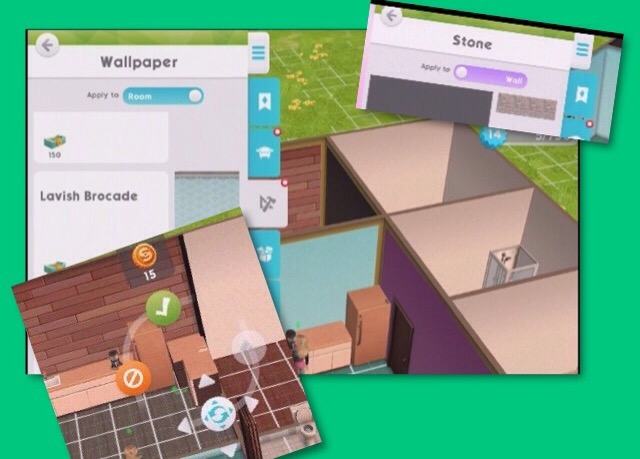
I found buy mode awkward to use, you get a side view when trying to place items from buy mode instead of a birds eye view and when you are changing the wallpaper or flooring you have walls in the way so you can’t see what you are doing! Although I really love that you can click and hold an item to move its position as well as change the colour of an item once you have placed it in the house so as you go through the generations you can refresh the objects without buying new ones and the best bit is that you can place different colours on individual walls instead of being required to have the same design in the whole room. If they fix the issues with buy mode this could be such a great feature!
EVENTS
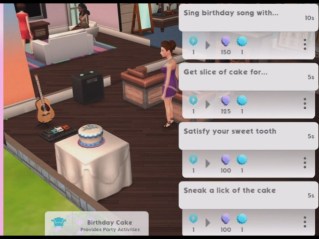
There are loads of events in the game for careers, hobbies, building relationships, earning party points and special events which are all longer events but have 5 second tasks within them, you need to complete the 5 second tasks to fill up the stars, once the stars are full you complete the event and earn event related rewards. The higher the level you are in a career, hobby or friendship the more stars you will need to fill to complete these events. I love the fast pace to these events and that you can go to work as many times as you want or can during a day!
PARTIES
Parties allow you to interact with other players sims, build relationships and even ask their sim to move in if the other player agrees!
Overall I really enjoyed playing The Sims Mobile at EA Play and I cannot wait for the game to be available worldwide! Just to recap I really love the speed of the game and the create a sim options but there are some issues including buy mode as mentioned above but also we really need a camera on the screen and when completing events if you select a 5 second option it zooms right in and then you have to zoom out again when the task is complete to pick the next one which is quite annoying.


 NOTE: you can just click randomise to select a premade sim if you aren’t bothered about creating your own sims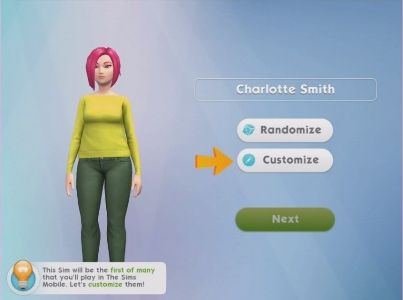


















 When I first opened the game I was really impressed with the graphics, I know some of you aren’t keen as it is very different from The Sims Freeplay but I think that is a good thing, they need to look different as they are separate games, if this game looked like The Sims Freeplay players would think it was just a copy and wouldn’t play it. Instead they have gone for a look similar to The Sims 4 which I really like! (not to say I don’t like The Sims Freeplay graphics- they are both beautifully designed!)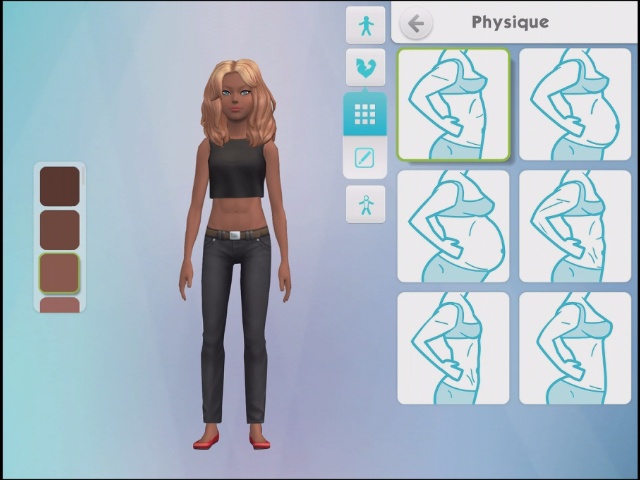
 This is a fast paced real time game where most actions take 5 seconds to complete which means there is a lot of tapping! In one way I really like this as you can play for a long period of time before you run out of energy (energy, hunger, hygiene and fun are the 4 needs you have in this game, once you run out of a need you will need to refill using an object which takes a few hours so you can take a break) If you decide to speed up the refilling using simcash instead of waiting then the repetitive tapping can become a little boring.


 The Girl Who Games