The Sims Freeplay- Simtown Market

The simtown market has been added to the October 2016 update of the sims freeplay. If you have finished upgrading all the workstations at a profession workplace and have been wondering if there is any point in sending your sims to work to collect resources or if you have reached your limit on the resources you can store, and find it a waste just to sell them- then this update is for you!
The simtown market allows you to use these spare resources to earn prizes! You earn market points by shipping market orders (these orders are made from resources, for example, you may be asked to ship 1 coffee and 2 popcorns) The more orders you ship, the more market points you earn, meaning the more prizes you will unlock!

The more developed your workplace is (the more workstations you have built/upgraded) the more market points you will earn as you will receive a bonus %

Couriers appear at the workplace and they need to be helped by a sim who works in that profession. Like helping a normal sim in this profession, when you complete all the tasks and help the courier you earn market tokens but there is a time limit in which you will need to help them in otherwise they will leave and you won’t receive the tokens.

NOTE: it costs SPs to speed up helping the courier- not LPs

Shipping tokens earns you a lot more points than shipping normal resources but you can only store 3 so you have to use them to collect more!


Simtown Market Tutorial– completing the tutorial unlocks access to regular special events, allowing you to earn prizes you previously missed out on or completely new prizes!

NOTE: you cannot start the tutorial until there is an event available- check in your goal tab to see if an event has started or is coming soon!

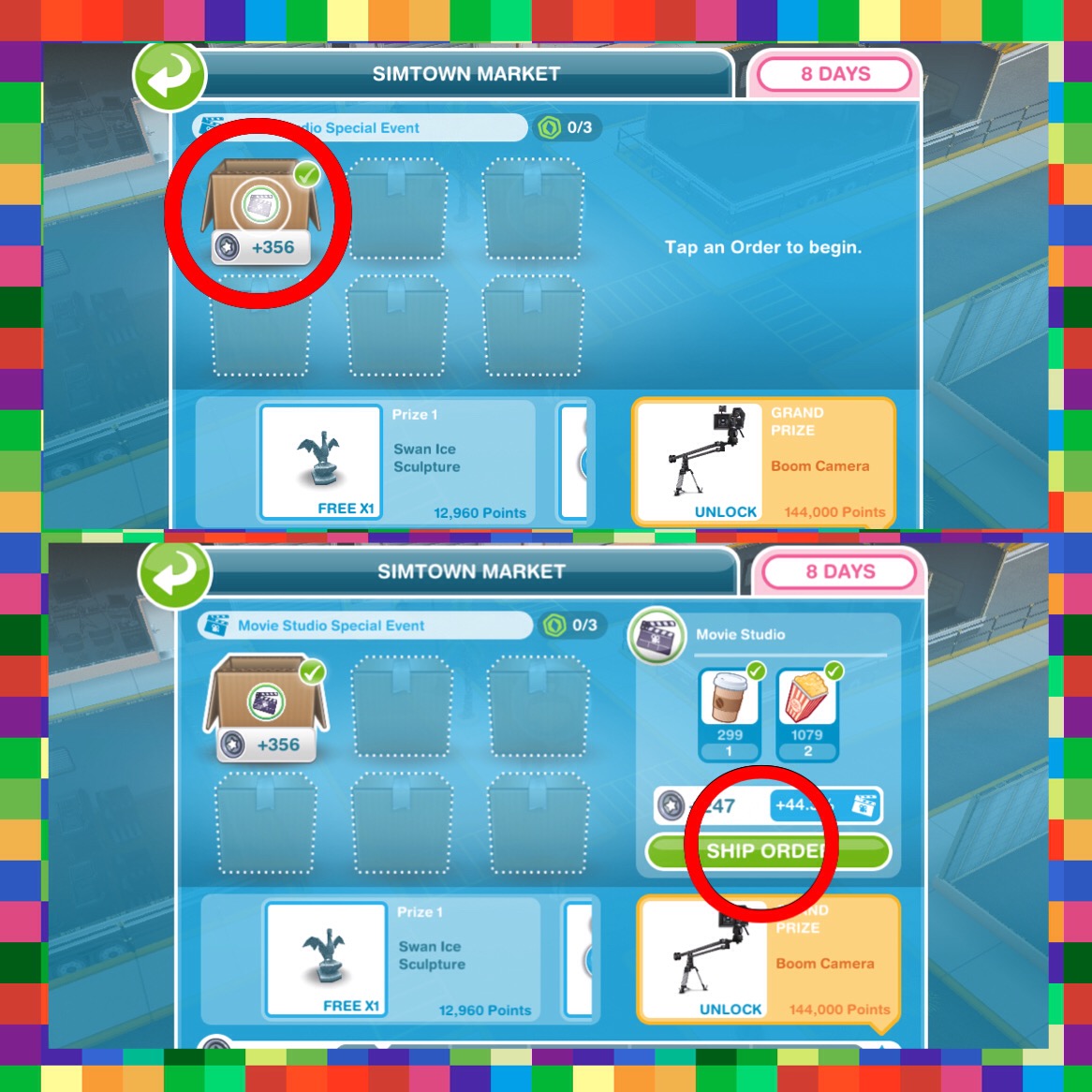
  • View the Simtown market (go to the Movie Studio (this may be a different profession workplace if you complete this tutorial during a different event) and click on the symbol of the person holding a parcel)

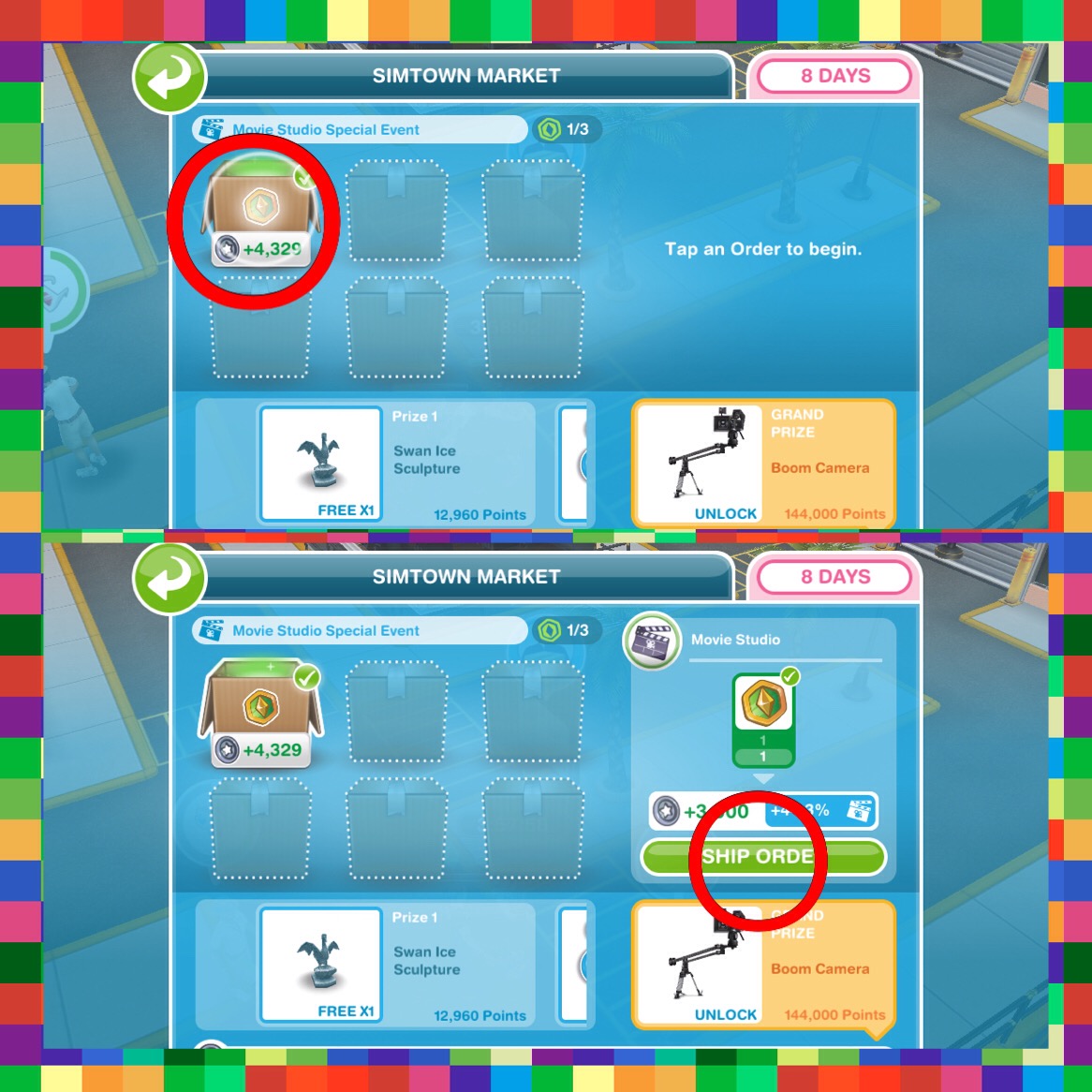
  • Complete a market order (again view the simtown market and click on a box and select ship order)
  • View the workplace overview (this is the button in the left hand corner of your screen while you are at the movie studio)

  • Start helping a courier- the courier will arrive at the movie studio:
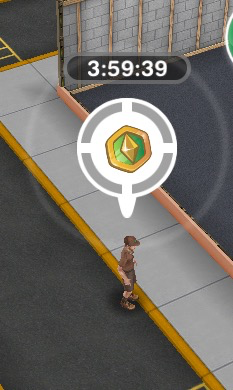

(a sim needs to be working at the studio to be able to help the courier- the same way you help other sims at a profession workplace)
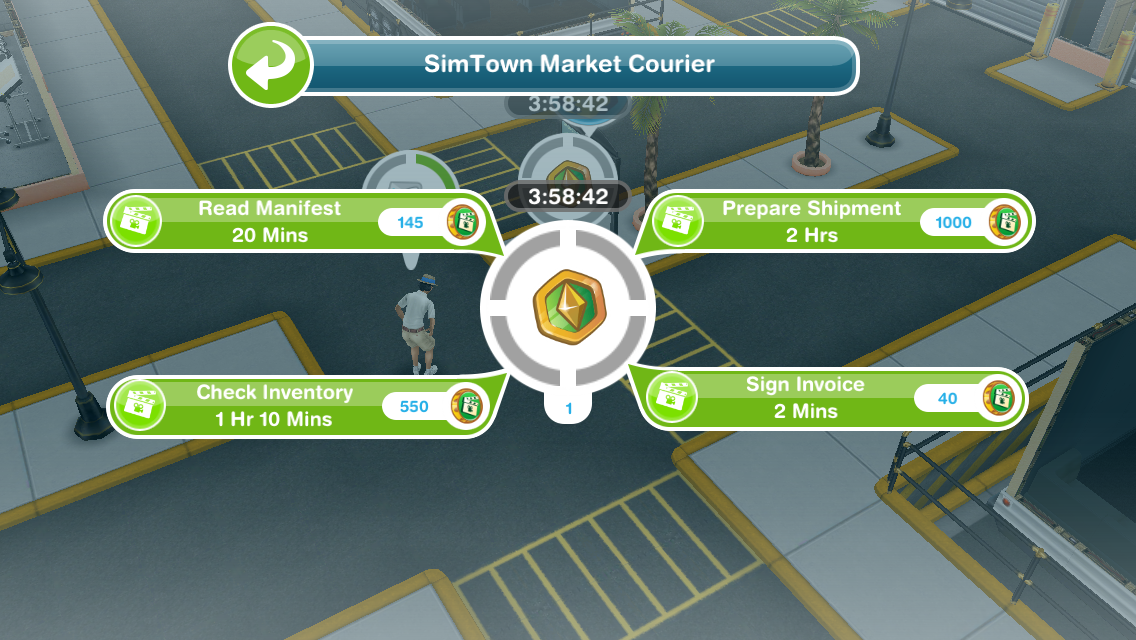
  • Spend a market token (go to the simtown market again, click on the box and select ship order)
TUTORIAL IS COMPLETE!


Special Events- I am not going to be creating a post each time a new one is released as I believe they will all work in the same way

All you need to do is ship market orders and earn market points to fill up the bar in the time limit. Each time you reach a line on the bar you will receive a prize! The green is your current progress towards the prizes.

Most of the prizes are different for everyone as it depends what you have already unlocked but the grand prize is a new item so that is probably the same for everyone!

If you have completed all the current orders you will need to wait 30 minutes for new ones to appear or skip waiting for 10SPs- you can also unlock new slots for SPs!
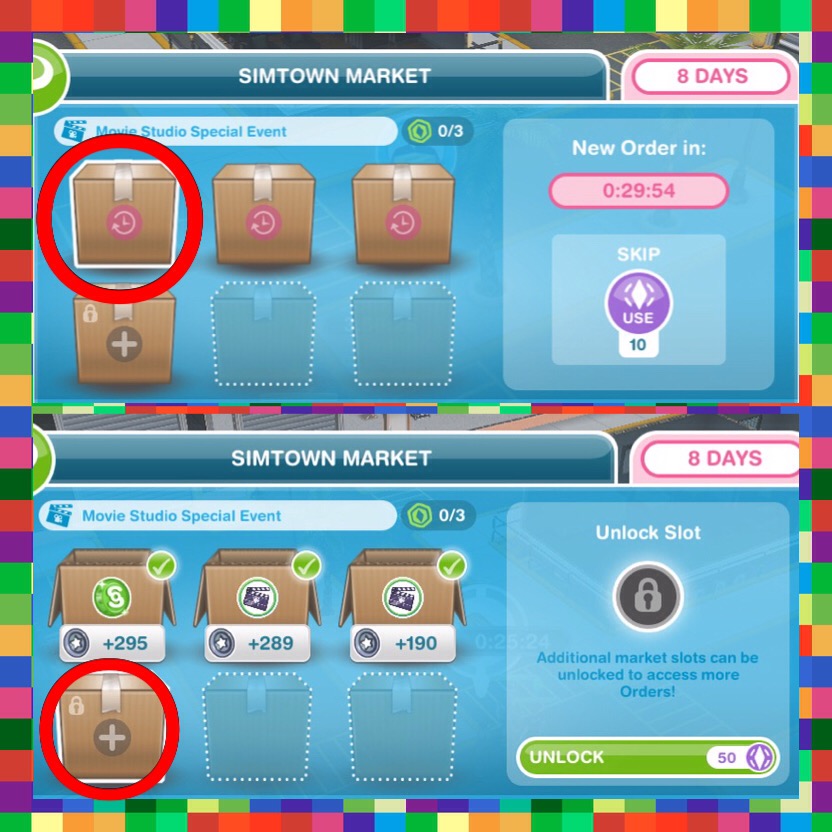
 

Currently I am still upgrading my workstations so I probably won’t be using this too much unless I cannot collect new items without selling my resources but I think it is a great idea!

Time Extension Event- this works the same as the other events but instead of just using resources from one profession you can ship resources from all professions and the grand prize for completing this is a time extension which can be used if you run out of time on a quest or hobby- previously only available as a VIP perk


If I’m on the last task helping a courier will he stay if the time runs out?

He doesn’t seem to stay anymore annoyingly! (let me know if this changes again!)

If you unlock an extra slot costing social points in the market event does it stay unlocked for future events?

Yes, they will stay unlocked

Can I save courier tokens for the next event?

Yes you can!

Does the courier arrive at a specific time?

The courier doesn’t seem to appear at a certain time, you need to have a sim working and the more customers you get through the more chance you have of seeing the courier

Thanks for reading!


COPYRIGHT PROTECTED
http://smarturl.it/sfpggwg

The Sims Freeplay- Buying, Selling and Storing Items

Buying items in the sims freeplay is an important part of the game so read this post if you are unsure on how to do it! This post also covers selling and storing unwanted items.

Home Store

The home store is where you buy, sell and store items in the sims freeplay.

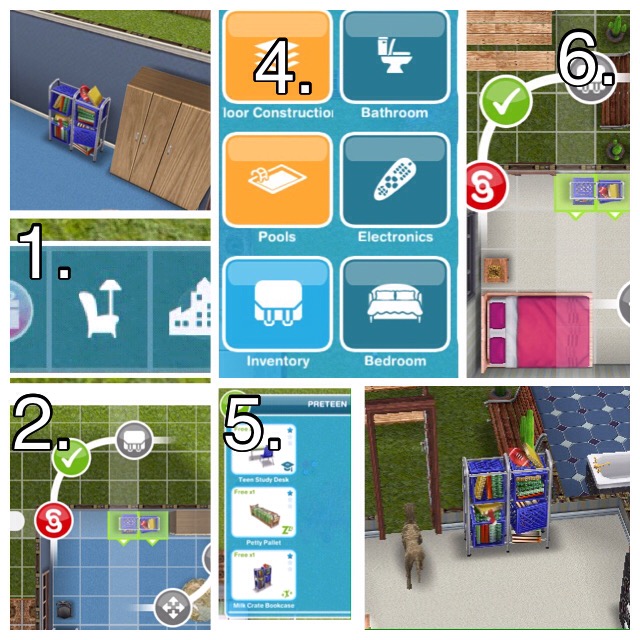
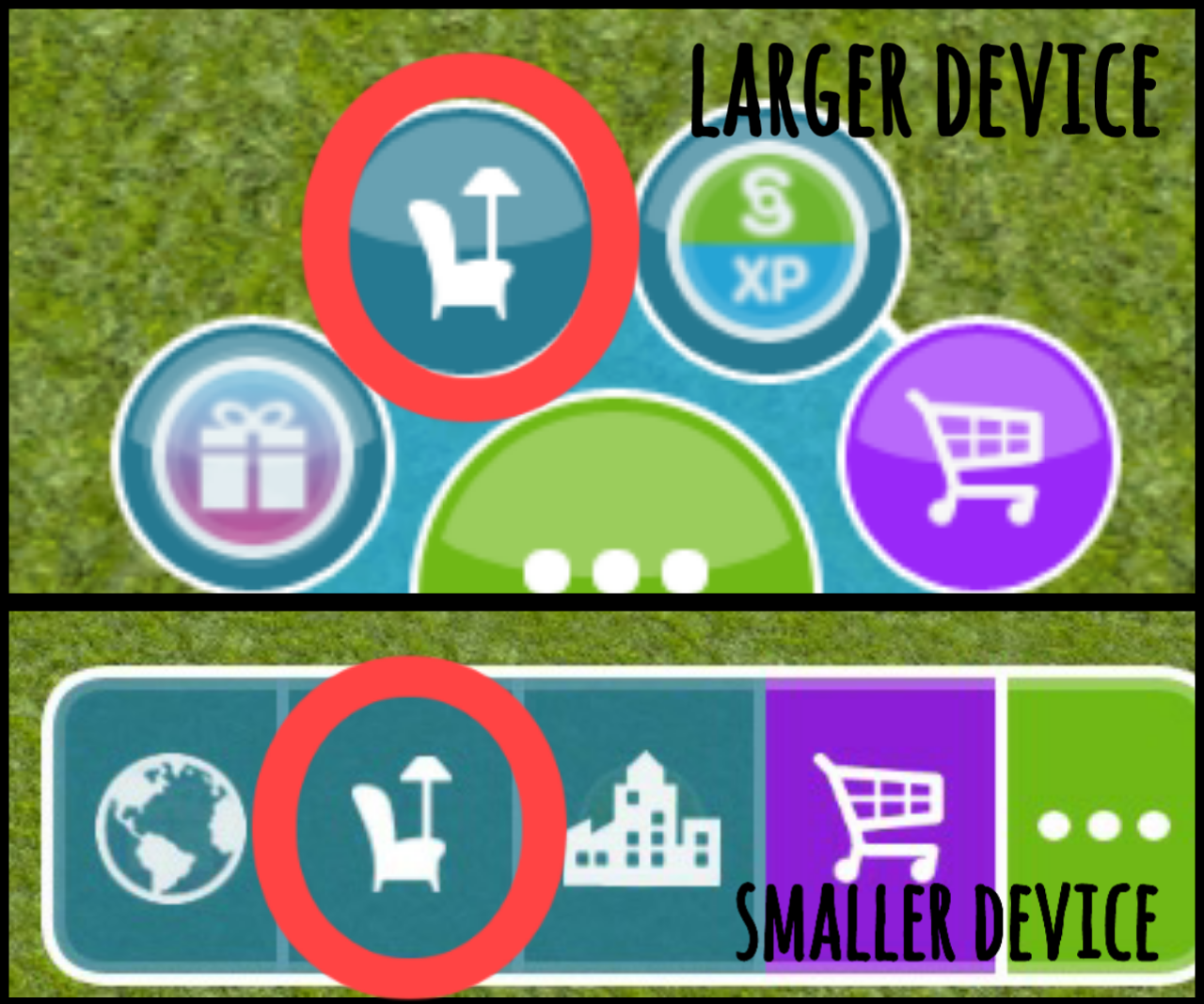
Opening the home store– click on the furniture button on the panel shown in the picture below. It will look different depending on what device you are playing on:

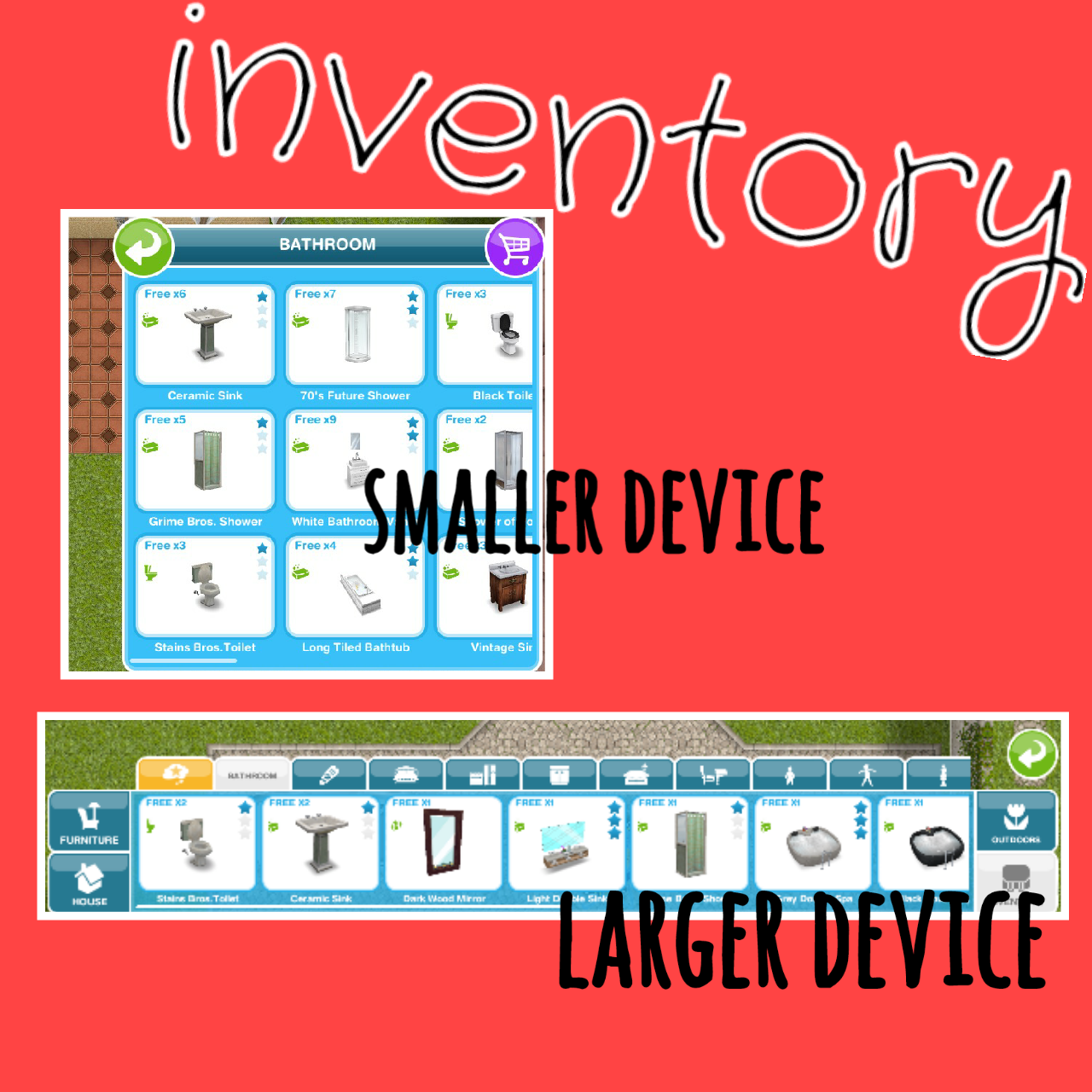
When opened, the home store itself will also look different depending on what device you are playing on.

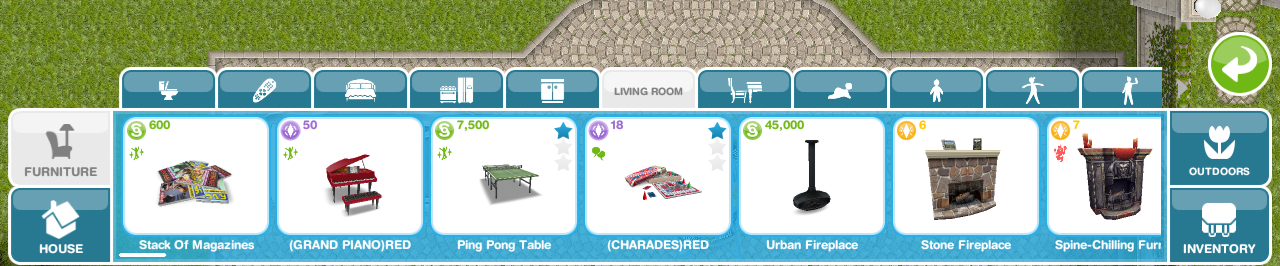
If you are playing on a larger device the home store will appear as a bar across the bottom of your screen with different sections for furniture, house (building rooms, decorating, etc) outdoors and inventory with tabs for different categories in each section.

For example in Furniture you will find the tab for Living Room, clicking on this will show you all the living room items:

If you are playing on a smaller device the home store will appear in a box filling half the screen, there are no individual sections for furniture, house and outdoors on this one, the tabs for different categories are all in this box.

For example the tab for Living Room can be found when you open the home store, clicking on this will show you all the living room items:

However, there is still a section for inventory which still contains all the tabs for the different categories of the items you have stored:

Buying

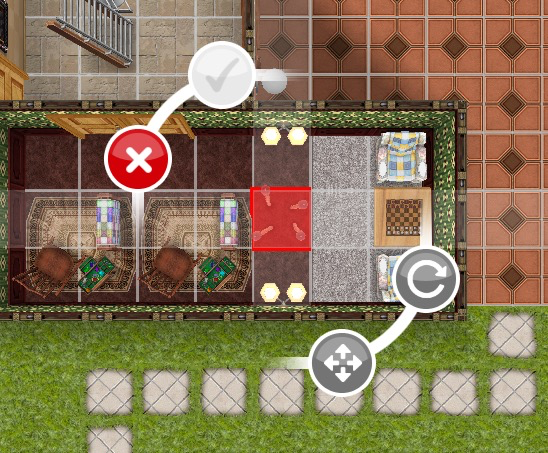
To buy an item, open the home store, select the item you would like to buy, find a space on the house lot to place it (it will flash red and the green tick will be greyed out if you cannot place the item), click on the green tick to buy it.

NOTE: some items can only be placed inside or outside

The picture below shows how it looks when you cannot place an item:


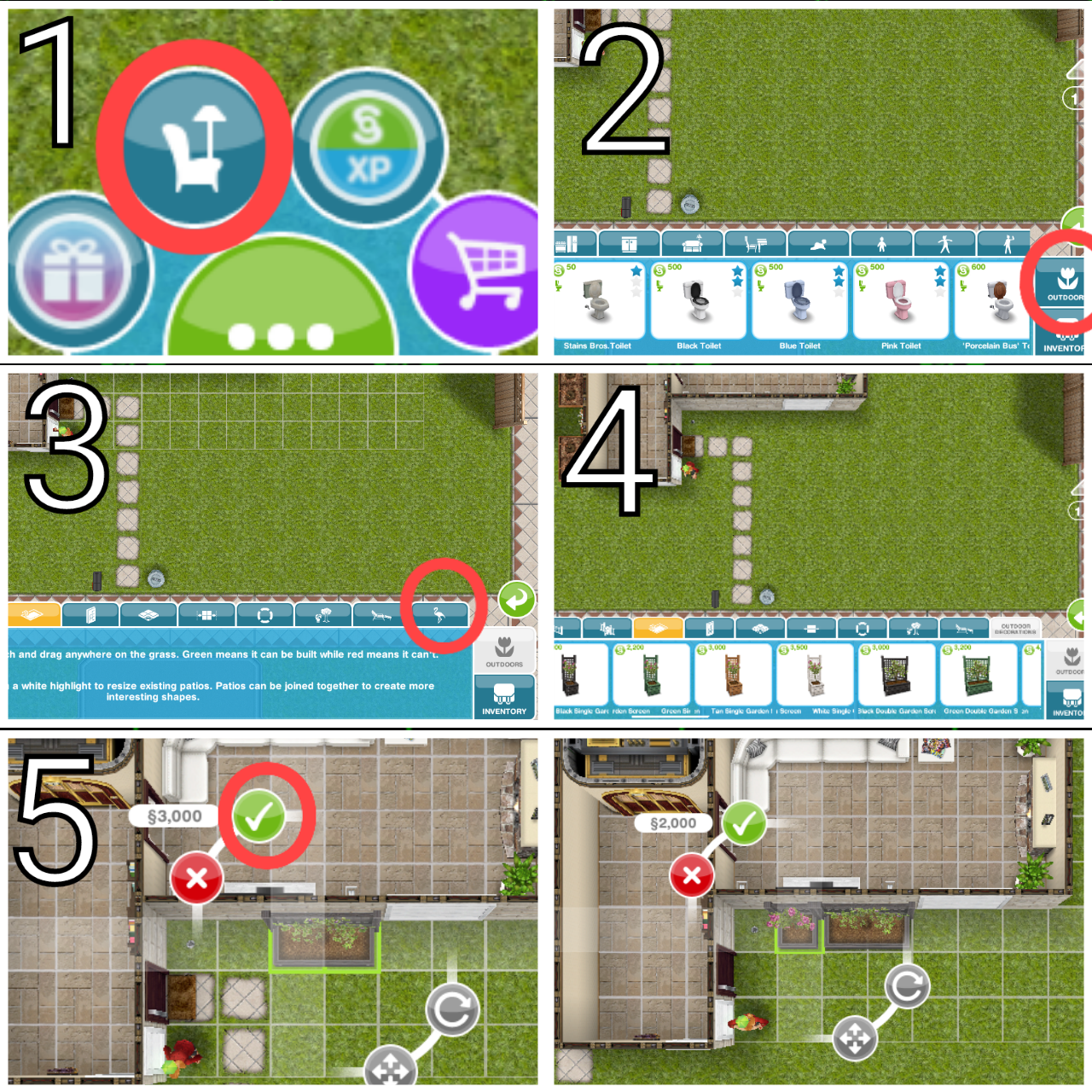
Sometimes you will get a goal in a quest that requires you to buy something, for example in the DIY HOMES: Peaceful Patios Quest one of the goals is to buy S5,000 worth of outdoor decorations. So to complete this:

On a Larger Device:

  1. Open the home store
  2. Click on the Outdoors section on the right of the bar
  3. Scroll across the bar until you find the Outdoor Decorations tab, click on this
  4. Scroll across the bar to find an item you would like to buy (remember you can buy one item that costs S5,000 or a selection of items that add up to S5,000) I am going to buy Black Double Garden Screen that costs S3,000 and the Black Single Garden Screen that costs S2,000)
  5. Click on the item, find a space on the house lot to place it and click on the green tick to buy (it will flash red and the green tick will be greyed out if you cannot place the item)


On a Smaller Device:

  1. Open the home store
  2. Scroll across until you find the Outdoor Decorations tab, click on this
  3. Scroll across to find an item you would like to buy (remember you can buy one item that costs S5,000 or a selection of items that add up to S5,000) I am going to buy the Bamboo Lamp as this costs S5,000
  4. Click on the item, find a space on the house lot to place it and click on the green tick to buy (it will flash red and the green tick will be greyed out if you cannot place the item)


Selling

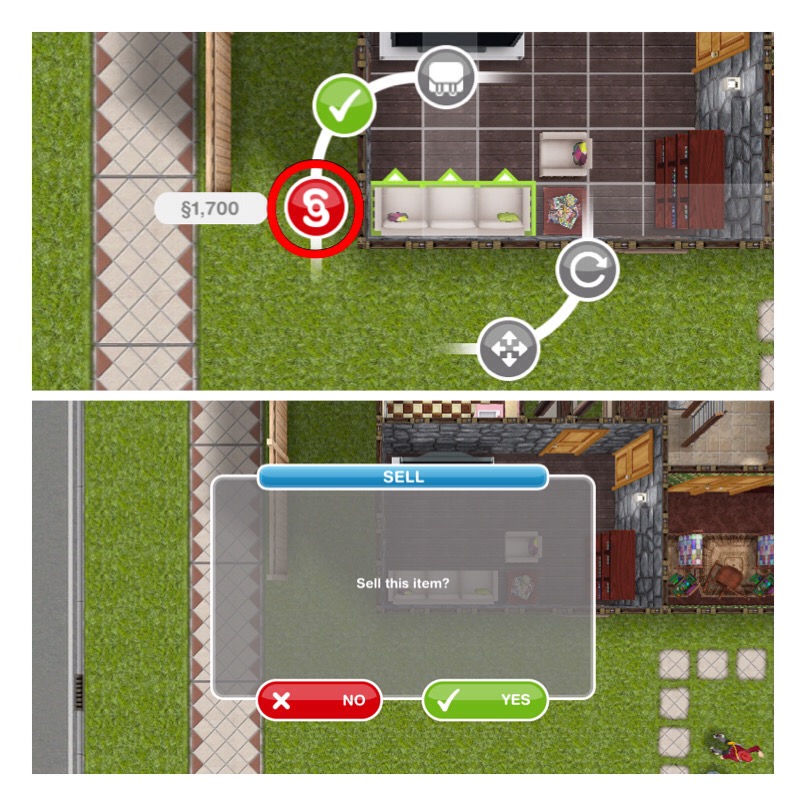
To sell an item you need to open the home store, then click on the item in the house you want to sell. A price will appear next to the red simoleon symbol, this is how much you earn when you sell the item. Click on the red simoleon symbol then a pop up will appear asking if you want to sell the item, click yes if you do.

If you want to sell items that are in your inventory you need to click on the item in the inventory like you are placing it in your house to get the option to sell it


Storing

You can store items in your inventory that you no longer want in your house, this is really helpful if you want to use the item later (I wouldn’t recommend selling everything you don’t want to use right now!)

You can also use it to move items to a different house:

I am going to show you how I moved the preteen bookcase but it will work for any item you can store!

  1. Press the home store button
  2. Click on the bookcase, click the inventory button, the bookcase will then be removed from the house
  3. Go to the house you want to place it in and click the home store button again
  4. Find the inventory section
  5. Then the tab where the item will be found (preteen bookcase will be in preteen tab)
  6. Click on the bookcase and position where you want it in the new house, click the green tick to place it

Follow steps 1 and 2 if you just want to place an item in your inventory.

Thanks for reading!


COPYRIGHT PROTECTED
http://smarturl.it/sfpggwg

The Sims Freeplay- Education

This post will explain how to send your preteen and teen sims to school and what they earn when they level up in their education.

PRETEEN

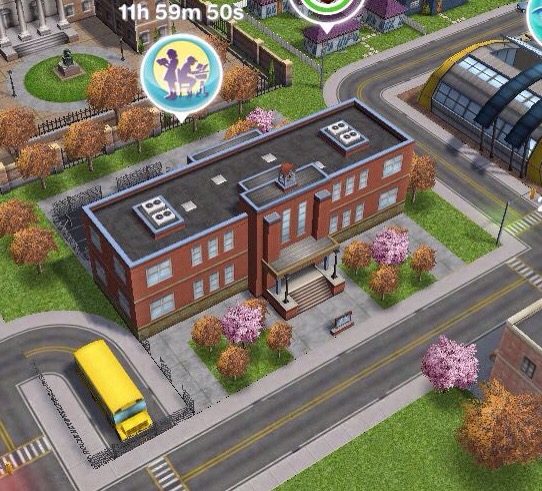
Complete the Preparing for Preteens quest to unlock the Simtown Elementary, once you have a Preteen you can send them to school.

How do I send a preteen to school?

Go to the career tab, find the preteen and it will say ‘not enrolled’ click on the mortar board symbol to enrol them at school:
They will be at school for 5 hours and will start from level 3, grade C (no idea why they don’t start from level 1 but you can get them down to level one (if you really wanted to) by having them leave school and then enroll again, each time they leave they will level down) 

Level 1: E S5 300XP

Level 2: D S25 350XP

Level 3: C S130 400XP

Level 4: C+ S240 450XP

Level 5: B S310 500XP

Level 6: B+ S390 525XP

Level 7: A S480 550XP

Level 8: A+ S600 600XP

Level 9: A++ S645 650XP

Level 10: A+++ S700 800XP


The first preteen to go to elementary school in your town will unlock new items when they level up:

Level 4: C+ 2+2 is 4 poster

Level 5: B Planets poster

Level 6: B+ Science project

Level 7: A Einstim poster

Level 8: A+ Model UFO

Level 9: A++ School Certificate

Level 10: A+++ Spelling Bee Trophy


Further preteens will earn town value as a reward for levelling up:

Level 4: C+ 1,000 Town Value

Level 5: B 2,000 Town Value

Level 6: B+ 5,000 Town Value

Level 7: A 7,500 Town Value

Level 8: A+ 15,000 Town Value

Level 9: A++ 20,000 Town Value

Level 10: A+++ 30,000 Town Value


TEEN

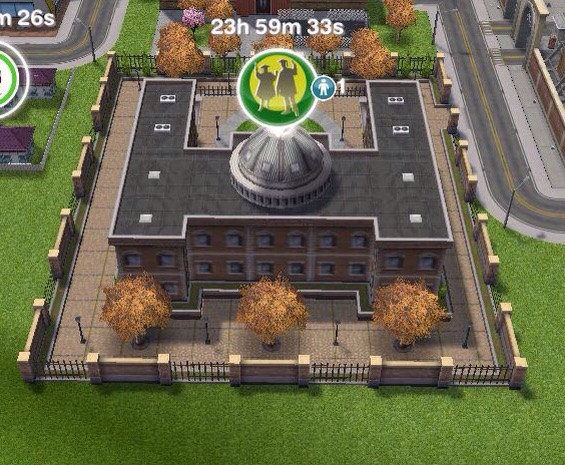
Complete the Higher Education Quest to unlock Simtown High to be able to send your teenage sims to school.

How do I send a teen to school?

Go to the career tab, find the teen and it will say ‘not enrolled’ click on the mortar board symbol to enrol them at school:

NOTE: this option will be locked until you build the Simtown High School

They will be at school for 5 hours


Level 1: Junior Student- S300 300XP

Level 2: Hall Monitor- S400 350XP

Level 3: Teachers Pet- S450 400XP

Level 4: School Band Leader- S500 450XP

Level 5: Senior Student- S550 500XP


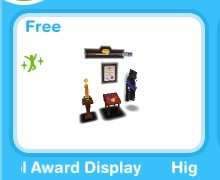
The first teen to reach level 2 at the high school in your town will unlock the High School Award Display:

They will fill the case as they level up

Further teens will earn town value as a reward for reaching level 2:

Level 2: 500 Town Value

All teens will earn town value as a reward for levelling up from level 3 onwards:

Level 3: 750 Town Value

Level 4: 1,000 Town Value

Level 5: 2,000 Town Value


Thanks for reading!


© COPYRIGHT PROTECTED

http://smarturl.it/sfpggwg


The Sims Freeplay- Simtown Express Quest

Early Access to Beta Provided by EA/ Firemonkeys


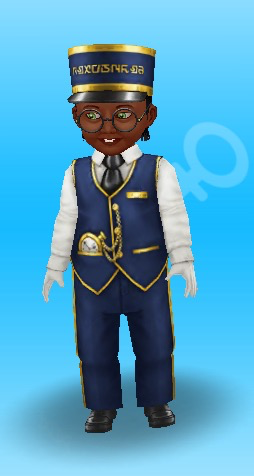
LEVEL UNLOCKS: 15 UNLOCKS: simtown express, downtown area and hospital profession workplace TIME LIMIT: 5 days PRIZE: toddler train conductor outfit


NOTE: if a pop up appears about this new quest click NOT NOW, if you do click YES and it takes you to downtown DO NOT BUILD THE HOSPITAL! Go back to simtown and build the simtown express first. If you build the hospital you will not be able to get back to downtown to complete construction on the hospital and will be unable to build the simtown express as the hospital is being built. If you have built the hospital early contact the makers to see if they can fix this issue for you


To begin this discovery quest you need to build the simtown express (this is located on the bottom left of town next to the restaurant) If you complete this quest in the time limit you will unlock the toddler train conductor outfit, if you don’t complete in the time you will still unlock the simtown express and downtown but you won’t get the outfit

You cannot complete this quest at the same time as any other discovery quest


HOW LONG DOES THIS QUEST TAKE TO COMPLETE?

Times may vary depending on the star rating an item has

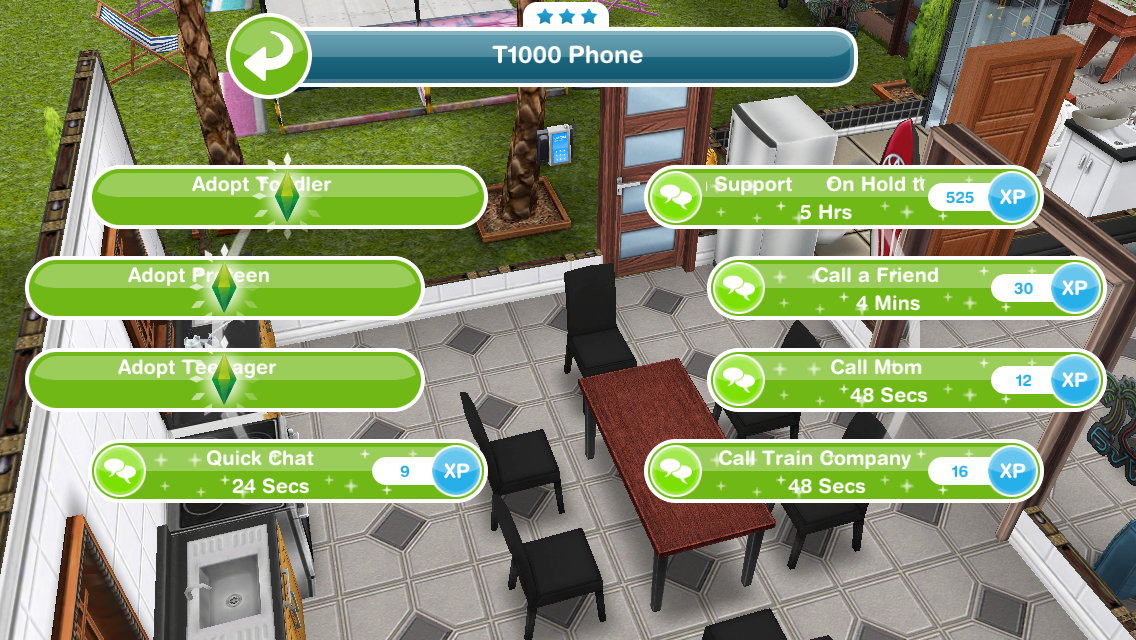
  • Call the train company- 48 seconds (using a phone)

  • Meet Thomas, the tiny conductor- 15 minutes


  • Ask about safety lessons- 2 hours 15 minutes (Thomas)

  • Read a book about trains- 8 hours 30 minutes (using a bookshelf)

  • Find a snack for Thomas- 1 hour 50 minutes (using a fridge)

  • Ask for safety lesson 1- 5 minutes (Thomas)

  • Demonstrate single seating- 10 hours (click on a seat)

  • Ask for safety lesson 2- 5 minutes (Thomas)

  • Send a sim to the park
  • Watch the train demonstration- 14 hours 45 minutes (train set in park)

  • Ask for safety lesson 3- 5 minutes (send a sim home and find Thomas)

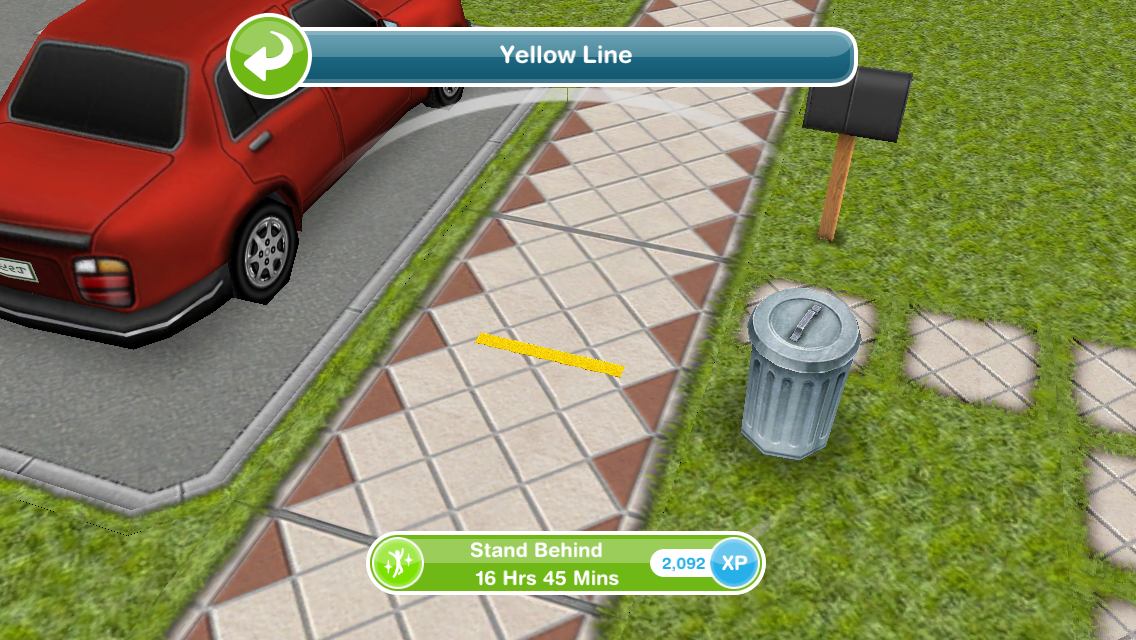
  • Stand behind the yellow line- 16 hours 45 minutes (appears at the front of the house you are at)

  • Search for the train key- 1 hour 50 minutes (bed)

  • Apologise to Thomas- 6 hours 15 minutes

  • Give cookies to Thomas- 1 minute (Thomas)
  • Ask for final lesson- 5 minutes (Thomas)

  • Practice holding on- 1 day (click on Thomas)

  • Guess Thomas’s age- 1 hour 15 minutes (I don’t think it matters which one you pick but he does say he is 5 and 3/4 earlier on!)

  • Travel on the Simtown Express

QUEST IS COMPLETE!


Now you have completed the quest you can take the Simtown Express to the Downtown Area! In the Downtown Area you can find the Hospital, Downtown High School and Penthouse Apartments!

Build the hospital to unlock the medical staff profession career- unsure about professions? Read this post!

Complete the Teacher’s Pet Quest to unlock Downtown High School and complete the Sims and the City Quest to unlock the Penthouse Apartments


Prize: Toddler Train Conductor Outfit  Where can I find it? In the wardrobe, under outfits for a toddler

Cost? Free


Watch my step by step video of this quest here:


FREQUENTLY ASKED QUESTIONS ABOUT THIS QUEST

please read before asking

How do I start this discovery quest?
Build the simtown express to start this quest

Why can’t I do this discovery quest yet?
You cannot do more than one discovery quest at the same time, if you are currently on another one (the list can be found here) you will not be able to do this one until that one is completed

Help! I have built the hospital before the simtown express now I cannot build the simtown express, what should I do?You will need to contact the makers so they can fix this issue for you

Can I do discovery quests at the same time as a main quest?
Yes you can

Do I have to do this quest?
If you don’t start building the simtown express you don’t have to do this quest at all but if you have already started building or started this quest you need to complete it before you can move on to the next quest

I haven’t started this quest yet, will it still be available when I want to do it?
Yes it will be, you can choose to start it whenever you like

I can’t complete the train demonstration, why?
Thomas needs to be at the park to be able to complete this, if he isn’t, go back to the house he was last at, find him and then go back to the park. If he still doesn’t arrive at the park, click on the whistle on the simtracker to bring him there.

What do I get if I complete this quest in the time limit?
Toddler train conductor outfit, the one that Thomas wears in this quest

What happens if I don’t complete in the time limit, can I still finish this quest?
Yes you have to finish it to unlock the downtown area and hospital before you can move onto the next quest

I didn’t complete in the time limit, can I restart the quest?
No, you cannot redo quests

Can I still get the prize if I don’t complete in the time limit?
No, the only way to get the limited time prizes is by completing the quest in the time limit

I don’t like this quest! Can I just skip it?
No, you have to complete this quest before you can move onto the next one now that you have started it, if you don’t start building the simtown express you don’t have to do this quest but once it is built the quest will begin

I don’t understand the Hospital Career, can you help?
This post explains all about Profession Careers so give it a read if you are stuck

Some times are slightly different on my game, why is this?
Times may vary depending on the star rating of the item you are using, as the higher star rating an item has the quicker you will complete a goal

Some times are really off/ different goals show for me, why is this?
This will be because the quest has been updated recently, I try my best to keep these posts up to date but it is difficult as I cannot redo every quest each time the game is updated. If you notice any changes please let me know so I can update the post


Last updated April 2025

FIND THIS POST HELPFUL?

Buy Me a Coffee at ko-fi.com

THE SIMS FREEPLAY
©THEGIRLWHOGAMES.BLOG

The Sims Freeplay- The Pet Park

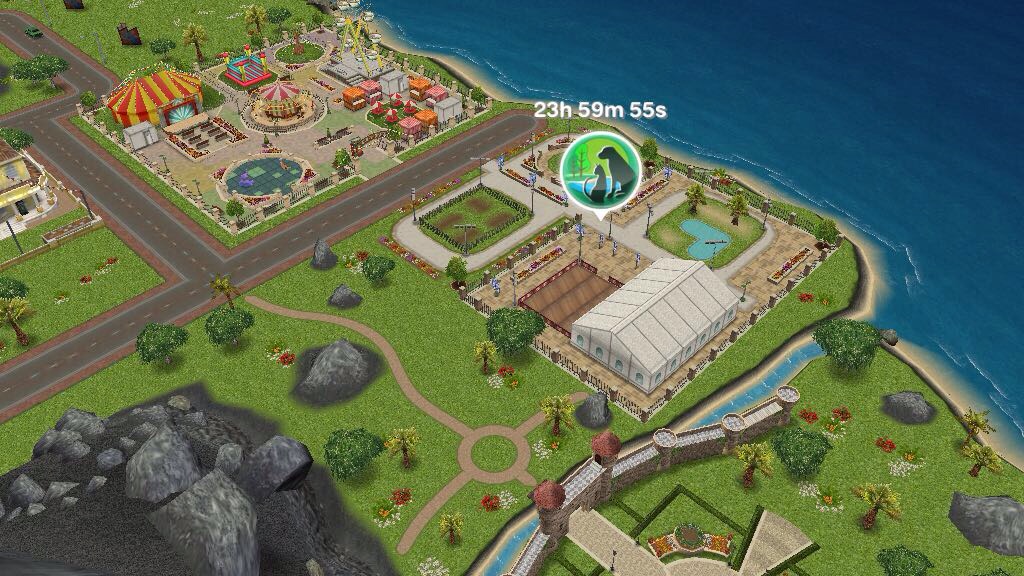
This is a guide to the pet park, once you complete the life dreams and legacies quest you will have the ability to unlock the pet park.

 20160824-134331.jpg

Requires 2 Bronze Animal Fanatic Orbs and 4 Silver Animal Fanatic Orbs to build

This post explains how you earn orbs

Once you unlock the pet park you unlock the Dog Obedience hobby for adults, seniors and teens

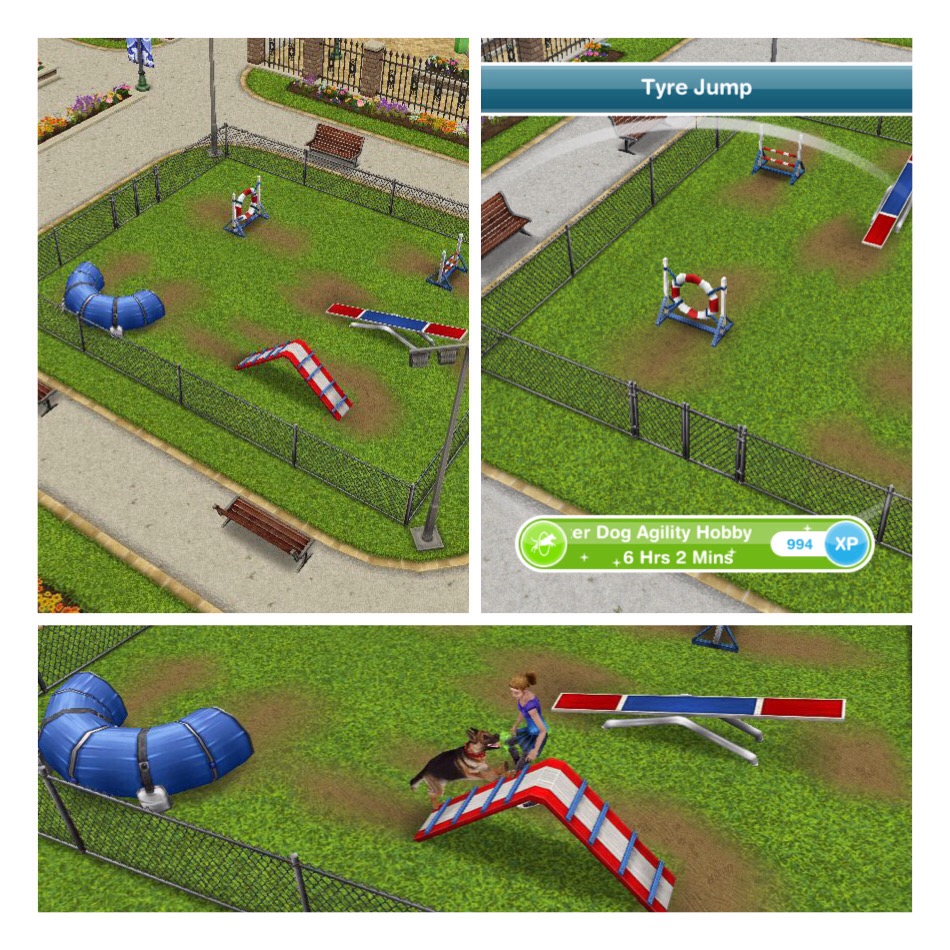
There are two other hobbies at the pet park, Dog Agility and Cat Show, these both require orbs to build the areas to start these hobbies:

Dog Agility: Requires 3 Silver Animal Fanatic Orbs and 2 Gold Animal Fanatic Orbs

  Cat Show: Requires 1 Platinum Animal Fanatic Orb and 3 Gold Animal Fanatic Orbs

20160824-134141.jpg
 You can have sims judge and watch the cat show but you do not need them to complete this hobby, you only need a sim to partake in the cat show hobby


What else is at the pet park?

One final area requires orbs to build

Nine Lives Cafe: Requires 2 Silver Animal Fanatic Orbs and 3 Gold Animal Fanatic Orbs to build

A sim can wait on tables while another sim waits for coffee, there is also a cat run in the cafe for your cats to use while they are at the pet park
  The dog pool unlocks when you build the pet park, this can be used by your dogs


How do I send my dogs and cats to the pet park?

To be able to send them to the pet park they need to be wearing collars, you can buy collars for them from the Pet Salon. Once they have a collar click on that pet and select ‘send to pet park’  

I really like that cats and dogs can be included in the game more when you build the pet park however it does seem to take a long time to build all the places in this park so I would recommend only using Animal Fanatic Orbs to build the park, use the other orbs to pause your sims.

Thanks for reading!


© COPYRIGHT PROTECTED

http://smarturl.it/sfpggwg