
When you start the game for the very first time you will get these goals to help you with the basics in the game. Complete the tutorial and simtown is yours to explore!
Need help with the basics? Check out my Sims Freeplay Beginners Guide
Tutorial Goals
Click on the green house icon:

This opens the create a sim menu so you can add your first sim:

- When you click the green tick you will be taken to your sims house where you are shown the controls (pan, rotate, zoom in and out)
- This is how the tutorial house looks in 2022 (the 2025 version includes a bookcase):
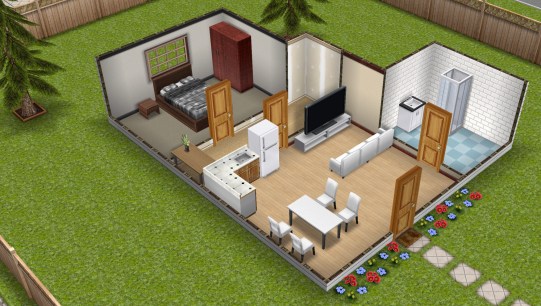
- Now the tutorial goals will appear, goals are a big part of the game and there are a lot of quests to complete once the tutorial is over. Each goal in the tutorial has to be completed before you can move onto the next one
- Furnishing homes: Place a free bathtub
Click on the chair with the lamp button to access the home store, find the bathroom section and click on the bath, click on the green tick to place in the house
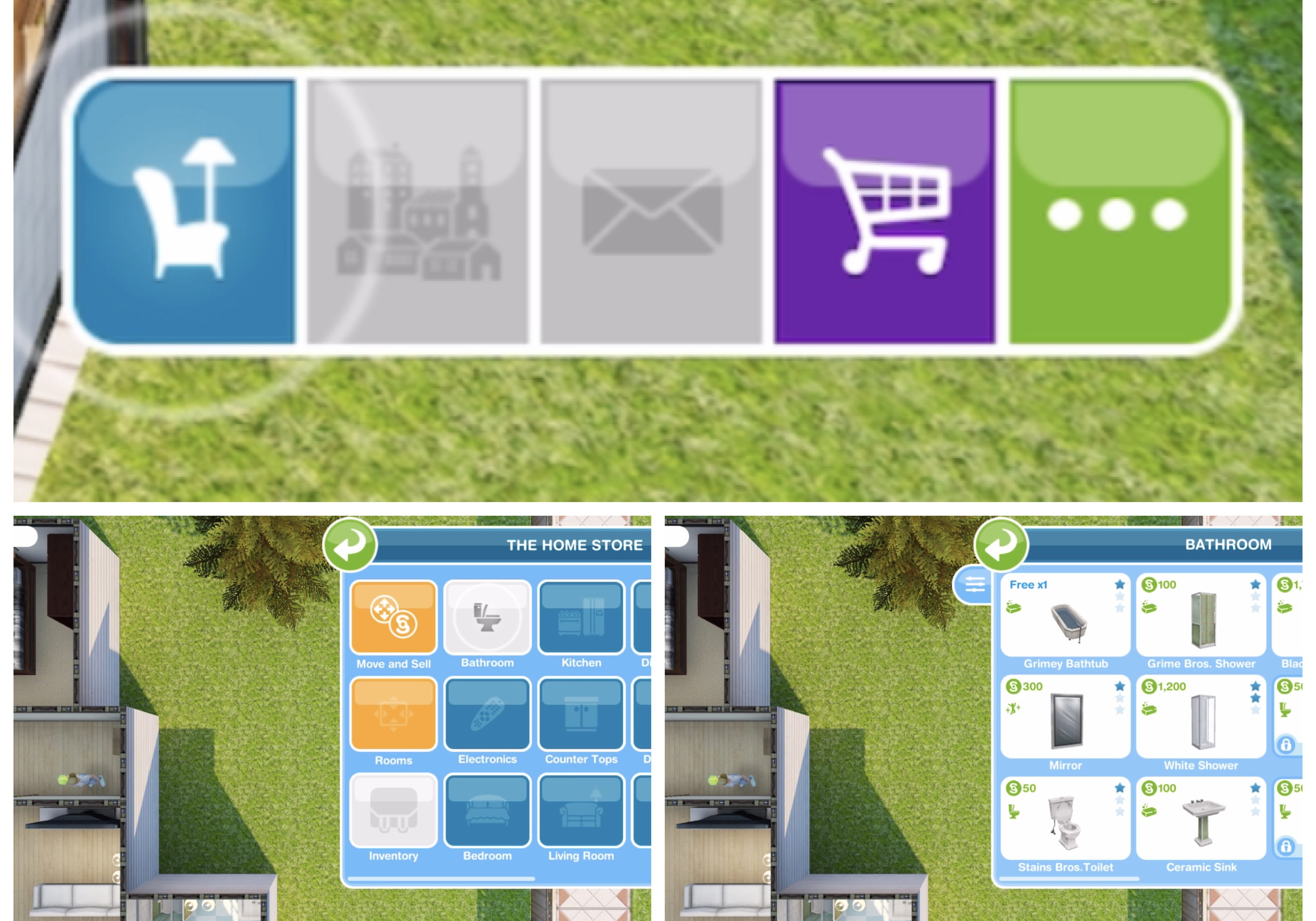
TIP: check out this post for more information on Buying, Selling and Storing Items
MOVING OBJECTS
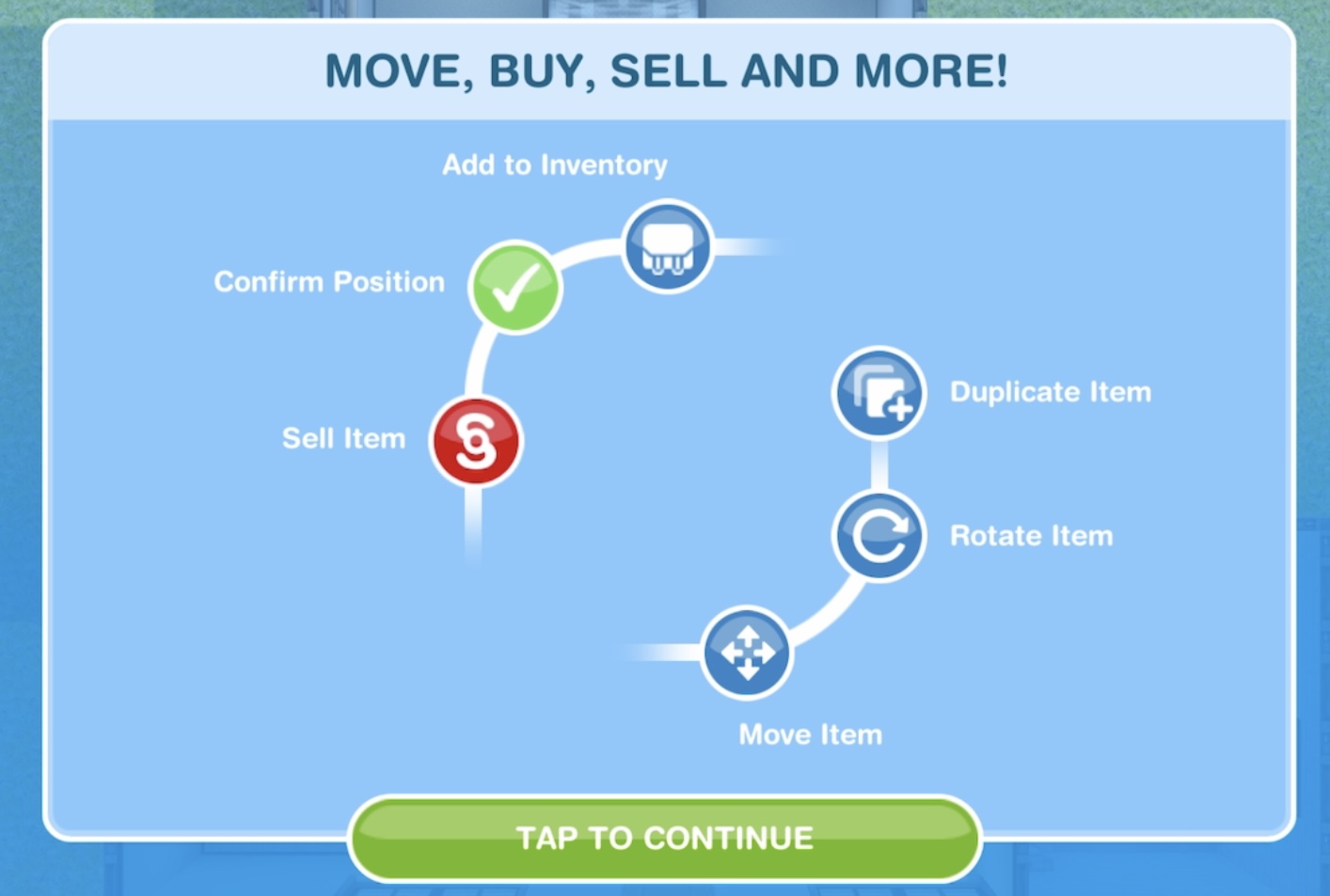
- Moving objects: Move the Bathtub
Select move and sell in the home store then click on the bath to move it, click green tick to place
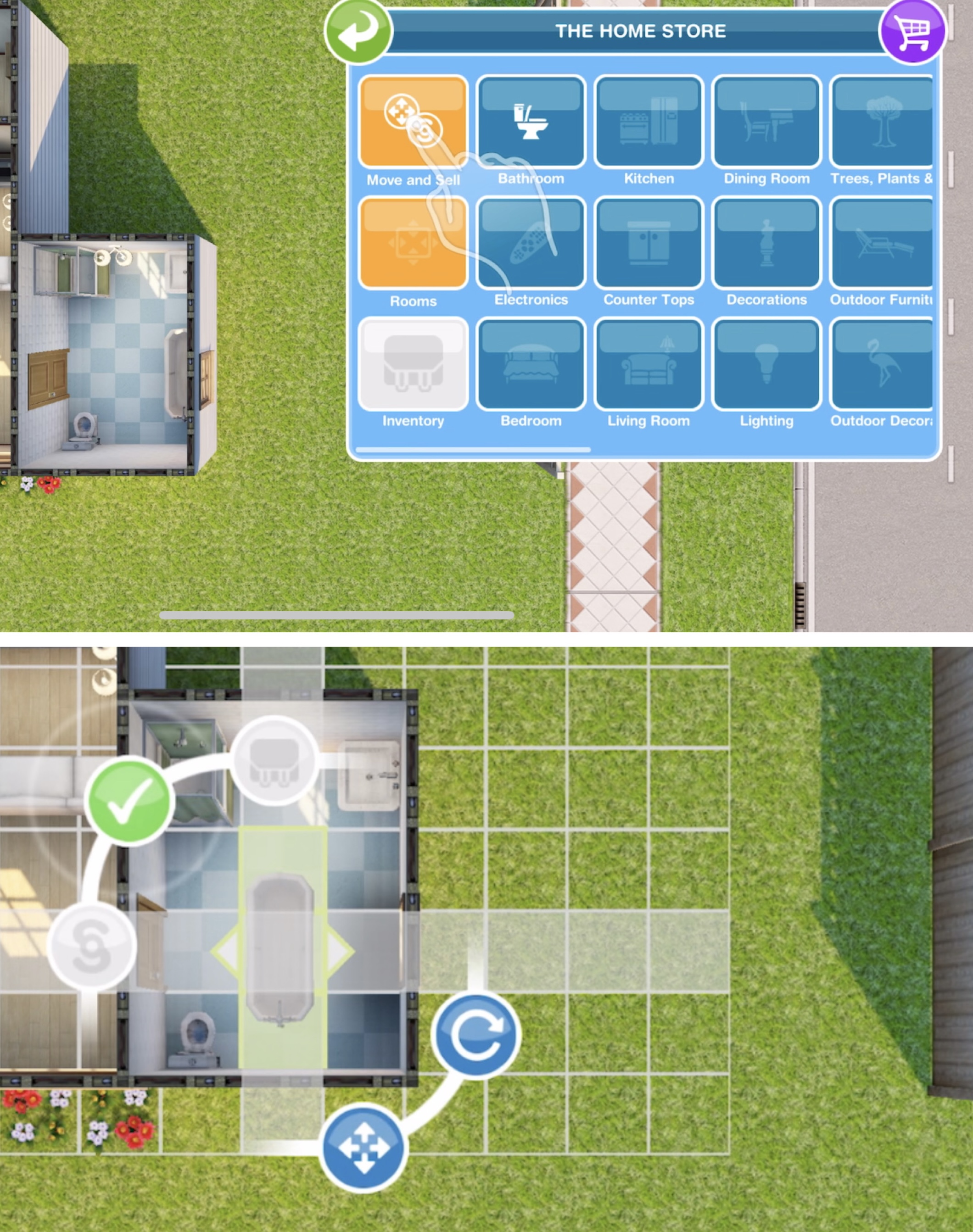
TIP: Check out my video on moving items here!
SIMS HAVE NEEDS

- Sim needs: Have a quick soak in the bath- 5 secs
Click on the bath and select the option

- Changing a sim’s clothes: Browse clothes on the wardrobe
Click on the wardrobe in this house and select browse clothes, click the green tick once you have finished changing your sims appearance or the back button if you don’t want to make any changes

- Room editing and creation: Drag to resize a room
Open the home store again and click on the rooms tab, drag on an arrow to resize a room, click green tick to confirm

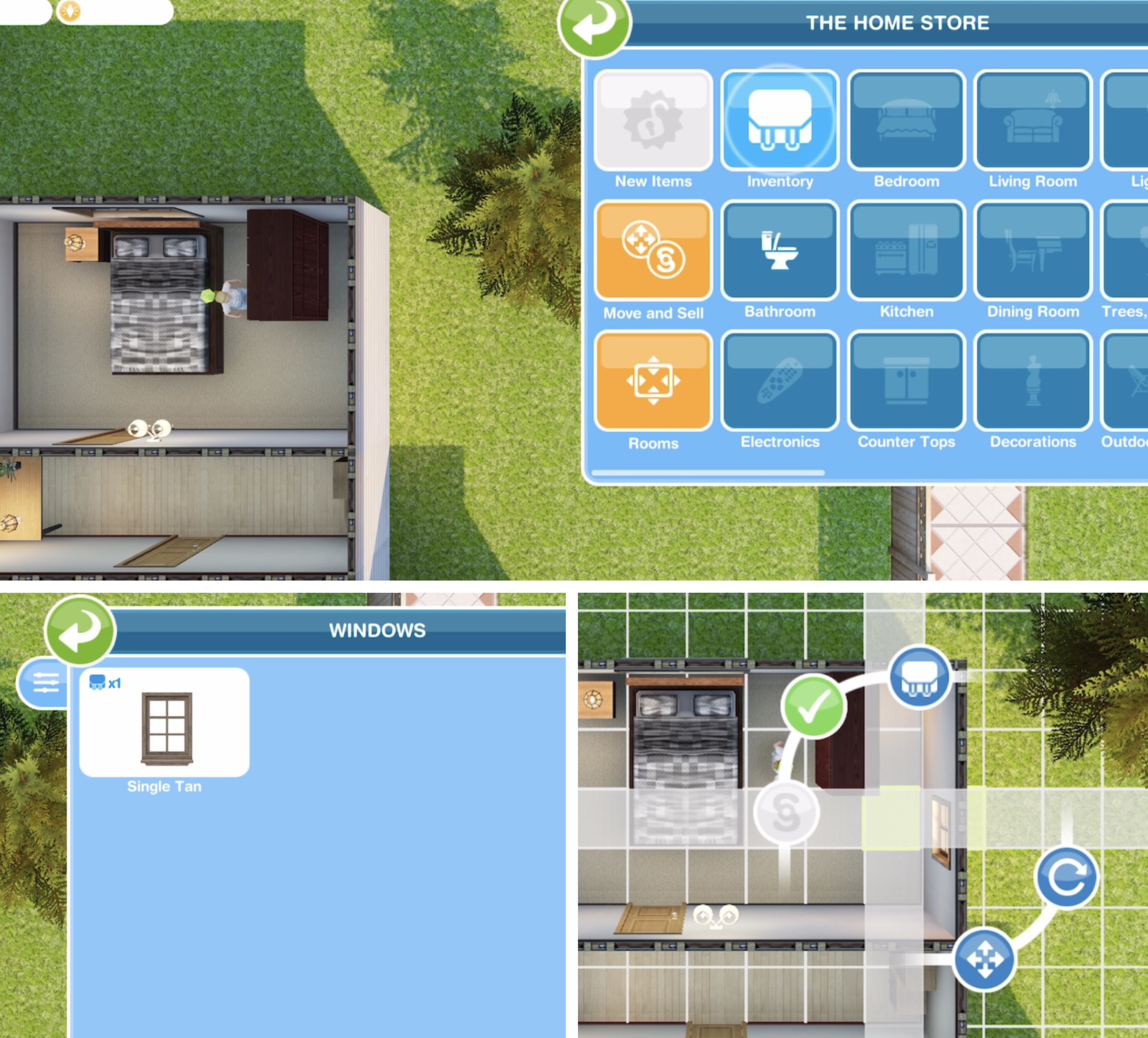
- Using the inventory: place a free window
Open the home store, click on the inventory tab, click on the window section, click on the single tan and click the green tick to place in the house
- Adding sims: building houses
Tap on the town map icon then on a blue add house symbol and build a house, the first one is free

Click on the building to quick complete using LP (this time it is free)
- Adding sims: Create a sim
Click on the new house and select add new sim. Customise and click the green tick to add them to the game

New adult sims can only be added to empty houses
- Inspire a sad sim
Tap the green inspire button and select a cupcake

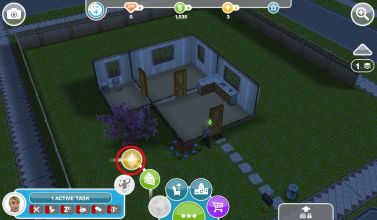
CUPCAKE

Cupcakes usually cost LP
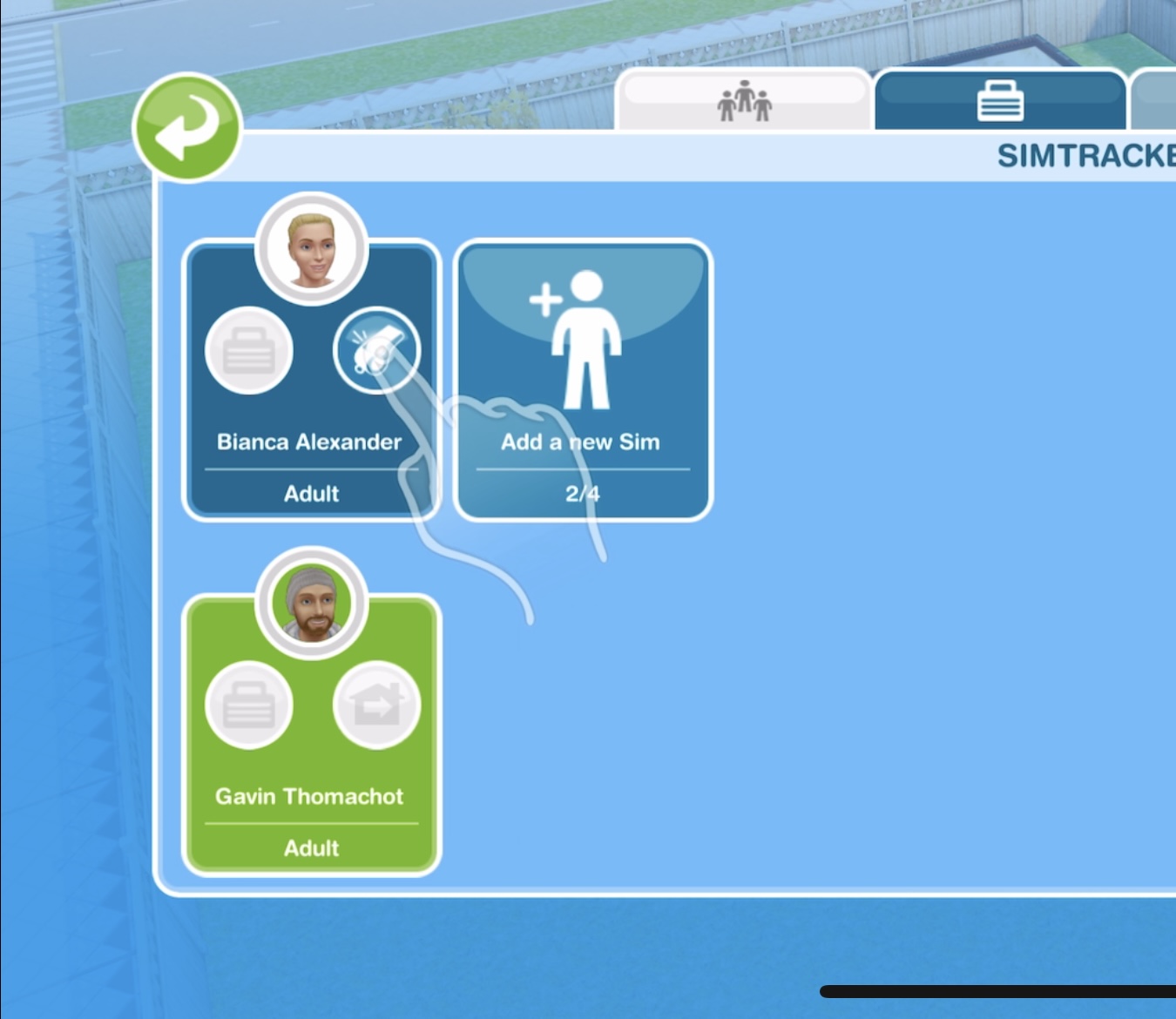
- Managing sims: Tap on the Simtracker (blue folder)

SIMTRACKER

TIP: Check out my video on using the simtracker here!
- Calling a sim: tap the whistle on the simtracker to bring a sim to your current location
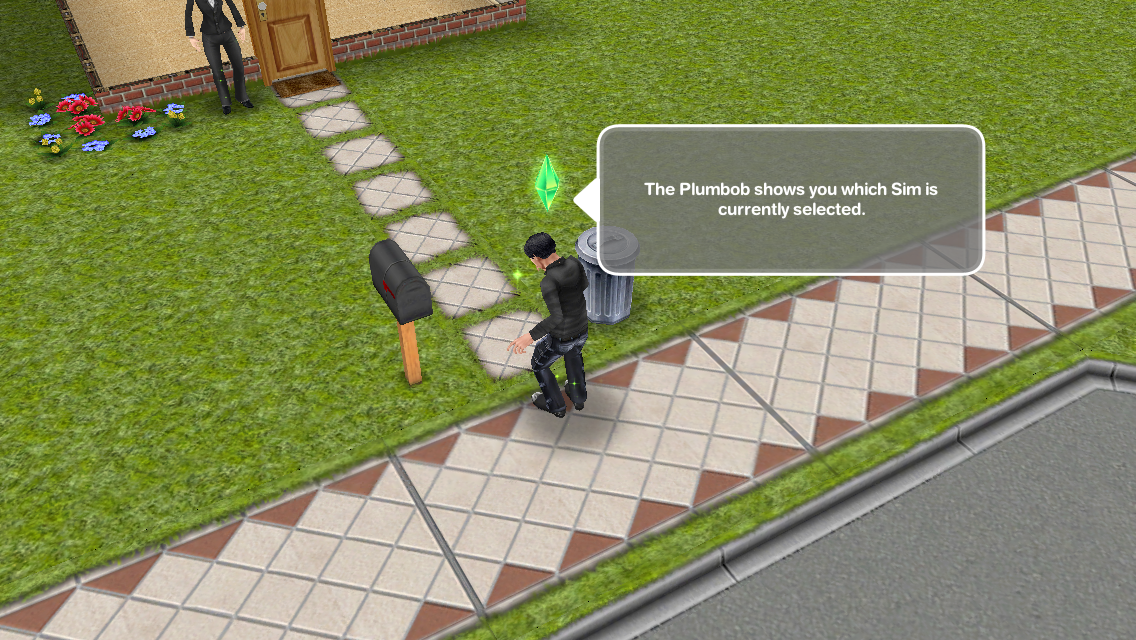
- Swapping sims: Switch sim selection
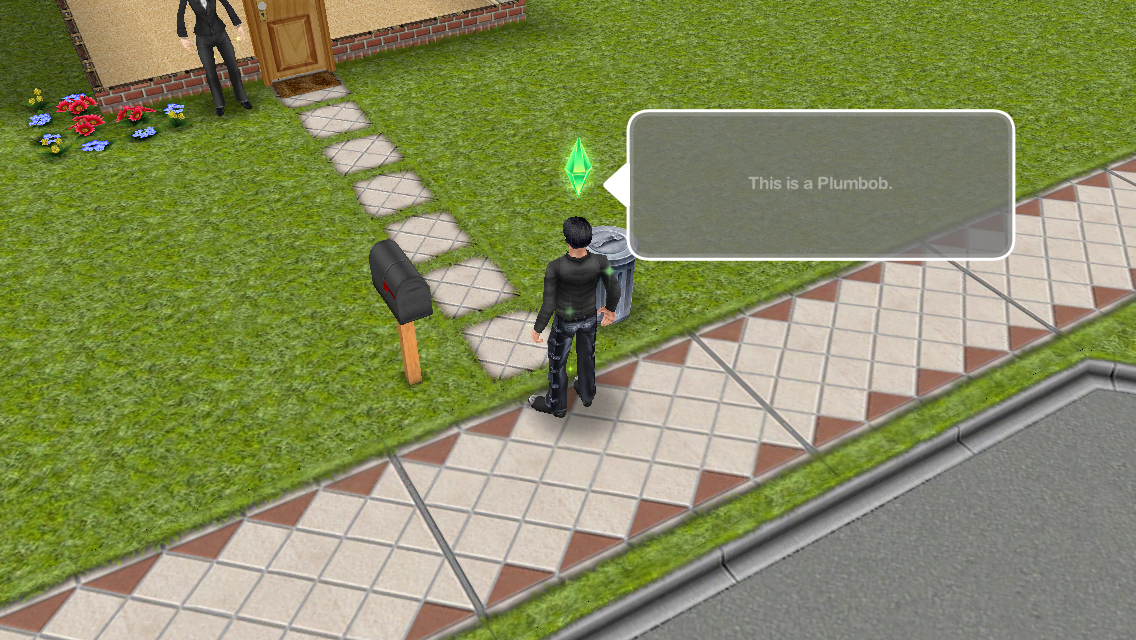
Click on the sim without the plumbob, click on the green symbol next to their name to switch to the other sim
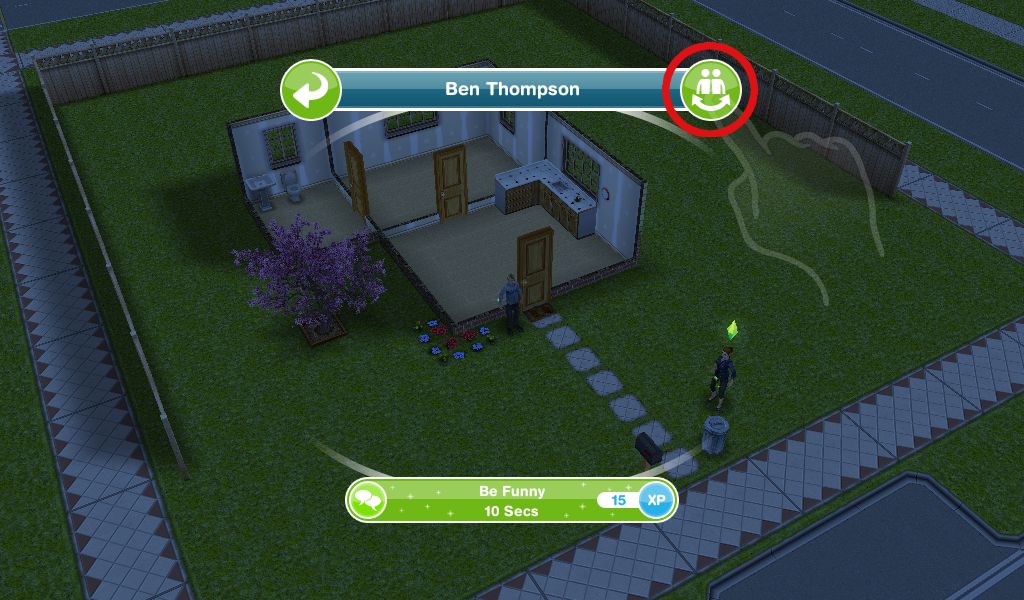
The sim with the plumbob above their head is the one you are controlling
- Developing relationships: Be funny to a sim- 10 seconds
This is an interaction with another sim, click on the other sim and select be funny under friendly

LEVELLING UP
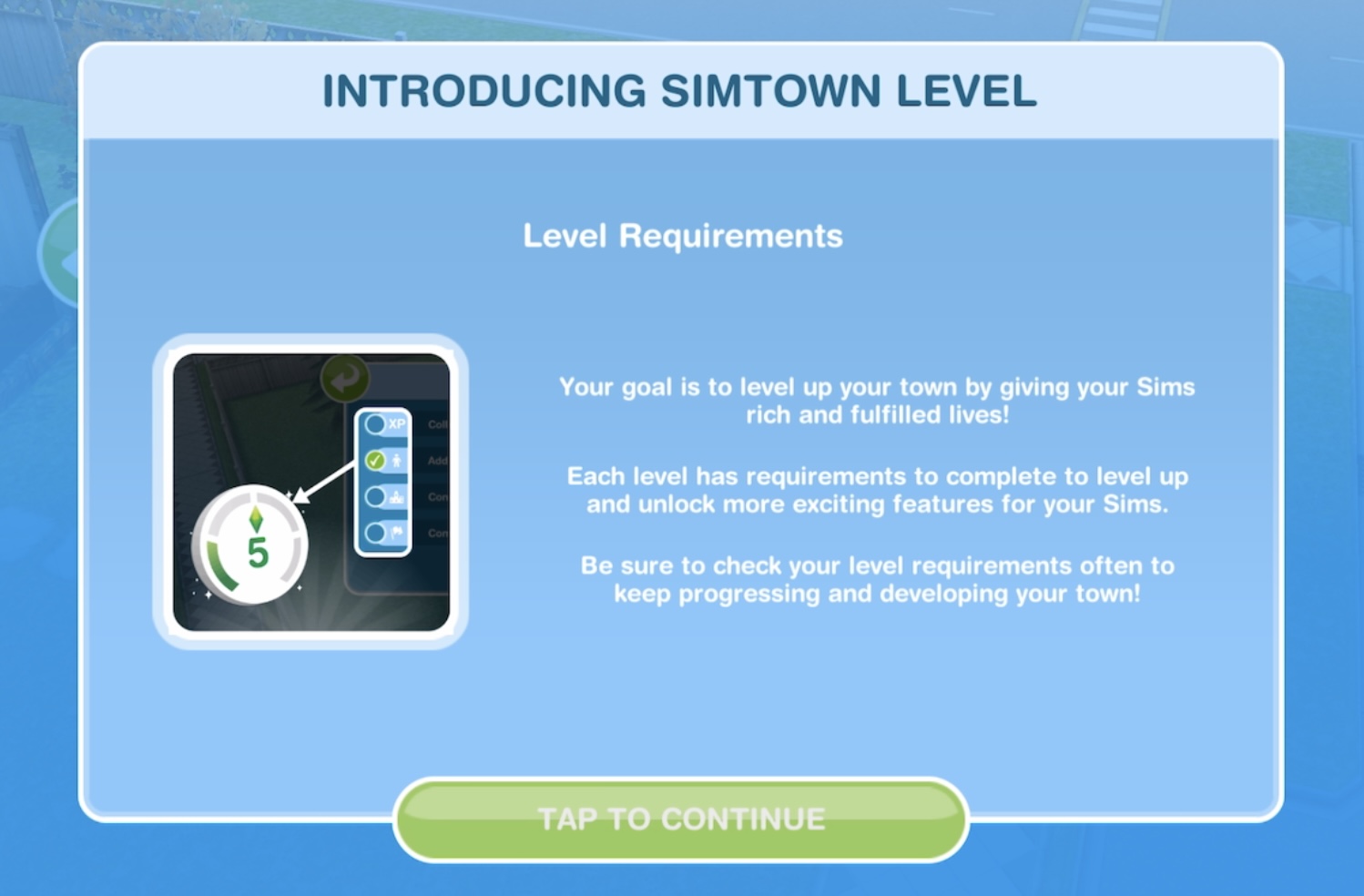
- How to level up: tap on level up icon at the top of the screen to view requirements

Once you earn 1,000 experience points and the park is built you will be able to reach level 5
- Growing your town: build the Park
Go back to the town map, click on the Park and build it for free

Click on the park to quick complete with LP (this time it is free)
TUTORIAL IS COMPLETE!
This next goal is a weekly task:
- Visit the mystery box shop
The mystery box shop is where you can buy items using keys, you earn keys by completing all the weekly tasks each week
TIP: Check out this post for more information on the mystery box shop!
No longer part of the quest but good to know how to:
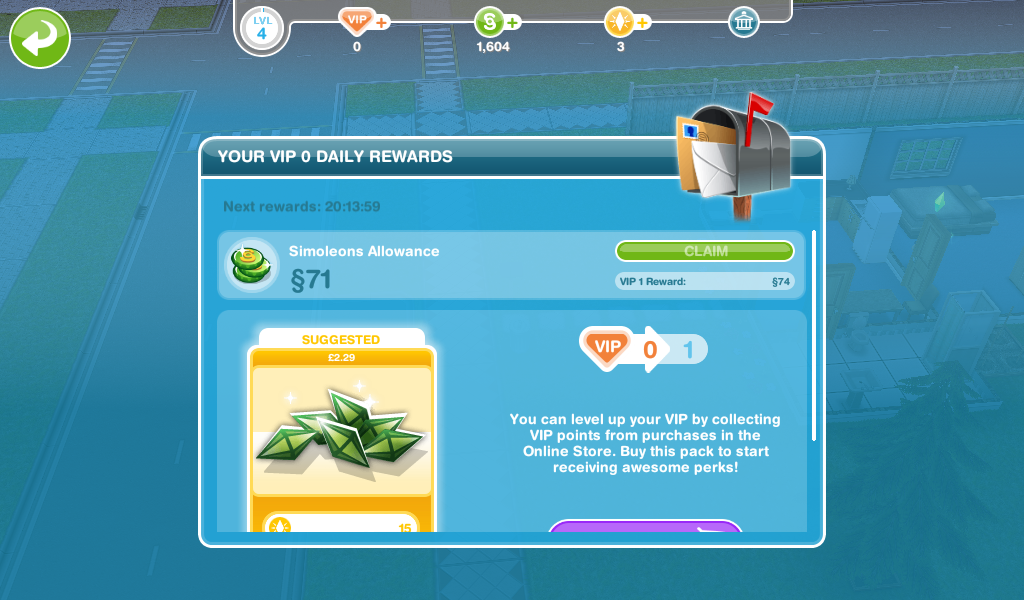
- Claim your check in rewards (mailbox at front of house, first tab is check in rewards)


- Claim your daily rewards (mailbox at front of house, second tab is daily rewards)
- Collect revenue on the town map (click on the town button that is next to the buy mode button)

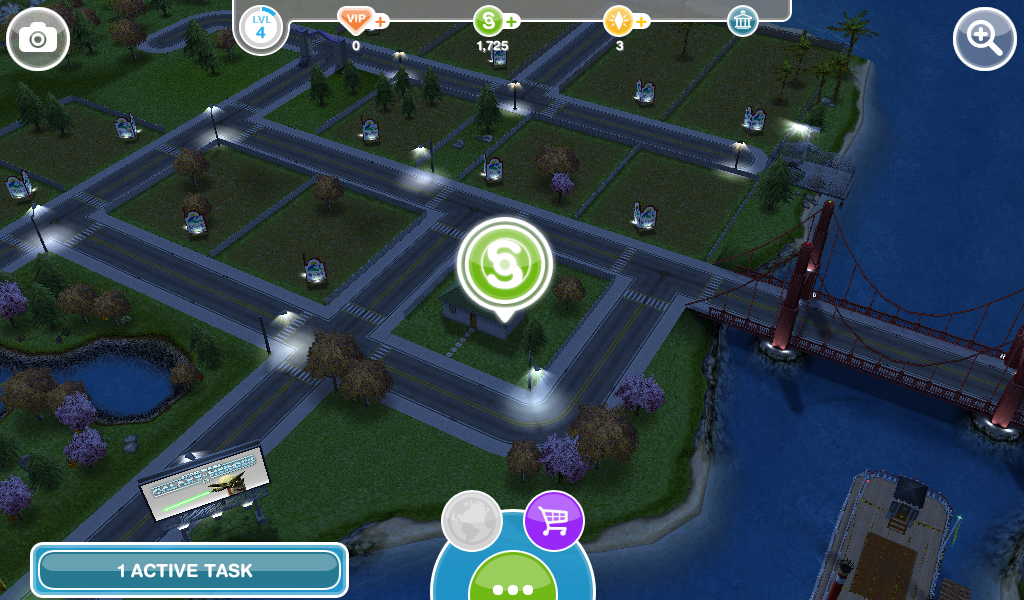
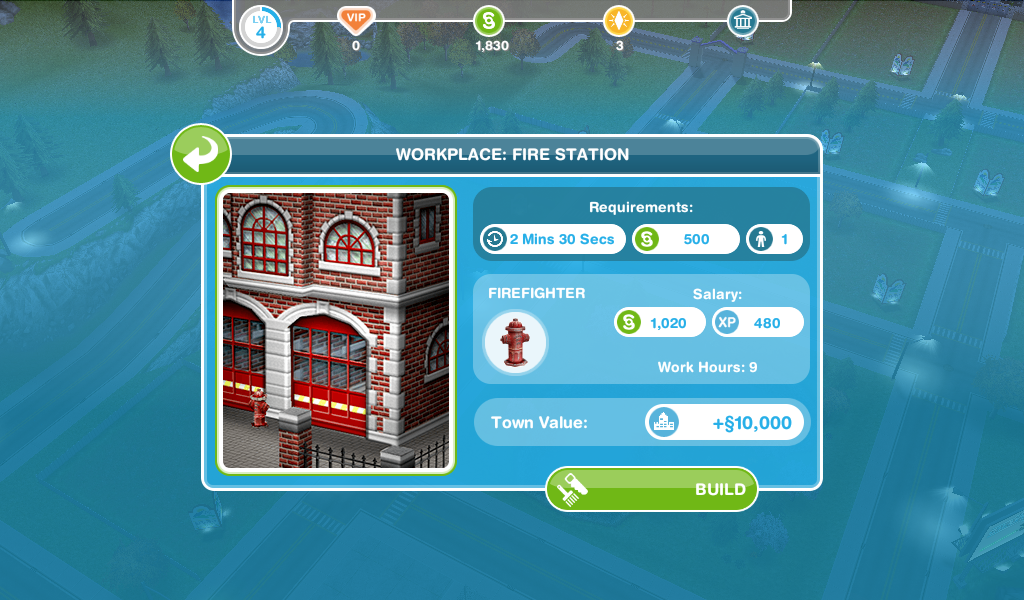
- Build a workplace (firestation) -2 minute 30 seconds

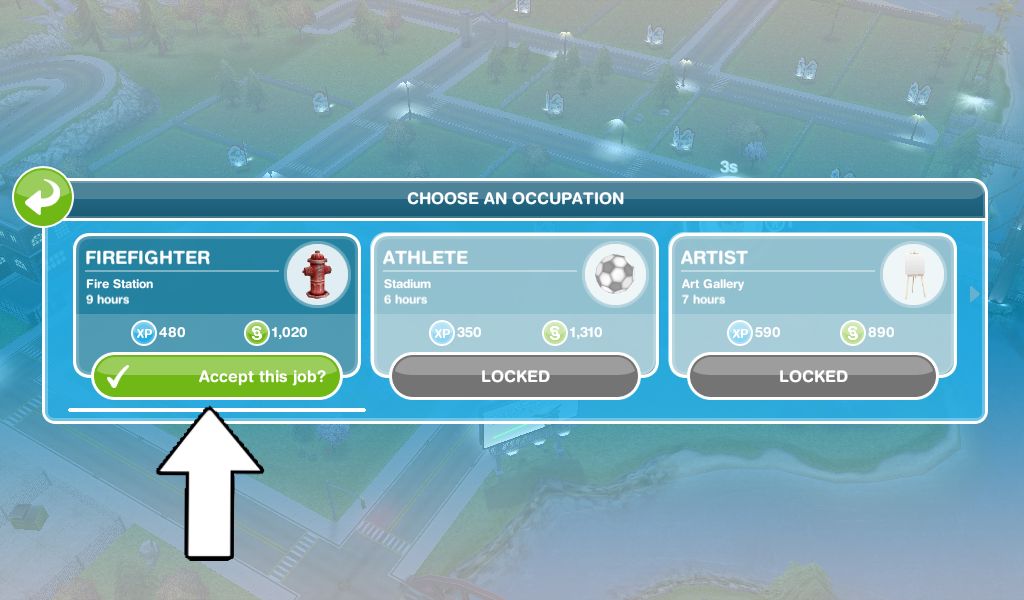
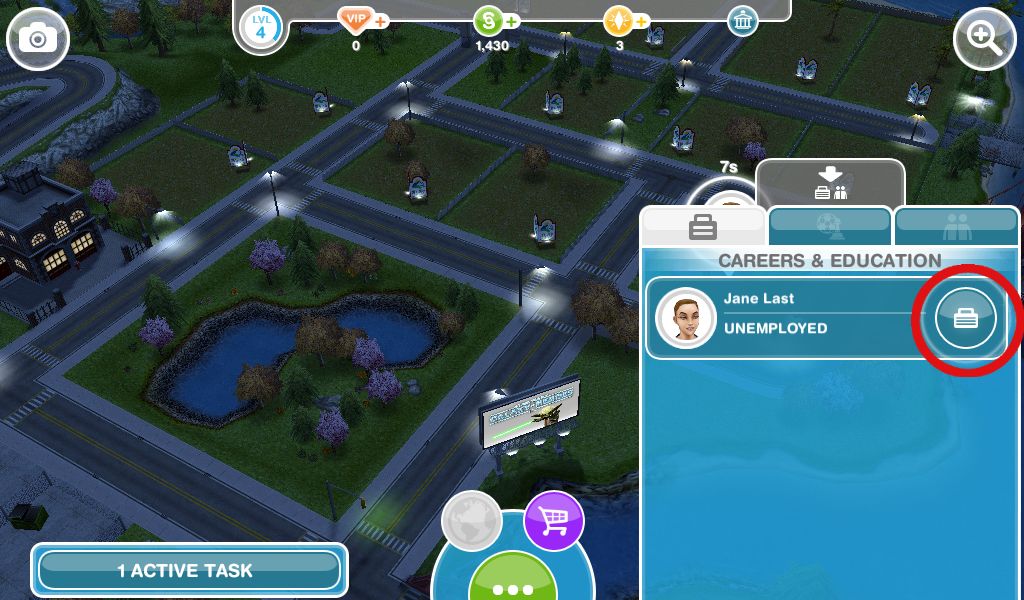
- Get a sim a job at the fire station
Check out my post on getting a job here

The first main quest is Bread Winner which unlocks the cooking hobby, this quest will start automatically from level 6
Community Market is the new location that unlocks at level 5, read my post here for more information
Watch my walkthrough of the tutorial [FROM 2018- NOT UP TO DATE] here:
Last updated April 2025
FIND THIS POST HELPFUL?
The Sims Freeplay
©THEGIRLWHOGAMES.BLOG

 The Girl Who Games
[…] https://thegirlwhogames.wordpress.com/2014/11/09/the-sims-freeplay-tutorial-goals/ […]
This procedure has been totally changed in the new version. They don’t give us a pet any more. The first workplace must be firestation. Instead of giving us LP, they make them 0LP. When I finish the tutorial, I only have two Sims, 4LP, and $4000 at Lv5. However, I did the previous tutorial in 2 days. Now it only takes less than 30 minutes.
No it hasn’t as this is the tutorial I got when I started again on the most recent update of the game.
Same for me, I went through the tutorial (no dog, only 2 sims, no bed or other furniture/wallpapers/floors in 2nd Sim’s house.)
[…] Tutorial […]
I love you and your great blog!
Thanks!
There are quite a few changes and I am on the latest update.
I am trying to be as accurate as possible so bear with me.
1. There is a dog. You shake hands and then collect treasure.
Next 3 goals are correct toilet costs 50 simoleons
2. You then have to buy a garden plot 20 simoleons and plant bell peppers collect town revenue.
3. Build a house and add a sim.
4.then buy (this may not be in the correct order. sorry) a fridge,shower,lounge,tv and bed for your new house nothing is free.
And spend 600 floors and walls.
5. Add or expand a room not free.
6. Use simtracker then call one sim to the other’s house and be funny
7. Become acquainted. Inspire a sim.buy another garden plot and have both plant bell peppers (completes instantly)
8.Eat leftovers.power snooze.
9.build another house create another sim.
10.build a workplace such as fire station,town hall,art gallery etc…
500s and 1hr to build any one.
I will continue commenting as i get farther along
This tutorial post was updated in the latest update using an iPod touch, are you playing on an iPad? It seems that the tutorial is correct for all devices apart from iPads and I have no idea why they haven’t changed the iPad version.
I do still have the list of goals for the iPad version so I will post that as well. But I would like to know, do you have to build the park in the tutorial or does it say you do this in the love is in the air quest?
You missed out the “a bump-y ride” quest. I’m thinking of doing that one next and I want to plan for it. I’m sure everyone else would find this helpful aswell. I love your guides to the quests though. Keep up the good work!
I haven’t, the quest post is here: https://thegirlwhogames.blog/2018/06/18/the-sims-freeplay-a-bump-y-ride-quest/
I just restarted my game on my kindle last week Feb20th, and the tutorial I started with is the one you listed as version 1
Thanks!
Hi there. I am playing on a new iPad Air, and the only version available to me is version two. I’ve uninstalled and what not, and am not getting the iPad version two at all. It doesn’t matter to me since I like version one anyway, but just wanted to add my two cents in to say that having an iPad doesn’t guarantee version two.
Okay thanks, I thought it was all iPads just because it the iPad 2 definitely has version two but obviously not- I have no idea why they have two different tutorials anyway!
I have an IPod
Well that’s weird because I did the tutorial on an ipod and I got version one.
Hi!This morning I found atime limited bobby prize.It’s 9 long hair style.But I don’t know which hobby I have to finish.Please help me.It’s just in 3 days.Reply me soon
That is the ringlets of fire quest, the post will be up the day it comes out again.
A friend of mine recommended I start playing Sims free play and also to use your site. Looks really intuitive and in-depth and the layout is really organized. Straight up goals, The main reason way I’m giving you a shout out/leaving you a comment is because you rock for creating the site thank you.
Thank you!
As you are allowed to expand a room in your house for free , I would suggest pulling the bathroom to the very end of your plot near the fence as if you plan to sell your first house : the tiles are worth six-thousand one-hundred and forty ‘ Simoleons ‘ . I are used this method numerous times and am able to purchase two furnished townhouses or a one bedroom house from the amount of money taken from the bathroom . Nifty !
Hello! Always nice and interesting to read your blog. I just wanted to ask is there any way to skip a quest in the queue and go to the next. For example I’m not interested at all to have a ghost hunters hobby, but I have to go through the whole quest which I don’t like.
Thank you!
Thanks!
No, unfortunately you have to complete all quests in order, you cannot skip any
The tutorial updated again. The tutorial house looks different. Claim your ‘check-in rewards’ is right before claim your daily rewards.
Thanks for letting me know, I have updated the post.
Why isn’t there a dog in the beginning anymore? I loved my dog!
They have changed it so the goals are shorter but unfortunately that means you no longer get a dog when you start
level 24 and has not finished the tutorial quest. after putting an item in the inventory, i was told to practice karate with a sparring dummy, cram for the test, catch a fish, design clothing, add or resize swimming pool, buy a ladder, buy the inflatable chair, relax on the inflatable chair, spend 8000 for outdoor furniture, call a friend, spend 4000 on trees, plants& flowers, bake pancakes, have 5 sims in the same house, have 5 sims listen to shuffle on a stereo, browse clothes, done……. 😓
These sound like weekly tasks, not the tutorial.
Hi!
I can’t get past the “Switch sim selection” 😦 it doesn’t give me the option to switch. I know I’m supposed to pick the one without the green diamond but it switches automatically…
When you click on a sim you have to click on the pulsing arrow button on the right of your sims name, it doesn’t switch automatically
I can’t get past claim free pack from online store
What does it say when you try to complete this?