This post is going to show you what can be brought from the sorcerous supplies store.
NOTE: when you build the store you will start the discovery quest The Book of Spells
Armillary Sphere- 8LPs
Crystal Ball- S5,000
Magic Mirror- S35,000
Magic Candelabra- S750
Cauldron Fireplace- 15LPs
Cottage Fireplace- 10LPs
Magic Bookcase- S8,500
Wizard’s Book Stack- S1,000
Tomes of Knowledge- S1,750
Magic Spells Stack- S1,750
I’m not sure if all these items unlock once you build the store or whether some of them unlock after you complete the second quest, Saved by the Spell as I have completed both of these quests on my game so I would love to know what is in your store if you have only just finished the Book of Spells quest
The items in the store that unlock by completing certain quests or hobbies can be found in the list below:
Building the sorcerous supplies store starts the book of spells quest.
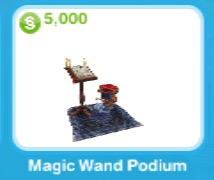
Magic Wand Podium- S5,000 this is needed to complete the spell casting hobby once the quest is complete
NOTE: You need to buy a magic wand podium once the quest is complete, you do not get to keep the one in the quest, this can also be brought from the promotions r us store under the hobbies tab
Complete the potion brewing hobby for the first time to unlock:
Water Barrel- S500
Purple Tapestry- S750
Long Tapestry- S2,000
Red Tapestry- S7,500
Cottage Oven- S1,500
Cottage Countertop- S3,500
Cottage Wall Bench- S3,500
Cottage Sink- S4,000
Cottage Corner- S3,500
Cottage Wall Corner- S4,000
Luminos- S800
Cottage Coffeetable- S2,000
Cottage Partition- S2,500
Cottage Sundial- S3,500
Potion Stand- 1LP
Complete the potion brewing hobby 3 more times to unlock more items:
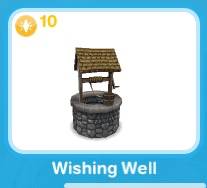
1.Wishing Well- 10LPs
2.Cottage Door and Window
Cottage Door- S2,500
Cottage Window- S2,500
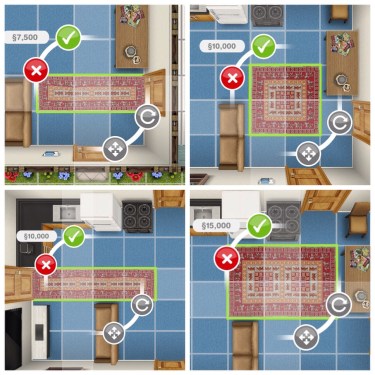
3.Rugs
These come in 4 sizes and 2 colours and cost:
S7,500
S10,000
S15,000
(the green rugs are the same size as the red ones pictured)
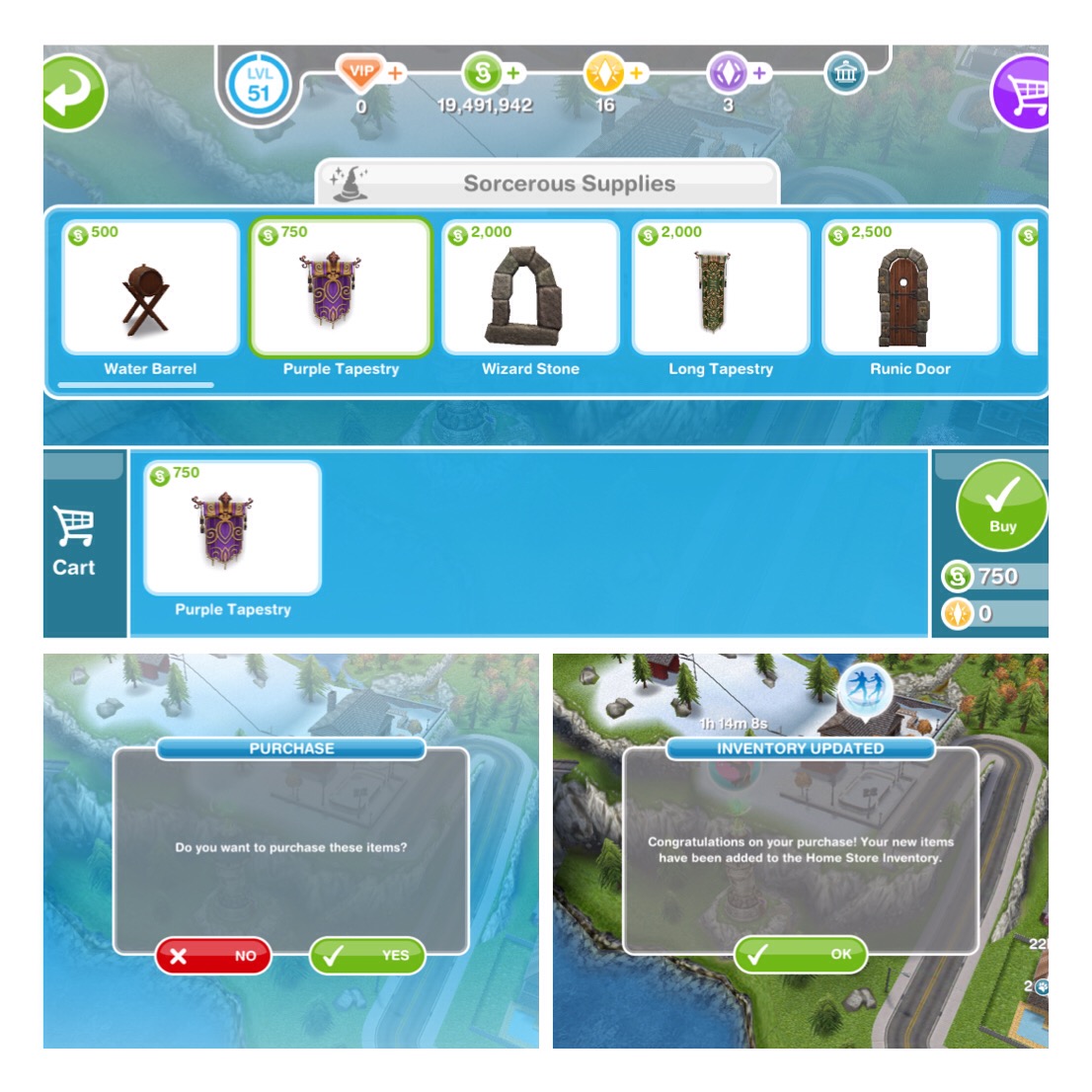
How do I buy an item from the sorcerous supplies store?
Go to the store and click on the item you would like to purchase and click buy
It will ask you if you are sure you would like to buy these items, click yes
The items will then be added to your home store inventory, see below to find out what tab in the inventory to find the item you purchased
Where can the items be found in the home store?
You can buy most items from the home store but if you do buy from the sorcerous supplies store they will be under these tabs in your inventory for you to place in your house
Doors
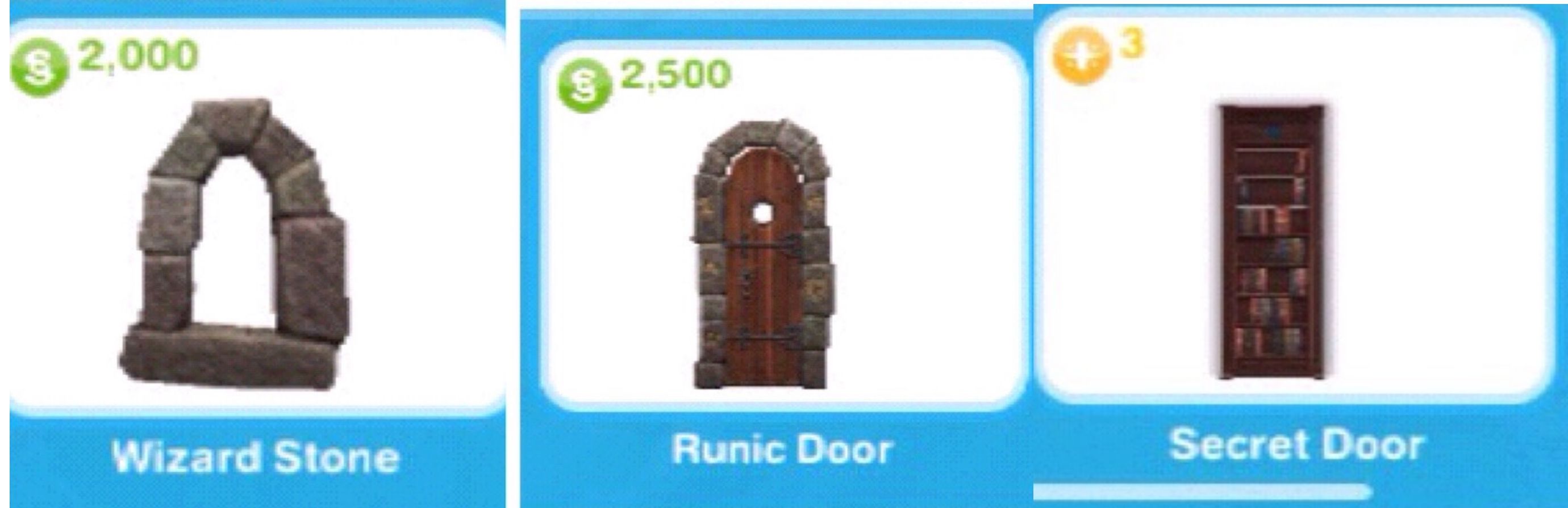
Runic Door
Secret Door
Cottage Door
Windows
Wizard Stone
Cottage Window
Outdoor Decorations
Water Barrel
Cottage Sundial
Potion Stand
Wishing Well
Lighting
Magic Candelabra
Luminos
Rugs
Green Woven
Red Woven
Decorations
Purple Tapestry
Long Tapestry
Red Tapestry
Armillary Sphere
Magic Mirror
Cottage Partition
Crystal Ball (can only be brought at the sorcerous supplies store but once brought it can be found in this section of your inventory)
Living Room
Cauldron Fireplace
Magic Bookcase
Tomes of Knowledge
Magic Spells Stack
Cottage Coffeetable
Wizard’s Book Stack (can only be brought at the sorcerous supplies store but once brought it can be found in this section of your inventory)
Cottage Fireplace (can only be brought at the sorcerous supplies store but once brought it can be found in this section of your inventory)
Counter Tops
Cottage Countertop
Cottage Wall Bench
Cottage Sink
Cottage Corner
Cottage Wall Corner
Kitchen
Cottage Oven
Pets
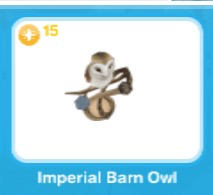
The Imperial Barn Owl
Hobby and Career Items- these must be purchased in the sorcerous supplies or promotions r us store and then you can find them in your inventory
Magic Wand Podium
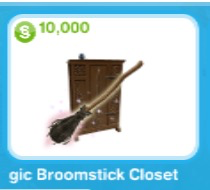
Magic Broomstick Closet
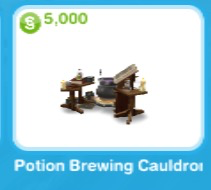
Potion Brewing Cauldron
Can all items available in the Wizards Cottage be brought in the Sorcerous supplies store?
No, most of the furniture such as the bed, bathroom items and dining tables and chairs are unavailable, I will list below what can be purchased and what can only be found in the wizards cottage.
you will only have this room if you build the wizards cottage on a premium residence
Available in the Sorcerous Supplies Store:
Red Rugs
Green Rugs
Cottage Doors
Cottage Windows
Wizards Book Stack
Tomes of Knowledge
Magic Spells Stack
Magic Candelabra
Cottage Wall Bench
Cottage Sink
Cottage Corner
Cottage Wall Corner
Cottage Oven
Cauldron Fireplace
Purple Tapestry
NOT Available in the Sorcerous Supplies Store:
Door Frames
Bath
Toilet
Sink
Candle Lighting
Bed
Bedside Table
Wardrobe
Chess Set
Chairs
Fridge
Dining Table and Chairs
Bookcase (not quite the same as the Magic Bookcase from the store)
There are a lot of symbols in the sims freeplay and you may be unsure what some of them mean, if so give this post a read!
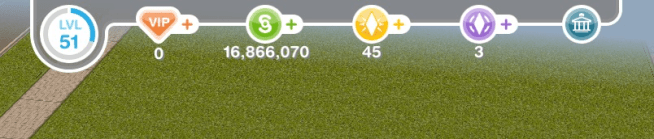
PLAYER GAME INFORMATION BAR
This can be found at the top of the screen, there is no longer a clock but just remember that the time in the game is the time it currently is for you (if it is 8pm for you then it is 8pm on the game)
On the bar you can find your:
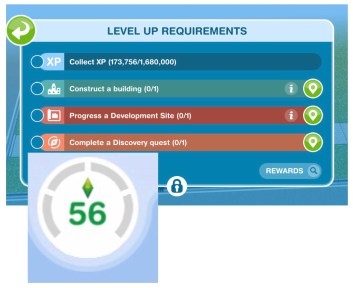
-CURRENT LEVEL AND EXPERIENCE POINTS (XP)
The circle around your level shows your XP, when the blue line fills the circle you will level up.
OR you may notice the circle has different sections to it, this means you have to complete a number of level up requirements, not just collect XP before you can level up:
-VIP LEVEL
When you purchase items from the online store for real money you earn VIP points, the more points the higher level you are, unlocking you more perks.
-SIMOLEONS
Simoleons are the main currency in the game. Click on the + to buy more for real money.
-LP- LIFESTYLE POINTS
Another currency used in the game, more expensive/ premium items cost LP, Click on the + to buy more for real money.
-SP- SOCIAL POINTS
Another currency used in the game, earn these by completing social tasks in a neighbours town. Click on the + to buy more for real money.
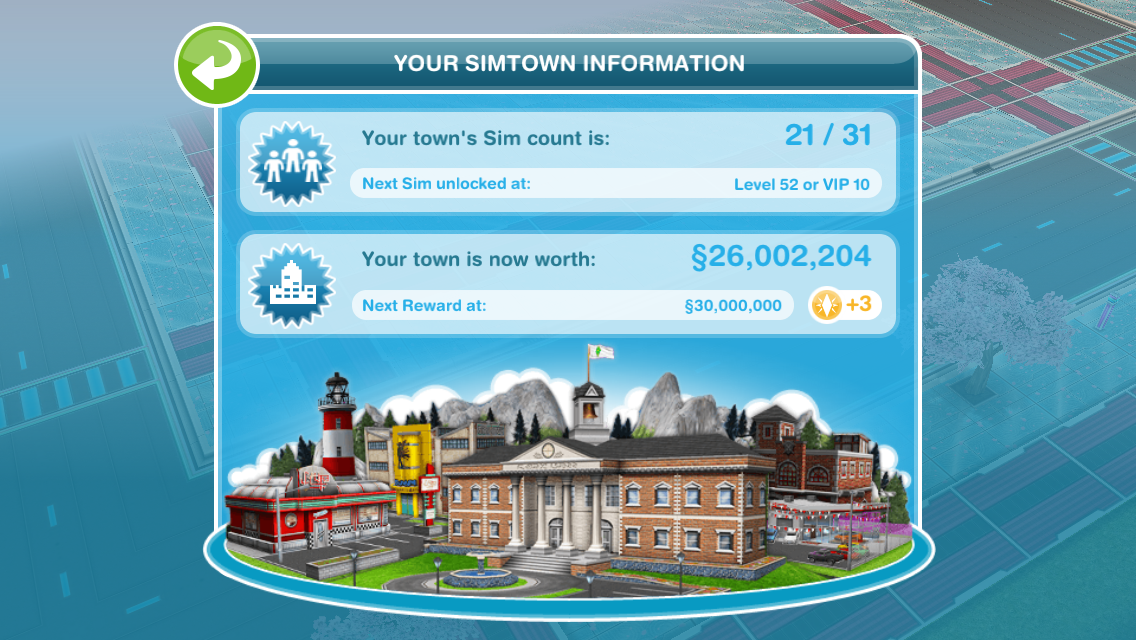
-SIMTOWN INFORMATION
Click on the last symbol to open up your simtown information, this includes your towns sim count (level up to increase this) and your town value (building places and buying items increases this)
Town Value- you can see how much a building will increase your town value by looking for the town value symbol (1), building will then increase the town value shown on your simtown information screen (2)
SIMTRACKER
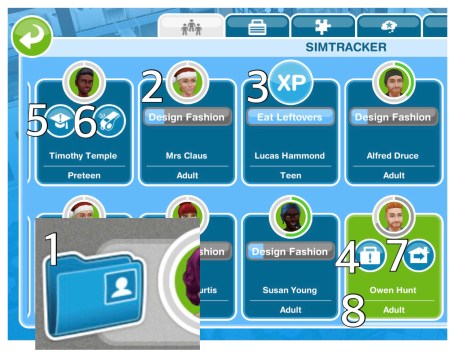
You can find the simtracker in the blue folder in the bottom left hand corner of the screen (1)
On the simtracker you can see the tasks your sims are currently doing (2) and if they have completed that action their face will flash with an XP symbol (3)
The simtracker is also used to send sims to work (click on the pulsing suitcase(4)) or school (the pulsing academic cap (5)), bring a sim to the location you are currently at (using the whistle(6) and sending a sim home (click on the house with the arrow inside it button(7)
The green box is the sim that you are currently controlling (8)
SIM INFO PANELS
Your sim info panels can also be found in the simtracker folder (1)
(2)Simtracker- see above for more information
(3)Occupations- this is where you can give your sims a job, enrol them at school, send them to work or school or quit their job.
(4)Hobbies- here you can see all your sims hobbies and what level they are currently on in that hobby, click on the picture of the hobby to open up the hobby collection so you can see how many pieces they still need to collect before you will earn a reward:
(5)Life Dreams- complete the life dreams and legacies quest to get this tab. You will then be able to give your sims a life dream from here or see how far they have progressed with a life dream so far:
(6)Age Control- complete the life dreams and legacies quest to get this tab. This tab allows you to advance, reverse or pause a sims age. Read this post for more information
(7)Relationships- relationships for the sim you are currently playing as.
AGEING
Around their face on the simtracker there is a circle, the more actions they complete the more the green line will spread clockwise around the circle, when it reaches red you know that your sim will age soon
PREGNANT SIMS
Pregnant sims have an extra ring around their face on the simtracker, once this is full and turns red your sim is ready to give birth
BABY BONUS
Complete Pregnancy Events in the time limit to earn the baby bonus, you will see this as a gold ring around your sim on the simtracker. Sims with the baby bonus will earn more experience points when they complete actions, complete actions faster, are not affected by low motives (low needs) and they will have these bonuses for life!
NEEDS
Sims have 6 needs, if their needs are unfulfilled they become sad and will complete actions slower, which is why it is important to know what the needs are and how to fulfil them.
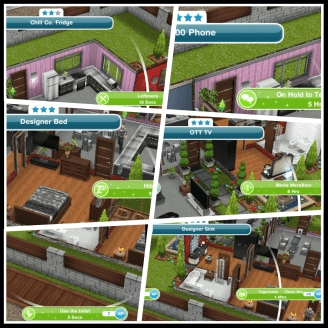
The top picture is the needs for that sim and below that is a picture of an item that fulfils each of those needs, you can tell if it will fulfil a certain need because underneath the price of the object the same symbol you can see in the simtracker is shown here.
Hunger
Bladder
Energy
Hygiene
Social
Fun
when you click on an object in the game the symbol appears again to tell you which need it will fulfil
INSPIRED
Next to your sims needs there is a sparkling person symbol (1) if you click on this you will get two options, cupcake (2) or rainbow cake (3) Both of these options are used to completely inspire that sim (fulfil their needs)
Sims who are inspired complete their actions faster!
The cupcake costs 5LP to use while the rainbow cake can only be used if you have purchased items with real money to unlock the VIP Perk for rainbow cakes, this post explains VIP Perks in more detail
Inspired sims will have a green background on their simtracker picture and will complete actions quicker
Normal sims will have a white background on their simtracker picture and will complete actions at normal speed
Sad sims will have a red background on their simtracker picture and will complete actions at a slower speed
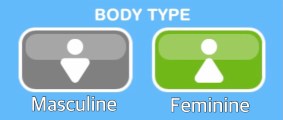
BODY TYPES
Instead of male and female sims they now have masculine or feminine body types which can be selected in create a sim and you will see these symbols throughout the game:
EVENT TASKS
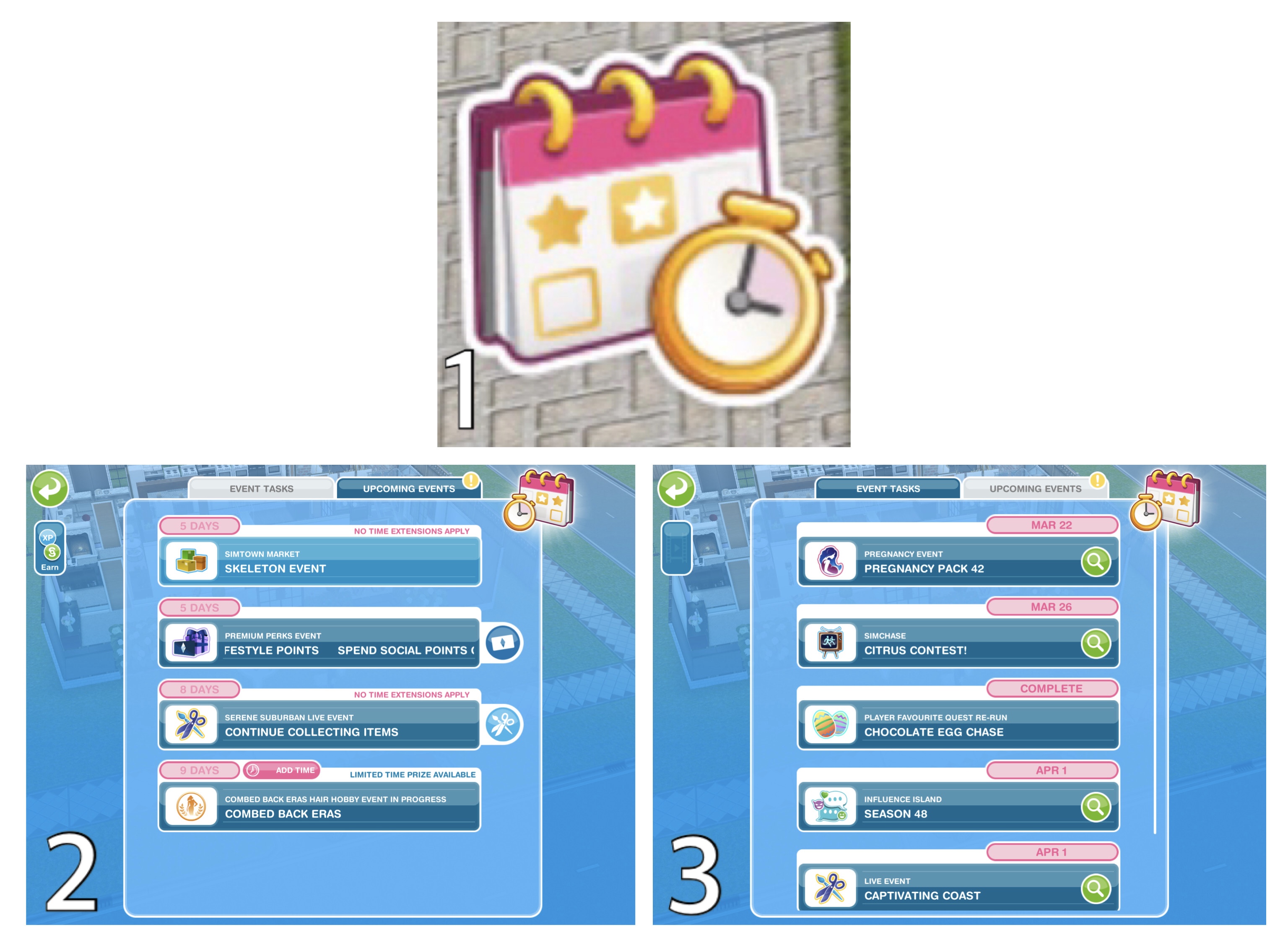
The Event Tasks (1) shows when time limited events are available in the game, the first tab Event Tasks (2) will show when Simtown Market, Live Events, SimChase and Influence Island Events are available and Upcoming Events (3) shows which events are coming up and the dates they begin
QUEST TASKS
The Quest Tasks (1) show you what main, discovery and feature quests as well as main events you have to complete in the game, these aren’t time limited so will be there until they are completed. The first tab Quest Tasks (2) will show any quest you are currently working on as well as Weekly Tasks and Social Tasks. The Progress (3) tab shows how much of the game you have completed and the Simdex (4) shows your progress at each level in the game. Click here to learn more about the Simdex
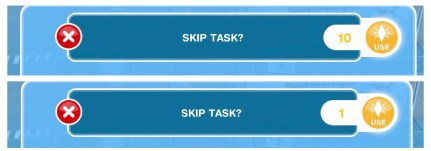
There is an orange skip symbol on your weekly and social tasks, you can use this to skip a task but this will cost you 10LP to skip a weekly task and 1LP to skip a social task:
If you have main quests left to complete you will also see them here, next to the main quest task you are currently on it will say ‘quests waiting in queue’. They will only appear in the queue once you are on the level for the quest to unlock, so I am currently on level 13 and still on the money grows on trees quest so I have 8 quests in my queue waiting to be completed.
These quests need to be completed in order and the next one will start as soon as the previous quest is completed.
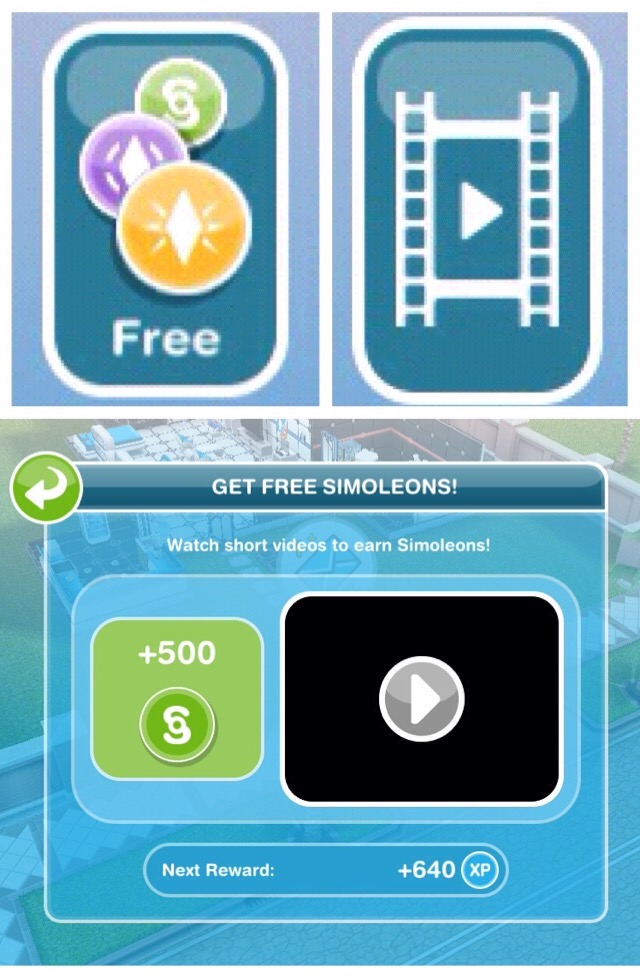
FREE SIMOLEONS & XP BUTTON
On both the event and quest tasks screens you will see the EARN button in the corner (used to say free), click on this to get a reward for watching a short video:
ACTION OPTIONS
When your sim is completing an action you can click on them and the bar above will appear, in the middle it tells you what task you are doing, how many XP you will receive when complete and the time the task will take. If you just want to look at the time left you can click on your sim to view this then click the green button on the right hand side to close the pop up. But if you don’t want your sim completing that task anymore you can click on the red cross to cancel the task (you will not earn the XP when you cancel)
If you want your sim to finish the action quickly without cancelling (great for completing quests in time limits) you can click on the orange LP button, next to the button it tells you how many LP it will cost you but it is one LP for every hour so any time up to 1 hour 59 minutes will cost you 1 LP. It is one extra LP for every full hour so if a task has 4 hours 20 minutes left it will cost you 4 LP to speed up or if a task had 23 hours 59 minutes 59 seconds left it would cost you 23 LP.
Some tasks will require you to use SP to skip rather than LP
Some short actions in the game can now be skipped for free rather than costing LP, you will see the blue fast forward button next to these actions:
EXCLAMATION MARK BUBBLE
These will appear on an object that is needed to complete a task you are currently on. Click on the object to complete the task:
BLUE FOOTPRINTS
These appear in a speech bubble above your sims head:
They appear when you are trying to do an action that isn’t accessible to your sim, this could mean that the item they want to use is blocked, rotate an item and try selecting the option again.
RED CROSS
These appear in a speech bubble above your sims head:
They appear when you are trying to do an action that your sim cannot do, for example a toddler cannot use a shower so if you were playing as the toddler and you clicked on the shower this red cross will appear.
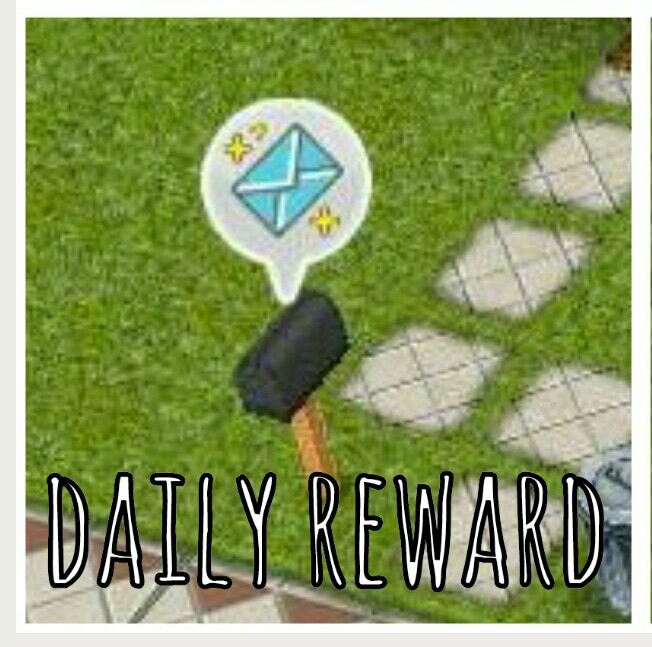
DAILY REWARD
The daily reward is delivered to a mailbox at the front of your sims house once a day, this is based on your town value so the higher your town value the more simoleons you will earn (although there is a cap on this at around S7,000 so you cannot receive more than that unless you started playing before the cap was added)
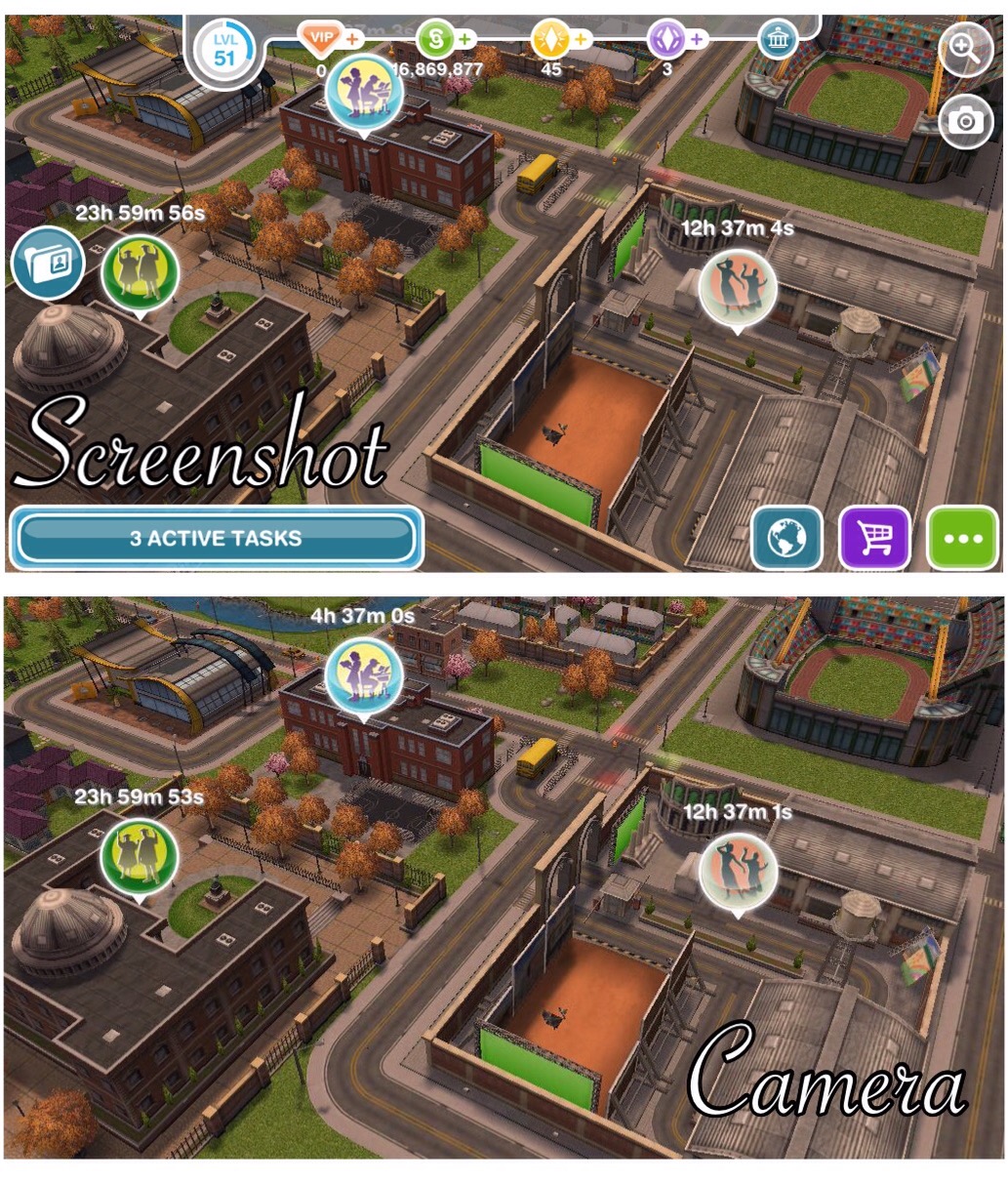
CAMERA
This is used to take pictures of the gameplay without all the information that usually appears on your screen:
ZOOM IN/OUT
Clicking on these will zoom you right in or right out of the gameplay, you can zoom with your fingers if you just want to zoom in or out slightly.
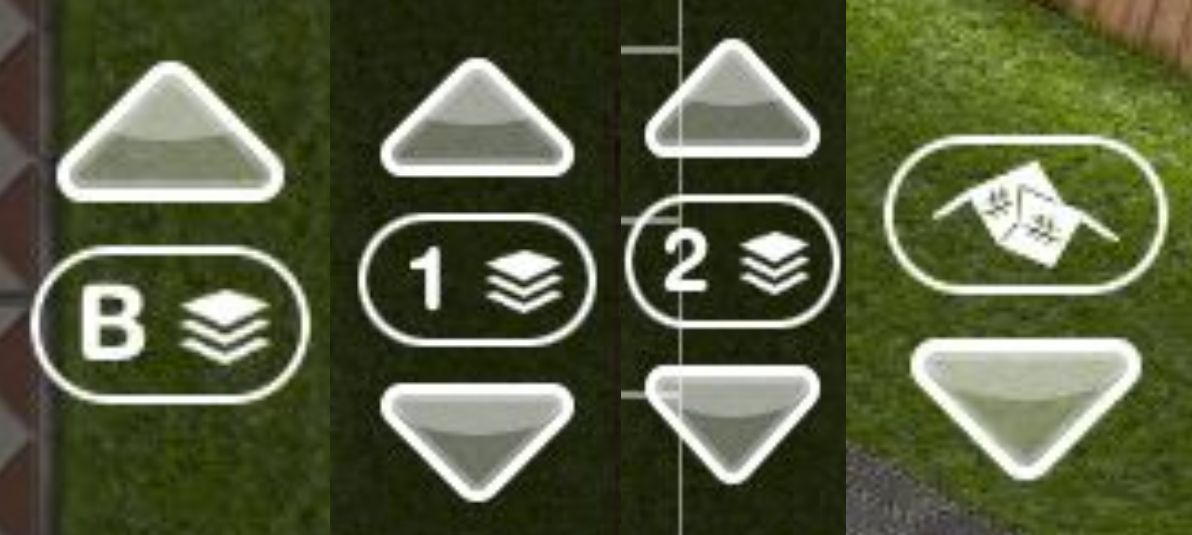
FLOOR LEVEL BUTTONS
Down the side of your screen you will see a button similar to one of these above, the floor you are currently on will change what the button says:
B= Basement
1= Ground floor
2= Second floor
Click on the up or down arrows to move up or down a floor
Remember you need to complete the Multi Story Renovations Quest before you can add extra floors to your houses
ADD HOUSE
Standard house lots have a blue circle and are 18 x 18 (1) and premium house lots have a yellow circle and are 18 x 36 (2) Click on one of these to choose a house from the list, pick the empty lot if you want to build your own house. If you are currently building another house (3) or building the option to add a new house will be greyed out (4) you will need to finish construction first before you can add a new house as you cannot build two places at once. If you aren’t currently building but still can’t add a house you will need to level up before you can add a house as you are at your house limit for the current level.
EMPTY HOUSE
This symbol shows you that a house is empty so you can add a new sim, if the add a new sim option is greyed out you are currently adding a baby to your town or you are at your sim limit for that level, level up to be able to add another sim. Click here to see all empty house options
WHO IS IN A HOUSE CURRENTLY?
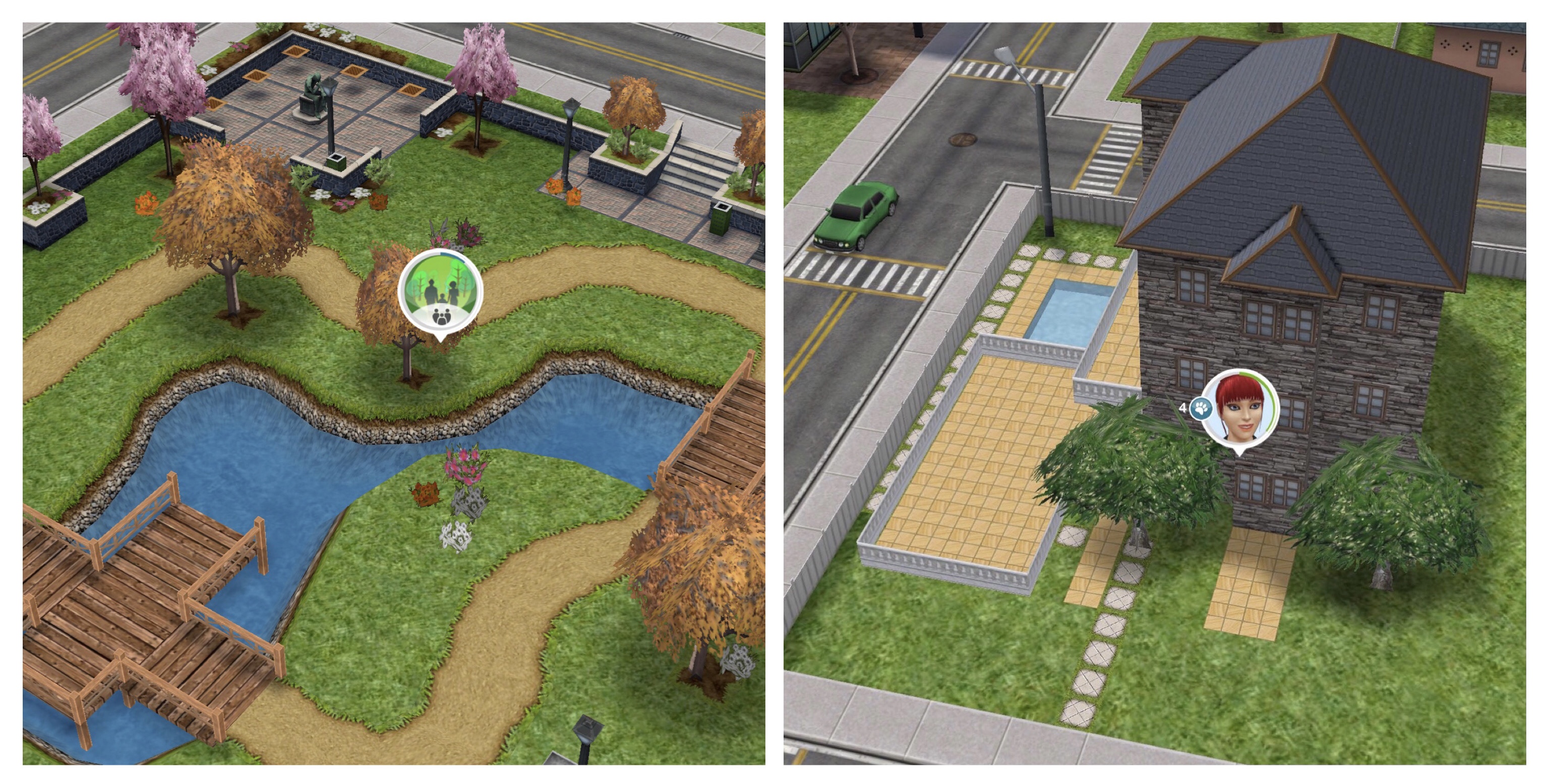
On the town map you can see how many sims and pets are currently in a house, the person symbol shows the number of sims and the paws symbol shows the number of pets (you can only have two pets brought from the pet store living in each house)
HOUSE/ BUILDING REVENUE
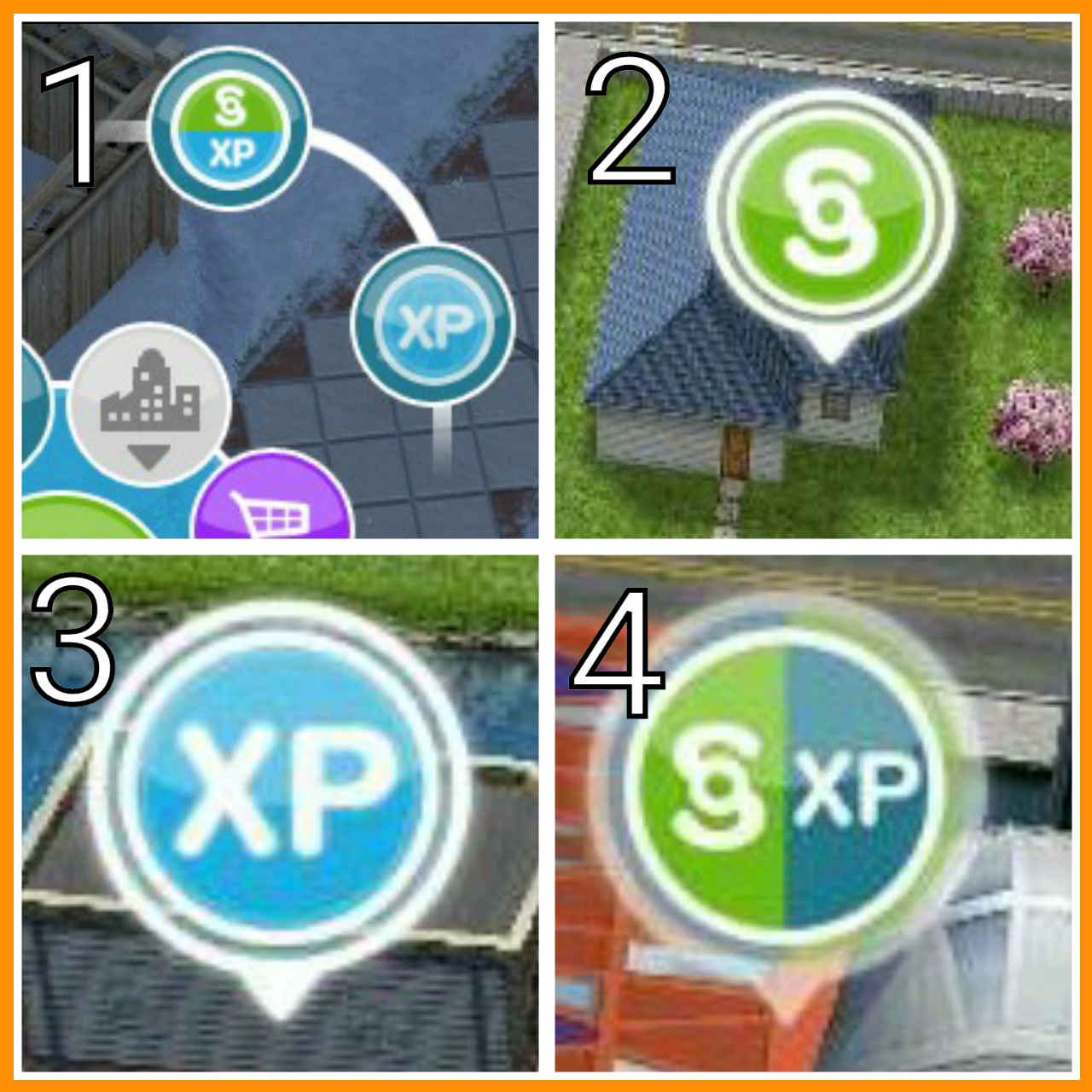
This is money and XP you receive when you build places in simtown, some places will only earn you simoleons (2) or XP (3) but some places earn you both (4) To collect the revenue click on the buttons with these symbols above the building. The more expensive the place was to build the more simoleons you will receive. If there isn’t a simoleon or XP symbol there will be a green ring filling around the icon instead, come back once the ring is completely green to collect the revenue:
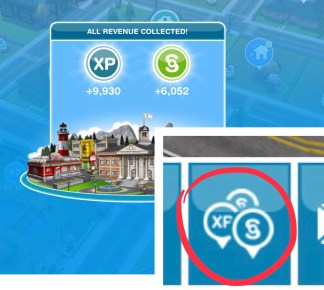
Collect All Revenue: If you are VIP level 6 or over you can collect all your town revenue with just one tap on the collect all button:
HOME STORE SELECTION OPTIONS
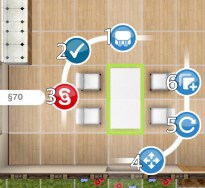
While you are in the home store mode you will be able to click on items in the house and several options will appear. The rucksack button (1) is your inventory, click on this to store the item in the inventory section of the home store, you can use your inventory to move items from one house to another, you will not have to buy the item again, it will be free from your inventory. The tick (2) places the item, it will be greyed out if you cannot place the item because there is something in the way.
The red simoleon button (3) is what you press if you want to sell the item, the amount of simoleons you will receive for selling the item is shown next to the button, this will be less than what you paid for the item. The 4 arrows button (4) allows you to move the item, but you can just click on the item itself to move it. The curved arrow (5) allows you to rotate the item, some items do not have this button if they cannot be rotated. Finally we have the duplicate button (6) this allows you to easily buy the same item again without searching for it in the store.
Once you click on the duplicate button it will go green and the copy will appear, click the duplicate button to buy that item. If you have the same item already in your inventory you will be able to use the duplicate button to place it for free
If you are buying an item you will only have 5 buttons as you cannot store it in your inventory before you have brought it and the tick button will show the price it will cost you to buy the item next to the button.
OVEN FIRES
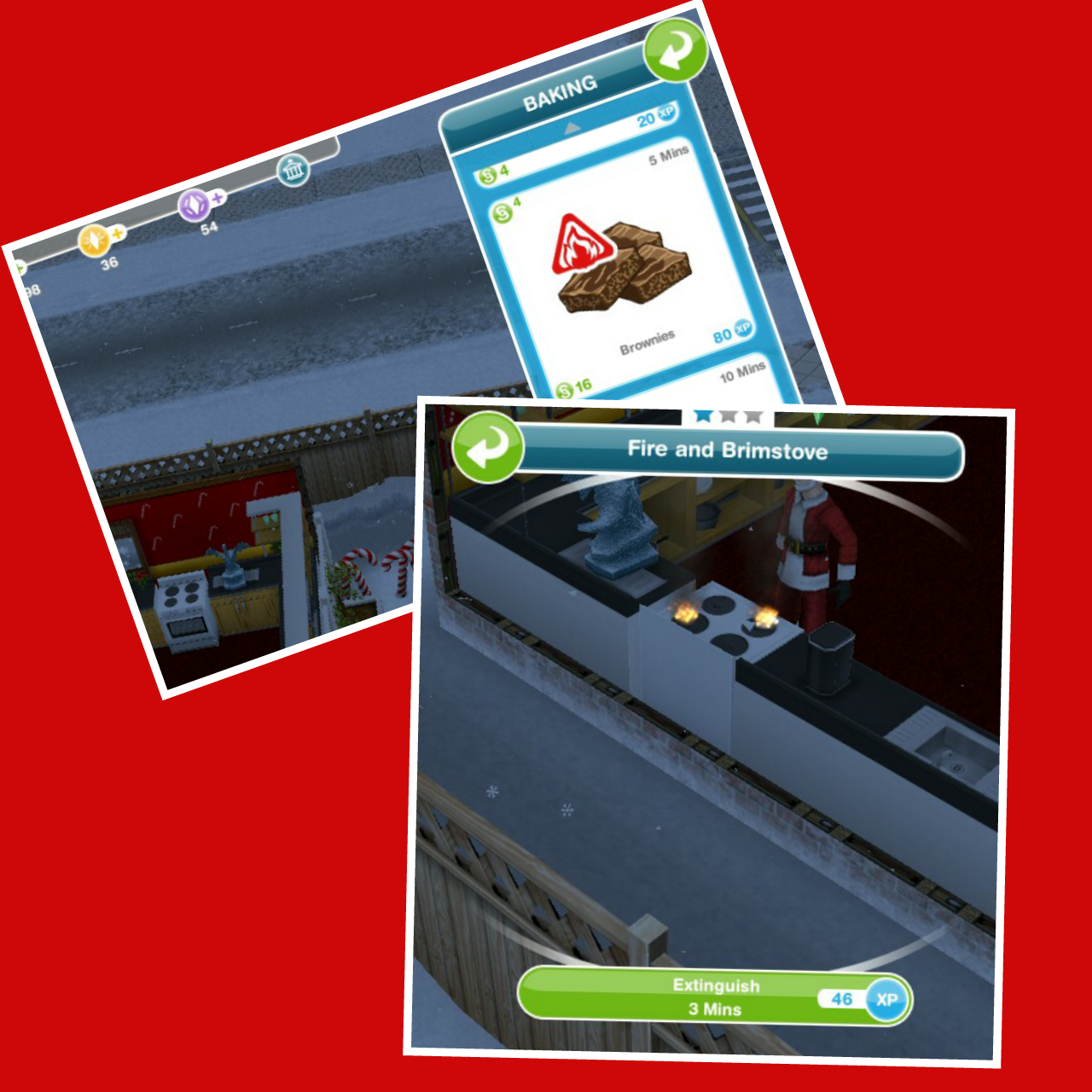
Whenever you bake something on the stove that has the red fire triangle symbol it means that it could cause a fire, if it does start a fire you will not earn the simoleons or XP you would have got if it didn’t burn and you will need to extinguish the fire before you can bake on that stove again.
SIM EATING PLANT
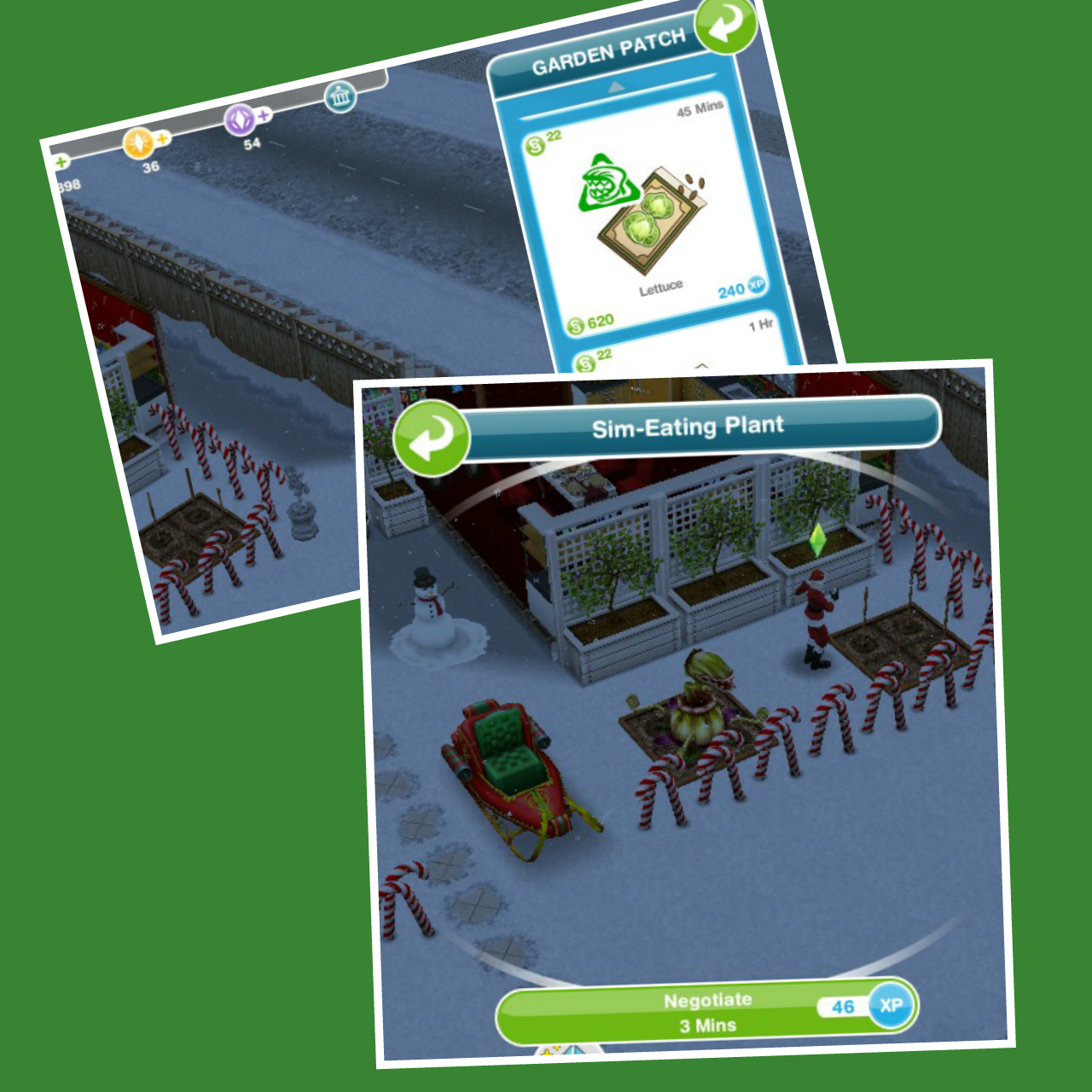
Some seeds you can plant on the garden patch have a green monster triangle symbol on them, this means that they could turn into a sim eating plant instead of the plant. If this happens you will not earn the simoleons or XP you would have got if it didn’t turn into a sim eating plant and you will have to negotiate with it for 3 minutes before you can use the patch again.
MONUMENTS AND RESOURCES
Once you complete the Mysterious Island Quest you unlock 4 monuments on the Island:
1.The Riches of Terra- Resources needed are Pickaxe, Gold, Granite
2.The Flames of Wisdom- Resources needed are Igneous Rock, Bronze, Magma Embers
3.The Tempest of Bliss- Resources needed are Onyx, Bamboo, Essence of Wind
4.The Springs of Fortune- Resources needed are Limestone, Chisel, Pearl
You will find these items randomly when you complete actions, the symbol of the resource you have found will appear above your sims head who found it:
Once you complete the Ghost Hunters quest you will unlock haunted items, once placed in your house you use these items to search for ghosts to be able to complete the Ghost Hunting hobby. In the home store there will be a picture of a red ghost on any item that is haunted. NOTE: these items will flash every so often after being placed in your houses which can be an issue for some players so please bare that in mind.
SETTINGS AT BOTTOM OF SCREEN
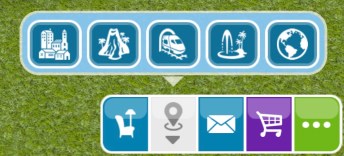
While at a sims house you will see 5 options on the bottom of your screen:
-HOME STORE (BUY MODE)
The chair with the lamp symbol is the home store. This is where you customise the house you are currently in, you can do things such as redecorate, buy new items and add swimming pools, patios and even balconies! (once you complete the quests that unlock these)
-TOWN MAPS
The locations symbol is the town maps. Click on this and a pop up will open for you to select where you want to visit: Town, Mysterious Island, Downtown, Sim Springs, Party Boat.
You can also visit the mysterious island by clicking on the bridge on the town map:
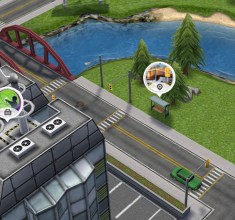
You can also get to downtown by clicking on the train station:
You can also get to sim springs by clicking on the bus stop near the science center:
The world symbol is the party boat. When you have neighbours you can visit the party boat once a day to collect money rewards, the more neighbours you have the more rewards you will get. A present symbol will appear when you can collect the rewards.
You can also visit the party boat on the town map.
-ENVELOPE
The envelope symbol is your inbox, in here you can find out what has happened since your last play session, for example, who has completed a task or finished a shift at work. (It is the same as the pop up that appears when you open the game)
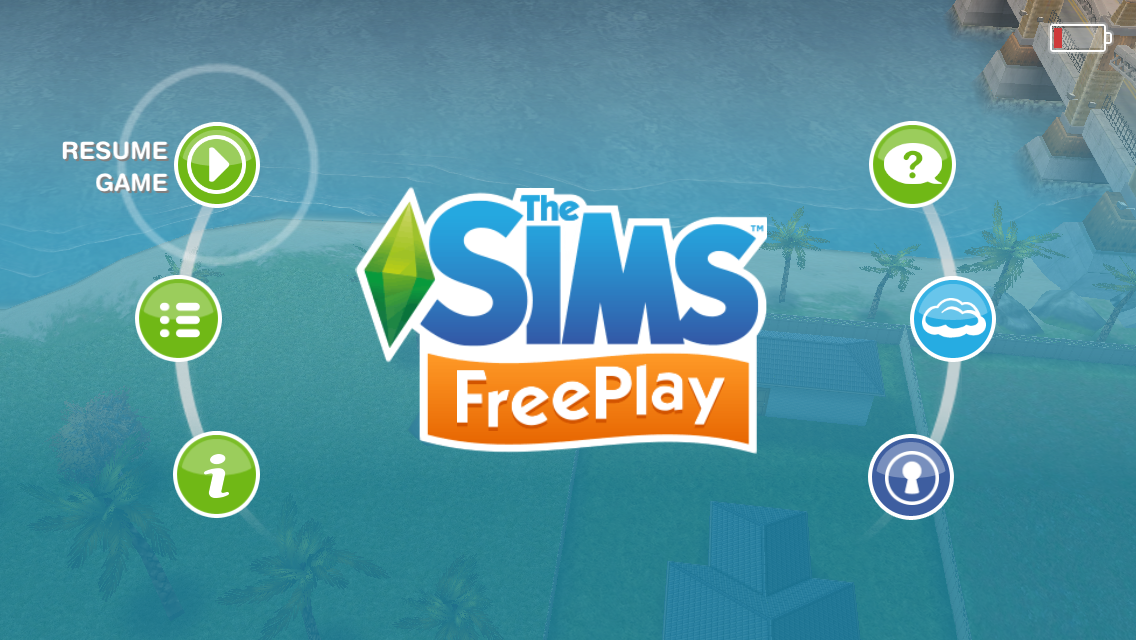
The 3 dots will take you to the settings menu:
Resume Game- click this to get back to gameplay.
Options- here you can change the volume of the sound effects and music as well as changing the language. You can also choose if you want to receive notifications from the game.
You can reset your game from here too, if you do this you will delete your whole game.
Info- this tab includes information such as terms of service, end user license agreement as well as help information.
If you restart your game you can restore purchases you made on your device previously on this tab.
Support- clicking on support will take you to the firemonkeys support page.
The Cloud- this is very important as this is where you save your game! You should be doing this at least once a day so you do not lose your game if your device ever crashed or broke. Read this post for more information about the cloud
Account Manager- this is where you sign into your accounts such as Facebook or Game Center to allow you to save your game with the Cloud as mentioned above.
You will not see furniture or town map buttons when you are on the town map you will instead see the collect all revenues button which we talked about earlier in this post:
If you find any other symbols in the game you are unsure about please let me know and I will add them to this post
EA Help is now home to The Sims Freeplay support, this post explains how to contact them. If you have a technical issue I will not be able to fix it so you will have to contact them to see if they can fix this problem for you.
EA Answers HQ is the EA Forum where you can ask for help from other players and sometimes EA staff. But if you need more help you can contact them directly.
They probably get hundreds of requests a day so they might take a few days to reply, if they take longer than a week try contacting them again
The best way to contact them is in game, this way they will already have your Player ID which they need to be able to look into the issues you are having.
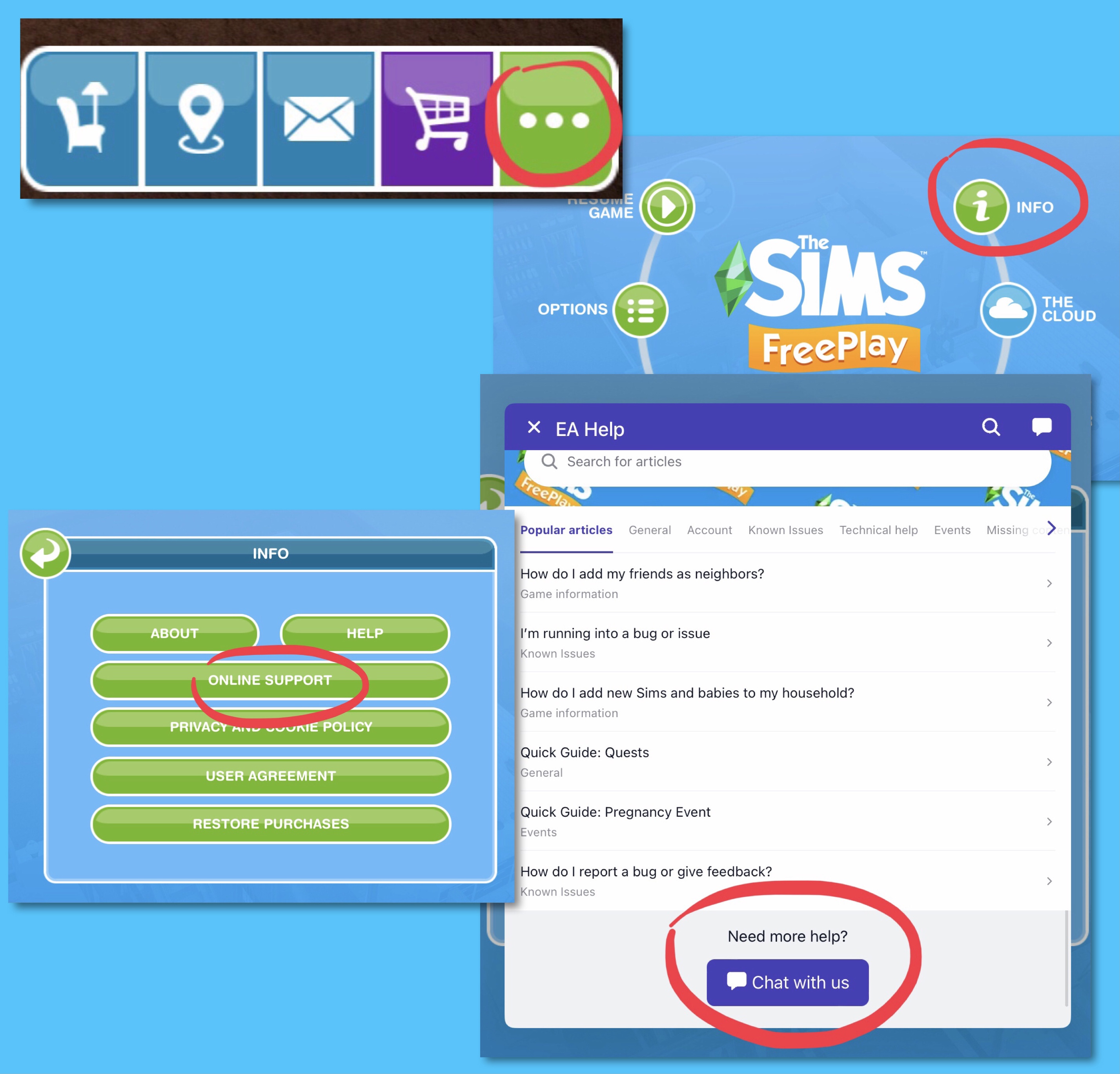
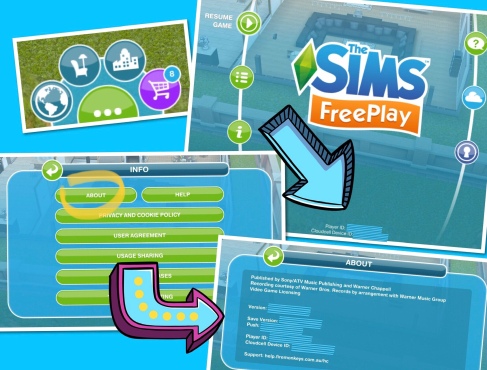
To do this click on the three dots in the game to get to your settings, click on Info and then Online Support:
From here you will see common issues and if you scroll down to the bottom you can select ‘Chat with us’
‘I’m running into a bug or issue’ will show you known issues- if they are aware of an issue and are trying to fix it you might not need to contact them
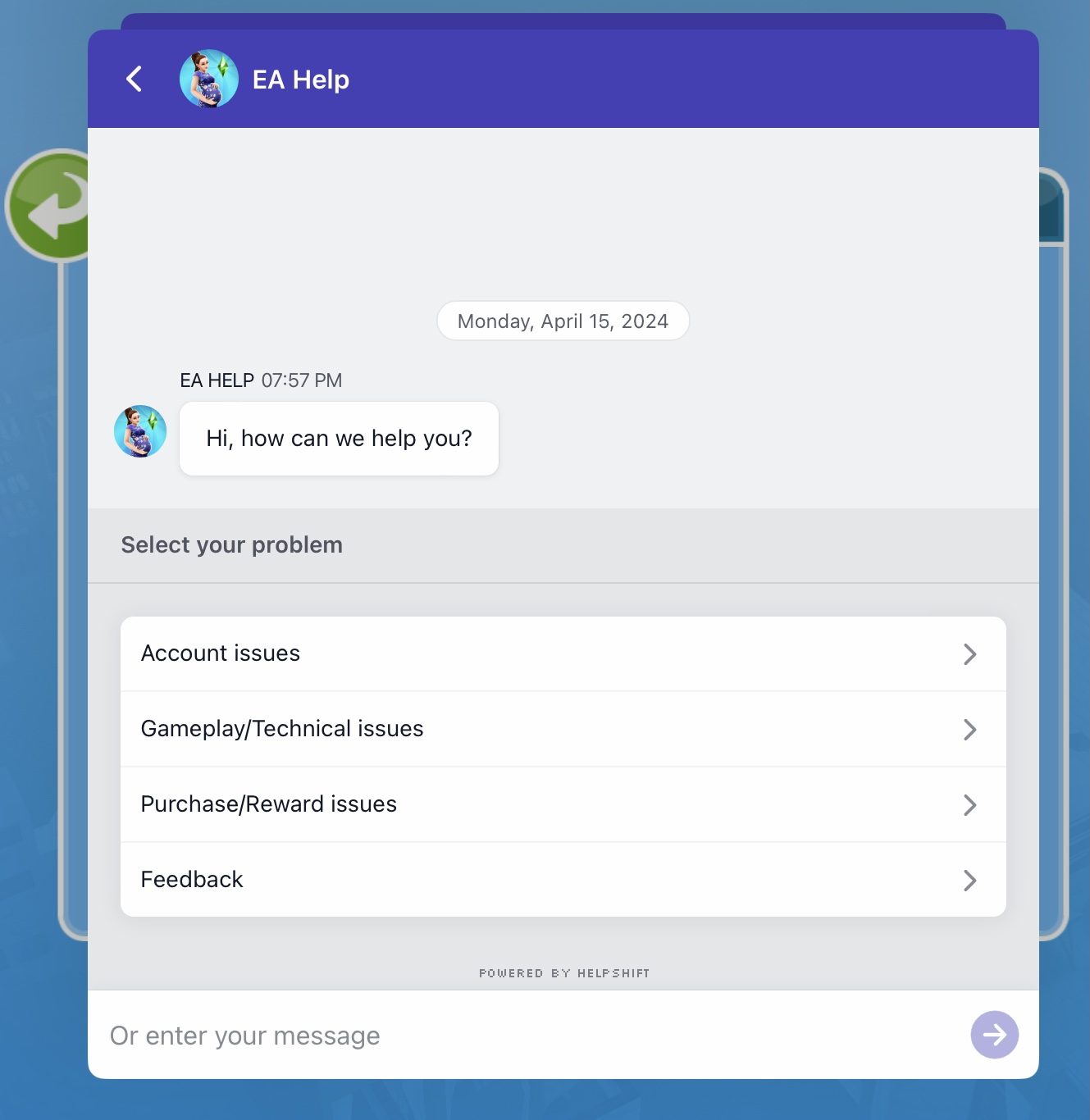
Selecting Chat with us will open a chat box and you can then select the problem you are having from:
Account issues
Gameplay/ Technical Issues
Purchase/ Reward Issues
Feedback
Or just type what the problem is
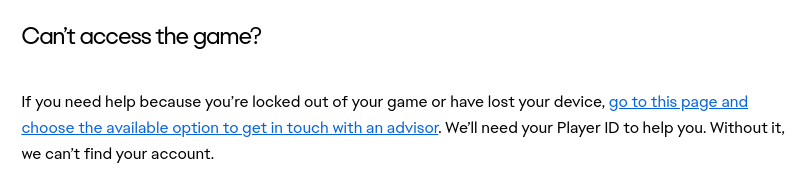
If you cannot access your game to do this you can get support from EA Help from this link. Scroll down to ‘can’t access the game?’ click on the ‘go to this page’ link to access support for your country:
You will need your Player ID to be able to get help so if you haven’t already write it down and keep it safe!
Your Player ID can be found on the game, click on Settings (green dots) and you will see it at the bottom of the screen or from settings click on info then on about, scroll down to the bottom of the about tab to find your Player ID:
If you want to complete social tasks but have no neighbours you will still be able to access the default neighbourhood called Another Sim Town which is really lacking in a lot of things, but this post will tell you what is available in that town so you know what social tasks you can complete there without needing to skip the tasks with LPs.
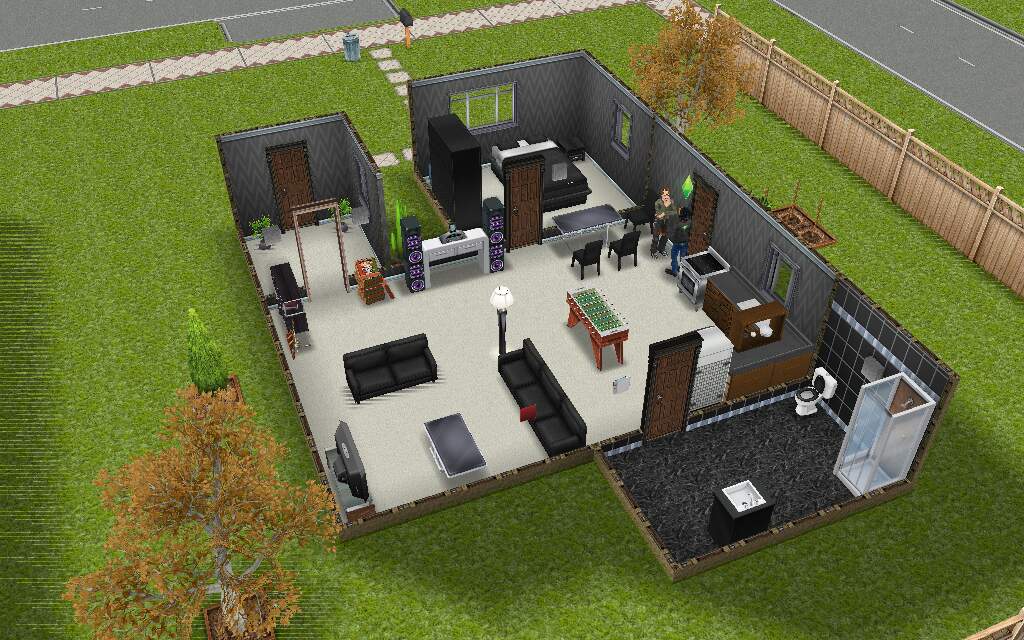
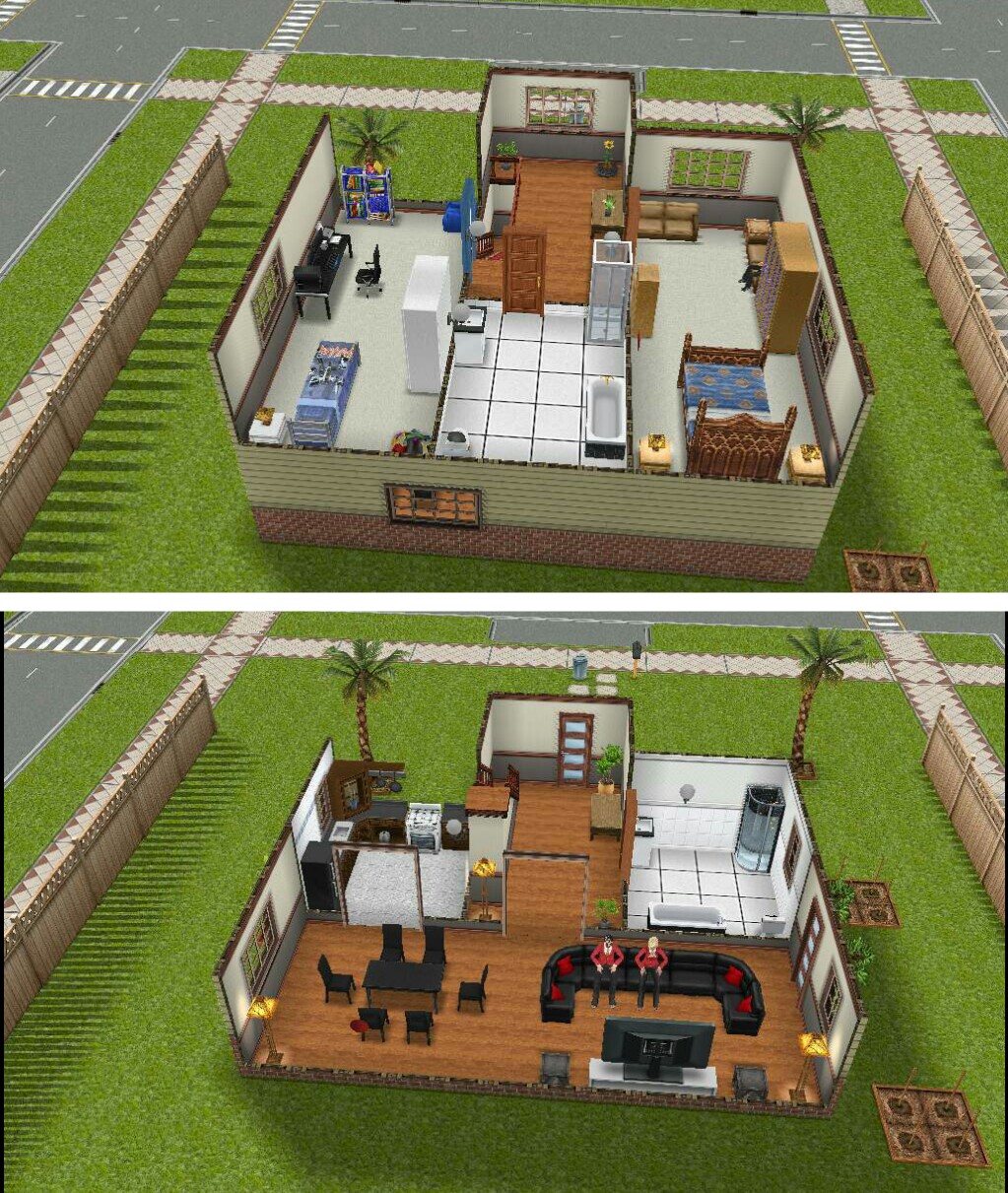
There are only 4 houses in this town and 7 sims, in the image below you will see I have numbered each house so you can easily find which house has the item you need:
House 1
One Story House ~ 1 Male Adult
Contains:
Garden Patch
Bookcase
Television
Couch
Stereo
Chairs
Foosball Table
Stove
Fridge
Phone
Toilet
Sink
Shower
Bed
Wardrobe
House 2
One Story House ~ 1 Male and 1 Female Adult
Contains:
Stereo
Chairs
Bookcase
Couch
Television
Phone
Stove
Fridge
Computer
Toilet
Sink
Shower
Bath
Bed
Wardrobe
Garden Patch
Picnic Bench
Barbecue
House 3
2 Story House ~ 1 Male Preteen, 1 Female and 1 Male Adult
Contains:
Stairs
Couch
Television
Chairs
Stove
Fridge
Toilet
Sink
Shower
Bath
Garden Patch
Bed
Wardrobe
Bookcase
Computer
Preteen Bookcase
Beanbag
House 4
Two Story House ~ 1 Female Adult
Contains:
Stereo
Couch
Coffee Machine
Fridge
Toilet
Sink
Bath
Garden Patch
Stairs
Computer
Bed
Wardrobe
The town also has the Park and Community Center so you can complete hobbies:
Community Center- Ballet, Karate and Woodworking
Park- Fishing (as well as being able to complete any other social tasks that require you to use a neighbours park)
LIFE DREAMS AND LEGACIES QUEST – PET PARK: CATSHOW AREA – TEEN, ADULT AND SENIOR SIMS – PRIZES: CAT RUN AND 3LP
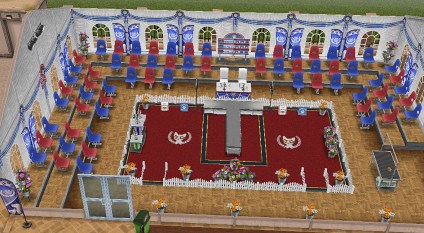
Once you complete the Life Dreams and Legacies Quest you will be able to use orbs to build the Pet Park, once the pet park is built you will also need to use orbs to build the Cat Show Area (for more information please click here) Once the cat show area is built a teen, adult or senior can complete this hobby along with a cat
NOTE: before you can complete this hobby you need a cat in your town (not a kitten) and they need to be wearing a collar that you can buy from the pet salon. Once they are wearing a collar when you click on them you will get the option to send to pet park:
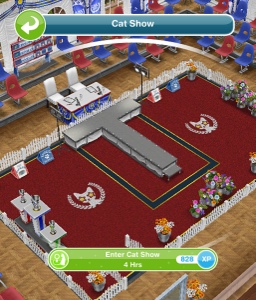
Once one of your sims and the cat are at the pet park you can click on the cat show catwalk and select:
Enter Cat Show- 4 hours
After the time has passed come back and click the exclamation mark above your sims head to find one of the cat show rosette collectibles. Every time your sims enters the cat show their cat show hobby level up percentage will increase, once you reach 100% you will level up, there are 6 levels. You need to reach level 6 to be able to unlock all of the cat show rosette collectibles, once unlocked you will be able to find them.
NOTE: click on the cat at the pet park to get the option to send them home once you complete the hobby
The table below shows the level up percentage:
This may change in future updates
LEVEL
Enter Cat Show
1-2
72%
2-3
36%
3-4
18%
4-5
12%
5-6
9%
For example you would need to enter 12 times to reach level 6 from level 5
The next table shows you for each level what catshow rosette collectibles you unlock (so you can then find those ones too) and also the level up reward that a second and future sims will receive when they level up in this hobby:
LEVEL
TITLE
1st TIME LEVEL UP UNLOCKS
2nd+ TIMES LEVEL UP REWARD
1
Moggie Messer
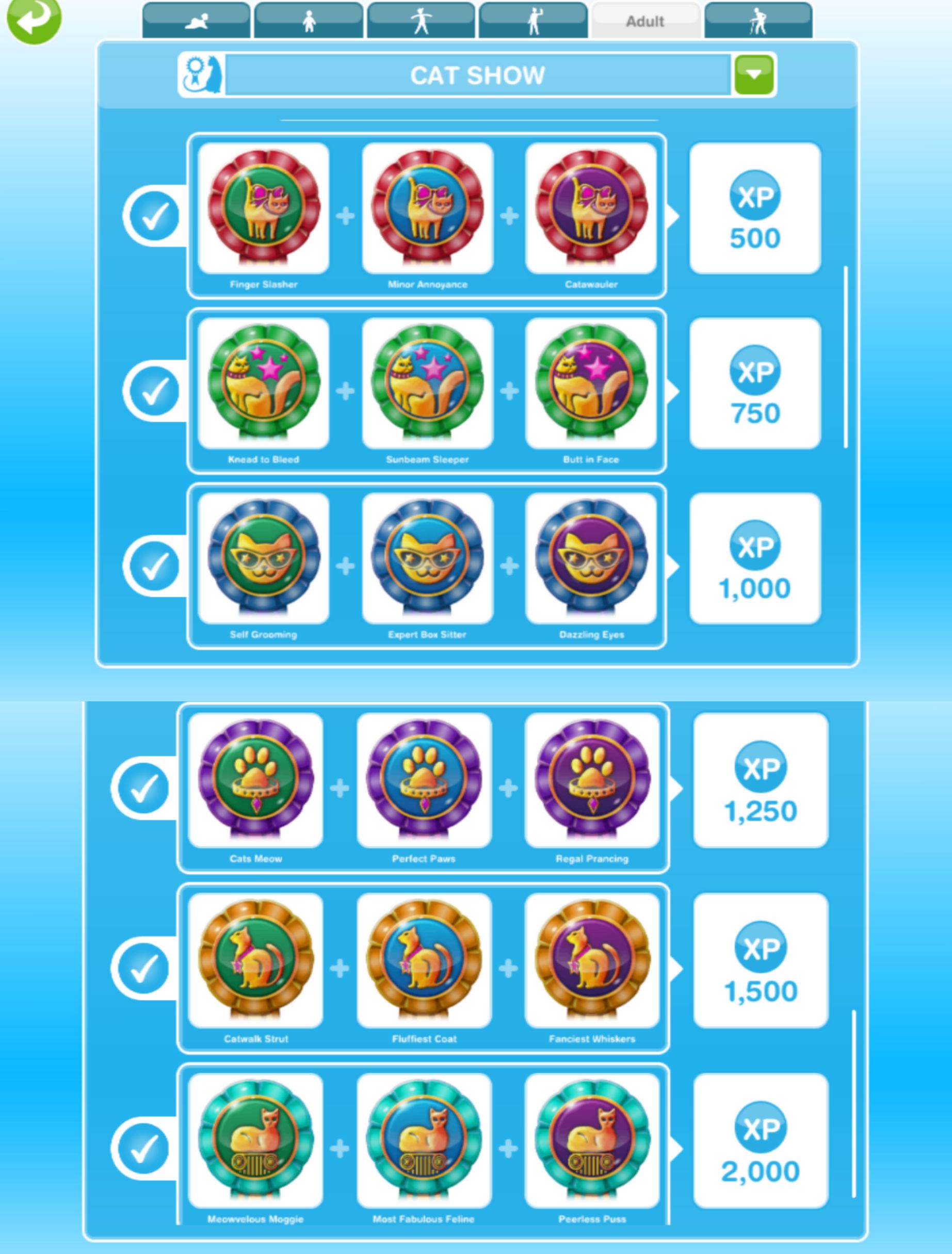
Finger Slasher, Minor Annoyance and Catawauler are unlocked in the hobby collection
–
2
Tom Trasher
Knead to Bleed, Sunbeam Sleeper and Butt in Face are now unlocked in the hobby collection
250XP
3
Kitty Keeper
Self Grooming, Expert Box Sitter and Dazzling Eyes are now unlocked in the hobby collection
500XP
4
Puss Preener
Cats Meow, Perfect Paws and Regal Prancing are now unlocked in the hobby collection
S750
5
Cat Carer
Catwalk Strut, Fluffiest Coat and Fanciest Whiskers are now unlocked in the hobby collection
10,000 Town Value
6
Catwalk Hero
Meowveleous Moggie, Most Fabulous Feline and Peerless Puss are now unlocked in the hobby collection.
You can now complete the collection!
1LP
NOTE: only the first sim completing this hobby needs to get to level 6 to unlock all the collectibles, future sims will be able to find any collectible even if they are only on level 1 in this hobby
You won’t find a new collectible each time, you will get repeats, if this happens just keep going, you will find them eventually! If it is still taking too long you can use the lucky spin on the row where you cannot find the item, this will cost LPs, when you click on the LP button it will clear the row and give you a random collectible on that row so you aren’t guaranteed a new item (you will get back any other collectibles you already had in that row) Need to earn some LPs to use the lucky spin?
The completed cat show collection is shown below, once you complete the collection you need to click ‘start a new collection’ at the top of the hobby collection screen, this clears the board so you can complete the collection again to earn more rewards (you will only get the option to restart the hobby collection when you have completed the collection):
You will earn XPs when you complete a row in the hobby but tocomplete the collection you need to find all 18 of the collectibles
The rewards for completing this collection are the cat run and 3LP:
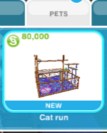
The first time you complete this hobby collection you unlock the cat run, you can find it in the pet section of buy mode for S80,000 (expensive considering all my cat does is sleep in it!)
From the second time onwards each time you complete the collection you will earn 3LP








 Your sim info panels can also be found in the simtracker folder (1)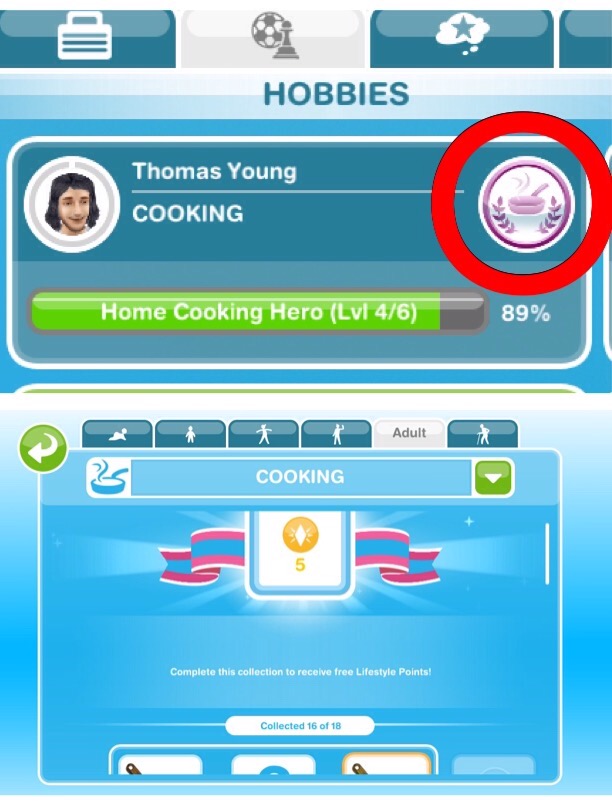


 Pregnant sims have an extra ring around their face on the simtracker, once this is full and turns red your sim is ready to give birth
 Complete









 Standard house lots have a blue circle and are 18 x 18 (1) and premium house lots have a yellow circle and are 18 x 36 (2) Click on one of these to choose a house from the list, pick the empty lot if you want to build your own house. If you are currently building another house (3) or building the option to add a new house will be greyed out (4) you will need to finish construction first before you can add a new house as you cannot build two places at once. If you aren’t currently building but still can’t add a house you will need to level up before you can add a house as you are at your house limit for the current level.
 EMPTY HOUSE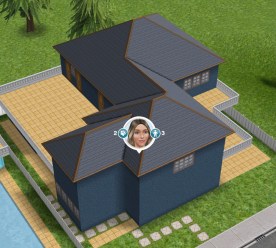

 While you are in the home store mode you will be able to click on items in the house and several options will appear. The rucksack button (1) is your inventory, click on this to store the item in the inventory section of the home store, you can use your inventory to move items from one house to another, you will not have to buy the item again, it will be free from your inventory. The tick (2) places the item, it will be greyed out if you cannot place the item because there is something in the way.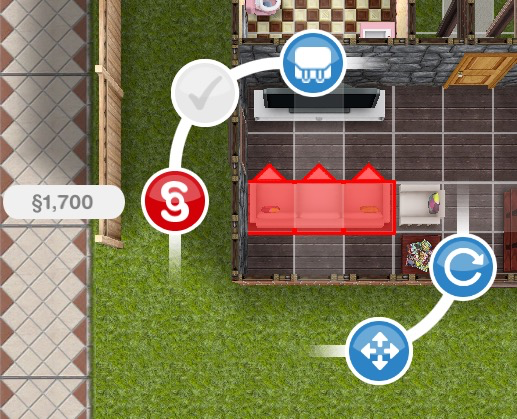














 The Girl Who Games