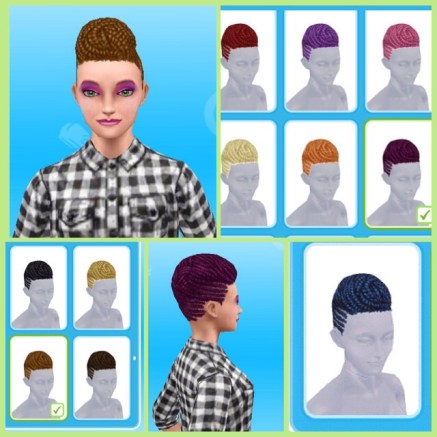
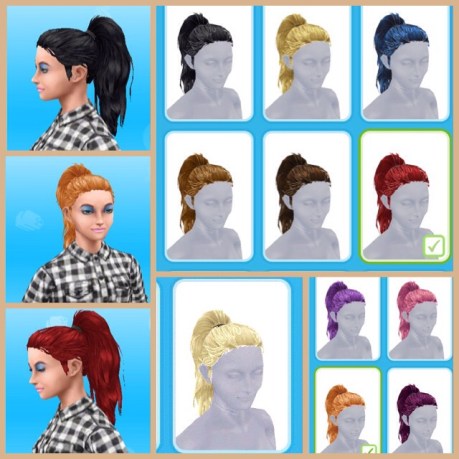
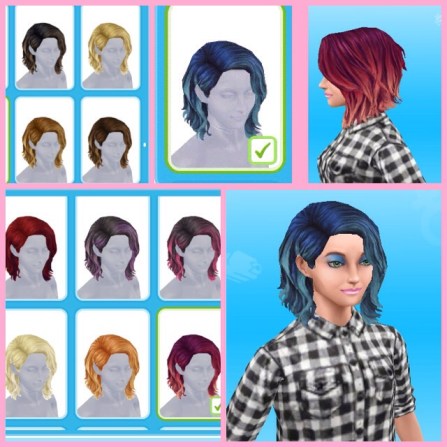
This is my review of the hairstyles you unlock in the Mean Curls Time Limited Hobby Event, I will be ranking them from 9 to 1 with 1 being my favourite- this was really difficult as there is only one of these which I really don’t like!
If you completed this event in the time limit you will be able to find these hairstyles in your wardrobe for your adult female sims.
9. I don’t like how this one is flat at the top and the rest is curly- it just looks odd! It does look better from the back though.
8. This hairstyle is very current (it’s impossible to leave the house without seeing someone with this style) I’m just not very keen on this hairstyle!
7. Really interesting short hairstyle, looks great from the side, not such a fan of how it looks from the front. I really like it in the darker colours, I don’t think it looks as good on this sim in the natural brown but the purple really works!
6. I like this but it does look a bit like this sim has really dry damaged hair!
5. You get a surprise when you put this one on your sim as this hairstyle is braided on one side, again really modern and a nice style!
4. I prefer how it looks from the back rather than the front but I think the two tone colours work really well with this one
3. Beautiful style and it works well in all the colours!
2. Really love this, we needed some modern shorter hair! More like this in future please!
1. This is my absolute favourite, I think it works in all the colours- especially in the purpley colour (as shown in the image on the right)
All these house templates can be unlocked if you complete a certain quest or event in the time limit, if you haven’t got one of these templates then you either haven’t completed the quest or event yet or didn’t manage to complete in the time limit. In this guide I will rate each house and give my opinion so you can see if it is worth building!
The price and time it takes to build a house increases with every house you build
In this part I will be covering the following houses, click the links below to head straight to that part of this post:
s= can be built on a standard plot p= can be built on a premium plot
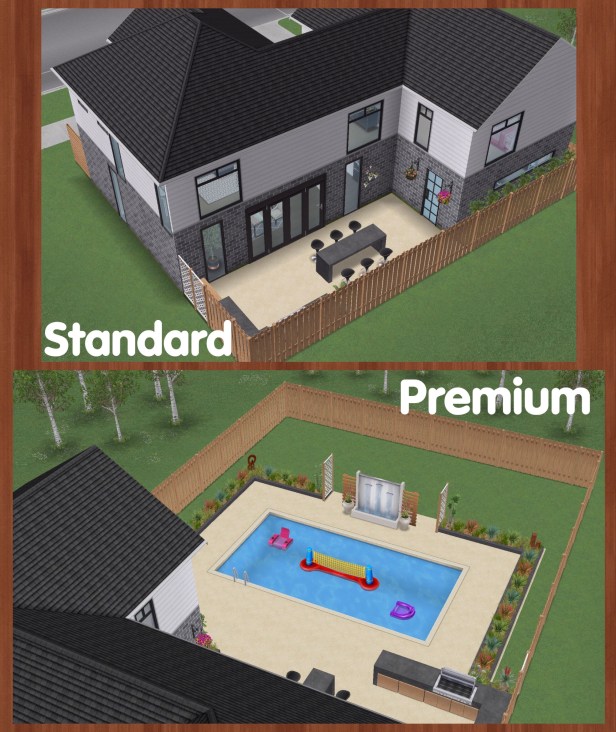
Standard or Premium?
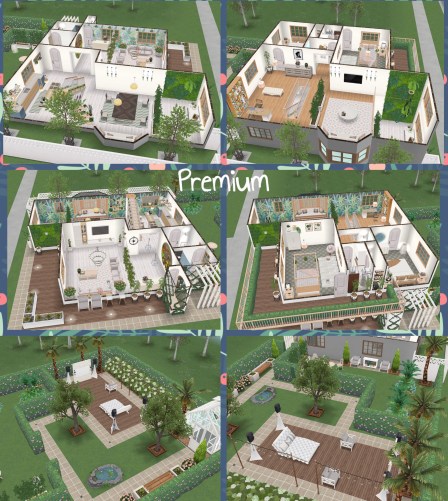
Once you complete the ocean view estate quest you can build houses on premium plots which are bigger.
Standard= 18×18
Premium= 36×18
NOTE: Some of the houses may have been slightly modified
Beachside Escape- 2/5
This is only available on the premium residence (the ones next to the beach) if you completed the ocean view quest in the time limit.
I don’t really like the front part of this one story house, I think it all should have a beach theme to it. It just looks like they thought ‘oh we need to actually make this look like it’s a holiday house for the beach- let’s add a small cabin style thing to the end of the garden’- it’s a bit weird. Although it does have a lot of 3 star products in the house which come in handy at the stage in the game that you unlock this house and the garden area is really nice.
Cost: First is free after that each one you build costs simoleons, the price depends on how many other houses you have built so far
Floors: One
Basement: No
Car: Yes, Luxury (3 Star Car)
Premium Residence: Can only be built on a premium residence
To build the teen mansion you firstly need to complete the sim sign to level 3 and your first one is free, this three story house can only be built on a premium residence. To build the sign you need to complete the road to fame quest and if you keep doing the collection you will find the pieces you need for the sign.
I think this house looks great, it is three floors and has a large swimming pool in the back garden and it’s all gated with a fountain at the front! It is even better because the first one is free!
Cost: First is free after that each one you build costs simoleons, the price depends on how many other houses you have built so far
Floors: Three
Basement: No
Car: Yes, Luxury (3 Star Car)
Premium Residence: Can only be built on a premium residence
NOTE: can only be built once thesim sign has been completed
I love this one story house! It is so unique and definitely worth completing the ghost hunters quest in the time limit to unlock it. You get several items that would cost you LP in the house, lots of haunted objects so you can complete the ghost hunting hobby quicker without waiting for items to recharge.
Cost: First is free after that each one you build costs simoleons, the price depends on how many other houses you have built so far
Floors: One
Basement: No
Car: No
Premium Residence: A pool
NOTE: can only be built if you complete the ghost hunters quest in the time limit
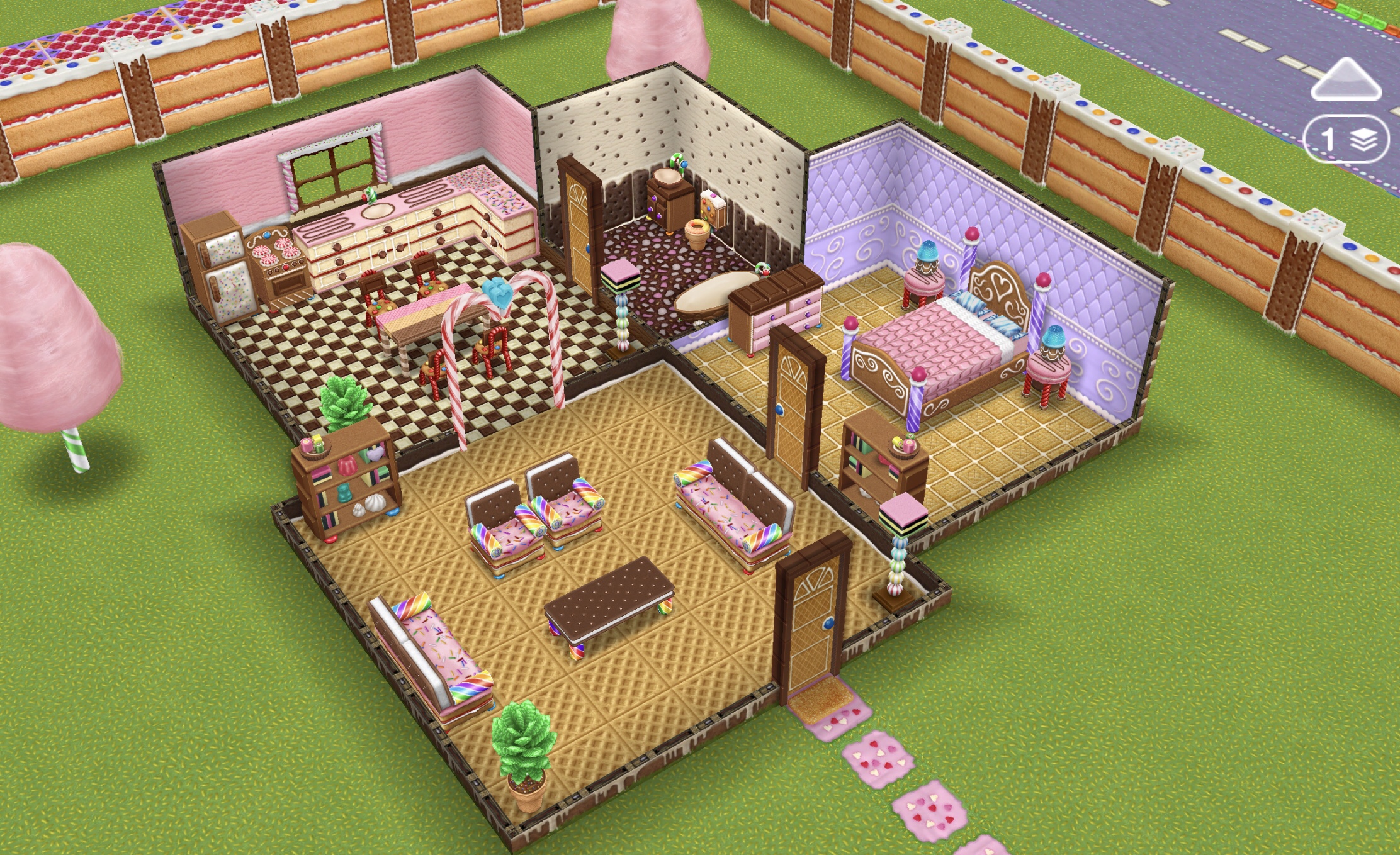
You unlock this gingerbread house template if you complete the secret winter wonderland seasonal quest in the time limit, I really love this one story house and all the items available in it, you don’t unlock the items with this house but most of these items can be unlocked in the chocolatier special hobby event if you would prefer to build your own house
Gingerbread House Tour:
Cost: First is free after that each one you build costs simoleons, the price depends on how many other houses you have built so far
Floors: One
Basement: No
Car: No
Premium Residence: Candyfloss trees
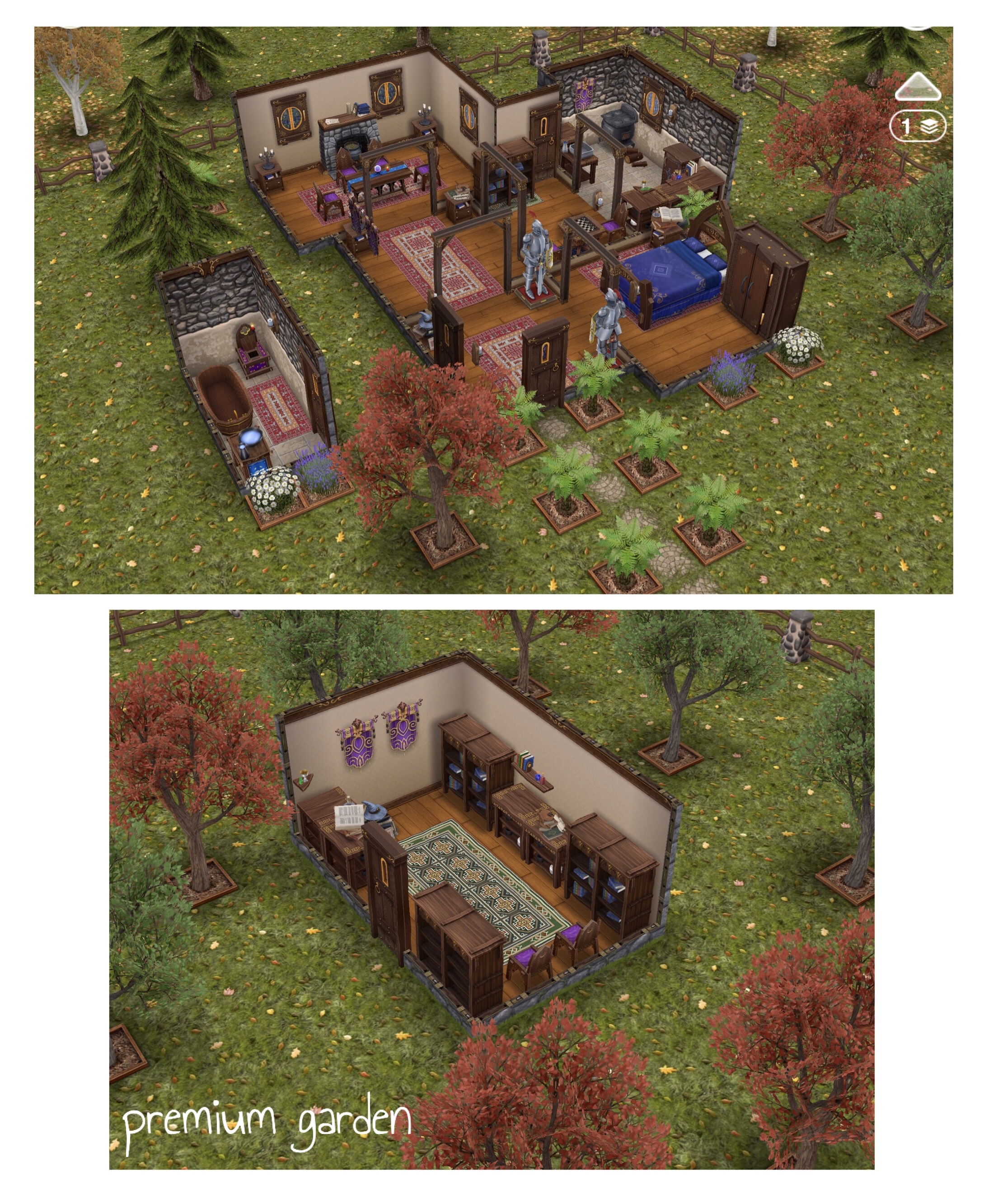
This one story house is the wizards cottage that you visit during the saved by the spell quest, if you complete the quest in the time limit you unlock this house template. I really like this cottage, a lot of the items in it you can only get if you build this house. I especially like the grass and fence that you can only get with this house!
Cost: First is free after that each one you build costs simoleons, the price depends on how many other houses you have built so far
Floors: One
Basement: No
Car: No
Premium Residence: A library
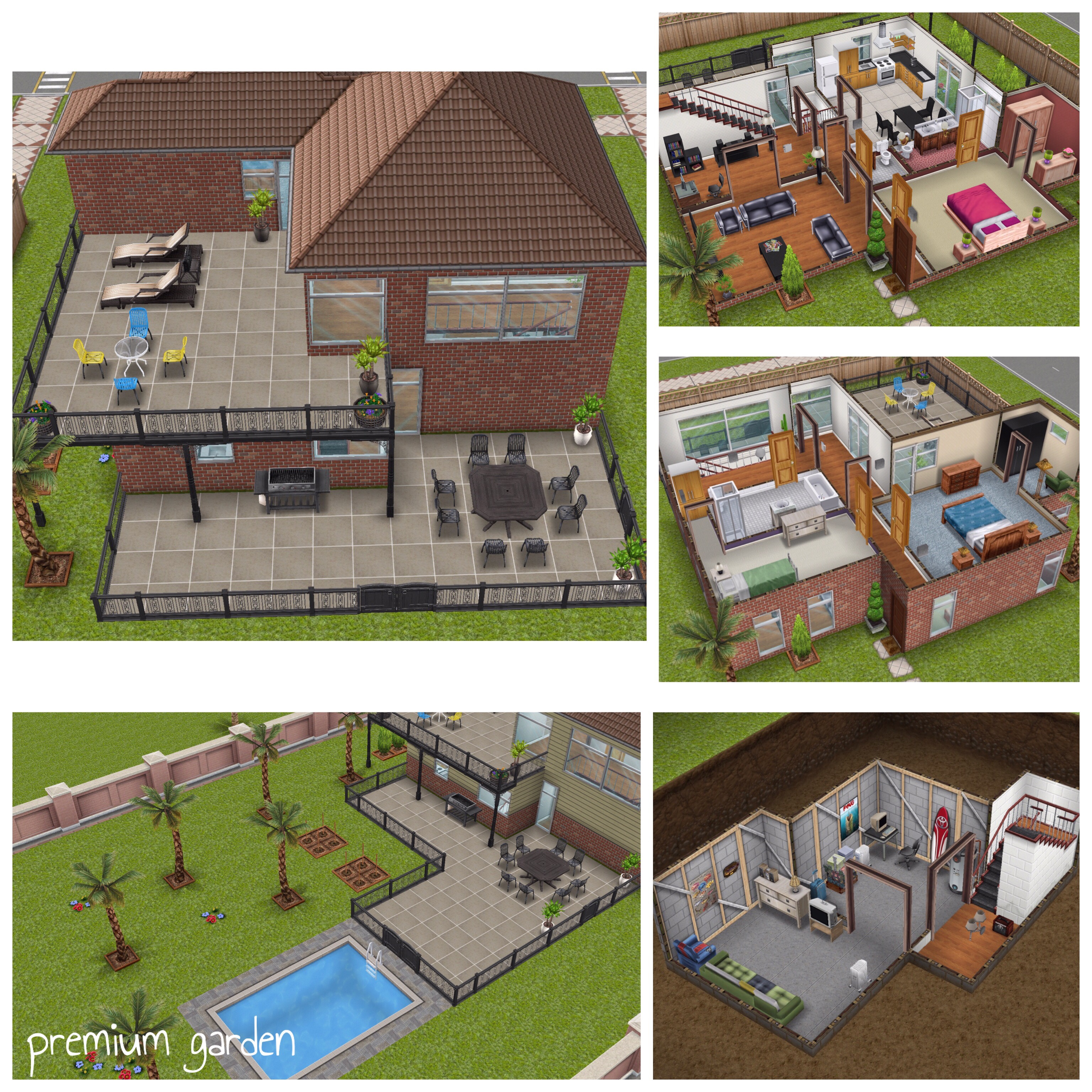
This is the house you visit in the DIY homes series of quests: peaceful patios, lovey-dovey balconies and basement of kings quests and if you complete the basement of kings quest in the time limit you will unlock this house. I like this house, it’s mostly a good size, has a patio, balcony and basement (good if you want these but you can’t afford to build your own right now) and well worth completing the quest in the time limit for it. I don’t think much effort went into designing the premium garden though, there is a nice pool but other than that trees are just filling the space, I will be rearranging the garden to make it better. I also think the upstairs looks fairly plain and empty so redecorating is very much needed! And does anyone else think they were a bit stingy with the size of the basement- it is tiny!
NOTE: there is a singing salmon in the basement that inspires your sims in 30 seconds (you unlock the singing salmon if you complete the life dreams and legacies quest in the time limit)
Watch my edited DIY Home Tour here:
Cost: First is free after that each one you build costs simoleons, the price depends on how many other houses you have built so far
Floors: Two
Basement: Yes
Car: No
Premium Residence: A pool
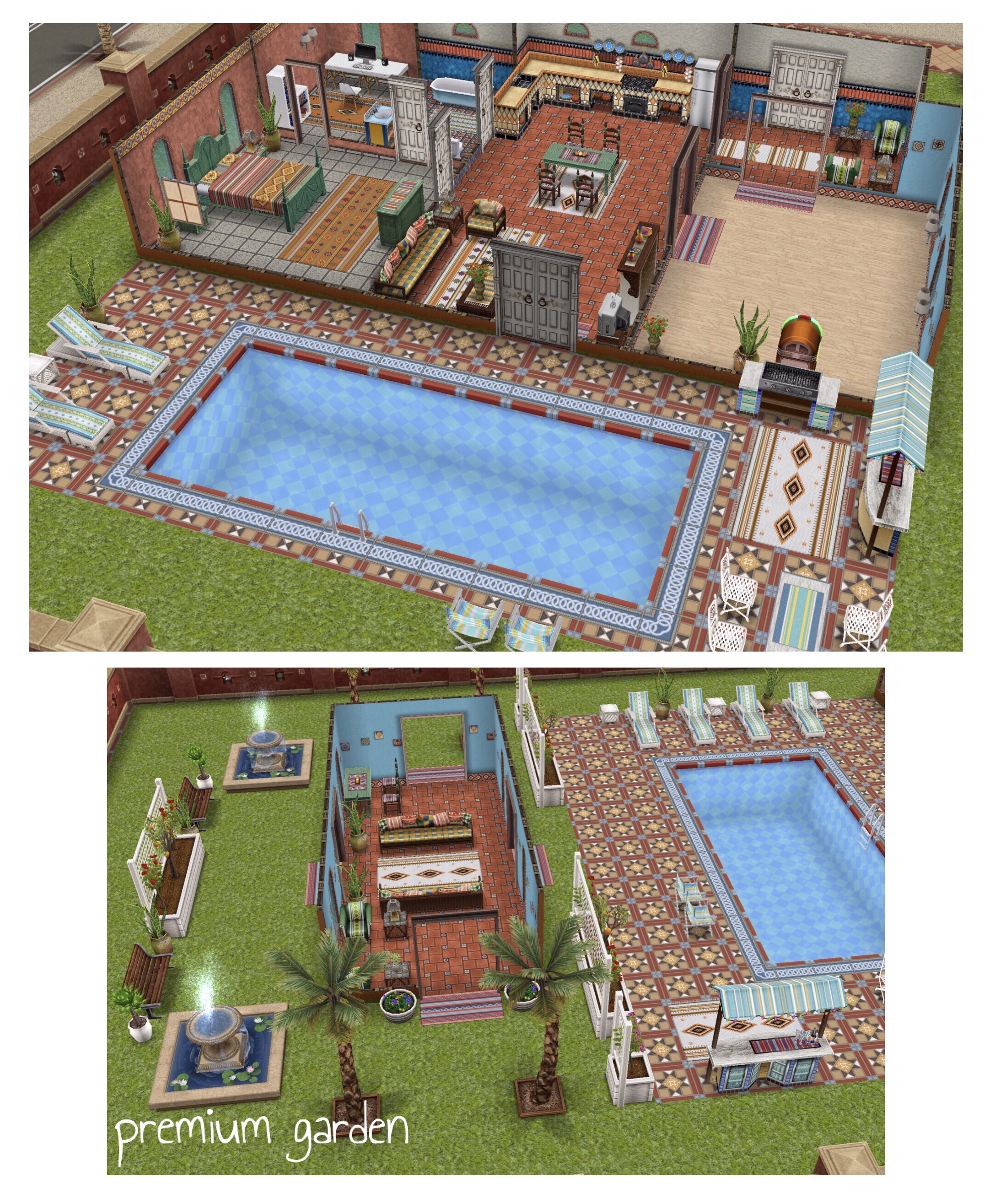
The Latin villa is unlocked if you complete the salsa dancing hobby in the time limit, I definitely think it is worth the hassle, the first one you build is free but after that it comes with a hefty price of 175SP (on a premium residence)- very expensive!
I really like this one story house, you get access to some furniture that is otherwise unavailable and a large room just for salsa dancing (you could make that smaller and add an extra bedroom if you wanted to)
I personally think the outdoor decorations on the premium residence looks messy and doesn’t go with the decor of the rest of the house, it’s like they couldn’t think of anything else to put there so they are just filling up the space! I have given it only 4 stars mainly just because of the price, it is far too expensive for what you actually get.
Cost: First one is free, after that Standard 125SP, Premium 175SP
Floors: One
Basement: No
Car: No
Premium Residence: An extra room and outdoor decorations
NOTE: can only be built if you completed the salsa dancing hobby in the time limit
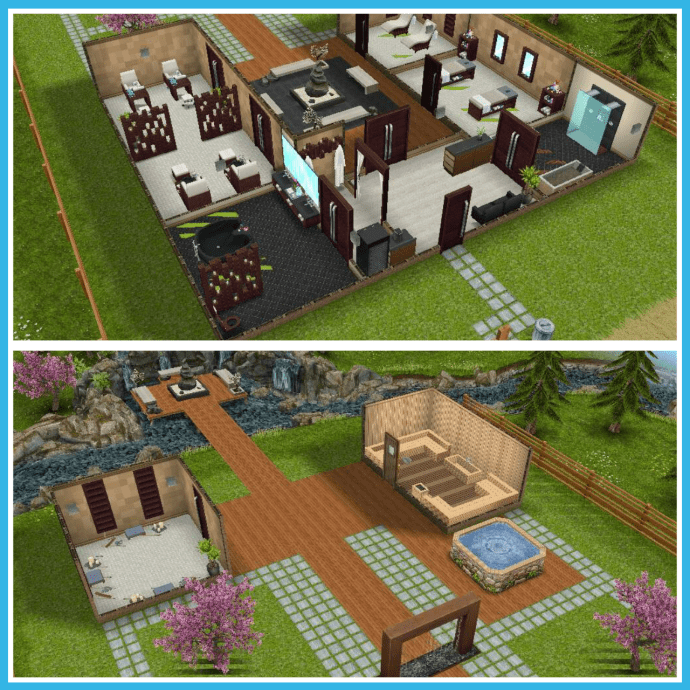
If you completed the simtown health spa community or live event in the time limit you will have unlocked the simtown health spa template, this house contains all the items that you unlocked during the event as well as some others that aren’t available separately. I really like the area at the end of the garden, your sims walk across a sort of bridge to reach it, you cannot edit this part if you don’t like it as it is outside of the grid. This house can be built on a standard or premium residence but I think it is a bit squashed on a standard whereas on the premium residence everything is spread out.
Simtown Health Spa Tour:
Cost: First is free after that each one you build costs simoleons, the price depends on how many other houses you have built so far
Floors: One
Basement: No
Car: No
Premium Residence: On the premium the sauna and meditation rooms are separate, on the standard they are attached to the main building and there is no room for the hot tub
If you completed the french romance live event in the time limit you will have unlocked the french chateau. I absolutely love this two story house, I think it is so beautiful, the garden and fence perfectly match the design of the house. A lot of the items in the house you will have unlocked in this event but there are some items that aren’t available separately such as the beautiful staircase (although I have seen it in the online store)
French Chateau House Tour:
Cost: First is free after that each one you build costs simoleons, the price depends on how many other houses you have built so far
Floors: Two
Basement: No
Car: No
Premium Residence: Garden is bigger
If you completed the dream daycare live event in the time limit you will have unlocked the toddler playground template. This is just an empty house lot with a playground at the back, great for building a daycare centre! Below is the daycare centre I have created using this template:
Cost: First is free after that each one you build costs simoleons, the price depends on how many other houses you have built so far
Floors: None, this is an empty house template with a playground at the back
Basement: No
Car: No
Premium Residence: Bigger grid to build on, the playground is the same
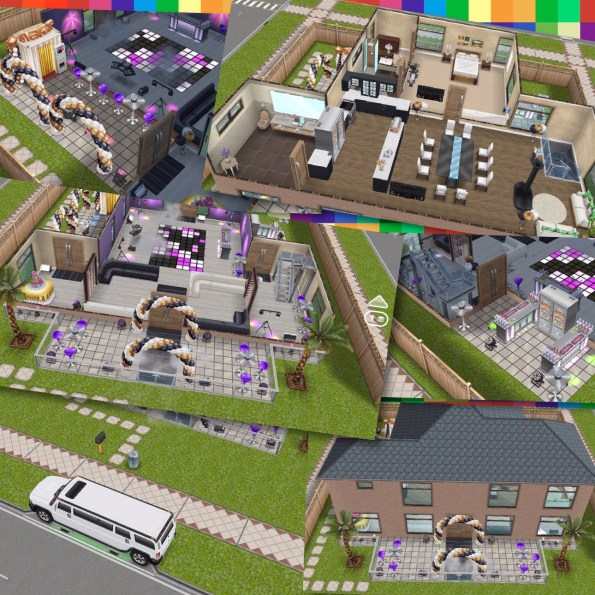
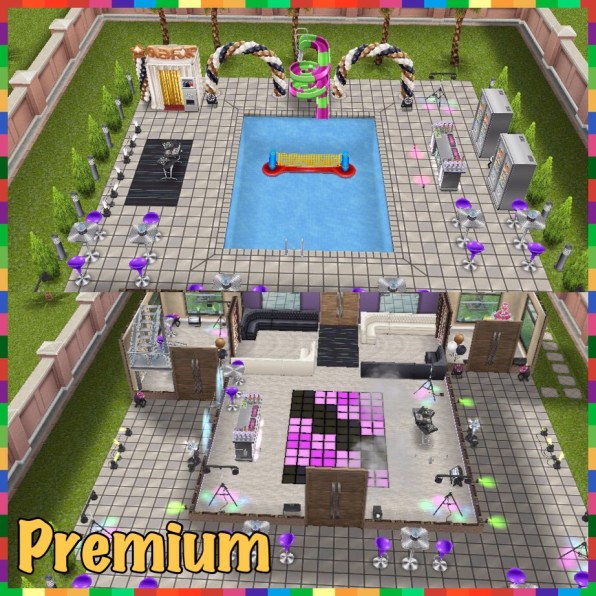
If you completed the party time live event in the time limit you will have unlocked the party house- great for your party loving sims! This two story house can be built on a standard or premium residence, unlike a lot of templates I think this one works on both the standard and premium as on the standard you have the bar on one side and the photo booth on the other side of the house whereas on the premium you have an added pool. I really love the limo you get with this house! However there are strobe lights in this house so this may cause an issue for some players as the lights in the house will flash.
Party House Tour:
Cost: First is free after that each one you build costs simoleons, the price depends on how many other houses you have built so far
Floors: Two
Basement: No
Car: Yes (White Stretch SUV)
Premium Residence: A pool
NOTE: can only be built if you completed the party time live event in the time limit
You will have unlocked this wedding venue template if you completed the wedding belles live event in the time limit. This is a stunningly beautiful house, it contains a wedding ceremony area outside- perfect for getting your sims married and then in the house you will find the wedding reception seating and first dance floor and upstairs a dance floor to party the night away!
Wedding Ceremony House Tour Video:
Cost: First is free after that each one you build costs simoleons, the price depends on how many other houses you have built so far
Floors: Two
Basement: No
Car: Yes
Premium Residence: Extra space between the ceremony seating and the house
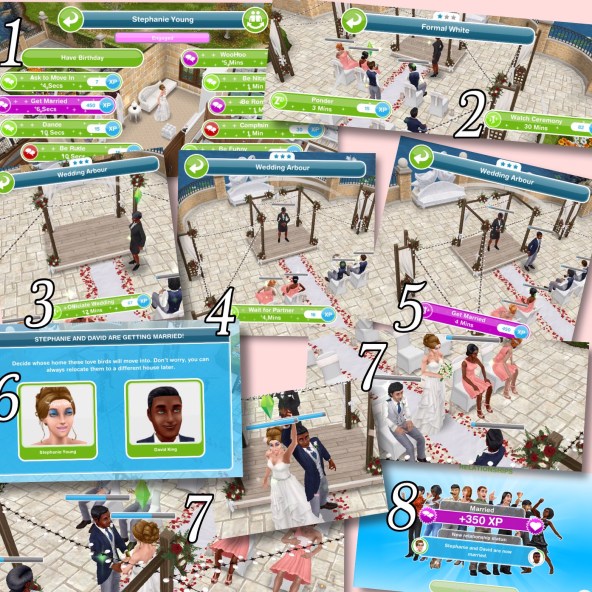
How do you get your sims married here?
1. Your sims can already be married and still use the ceremony to get remarried or your two sims need to be engaged with the option to get married in the interactions between those two sims
2. Have your guests seated- select watch ceremony on the chairs
3. You will need someone to officiate the wedding, have this sim click on the wedding arbour and select the option to officiate wedding
4. Get the first sim into position, have this sim select wait for partner on the wedding arbour
5. Time to get married! Have the second sim select get married on the wedding arbour
6. A pop up will appear asking what house you want your sims to live in when they are married (select the sim who’s last name you want to take)
7.They will walk down the aisle, stare into each others eyes for a few minutes, kiss and will be married!
8. If your sims weren’t already married a pop up will appear to say they are now married- you can remarry them again and again here (as long as it is to the same sim!)
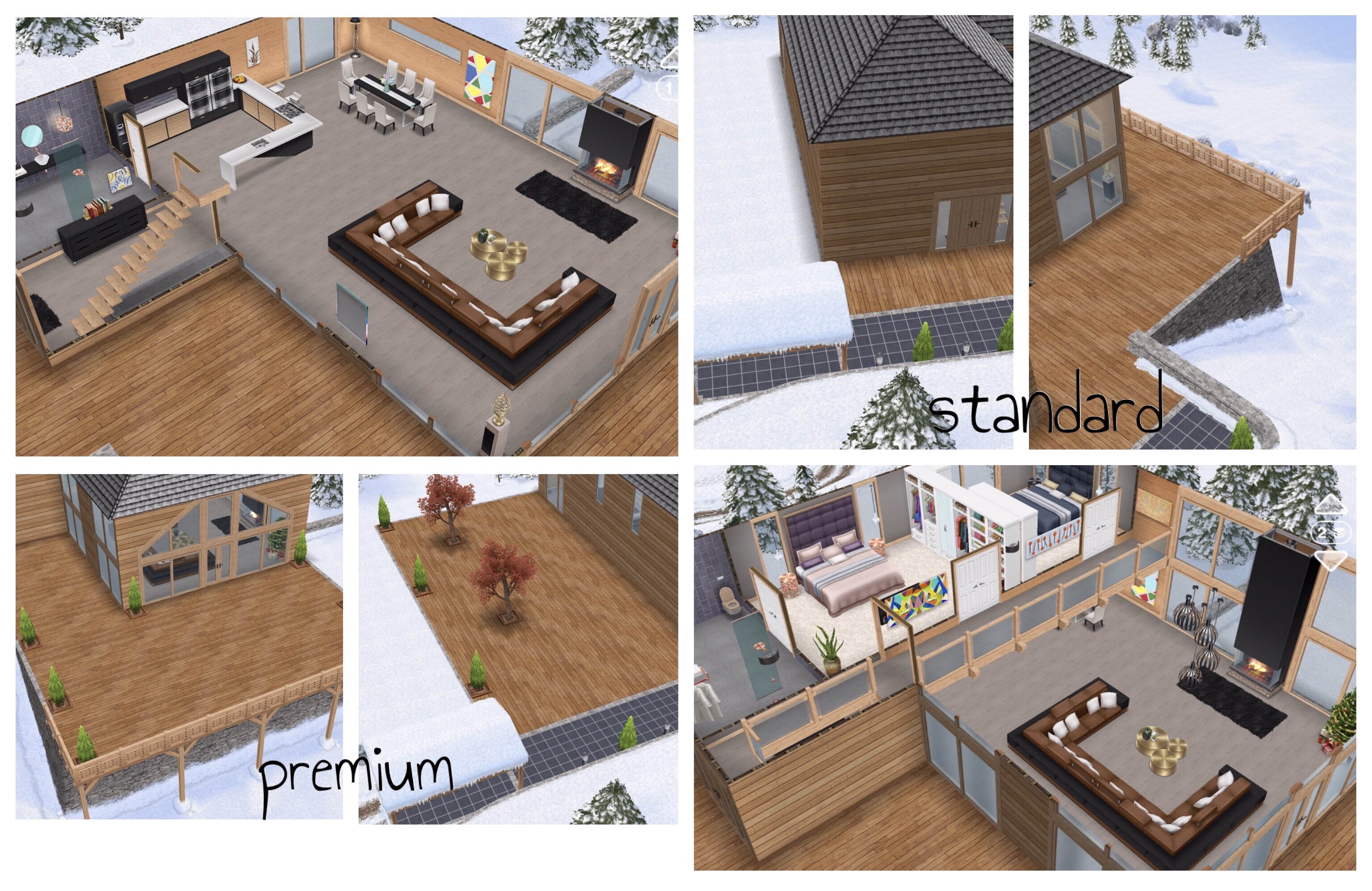
This gorgeous snow chalet is the prize for completing the Snow Problem Christmas 2017 Quest in the time limit, I really love this house! It is a two story house with an amazing mezzanine (indoor balcony) looking down into the living room from the floor above. Most items in this house cost SP so it is really worth completing in the time limit and if you wanted to you could build this house and store all the items and build your own in its place, I actually used this template as the base to my salon I built in the game so it is extremely versatile
Cost: First is free after that each one you build costs simoleons, the price depends on how many other houses you have built so far
Floors: Two
Basement: No
Car: No
Premium Residence: More paving around the chalet
NOTE: can only be built if you completed thesnow problem quest in the time limit
You will unlock this unique villa if you complete the love and treasure discovery quest in the time limit, this villa can only be built on the private island (that you unlock in the quest) The platform is only available on this villa and only on the island. The villa is a gorgeous little getaway house for your sims when the sim world becomes too much!
Private Island Villa Tour:
Cost: First is free, if you demolish and rebuild it it will cost you simoleons, the amount varies depending on how many houses you have already built
Floors: One, on a platform
Basement: No
Car: No
Premium Residence: N/A can only be built on the private island
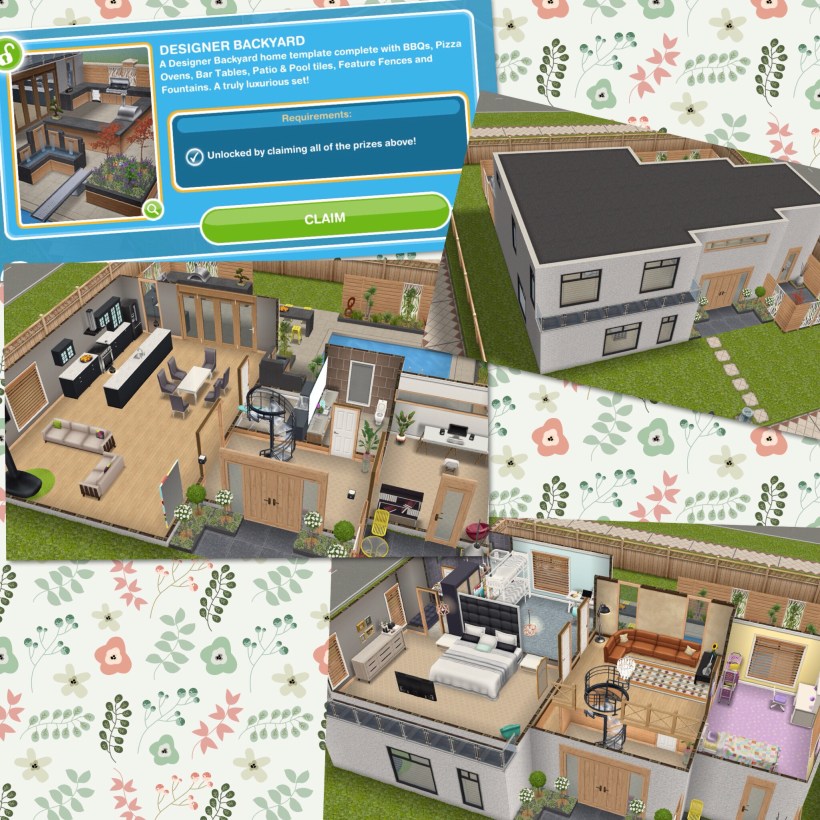
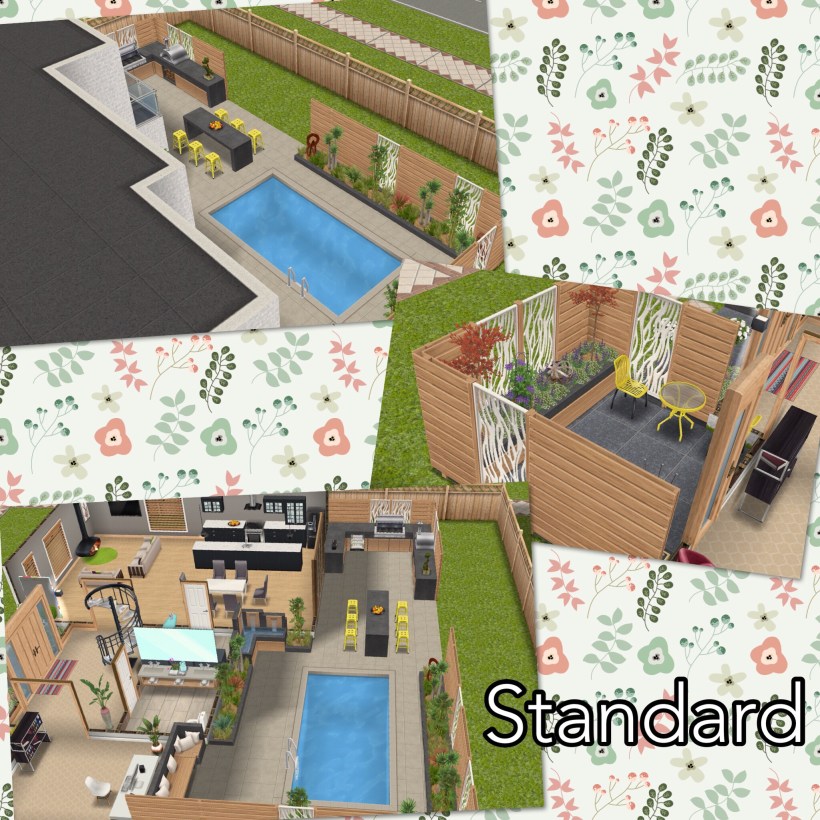
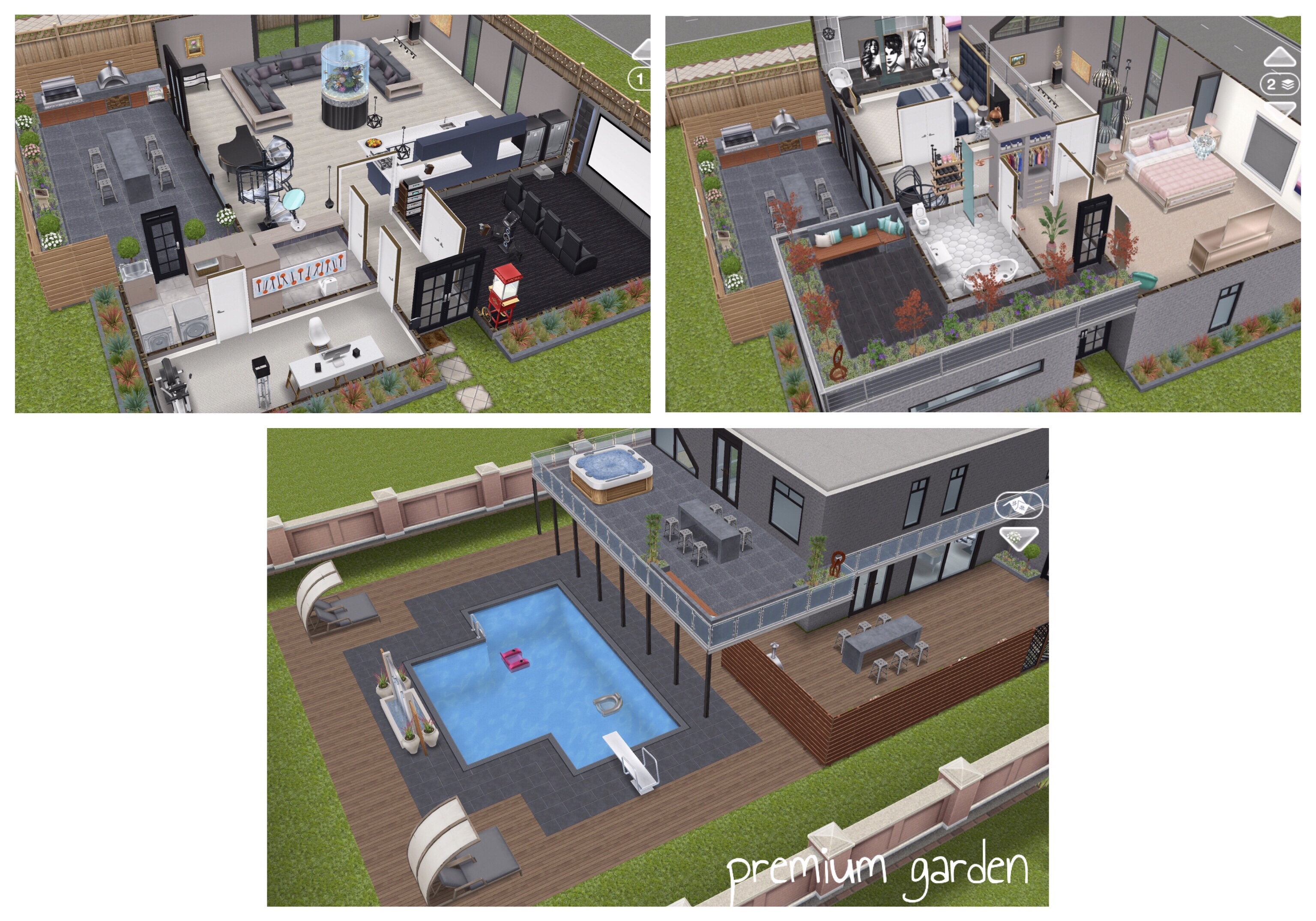
You will unlock the designer backyard if you complete the backyard beautification live event in the time limit, the garden contains a lot of the items you unlock in this live event and is laid out beautifully, the house is modern, two story and contains a lot of items from previous events you may not have unlocked yet but I personally wasn’t that excited about unlocking this template, I decided to build my own instead!
Designer Backyard House Tour:
My Garden Tour [created using the live event items]:
Cost: First is free after that each one you build costs simoleons, the price depends on how many other houses you have built so far
Floors: Two
Basement: No
Car: No
Premium Residence: The house is the same but the garden is different
You will unlock the three story mezzanine house if you complete the all mezzed up discovery quest in the time limit. This template is disappointing, if you don’t like building but want mezzanine floors (indoor balconies) then this is the template for you but if you love building your own houses then I wouldn’t waste a plot for this house. I recommend building it and storing all the items in the house then building your own in its place!
Cost: First is free after that each one you build costs simoleons, the price depends on how many other houses you have built so far
Floors: Three
Basement: No
Car: No
Premium Residence: The house is the same but the garden is different
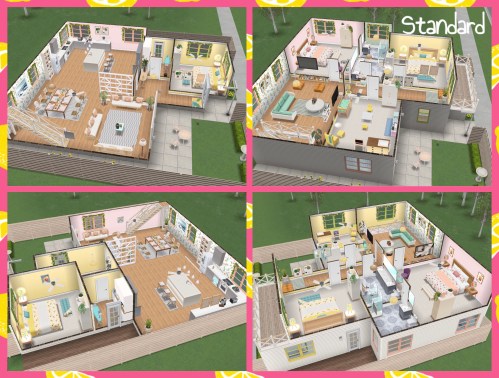
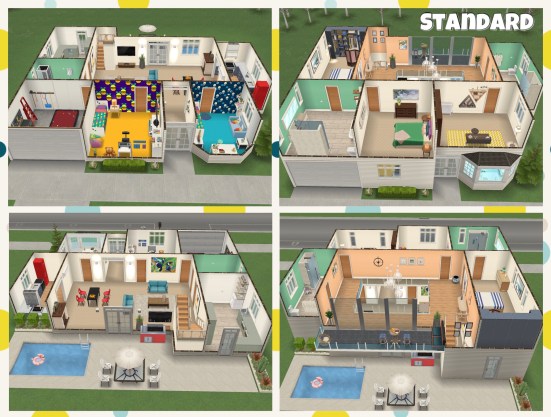
If you complete the kids party live event in the time limit you can party every day with the perfect party house template! This is the house that you visit during the inner child’s play quest (but you don’t unlock this house in that quest) This two story house contains all the items you unlock in the live event. I have given this house 3.5 out of 5 because even though I really like the house itself, I love the layout on both the standard and premium residence and it contains a lot of items you may not have been able to unlock previously but the garden on the premium residence is a mess, I like order and nothing seems to have a place!
Perfect Party House Tour:
Cost: First is free after that each one you build costs simoleons, the price depends on how many other houses you have built so far
Floors: Two
Basement: No
Car: No
Premium Residence: The kitchen/dining room is larger on the premium residence and there is a balcony at the back of the house. The party items in the standard are the vibrant ones whereas the pastel ones are in the premium house. There is also a bigger garden on the premium residence but it does look a bit of a mess!
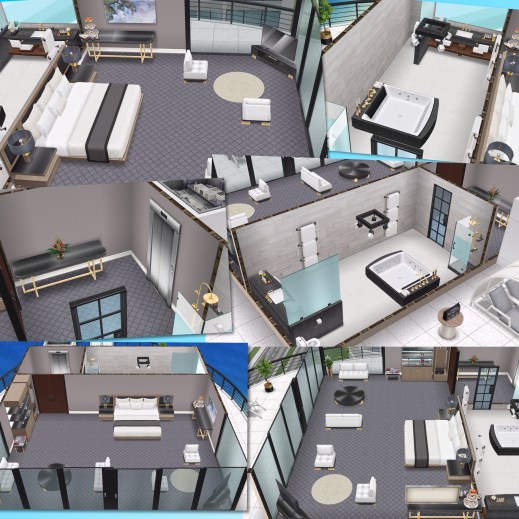
This stunning two story house is unlocked if you complete the luxury living live event in the time limit, a lot of the items in this house are from that event but there are also a lot of other 3 star luxury items included that are usually expensive to buy on their own. The house is the same on both the standard and the premium residence, the only difference is the garden, on the premium there is a balcony and a pool but it does seem quite empty where the pool is, I think some planters around the edge would have been a nice touch.
Luxury Living House Tour:
Cost: First is free after that each one you build costs simoleons, the price depends on how many other houses you have built so far
Floors: Two
Basement: No
Car: No
Premium Residence: The house is the same but there is a balcony and pool in the garden
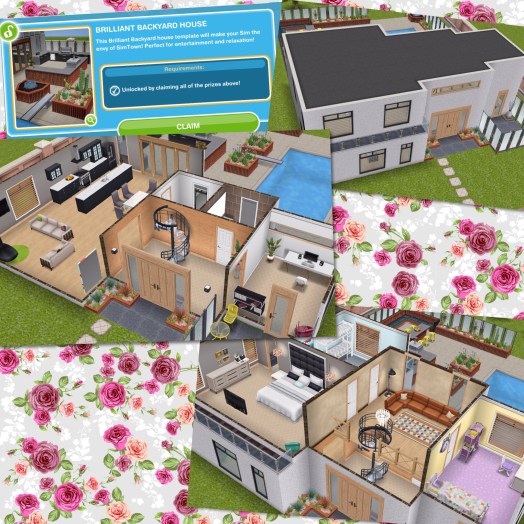
You unlock this two story house if you complete the brilliant backyard live event in the time limit. I am so disappointed with this house, it is exactly the same as the designer backyard template, the only thing that differs is the garden and that actually has a really nice layout which is the only reason it gets two stars rather than one! It is just a shame that someone couldn’t be bothered to put the effort into designing a new house for this live event.
Brilliant Backyard House Tour:
My Garden Tour [created using the live event items]:
Cost: First is free after that each one you build costs simoleons, the price depends on how many other houses you have built so far
Floors: Two
Basement: No
Car: No
Premium Residence: The house is the same but the garden is different
The rustic farmhouse was the prize for completing the Missing Claus Christmas 2018 Quest in the time limit. I love this house so much, it is a two story house that someone spent a great deal of time and effort designing and it hasn’t gone unnoticed, the rustic theme continues throughout the house and the garden is filled with farm items such as the chicken coop and stables. The only difference between the standard and the premium residence is more garden decorations and more space between the chicken coop and the house.
Farmhouse Tour:
Cost: First is free after that each one you build costs simoleons, the price depends on how many other houses you have built so far
Floors: Two
Basement: No
Car: No
Premium Residence: more garden decorations and empty space
NOTE: can only be built if you completed the missing claus quest in the time limit
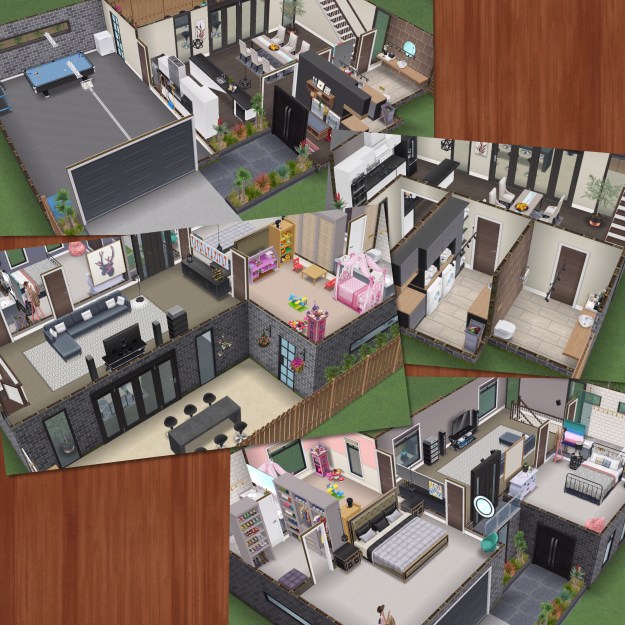
This two story house unlocks if you complete the grand garages live event in the time limit, you can find it under the driveway homes tab as it isn’t an ordinary house template, this one allows you to add up to 4 cars to this house lot rather than just one. The house itself is very stylish, it even contains some items that usually can only be unlocked by purchasing from the online store. The only reason I’m not giving this the full 5 stars is because if you wanted to build a new house on this template you can only place the garage on one side because of the layout of the paving outside the grid.
Family Garage Home Tour:
Cost: First is free after that each one you build costs simoleons, the price depends on how many other houses you have built so far
Floors: Two
Basement: No
Car: No (but you can add up to 4 cars on this house lot)
Premium Residence: A pool and empty space
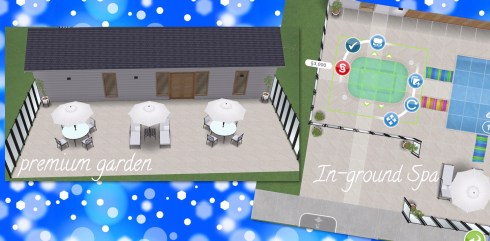
This bungalow unlocks if you complete the poolside paradise live event in the time limit, you can find it under the driveway homes tab as it isn’t an ordinary house template, this one allows you to add up to 4 cars to this house lot rather than just one. I really love this little bungalow, it is a lot like a holiday home to use during the day- there are no bedrooms but you could always add another floor and add some bedrooms. The in ground spa is a great addition, it can be moved if you want to change it’s location or if you want to store it and make the pool bigger.
Poolside Bungalow Tour:
Cost: First is free after that each one you build costs simoleons, the price depends on how many other houses you have built so far
Floors: One
Basement: No
Car: No (but you can add up to 4 cars on this house lot)
Premium Residence: outdoor furniture
This condo can be unlocked if you complete the holiday high rise live event in the time limit, you can find it on the sea voyage boat. Your sims cannot live at the condo but they can visit and stay there for a holiday, you can also completely edit the condo and even add more floors (it is currently a one story condo). I love the idea of this, it is great we can edit the condo and it doesn’t take up a house lot but I am disappointed because most of the items in the condo are 1 star. In this event we unlock 1 star and 3 star of most items so why couldn’t we have had the more expensive 3 star items in the condo?
Holiday Condo Tour:
Cost: Free (find it on the sea voyage boat)
Floors: One
Basement: No
Car: No
Premium Residence: N/A
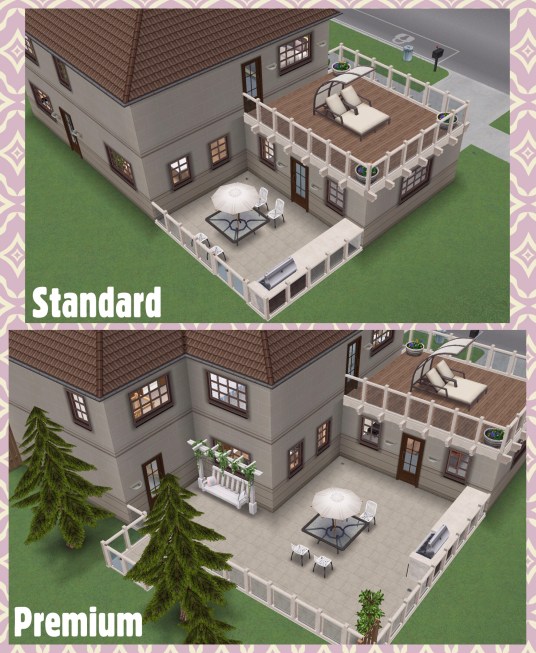
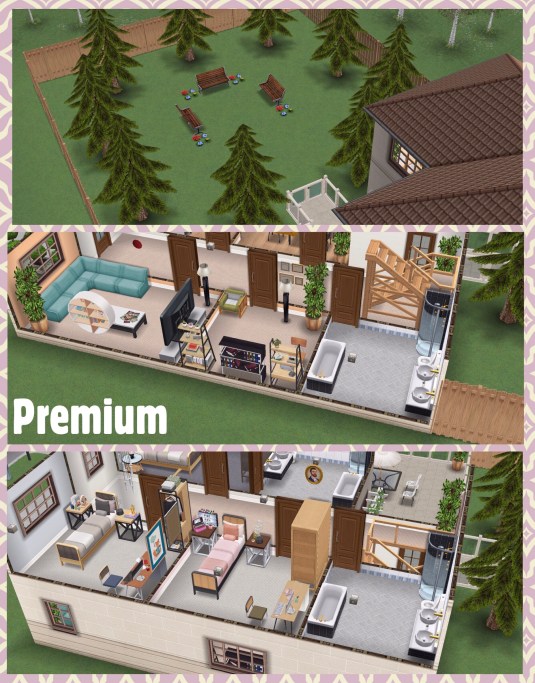
This two story house unlocks if you complete the family furnishings live event in the time limit, you can find it under the driveway homes tab as it isn’t an ordinary house template, this one allows you to add up to 4 cars to this house lot rather than just one. I prefer the house on the standard residence as the extra bathrooms and just a garden full of trees aren’t very interesting but the interior on both houses isn’t that exciting either. They have been unable to create any decent bathrooms, kitchen or dining room for this house as we haven’t unlocked any of those items in this event so it isn’t the highest quality house available from a live event and I won’t be building this on my own game. My favourite part of this house is the railings on the patio and balcony but unfortunately I think they are only available with this house.
Family Home Tour:
Watch my edited Family Home Tour here:
Cost: First is free after that each one you build costs simoleons, the price depends on how many other houses you have built so far
Floors: Two
Basement: No
Car: Yes, Blue Hatchback (1 Star Car) (you can still add 3 more cars on this house lot)
Premium Residence: bigger patio area and a fenced off garden, the house is also bigger but only because they have added two extra bathrooms, one on each floor
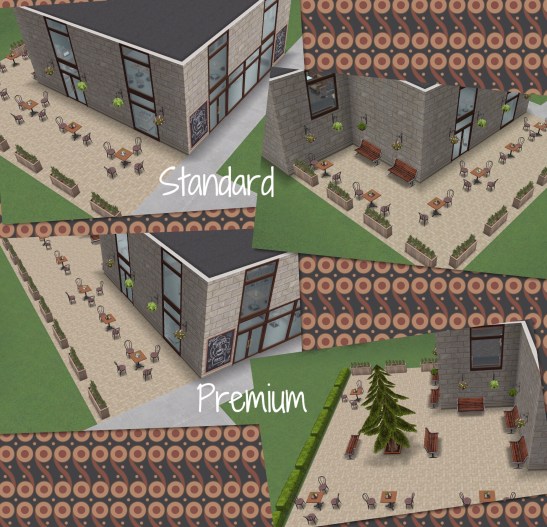
This restaurant unlocks if you complete the fine dining live event in the time limit, you can find it under the driveway homes tab as it isn’t an ordinary house template, this one allows you to add up to 4 cars to this house lot rather than just one. It is well designed but I don’t really see the point in building this on a house lot, it seems a waste of room when you could build a house instead as we already have a restaurant in Simtown!
Fine Diner Tour:
Cost: First is free after that each one you build costs simoleons, the price depends on how many other houses you have built so far
Floors: Three
Basement: Yes
Car: No (but you can add up to 4 cars on this house lot)
Premium Residence: bigger patio area
This two story cafe unlocks if you complete the cafe grande live event in the time limit, you can find it under the driveway homes tab as it isn’t an ordinary house template, this one allows you to add up to 4 cars to this house lot rather than just one. I really love the cafe, especially the mezzanine level although I have only given it 3 stars as it doesn’t function as an actual cafe, I think it would be great if it was a business place instead of a house lot! I created a cafe and house in one instead using the items so it wasn’t a waste of a house lot.
Cafe Grande Tour:
My ‘Coffee Then Home’ House Tour [created using the live event items]:
Cost: First is free after that each one you build costs simoleons, the price depends on how many other houses you have built so far
Floors: Two
Basement: No
Car: No (but you can add up to 4 cars on this house lot)
Premium Residence: bigger patio area
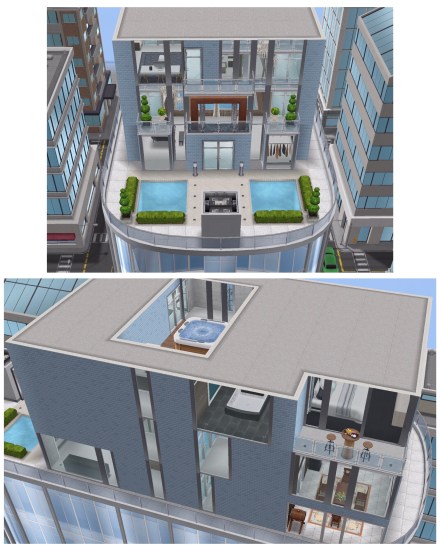
If you completed the downtown developer event 1 in the time limit you will be able to build the 3 story luxury apartment in downtown. I really love this apartment, I think it looks great although when you see it from downtown the apartment building looks hideous! I’m mainly giving it 3 stars because it is so difficult to complete the event in the time limit to actually unlock it! But you can build the empty 3 story instead if you don’t complete in time.
3 Story Luxury Apartment Tour:
Cost: Free (you can only build one)
Floors: Three
Basement: No
Car: No
Premium Residence: N/A
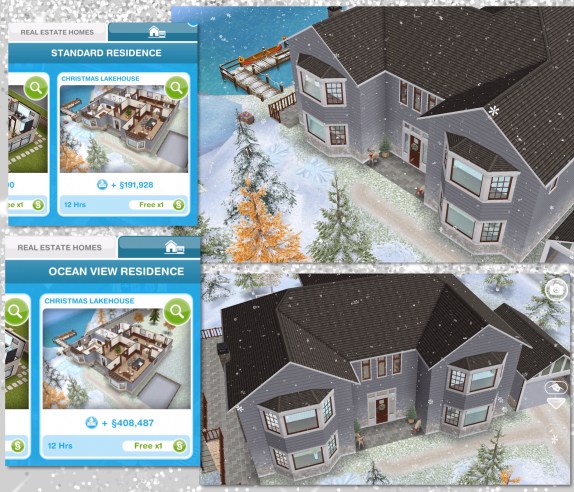
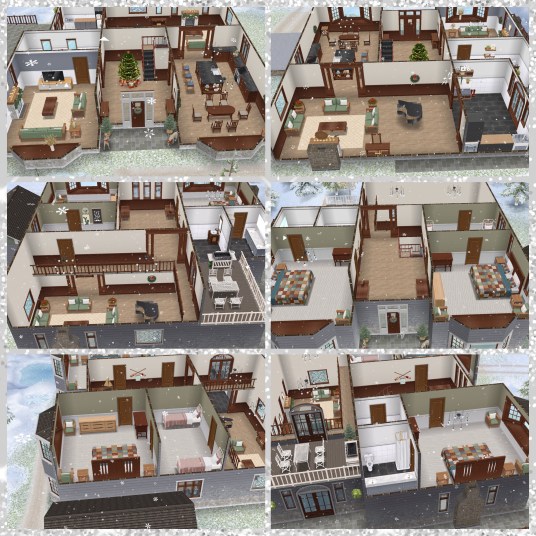
The two story lakehouse was the prize for completing the Hearth of Stone Christmas 2019 Quest in the time limit. This is another really beautifully designed Christmas house template, the bay windows really complete this build (you also unlock those in the quest) Once unlocked you can also use the canoe, snow angel mounds and ice skates outside the lakehouse. There is enough room on the premium to build a guest house in the empty space, I think a bed and breakfast or hotel would work really well in this area.
Lakehouse Tour:
Cost: First is free after that each one you build costs simoleons, the price depends on how many other houses you have built so far
Floors: Two
Basement: No
Car: No
Premium Residence: bigger patio area
NOTE: can only be built if you completed the hearth of stone quest in the time limit
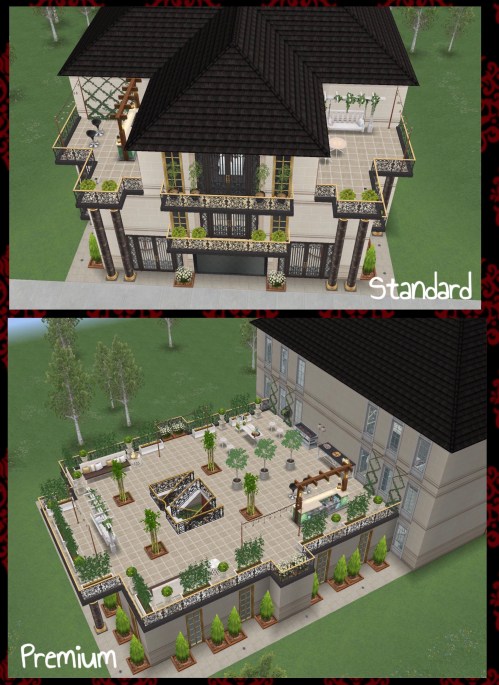
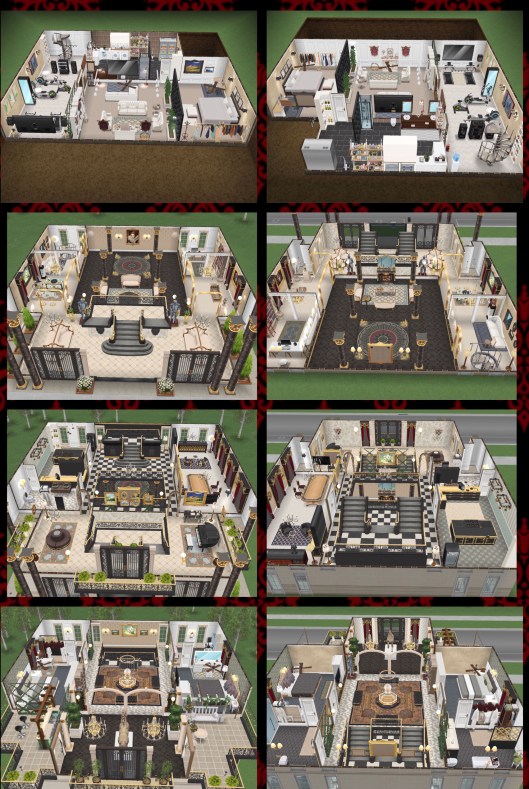
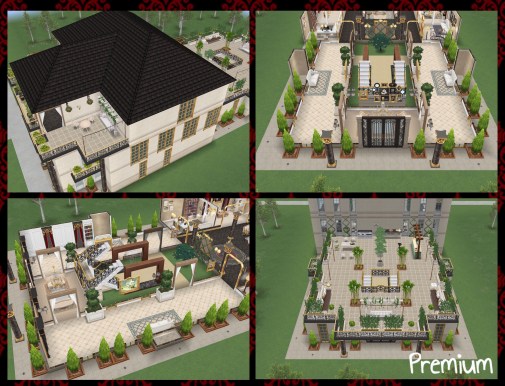
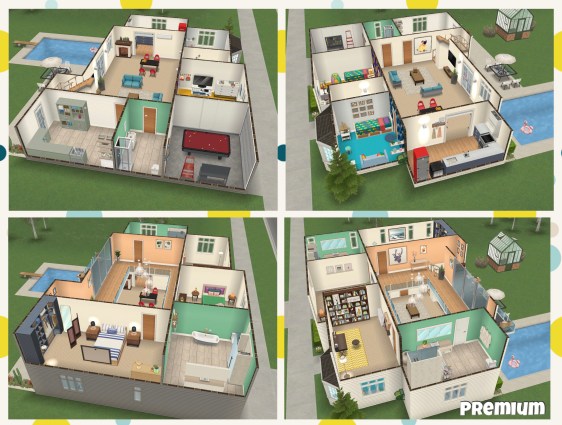
This three story house unlocks if you complete the glam mansion live event in the time limit, you can find it under the driveway homes tab as it isn’t an ordinary house template, this one allows you to add up to 4 cars to this house lot rather than just one, there are already 3 sports cars on the driveway but you could add another one. I’m not a fan of this house, I am not going to waste a spot building it. I do prefer how it looks on the premium to the standard (the standard looks a lot like a museum with all the displays!)
Glam Mansion Tour:
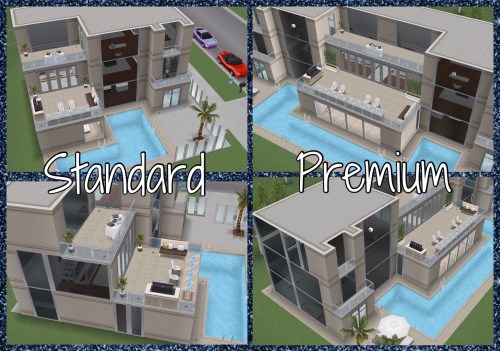
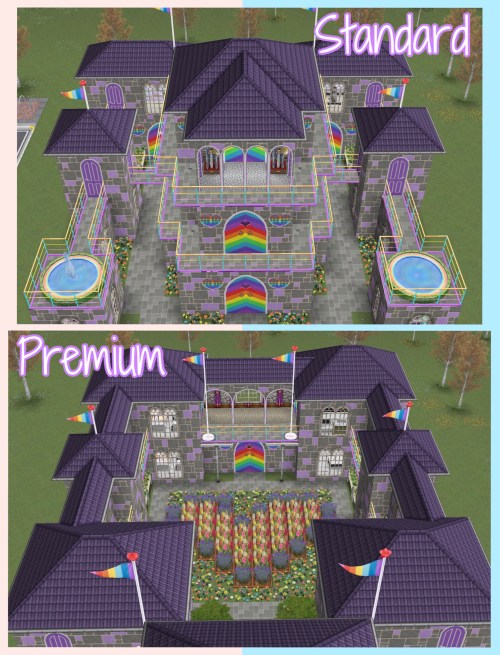
This house is very different on a standard and a premium residence! As you can see below the premium is double the size of the standard (the standard is sort of the premium split in half):
Cost: First is free after that each one you build costs simoleons, the price depends on how many other houses you have built so far
Floors: Three
Basement: No
Car: Yes, three! Pearl Purple Sports- 225LP, Luxury Black Sedan- S875,000 and Red Convertible- S1,250,000
Premium Residence: double the size of the standard (see above pictures)
This two story house plus basement unlocks if you complete the romantic garden live event in the time limit, you can find it under the driveway homes tab as it isn’t an ordinary house template, this one allows you to add up to 4 cars to this house lot rather than just one. I like this house template, I think it is really cute and I love the small house (although there is a basement where most of the rooms are located) The main difference between the standard and the premium residence is the garden, it is bigger on the premium and contains more of the live event items. The only difference inside the house is the wall colour in two of the rooms is different- I have no idea why!
Secret Garden Tour:
My Summerhouse & Garden Tour [created using the live event items]:
Cost: First is free after that each one you build costs simoleons, the price depends on how many other houses you have built so far
Floors: Two
Basement: Yes
Car: No
Premium Residence: a bigger garden and a few different coloured walls
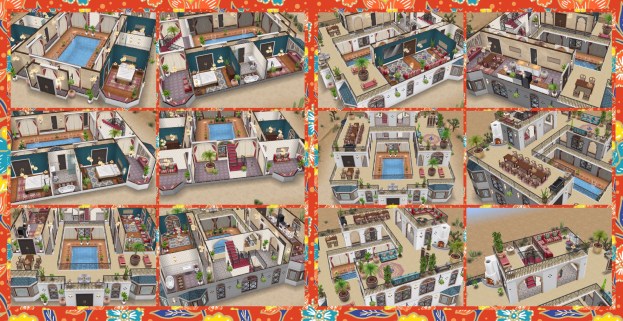
This two story house unlocks if you complete the desert oasis live event in the time limit, you can find it under the driveway homes tab as it isn’t an ordinary house template, this one allows you to add up to 4 cars to this house lot rather than just one, however this template is different to normal driveway homes as it is desert themed! I really love the theme for this house, it is great to see something so different to what we are used to and those door frames are amazing!!
Desert Oasis Tour:
My ‘Delightful Desert’ House Tour [created using the live event items]:
Cost: First is free after that each one you build costs simoleons, the price depends on how many other houses you have built so far
Floors: Two
Basement: No
Car: No
Premium Residence: a pool and large seating area
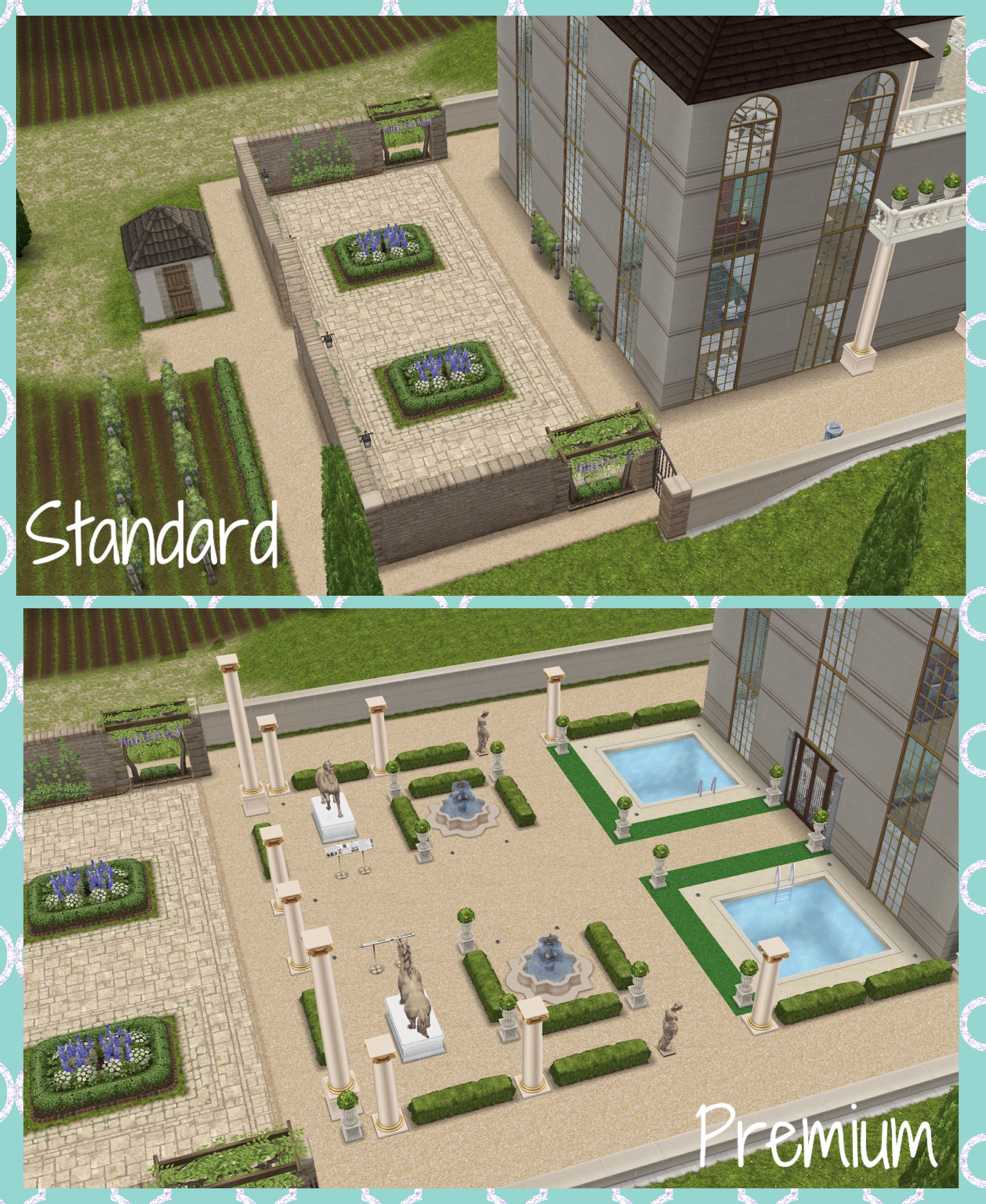
This is a four story building with a basement built on the French Chateau location which fits the theme well. I’m in two minds about this gallery, the building is gorgeous but I don’t want to waste a house lot with another building that isn’t a house!
French Gallery Tour:
Cost: First is free after that each one you build costs simoleons, the price depends on how many other houses you have built so far
Floors: Four
Basement: Yes
Car: No
Premium Residence: 2 small pools and gallery exhibits
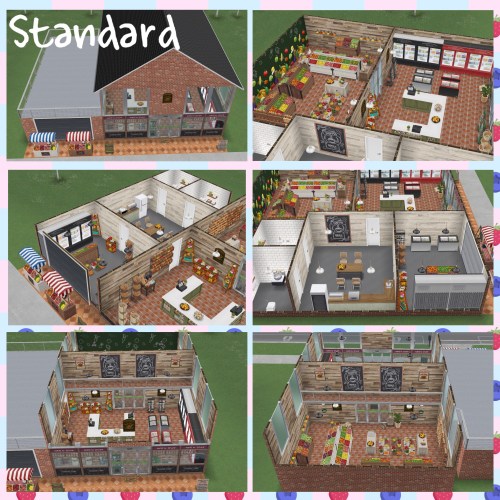
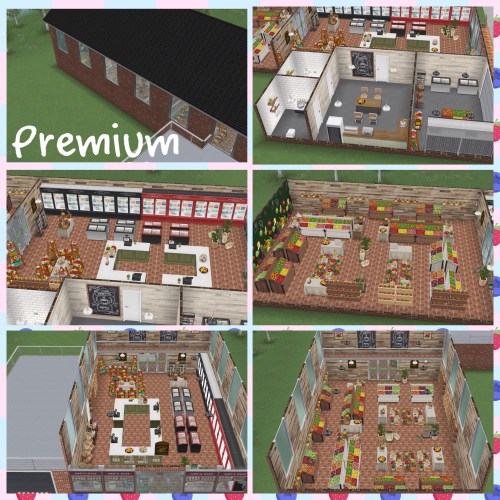
I really love this grocery store, they have made it look like it was a house that has been converted into a store, there is even a staff room and store room. It is just a shame again that it is using up another house lot!
Cost: First is free after that each one you build costs simoleons, the price depends on how many other houses you have built so far
Floors: Two
Basement: No
Car: No
Premium Residence: Bigger building
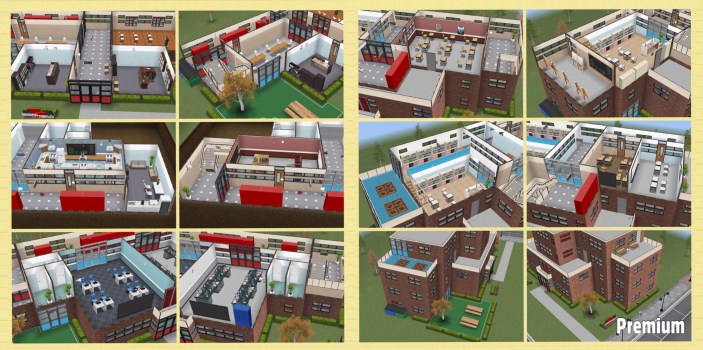
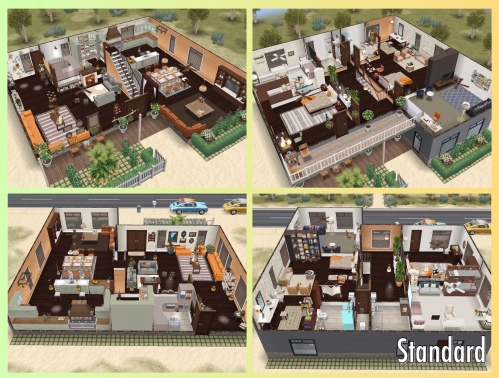
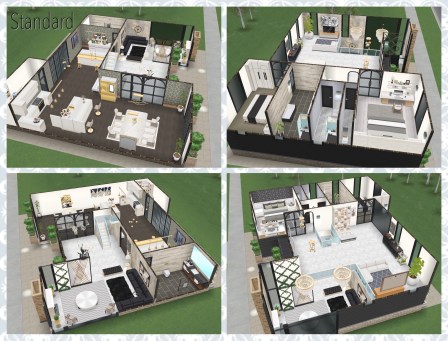
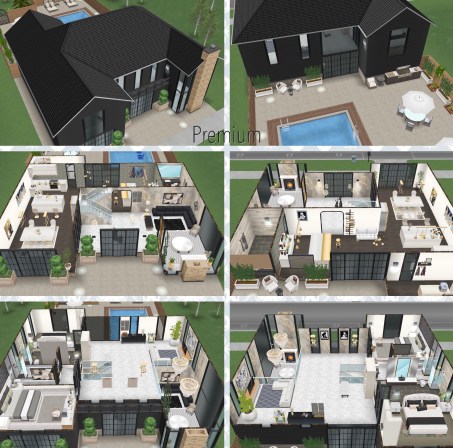
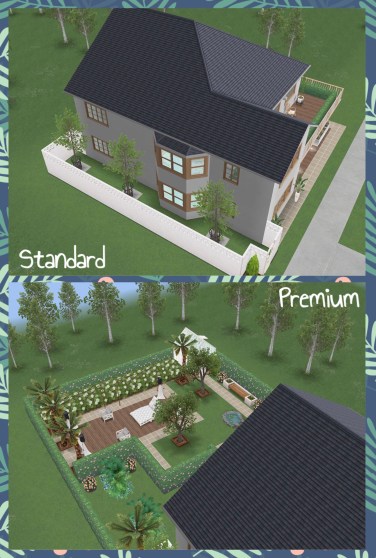
The standard and premium versions are completely different, I personally prefer how it looks on the premium, it looks more like a school but I won’t be wasting a house lot building this one.
School Campus Tour:
Cost: First is free after that each one you build costs simoleons, the price depends on how many other houses you have built so far
Floors: Four
Basement: Yes
Car: No
Premium Residence: Bigger building, different layout from standard
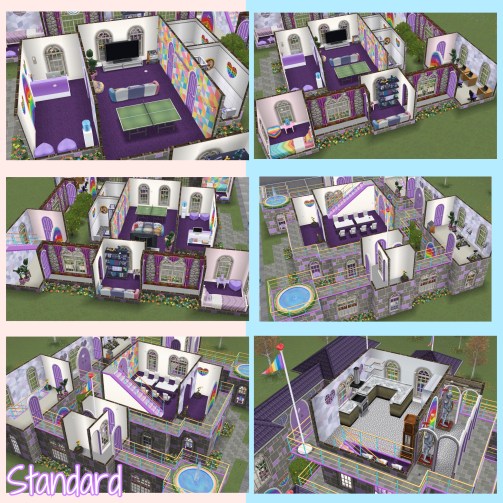
This house template was part of the Care Bears collaboration update so it won’t be returning to the game. The standard and premium versions are overall very different but there are a few rooms that are the same on both. I personally prefer this community center on the premium residence as the bedrooms are bigger. This template is super cute, it definitely fits in with the Care Bear theme!
Care-a-lot Community Center tour:
Cost: First is free after that each one you build costs simoleons, the price depends on how many other houses you have built so far
Floors: Three
Basement: No
Car: No
Premium Residence: Bigger building, different layout from standard
I really love this template, the Moroccan theme and new items work really well with some of the items from the Desert Oasis Live Event.
Moroccan Marvel Tour:
Cost: First is free after that each one you build costs simoleons, the price depends on how many other houses you have built so far
Floors: Four
Basement: No
Car: No
Premium Residence: pool and extra building
This is a 3 story building using hotel themed items to make this hotel, personally I don’t see the point in unlocking hotel items so this template doesn’t wow me. The only difference between the standard and the premium residence is the premium has a swimming pool behind the hotel. I built my own hotel with a mezzanine, the link to the speed build is below.
Cost: First is free after that each one you build costs simoleons, the price depends on how many other houses you have built so far
Floors: Three
Basement: No
Car: No
Premium Residence: pool
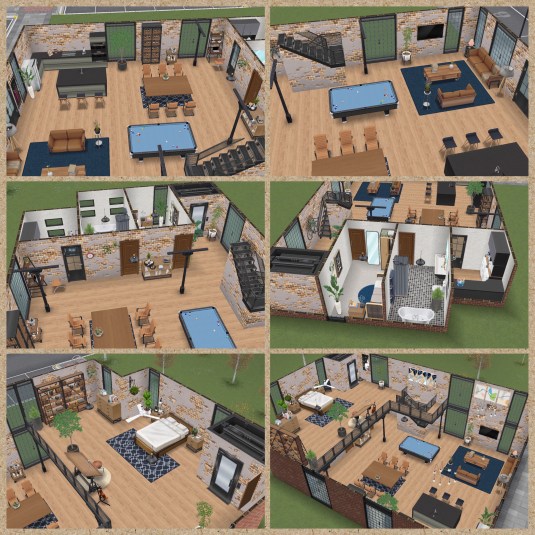
From the outside this house doesn’t look very interesting but inside it does look like a realistic loft as the top floor, which is the bedroom, has a large mezzanine overlooking the downstairs. The premium has a garden area.
Cost: First is free after that each one you build costs simoleons, the price depends on how many other houses you have built so far
Floors: Two
Basement: No
Car: No
Premium Residence: garden area
This is a one story house perfect for summer getaways! This house comes with four vintage cars which will also be unlocked in the car dealership. The premium residence has a pool so your sims can cool off after a long day relaxing in the desert sun.
Palm Perfection Tour:
Cost: First is free after that each one you build costs simoleons, the price depends on how many other houses you have built so far
Floors: One
Basement: No
Car: Four (Red Vintage Car- S845,000, Blue Vintage Car- S850,000, Pink Vintage Car- 85LP, White Vintage Car- 85LP)
Premium Residence: pool
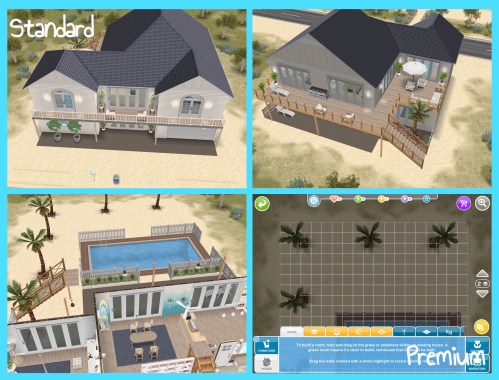
The houses are the same on the standard and premium residence, but the premium residence has a pool in the back yard. I really love this house template, I find the coastal theme quite relaxing as I get holiday vibes. I also like that they have created a new location for this template as the desert one was starting to get boring as it is used too much. Sims can even swim in the sea!
Captivating Coast Tour:
Cost: First is free after that each one you build costs simoleons, the price depends on how many other houses you have built so far
Floors: Two
Basement: No
Car: No
Premium Residence: pool and palm trees
The premium residence includes the palm tree area so you could always add different decorations or an extra house to this lot:
I really love this house template, it is very calming, especially the garden on the premium residence. This is the perfect house for your sims who want to relax!
Zen Den Tour:
Cost: First is free after that each one you build costs simoleons, the price depends on how many other houses you have built so far
Floors: Two
Basement: No
Car: No
Premium Residence: garden
This live event and house template isn’t really for me, I know the zebra heads and rugs are faux but I still don’t feel comfortable using them in any build so this house will never be built on my game.
Maximalist Living Tour:
Cost: First is free after that each one you build costs simoleons, the price depends on how many other houses you have built so far
Floors: Two
Basement: No
Car: No
Premium Residence: pool, patio and garden furniture
I am quite disappointed with this house, firstly it is hard to tell if it is meant to be a house or some sort of museum, the more I look at it I think maybe it is meant to be a communal dance hall on the ground floor and the rest of the house is private but it still feels like a museum in places rather than a house. Also the 3 in 1 pantry, shower and laundry room in the basement is gross- why are we storing food in the same room as the toilet?! The location is also a normal driveway homes lot rather than more spooky surroundings that I was expecting, I just don’t think this house showcases the items very well, I built a masquerade castle instead, find the link below.
Cost: First is free after that each one you build costs simoleons, the price depends on how many other houses you have built so far
Floors: Three
Basement: Yes
Car: No
Premium Residence: bigger building and balcony
This is a 3 story house on a desert location, this house has plenty of balcony and patio space and large door frames to let in the breeze. I would have liked it if the patio and balcony paving matched the tiles inside the house so it flows better.
Heart-fluttering Hacienda Tour:
Cost: First is free after that each one you build costs simoleons, the price depends on how many other houses you have built so far
Floors: Three
Basement: No
Car: No
Premium Residence: pool and patio area
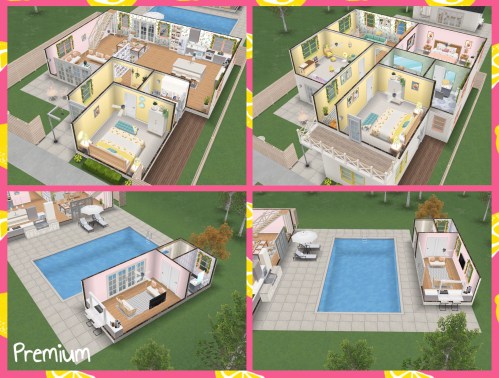
I prefer this house on the standard residence, I really like how the house looks as I am loving the fruit theme but I think the small building on the premium residence was an after thought- it is even missing some wallpaper! I give this house 4/5 on the standard residence but only 3.5/5 on the premium.
Cost: First is free after that each one you build costs simoleons, the price depends on how many other houses you have built so far
Floors: Two
Basement: No
Car: Four (Red Vintage Car- S845,000, Blue Vintage Car- S850,000, Pink Vintage Car- 85LP, White Vintage Car- 85LP)
Premium Residence: pool and extra building
This is a two story house that has a cute country theme, the live event unlocked garden items so the garden is the main purpose, on the standard residence there is a garden at the front of the house featuring items from this event. The premium residence also has a garden at the back of the house with a greenhouse and small outbuilding which I think works perfectly on this house lot
Cost: First is free after that each one you build costs simoleons, the price depends on how many other houses you have built so far
Floors: Two
Basement: No
Car: No
Premium Residence: back garden, greenhouse and extra building
The house is fairly boring, I was expecting loads of colours and the LEGO® DOTS theme to be throughout but it is really only in the front two bedrooms, the rest of the house is bland and many rooms are lacking small touches that would make them interesting. The garden on the premium residence looks like it was thrown together in minutes just to say there is a premium version of this template. It is such a shame as the rest of the items in this live event are great, I just wish they were showcased better in this house. This live event was available from a collaboration with LEGO® DOTS so it won’t be available again.
Cost: First is free after that each one you build costs simoleons, the price depends on how many other houses you have built so far
Floors: Two
Basement: No
Car: No
Premium Residence: pool, greenhouse and a few trees
I really love this house, I think it looks great on both the standard and the premium residence. The colours and themes they have used in this house go well together. This is built on the beach location so sims can swim in the sea.
Summer Staycation Tour:
Cost: First is free after that each one you build costs simoleons, the price depends on how many other houses you have built so far
Floors: Two
Basement: No
Car: Two (Yellow Beach Sports Coupe- S1,051,380 and Blue Beach Sports Coupe- 79SP)
Premium Residence: patio area and extra building
The title of this house is accurate, it is glamorous! The house is full of marble, gold and stylish white furniture. I prefer this house on the standard residence as I don’t think the paving and fencing go with the glamorous theme.
Cost: First is free after that each one you build costs simoleons, the price depends on how many other houses you have built so far
Floors: Two
Basement: No
Car: No
Premium Residence: patio area and pool
NOTE: can only be built if you completed the glamorous getaway live event in the time limit
This is such a beautiful looking house template! I really love the botanical theme and wooden furniture. I would like to see more colour in this house though as most of the walls are white so I created my own house, click on the link below to watch my botanical house tour.
Cost: First is free after that each one you build costs simoleons, the price depends on how many other houses you have built so far
Floors: Two
Basement: No
Car: No
Premium Residence: garden and patio area
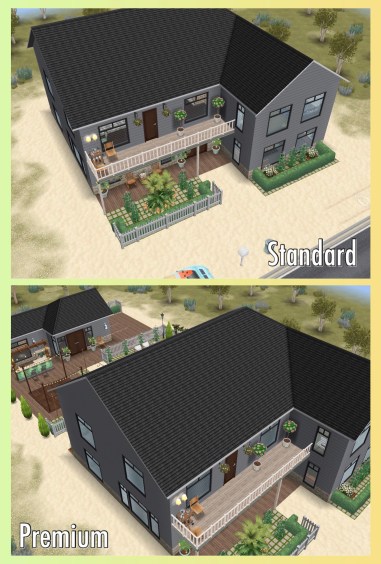
This two story cottage is cute, I would probably change some of the wallpaper and flooring. The cottage has a front garden on both the standard and premium residence, I prefer this house on the premium residence as that also has a back garden.
Cost: First is free after that each one you build costs simoleons, the price depends on how many other houses you have built so far
Floors: Two
Basement: No
Car: No
Premium Residence: garden and greenhouse
If I demolish a free house and want to build it again, can I build it again for free? No, it will cost simoleons to rebuild it
MORE HOUSE GUIDES:
Part One:Unfurnished Studio, Furnished Townhouse, Family Home, 1 Story Mansion, Empty Lot, The Sanctuary, Dark Secret, Skater’s Dream Pad, Medieval Castle, Designer Home and Player Designed House
Part Two: Japanese Retreat, Sci Fi Shuttle, Neo Tokyo, Geek Heaven, Sim Cinema, Hallway House, Two Story Mansion and Scandinavian House
Live events (or as they are now called Craft Challenges) are tricky to complete in the time limit so this post explains how to complete live events with tips so you can try and complete every live event the first time around!
What are live events?
Live events are time limited events that last for a certain amount of days (if you don’t play the game during that time you will miss out on these events) The aim of them is to collect arts and crafts items from 4 crafting stations which are the resources you need to unlock and buy items in the event, if you manage to unlock and purchase all of the items in the time limit then you unlock the grand prize.
I think it is important to say that live events are hard and if you cannot be on the game every few hours to collect from the stations then it can be very difficult to complete, live events are often repeated so if you don’t manage to complete it the first time, don’t panic as it will probably be back again at some point. When it does return you will start from where you got to the first time so if you only had one pack left to buy then you will have the full time limit the second time to try and purchase that final pack to complete the live event.
How do live events work?
A pop up will appear to tell you a live event has started, click start collecting to begin the first goal:
The goals for each live event are almost the same apart from the event button and the first pack you buy during these goals:
Place a crafting station– find the candle station in the events tab of buy mode. If you participated in another live event then you will find your arts and crafts stations in your inventory (or in the house you left them at) you will only be able to use the candle ones until you unlock the other stations in this event
Make some arts and crafts items (click on the candle station to make)- 23 seconds TIP: buy all 4 stations so you can have 4 sims making the candles for 23 seconds, this means you will earn 200 candles instantly instead of just 50!
Once they have made the candles, a bubble with a candle in it will appear above their head, click on this and this takes you to the prize progress tab (you can also get to this by clicking on the event button in the corner of the screen)
Here you will see you have collected enough items to unlock the first pack! You need to unlock each pack and purchase them with the arts and crafts items you make before the items are available in your home store- this goal is coming up.
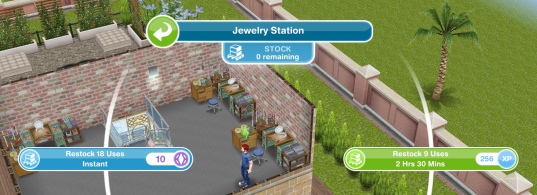
Restock a crafting station- when the stock runs out you will have to restock before you can make anymore arts and crafts items. You can restock instantly for 18 uses which will cost you 10SP or restock for 2 uses which will take 10 seconds this time (after this time you can restock 9 uses which will be free but will take 2 hours and 30 minutes to restock) TIP: again have all 4 sims restock the stations so you have 2 uses on each
Buy the first pack– click on the event button, scroll down and click purchase (this will cost you 50 candles) once purchased you will find the item(s) in buy mode to place in your sims houses
Use a coin flower patch- buy the coin flower patch from the event tab of the home store and select the free spin plant option. The coin flower patch is how you earn constructor coins which are also needed to purchase packs. After this time it will cost 450 candles to use the spin plant and 25SP to use the mega spin plant- but you will earn more constructor coins by using the mega plant (the minimum is 10 and the maximum is 500)
Check the daily goals- click on the event button in the corner and go to the first tab which is daily goals- claim the ones you can right now and check back throughout the day to claim all your daily goals and earn your 20 constructor coin bonus!
Collect bonuses- while collecting after a certain amount of time you will see the arts and crafts item appear above that sims head, click to collect the bonus item!
Continue collecting arts and crafts items- this is the last step but the event is not over, keep collecting the arts and crafts to unlock everything on the bar at the top of your progress tab and then use those arts and crafts items and constructor coins to purchase all those packs.
There are 3 parts to these events if you want to complete them in the time limit you have to complete all 3 parts; collecting, unlocking and buying
Collecting
Once you have completed the goals you need to put your sims on the candle stations to continue collecting candles, you can place a maximum of 4 candle stations, as you unlock the rest of the stations there is a limit on those too:
4 Pottery Stations
3 Jewelry Stations
2 Glassware Stations
You won’t need to buy new stations each time there is an event on, I keep mine in 2 houses so they are stocked and ready for the next event
Once you have placed your candle stations you can select one of 4 options:
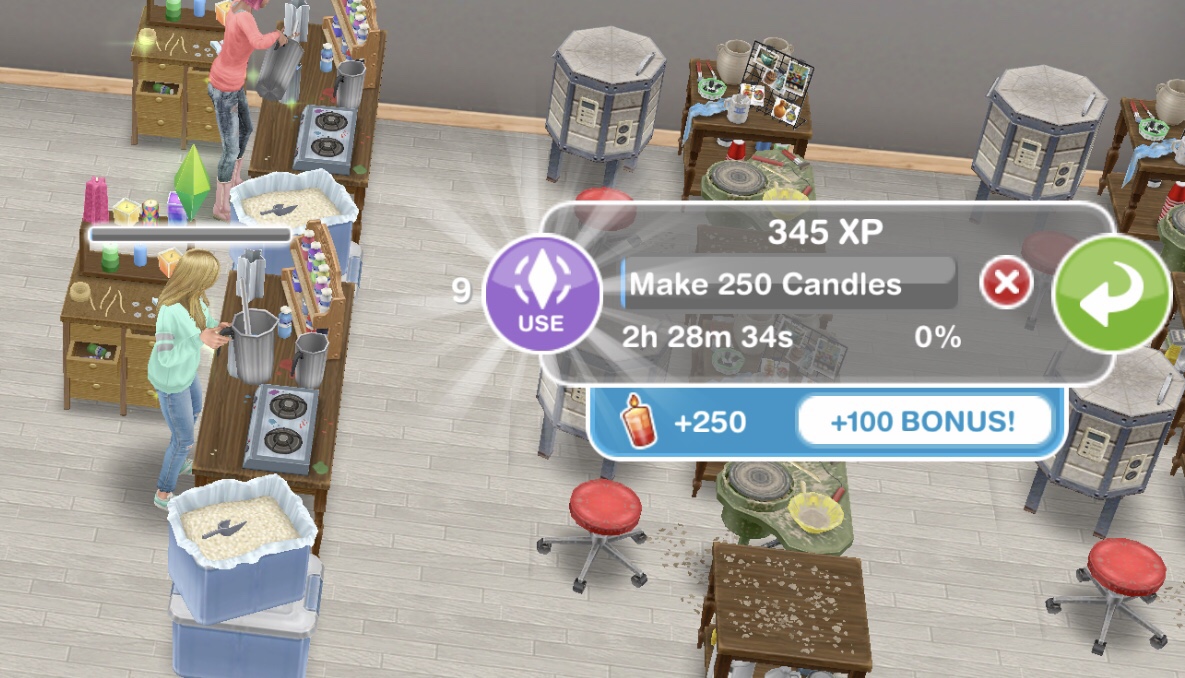
Make 250 Candles- 2 hours 30 minutes
Make 360 Candles- 4 hours 30 minutes
Make 455 Candles- 6 hours 30 minutes
Make 510 Candles- 8 hours 30 minutes
From these stats it looks like the 8 hour 30 minute option is the best but actually if you did the 2 hour 30 minute option 3 times (7 hours 30 minutes) you will earn 750 candles rather than 510! So if you can do the shortest option over and over again throughout the day then you will earn a lot more resources but obviously if you are going to be out all day then it would be better to do a longer option.
Other Station Times
Pottery:
Collect 375 Pottery- 2 hours 30 minutes
Collect 540 Pottery- 4 hours 30 minutes
Collect 680 Pottery- 6 hours 30 minutes
Collect 765 Pottery- 8 hours 30 minutes
Jewelry:
Collect 565 Jewelry- 2 hours 30 minutes
Collect 810 Jewelry- 4 hours 30 minutes
Collect 1025 Jewelry- 6 hours 30 minutes
Collect 1150 Jewelry- 8 hours 30 minutes
Glassware:
Collect 620 Glass- 2 hours 30 minutes
Collect 890 Glass- 4 hours 30 minutes
Collect 1125 Glass- 6 hours 30 minutes
Collect 1260 Glass- 8 hours 30 minutes
Remember you will need to restock the stations occasionally, you can restock instantly for 18 uses but this will cost you 10SP or you can restock 9 uses, this is free but it will take you 2 hours 30 minutes to restock:
Each station (apart from the first candle one) comes with a stock of 7 which means you can use the station 7 times before it needs to be restocked (if you got your stations out of your inventory they will all need restocking first (apart from the first candle one)
NOTE:
if you store the station you will lose all the stock so when you place it again you will need to restock
if you cancel making something using a station you will lose that stock so if you had one stock left and then you cancelled that action you would need to restock before you can create anymore arts and crafts items
The more arts and crafts items you make the more items you will unlock
Collecting Bonuses
While collecting after a certain amount of time you will see the arts and crafts item appear above that sims head, these are bonus items (when you click on a sim making arts and crafts items you can see underneath the time how many bonus items are available):
You don’t have to collect the bonus every minute but there is a point where the maximum bonus points have been stored so to avoid missing out to any of the bonuses you need to check the game regularly. The table below shows how often you need to check the game to collect all the bonuses.
Regular means the normal amount you would earn, the bonus is the maximum bonus for that station and the time is how long before the maximum bonus is stored, for example the glassware station will normally give you 620 glassware but you can get 100 bonus, if you check back on the game every 15 minutes you will earn 10 glassware:
STATIONS
2 hours 30 minutes
4 hours 30 minutes
6 hours 30 minutes
8 hours 30 minutes
Regular
Bonus
15 mins
Regular
Bonus
27 mins
Regular
Bonus
39 mins
Regular
Bonus
51 mins
Candles
250
100
10
360
140
14
455
155
15
510
240
24
Pottery
375
100
10
540
160
16
680
200
20
765
290
29
Jewelry
565
100
10
810
160
16
1,025
200
20
1,150
325
32
Glassware
620
100
10
890
200
20
1,125
220
22
1,260
400
40
Thank you so much to Hershey for providing the above information!
PLEASE NOTE: if your sims are inspired you will miss out on some of the bonus arts and crafts items as they haven’t updated the formula AND if you are planning to use social points to speed up you will get all the bonuses anyway
Unlocking
The bar at the top of your personal progress tab shows you the items you have already unlocked and those you are yet to unlock, as well as how many resources you need to collect to unlock the next item:
You unlock different items here:
Items to purchase– these are the packs that you need to use your resources to buy once you have unlocked them to be able to find that item in your home store (this is explained more in the buying part of this post)
Constructor Coins– these are a resource needed to purchase those items mentioned above. You can also earn them on the spin plants but they are probably the hardest item to earn in these events
Arts and Crafts Stations– you have already unlocked the candle station but you will need the pottery, jewelry and glassware stations too to be able to make those arts and crafts items to buy the items you unlock
TIP: make sure you place the new arts and crafts stations you unlock as soon as you unlock them so you don’t waste any time, if you previously unlocked them in another live event you will have to still unlock them again before you can use them in this event
Social Points– as this event uses social points to speed up actions as well as purchase any resources you still need if you haven’t reached the required amount, you get a few as a reward in these events- they aren’t that generous with them so don’t rely on them to help you complete the event!
TIP: instead of wasting all your SP trying to earn the last resources you need for a pack why not wait for the event to return again in the future? When it does return you will start from where you got to the first time so if you only had one pack left to buy then you will have the full time limit the second time to try and purchase that final pack to complete the live event.
Buying
To buy an item you need to use the resources you collect from the arts and crafts stations as well as constructor coins as currency so if an item costs you 50 candles to purchase and you have 60 candles then you will have 10 candles left after you purchased that item. You can see the current amount of resources you have in the inventory in the progress tab:
Below is how an item appears in your progress tab at different stages of the event:
The first picture shows the item is locked, this is how you will see an item when you haven’t collected enough arts and crafts items to reach that item on the bar at the top of your personal progress tab, keep collecting and it will unlock, the unlock symbol will either be orange or green.
The orange unlock symbol as you can see in the second picture means that you have unlocked this item but you do not have enough resources to buy it yet unless you use social points. You don’t have to use social points though, you just need to keep collecting the resources you need by using the arts and crafts stations and the spin plant to earn constructor coins
TIP: if you are unsure what resources you need under requirements there will be a box for each resource you need, the first number under the resource picture is how many resources you currently have and the second number is how many resources you need, if you have enough resources the box will be orange, if you don’t have enough resources the box is blue. You can tell straight away in the picture that I don’t have enough constructor coins to buy the fine dining items pack yet.
The green unlock symbol means you have all the resources you need, click purchase to use those resources to buy the pack, you will then be able to find the items in your home store or wardrobe (depending on the item)
TIP: a pop up will appear saying you have unlocked that pack and where to find your items so make sure you read it
How do you earn constructor coins?
They don’t make constructor coins easy to earn! In my experience with these events I can collect enough arts and crafts items but I am let down by how impossible they make it to earn constructor coins:
Personal Progress prizes– as mentioned in the unlocking section you will earn constructor coins when you collect enough resources to unlock that reward on the progress bar
Completing Daily Goals– you will earn constructor coins when you complete daily goals and if you manage to complete them all in a day you will earn 20 bonus constructor coins, make sure you collect them every day during the event!
Coin Flower Patches– there are two types of coin flower patches, the spin plant which costs 450 candles each time you spin and the mega spin plant which costs 25SP each time you spin but you will earn more constructor coins (personally I never use the mega spin plant, I just earn as many candles as possible to use on the normal spin plant) When you use the plant it will spin and you will earn a certain amount of coins, usually with the spin plant you only get 1-2 coins most times which can be the difference between completing the event in time or not! If the luck is in your favour you can win up to 125 constructor coins on the spin plant and 500 on the mega spin plant with the minimum on the mega spin plant being 10 coins.
If you manage to unlock and buy all the packs during the time limit you can click claim on the prize pack, you will only be able to claim this pack if you have brought all the other packs:
If you didn’t manage to complete in the time you have a few days after the event is over to purchase any packs you have left but you cannot collect anymore arts and crafts items or constructor coins during this time. If you don’t have the requirements you need you can use social points or you could just wait for the event to return in the future!
Once the event is over it will convert your unused resources into simoleons, the conversion rate is half the amount of resources, for example, if you have 10,000 candles left over you will earn 5,000 simoleons, if you only have 1 of a resource left over you will only earn 1 simoleon. When a new live event becomes available you start from 0 resources
Tips:
When completing the goals place all 4 candle stations straight away and then you can put a sim on each station to collect candles for 23 seconds, this way you will start with 200 candles instead of just 50!
Also in the goals when you have to restock, restock all of them so you have 2 uses on each of them instead of just one station
Do the 2 hour 30 minute option as much as you can, you will find the most arts and crafts items this way
Remember to complete and collect your daily rewards every day- you will earn 20 bonus constructor coins if you do!
If you can collect the bonuses every 15 minutes or so then you will earn even more resources, if you use social points to speed up the task (most people leave until the last minute possible to speed up so you don’t have to use as many social points) then you will earn all the bonuses
Buy all the stations and have a sim on each to earn the most resources
Keep collecting candles throughout the event, you won’t need them to buy all the packs but you can use your spare candles on the spin plant to earn constructor coins rather than using the mega spin plant that costs social points
If you want to use the mega spin plant but don’t have enough social points then complete the cooking hobby to earn 20LP and use them on the social point flower to earn social points (this isn’t that great anymore as they have increased the cost of the social point flower from 5 to 20LP but it may still help) Click here to find out how to earn LP quickly with the cooking hobby
If you know you won’t be able to complete the event then just buy the packs that you really want- you don’t have to buy them in order!
The time limit is the same for everyone, if you start late then you will have less days to complete the event- I create a post for each live event so subscribe here if you don’t want to miss an event or start late
Resources don’t transfer to future events they get converted into simoleons, so if you have 100 constructor coins and 1,000 pottery left over you will earn 550 simoleons for them and in the next event you will start with 0 constructor coins and 0 pottery
Don’t store your stations at the end of an event, if you store them you will have to restock before you can use them again, create a room for them instead! (only put 10 stations in one house as only 10 sims can be in a house at one time) That way you will still have stock left over from the previous event to use on the next!
Don’t panic if you cannot complete an event in the time limit, these events do return and when they do you will start from where you got to last time so you can try to complete it then without wasting all your social points completing it the first time
Is there anything to make the events easier?
Laura Craft doesn’t guarantee you will complete the event but you can purchase her for real money, you select the item you want her to make from the options: 200 candles, 300 pottery, 450 jewelry or 500 glassware (you will unlock all the options once you have unlocked all the stations) and you will be able to collect them after 2 hours.
BUT you have to buy her for each live event
Do I think she is worth it? They have improved Laura Craft a lot since the first event (although it would be great if she made constructor coins) she used to be able to collect every 8 hours, they have now changed this to 2 hours so she is more useful now so if you are struggling then you may want to splash out and give her a try but remember you will only get her for the current event, you will have to buy her again to use her for a live event in the future.
A week ago I created a poll asking what you thought of live events and here are the results:
32% of those who voted said yes, they do enjoy live events! I’m not really surprised about that although personally I think these live events are too regular, we have had one an update since January now (and there were actually two in the dance party update!) but they are yet to repeat any which I know many of us really want them to- need to get my hands on that chateau! I do enjoy them but they are getting very repetitive so I didn’t even really try with the custom closets one, more than doing the shortest option whenever I could- I usually get up in the night too but I couldn’t face it again! However I will say I did manage to complete it even though I didn’t really try so it looks like they have heard our comments about these events being impossible and are improving them.





























































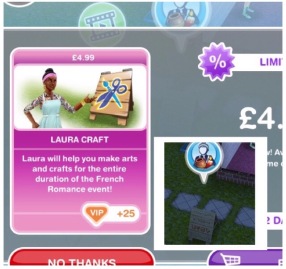 Laura Craft doesn’t guarantee you will complete the event but you can purchase her for real money, you select the item you want her to make from the options: 200 candles, 300 pottery, 450 jewelry or 500 glassware (you will unlock all the options once you have unlocked all the stations) and you will be able to collect them after 2 hours.


